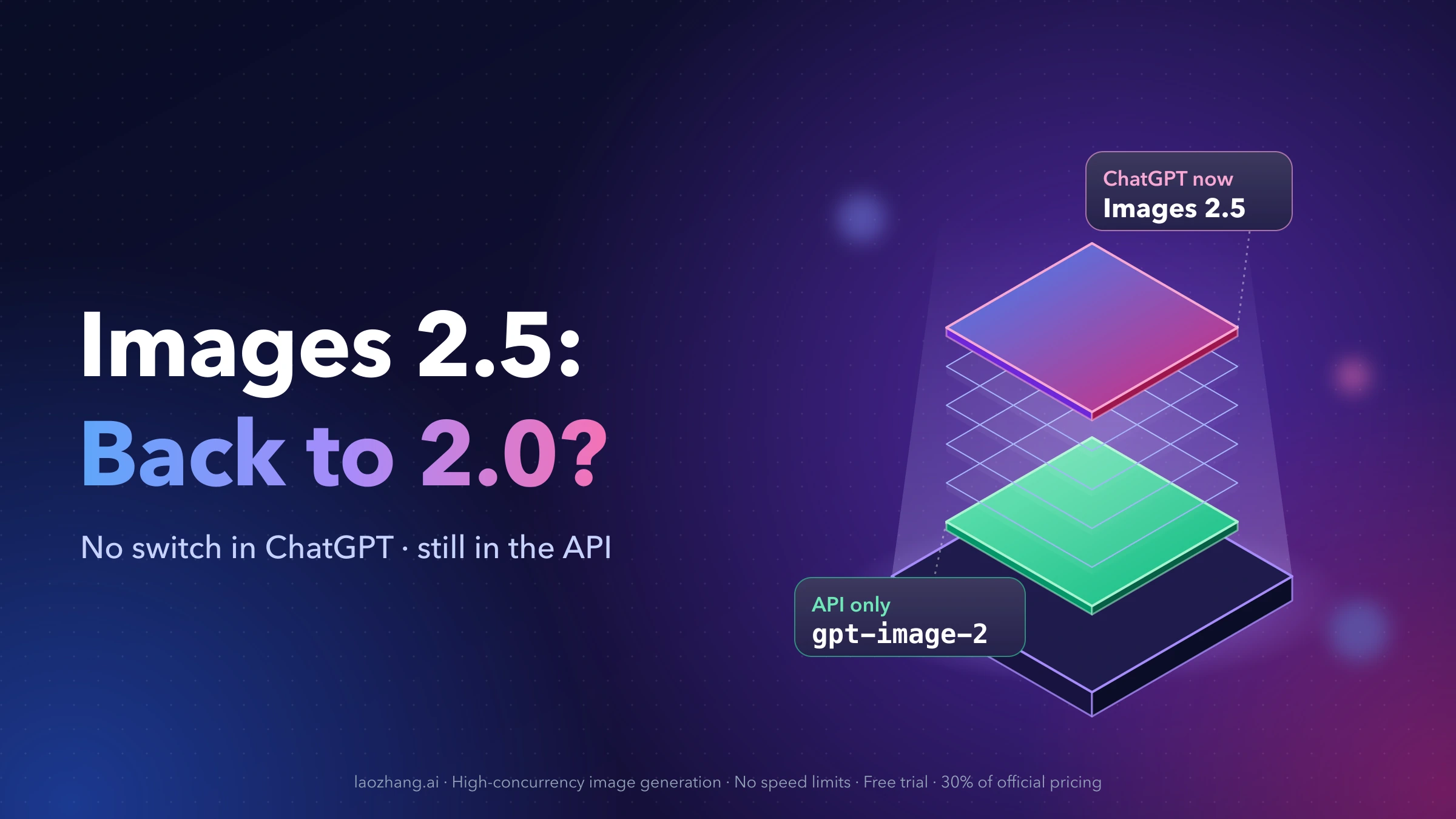
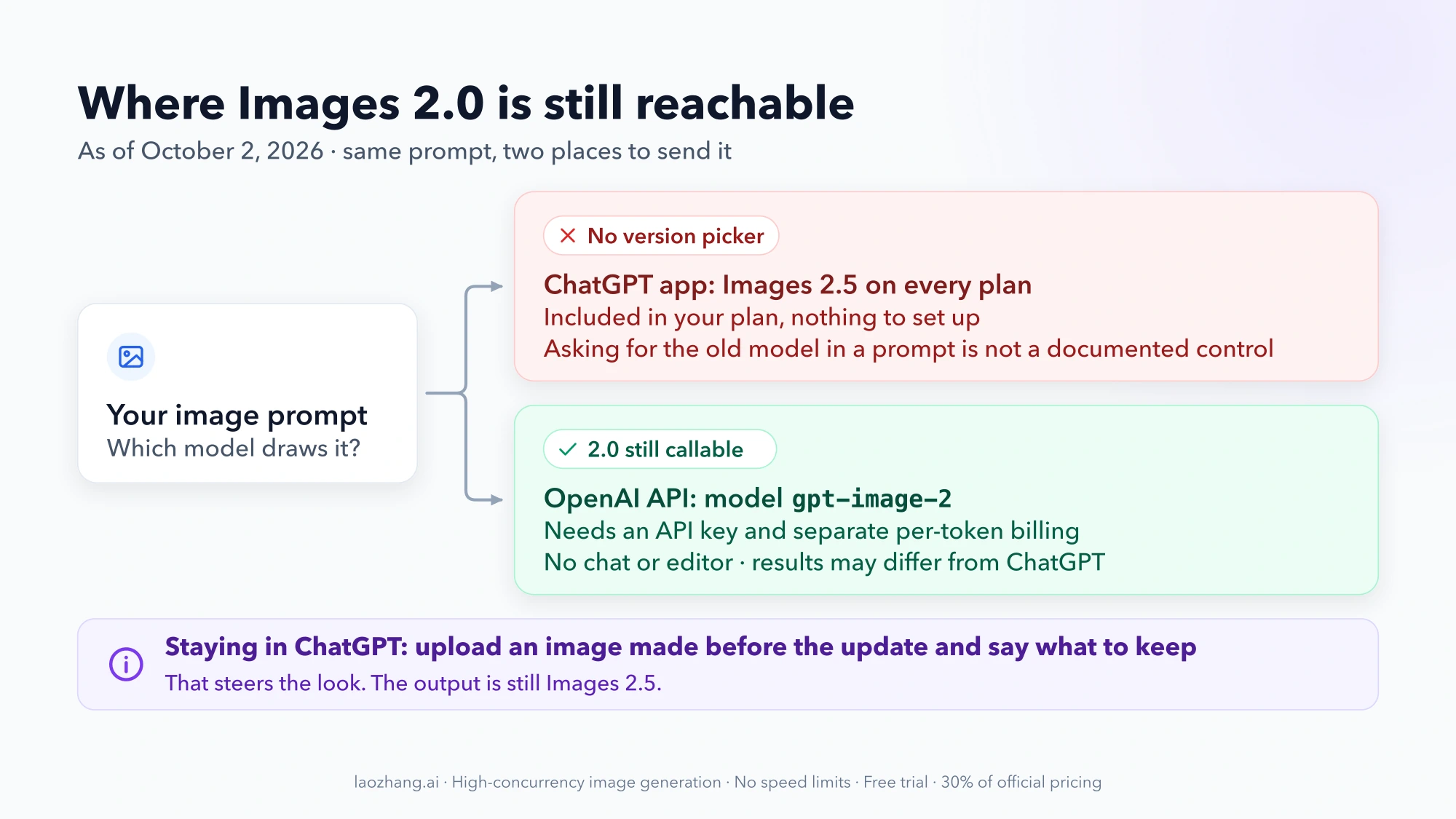
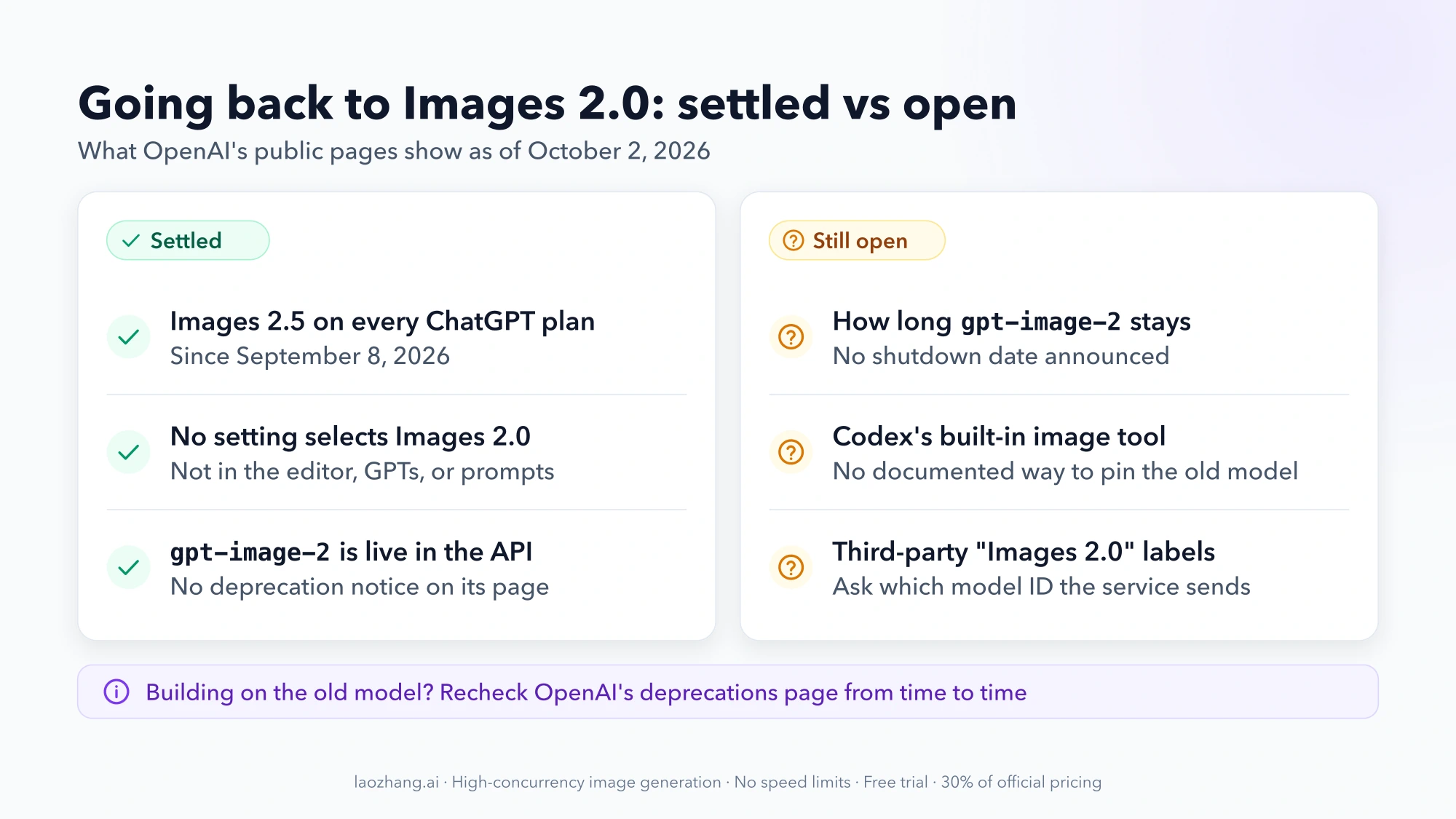
You can't switch back to Images 2.0 inside ChatGPT. As of October 2, 2026, OpenAI documents no setting, menu, or prompt that selects the previous image model. Images 2.5 has been the image model on every plan since September 8, 2026.
The old model has not disappeared, though. It is still available in the OpenAI API under the model ID gpt-image-2, with no shutdown date announced. Reaching it takes an API key and pay-as-you-go billing that your ChatGPT subscription does not cover.
That leaves two realistic options:
- You want the 2.0 model itself, for example to finish a series of characters or client images in the same look. Call
gpt-image-2through the API. The request is short, and it is shown below. - You want to stay in ChatGPT. Upload an image you made before the update as a reference and describe the style you want kept. The result is still Images 2.5 output, but it is the only documented lever you have in the app.
A note on names: "ChatGPT Images 2.0" is the feature name in ChatGPT, and "GPT Image 2" (gpt-image-2) is the API model. Both launched on April 21, 2026 and refer to the same generation.
Can you switch back to Images 2.0 in ChatGPT? No documented option
No. OpenAI's Images 2.5 announcement, its help article Images in ChatGPT, and the ChatGPT release notes describe no way to keep, select, or return to Images 2.0. OpenAI has not published a sentence saying "you cannot switch back." What the pages show is that no such control exists in the documented product, on web, iOS, or Android, on any plan.
The help article lists the image controls you do get. None of them picks a model version:
| Control in ChatGPT | What it does | Selects an older image model? |
|---|---|---|
| Images | Opens image creation | No |
| Templates | Starts an image from a ready-made template | No |
Sketch (@Sketch on mobile) | Takes a drawing as the starting point | No |
| Select, Aspect ratio, Undo, Redo in the editor | Edits part of an image or reshapes it | No |
| Images with thinking (Plus, Pro, Business) | Plans the image before generating it | No |
The places people usually look next are also closed:
- The DALL·E GPT. OpenAI retired the official DALL·E GPT on August 30, 2026. The help article's answer to "Can I still generate images with DALL·E on ChatGPT?" is "No."
- Custom GPTs. The same article says GPTs with Image Generation enabled "can create images using the new generation model." Building your own GPT does not pin an older one.
- Asking in the prompt. Typing "use Images 2.0" or "use the old image model" is not a documented control. Nothing in OpenAI's documentation says such a request changes which model renders the image, whatever the chat reply says.
- Turning thinking on or off. Thinking changes how the image is planned. The image model stays the same.
If you have been hunting through settings for a hidden toggle, you can stop.
Where Images 2.0 still runs: gpt-image-2 in the OpenAI API
The previous model is live in the API. OpenAI's GPT Image 2 model page carries no deprecation notice as of October 2, 2026. It lists two IDs, gpt-image-2 and the dated snapshot gpt-image-2-2026-04-21, and two endpoints: v1/images/generations for new images and v1/images/edits for changing an existing one.
Three conditions come with this route:
- It is billed separately. A ChatGPT Plus, Pro, or Business plan includes no API usage. You need an account on the OpenAI API platform with billing set up. The model page marks the free API tier as "Not supported" for
gpt-image-2. - Output may not match what ChatGPT gave you. ChatGPT applies its own handling to your prompt before the image model sees it. The API sends your prompt as written. Expect the same model family and a similar look, not a pixel-for-pixel return of your old results.
- You work without the chat interface. You send a request and get an image file back. There is no conversation, no editor, and no Templates.
Is the API route worth it? Cost, limits, and effort
It is worth it if a specific look matters more to you than the convenience of the app. It is not worth it if you only make occasional images and mildly prefer the old style.
| Stay in ChatGPT | Call gpt-image-2 in the API | |
|---|---|---|
| Image model | Images 2.5 | GPT Image 2, the model behind Images 2.0 |
| What you pay | Your existing plan | Per token, on top of any ChatGPT plan |
| Setup | None | API key, billing, a script or small app |
| Speed limit | Your plan's image limits | 5 images per minute on usage tier 1, 20 on tier 2, 50 on tier 3 |
| Quality settings | Chosen by ChatGPT | low, medium, high, or auto |
| Editing | Editor with Select and multi-turn chat | v1/images/edits with an uploaded image |
| Good fit | Casual use, or work that benefits from 2.5's editing | An ongoing series, a house style, client work built on 2.0 output |
Cost. OpenAI charges image models by tokens, not per picture. The pricing page lists GPT Image 2 at the same token rates as the two 2.5 models. The standard rates are $5.00 per 1M text input tokens, $8.00 per 1M image input tokens, and $30.00 per 1M image output tokens. Identical rates do not mean identical cost per image. OpenAI's image guide notes that "the models can use different token counts," and the count also moves with size and quality. Use the calculator in the image generation guide for your size and quality before you commit to a batch. For how the token math works, see GPT Image 2.5: Flare vs. Sunburst, Pricing, and API Examples.
Limits. Rate limits come from your API usage tier, not your ChatGPT plan. Tier 1 allows 100,000 tokens per minute and 5 images per minute. Tier 5 allows 250 images per minute.
Effort. One request is enough to test whether the API gives you the look you miss. Anything more comfortable, such as a small local app with a prompt box, is something you build or have a coding assistant write for you. That is the approach users on r/ChatGPT describe when the question comes up: a local app that connects to the API and lets you pick the model, "if you're willing to pay extra."
Generate an image with gpt-image-2 in one request
You need an OpenAI API key with billing enabled. OpenAI may also ask you to verify your organization before GPT Image models are unlocked. The examples follow OpenAI's documented request shape and are meant to be run with your own key. Each call is billed.
With curl and jq installed, this writes a PNG to the current folder:
export OPENAI_API_KEY="sk-..."

curl -s https://api.openai.com/v1/images/generations \
  -H "Authorization: Bearer $OPENAI_API_KEY" \
  -H "Content-Type: application/json" \
  -d '{
    "model": "gpt-image-2",
    "prompt": "A watercolor portrait of a red-haired ranger in a pine forest, soft morning light",
    "size": "1024x1536",
    "quality": "medium"
  }' | jq -r '.data[0].b64_json' | base64 --decode > ranger.png
The same request in Python, after pip install openai:
import base64
from openai import OpenAI

client = OpenAI()  # reads OPENAI_API_KEY from the environment

result = client.images.generate(
    model="gpt-image-2",
    prompt="A watercolor portrait of a red-haired ranger in a pine forest, soft morning light",
    size="1024x1536",
    quality="medium",
)

with open("ranger.png", "wb") as f:
    f.write(base64.b64decode(result.data[0].b64_json))
The fields that matter:
modelis the whole point.gpt-image-2follows the current GPT Image 2 snapshot.gpt-image-2-2026-04-21pins the dated one.sizetakes1024x1024,1536x1024(landscape), or1024x1536(portrait) as the recommended values. Custom sizes must be multiples of 16.qualitytakeslow,medium,high, orauto. Thexhighandmaxvalues belong to the 2.5 models.- The image comes back as base64 in
data[0].b64_json. GPT Image models never return a URL, which is why both examples decode the string into a file.
The call worked if ranger.png opens as a 1024×1536 image. If the file is empty or broken, run the curl command without the jq and base64 part and read the error object in the response. If the error says the model is not available to your account, check billing and organization verification first.
To change an existing picture, such as putting an established character into a new scene, send the image to the edits endpoint:
result = client.images.edit(
    model="gpt-image-2",
    image=open("ranger.png", "rb"),
    prompt="Same character and painting style, now sitting by a campfire at night",
)
The reply has the same shape, so the same two lines save it to a file. For the differences between this endpoint and the conversational one, see OpenAI Image API Tutorial: Images API vs Responses API.
Staying in ChatGPT: steer Images 2.5 toward your old look
If the API is more than you want to take on, the practical move is to show Images 2.5 what you want instead of asking for the old model by name.
- Upload an image you made before September 8. Pick one that shows the look clearly: the character's face, the line work, the color palette.
- Say what must stay and what may change. For example: "Keep the color palette, line weight, and face from this image. Change only the pose: she is now sitting on a stone wall."
- Describe the style in words as well. Name the medium, the lighting, and the level of detail, such as "flat cel shading, muted colors, thick outlines, no photographic texture." Images 2.5 leans toward natural light and texture by OpenAI's own description, so say so if you want less of it.
- Reuse the same reference and style description in every new chat. Consistency across sessions comes from repeating the inputs.
This is reference-based editing in Images 2.5, not a model switch. It leans on one of the things OpenAI says 2.5 does better, keeping subjects from reference images intact. How close it gets to your 2.0 results varies with the style, and nothing in OpenAI's documentation promises a match.
What changed in Images 2.5, and why some users want 2.0 back
OpenAI describes the update as an improvement on every axis it names. Its announcement claims up to 50% lower generation latency than Images 2.0, better preservation of subjects from reference photos, edits that change only what you asked for, consistency across multi-turn edits, and more natural light and texture.
Some users see it differently. A thread on r/ChatGPT titled "How to rollback to Images 2.0?" opens with "I didn't like the new 2.5 Update, it's worse in every way in my opinion," and a reply says the older images fit roleplay chats better. Another thread asking how to go back to "Image Gen 2.0" drew more than 30 comments.
Both are claims, not measurements. OpenAI's list comes from the vendor, and the complaints are individual taste. They are also not in conflict. A model can be faster and more faithful in edits while producing a default look that some people like less. If your complaint is about the look, the reference-image approach or the API addresses it. If your complaint is about speed or edit precision, going back to 2.0 would work against you.
How long will gpt-image-2 stay available? No shutdown date yet
OpenAI has announced no shutdown date for gpt-image-2. As of October 2, 2026, it does not appear on the API deprecations page. That is the current state, not a promise.
The same page shows how OpenAI has handled older image models:
| Model | Shutdown date |
|---|---|
dall-e-2, dall-e-3 | May 12, 2026 |
gpt-image-1 | October 23, 2026 |
gpt-image-1.5, gpt-image-1-mini, chatgpt-image-latest | December 1, 2026 |
gpt-image-2 | None announced |
Two practical points follow. First, chatgpt-image-latest is not a way to hold on to 2.0. It is being shut down, with the 2.5 models named as its replacement. Second, if you build a workflow on gpt-image-2, check the deprecations page from time to time and keep your prompts and reference images organized so you can move if a date appears.
Does Codex still use the old image model?
That is not something OpenAI's public pages settle. The Images 2.5 announcement lists Codex users among those who get Images 2.5. No public OpenAI page describes a way to pin Codex's built-in image tool to gpt-image-2. $imagegen invokes the image skill. It is not a model selector.
What does work in Codex is the API route in different clothes. Ask Codex to write and run a script that calls the Images API with model set to gpt-image-2. The model is then explicit in the code, and the calls are billed to your API key. The two paths are compared in GPT Image 2 API and Codex: Which Route Should You Use?.
Do third-party apps that list "Images 2.0" really use it?
Some image tools and API resellers still show "GPT Image 2" or "ChatGPT Images 2.0" as an option. A label alone tells you little. Before paying for one, find out which model ID it actually sends to OpenAI, what it charges per image compared with calling the API yourself, and where your uploaded reference images are stored. If a service can't answer the first question, the label is not evidence that you are getting the old model.
![Three tile stacks on a white plinth comparing price per 1 MP image: [klein] LoRA $0.015, [pro] with one reference $0.045, [dev] LoRA $0.021](/posts/en/flux-2-pro-lora-product-photography-n8n/img/cover.webp)