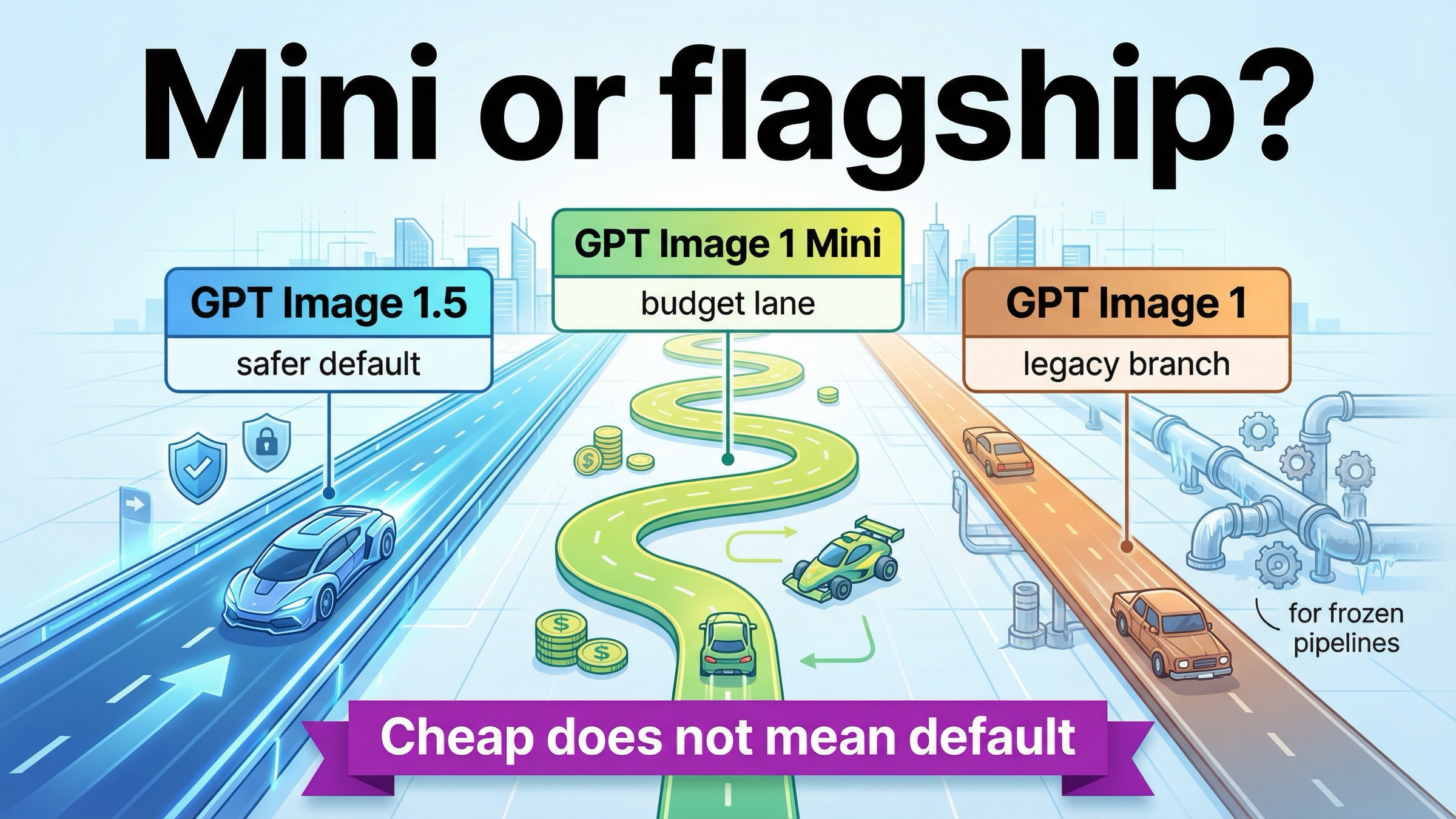
As of March 28, 2026, gpt-image-1-mini is worth using when cost per output image is the real bottleneck. If you need the safest current OpenAI default for prompt adherence, richer edit workflows, multi-image fidelity, or mixed text-plus-image output, start with GPT Image 1.5 instead.
That split is clearer in the current OpenAI docs than in the current search results. On March 28, 2026, OpenAI's current all-model catalog labels GPT Image 1.5 as the state-of-the-art image generation model, GPT Image 1 as the previous image generation model, and the current gpt-image-1-mini model page describes mini as a cost-efficient version of GPT Image 1. So mini is real, current, and legitimately useful. It just is not the universal default its name can imply.
The most misleading assumption in this keyword family is that mini must also be the faster answer because it is smaller and cheaper. The current model cards do not support that. OpenAI's mini model page rates mini as Slowest on speed, while the current GPT Image 1.5 model page rates 1.5 as Medium. So the useful question is not "is mini good?" It is which workflows deserve mini's lower price, and which ones should pay for GPT Image 1.5 on day one.
TL;DR
- Use
gpt-image-1-miniwhen cost per output image is the real bottleneck and the workload is mostly low-stakes generation, internal variants, or batchable creative. - Start with GPT Image 1.5 when prompt adherence, layout control, multi-image fidelity, or mixed text-plus-image output matters more than the cheapest lane.
- Keep GPT Image 1 only for legacy compatibility or frozen validated workflows.
| If you care most about... | Start here | Why |
|---|---|---|
| Lowest current OpenAI image cost | gpt-image-1-mini | It is the cheapest current OpenAI image lane for generation-heavy work |
| Safest default for demanding workflows | GPT Image 1.5 | It has the stronger current positioning for prompt adherence, richer editing, and multi-image fidelity |
| Frozen legacy compatibility | GPT Image 1 | It is the previous model and mainly matters when older pipelines still need it |
What GPT Image 1 Mini gets right
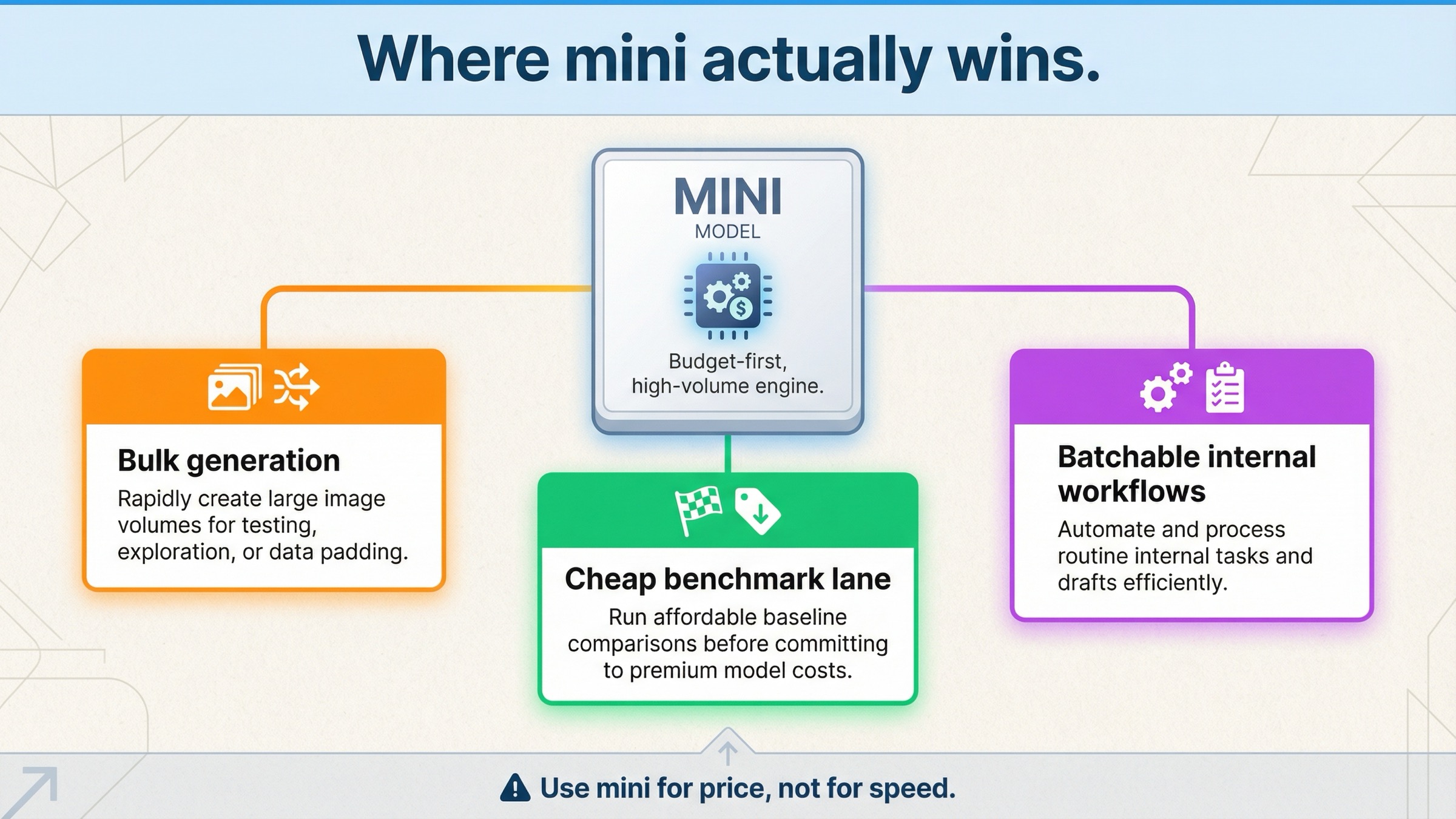
Mini has one advantage that is both real and easy to understate: it gives you a current OpenAI image lane at a much lower price floor than GPT Image 1.5 or legacy GPT Image 1. On the current official model page, square 1024x1024 generation is $0.005 low, $0.011 medium, and $0.036 high, while GPT Image 1.5 currently lists $0.009, $0.034, and $0.133 for the same square quality ladder. That is not a rounding-error gap. At scale, it changes what you can afford to test.
Mini also gets more credit than some quick review pages give it for breadth. OpenAI still lists the same broad endpoint surface that most teams actually care about on the current mini model page: Responses, Chat Completions, Batch, v1/images/generations, and v1/images/edits. That matters because mini is not just a toy one-shot generator. It can still participate in real image workflows, including edit flows, as long as the job fits its tradeoffs.
That makes mini a strong candidate for three kinds of work.
First, it is good for volume-first generation. If your team needs lots of concepts, moodboards, low-risk ad variants, or internal mockups, mini's cost advantage compounds quickly. In that class of work, the right question is often not "is this the best image possible?" but "can we cheaply generate enough viable options to let a human or downstream system pick the keepers?"
Second, it is good for cheap benchmark passes. If you are not sure whether your workflow truly needs GPT Image 1.5, mini is a rational first test because it gives you a clean lower-cost baseline inside the same vendor family. That is especially useful when the real decision is not OpenAI versus another company, but rather budget OpenAI versus flagship OpenAI.
Third, it is good for batchable internal workflows where the most expensive mistake is overpaying for every image by default. OpenAI's current API pricing page says the Batch API saves 50% on inputs and outputs, which means cost-sensitive teams have even more reason to benchmark carefully before they lock in the expensive lane for all workloads.
So a fair review should not reduce mini to "cheap but weak." The more accurate summary is: cheap, current, broad enough to matter, and very good when the work is generation-heavy and tolerant of some quality tradeoffs.
If your main question is pure cost math rather than review judgment, the deeper follow-up is GPT Image 1 Mini pricing. This page is deliberately narrower: it is about whether mini is actually the right model to use.
Where GPT Image 1 Mini falls short first
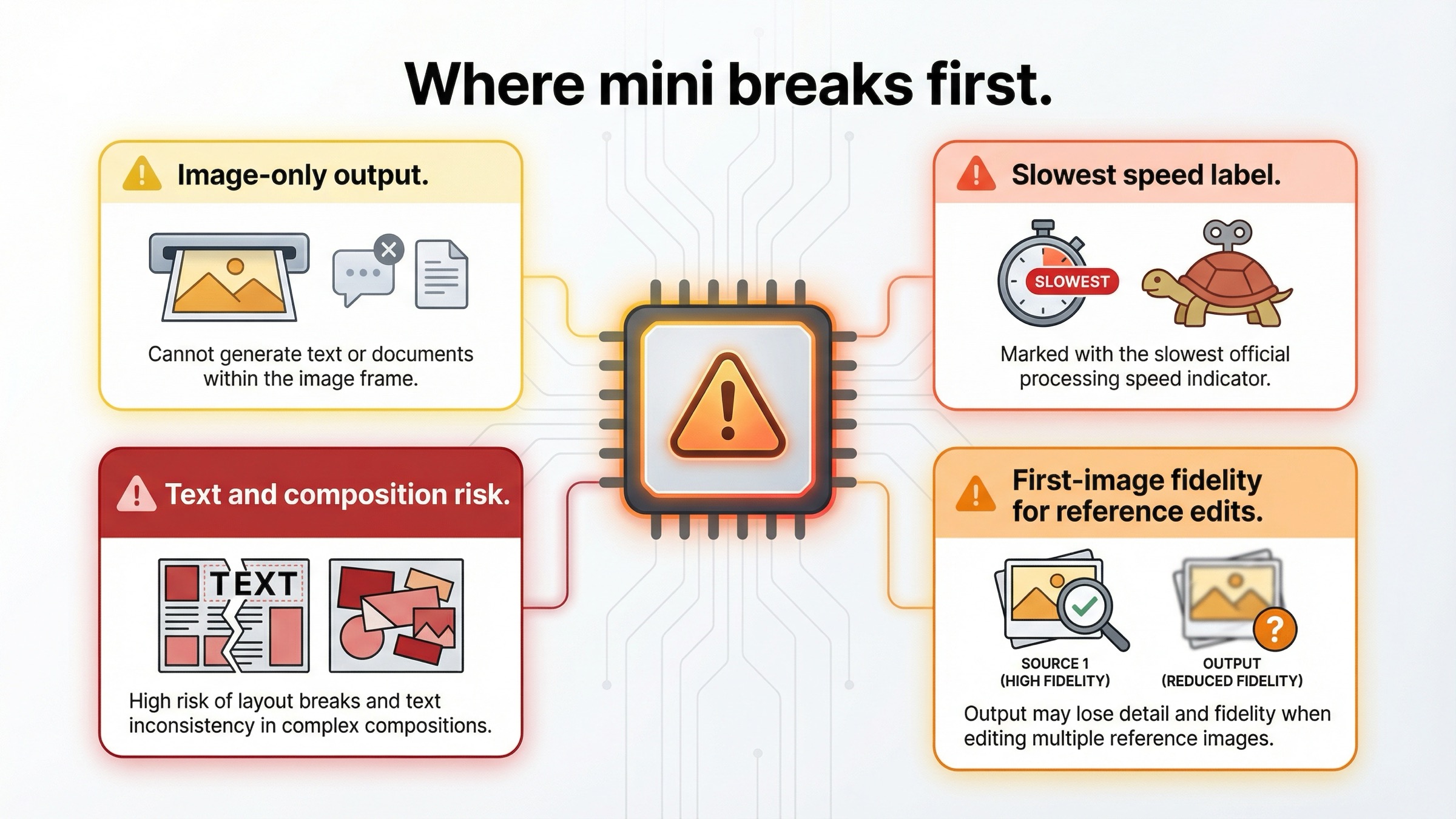
Mini's weaknesses are also clearer in the official docs than many quick takes make them sound.
The first limitation is output shape. The current GPT Image 1.5 model page supports image and text output, while the current mini model page still describes mini as an image-output-only model. That may sound small until you start building a workflow that benefits from one response that can explain, classify, or summarize in text while also producing the image. Once that matters, GPT Image 1.5 becomes easier to justify before you even get to image quality.
The second limitation is workflow headroom. OpenAI's current image-generation guide says GPT Image models can still struggle with precise text placement, consistency across generations, and composition control, and it warns that complex prompts may take up to 2 minutes. That warning applies to the GPT Image family broadly, but it matters more for mini because the cheaper lane only stays cheap while your retry rate stays low. If your workload is typography-heavy, layout-sensitive, or expensive to manually correct, the sticker price stops being the whole answer.
The third limitation is multi-image editing fidelity. This is the most under-covered difference in the current SERP. The same image-generation guide says that with high input fidelity turned on, gpt-image-1 and gpt-image-1-mini preserve richer detail from the first image, while GPT Image 1.5 preserves the first five input images with higher fidelity. That is not a spec footnote. It changes the routing answer for brand-preservation work, multi-reference edits, style transfer, and any workflow where several inputs need to survive intact.
The fourth limitation is the lack of an official speed advantage. This is worth stating bluntly because the keyword invites sloppy assumptions. OpenAI's current mini model card rates mini as Slowest. That does not mean mini is unusable. It means you should not choose it because you assume "mini" equals lower latency. If latency matters, benchmark it on your prompts instead of inheriting the usual smaller-model intuition.
This is the real review split:
- mini's best case is cheaper volume
- GPT Image 1.5's best case is lower workflow risk
If the job is text-heavy creative, high-value production output, multi-image editing, or anything where retries are expensive, mini can stop being the cheaper decision very quickly.
GPT Image 1 Mini vs GPT Image 1.5 vs GPT Image 1
The easiest way to read the current OpenAI image family is to treat it as budget lane versus flagship lane versus legacy lane.
| Model | Official role | Speed label | Output pattern | Current cost posture | Safest default when |
|---|---|---|---|---|---|
gpt-image-1-mini | Cost-efficient version of GPT Image 1 | Slowest | Image only | Cheapest current OpenAI image lane | Cost per output image is the main constraint and the workflow is generation-heavy |
| GPT Image 1.5 | State-of-the-art image generation model | Medium | Image and text | Mid-to-premium, depending on workload | You want the best current OpenAI default for prompt adherence, editing, and multi-image fidelity |
| GPT Image 1 | Previous image generation model | Slowest | Image only | Legacy and more expensive than mini | You need compatibility or reproducibility for an older validated workflow |
That table is useful only if it changes behavior.
If you are launching a new OpenAI image workflow, GPT Image 1.5 should be the default starting point unless you already know that cost dominates everything else. OpenAI's own docs are aligned around that answer. The model catalog, the model page, and the image-generation guide all point in the same direction: GPT Image 1.5 is where OpenAI wants demanding image work to land.
If you are trying to control cost on internal or low-stakes workloads, mini is the right challenge model. It tells you whether the flagship premium is solving a real problem in your workflow or only a hypothetical one. That is a strong reason to keep mini in the toolkit even when it is not the universal default.
If you are still on GPT Image 1, the story is narrower. The older model mainly matters because live systems, tuned prompts, and reproducibility requirements still exist. For net-new work, GPT Image 1 is not the interesting comparison target anymore. The real decision is mini versus 1.5, with GPT Image 1 sitting in the background as the legacy branch.
If your broader question becomes "should I stay inside OpenAI at all?" the better next step is GPT Image 1 Mini alternative. But if you are staying inside OpenAI, the family split above is the honest current map.
For a deeper flagship-versus-legacy comparison, GPT Image 1 vs GPT Image 1.5 goes further on migration logic. This review is about where mini fits inside that newer split.
Pricing, rate limits, and access without the hype
Mini's low price is real. The problem is not that people notice it. The problem is that many pages stop there.
The current official mini page lists these square prices:
- Low: $0.005
- Medium: $0.011
- High: $0.036
It also lists $2.00 per 1M text input tokens, $2.50 per 1M image input tokens, and $8.00 per 1M image output tokens. Those numbers matter because the more your workflow relies on edits, reference images, or high-input-fidelity behavior, the less useful the flat per-image mental model becomes.
There is also no hidden rate-limit win on the current mini model card. OpenAI currently shows the same broad tier ladder for mini, GPT Image 1.5, and GPT Image 1: Free not supported, then Tier 1 through Tier 5 at 5, 20, 50, 150, and 250 IPM. The current usage-tier and verification article adds the other practical caveat: GPT-image-1 and GPT-image-1-mini are available on tiers 1 through 5, with some access subject to organization verification.
That means the honest operational rule is this:
mini is the cheaper lane, not the magically easier lane
If you are blocked by verification, account state, or image-model rate behavior, a cheaper price row does not remove those issues. Current OpenAI community threads around GPT image model rate-limit behavior are a useful reminder that production usage questions still matter after the pricing table ends.
The other hype trap is ignoring Batch. OpenAI's current API pricing page says the Batch API saves 50% on inputs and outputs. That does not erase mini's advantage, but it does narrow the economic gap for asynchronous jobs. If GPT Image 1.5 reduces retries enough, and Batch is allowed in your workflow, the expensive-looking lane can get much closer than readers expect from the top-level list prices.
This is why the review should stay evaluation-led instead of turning into a calculator page. The right question is not only "which model is cheaper per image?" It is which model is cheaper for the workflow once retries, edits, and deployment constraints are included.
If you already know GPT Image 1.5 is the likely fit and only need the current cost breakdown, go straight to GPT Image 1.5 pricing.
If access, tiers, or verification are your blocker instead of model choice, read OpenAI image generation API verification. If your blocker is implementation rather than routing, OpenAI image API tutorial is the better operational companion.
Who should actually use mini right now
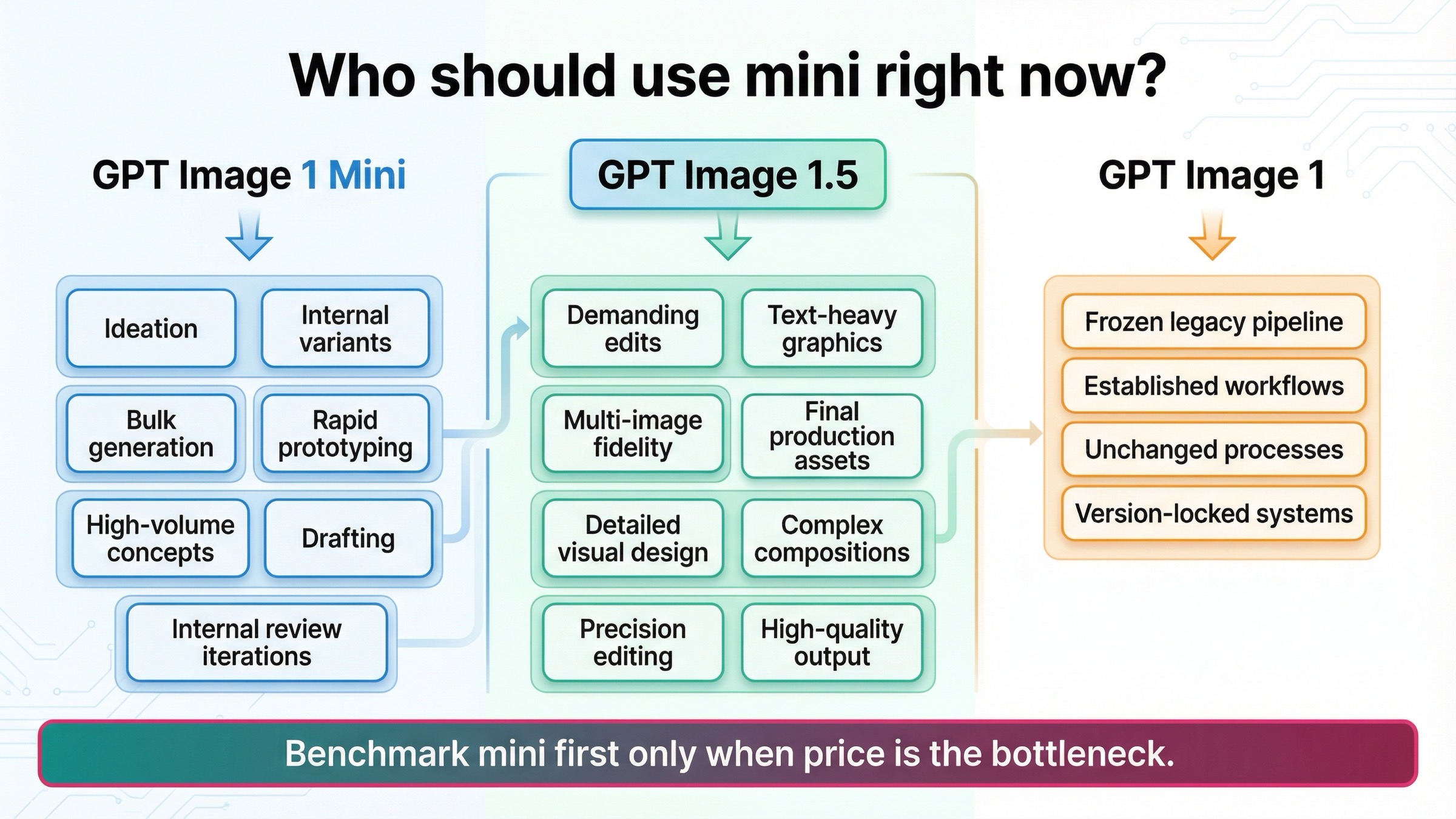
The cleanest way to evaluate mini is by workflow, not by slogans.
Use mini when the work is mostly cheap generation at scale. That includes internal concept boards, low-risk campaign variants, disposable background assets, quick ideation, and any system where the human or downstream filter is doing the final selection anyway. In that class of work, mini's lower cost does real work for you.
Use mini when you want a benchmark-first budget lane. If you are not sure whether GPT Image 1.5's premium is paying for itself, mini is exactly the right first comparison because it tells you what the cheaper same-family baseline looks like today. That is a stronger use case than trying to force mini into every quality-sensitive workflow from the beginning.
Do not default to mini for text-heavy graphics, layout-sensitive creative, brand-preservation edits, or multi-image reference workflows. The official limitations already point to pressure in those areas, and GPT Image 1.5's current fidelity behavior makes it the safer choice when several inputs need to survive intact.
Do not default to mini when the workflow benefits from text and image output in one current model. That is another place where GPT Image 1.5's broader output pattern justifies itself quickly.
If mini feels weak only on general output quality, the right move is usually upgrade to GPT Image 1.5 before switching vendors. That is the current in-family route OpenAI's docs support, and it is often cheaper in engineering time than jumping immediately into a whole new provider surface.
If your organization is still on GPT Image 1, the sane sequence is:
- benchmark mini if you care most about lower cost
- benchmark GPT Image 1.5 if you care most about current quality and edit headroom
- keep GPT Image 1 only where legacy reproducibility still matters
That is the practical recommendation this keyword really needs. Mini is not the wrong model. It is the wrong default for the wrong jobs.
Bottom line
gpt-image-1-mini is worth using in 2026, but mostly as OpenAI's current budget lane, not as the best current default image model.
If cost per output image is your first constraint and the workload is generation-heavy, internal, or batchable, mini is a smart current choice. If you care more about prompt adherence, richer editing, multi-image fidelity, layout-sensitive work, or mixed text-plus-image output, GPT Image 1.5 is the better place to start.
That is the most honest current review verdict: use mini when the cheaper lane solves the actual problem. Use GPT Image 1.5 when the workflow is valuable enough that the cheapest image is not automatically the cheapest decision.
FAQ
Is GPT Image 1 Mini the same thing as GPT Image 1.5 Mini?
No. OpenAI currently describes gpt-image-1-mini as a cost-efficient version of GPT Image 1, not as a smaller GPT Image 1.5 branch.
Is GPT Image 1 Mini faster because it is smaller and cheaper?
Do not assume that. OpenAI's current model page rates mini as Slowest on speed, while GPT Image 1.5 is rated Medium.
Does GPT Image 1 Mini support image edits?
Yes. The current official model page still lists v1/images/edits among mini's supported endpoints. The bigger question is not whether edits are supported, but whether mini is the right fit for edit-heavy and multi-image-preservation work.
Do I need a paid API tier to use GPT Image 1 Mini?
Yes. The current model page lists Free not supported, and OpenAI's help-center article says GPT-image-1 and GPT-image-1-mini are available to API users on tiers 1 through 5, with some access subject to organization verification.
Should I choose mini or GPT Image 1.5 for a new project this month?
Choose GPT Image 1.5 unless you already know the workload is budget-first and tolerant of lower workflow headroom. Mini is the cheaper benchmark and the budget lane. GPT Image 1.5 is the safer current default.


