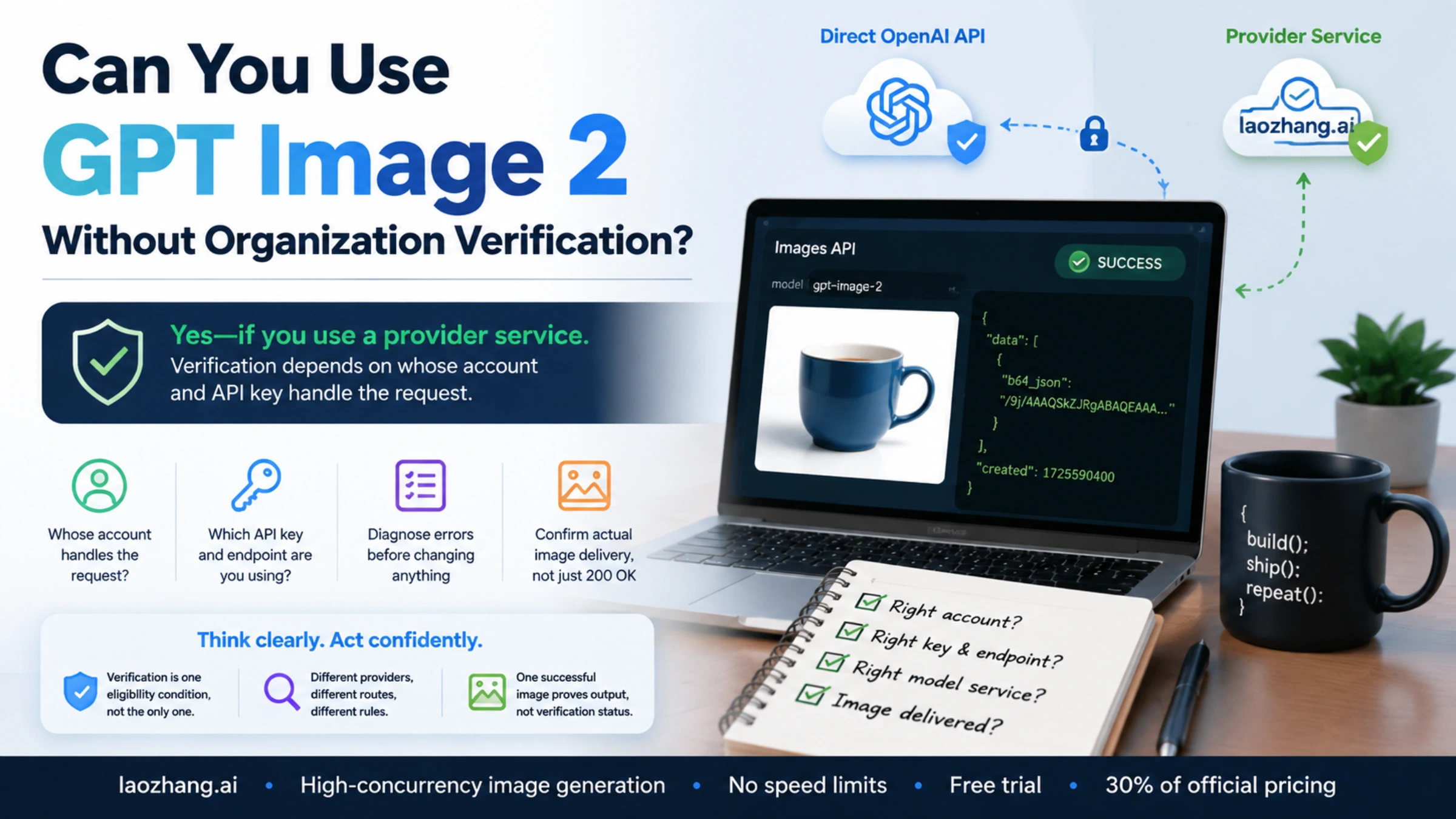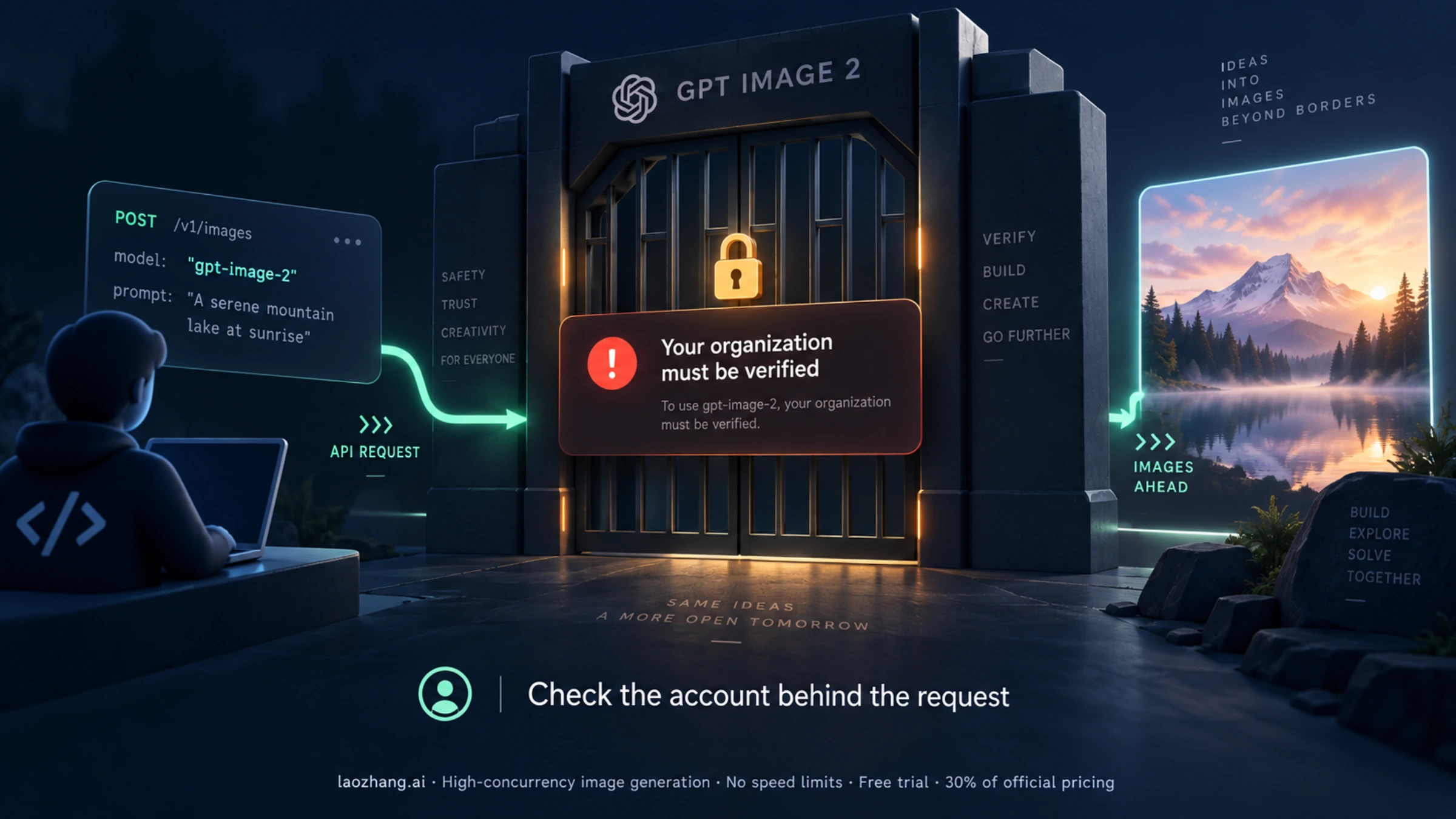
If your GPT Image 2 request returns “Your organization must be verified,” start by matching the failing request to the organization you are checking in the OpenAI dashboard. Then complete the verification requested for that organization, or follow the recovery steps for its current status. After a meaningful fix, send one image request through the environment that failed and open the resulting file.
OpenAI’s image-generation guide says GPT Image models may require organization verification. The explicit error tells you that this requirement applies to the request you just made; it does not establish a universal requirement for every account. This guide also applies to older logs naming gpt-image-1: keep the model name from your own request when troubleshooting.
Checked September 8, 2026: the current verification instructions do not promise approval or restored access within 15 or 30 minutes, and they do not require everyone to create a new API key after verification. Repeatedly generating images or rotating keys is not a substitute for checking the account and request configuration.
First, establish which account your request actually uses
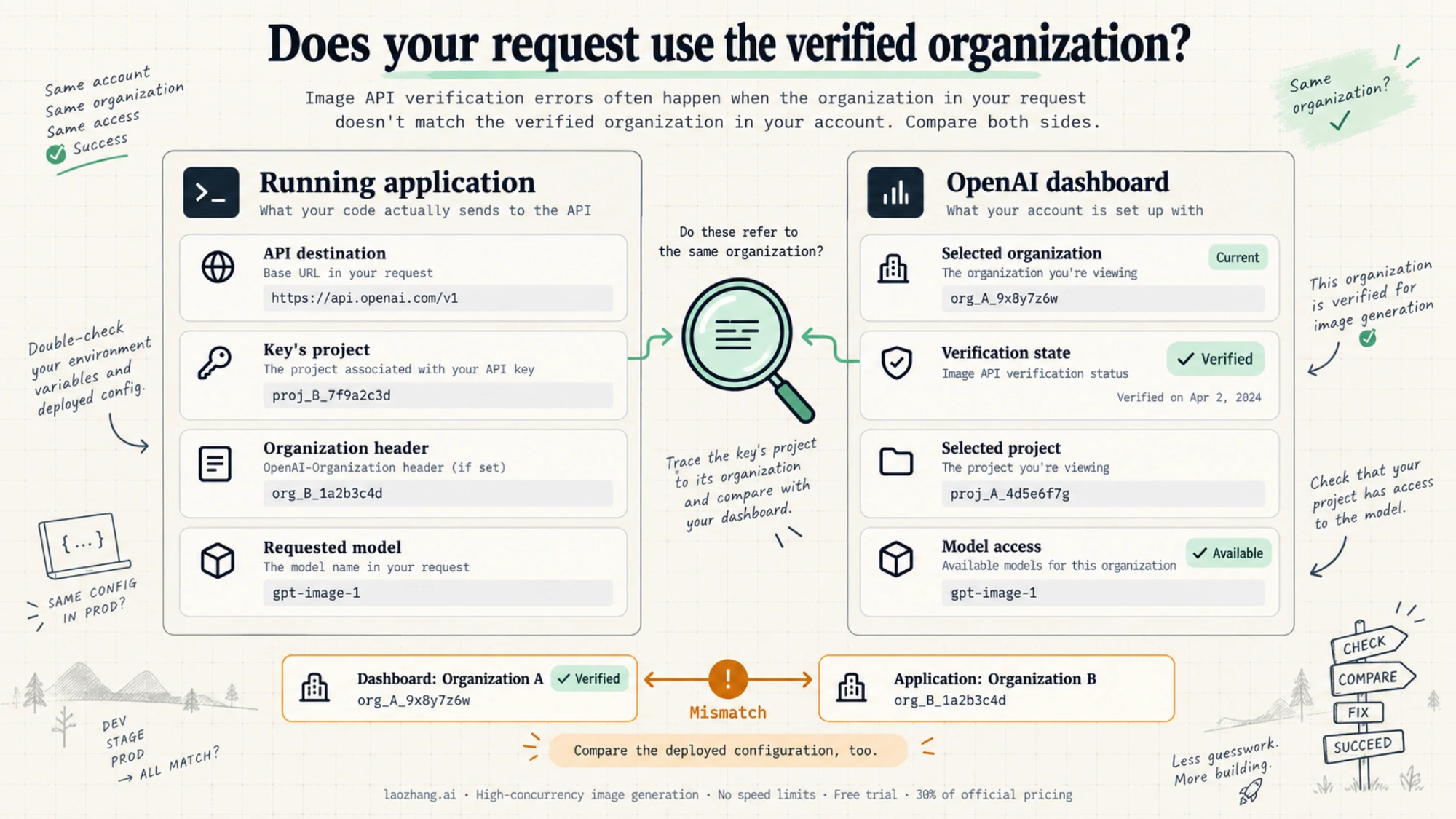
Before changing anything, save the error message, HTTP status, model name, timestamp with time zone, and request ID. Read the full message alongside error.code, if supplied. A 403 alone does not identify a verification problem.
Compare these settings in the running application, including the deployed environment if that is where the error occurs:
| What to compare | Where to look | What needs to agree |
|---|---|---|
| API destination | The SDK client’s base URL, HTTP request URL, or gateway configuration | Direct OpenAI requests use api.openai.com; a different hostname may be another provider or your own proxy. Trace a proxy to its configured upstream. |
| API key’s origin | The project’s API Keys page and your secret manager’s key record | The credential loaded by the process must belong to the intended provider and project. Compare records without printing the full key. |
| Organization | The organization selected in platform settings and its organization ID | The organization whose verification status you inspect must be the one associated with the request. |
| Project | The platform project selector, project settings, and the project in which the key was created | A verified organization’s unrelated project or a teammate’s credentials do not prove your application is configured correctly. |
| Explicit headers | Custom client configuration, middleware, or gateway headers | Any OpenAI-Organization or OpenAI-Project values must identify the intended context. Remove accidental overrides through your normal configuration process. |
| Model | The actual outgoing request, rather than the sample you copied | Diagnose the model named in the failing request, including older gpt-image-1 requests. |
OpenAI documents organization and project headers for cases such as membership in multiple organizations or use of legacy user keys. These headers select context; they cannot grant permission that a credential lacks. Do not paste guessed IDs into a request. See the authentication reference.
For direct OpenAI requests, record x-request-id from the response. An openai-organization response header, when present, can help compare the associated organization with your dashboard. A proxy may omit or alter headers, so a missing value is not proof of a mismatch. OpenAI explains these fields under debugging requests.
A practical example: your browser shows organization A as verified, but the deployed service still loads a key created in organization B. Refreshing A’s dashboard cannot change that request. Correct the deployment’s secret selection, reload it through the normal deployment process, and confirm which configuration the new process uses. This is a diagnostic possibility, not a claim about how frequently the error occurs.
Follow the verification state you actually see
Open the verification notice in the intended OpenAI account. If you arrived through an old bookmark or an expired session, return to the product that asked for verification and start from its current notice. The official organization-verification help page distinguishes business verification, identity verification, and flows that need both.
| Current state | Next action | What to check before making another image request |
|---|---|---|
| Verification has not started | Use the verification action shown in the intended account and follow its instructions. | You submitted the checks requested for this account, not another organization. |
| Submission is pending | Follow the displayed status and any request for additional information. | The account indicates completion or another relevant change; a fixed timer is not a completion signal. |
| Verification completed, access still restricted | Reopen the requesting product, refresh or sign in again, and confirm the same account, organization, workspace, project, and model. | The restriction concerns the approved product and the request uses the correct configuration. Check other access or setup requirements shown there. |
| Verification is unavailable | Confirm the intended account, return to the product requesting it, and revisit later as the notice directs. | A verification option is actually available; creating more keys will not supply a missing verification flow. |
| The flow does not load or a session expired | Return to the original prompt, use a current browser or device, refresh, and sign in again if needed. | A fresh flow opens from the requesting account. |
| Verification failed or was denied | Follow the decision notice. Retry or appeal only when that option is offered. | You have an available next step; neither waiting nor a support request guarantees approval. |
If identity verification is requested, OpenAI specifies an original, physical, valid government-issued ID from a supported country and a selfie if requested. Multiple document types can be accepted; the process is not passport-only. Use the document choices presented in your flow. Business checks may ask for different information, and being an individual does not itself mean you must incorporate a company. The official page also describes a one-account/organization restriction for an individual’s verification. Do not begin duplicate submissions as a troubleshooting tactic.
A denial is different from an incomplete session. OpenAI says verification decisions cannot be manually overridden; follow any retry or appeal mechanism actually offered. Its guidance does not support a universal “try again tomorrow” rule or a claim that every unsuccessful attempt permanently removes all existing access.
Already verified? Check access before replacing credentials
After confirming the same organization, reopen the product that requested verification and check the selected project and model. Verification may be complete while a separate provisioning, user assignment, product setup, or budget condition still restricts the requested action. Use the account’s displayed restriction to decide what to change.
An Images playground test can help isolate browser access from application configuration, but a playground success applies to that session and selection. Your application may use another key, project, or provider. If you already have a successful playground result, move to the application comparison above; you do not need repeated playground generations.
There is no guaranteed verification countdown. The general authentication documentation says most updates affecting API-key authentication propagate within 15 minutes and can take longer. That statement is about authentication changes, not a guaranteed identity-review time or a promise that a verification error will disappear at minute 15. Follow any instructions specific to your account, then recheck after a relevant change instead of running billed polling loops. Authentication reference
A new key is warranted when the credential is wrong, revoked, exposed, or unsuitable for the intended project. It is not a universal post-verification step. If you replace a key, update the specific runtime that failed and verify that it loaded the new secret; changing a local environment file does not update an already running production service.
GPT Image 2 also has separate usage-tier requirements: its model page lists the Free API tier as unsupported and paid-tier limits beginning at Tier 1. A supported tier does not replace verification when requested, and a verified status does not establish that billing, permissions, and limits are all ready.
Confirm the fix with one request and an actual image
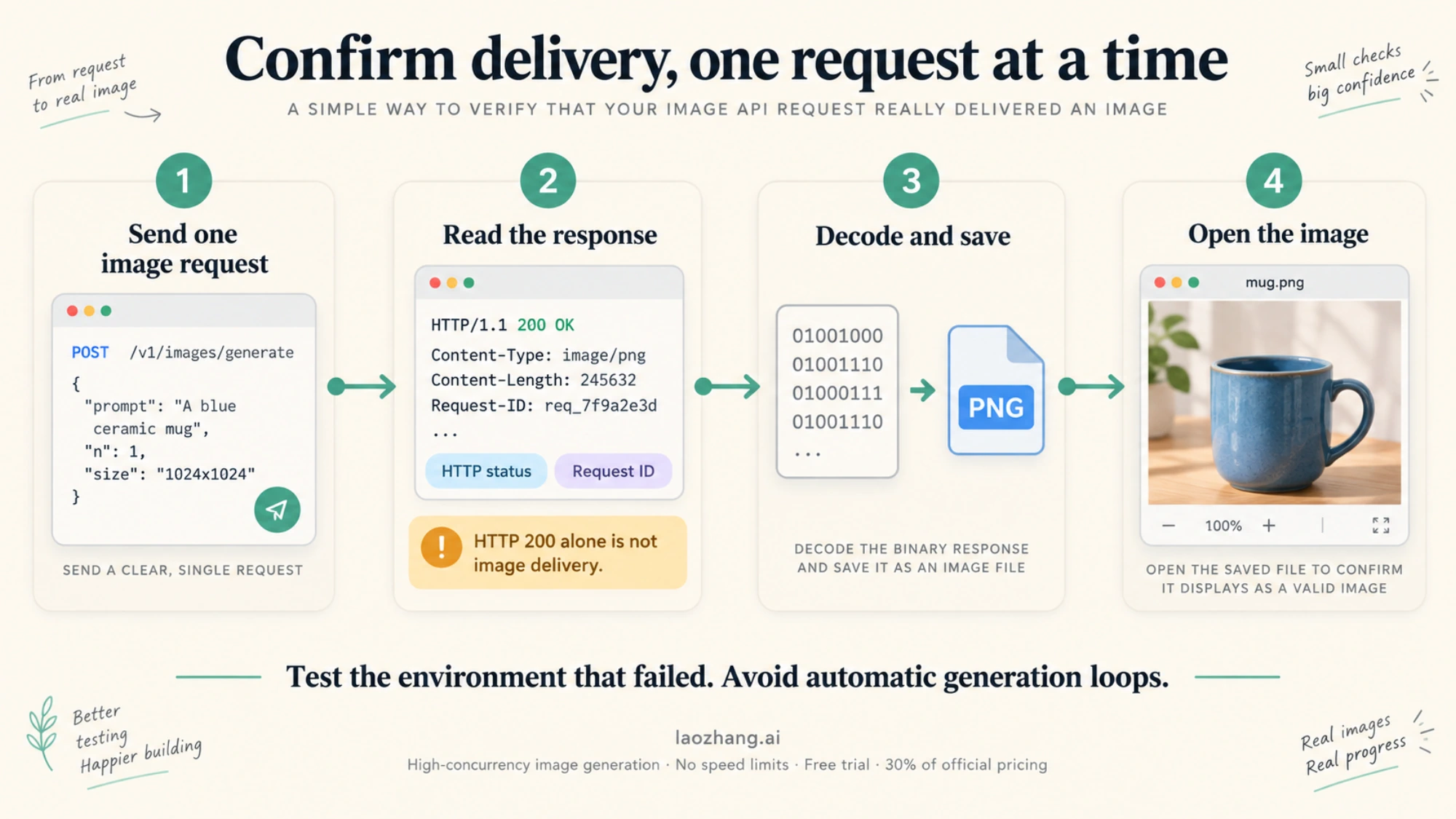
After correcting the relevant condition, run a single request using the intended application environment. This example is for the direct OpenAI Images API, uses Python’s standard library, and makes no automatic retries. It follows the documented image-generation response format; it has not been tested against an authenticated account for this article. A successful generation can incur a charge.
Make OPENAI_API_KEY available through your existing secret-loading mechanism. Only set the optional organization and project variables if your integration deliberately uses those headers and you have confirmed the IDs. The endpoint is fixed to OpenAI so this test cannot silently switch to a configured third-party base URL.
pythonimport base64
import json
import os
from pathlib import Path
from urllib.error import HTTPError
from urllib.request import Request, urlopen

headers = {
    "Authorization": "Bearer " + os.environ["OPENAI_API_KEY"],
    "Content-Type": "application/json",
}
for variable, header in (
    ("OPENAI_ORG_ID", "OpenAI-Organization"),
    ("OPENAI_PROJECT_ID", "OpenAI-Project"),
):
    if os.environ.get(variable):
        headers[header] = os.environ[variable]

payload = {
    "model": "gpt-image-2",
    "prompt": "A blue ceramic mug on a plain white background.",
    "n": 1,
    "size": "1024x1024",
    "quality": "low",
    "output_format": "png",
}
request = Request(
    "https://api.openai.com/v1/images/generations",
    data=json.dumps(payload).encode("utf-8"),
    headers=headers,
    method="POST",
)
try:
    with urlopen(request, timeout=180) as response:
        print("HTTP:", response.status)
        print("Request ID:", response.headers.get("x-request-id"))
        print("Organization:", response.headers.get("openai-organization"))
        result = json.load(response)
except HTTPError as error:
    print("HTTP:", error.code)
    print("Request ID:", error.headers.get("x-request-id"))
    print(error.read().decode("utf-8", errors="replace"))
    raise SystemExit(1)

items = result.get("data") or []
if not items or not items[0].get("b64_json"):
    raise SystemExit("No image payload returned; inspect the response schema.")
image = base64.b64decode(items[0]["b64_json"], validate=True)
if not image.startswith(b"\x89PNG\r\n\x1a\n"):
    raise SystemExit("The returned bytes do not have a PNG signature.")
output = Path("verification-check.png")
output.write_bytes(image)
print(f"Saved {len(image)} bytes to {output.resolve()}; open the file.")
Open verification-check.png and confirm that an image is viewable. HTTP success, a nonempty base64 field, and a saved file are progressively useful checks, but an HTTP 200 alone does not establish image delivery. A model-list response also cannot prove that an image request is permitted. The image-generation guide documents the generation and decoding pattern.
If the script works but your integration fails, compare the integration’s destination, secret, headers, and model with this request. If your application uses the Responses API, confirm the fix in that actual integration too: Responses uses a mainline model with an image_generation tool, whereas the Images endpoint selects the image model directly. Switching between these interfaces is not a documented verification workaround. Our OpenAI image API tutorial covers the broader integration work.
A timeout has an uncertain outcome; this script does not automatically submit a second generation. Inspect available request logs before deciding whether to retry. One completed test establishes that this request worked at that time, not that every model, project, or future call is authorized.
When the next error needs a different fix
Read the new response after a change. Removing a verification restriction can expose another unmet requirement, so do not keep repeating verification steps if the message has changed.
| Response or message | Investigate next |
|---|---|
401 with invalid or missing credentials | Secret loading, key validity, and authentication configuration. |
403 explicitly requesting organization verification | The account notice and request context described above. |
| Country or region not supported | Current API country eligibility and the actual access location. Verification does not change regional availability. |
429 with exhausted quota, credits, or spending limits | The relevant usage and billing restriction. Repeating the same request does not replenish quota. |
429 describing request or token rate limits | The applicable rate limit and documented retry handling. |
500 or 503 | Service errors and the current OpenAI status page; do not infer an ongoing incident from an old report. |
These are diagnostic branches, not a one-to-one mapping between every HTTP status and one cause. OpenAI’s error-code guide explains the distinctions. The United States is on the supported-country list, but that fact alone cannot establish a particular account’s eligibility.
If the same explicit verification error remains after you have checked the applicable notice and matched the request configuration, send support the timestamp and time zone, model, endpoint, HTTP status, error code and message, request ID, organization/project IDs, and a description of the verification state. Explain whether the playground and application differ. Remove API keys, authorization headers, and identity documents from ordinary diagnostic logs; submit verification documents only through the designated flow.
Can another provider avoid this verification step?
A provider that supplies its own API account and key can have a different onboarding process. That is a separate service choice: a successful request using its endpoint and credential does not verify your own OpenAI organization. If you want that option, use our GPT Image 2 without organization verification guide for provider-specific setup and conditions.
Keep the result you need clear. Restoring the existing OpenAI integration requires a successful request through that integration. Choosing another service requires validating that service’s access, output, and billing under its own terms.