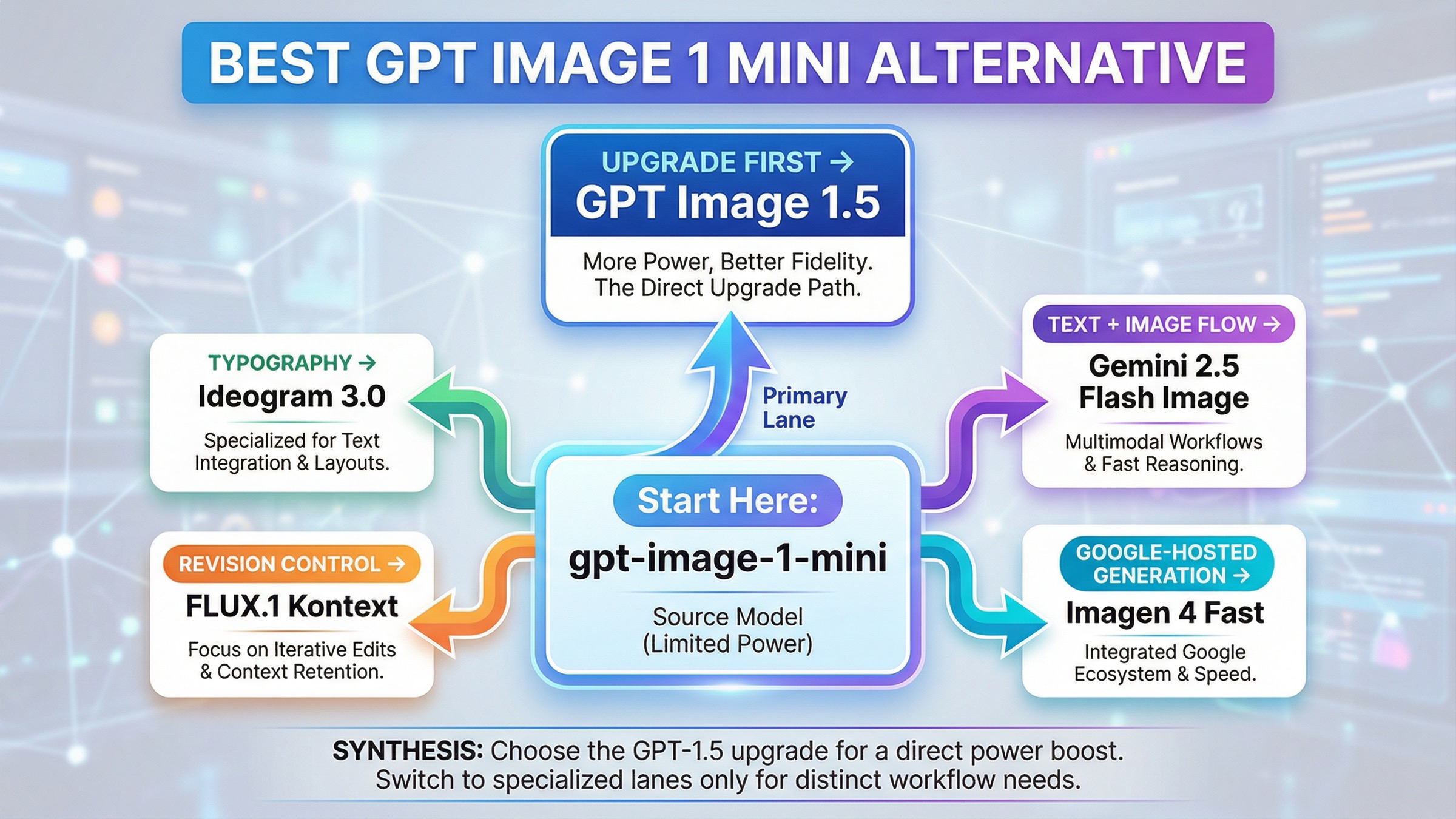
As checked on March 27, 2026, the best gpt-image-1-mini alternative depends on why mini is falling short. If mini is only too weak on general quality, prompt adherence, or higher-value output, the first thing to test is GPT Image 1.5, not another vendor. Switch only when the failure mode is something OpenAI's own budget-vs-flagship split does not solve: use Ideogram 3.0 for typography-heavy design, FLUX.1 Kontext for revision control and consistency, Gemini 2.5 Flash Image when one interaction needs to reason and render, and Imagen 4 Fast when you want a straightforward Google-hosted generation lane.
That is the part the current result mix still misses. Exact-query pages are noisy, and many of the surfaced results are model cards, gateways, marketplaces, or general best AI image model catalogs. They can tell you that mini exists and that it is cheaper. They usually do not tell you whether your next move should be an in-family upgrade, a specialized editing model, a typography-first tool, or a different cloud stack entirely.
There is one more practical caveat worth naming early. Some gpt-image-1-mini alternative searches are not really alternatives problems. OpenAI's current image generation guide still says the Image API is the best choice for one-shot image generation and editing, while the Responses API is better for conversational editable image experiences. If your workflow feels awkward because you picked the wrong surface, switching vendors will not fix the real problem.
The fastest switch rule for gpt-image-1-mini users
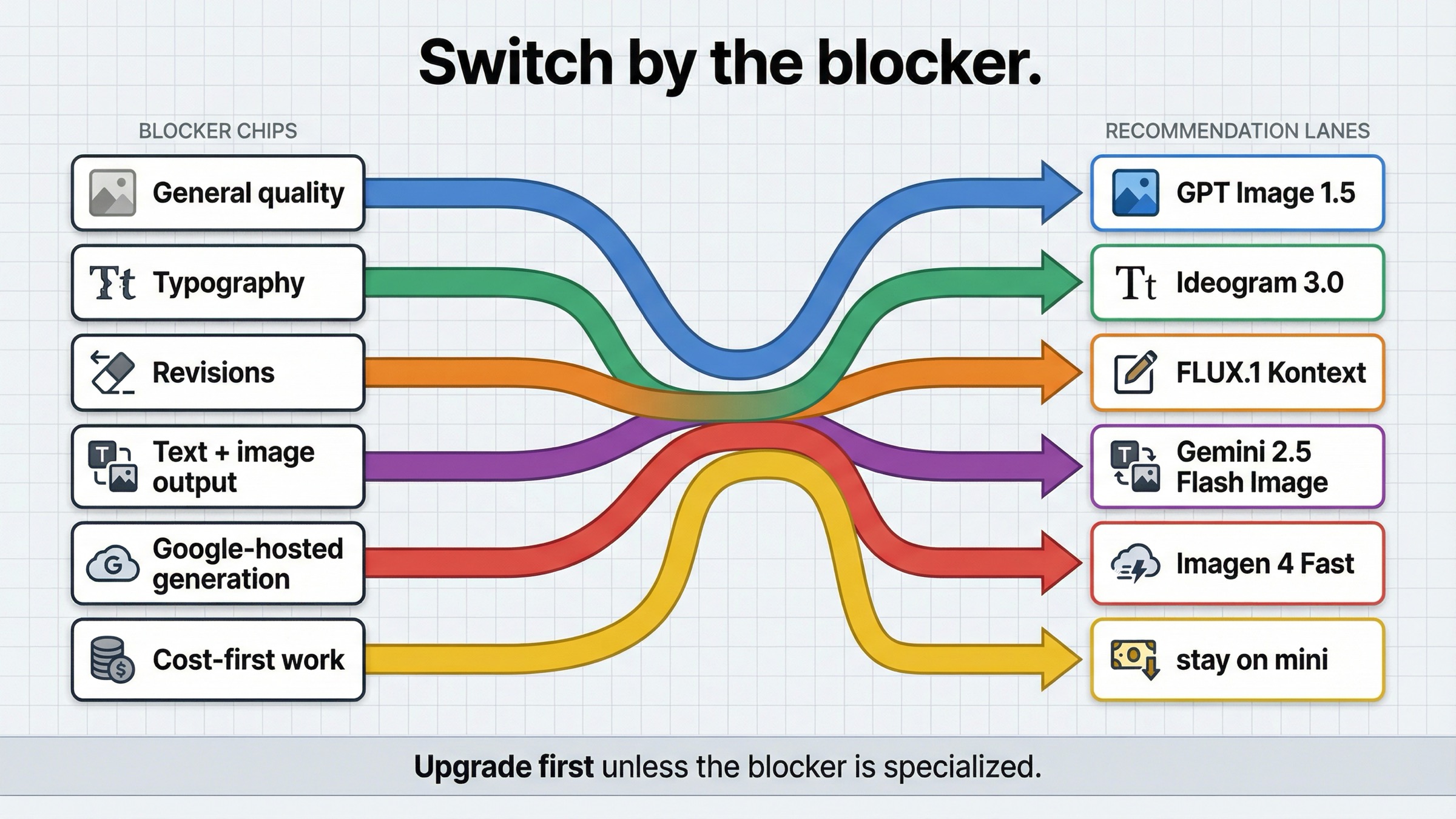
If you only need the routing answer, start here.
| If mini is failing because... | Use this instead | Why it is better for that job | Main tradeoff |
|---|---|---|---|
| you need better general quality, stronger prompt adherence, or more confidence on important outputs | GPT Image 1.5 | It is OpenAI's current flagship image lane, so it fixes the most obvious "mini is too budget-oriented" problem without changing vendor or stack | You pay materially more per image |
| you care most about posters, ads, thumbnails, or other layout-heavy creative with visible text | Ideogram 3.0 | Ideogram is explicitly positioning 3.0 around text rendering and design-oriented layouts | It is not the cleanest answer if your real problem is edit control or one-call multimodal orchestration |
| your team keeps revising the same image, replacing text, or fighting consistency across edits | FLUX.1 Kontext | Kontext is built around image editing, character consistency, text editing, and style transformation | Its posted hosted price is not the cheapest headline row |
| your product needs text and image output together in one interaction | Gemini 2.5 Flash Image | Google's model supports text and image inputs, returns text and image outputs, and supports multi-turn image editing | The price model is token-based, not a simple flat per-image card |
| you want a simpler Google-hosted generation lane | Imagen 4 Fast | Google sells it as a dedicated text-to-image lane with a clear per-image price | It is weaker than Gemini if your workflow actually needs text-plus-image reasoning in one call |
| cost is still the first constraint and the outputs are low-stakes | Stay with gpt-image-1-mini | OpenAI still prices mini as the cheapest current official OpenAI image lane | You are keeping the budget lane and its quality ceiling |
| your real issue is tiers, rate limits, or wrong API surface | Stay with OpenAI and fix the route | The problem may be access or workflow shape, not the model | You still need to solve setup instead of escaping it |
That table matters because it compresses the real decision. The keyword sounds like a market survey, but the buying decision underneath it is much smaller. Are you replacing a cheap general image lane, or are you replacing a specific weakness that mini cannot solve?
Upgrade to GPT Image 1.5 when mini is only failing on general quality
The most common mistake in this keyword family is skipping the obvious same-vendor upgrade.
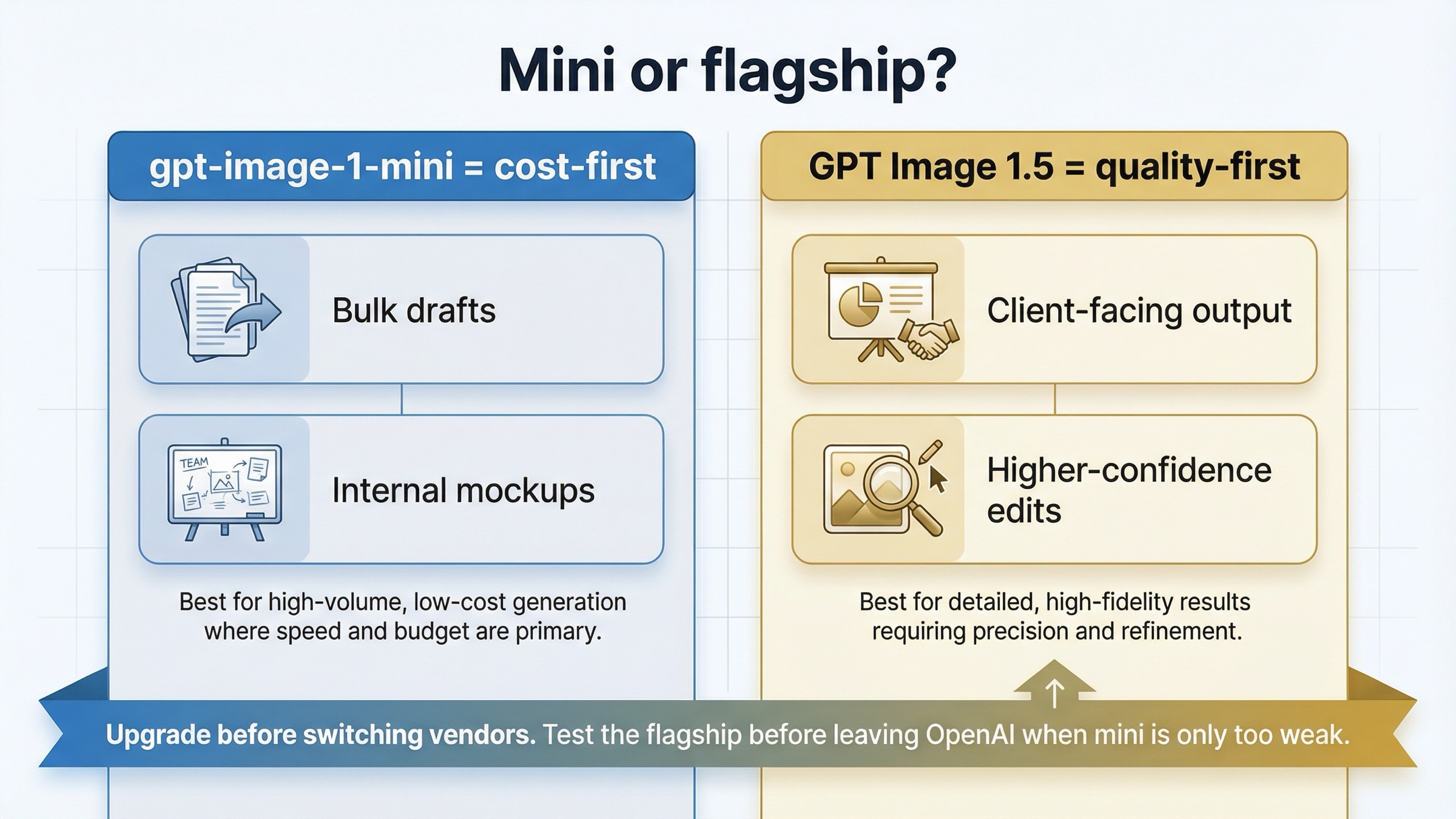
OpenAI's current models directory makes the lineup explicit. GPT Image 1.5 is the state-of-the-art image generation model. GPT Image 1 is the previous image generation model. gpt-image-1-mini is the cost-efficient branch. That means mini is not supposed to beat the flagship on everything. It is supposed to give you a cheaper way to handle generation-heavy work where the flagship premium is not justified.
So if your actual complaint is:
- mini follows prompts less reliably on harder creative work
- mini is fine for drafts but not good enough for client-facing output
- mini's lower-cost lane saves money but creates too many retries
- mini feels acceptable on simple prompts and shaky on more demanding ones
then the first thing to benchmark is GPT Image 1.5, not a different provider.
The current price split explains why. OpenAI's model pages list square 1024x1024 generation at $0.005, $0.011, and $0.036 for mini low, medium, and high, while GPT Image 1.5 currently lists $0.009, $0.034, and $0.133 for the same square ladder. That is a real jump, especially at medium and high quality. But the whole point of the flagship lane is that some workflows would rather pay more once than pay less several times and still not keep the output.
This is why the keyword is not really asking what is the best AI image model after mini? It is asking did I choose the budget lane for a job that was always flagship work?
That is also where a lot of current alternatives pages lose trust. They assume every problem should end in a provider switch. A good mini-alternative article cannot do that, because sometimes the cleanest answer is simply: stay inside OpenAI and stop expecting the budget lane to behave like the flagship.
OpenAI's own image generation guide helps clarify why that upgrade path exists. The guide frames GPT Image as the lane for stronger instruction following, text rendering, detailed editing, and real-world knowledge. That is exactly the cluster of complaints mini users usually mean when they say the budget lane feels weak. If those are your complaints, switching providers before testing GPT Image 1.5 is often skipping the cleanest control.
If your next question becomes pure OpenAI cost math rather than vendor choice, read GPT Image 1 Mini pricing and GPT Image 1.5 API pricing. Those pages go deeper on the cost ladder. This article is about the switch rule.
Ideogram 3.0 is the best alternative for typography and layout-heavy design
Mini can be cheap and still be the wrong tool for the job when the job is really graphic design with visible text as part of the deliverable.
That is where Ideogram 3.0 is the better thing to test first.
Ideogram's own 3.0 page does not position the model as a generic image-model catch-all. It makes a stronger claim: advances in text rendering quality, creative designs, and text and layout generation for graphic design, advertising, marketing, and other professional use cases. That is a different promise from a budget image lane whose main advantage is cost.
This distinction matters in practice. A lot of image-model articles act as if quality is one universal category. It is not. There is scene quality, photo quality, prompt adherence, edit reliability, and then there is type and layout quality, which becomes the whole product when you are generating posters, ad creatives, social promos, landing-page concepts, book covers, or thumbnails with meaningful text.
If your complaint sounds like this:
- "the scene is okay, but the words are not trustworthy enough"
- "the layout still needs too much cleanup"
- "I need visible text that looks designed, not merely legible"
- "I care about composition plus typography, not just the image"
then Ideogram is the best external test because it is explicitly trying to win that job.
There is also one operational reason this route stays distinct from the Gemini lane. Ideogram's current API pricing page frames the main generation and editing endpoints as flat-fee output-image calls rather than as a token-priced multimodal model. That makes Ideogram a more natural comparison when the workflow is still basically generate a designed asset, not run a text-and-image conversation that happens to end in an image.
This is also why I would keep the recommendation narrow. Use Ideogram 3.0 when text and layout are the point. Do not treat it as the universal answer to every mini complaint. If the failure is editing precision or character consistency, Kontext is the better comparison. If the failure is simply that mini looks too cheap, GPT Image 1.5 is still the more obvious first move.
The useful operator rule is: switch to Ideogram when the design system itself is the output.
FLUX.1 Kontext is the best alternative for iterative edits and consistency
Some teams are not unhappy with mini because the first generation is unusable. They are unhappy because the second, third, and fourth changes become unreliable, slow, or too destructive.
That is the lane where FLUX.1 Kontext becomes a stronger answer than generic alternatives pages usually admit.
Black Forest Labs' official Kontext overview centers the product around image editing, character consistency, text editing, and style transformation. The docs also say Kontext can edit specific parts while keeping everything else untouched, maintain character identity across iterative edits, and replace text in signs, posters, and labels while keeping the surrounding styling and context.
That is not just another text-to-image pitch. It is a workflow pitch.
And this is the hidden cost question current roundups usually flatten. The real cost of image generation is often not the first image. It is the number of times you have to regenerate, repair, or manually clean up the image before it is good enough to keep. That is why Kontext can be the cheaper choice in practice even though BFL's current pricing page lists FLUX.1 Kontext [pro] at $0.04 per image, which is higher than mini's low or medium square rows.
If your workflow sounds like:
- keep the composition, but change the headline
- keep the character, but change the scene
- keep the campaign style, but make five new variants
- keep the image, but fix the label text or small visual errors
then the right question is not what image model has the lowest posted price? It is what image model gives me the fewest paid retries before I have something I can actually ship?
That is the cleanest reason to leave mini for Kontext. Switch when the cost center is revision pressure, not when the cost center is simply first-pass generation.
Gemini 2.5 Flash Image vs Imagen 4 Fast
Google matters in this alternatives conversation for two different reasons, and most weaker pages blur them together.
Choose Gemini 2.5 Flash Image when your product needs text and image behavior in the same interaction.
Choose Imagen 4 Fast when you want a straightforward hosted image-generation lane inside Google Cloud.
That split matters because these are not the same job.
Google's current Gemini 2.5 Flash Image model doc says the model accepts text and image inputs, returns text and image outputs, supports multi-turn image editing, and consumes 1290 tokens per generated image. Google's current Vertex AI pricing page separately lists image output at $30 per 1M tokens for Gemini 2.5 Flash Image. That means the image-output portion of one 1024x1024 image works out to roughly $0.039 before input-token cost. That is an inference from the official numbers, not a flat per-image list price.
That pricing structure tells you what kind of alternative Gemini really is. It is not the cleanest one-number replacement for mini. It is the better route when one model call needs to interpret text, work with images, keep the conversation going, and then return an image.
This is also why Google is not the automatic answer for mini users who only want better output quality. If your workflow is still a straightforward image-generation workflow, the Google switch adds provider and billing complexity that GPT Image 1.5 might already solve. Gemini becomes compelling when the workflow itself changes, not merely when mini feels too cheap.
Imagen 4 Fast is different. The same Google pricing page lists Imagen 4 Fast at $0.02 per image, and the current Imagen 4 documentation positions it as part of Google's latest dedicated image generation line. That makes Imagen the cleaner answer when the requirement is: I want a Google-hosted generator with clear per-image economics.
So the practical rule is:
- Gemini 2.5 Flash Image for multimodal product flows
- Imagen 4 Fast for simpler Google-hosted generation
That distinction keeps this page honest. A lot of readers say they want a better alternative when what they really want is either a richer multimodal workflow or a simpler hosted image lane. Those are different buying decisions, and pretending they are the same leads to bad migration advice.
When mini should still stay in the workflow
A trustworthy alternatives page needs one section that says when not to switch.
Mini should still stay in the workflow when:
- the workload is high-volume ideation, internal mockups, disposable variants, or low-stakes creative
- cost per image is still the main decision variable
- the output does not need stronger typography, tighter edits, or a multimodal interaction model
- the real friction is not model quality but access, tiers, or API-surface confusion
That last point matters more than most alternatives pages admit. OpenAI's current help article on API model availability by usage tier and verification status says GPT-image-1 and GPT-image-1-mini are available to API users on tiers 1 through 5, with some access subject to organization verification. The current OpenAI developer community also shows why some users interpret setup friction as proof they need another provider. In one current community thread, users reported rate-limit errors before generating any image, with replies pointing back to tier state, funding, or verification rather than to prompt quality.
That does not mean the frustration is not real. It means the correct fix is sometimes to resolve account state, create the right API key, or use the right surface before you turn the problem into a vendor-selection exercise.
So the honest rule is this: stay with mini when mini is still solving the job mini was meant to solve.
If your real question is broader OpenAI-vs-everyone-else routing rather than the mini-specific decision, the better next read is OpenAI image generation API alternative. If your issue is route choice rather than model choice, OpenAI image API tutorial is the more useful operational follow-up.
How I would test the replacement in one afternoon
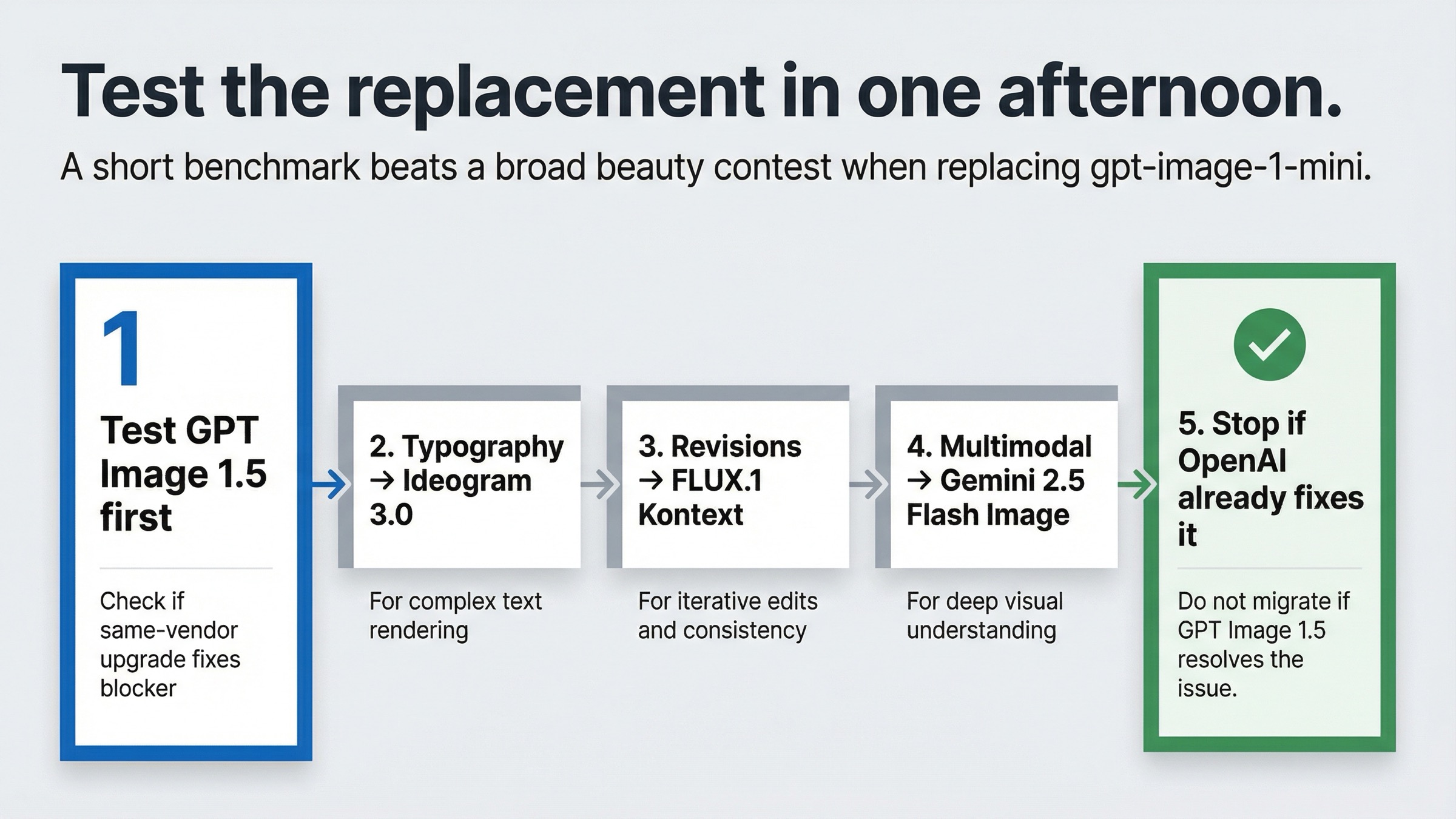
If your team is serious about replacing mini, do not start with a beauty contest. Start with the exact blocker.
1. Run the obvious same-vendor control first.
If mini is only feeling weak on general output quality, benchmark the same prompts on GPT Image 1.5 before you touch another provider.
2. Run one typography test.
Take one poster, ad, thumbnail, or packaging prompt and compare mini against Ideogram 3.0. Judge type cleanup, spacing, layout confidence, and how much manual repair is still needed.
3. Run one revision-loop test.
Take one base image through three change requests and compare mini against FLUX.1 Kontext on preservation, drift, text replacement, and operator effort.
4. Run one multimodal workflow test.
If your product needs conversation plus image output, compare your current OpenAI flow against one Gemini 2.5 Flash Image interaction that explains, revises, and renders in one sequence.
5. Check whether you actually need a new vendor.
If the same-vendor GPT Image 1.5 benchmark already fixes the problem, stop there. The cheapest migration is the one you do not need.
That sequence matters because it keeps the article practical. Most weak alternatives pages ask the wrong question first. They ask which model is best? The better question is which exact failure mode am I trying to remove from the workflow?
Bottom line
The best gpt-image-1-mini alternative is not one model. It is the model shape that fixes the specific reason mini stopped being the right default.
If mini is only too weak on general quality, upgrade to GPT Image 1.5 first. If typography and layout are the problem, use Ideogram 3.0. If revisions, consistency, and text replacement are the problem, use FLUX.1 Kontext. If your product needs one interaction that can reason in text and then return images, use Gemini 2.5 Flash Image. If you want a simpler Google-hosted generation lane, use Imagen 4 Fast. And if cost is still the only thing that matters, stay on mini until the workflow gives you a real reason to move.


