GPT Image 2 is available now, but the route matters more than the model name. Use the Images API when you need one direct generated or edited image, use Responses when image generation belongs inside an assistant or agent flow, use Codex when you are creating repo-local visual assets, and treat provider gateways as separate access or billing contracts.
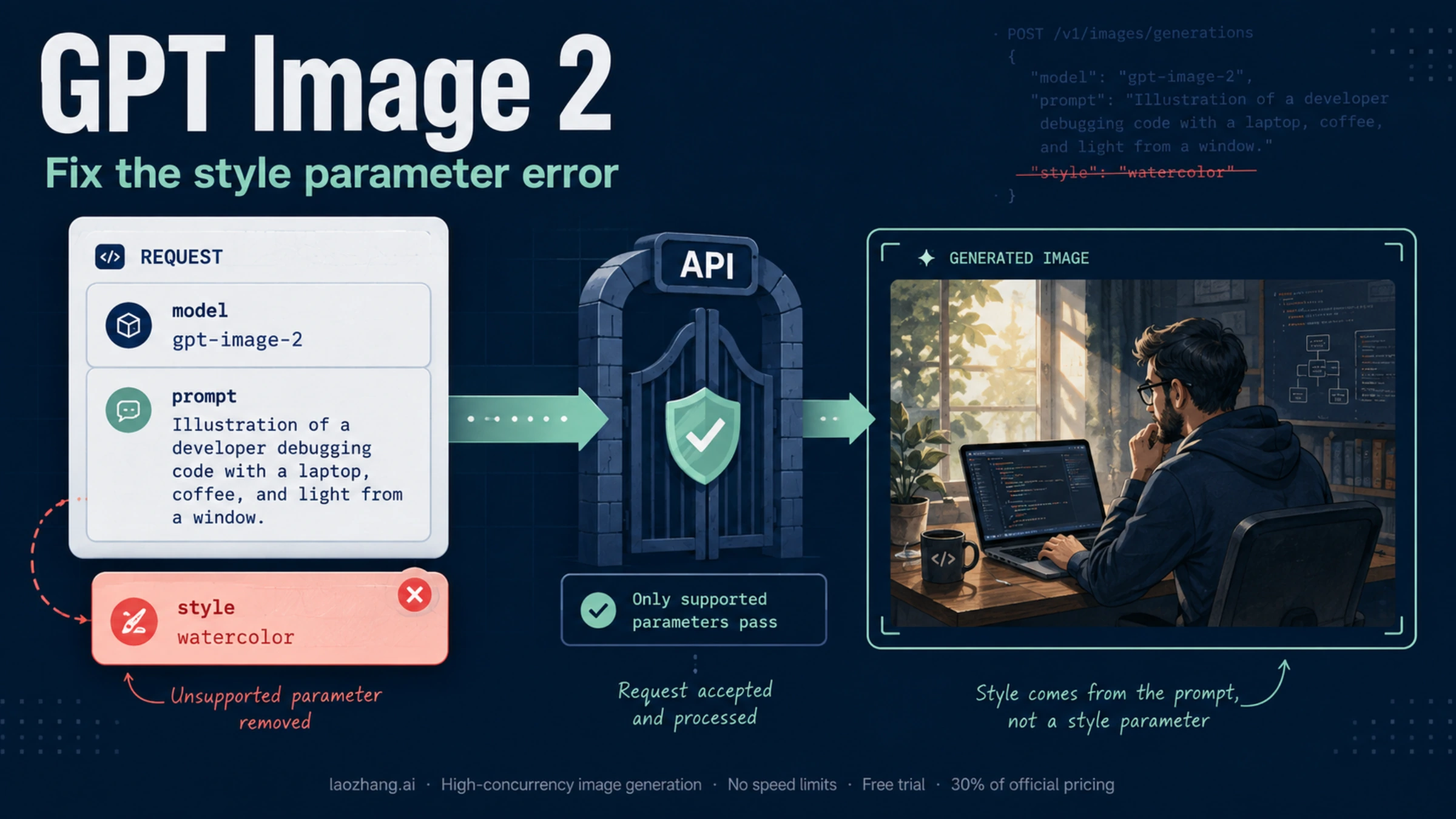
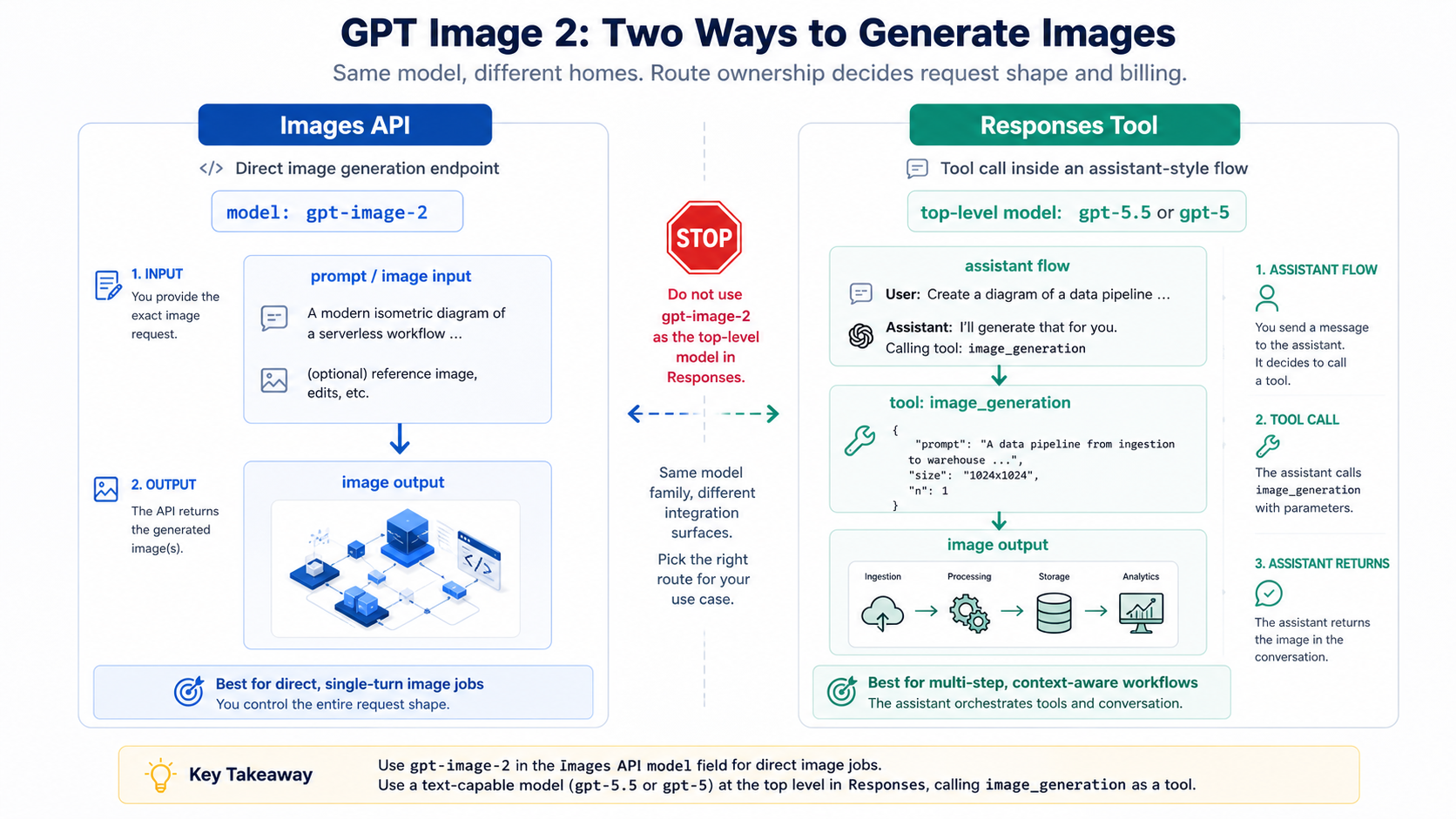
The first stop rule is simple: gpt-image-2 is the image model for direct Images API work, but it should not be used as the top-level model in a Responses request. In Responses, start with a text-capable model such as gpt-5.5 or gpt-5, then call the hosted image_generation tool.
Keep the cost boundary just as separate. OpenAI API usage follows the official image pricing model, Codex image generation consumes Codex plan credits, and a gateway provider can publish its own per-call price. Mixing those three bills is the fastest way to choose the wrong route.
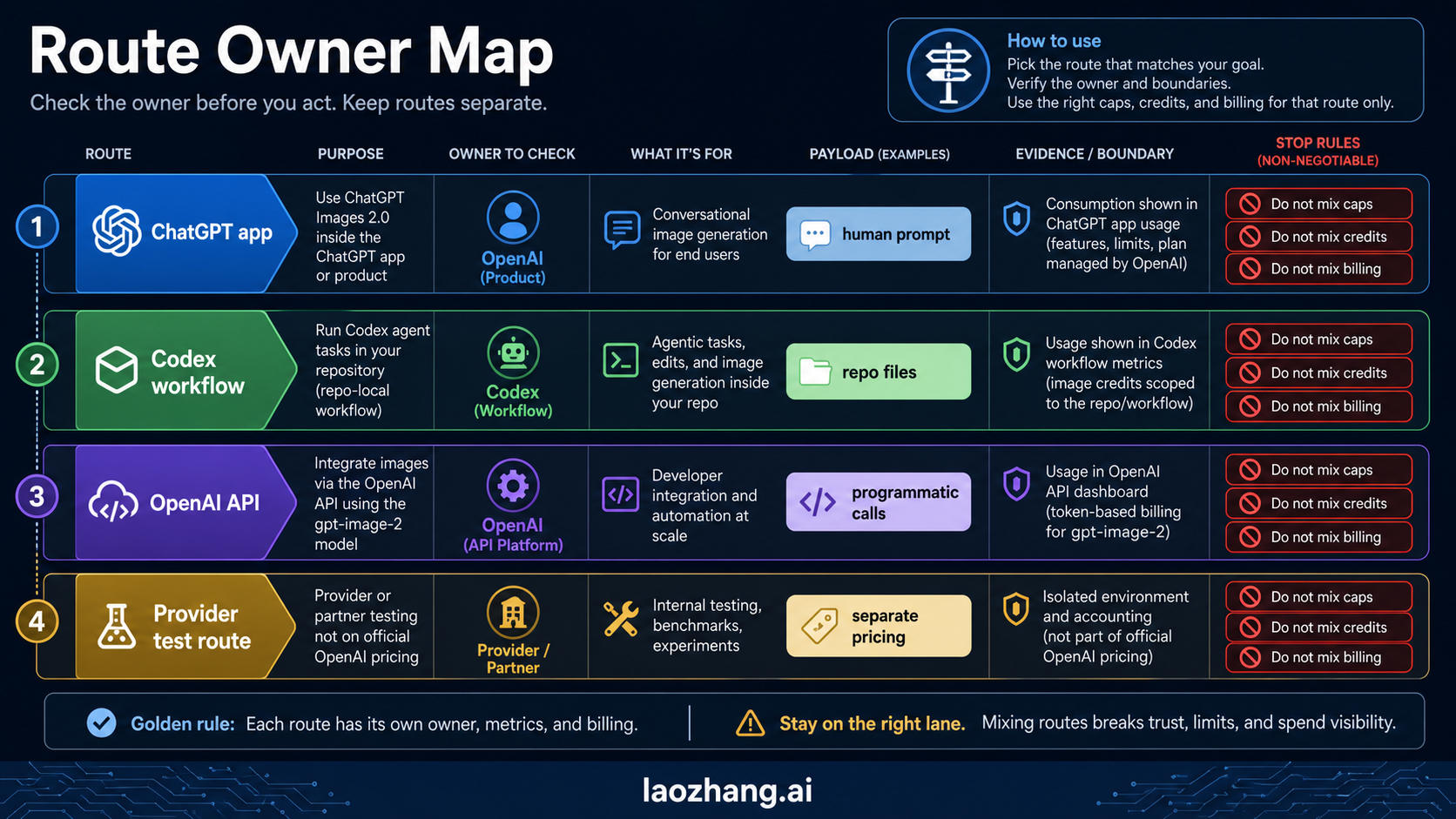
Choose the route before you write code
The fastest safe path is to decide which surface owns the job. GPT Image 2 is one model family, but it does not make every product surface interchangeable.
| Your job | Best route | Model placement | Billing surface | Avoid this mistake |
|---|---|---|---|---|
| Generate or edit one image directly | Images API | model: "gpt-image-2" | OpenAI API image pricing | Starting with Responses just because it looks more flexible |
| Add image output inside an assistant or agent flow | Responses API with image_generation | top-level text model such as gpt-5.5 or gpt-5; image model is handled by the tool | OpenAI Responses plus image generation usage | Putting gpt-image-2 in the top-level Responses model field |
| Create article, product, or UI assets while working in a repository | Codex visual workflow | Codex handles the generation surface | Codex plan credits | Treating Codex OAuth or plan usage as the same thing as API-key billing |
| Use a gateway for access, payment, or operational routing | Provider gateway | provider-specific OpenAI-compatible route, if offered | provider-owned pricing | Presenting provider rates as OpenAI official prices |
That route board should come before any feature recap because the wrong route creates the wrong debugging path. If a direct Images API request fails, you inspect API access, request fields, and output handling. If a Codex-generated asset is the problem, you inspect the Codex workflow, generated image lineage, and repository asset path. If a provider gateway fails, you inspect the provider's route mapping and billing contract.
On May 13, 2026, the OpenAI model page lists gpt-image-2 with the snapshot gpt-image-2-2026-04-21, and the image generation docs separate the direct Image API from Responses image generation. The important editorial consequence is not just freshness. It is that the current answer can be route-specific instead of treating GPT Image 2 as a vague launch headline.
Use Images API for direct generation and edits
Use the direct Images API when the product requirement is straightforward: one prompt should create an image, or one set of source images should be edited into a new output. That route keeps the request shape close to the image task, which makes the first working call easier to debug.
The generation branch belongs on /v1/images/generations; the edit branch belongs on /v1/images/edits. In SDK terms, those map to direct image methods rather than a hosted tool inside a broader model response. If you already know the generic endpoint split and only need the current GPT Image 2 route, keep the old endpoint mental model but update the model and caveats. The older OpenAI image generation API endpoint article is useful for route family context, but GPT Image 2 deserves its own current route map.
import OpenAI from "openai";

const client = new OpenAI({ apiKey: process.env.OPENAI_API_KEY });

const image = await client.images.generate({
  model: "gpt-image-2",
  prompt: "A clean technical diagram of an image generation pipeline",
  size: "1024x1024",
  quality: "medium",
});
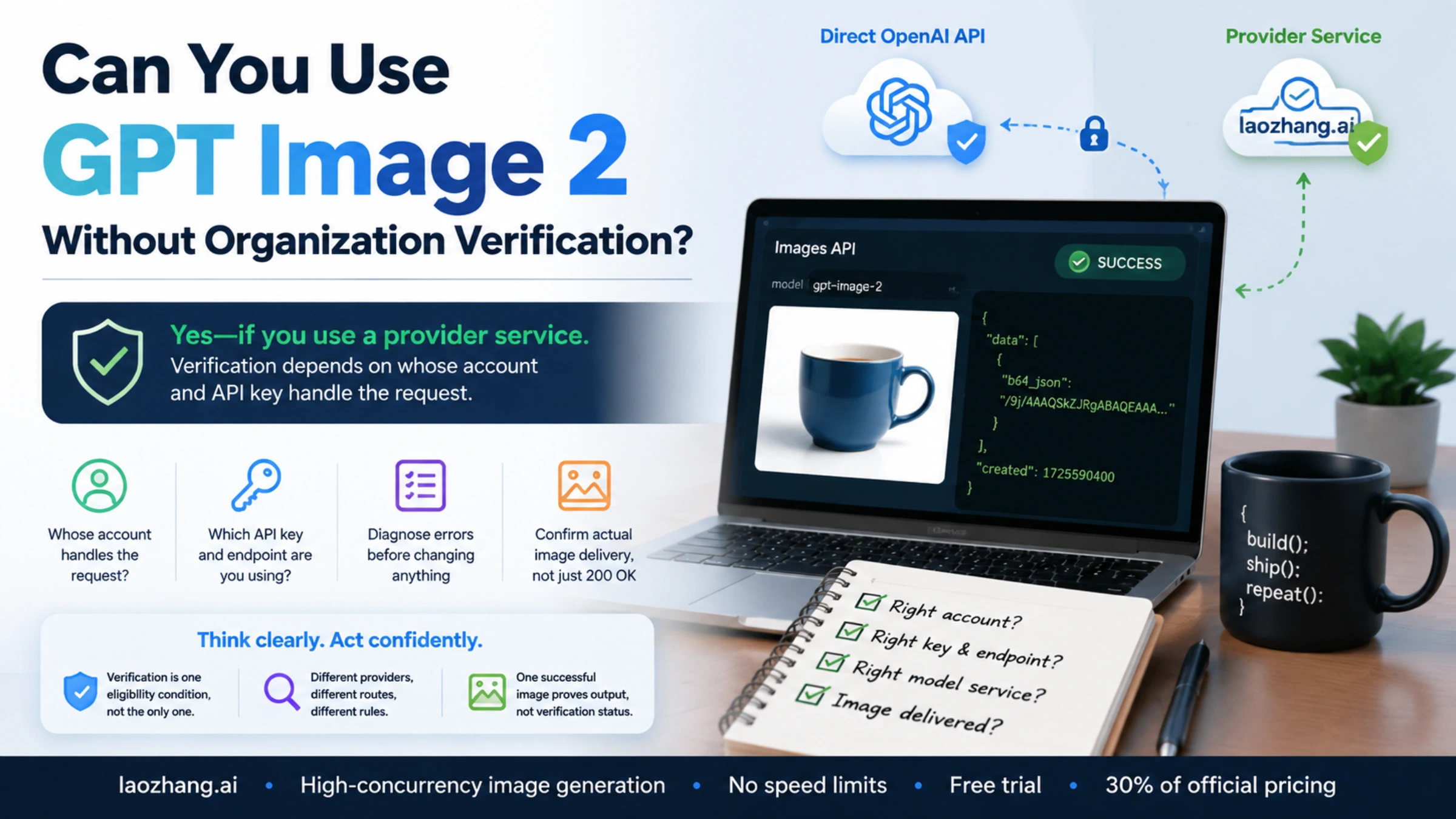
Keep that first request deliberately plain. Before adding streaming, multiple references, editing inputs, or provider routing, confirm that the account can use the model, the request fields are accepted, and the returned image can be saved somewhere your application controls.
For edits, the same route family still applies. A direct edit is not automatically a reason to move into Responses. If the job is "change this source image," the direct edit endpoint keeps the request easier to reason about. The more detailed editing concerns, such as masks, source image handling, and fidelity choices, belong in a deeper edit workflow like the OpenAI image editing API reference.
Two caveats belong near the first implementation, not in a late FAQ. First, GPT Image models may require organization verification before they are available to the API project. Treat that as an account-readiness branch, not as proof that the endpoint is wrong. Second, GPT Image 2 currently does not support transparent backgrounds. If a request depends on transparent output, do not hide that behind generic "background options" language.
Use Responses when image generation is part of an assistant flow
Responses is the better route when the image step is only one part of a larger interaction. If your product needs a model to read user context, decide whether an image is needed, generate text, call tools, and then produce or revise an image, the hosted image_generation tool fits better than a direct image-only call.
The field placement matters more than the API name. The top-level Responses model should be a text-capable model such as gpt-5.5 or gpt-5. The image generation behavior sits in the tools array.
import OpenAI from "openai";

const client = new OpenAI({ apiKey: process.env.OPENAI_API_KEY });

const response = await client.responses.create({
  model: "gpt-5.5",
  input: "Create a concise product concept and generate a matching launch graphic.",
  tools: [
    {
      type: "image_generation",
      size: "1024x1024",
      quality: "medium",
    },
  ],
});
That shape is not a more fashionable version of the Images API. It solves a different problem. Use it when the application needs a reasoning model around the image step. Stay with Images API when the application only needs direct image output.
The same rule applies to streaming. Both route families can expose partial image behavior, but the product meaning differs. In a direct Images API job, streaming previews help a single generation feel responsive. In Responses, partial images are part of a broader interaction that may also include text, tool calls, and state. Do not choose Responses for streaming alone if the product does not need the assistant-flow wrapper.
Use Codex for repo-local visual assets, not public API billing
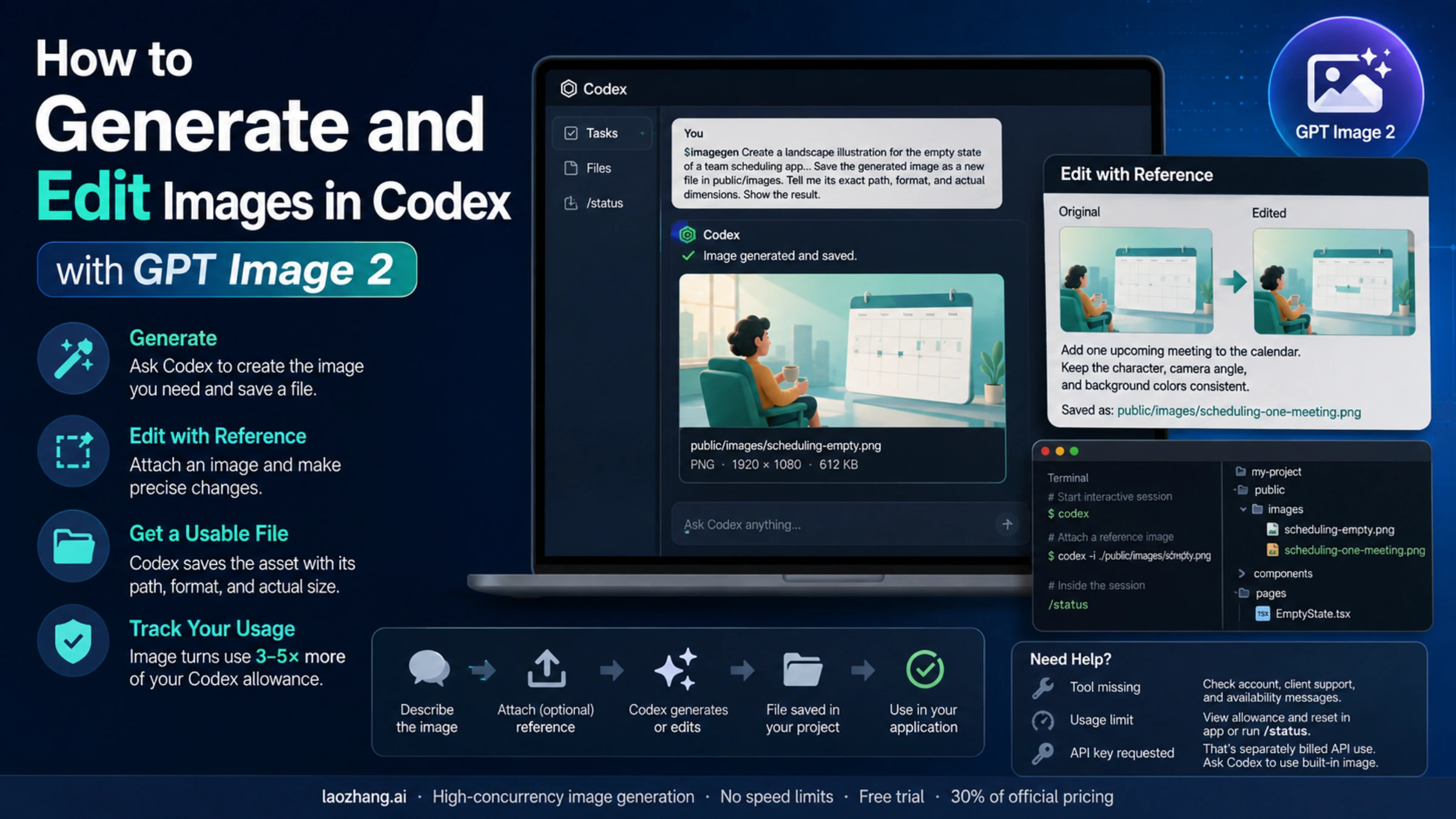
Codex is a real branch for this topic because many developers first encounter GPT Image 2 while building a page, prototype, or product interface inside a repository. In that context, Codex can help generate visual assets, place them into the project, and preserve their lineage as part of the development workflow.
That is not the same contract as a public OpenAI API request. A Codex workflow is authenticated, metered, and reviewed through Codex plan behavior and project-local files. An API integration is authenticated with API credentials and billed through API usage. The outputs may both be images, but the operational surface is different.
Use Codex when the job is close to the repository:
- producing a cover, infographic, UI asset, or explanatory image for a content run
- iterating visual wording with the article or interface already in context
- saving generated assets into
public/,assets/, or another project directory with provenance - reviewing how the image is referenced in MDX, JSX, or a design surface
Switch to the API when the job is part of your product runtime:
- end users will request images from your application
- image generation must be metered per customer, tenant, project, or request
- logs need to include request IDs, retry reasons, stored output locations, and billing owners
- the image call must run from your backend rather than from a development agent session
The handoff line matters. A Codex-created article image can be a valid project asset if its generated file and publish path are recorded. It should not become proof that the deployed application has a working API integration. Conversely, a successful API call does not tell you whether a Codex workflow preserved repository asset provenance.
Keep OpenAI pricing, Codex credits, and provider rates separate
Cost confusion is the second major failure mode after route confusion. On May 13, 2026, OpenAI's image generation cost calculator listed example GPT Image 2 output costs such as 1024x1024 low at $0.006, medium at $0.053, and high at $0.211, with the final cost depending on text and image input tokens as well as output shape. Those examples are official OpenAI API pricing examples, not Codex plan prices and not provider gateway prices.
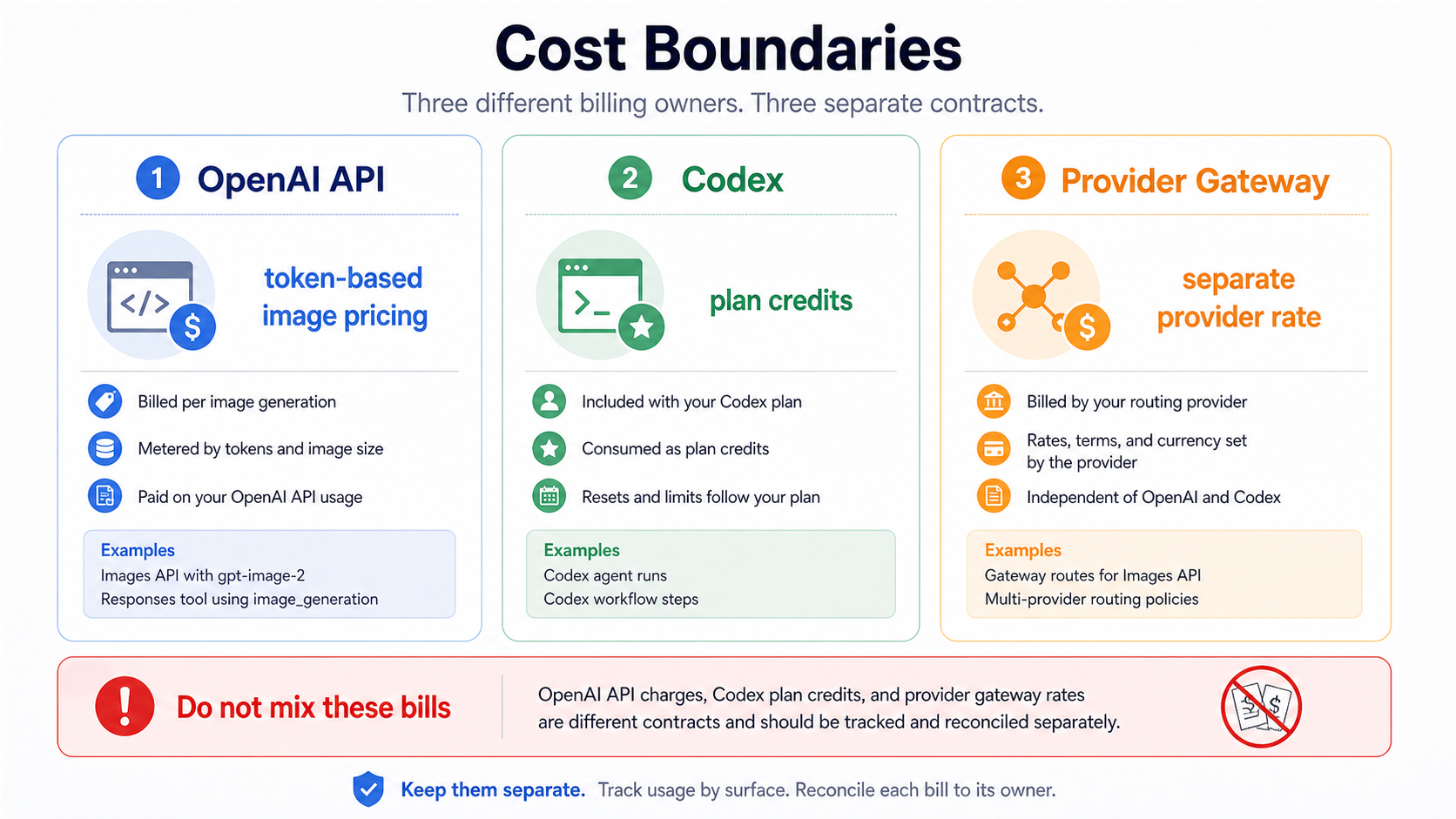
Codex image generation belongs to Codex credit accounting. That makes sense for developer workflows because the unit of work is often a project task rather than a customer-facing API request. It also means a Codex credit estimate should not be copied into an application cost model.
Provider gateways are a third contract. A gateway can be useful when a developer needs alternate payment handling, access routing, provider aggregation, or a stable OpenAI-compatible integration point. If that is your constraint, laozhang.ai is the approved API/developer route for this site: start from docs.laozhang.ai for integration notes or api.laozhang.ai for the API entry point. Treat any provider rate as provider-owned and current only for that provider. It should never appear in the same row as OpenAI official pricing.
The fair decision is simple:
| Constraint | Better first route |
|---|---|
| You have direct OpenAI API access and need first-party behavior | OpenAI Images API or Responses |
| You are generating project assets while working in a repository | Codex workflow |
| You need a gateway for payment, routing, or multi-model operational convenience | Provider gateway |
| You are estimating production unit cost for your own app | Use the route you will actually deploy, then log that route owner |
That last row is the one that prevents most billing mistakes. Do not estimate on Codex credits and deploy on API billing. Do not estimate on a provider per-call price and then describe it as OpenAI pricing. Do not test in a gateway and assume the direct OpenAI request fields, rate limits, or account checks are identical.
Log the production details before scaling usage
The first image request only proves that one path worked once. A production integration needs enough logging to explain what happened when output quality, cost, latency, retries, or access checks change.
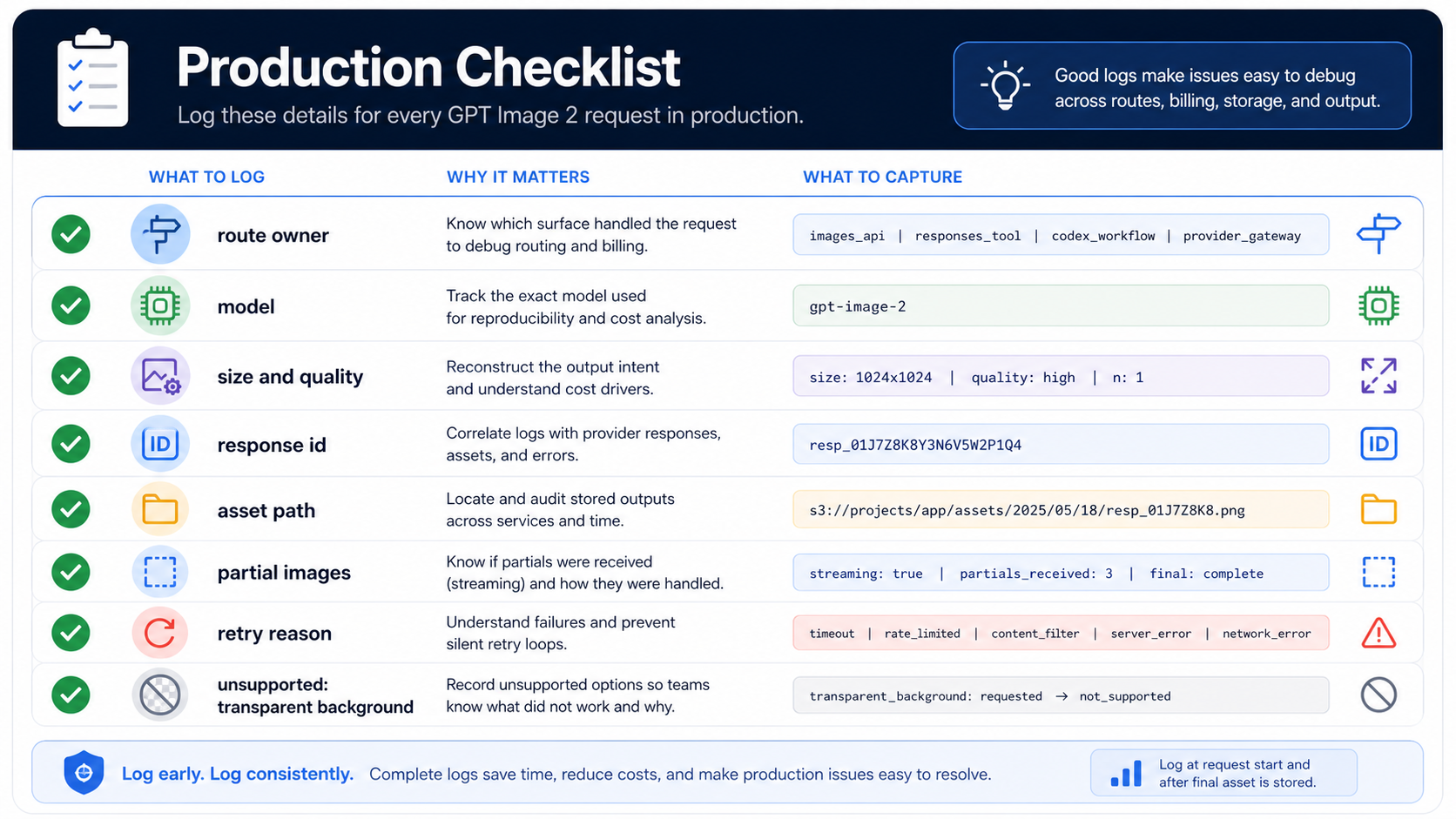
At minimum, log the route owner, model, size, quality, response identifier, stored asset path, whether partial images were requested or received, and retry reason. For edits, also log input asset identifiers and whether the request used high-fidelity inputs. For provider gateways, log the provider route or channel separately from the model name.
That logging is not busywork. It lets you answer the questions that actually arrive during support and cost review:
- Did this request use direct OpenAI API, Codex, or a gateway?
- Which model and quality level created the output?
- Did the application save a URL, base64 payload, or file path?
- Did the user see partial previews or only the final image?
- Did the failure come from account readiness, unsupported options, provider routing, or output storage?
Also keep unsupported options visible. Transparent background is the clearest current example for GPT Image 2. If a product path needs transparent assets, route that requirement explicitly instead of quietly retrying the same request shape.
The practical production rule is to make every image output traceable. A saved image should point back to the route, request shape, model, quality setting, and storage decision that produced it. That is how a one-off image feature becomes a maintainable image system.
FAQ
Is GPT Image 2 officially available in the API?
Yes. On May 13, 2026, OpenAI's developer docs list gpt-image-2 as an official model with snapshot gpt-image-2-2026-04-21. The useful implementation question is which route should own the job: direct Images API, Responses, Codex, or a provider gateway.
Should I use gpt-image-2 as the top-level Responses model?
No. Use a text-capable model such as gpt-5.5 or gpt-5 as the top-level Responses model, then add the hosted image_generation tool. Use gpt-image-2 directly in the Images API route.
Is Codex GPT Image 2 the same as the public API?
No. Codex is a workflow surface for development tasks and project assets. Public API usage is an API-key integration surface. They can both involve GPT Image 2, but the authentication, billing, logging, and production responsibilities are different.
Can I use a provider gateway instead of direct OpenAI API?
Yes, if the provider route solves a real constraint such as payment, access, aggregation, or operational routing. Keep the provider rate and provider behavior separate from OpenAI official pricing and first-party route behavior.
Does GPT Image 2 support transparent backgrounds?
Current OpenAI tool-option guidance says GPT Image 2 does not support transparent backgrounds. If transparency is a hard requirement, do not hide it as a generic option; choose a route that actually supports the needed output or revise the workflow.
What should I read next if I only need raw cURL?
Use the route rules here first, then move to a raw request reference such as OpenAI image generation API cURL for command shape and output handling.