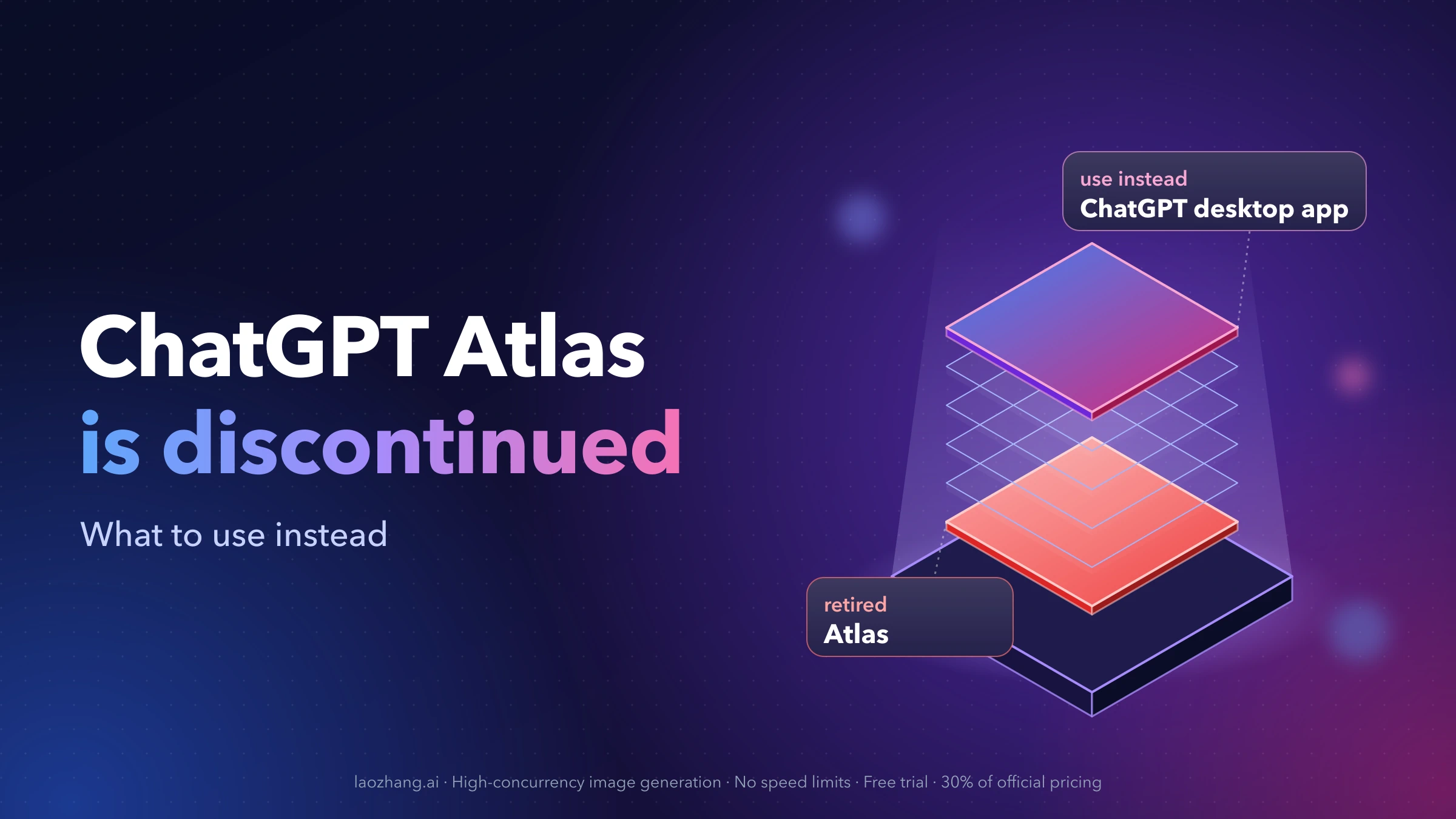
ChatGPT Atlas, OpenAI's AI web browser for Mac, has been discontinued. OpenAI deprecated Atlas and scheduled it to stop working on August 9, 2026, after moving its browser-based agent features into ChatGPT and Codex. As of September 30, 2026, the old download address, chatgpt.com/atlas, just redirects to the ChatGPT home page. There is no official Atlas installer to download, for Mac, Windows, iPhone or Android.
If you wanted Atlas for an AI browser that can open pages, click and fill in forms for you, download the new ChatGPT desktop app for macOS or Windows and use its built-in browser. If you used Atlas and want your bookmarks, export them to an HTML file while Atlas still opens. Your ChatGPT conversations are not affected.
| Question | Short answer |
|---|---|
| Can I still download ChatGPT Atlas? | No. OpenAI no longer offers it, and chatgpt.com/atlas redirects to ChatGPT |
| When did it stop? | It was scheduled to stop working on August 9, 2026, after a wind-down announced in July 2026 |
| Is there Atlas for Windows, iPhone or Android? | No. Atlas was a Mac-only browser, and no other version is coming |
| What replaces it on a computer? | The ChatGPT desktop app (macOS and Windows) and its built-in browser |
| What happens to my ChatGPT chats? | Nothing. They belong to your ChatGPT account, not to Atlas |
| Can I keep bookmarks, tabs and history? | Bookmarks can be exported to HTML; tabs, history and logins don't carry over |
Is ChatGPT Atlas still available to download?
No. Atlas launched on October 21, 2025 as a free Mac browser with ChatGPT built in. In July 2026 OpenAI announced that it was "evolving Atlas into ChatGPT for browser-based agentic work": the ability to let ChatGPT browse, click and complete tasks for you moved into ChatGPT and Codex, and Atlas itself was scheduled to stop working on August 9, 2026. OpenAI's help article warns that after that date Atlas may no longer open, browse or run browser-based agent tasks.
The reason OpenAI gives is security as much as product direction: it does not want people to keep using a discontinued browser that may stop receiving security updates. A browser is the program that handles your passwords, payment pages and signed-in accounts, so a browser without updates is the wrong place for any of that.
Windows, Windows 11, iPhone and Android
Atlas was only ever a macOS browser. It required a Mac with Apple Silicon, and download listings still described it as macOS-only in June 2026, a few weeks before the retirement was announced. With the product retired, no Windows or phone version is coming.
What you can install instead depends on the device:
- Windows: the new ChatGPT desktop app is available for Windows and includes the same built-in browser as the Mac version. Get it from chatgpt.com/download.
- Mac: the same ChatGPT desktop app. It needs macOS 14 or later and runs on both Apple Silicon (M1 or newer) and Intel Macs.
- iPhone and Android: Atlas never had a phone version. Use the regular ChatGPT app. On a paid plan, you can start cloud browser tasks from ChatGPT on mobile (explained below). For Android installation steps, see How to Download ChatGPT on Android.
Don't install Atlas from download sites
Several third-party download pages still offer "ChatGPT Atlas for Mac" installers, some updated as late as July 2026. None of them are official, and even a genuine copy of Atlas is a browser that OpenAI has stopped supporting. You would be running an unpatched browser from an unofficial source, one that may not open or browse at all after August 9, 2026.
Watch for a second kind of confusion as well. An open-source project called "Open ChatGPT Atlas" is hosted on a code-sharing site. It has nothing to do with OpenAI and is not a copy of the Atlas browser.
The only official place to get OpenAI's desktop software today is chatgpt.com/download.
What replaces Atlas, depending on what you used it for
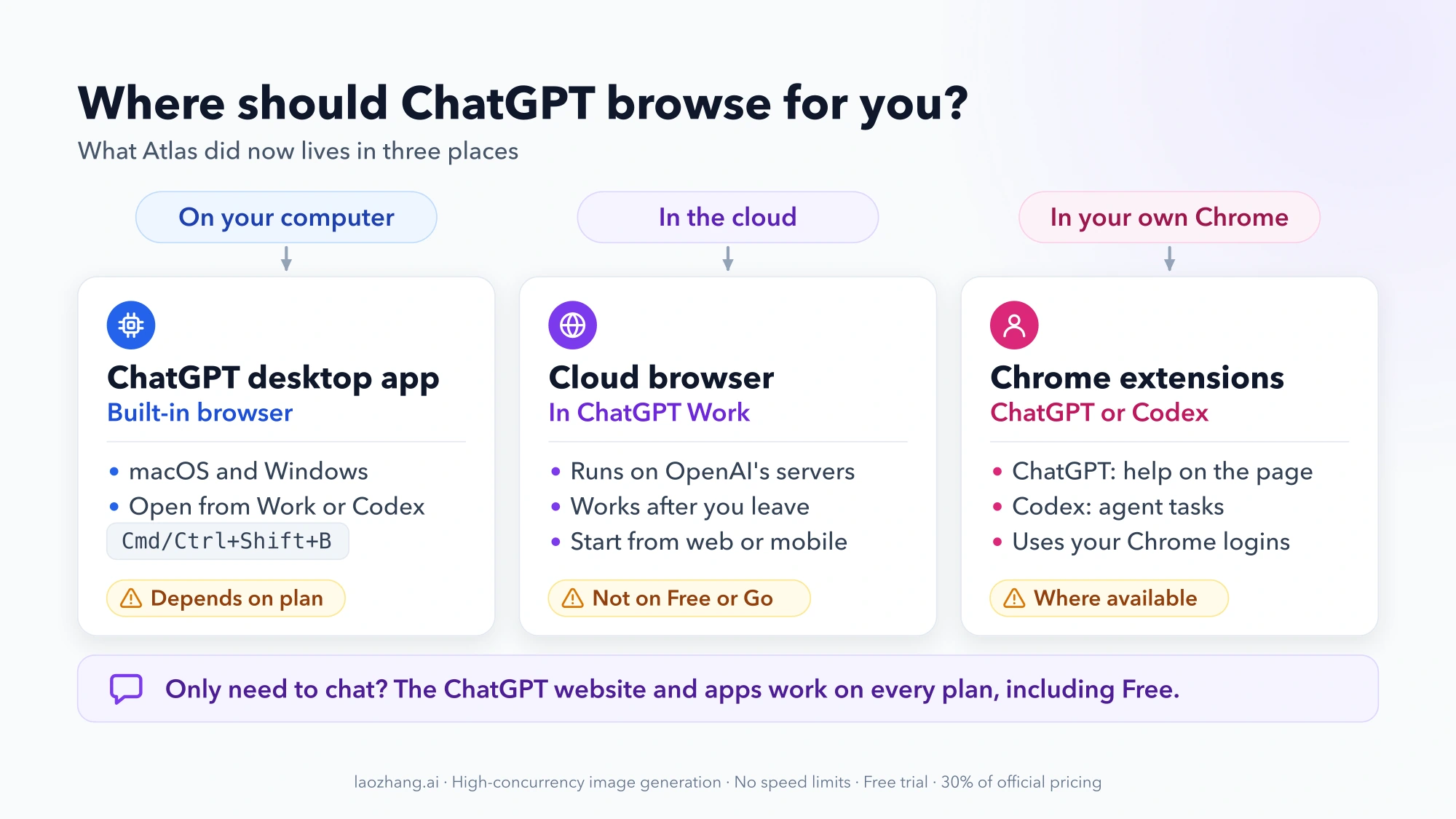
OpenAI split what Atlas did across a few products. Which one you want depends on where the browsing should happen and which ChatGPT plan you have.
| If you wanted to... | Use | Runs on | Conditions |
|---|---|---|---|
| Let ChatGPT browse, sign in, open tabs and download files on your computer | Built-in browser in the ChatGPT desktop app | macOS and Windows | Opened from a Work or Codex chat; features may depend on your plan and workspace settings |
| Hand off a web task that keeps running after you close your laptop | Cloud browser in ChatGPT Work | OpenAI's servers; start it from web or mobile | Paid ChatGPT plans in supported regions; not Free or Go |
| Get ChatGPT's help next to the pages you already have open in Chrome | ChatGPT Chrome extension or sidebar | Your own Chrome | Only where available |
| Have an agent work inside your existing Chrome profile, logins and extensions | Codex Chrome extension | Your own Chrome | Acts with the sessions you're already signed in to |
| Just ask ChatGPT questions | ChatGPT website or app | Web, desktop and mobile | Any plan, including Free |
OpenAI notes that access to these tools can vary by plan, region, device, browser and workspace settings, so a feature missing from your account is not necessarily a bug.
The built-in browser in the ChatGPT desktop app
This is the closest match to what Atlas did on your computer. Since July 9, 2026, the ChatGPT desktop app combines Chat, Work and Codex in one app for macOS and Windows. On a Mac, the previous app is now called ChatGPT Classic and is still supported, so check which one you are running if you can't find the browser.
To open the built-in browser, start or open a chat in Work or Codex and use the browser button in the toolbar, or press Cmd+Shift+B on a Mac or Ctrl+Shift+B on Windows. The browser supports multiple tabs, downloads, sign-in, autofill, password management, extensions and an annotation mode.
A few things work differently from Atlas or from your normal browser:
- It keeps its own browser state. It does not use your Chrome profile, so you sign in to sites again inside it.
- It asks before visiting a new website. You can manage allowed and blocked sites in the app's settings.
- Passwords go into the browser, never into the chat. When a site needs a login, type the credentials in the page itself.
- Work accounts may be restricted. Workspace admins can restrict Browser Use.
The built-in browser works with websites. For what ChatGPT's agent can and can't reach on your own computer, such as files in a local folder, see ChatGPT Agent Cannot See Local Files: The Boundary and Safe Workarounds.
Cloud browser in ChatGPT Work
The cloud browser is a remote browser that runs on OpenAI's side rather than on your device. It can read pages, click and fill in forms on public and signed-in websites, and it keeps working after you leave. You can start it from ChatGPT on the web or on mobile, which makes it the option to reach for when you're on your phone.
It is available on paid ChatGPT plans in supported regions, but not on Free or Go. When a site needs a login, ChatGPT shows a secure sign-in form; OpenAI says the credentials are not visible to the model and are not stored. For each site you can choose Always ask, Auto approve or Always allow, and ChatGPT asks you to confirm consequential actions before it takes them. Some websites block automated agents. The cloud browser also has its own cookies and sessions, separate from the browser on your computer.
Chrome extensions, if you want to stay in your own Chrome
If you liked Atlas because ChatGPT sat next to the page you were reading, the ChatGPT Chrome extension or sidebar is the lighter replacement, where it is available. It adds ChatGPT to the Chrome you already use rather than giving you a new browser.
For agent tasks that need your existing Chrome profile, meaning the sites you're already logged in to, your open tabs or your extensions, OpenAI points to the Codex Chrome extension instead of the desktop app's built-in browser.
If you used Atlas: bookmarks, tabs and your data
Bookmarks, open tabs and history don't move to another browser automatically. Here is what you can keep and what you can't.
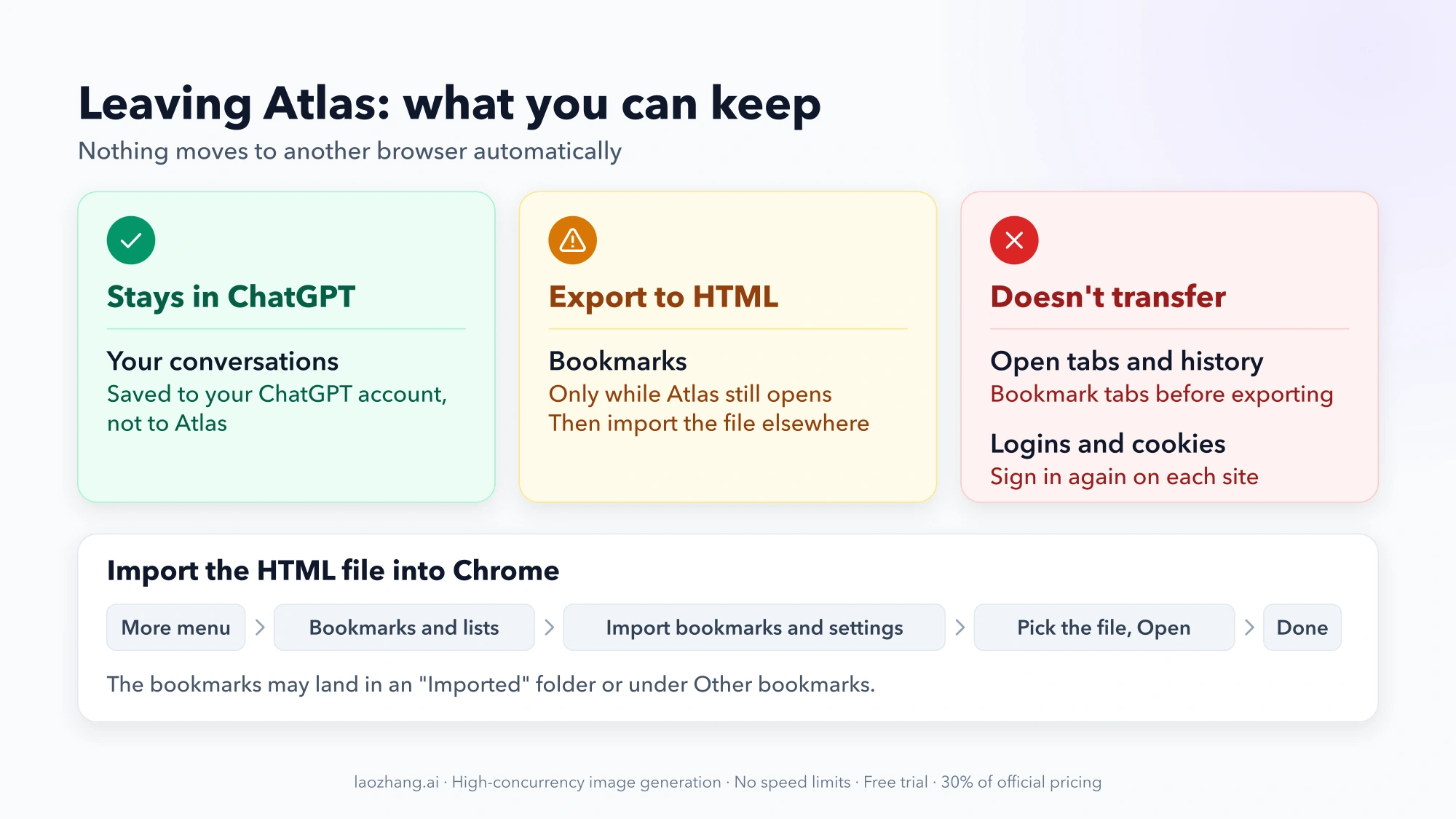
ChatGPT conversations stay put. Your chat history belongs to your ChatGPT account, not to Atlas's browser data, so it remains in ChatGPT.
Bookmarks can be exported, if Atlas still opens. Export your bookmarks from Atlas to an HTML file, then import that file into your next browser. OpenAI describes this export as something to do before the August 9, 2026 stop date. If Atlas no longer opens on your Mac, the export may not be possible, and there is no documented way to recover the bookmarks afterward.
To import the file into Chrome:
- Open the More menu (three dots) in Chrome.
- Choose Bookmarks and lists, then Import bookmarks and settings.
- Choose the HTML file you exported from Atlas and click Open.
- Click Done. The bookmarks may appear in a folder called "Imported" or under Other bookmarks.
Open tabs and history don't transfer. If Atlas still runs and there are tabs you want to keep, bookmark them before you export, so they travel in the HTML file.
Logins and cookies can't be moved. Active sessions and cookies from Atlas can't be imported into another browser, so plan to sign in again on each site. If you come across Atlas cookie or session files on your Mac, treat them like passwords: don't upload or share them.
Once your bookmarks are out, stop using Atlas for browsing. A discontinued browser is exactly what OpenAI is steering people away from.
Common questions about ChatGPT Atlas
Was Atlas free, and are the replacements free?
Atlas was free to download when it launched. Of the replacements, the cloud browser needs a paid ChatGPT plan and isn't included in Free or Go. The desktop app's built-in browser may depend on your plan and workspace settings, so open a Work or Codex chat in the app to see whether your account offers it.
ChatGPT Atlas vs Safari or Chrome: is Atlas better?
That comparison no longer applies, since Atlas is retired. Keep Safari, Chrome or Edge as your everyday browser. On a Mac or Windows PC, the ChatGPT desktop app's built-in browser runs alongside it with its own sessions. If you use Chrome, the ChatGPT and Codex Chrome extensions bring ChatGPT into that browser directly.
Is the ChatGPT desktop app just Atlas under a new name?
No. It is the ChatGPT app for Chat, Work and Codex, with a built-in browser that ChatGPT can operate for a task. Atlas's bookmarks, tabs and sessions don't carry over into it.
Will losing Atlas delete my ChatGPT history?
No. Your conversations are stored with your ChatGPT account, separately from Atlas's browser data.
Where do I get the ChatGPT desktop app safely?
Only from chatgpt.com/download, which detects whether your Mac uses Apple Silicon or Intel. On a Mac it needs macOS 14 or later.