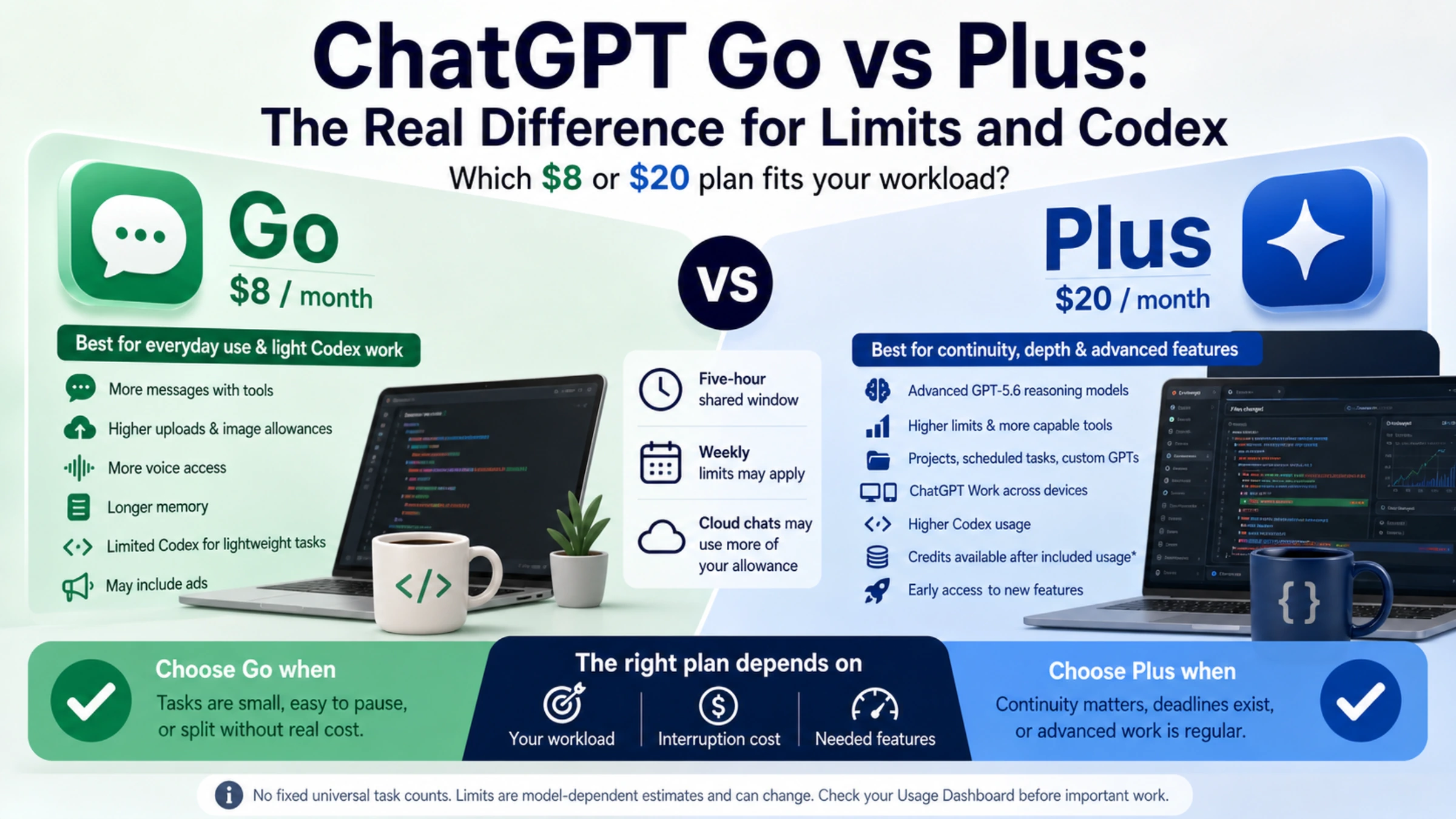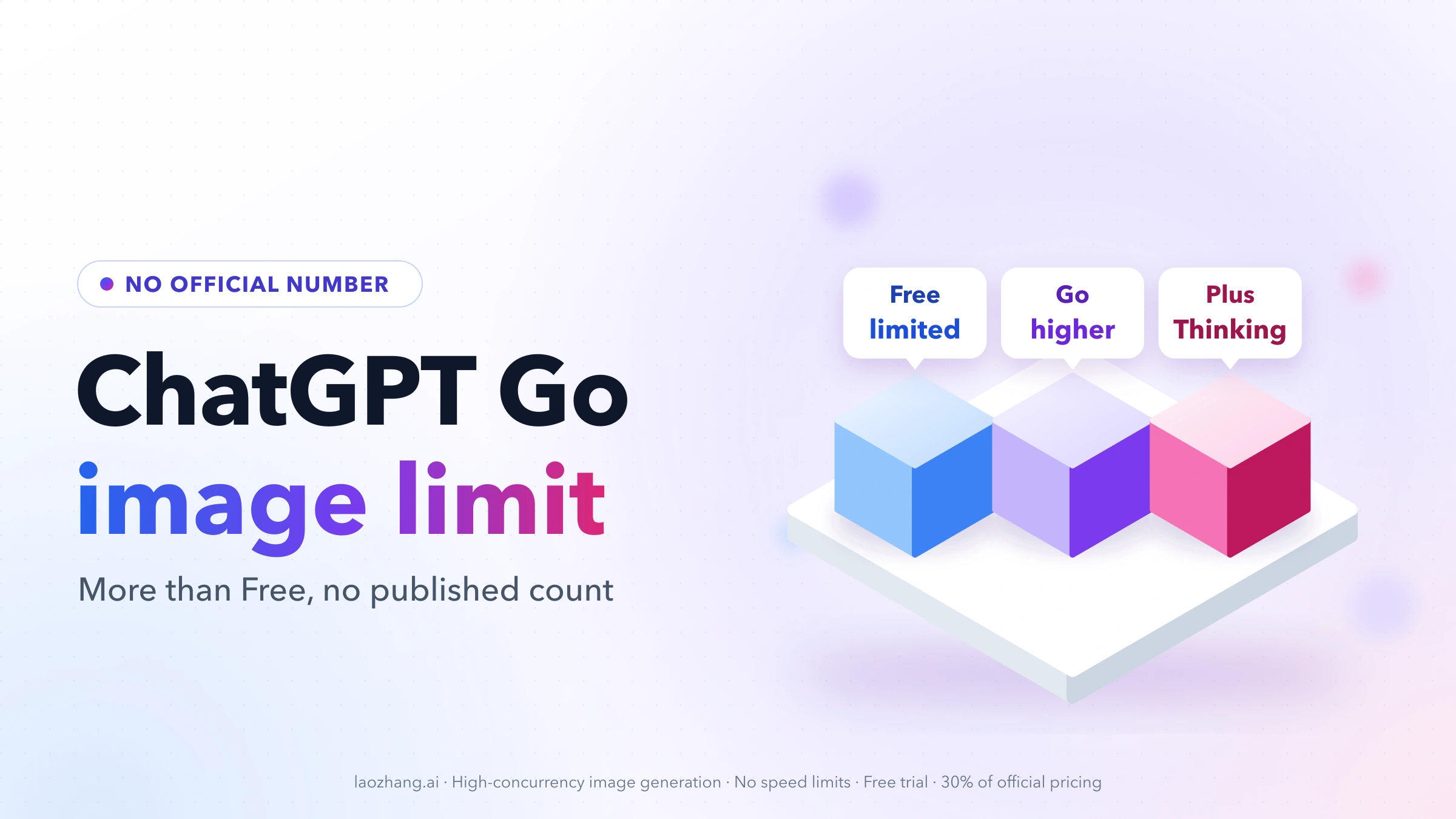
ChatGPT Go has no published image limit. As of November 14, 2026, OpenAI's help page says Go includes "extended access to image generation" and "higher limits" than Free, and stops there: no count, no daily window. The numbers you see quoted come from users, and they disagree widely. Go subscribers have reported anything from 10–20 images a day to 124 in a single day (a Japanese user, June 2026), and one says they have never hit a limit at all. Every one of these reports predates ChatGPT Images 2.6, which OpenAI released on November 4, 2026 without publishing new limits.
So the honest answer has two parts. Go gives you more images than Free, where users most often report running out after 2–3 a day. How many more is not something you can look up, and the figure passed around most often, 20–30 a day, is a community estimate rather than a quota. If ChatGPT stops you with "You're generating images too quickly," that is a short cooldown measured in minutes, not your daily limit; the message table below shows which message means what.
| Plan | What OpenAI says about images | What users commonly report | When images stop |
|---|---|---|---|
| Free | Limited image generation | 2–3 a day | Wait for the reset ChatGPT shows, or upgrade to Plus, Pro, or Business, which OpenAI says resets Free limits |
| Go | A higher image generation allowance than Free, no count | 10–124 a day; 20–30 is the most repeated figure | Wait for the reset ChatGPT shows, or move to Plus or Pro; usage credits do not cover images |
| Plus | More complex and more precise image generation, with Thinking | No count; one Reddit comment puts Go and Plus at 120 a day | Wait for the reset ChatGPT shows, or move to Pro |
| Pro | Unlimited and faster image generation, subject to abuse guardrails | No count; described as unlimited | Abuse guardrails can still pause it; wait for the reset ChatGPT shows |
The wording in the second column is from OpenAI's pricing page, and "with Thinking" from its Images in ChatGPT help article (linked below). The user figures come from the reports listed further down, and none of them is official.
How many images per day on ChatGPT Go: OpenAI gives no number
OpenAI describes Go's image allowance in words, not counts. The What is ChatGPT Go? help article opens with "Expanded access to ChatGPT tools," meaning "higher usage limits for eligible features than on the Free plan." It then lists "Extended access to image generation: Create more images for work or play" and says that "ChatGPT Go includes higher limits for eligible features such as image generation, file uploads, and data analysis." The Go plan page says the same thing in plan-table form: a higher image generation allowance than Free.
Three conditions sit next to that promise. Usage is "subject to plan limits, abuse guardrails, and temporary restrictions during high demand." That last clause matters, because it means the ceiling can move with server load. A count that held on a quiet morning may not hold on a busy evening.
OpenAI also does not describe the limit as daily. "Per day" is how people ask the question, but the documentation names no window. What it does say is that ChatGPT shows when an allowance resets "when that information is available." The reset time in the limit notice is the only schedule you can rely on.
One point of confusion is worth clearing up. Go's unlimited everyday text chats do not extend to pictures. OpenAI states that separate limits continue to apply to image generation, file uploads, voice, and data analysis.
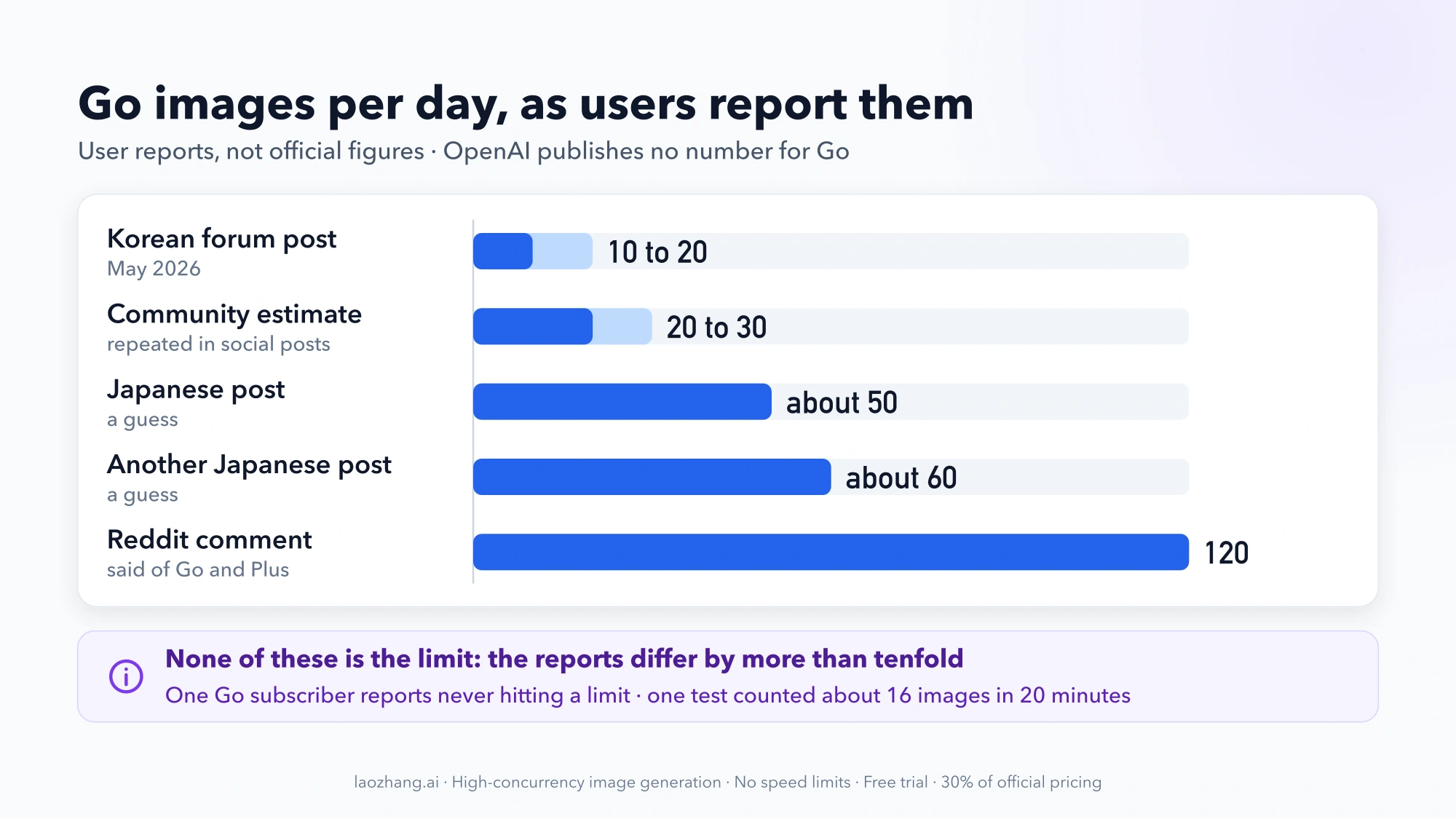
Reported Go image counts: from 10–20 a day up to 124
Every figure for Go comes from a user, and the reports differ by more than tenfold.
| Reported figure for Go | Where it comes from |
|---|---|
| 10–20 images a day | A Korean forum post, May 2026 |
| About 20–30 images a day | A community estimate repeated in social posts |
| About 16 images in 20 minutes, roughly 20 an hour | One Japanese blogger's own test, early 2026 |
| About 50 or about 60 a day | Guesses in two Japanese posts |
| 120 a day on Go and Plus | A single Reddit comment |
| 124 in one day | A Japanese Go user's blog post, June 5, 2026 (linked below) |
| No limit reached | A Go subscriber in a Facebook group who says they generate images constantly |
None of these is OpenAI's number. The 20–30 figure is the one you will meet most often, yet it traces back to user estimates. GlobalGPT's page on this question says outright that it "is not a verified Go quota."
The spread itself tells you something. A limit that shifts with demand would produce exactly this kind of disagreement. The reports also measure different things: images across a whole day, images in a single 20-minute burst, or simply never running out.
In practice, treat 20–30 a day as a rough expectation that may turn out high or low for you. If you need a guaranteed volume, Go's documentation does not promise one.
Go reports you can open and check, with dates
Most of the figures above circulate as snippets of Reddit and Facebook threads. The reports below each have a public page you can open and read in full, as of November 14, 2026.
| Date | Source | Plan | What happened | Time window | Message shown |
|---|---|---|---|---|---|
| February 25, 2026 | A Japanese blogger's test on note | Go | 16 images in about 20 minutes, generating each one as soon as the last finished; the first warning came at image 9 | A 20-minute burst | "You're generating images too quickly," with waits of 0, then 2, then 24 minutes |
| June 5, 2026 | A Japanese user's diary on note | Go | 124 images in one day before the limit arrived; the last 10 or so took repeated tries because of an error message; the same user had got about 5 a day on Free | One day | Not quoted |
| September 14, 2026 | A question on Yahoo! Chiebukuro | Go | A Go user asked how many images a day Go allows; the only answer gave no number | None | None |
Two Go accounts measured two different things. The February test hit a speed limit: it never saw a daily or monthly cap, and generation resumed after the wait. The June diary ran all day at a normal pace and reached a stop at 124. Read together, they suggest that how fast you generate matters as much as how many you make, though two accounts are not enough to call that a rule.
All of these reports predate ChatGPT Images 2.6. OpenAI's release notes for November 4, 2026 introduce the new model, GIF creation and saved reference images, and say nothing about image limits.
Go vs Free vs Plus for images: what OpenAI documents
The documented differences between plans are about tier and features, not counts. No plan page gives a number of images.
| Plan | Image generation as OpenAI describes it | Images with thinking | Number published |
|---|---|---|---|
| Free | Limited image generation | Not listed | None; users most often report 2–3 a day |
| Go | A higher image generation allowance; the plan may include ads | Not listed | None |
| Plus | More complex and more precise image generation, with Thinking | Listed | None |
| Pro | Unlimited and faster image generation, with abuse safeguards | Listed | None |
Two differences go beyond volume. First, OpenAI's Images in ChatGPT article says ChatGPT Images is available on all tiers, but "Images with thinking is available on Plus, Pro, and Business." Go and Free are not named there. If the reason you want to upgrade is more careful, more detailed image output, that feature is documented from Plus upward.
Second, Go's help article notes that "some advanced products and higher-tier features may require Plus or another eligible plan." That article still says Go's Think option uses GPT-5.6 Luna, while OpenAI's October 7, 2026 release notes say Free and Go chats now use GPT-6 Luna. Either way, Go includes no legacy models.
Go is the plan for more of the same images you already get on Free. Plus is where OpenAI documents a change in how images are made. Pro is the only plan described as unlimited. For everything beyond images, see ChatGPT Go vs Plus: Features, Usage Limits, and Codex. Current prices are on the ChatGPT pricing page, and some countries are billed in local currency.
What happens when you hit the Go image limit, and what resets it
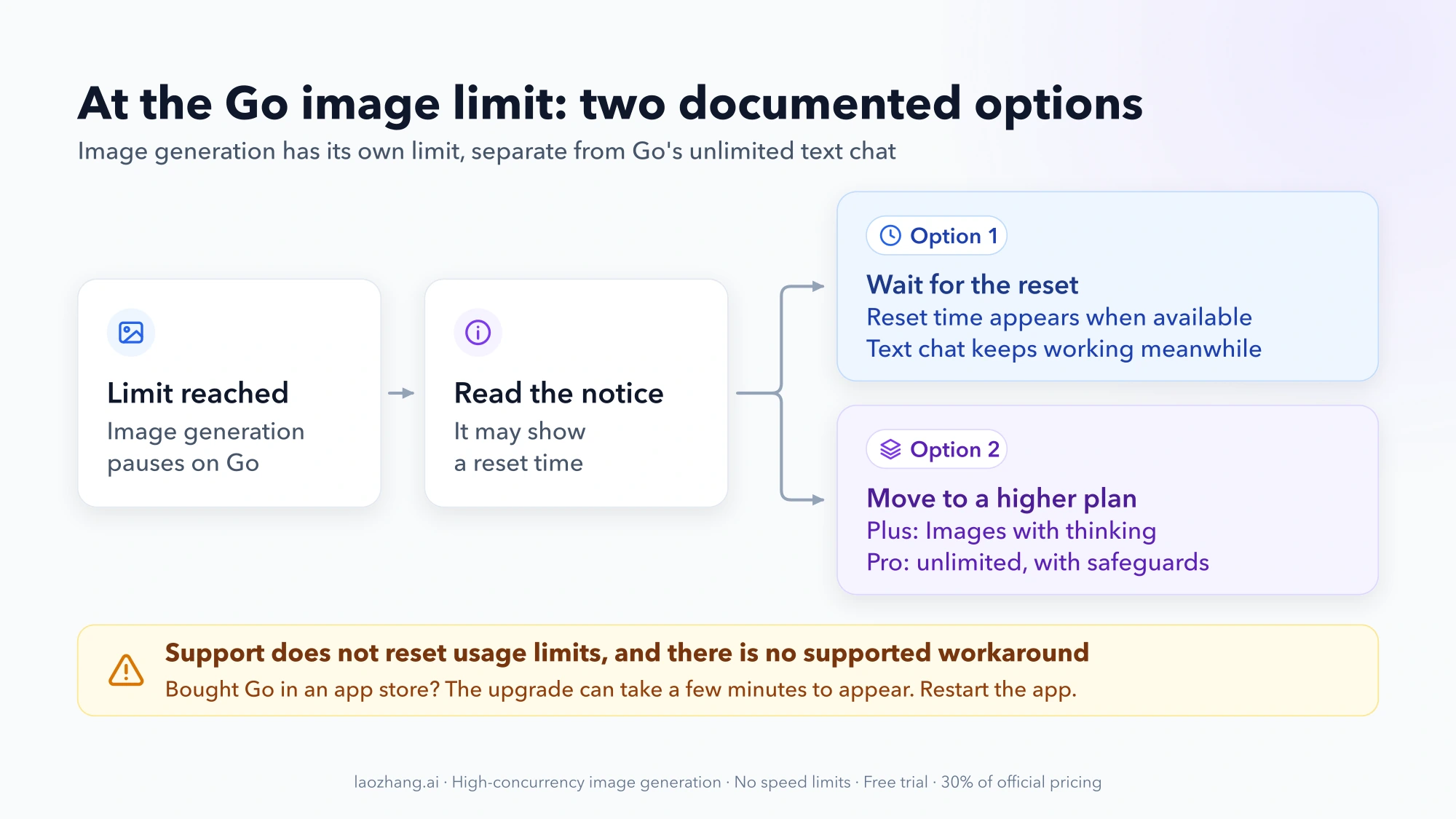
When you reach the limit, ChatGPT tells you and image generation pauses until the allowance resets. Text chat keeps working, because the image limit is separate. ChatGPT does not show how many images you have left before that point: Settings → Usage covers credits, and users on OpenAI's community forum were still asking for an image usage meter in September and November 2026. There is still a way to read the count yourself in a browser, explained in how to see how many images you have left below.
There are two documented ways forward, and both are plain:
- Wait for the reset. OpenAI's wording for tool limits is that "you will need to wait for a later time." Check the notice for a reset time. ChatGPT shows one when that information is available.
- Move to a higher plan. Plus adds Thinking-mode images, and Pro is described as unlimited and faster, with abuse safeguards.
Contacting OpenAI is not a third option: Support does not reset usage limits. OpenAI offers no supported way around the limit, so the choice really is between waiting and a higher plan.
If you just paid for Go and still see Free-level limits, check that the upgrade has landed before you assume the allowance is small. For purchases through the App Store or Google Play, OpenAI says the upgrade "may take a few minutes" to appear, and recommends waiting and restarting the app.
If a limit arrives much sooner than usual, high demand is a documented cause. Temporary restrictions during busy periods are part of Go's terms.
For the limit notice and troubleshooting on every plan, see ChatGPT Image Generation Limits per Day 2026: Free, Go, Plus, Pro.
How to see how many images you have left on ChatGPT Go
The ChatGPT interface does not show an image count, but the ChatGPT website loads one in the background. When you open a new chat, the page sends a request named conversation/init, and its response includes a list called limits_progress. One entry in that list, image_gen, carries a remaining number and a reset_after time. You can read it on a computer in a few steps:
- Open chatgpt.com in Chrome, Edge, or Firefox and sign in.
- Open the browser's developer tools (F12, or Cmd+Option+I on a Mac) and select the Network tab.
- Type
initin the Network filter box. - Start a new chat or reload the page, then select the
initrequest that appears. - Open its Response or Preview tab, expand
limits_progress, and find the entry whosefeature_nameisimage_gen.
As of November 14, 2026, on one ChatGPT Pro account, that entry read remaining: 1000, with reset_after set 24 hours after the moment of the request. Read again 24 seconds later, remaining was unchanged and reset_after had moved forward by the same 24 seconds, so with nothing used it tracks the time of the request rather than a fixed clock time. That is a count of 1,000 per 24 hours on a plan OpenAI describes as unlimited, subject to abuse guardrails.
What this does not tell you yet: the value on a Go, Free, or Plus account has not been checked, and neither has whether remaining drops by one for each image you generate. Treat the number on your own account as your account's figure, not as a Go quota.
This is an undocumented internal field, not an OpenAI feature. It may be renamed or removed without notice. Looking at it is read-only: you do not need to change any setting, install anything, or send a message, and you should never paste your browser's request headers or cookies anywhere, since they sign in to your account.
Which limit message you see, and how long until images come back
ChatGPT uses more than one message, and they mean different waits. These are the wordings users have posted, with the waits they reported.
| Message | What it means | Reported wait | Source |
|---|---|---|---|
| "You're generating images too quickly. To ensure the best experience for everyone, we have rate limits in place. Please wait for N minutes before generating more images." | A speed limit on bursts, not your daily allowance | 0, 2, then 24 minutes on Go as the burst continued; generation resumed after the wait | Go test, February 25, 2026 |
| "You've hit the free plan limit for image generation and editing. You'll be able to make this change once the limit resets in 15 hours and 27 minutes." | The plan allowance is used up, and the countdown is your reset time | Hours; this Free user saw the same countdown again a day later | OpenAI community, June 2025 |
| "You've hit the plus plan limit for image generations requests. You can create more images when the limit resets in 720 hours and 0 minutes." (also on Pro) | 720 hours is 30 days, which users treated as a fault rather than a real allowance | Reported on Plus in August 2025 and on Pro in January 2026; one user said it was fixed on February 8, 2026 | OpenAI community thread |
| "Chat paused until usage resets at 4:46 PM. You've reached the limit for chats that include files or images." | The separate limit on chats with files or images, not image generation | Until the clock time shown | OpenAI community, November 3, 2026 |
None of the posts above comes from a Go account at its plan limit, so the exact Go wording of that message is unconfirmed. Whatever the wording, the reset time in your own message is the one to go by, and Support cannot move it: OpenAI's Pro help page says "Support cannot reset ChatGPT or Codex limits," and offers only to check usage that was counted incorrectly or access that did not come back after a reset.
If a 720-hour countdown appears, or the same countdown repeats day after day, that matches the faults in the threads above. Usage that looks counted incorrectly is the one case OpenAI says Support will investigate, so report it through ChatGPT's help.
Can you buy more images on ChatGPT Go?
No. OpenAI sells usage credits to a limited group of Free and Go users, but its credits help page names Codex, ChatGPT Work, Word, Excel, and PowerPoint as the features credits pay for. Image generation is not on that list, and the same page says that "buying credits does not change your Free or Go plan or increase your included usage limit." Codex on Go has its own monthly allowance, separate from images; ChatGPT Go Codex Usage Explained covers how much it includes and where to see what is left.
As of November 14, 2026, OpenAI documents no image top-up for Go. When a user asked on OpenAI's community forum for pay-as-you-go image credits, OpenAI Support replied on September 8, 2026 that it would share the request and had no timeline. More images come only from waiting for the reset or moving to Plus or Pro.
Does upgrading from Free to Go reset your image limit?
It is not documented. OpenAI's Free Tier FAQ answers the upgrade question this way: usage rates reset "when you update your account to a Plus plan, a Pro plan, or a Business plan." Go is missing from that sentence.
That silence is not proof that a Go upgrade leaves you locked out. It does mean you cannot count on images coming back the moment you pay. If you have hit the Free limit and need images right now, the documented instant reset belongs to Plus, Pro, and Business.
If you can wait, the question matters less, because the Free allowance resets on its own schedule either way. The Free limit and its reset are covered in ChatGPT Free Plan Image Generation Limits 2026: Per Day, Reset Time.
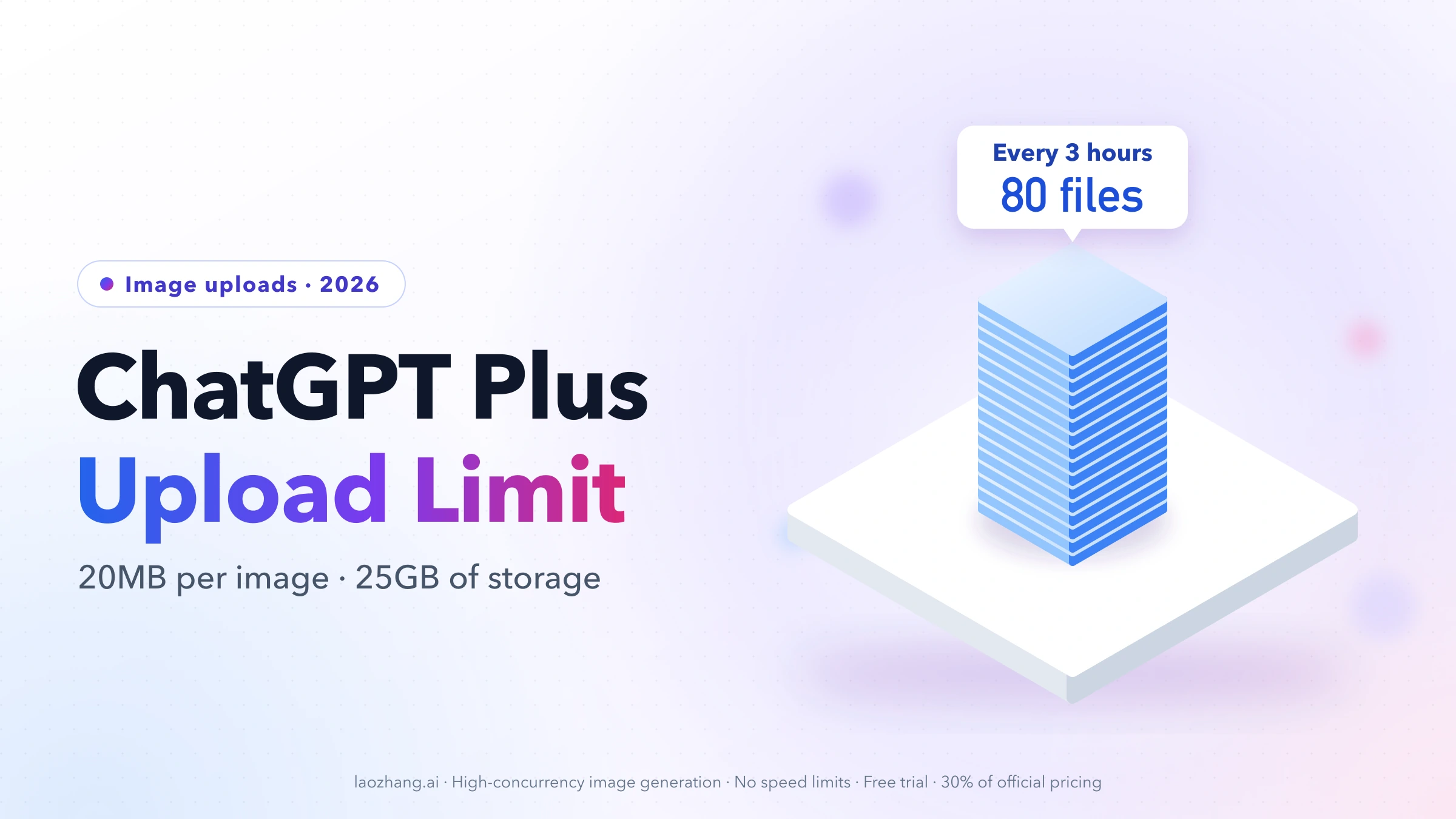
Uploading images on Go is a separate limit: 20MB, 80 files per 3 hours
Uploading a photo for ChatGPT to analyze or edit does not draw on the same allowance as generating one. OpenAI's File Uploads FAQ sets the rules: 20MB per image, and "users can upload up to 80 files every 3 hours. Free users are limited to 3 file uploads per day."
The FAQ gives no Go-specific rate. Go's help article promises "extended access to file uploads" compared with Free, and 80 files every 3 hours is the general figure the FAQ sets against Free's 3 a day. OpenAI adds that upload limits may be lowered at peak hours. For files stored in a project, the counts are 5 on Free and 25 on Go and Plus.
The upload rules are explained in full in ChatGPT Plus Image Upload Limit per Day 2026: 80 Files in 3 Hours.
Short answers about ChatGPT Go image limits
How many images can I generate with ChatGPT Go?
OpenAI publishes no number for Go, only a higher image allowance than Free that can tighten during high demand. Go users report anywhere from 10 to 124 images a day, and 20–30 is the figure repeated most often.
Is there any limit in ChatGPT Go?
Yes, for tools. Everyday text chat on Go is unlimited, subject to abuse-prevention safeguards. Image generation, file uploads, voice, and data analysis each have their own limit, and OpenAI publishes no count for images.
Is the ChatGPT Go limit 40–50 images every 3 hours?
No Go report supports that. The "40 to 50 every 3 hours" figure that gets applied to Go traces to a July 2025 thread on OpenAI's community forum, more than a year before Images 2.6. The two Go reports with full public text describe a burst limit of minutes and a full day of 124 images, not a 3-hour window.
Is ChatGPT Go worth it for image generation?
It is if your problem is Free's daily stop. Go raises the allowance, and Go users have reported days of 120 or more, though OpenAI promises no number. It does not add Images with thinking, which OpenAI lists only on Plus, Pro, and Business, and rapid back-to-back generation still triggers cooldowns.
Can I check how many images I have left on ChatGPT Go?
Not in the ChatGPT interface, which shows no image count. On the website, the browser's developer tools reveal an image_gen entry with a remaining number and a reset_after time in the conversation/init response, an undocumented field whose Go values have not been verified; the steps are above.
How many images can I edit with ChatGPT Go?
OpenAI gives no separate number for edits. ChatGPT Images covers both creating new images and editing existing ones, and the help pages describe one image generation allowance without splitting the two. The upload that starts an edit falls under the file upload limit.
How many images can I generate with ChatGPT Go vs Plus?
Neither plan has a published count. Go is documented as a higher allowance than Free. Plus is documented as more complex and more precise image generation with Thinking. Only Pro is described as unlimited, and that comes with abuse safeguards. If you are weighing the tiers above Go, ChatGPT Plus, Pro, or Business? Choose the Right Ownership Before the Right Limit covers that choice.