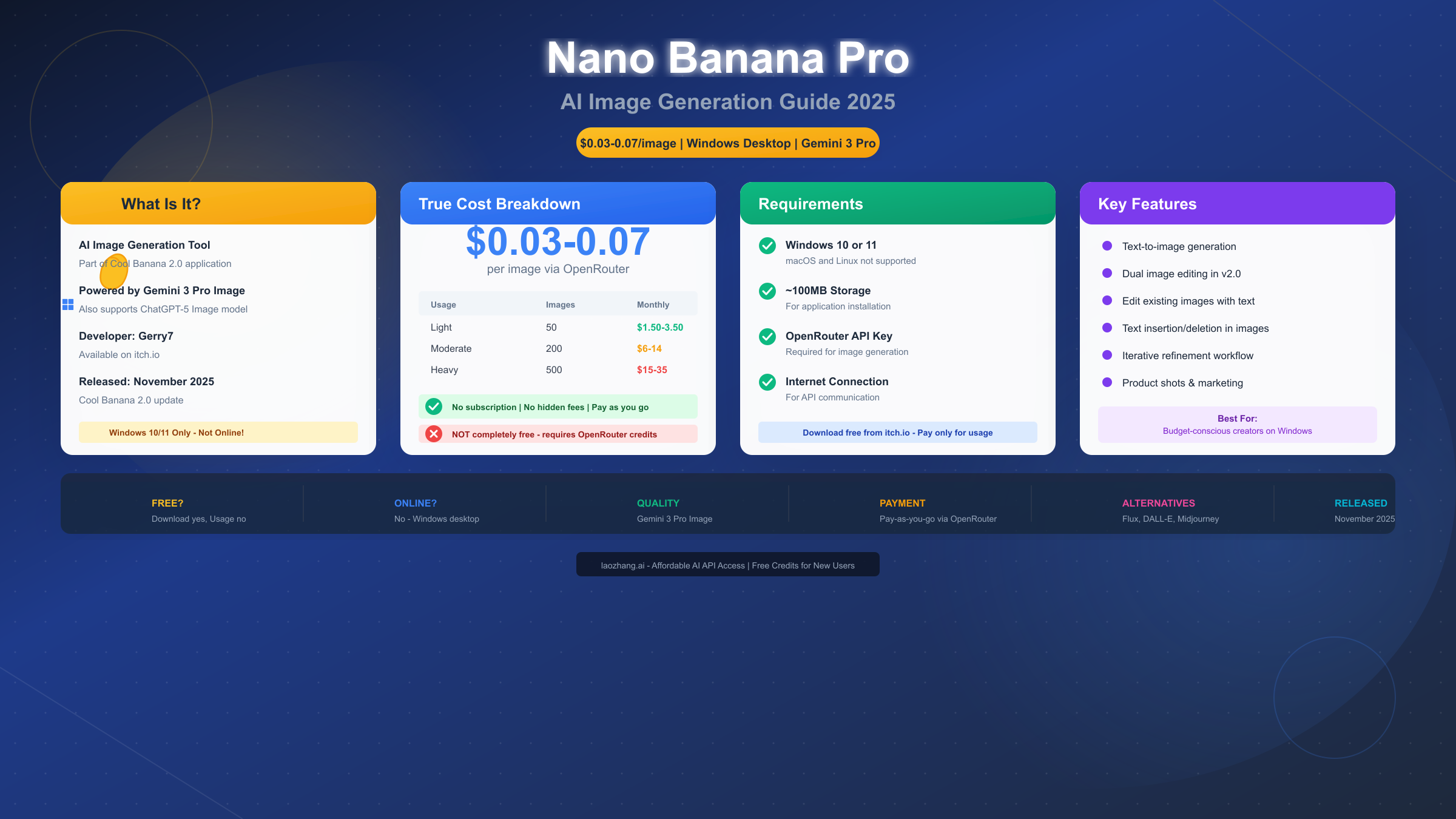
Nano Banana Pro represents Google's most advanced AI image generation technology, officially known as Gemini 3 Pro Image, and accessing it for free online has become increasingly straightforward in December 2025. Multiple platforms now offer free access to this powerful model, enabling users to generate stunning 4K images with exceptional text rendering and character consistency without paying a subscription fee. This guide provides a complete roadmap to accessing Nano Banana Pro through official channels, third-party platforms, and developer-focused API alternatives.
What is Nano Banana Pro? Understanding the AI Image Model
Google DeepMind released Nano Banana Pro on November 20, 2025, representing a significant leap forward in AI image generation technology. The naming can be confusing for newcomers, so understanding the terminology is essential before exploring free access options.
Nano Banana Pro is the consumer-facing name for Gemini 3 Pro Image, Google's flagship text-to-image and image editing model. The "Nano Banana" branding was introduced to make the technology more approachable for everyday users, while "Gemini 3 Pro Image" remains the official technical designation used in developer documentation and API references.
The model builds upon Google's Imagen 3 architecture but incorporates the reasoning capabilities from the Gemini language model family. This integration enables Nano Banana Pro to understand complex prompts with multiple requirements, maintain character consistency across different scenes, and render text within images with unprecedented accuracy—a capability that has historically challenged AI image generators.
Understanding the version differences is crucial for getting the right experience. The standard Nano Banana model runs on Gemini 2.5 Flash, offering faster generation times but with some quality tradeoffs. Nano Banana Pro, powered by Gemini 3 Pro, delivers superior results at the cost of slightly longer processing times. When accessing free platforms, always verify which version you're using to ensure you're getting the full Pro experience.
The model's technical specifications highlight why it has generated significant interest among creators and developers. Nano Banana Pro supports resolution up to 4K (4096×4096 pixels), processes up to 14 reference images for style and character consistency, and generates results in approximately 8-15 seconds depending on complexity. These capabilities make it competitive with paid alternatives like Midjourney and DALL-E 3, particularly for projects requiring accurate text integration or consistent character representation across multiple images.
Key Features and Capabilities
Nano Banana Pro's feature set distinguishes it from other free AI image generators through several technical innovations that directly impact the quality and versatility of generated images.
Text rendering accuracy stands as the model's most celebrated capability. While competitors often struggle with generating readable text within images—producing garbled letters, inconsistent fonts, or missing characters—Nano Banana Pro consistently renders clean, accurate text across multiple languages. This makes it particularly valuable for creating marketing materials, social media graphics, product mockups, and any visual content requiring legible typography.
The multi-language text support extends beyond Latin alphabets to include Chinese, Japanese, Korean, Arabic, and other writing systems. According to Google's technical documentation (https://ai.google.dev/gemini-api/docs/imagen ), the model achieves this through dedicated text rendering modules trained specifically on typography across different scripts, ensuring proper character spacing, stroke consistency, and language-appropriate styling.
Character consistency represents another breakthrough capability. When you upload reference images of a person, character, or object, Nano Banana Pro can maintain that subject's appearance across multiple generations. The model supports up to 14 reference inputs simultaneously, enabling complex compositions that maintain visual coherence. This feature proves especially valuable for content creators building brand mascots, developing comic series, or creating marketing campaigns with consistent character representation.
The generation speed varies based on complexity and the platform you're using, but typical processing times range from 8 to 15 seconds. Simpler prompts with fewer reference images complete faster, while complex multi-reference compositions require additional processing time. This represents a significant improvement over earlier Imagen versions, which often required 30 seconds or more for comparable results.
The model also includes built-in safety features that affect what you can generate. Google implements SynthID, an invisible digital watermark embedded in all Nano Banana Pro outputs. This watermark doesn't affect image quality but allows for detection of AI-generated content. Additionally, the model includes content filters that block certain types of requests, particularly those involving realistic depictions of public figures, explicit content, or potentially harmful scenarios. Understanding these limitations helps set appropriate expectations for what free access can accomplish.
Best Free Platforms Compared (2025)
The landscape of free Nano Banana Pro access has expanded significantly, with over ten platforms now offering various levels of free access. Understanding the differences between these options helps you choose the right platform for your specific needs.
The official Gemini app provides the most reliable but limited free access. Through gemini.google.com or the Gemini mobile app, Google offers 2 free Nano Banana Pro generations per day for users with a standard Google account. This official access guarantees authentic model output with full quality, but the daily limit restricts it to casual experimentation rather than production use. The advantage lies in reliability—you're connecting directly to Google's infrastructure without intermediary processing.
Third-party platforms have emerged to fill the gap between official free access and paid subscriptions. VisualGPT.io has become one of the most popular options, offering free Nano Banana Pro access without requiring account registration. The platform claims unlimited generation, though fair-use throttling may apply during high-traffic periods. Output quality matches the official model, and the no-login requirement makes it convenient for quick tests.
Arting.ai provides another no-registration option with similar unlimited-style access. The platform specifically advertises no watermarks on output images, which differs from some competitors that add their own branding to free-tier results. Generation speeds average 10-15 seconds, comparable to the official implementation.
For users who prefer integrated tools, Felo.ai combines Nano Banana Pro with its AI search capabilities. This integration proves useful for research-to-creation workflows, where you might search for reference material and immediately generate related images within the same interface. Felo requires account registration but maintains a generous free tier.
Understanding the tradeoffs between platforms involves considering reliability alongside features. For those exploring the official rate limits and how to work within them, the official Gemini app remains the benchmark for consistent quality. Third-party platforms may experience occasional downtime or capacity limitations that the official service doesn't face.
| Platform | Daily Limit | Login Required | Watermark | Resolution | Best For |
|---|---|---|---|---|---|
| Official Gemini | 2/day | Yes | SynthID | 2K | Guaranteed quality |
| VisualGPT.io | Unlimited* | No | None | 4K | High volume |
| Arting.ai | Unlimited* | No | None | 4K | Quick tests |
| Felo.ai | Unlimited* | Yes | None | 4K | Research + creation |
| AIBanana.net | Credits/12h | No | None | 4K | Regular use |
*Subject to fair-use policies and potential rate limiting during peak periods.
How to Access Nano Banana Pro Free (Step-by-Step)
Getting started with Nano Banana Pro requires choosing your access method and following platform-specific steps. Here are detailed instructions for the most reliable free access options.
Method 1: Official Gemini App (Recommended for Quality)
The official route provides guaranteed authentic output, making it ideal for projects where quality consistency matters. Start by visiting gemini.google.com and signing in with your Google account. Once logged in, look for the tools menu and select "Create images." The interface presents two model options: select "Thinking" for Nano Banana Pro, or "Fast" for the standard Nano Banana model.
Enter your prompt in natural language, being as specific as possible about the desired outcome. For example, rather than "a cat," try "a fluffy orange tabby cat sitting on a windowsill, afternoon sunlight, photorealistic style." The model interprets complex prompts effectively, so including details about lighting, style, composition, and atmosphere generally improves results.
Method 2: Third-Party Platforms (Best for Volume)
For users needing more than 2 images daily, third-party platforms provide practical alternatives. VisualGPT.io exemplifies the typical workflow: navigate directly to the site, locate the model selection menu, and choose Nano Banana Pro. No account creation is necessary—you can immediately enter a prompt and generate images.
The generation interface typically includes options for aspect ratio, style preferences, and reference image uploads. After entering your prompt, expect results within 8-15 seconds. Most platforms allow downloading generated images directly without additional steps or watermarks.
Method 3: Reference-Based Generation
For projects requiring character or style consistency, the reference image feature unlocks Nano Banana Pro's advanced capabilities. Upload one or more reference images before entering your prompt, then describe how you want those references applied. For instance, upload a photo of a person and prompt "the person from the reference image in a business suit, professional headshot, studio lighting."
The model supports up to 14 reference images, though most use cases require only 2-4 references for effective results. Combining references with detailed prompts produces the most consistent outcomes, particularly for character-based content.
For developers interested in unlimited concurrency solutions beyond web interfaces, the next section covers API alternatives that remove generation limits entirely.
API Alternatives for Developers
Web interfaces serve casual users well, but developers and businesses often require programmatic access with higher throughput and integration capabilities. Several API options provide Nano Banana Pro access at various price points and reliability levels.
Google's official API access remains the most direct route, available through the Gemini API. The free tier includes 100 images per day, which exceeds web interface limits but may still constrain production applications. Accessing the API requires creating a project in Google AI Studio, generating an API key, and implementing REST or SDK-based calls in your application.
The official API pricing for paid tiers runs approximately $0.04-0.07 per image depending on resolution and features used. For teams needing high-volume access, these costs can accumulate quickly, particularly for applications generating hundreds or thousands of images daily.
API aggregator services offer an alternative with different tradeoffs. Services like laozhang.ai provide Nano Banana Pro access at $0.05 per image with unlimited concurrency—no rate limits that throttle generation speed during peak usage. This pricing structure proves particularly valuable for production applications where consistent performance matters more than marginal cost savings.
The aggregator approach works through API proxying, routing your requests through optimized infrastructure to access multiple model providers. For Nano Banana Pro specifically, this means you get the same output quality as direct API access while benefiting from the aggregator's infrastructure investments. The current API pricing comparison provides detailed cost analysis for different volume levels.
Integration typically follows OpenAI-compatible formats, making it straightforward to switch from existing OpenAI or Anthropic implementations:
import requests

response = requests.post(
    "https://api.laozhang.ai/v1/images/generations",
    headers={
        "Authorization": "Bearer YOUR_API_KEY",
        "Content-Type": "application/json"
    },
    json={
        "model": "nano-banana-pro",
        "prompt": "A serene mountain landscape at sunset, photorealistic",
        "n": 1,
        "size": "1024x1024"
    }
)

image_url = response.json()["data"][0]["url"]
For applications requiring high-volume generation with consistent performance, API aggregators often provide better reliability than direct API access during peak periods, when official endpoints may throttle requests.
Which Platform Should You Choose?
Selecting the right platform depends on your specific use case, technical requirements, and budget constraints. Here's a decision framework based on common scenarios.
For casual experimentation and occasional use, the official Gemini app provides the best experience. The 2-image daily limit suffices for testing ideas, creating social media posts, or occasional creative projects. You get guaranteed quality from Google's infrastructure without any third-party concerns.
Content creators with regular generation needs benefit most from platforms like VisualGPT.io or Felo.ai. The unlimited-style access (subject to fair use) supports the iterative workflow typical of content creation, where you might generate 10-20 variations to find the perfect result. The no-login options reduce friction for quick sessions.
Teams and businesses requiring consistent access should consider API solutions rather than web interfaces. The predictable pricing, programmatic control, and integration capabilities align better with professional workflows. Whether through Google's official API or aggregator services, API access scales better than manual web-based generation.
Developers building products with image generation face the clearest path: API access is essentially mandatory. The choice between official API and aggregators depends on cost sensitivity versus reliability requirements. Official access costs more but provides direct support and guaranteed availability. Aggregators offer better pricing and often improved rate limits but introduce a dependency on third-party infrastructure.
| Use Case | Recommended Option | Why |
|---|---|---|
| Trying Nano Banana Pro | Official Gemini | Quality guarantee |
| Social media content | VisualGPT.io | No limits, no login |
| Regular creative work | Felo.ai | Integrated workflow |
| Production application | API (aggregator) | Scalability + pricing |
| Enterprise deployment | Official API | Support + reliability |
Tips for Best Results
Maximizing Nano Banana Pro's capabilities requires understanding how to craft effective prompts and work within the model's strengths.
Prompt structure significantly impacts output quality. Start with the main subject, then add descriptive details in order of importance: subject, style, lighting, composition, and technical specifications. For example: "Professional headshot of a business executive, photorealistic style, soft studio lighting, neutral background, shot on 85mm lens, 4K resolution." This structured approach helps the model prioritize elements correctly.
Reference images improve consistency dramatically when used appropriately. For character consistency, provide 2-3 clear reference images from different angles. For style transfer, include examples that clearly demonstrate the desired aesthetic. Avoid mixing too many disparate references—the model performs best with coherent visual direction.
Text rendering benefits from specific formatting instructions. When including text in images, specify the exact text in quotation marks, describe the desired typography style, and indicate placement. For instance: 'Sign reading "OPEN 24 HOURS" in neon letters, centered, retro diner aesthetic.' Providing context for the text improves both accuracy and visual integration.
Understanding limitations helps avoid frustration. The model's content filters block certain requests, particularly those involving realistic public figures, explicit content, or potentially harmful scenarios. If a generation fails, consider whether the prompt might trigger these filters and adjust accordingly. Rephrasing potentially ambiguous requests often resolves filtering issues.
Iteration produces better results than single attempts. Even with well-crafted prompts, generating 3-5 variations typically yields better results than trying to perfect a single image. Most platforms support batch generation, making this workflow efficient. Save prompts that work well for future reference, as consistent prompt structure improves results over time.
Conclusion
Nano Banana Pro represents a significant advancement in accessible AI image generation, and the variety of free access options in December 2025 makes it practical for nearly any use case. The official Gemini app serves as the most reliable entry point for new users, while third-party platforms extend free access for those with higher volume needs.
For developers and businesses requiring production-grade access, API solutions—whether through Google's official endpoints or aggregator services—provide the scalability and integration capabilities necessary for serious applications. The pricing landscape has become competitive enough that cost rarely presents a significant barrier to adoption.
The key to success with Nano Banana Pro lies in matching your access method to your specific requirements. Casual users should start with official free access, content creators can leverage third-party platforms for increased flexibility, and production applications benefit from API-based approaches that scale with demand.
As the platform ecosystem continues to evolve, staying informed about new access options and pricing changes helps optimize your image generation workflow. For detailed API documentation and pricing updates, consult resources like the laozhang.ai documentation for aggregator access or Google's official developer portal for direct API information.



