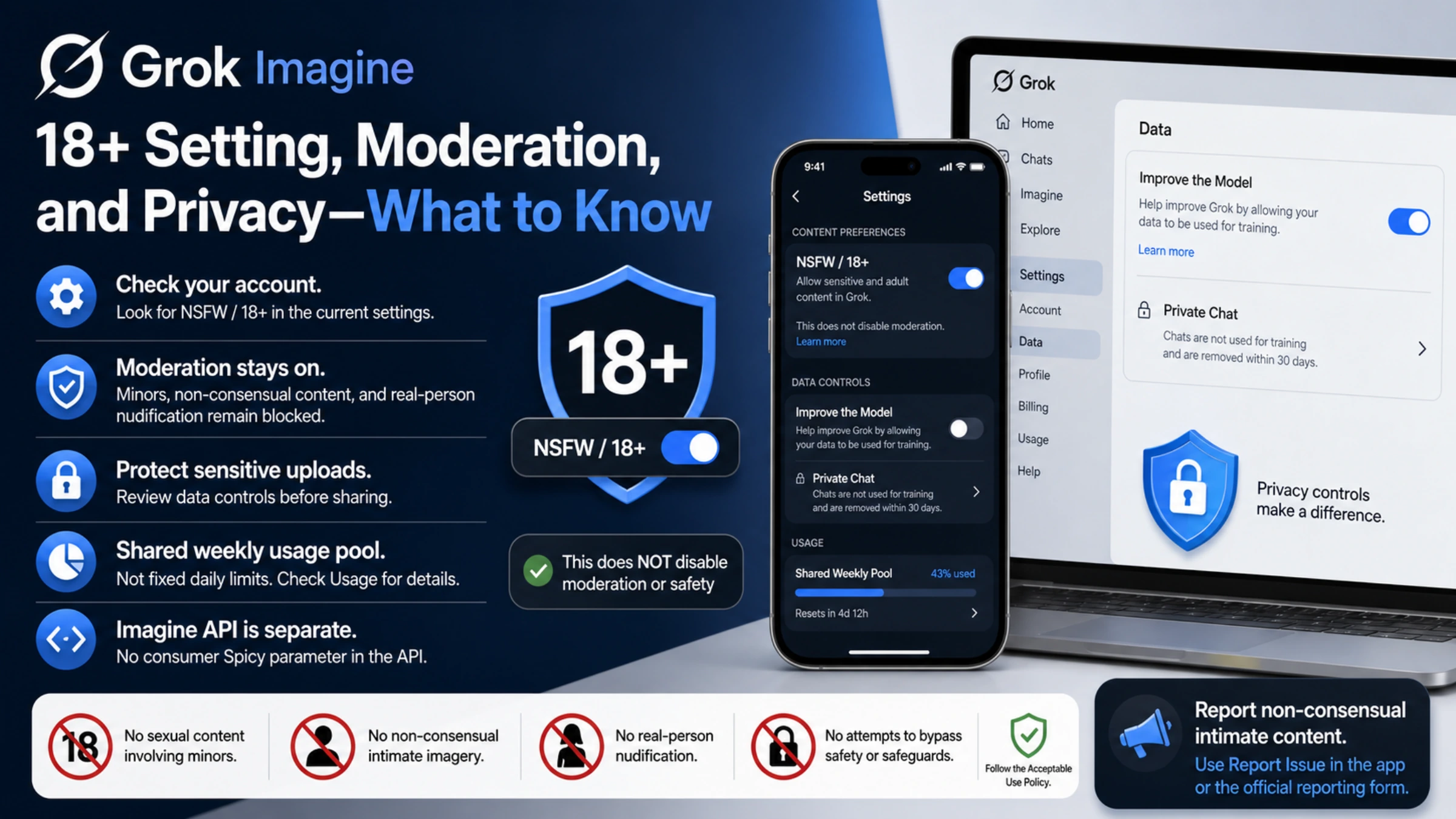
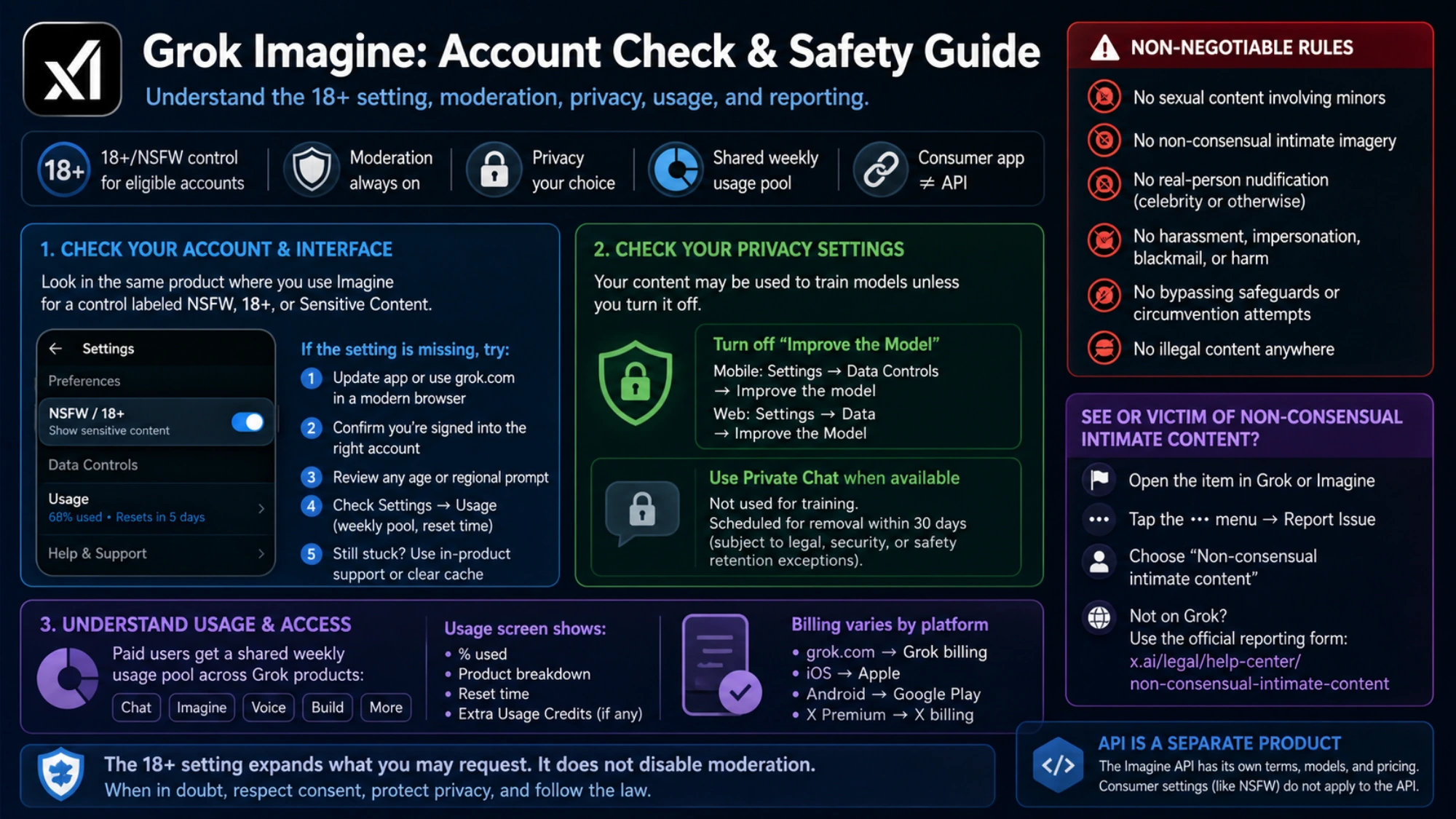
If your Grok Imagine account shows an 18+/NSFW control, use its on-screen explanation. The official sources linked here do not establish a universal Spicy-mode toggle or a sequence that works for every plan, country, and app version. The useful first step is to inspect the settings shown on the account you are actually using. If the control is absent, do not assume that a hidden prompt or a different API endpoint will unlock it.
A setting label does not override the service’s content rules. Grok’s Acceptable Use Policy prohibits sexual content involving minors, non-consensual intimate imagery, nudifying real people, pornographic depictions of a person’s likeness, and attempts to circumvent safeguards. Those restrictions are the basis for the limits described here; the public FAQ does not establish an unrestricted adult-content mode.
Start with the account and interface you have now
Grok is available through grok.com, iOS, Android, and X, but those entry points do not necessarily expose identical controls. Open the profile or settings area in the same product where you use Imagine and look for an adult-content control labelled with terms such as NSFW, 18+, or sensitive content. Labels and placement can change, so follow the current on-screen explanation rather than an old screenshot.
If the setting does not appear, check the least destructive causes first:
- Update the app or retry grok.com in a current Chrome or Chromium browser.
- Confirm that you are signed into the account that owns the subscription. A Grok subscription and X Premium purchase can be managed by different billing systems, and an unlinked account may not receive the expected benefits.
- Review any age or regional prompt shown by the service. Age-assurance requirements can vary by jurisdiction; do not submit identity documents anywhere except the official flow presented by Grok.
- Check Settings → Usage if a paid feature paused. Grok now uses a shared weekly usage pool for paid products rather than the old fixed daily image and video counts.
- If the interface still looks wrong, use Grok's in-product support. The official FAQ recommends restarting or reinstalling the app, signing out and back in, and clearing the cache for activation mismatches.
These checks establish what the current account offers. They do not guarantee that a particular prompt will be accepted.
What the 18+ control changes—and what it cannot change
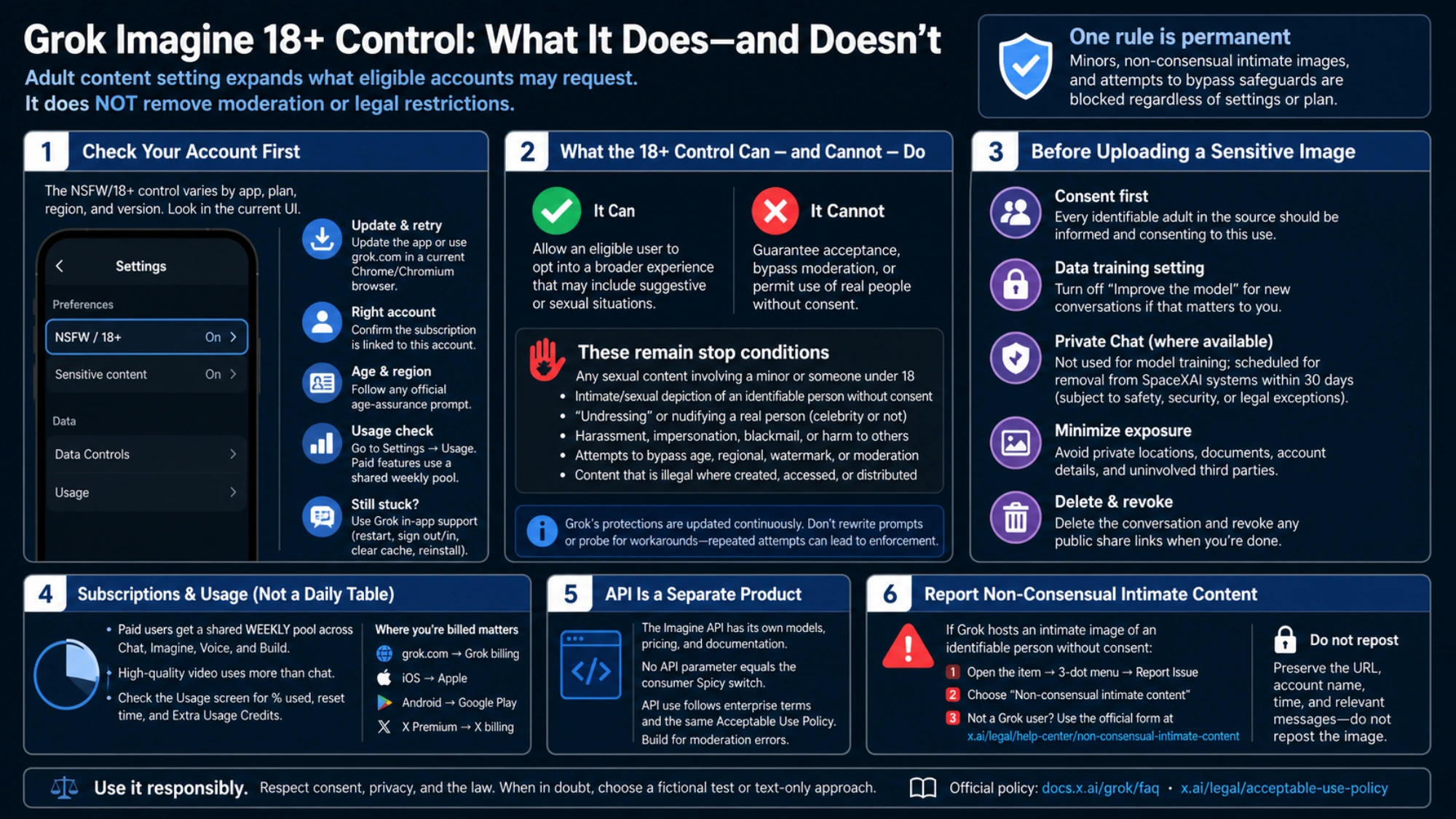
An adult-content label is not a complete list of allowed prompts or permission to use someone else’s likeness. Check any explanation shown beside the control and apply the current Acceptable Use Policy to the content you intend to request.
A moderation error means that request was blocked; it does not identify every condition that triggered the decision. Follow the service’s explanation or use support to report a suspected mistake. The Acceptable Use Policy prohibits attempts to evade safeguards.
The following remain stop conditions:
- any sexual content involving a minor or a person who was under 18 in the source material;
- an intimate or sexual depiction of an identifiable person without consent;
- “undressing” or nudifying a real person, including a celebrity or public figure;
- harassment, impersonation, blackmail, or distribution intended to harm someone;
- attempts to circumvent safety safeguards;
- content that is illegal where it is created, accessed, or distributed.
If the request depends on a real person's face or a private photo, pause before uploading. Technical acceptance by a generator would not establish consent, publicity rights, or lawful distribution.
Check data controls before uploading a sensitive image
An adult-content setting and a privacy setting solve different problems. SpaceXAI's consumer privacy FAQ says that prompts, searches, uploads, and Grok's responses may be used to train models unless the user turns that use off. On mobile, the control is under Settings → Data Controls → Improve the model; on grok.com, it is under Settings → Data → Improve the Model.
Private Chat is another option where available. Content in a Private Chat is not used for model training, and the conversation is scheduled for removal from SpaceXAI systems within 30 days. Deletion can still be subject to safety, security, or legal retention exceptions, so “private” should not be read as an absolute confidentiality guarantee.
Before using a personal image, ask:
- Is every identifiable adult in the source informed and consenting to this use?
- Does the image include a private location, account detail, document, or third party who should not be uploaded?
- Is model training disabled for new conversations if that matters to you?
- Would a text-only or fictional test answer the same creative question with less exposure?
- Do you understand how to delete the conversation and revoke any public share link?
For a broader comparison of hosted and local adult-image workflows, see Adult AI Image Generators: consent and privacy checks.
Subscription access and usage are no longer a fixed daily table
A table of fixed daily image and video allowances may describe an older version of Grok. Use the current account’s Usage screen to check its remaining allowance.
Grok’s FAQ says paid users receive a shared weekly pool across products such as Chat, Imagine, Voice, and Build. A high-quality video consumes more of the pool than a chat message. The live Usage screen shows the percentage used, the product breakdown, the reset time, and any Extra Usage Credits.
Where the subscription is managed also matters:
- a SuperGrok purchase on grok.com is managed in Grok billing;
- an iOS purchase is managed through Apple;
- an Android purchase is managed through Google Play;
- X Premium is billed and supported by X, even when its benefits are linked to Grok.
Use the price and entitlement shown in the official checkout for your account and region. A price from another country, an old app screenshot, or an X plan name is not a reliable substitute.
If your question is mainly about video allowances rather than adult-content settings, use the current Grok video usage guide.
The Imagine API is a separate product
SpaceXAI publishes an Imagine API for image and video generation and editing. It has documented model IDs, input formats, resolutions, and separate usage-based pricing. That does not mean the consumer Spicy switch is an API parameter.
The public API documentation does not promise an adult-content tier, a content-rating field that disables safety, or special access after consumer age verification. API use follows enterprise terms and the same Acceptable Use Policy. If you are building software, choose an API model from the current developer documentation and design for moderation errors; do not copy consumer UI instructions into code.
Report existing non-consensual intimate content
If Grok has already generated or hosts an intimate image of an identifiable person without consent, the task is removal—not another generation attempt. SpaceXAI provides a dedicated non-consensual intimate-content reporting process.
In Grok or Imagine, open the affected item, use the three-dot menu, select Report Issue, and choose the non-consensual intimate-content category. A person without a Grok account can also use the official reporting form linked from that help page. Preserve the public URL, account name, time, and relevant messages, but do not repost the image to “prove” the report.
The practical conclusion is simple: use the current account UI to determine whether an 18+ control is available, treat moderation as permanent, review data settings before sensitive uploads, and keep consumer controls separate from the API. If any step depends on bypassing protection or using a real person without clear consent, stop rather than search for a different prompt.