This error occurs before a normal Codex session is ready:
Error loading configuration: timed out waiting for cloud config bundle after 15sThe timer is not measuring a model response or an MCP tool call. It belongs to startup configuration loading. OpenAI's managed-configuration documentation says a supported local client first checks for a valid cache entry matched to the signed-in identity. If none is available, the client fetches the applicable cloud bundle with retries. A failed or timed-out request with no valid cache returns an error instead of silently starting without the cloud-managed requirements layer.
That behavior changes the safest first move. Do not begin by deleting a cache, wiping .codex, rewriting config.toml, or logging out. Those actions can remove useful evidence, an otherwise valid policy cache, or stored credentials without showing why this startup could not obtain a usable bundle.
The question to answer is narrower: why did this client have neither a usable identity-matched cache nor a successful remote bundle fetch at startup?
Use the message to identify the waiting boundary
The last visible state matters more than the word “timeout.”
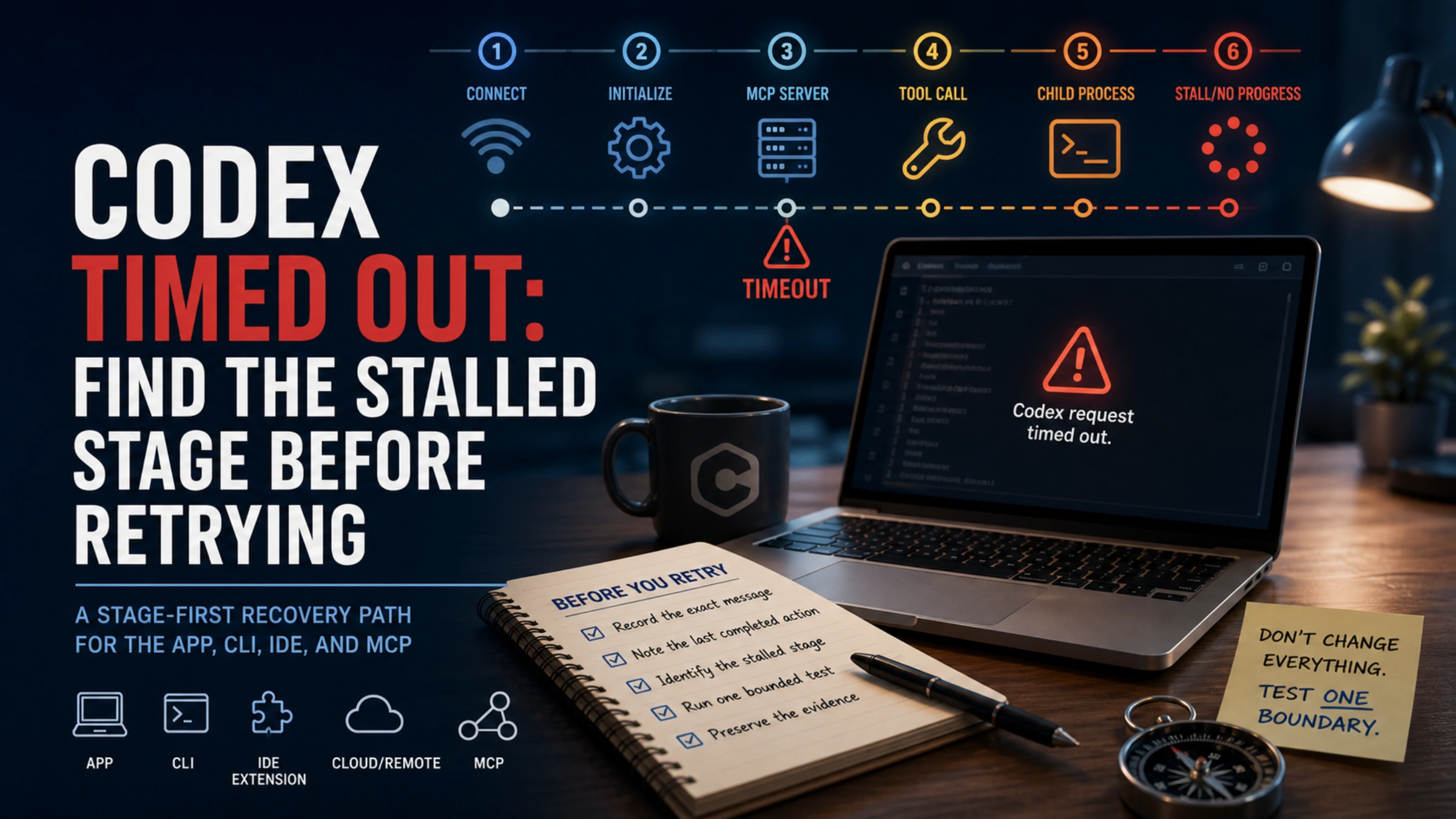
| Last observable state | Boundary under test | First bounded check |
|---|---|---|
Before the normal UI, with cloud config bundle, cloud requirements, or workspace-managed policies | Managed requirements and the identity-matched cache | Record the exact error, client version, account/workspace, time, and Codex host route |
| UI is ready but remains on Connecting or repeatedly reconnects | Client transport, proxy/VPN, remote host, or service route | Compare one approved network condition while keeping the account and client fixed |
| An MCP server fails during startup | Local process/environment or remote MCP initialization | Run codex mcp list, then inspect the server's actual command or URL |
| Only one MCP tool times out | Tool execution, downstream dependency, or input size | Run the smallest read-only call on the same server |
| A shell command never exits | Watcher, stdin, open handle, child process, or cleanup | Observe the command directly in the same directory and environment |
| A model request was sent and the response contains HTTP 429 | Usage window, project, workspace, or provider limit | Follow the separate Codex 429 diagnostic |
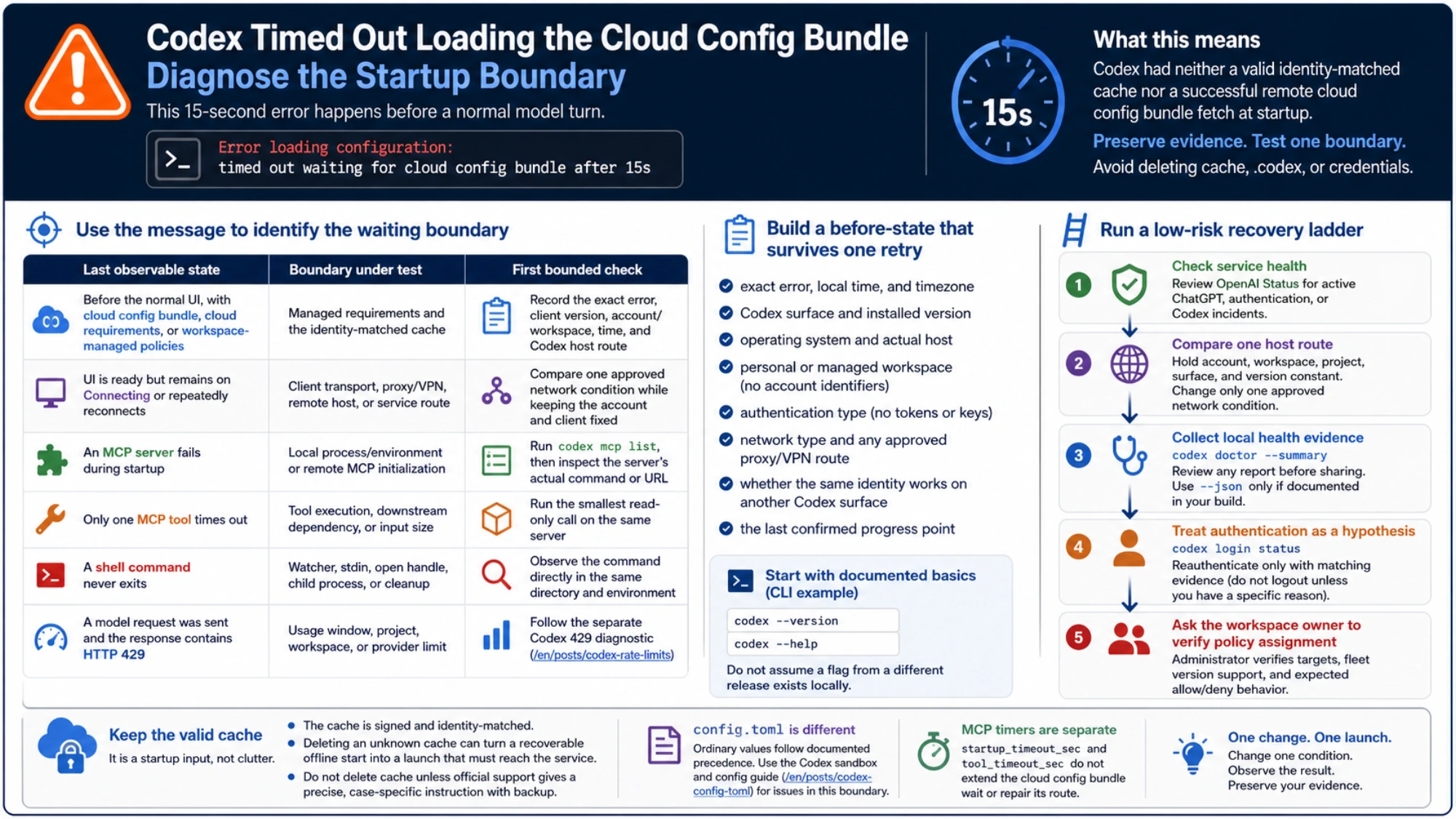
A browser reaching ChatGPT does not prove that Codex Desktop, a terminal, an IDE extension host, Remote SSH, WSL, or a container uses the same proxy, DNS, certificate trust, or firewall route. Record where Codex actually runs. Browser success is one observation, not a substitute for testing the client host.
Build a before-state that survives one retry
Keep the record small enough to compare:
- exact error, local time, and timezone;
- Codex surface and installed version;
- operating system and actual execution host;
- personal or managed workspace, without account identifiers;
- authentication type, without tokens or keys;
- network type and any approved proxy/VPN route;
- whether the same identity works on another Codex surface;
- the last confirmed progress point.
For a CLI installation, start with commands your local build documents:
codex --version
codex --help
Do not assume a flag from a different release exists locally. OpenAI notes that supported managed settings can differ by client and version, so the installed build is material evidence.
Run a low-risk recovery ladder
Check service health without treating it as a verdict
Look at OpenAI Status for an active ChatGPT, authentication, or Codex incident. A relevant incident supports waiting and preserving the timestamp rather than reinstalling repeatedly. A green status page does not rule out an account-, workspace-, route-, device-, or region-specific problem.
Compare one host route
Hold the account, workspace, project, surface, and client version constant. Change only one approved network condition, such as comparing the managed corporate route with a permitted ordinary route, or confirming that the configured proxy supplies HTTPS connectivity and the expected certificate trust to the Codex process.
Do not disable a corporate control to “see if it works.” If policy forbids an alternate route, record the failure on the managed network and pass it to the network or workspace administrator. A diagnostic should not create a compliance incident.
Collect local health evidence
The current Codex command reference documents:
codex doctor --summaryIt summarizes installation, configuration, authentication, runtime, Git, terminal, app-server, and thread-inventory checks. Builds that expose --json document it as a redacted machine-readable report. Review any report yourself before sharing it; remove local paths, internal hostnames, account details, and repository identifiers.
A clean doctor summary does not prove the remote bundle route is reachable. A specific local auth, runtime, or configuration failure does give you a better next owner than a blind second launch.
Treat authentication as a hypothesis, not a reset ritual
codex login statusThis command reports the active authentication mode and exits successfully when credentials are present. It does not make a cloud-bundle request and does not prove that the identity maps to the intended workspace.
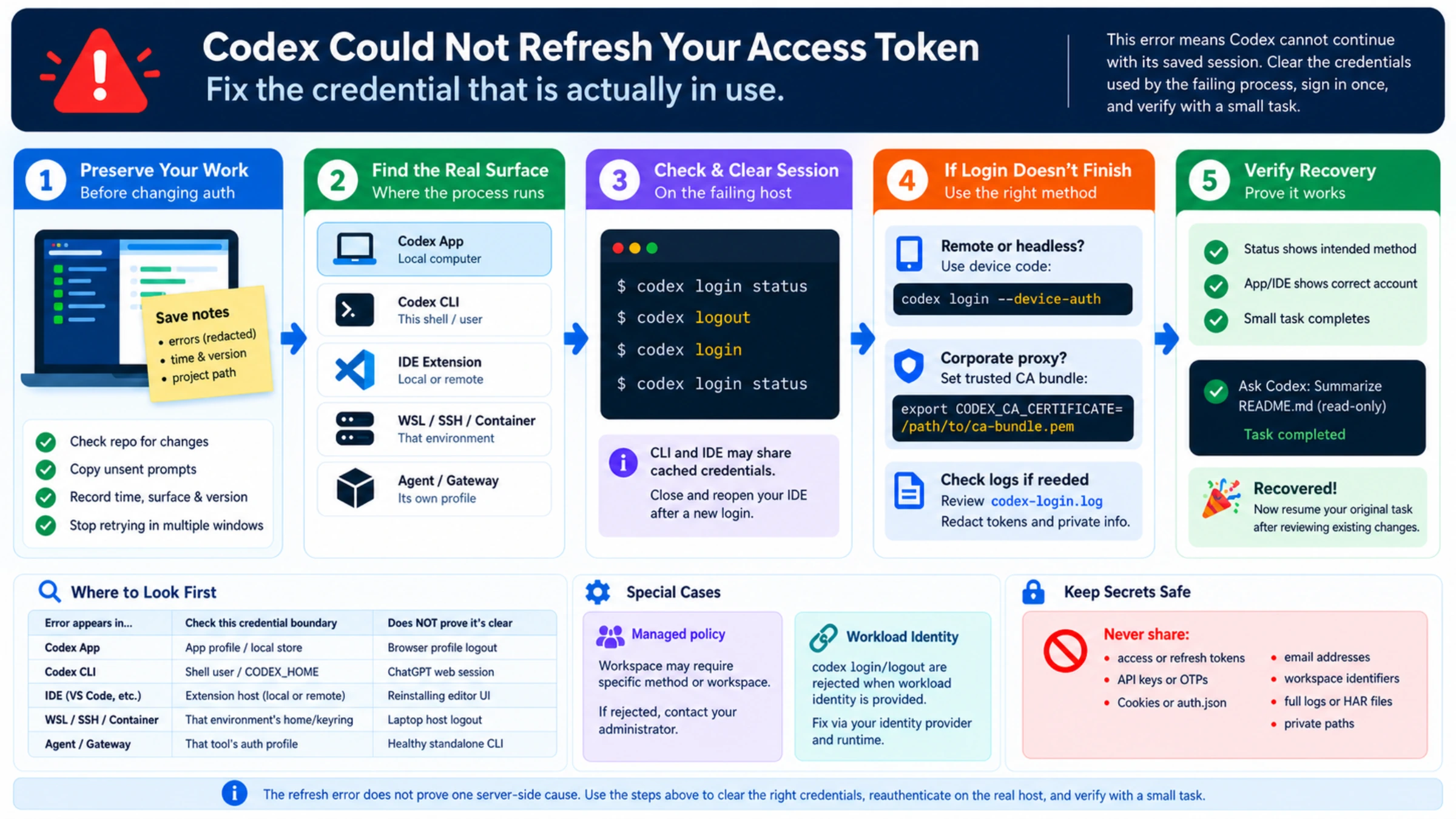
Reauthenticate only when there is matching evidence: an explicit unauthorized response, a token-refresh error, a recent account switch, or a login status that disagrees with the intended route. The documented codex logout command removes saved API-key and ChatGPT credentials. It is destructive to the current sign-in state, not a generic refresh button. For “Your access token could not be refreshed,” use the separate credential recovery guide.
Ask the workspace owner to verify policy assignment
OpenAI documents the cloud config bundle as a delivery layer for enterprise-managed requirements. The client composes that layer with system requirements.toml, legacy managed configuration, and, on macOS, applicable MDM requirements. Ordinary user values cannot override enforced requirements.
If the failure follows one managed account or workspace, an administrator should verify that the policy targets the expected user or group, that the fleet version supports the selected fields, and that representative allowed and denied workflows behave as intended. The user should provide the exact error, time, surface, version, host, and one controlled network result—not an entire home directory or credential file.
Keep the valid cache: it is a startup input, not clutter
The documented cache is signed and identity-matched. A valid entry can let the client apply the required policy without waiting for a fresh remote fetch. A successful background refresh writes data for a later startup; it does not replace requirements already loaded in the current process.
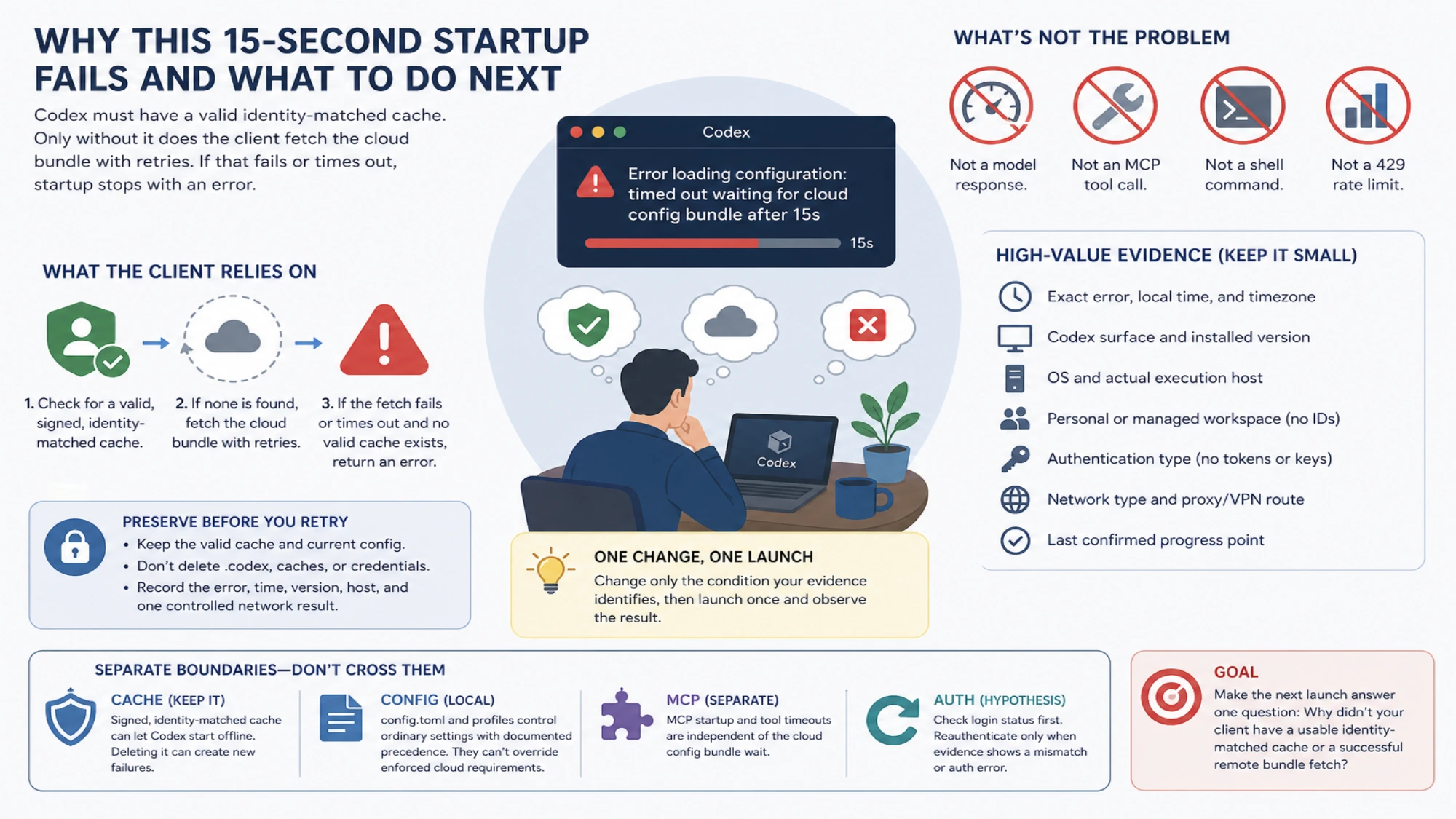
Deleting an unknown cache can turn a recoverable offline start into a launch that must reach the service every time. OpenAI's public page does not publish a universal cache path or recommend manual cache deletion as a standard fix. Preserve it unless official support gives a precise, case-specific instruction and you have a recoverable backup.
Local config.toml is a different boundary. Ordinary values follow documented precedence across CLI overrides, trusted project files, profiles, user config, system config, and defaults. If the visible failure is an unknown field, TOML parse error, or a value overridden in one repository, use the Codex sandbox and config guide. Rewriting user config cannot prove that a cloud requirements fetch is healthy.
MCP timers are separate again. startup_timeout_sec controls MCP server startup and tool_timeout_sec controls one tool call. Increasing either does not extend the cloud config bundle wait or repair its identity and policy route.
Make the next launch answer one question
After the evidence points to one condition, change only that condition: wait for a documented incident to recover, use the approved working route, update to a supported client build, repair a demonstrated authentication mismatch, or have the administrator correct the workspace policy assignment. Then launch once with the same account, project, and surface.
Success is observable: configuration loading completes, a normal session opens, and managed permissions behave as expected. If the client still stops at the same 15-second boundary, stop changing local state and escalate this minimal packet:
- exact error and local time/timezone;
- Codex surface, version, and operating system;
- personal or managed workspace, without sensitive identifiers;
- actual execution host and network type;
- relevant OpenAI Status observation;
- the one changed condition and its result;
- only the relevant, reviewed lines from
codex doctor --summary.
If the next attempt passes configuration loading and later stalls somewhere else, diagnose that new boundary. A model request, MCP tool, child process, approval wait, or 429 response is no longer the cloud-bundle incident simply because the session once showed a timeout.