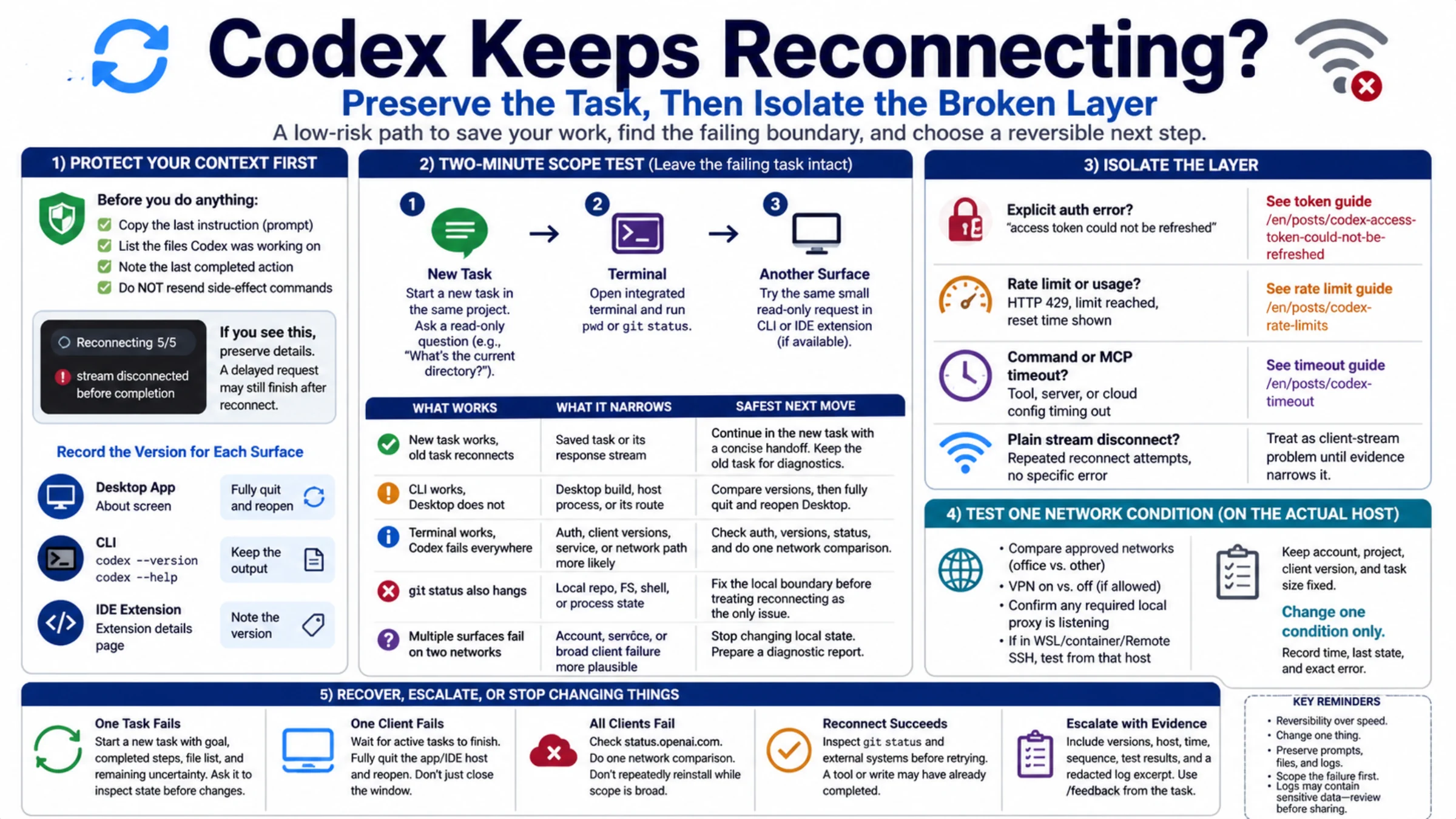
When Codex ends a turn with exceeded retry limit, last status: 429 Too Many Requests, the safe assumption is narrow: its automatic retries kept receiving 429, and the client finally stopped. The message does not prove that your weekly Codex allowance is empty, that the API account is out of money, or that OpenAI is having an outage.
Do not immediately resubmit the same large job in several sessions. Preserve the files already changed, stop new subagents or background work, and record the exact message, local time and timezone, plus the request ID if one is shown. The next useful question is not “how long should I wait?” It is “which account, project, workspace, or provider owned this request?”
The retry limit is not the rate limit
The two halves of the message describe different systems:
exceeded retry limitdescribes the client. Codex used its bounded automatic retry budget and gave up.last status: 429describes the final HTTP response. A server or gateway refused more work under its current limit.
HTTP 429 is still not a complete diagnosis. OpenAI's current API error guide lists separate 429 conditions for request rate, exhausted prepaid credits, organization or project spend limits, and an organization usage limit. In billing-related cases, error.code is more specific than the broad error.type and changes the remedy.
The origin may also be outside OpenAI. A custom base_url, enterprise gateway, model router, or hosted provider can return or transform a 429 under its own capacity and billing rules. An available ChatGPT allowance says nothing about that provider's wallet or concurrency pool.
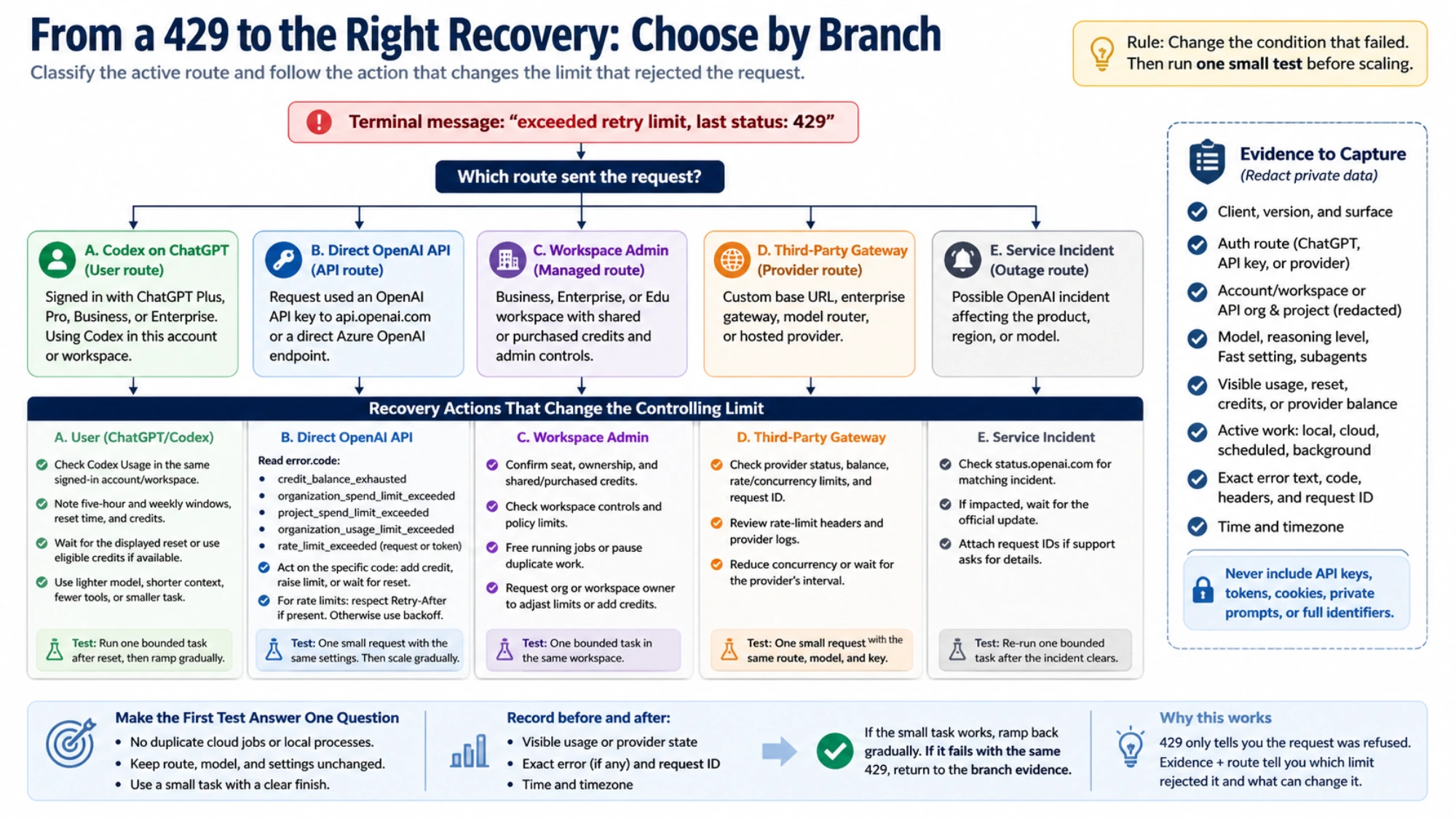
Identify the owner without changing the evidence
Keep the failed configuration intact long enough to classify it. Logging out, switching models, changing networks, rotating keys, and disabling tools at the same time may make the symptom disappear, but it destroys the explanation.
| Active route | Evidence that can classify the failure | Meter that cannot answer it |
|---|---|---|
| Codex signed in with ChatGPT | Account/workspace, Codex Usage dashboard, visible five-hour and weekly windows, reset state, credits, CLI /status | OpenAI API Billing |
| Codex using a direct OpenAI API key | API response body, error.code, Retry-After, organization/project Limits and Billing | ChatGPT Plus or Pro percentage |
| Managed Business, Enterprise, or Edu workspace | Workspace owner, seat, shared/purchased credits, admin controls | A separate personal subscription |
| Custom provider or gateway | Actual base URL, provider request ID, response headers, provider logs, balance and status | OpenAI's account reset time |
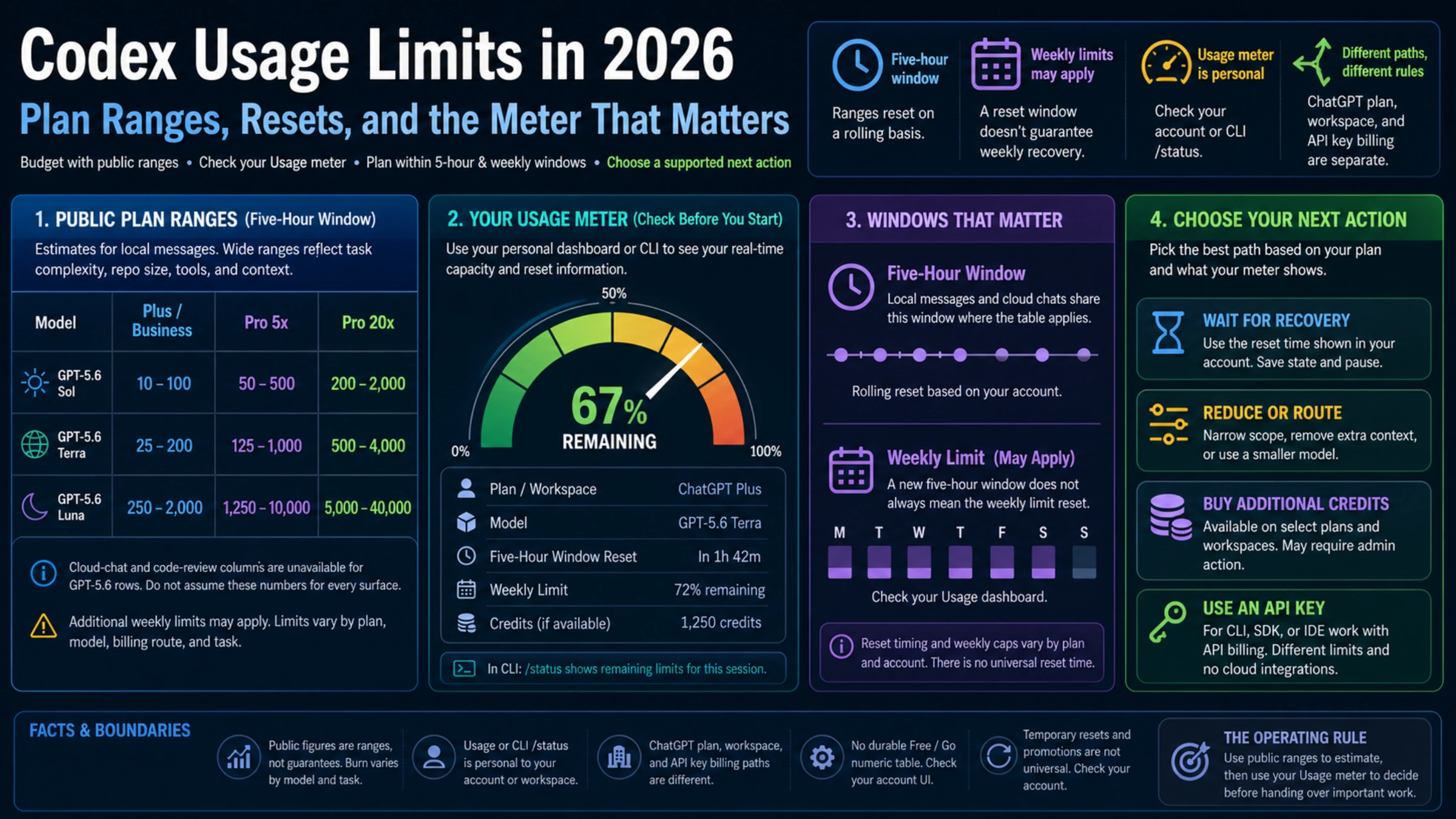
OpenAI's current Codex usage documentation points to the Usage dashboard for current account limits and says Codex CLI users can inspect remaining limits with /status. The fields vary by client, authentication, plan, and rollout, so record what is actually visible rather than assuming every installation has the same screen.
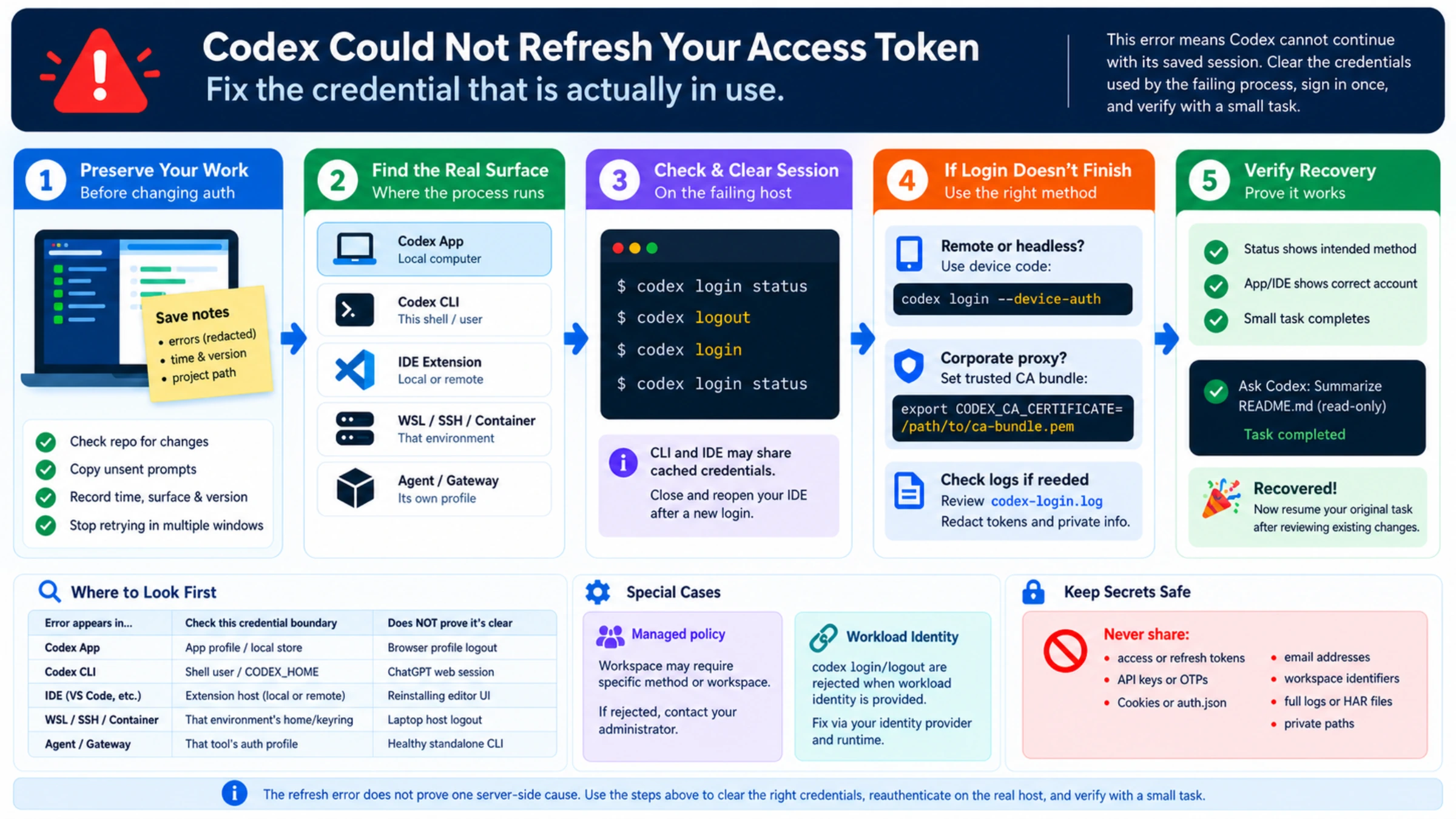
If two accounts appear to inherit the same limit, use the cross-account Codex meter checklist. That branch is about stale authentication, workspace ownership, or a shared API organization—not a reason to keep hammering the failed request.
“I still have usage” can be true and irrelevant
A visible balance may refer to the weekly window, the five-hour window, ChatGPT credits, API prepaid credit, a project spend ceiling, or a provider wallet. Those values can all be positive while another controlling limit rejects the request.
OpenAI's current token and credit explanation says credit consumption varies with model, context, reasoning, and tools. Available credits may extend work after included limits on eligible plans. The same page states that local messages and cloud chats on ChatGPT plans share a five-hour window and may also be subject to weekly limits. That supports a useful conclusion—message count is not a reliable cost unit—but it does not reveal which meter returned your 429.
Capture a small state record before changing anything:
- Codex surface and client version;
- ChatGPT sign-in, API key, or custom provider;
- redacted account/workspace and, for API use, organization/project;
- model, reasoning level, Fast setting, and subagent use;
- visible usage, reset, credits, or provider balance;
- active local, cloud, scheduled, delegated, and background work;
- exact error, timestamp, timezone, and request ID.
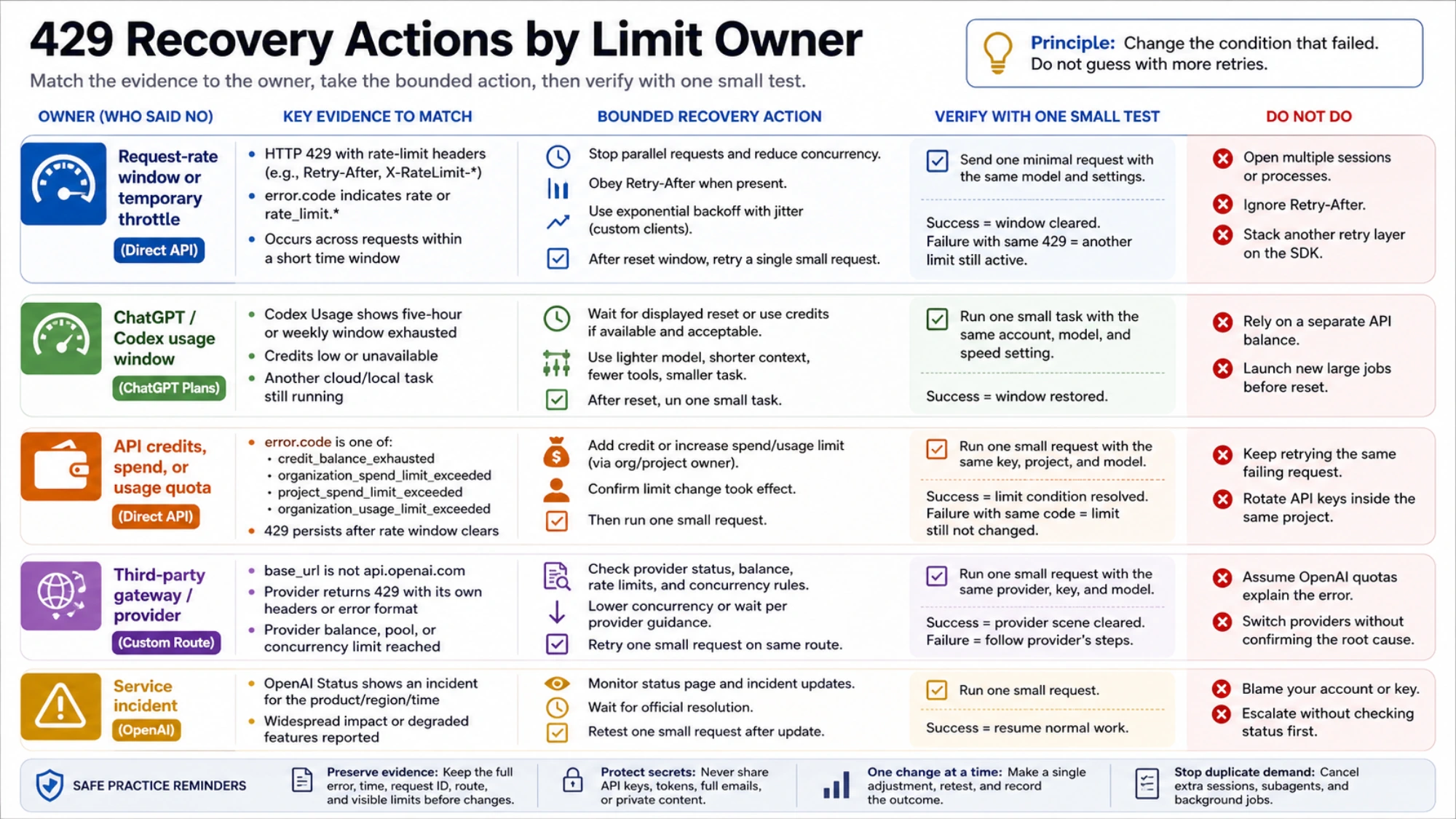
Do not include API keys, access tokens, full email addresses, OTPs, credential files, private prompts, or full workspace/project identifiers in a support packet.
Choose the recovery action that matches the branch
A request-rate window or temporary throttle
For the direct OpenAI API request-rate case, the official guide says to pace requests and obey Retry-After when present. When it is absent, a custom HTTP client should use exponential backoff with jitter while capping both attempts and total retry time. Official OpenAI SDKs already retry eligible rate-limit failures and honor Retry-After when present, so account for those attempts before adding another retry layer. Failed requests can themselves count against per-minute limits.
Codex has already reached its client retry ceiling when this terminal message appears. Starting duplicate sessions is not “more backoff”; it creates more demand. Stop parallel work, wait for the visible reset or provider instruction, then test one bounded operation. If it succeeds, ramp back gradually instead of releasing every queued task at once.
For code you control, reduce both request frequency and concurrency. A queue with a small worker count is easier to reason about than many independent loops. Retrying every failure instantly can turn a short throttle into sustained pressure without making completion more likely.
A ChatGPT/Codex usage window
With ChatGPT authentication, use the same signed-in account or workspace to inspect the Codex Usage state. Keep the five-hour and weekly windows separate. Note the displayed reset time, whether credits are available, and whether another eligible agentic task is still running.
When the controlling window is visibly exhausted, wait for its displayed reset or use legitimate credits if the account offers them and the spend is acceptable. A lighter model, shorter context, fewer tools, and smaller task can make future work more predictable. They do not magically reopen a window that is already closed.
API credits, spend, or usage quota
For a direct API route, read the response body. credit_balance_exhausted, organization_spend_limit_exceeded, project_spend_limit_exceeded, and organization_usage_limit_exceeded are all 429 outcomes with different owners.
OpenAI explicitly notes that retrying credit, spend, or quota errors will not restore API access. The relevant balance or limit must change, or its real reset must occur. Ask the organization or project owner to act only after the error code proves that branch. Rotating API keys inside the same project does not create a new project limit.
A third-party gateway
When the base URL is not OpenAI's direct endpoint, follow the provider's evidence. Check its rate-limit headers, balance, model pool, concurrency rules, service status, and request ID. A gateway may also map an upstream failure into its own 429, so the statement you can safely make is “this route returned 429” unless the provider exposes the original upstream response.
Make one controlled change—lower concurrency or wait for the provider's stated interval—then retry a small request with the same credentials and model. Do not use OpenAI's ChatGPT Usage page to explain a separate provider contract.
A service incident
Check OpenAI Status for an acknowledged event that overlaps the product, time, and region involved. A matching incident supports waiting on its official timeline and attaching request IDs if support asks. No public incident only means no matching public confirmation; it does not prove that every account, route, or region is healthy.
Make the first recovery test answer one question
After a reset, limit change, or provider recovery, do not begin with the original repository-wide task. Confirm that no duplicate cloud job or local process remains active. Then choose an operation with a clear finish and modest context. Keep the account, route, model, reasoning level, and speed setting unchanged.
Record the controlling meter or provider state immediately before and after that operation. If the bounded task works but the large job triggers 429 again, load shape, concurrency, context, or a shorter window becomes a stronger explanation. If the smallest task fails immediately with the same 429, another large retry adds no diagnostic value; return to the quota, provider, or status evidence.
This before-and-after pair also handles a fast-falling weekly meter. It cannot provide a perfect per-task invoice, but it can separate a visible task-shaped change from activity on another surface or an unexplained movement. A percentage difference alone cannot assign input, output, tools, or shared-work contributions.
Escalate the request ID, not a theory
If the same route reproduces the failure after the relevant recovery condition, prepare a short chronology: client and version, authentication route, provider, redacted account/workspace or API project, model and mode, exact error, timestamps with timezone, request ID, visible reset/usage state, concurrent work, and the smallest reproduction. For an API response, add the redacted error.code and relevant rate-limit headers—not the Authorization header or private request body.
Describe only what the evidence supports. “The direct API returned project_spend_limit_exceeded” is actionable. “Codex is broken even though I have quota” hides which quota, which route, and which owner must respond.
The durable recovery order is simple: stop duplicate demand, establish the request owner, read the subtype evidence, change the condition that actually failed, and run one bounded test. Sometimes the answer is waiting. Sometimes it is an administrator, a billing setting, or a provider ticket. The message itself cannot choose among them—but a route-first record can.