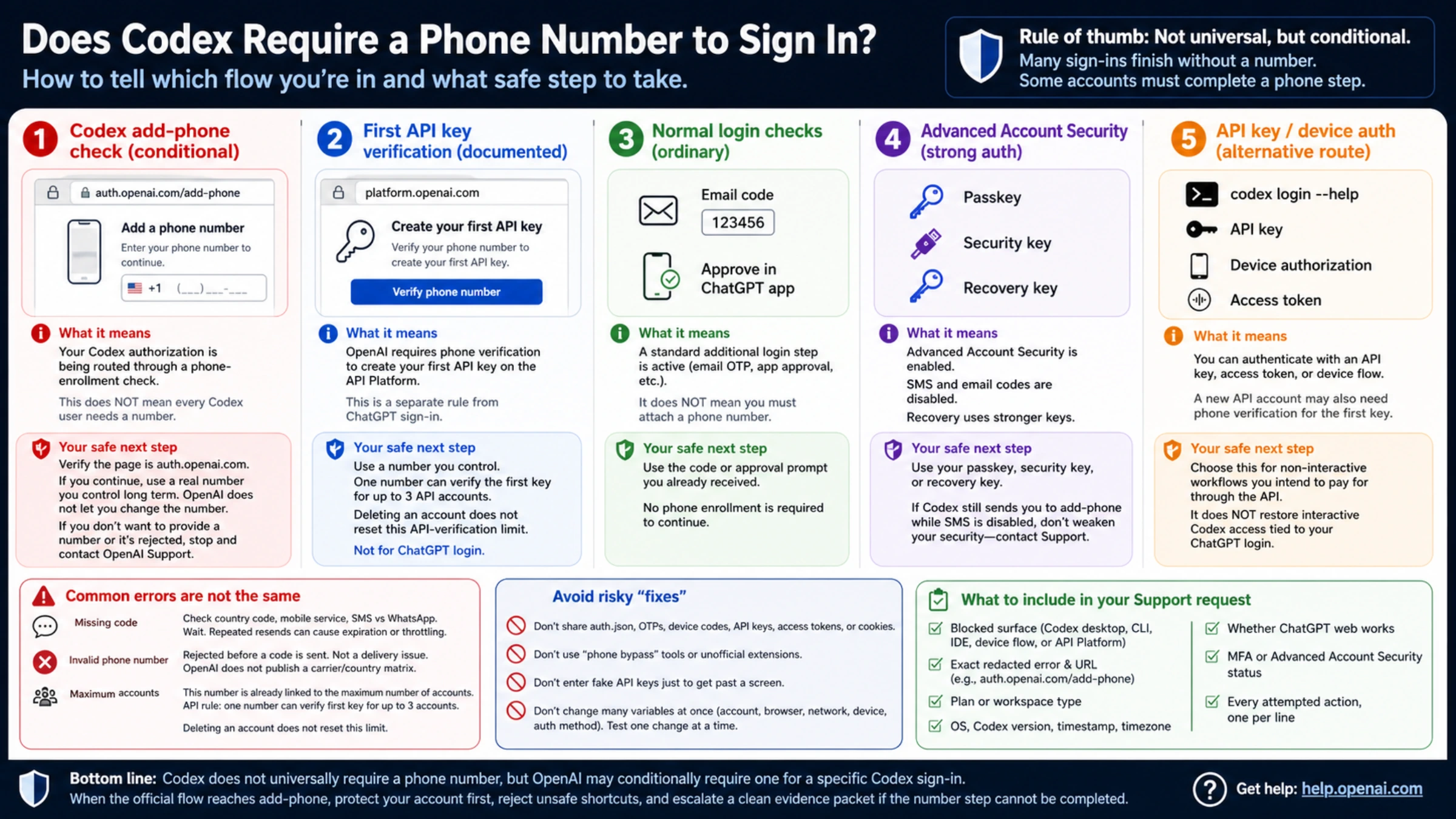
No, a phone number is not required for every Codex sign-in. But yes, OpenAI can require phone verification for a particular Codex authorization. If signing in with ChatGPT sends you to auth.openai.com/add-phone, the request can be a genuine account-side check even when ChatGPT works normally and even when the account is paid or has used Codex before.
OpenAI has not published a complete rule matrix for the Codex prompt. There is no reliable public table that says which plans, countries, account ages, devices, or risk states will be selected. The accurate answer is conditional: many sign-ins finish without a number, while some accounts cannot complete a fresh Codex authorization until the phone step succeeds.
The screen matters more than the phrase “phone verification”
Several unrelated OpenAI flows can look like the same problem:
| What you see | What it establishes | What it does not establish |
|---|---|---|
auth.openai.com/add-phone after starting ChatGPT sign-in from Codex desktop, CLI, or an IDE | The Codex authorization is being sent through a phone-enrollment check | That every Codex user needs a number |
A phone form while generating the first key on platform.openai.com | The documented first-API-key requirement applies | That ChatGPT subscription sign-in uses the same rule |
| A six-digit email OTP or an approval prompt in the ChatGPT mobile app | A normal additional login check is active | That a phone number must be attached |
| Passkey, security-key, or recovery-key screens | Advanced Account Security or another strong-auth flow is active | That SMS is the right recovery method |
OpenAI’s current phone verification help says a new OpenAI account and ordinary ChatGPT use no longer generally require phone verification. It separately says the first API key on the API Platform does require it. That page alone does not explain the newer Codex prompt.
The missing piece comes from OpenAI’s official Codex repository. In May 2026, an OpenAI collaborator said phone verification had been added to prevent fraudulent use and Terms violations. Reports in that repository include Free, Plus, Pro, Business, SSO, desktop, and CLI cases. Those reports prove that conditional enforcement exists; they do not prove that any one plan or device is always selected.
What to do when Codex opens add-phone
First verify the origin. The host should be auth.openai.com, and the page should have opened directly from the Codex sign-in action you started. Do not use a “special verification link” from a forum, video description, messaging group, or third-party extension. Never send another person your device code or authorization URL.
If you decide to continue, use a real number you control for the long term. OpenAI currently does not let users change or update the phone number associated with a ChatGPT or API account. A borrowed, rented, or disposable number can therefore pass one code and still create a serious ownership and recovery problem later.
If you do not want to provide a number, or the official page rejects yours, there is no documented “skip” control to recommend. Stop repeated attempts, preserve the exact error, and contact OpenAI Support. Clearing cookies or switching browsers can fix stale sessions, but it cannot be promised to remove an account-side requirement.
Missing code, invalid number, and maximum accounts are different failures
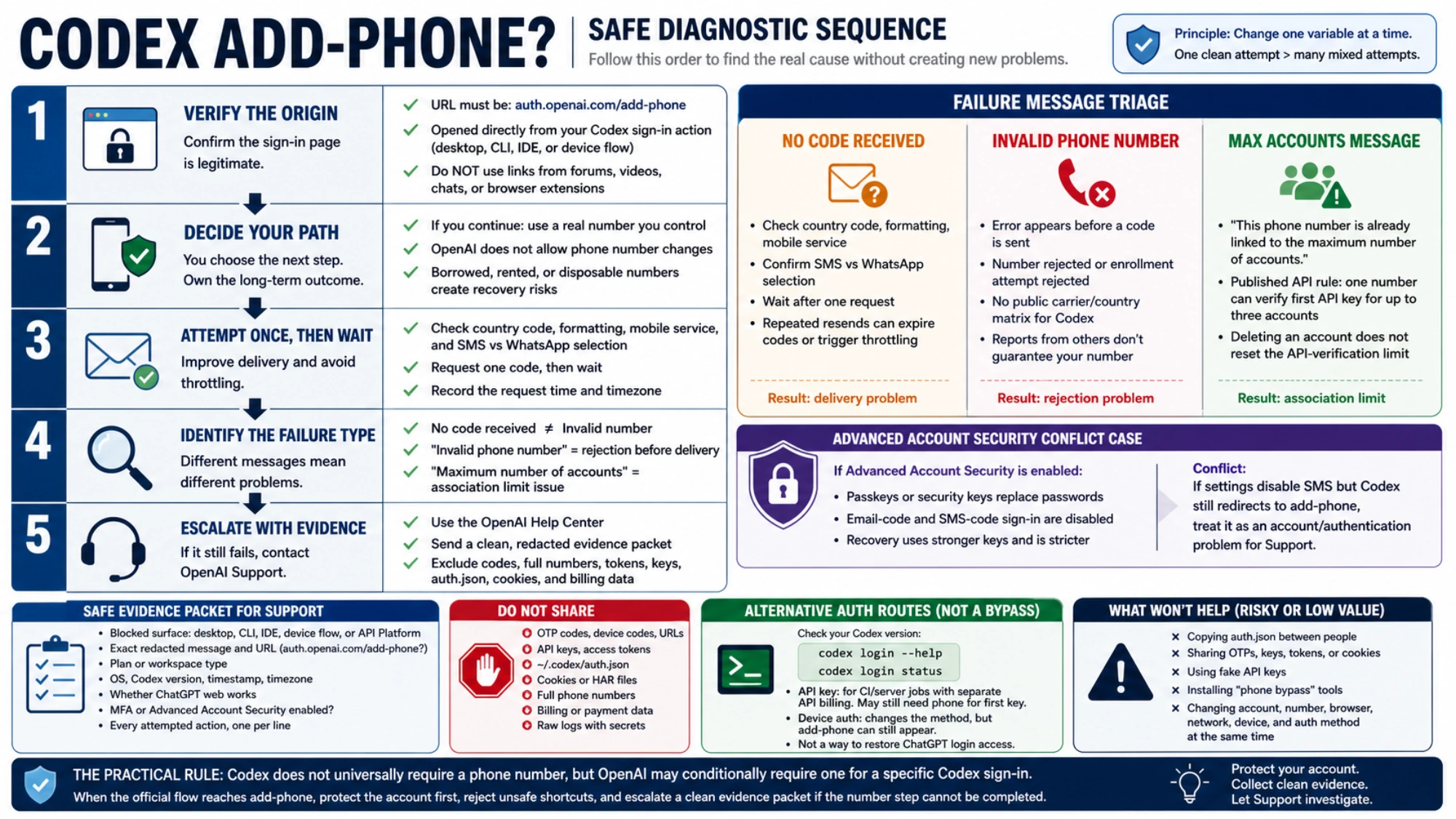
When a code does not arrive, check the country code, number formatting, mobile service, and whether the page selected SMS or WhatsApp. Check once, then wait. Repeated resends can leave you with expired codes or trigger throttling. Record the latest request time and timezone before trying again.
An “invalid phone number” error that appears before a code is sent is not a delivery failure. It means the service rejected the number or that enrollment attempt. OpenAI does not publish a Codex-specific carrier and country matrix, so a successful report from one person cannot guarantee that another number in the same country will work.
“This phone number is already linked to the maximum number of accounts” is an account-association problem. OpenAI’s documented first-API-key rule allows one number to verify the first key for up to three accounts, and deleting an account does not reset that API-verification limit. Keep that scope precise: it is the published API rule, not a complete published rule for the separate Codex sign-in check.
If your durable number is rejected or reported as used, give Support the country code, last two digits, exact error, timestamp, account type, and sign-in surface. Do not post the full number in a public issue.
Advanced Account Security creates an important conflict case
Advanced Account Security is optional for eligible personal accounts. OpenAI says it also protects Codex accessed through that login. Once enabled, passkeys or physical security keys replace password sign-in, while email-code and SMS-code sign-in are disabled; recovery uses stronger keys and becomes intentionally stricter.
If ChatGPT settings say SMS is disabled but Codex still redirects to add-phone, the product surfaces are giving you contradictory instructions. Do not “repair” the conflict by deleting passkeys, discarding recovery keys, or disabling strong security. Treat it as an account/authentication problem for Support.
The behavior remained current for at least some users in August. An official-repository report opened on August 19 describes a Free Windows account redirected to add-phone even though ChatGPT web login worked. That is evidence of occurrence, not evidence that all Free or Windows users are affected.
Can an API key avoid the phone prompt?
An API key is an alternative authentication and billing route, not a free repair for ChatGPT login. Current Codex CLI versions can expose ChatGPT login, device authorization, API-key input, access-token input, and login status. Check your installed build rather than copying commands from another version:
codex login --help
codex login status
API-key authentication may be appropriate for CI, a server job, or another non-interactive workflow that you intend to pay for through the API. It has separate API billing, organization, quota, and model access. A new API account may also need phone verification to generate its first key.
It does not restore interactive Codex access tied to a ChatGPT Free, Plus, Pro, or Business login. codex login --device-auth is not a guaranteed escape either: it changes the authorization method, but an account-side add-phone check can still run before authorization completes. The official repository includes a device-auth report with the same redirect.
Avoid fixes that trade access for credential risk
Do not copy ~/.codex/auth.json between people or publish it for troubleshooting. It can contain access tokens and should be treated like a password. Do not share an OTP, device code, callback URL, API key, access token, cookie-bearing HAR file, or unredacted login log.
Do not enter a fake API key merely to move past an app screen. The shell may open, but Codex still has no usable authentication. Do not install an unofficial “phone bypass” extension into the same browser or machine that holds source code, cloud sessions, and developer credentials.
Also avoid changing the account, number, browser, network, device, and auth method at the same time. If the result changes, you will have no evidence about which variable mattered. One clean attempt is more useful than a dozen mixed attempts.
A support request that can actually be investigated
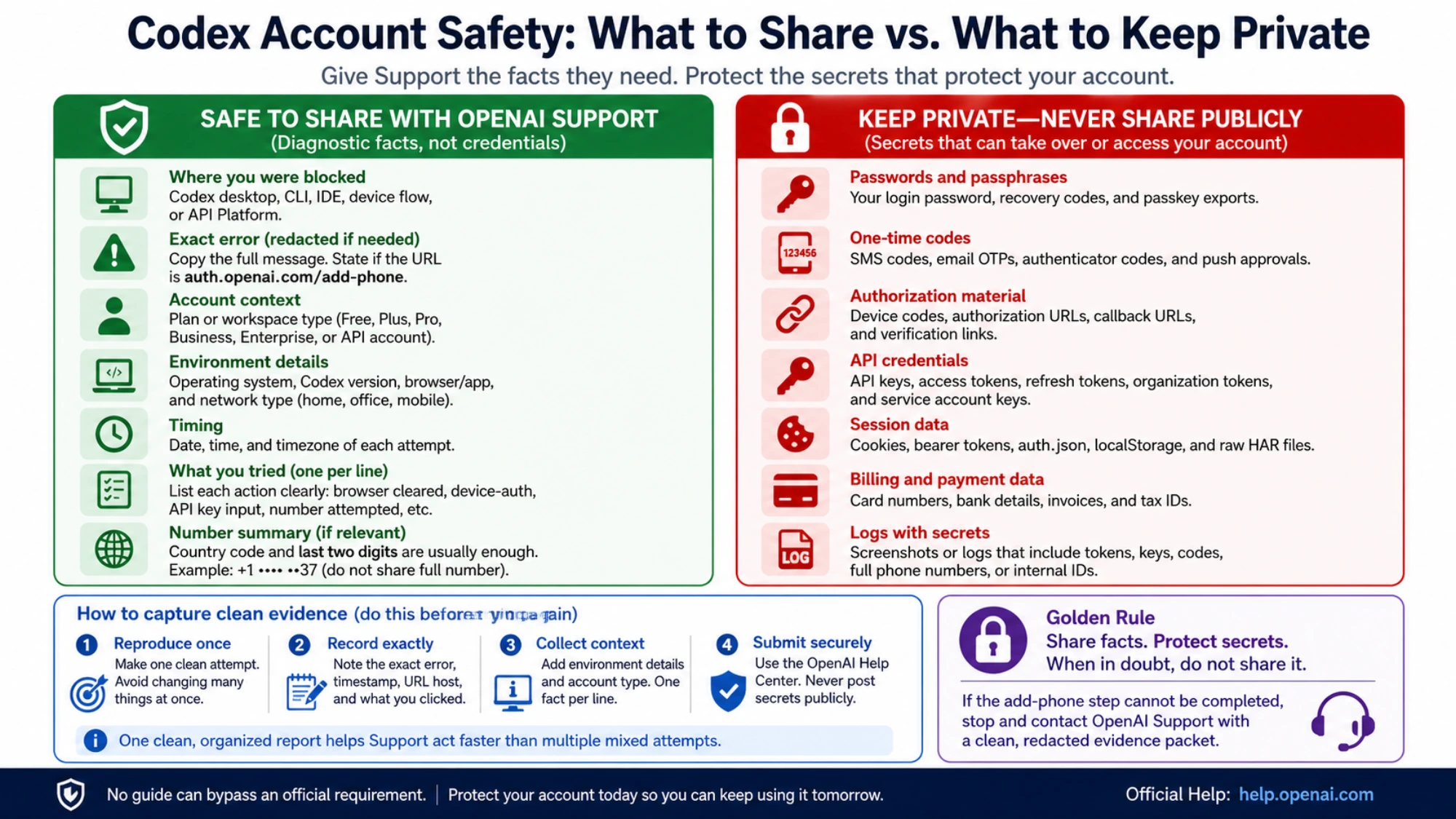
Use the official OpenAI Help Center and include:
- the blocked surface: Codex desktop, CLI, IDE, device flow, or API Platform;
- the exact redacted message and whether the URL is
auth.openai.com/add-phone; - plan or workspace type;
- operating system, Codex version, timestamp, and timezone;
- whether ChatGPT web works;
- whether MFA or Advanced Account Security is enabled;
- every attempted action, one per line.
Exclude the OTP, full phone number, API key, access token, auth.json, cookies, billing data, and raw logs containing secrets. Unless Support requests more through a secure channel, a country code and final two digits are usually enough to identify which number you tried.
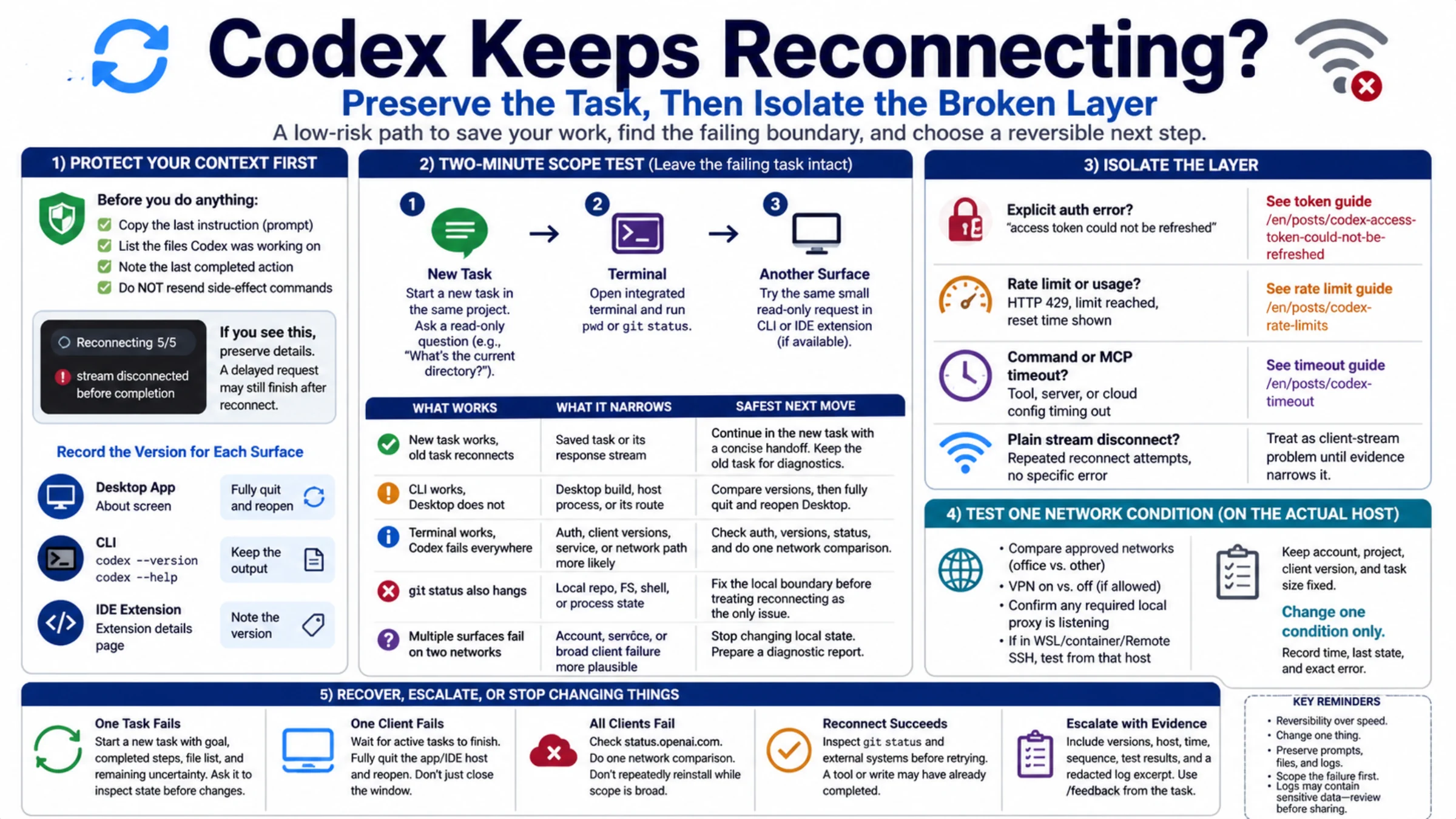
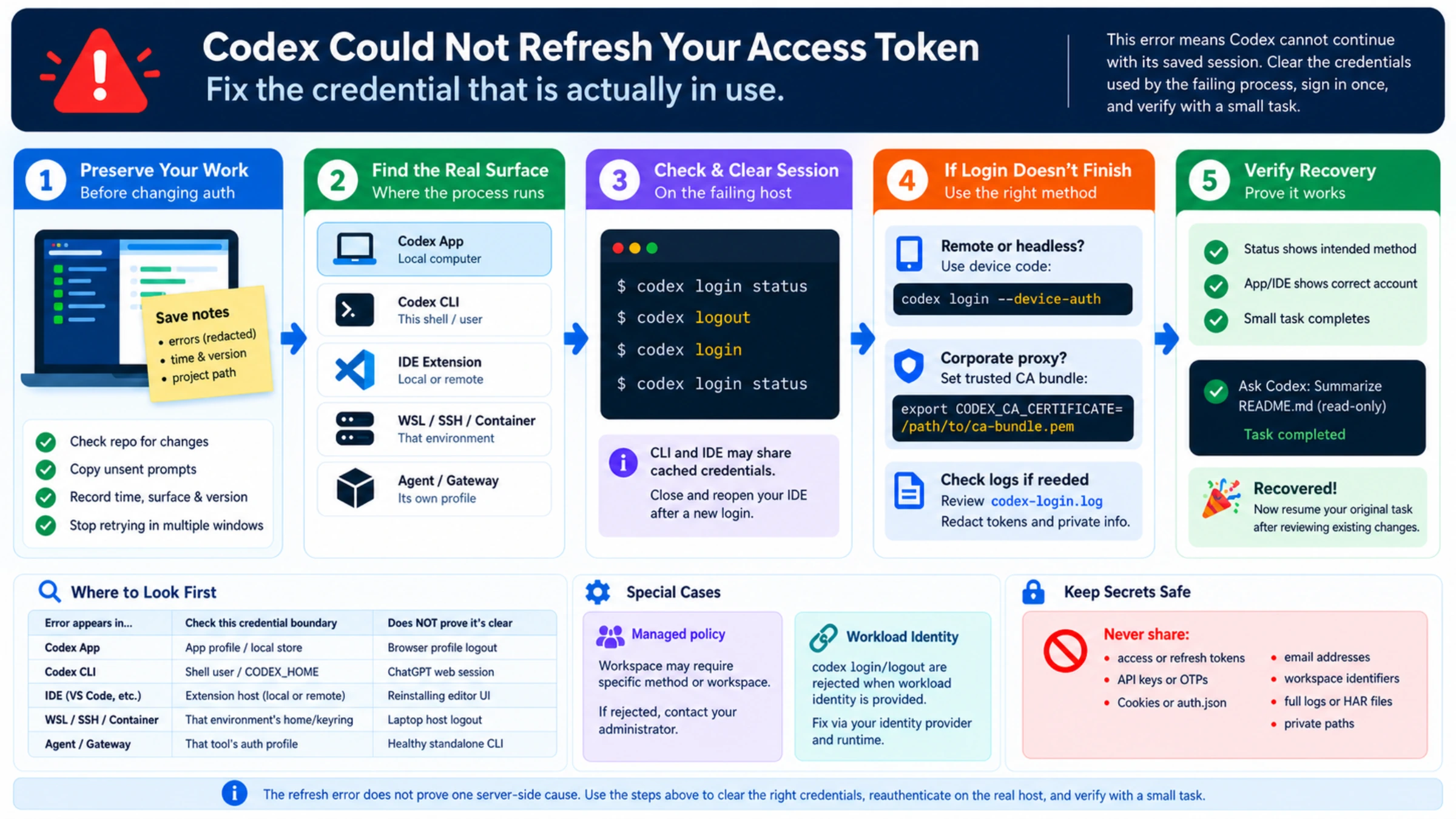
If authentication succeeds and the later error says the access token could not be refreshed, use the Codex token-refresh guide. A 429 or usage exhaustion belongs to Codex rate limits, while a stuck connection or tool belongs to Codex timeout diagnosis. Those failures can follow login, but they are not phone verification.
The practical rule is simple: Codex does not universally require a phone number, but OpenAI may conditionally require one for a specific Codex sign-in. When the official flow reaches add-phone, protect the account first, reject unsafe shortcuts, and escalate a clean evidence packet if the number step cannot be completed.