A ChatGPT Plus proxy upgrade means paying a third party to activate Plus for you. It often works, but the risk sits with you: the reseller either logs into your account or hands you an account someone else registered, and you have no way to check where the Apple ID balance or card behind the payment came from. If that payment is reversed, Plus disappears and there is no official channel to get prepaid money back. The safer route is to pay OpenAI yourself, either through the App Store with gift-card balance on an Apple ID in a supported region that you own, or on the website with a virtual card issued in your own name. If you don't need Codex or Sora, check the $8/month ChatGPT Go tier first. Below, the five common proxy upgrade methods are compared on price, stability, and security.
TL;DR: The 2026 ChatGPT Plus Proxy Upgrade Landscape
Heading into 2026, the ChatGPT Plus proxy upgrade market has gone through three major shifts. First, the WildCard virtual credit card service shut down in July 2025. Losing this once-popular self-service channel pushed a large wave of users toward proxy recharge services.
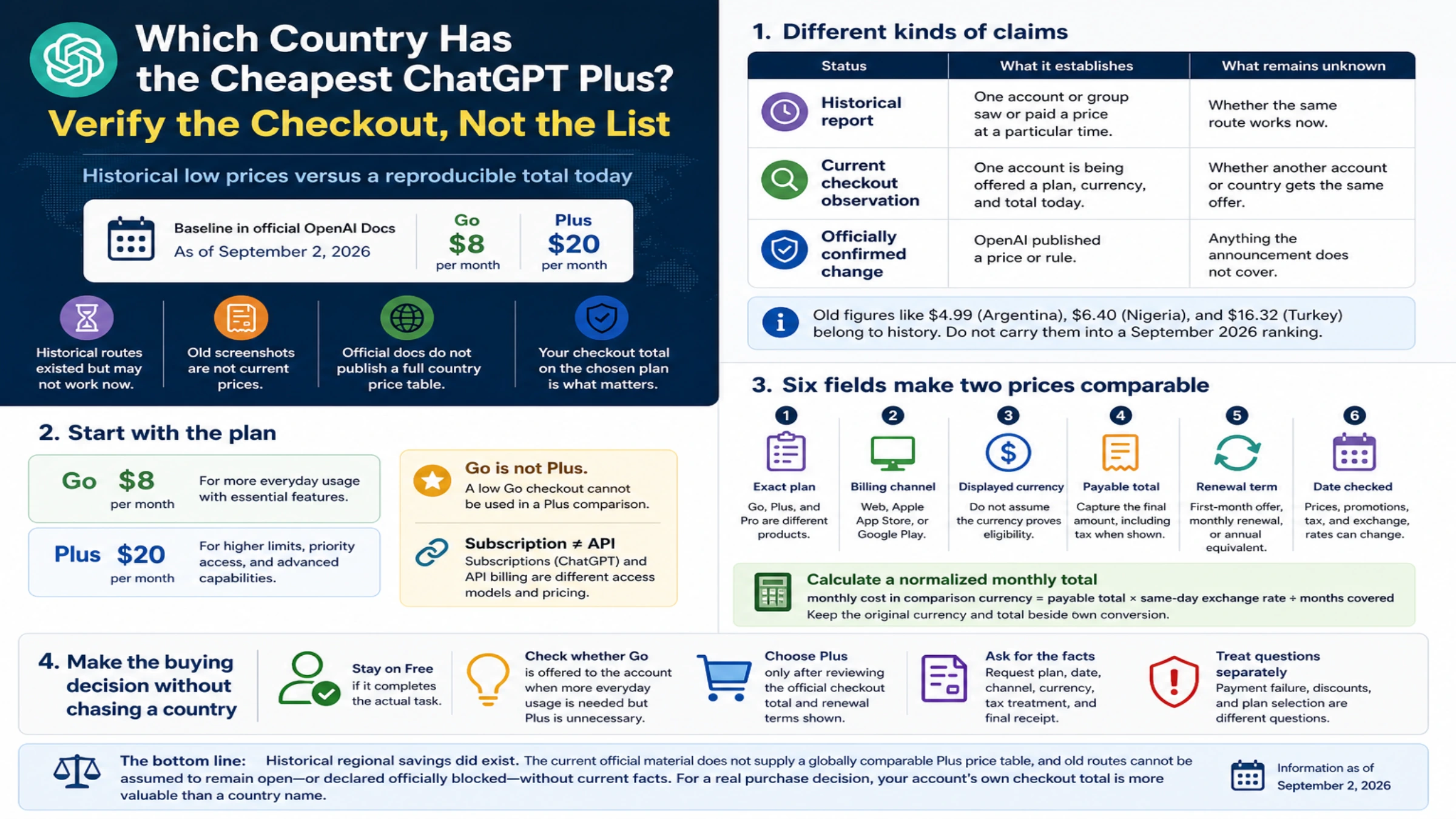
The second shift is the launch of ChatGPT Go. OpenAI introduced the Go tier at the end of 2025, priced at just $8/month, offering GPT-5.2 Instant (extended), image generation, and voice/video chat features. That makes "Do I really need to spend $20 for Plus?" a question worth asking again. The third shift is the release of GPT-5.2: Plus users can use GPT-5.2 Thinking for deep reasoning, access the Codex coding agent, and use Sora video generation, none of which the Go tier provides.
Before deciding, answer three questions. Do you truly need Plus rather than Go? If you mostly use ChatGPT for conversation and image generation, the $8/month Go tier might be enough. How often do you use it? If only occasionally, a pay-per-use API plan may cost less. How much risk can you accept? Proxy upgrade methods differ a lot in where the risk lands, so it pays to understand how they work before handing anything over.
ChatGPT Go vs Plus: Do You Really Need Plus?
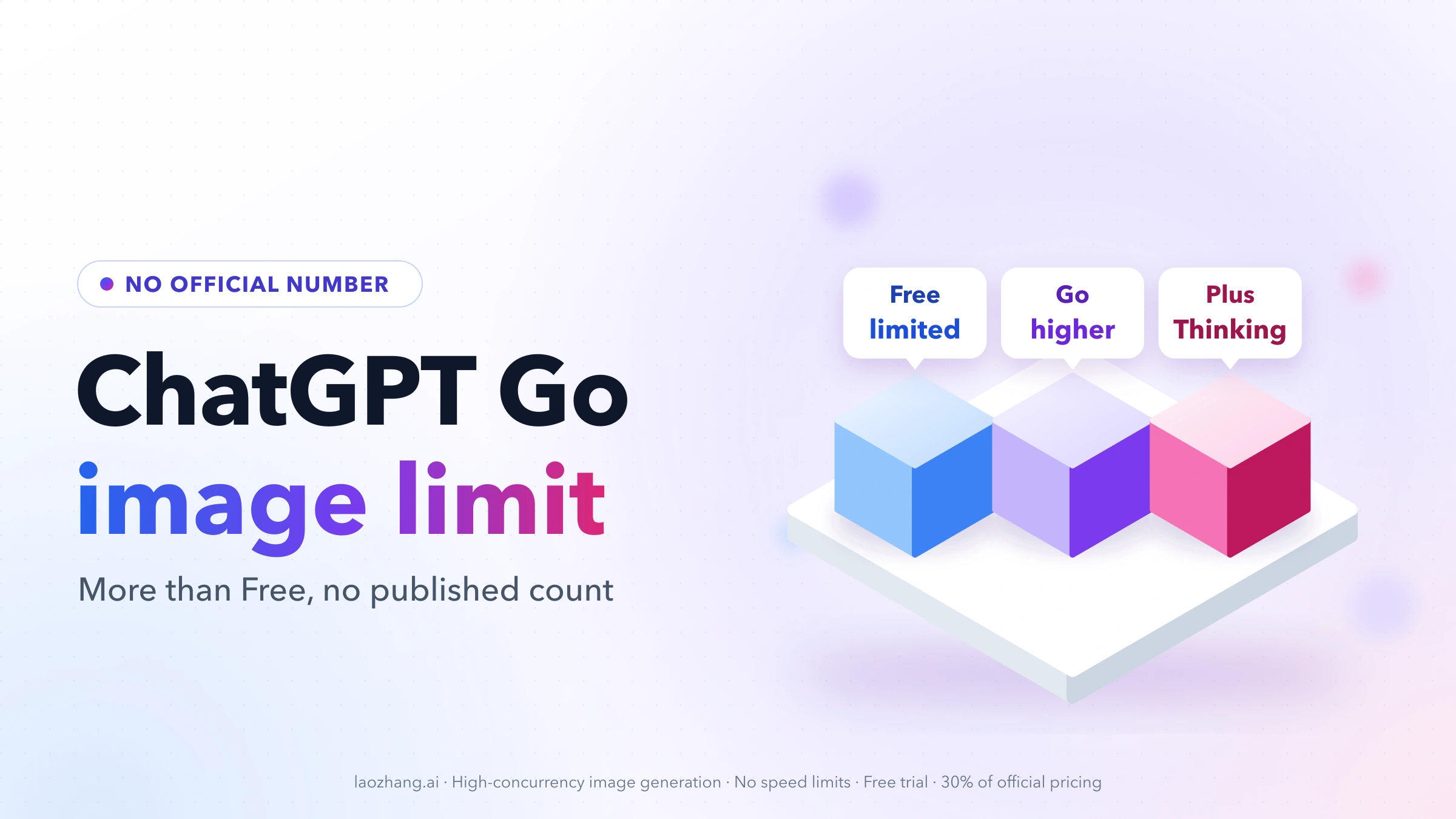
Before diving into proxy upgrade methods, there is a more fundamental question worth careful consideration: do you actually need ChatGPT Plus? The Go tier launched by OpenAI at the end of 2025 is priced at just $8/month (chatgpt.com/pricing, verified 2026-02-11) -- less than half the cost of Plus -- yet covers many users' core needs. If you have not yet explored how to get ChatGPT Plus for free, it is also worth checking before committing to a paid plan.
What the Go tier already includes is quite powerful for many users. It provides extended access to GPT-5.2 Instant, supports image generation, and unlocks voice conversation and video calling features. For users who primarily rely on ChatGPT for writing assistance, translation, brainstorming, and basic coding questions, the Go tier covers roughly 70-80% of their needs. Notably, the Go tier's image generation capability is identical to that of Plus -- if you frequently use DALL-E to generate images, Go already fulfills this requirement.
Plus's exclusive advantages are concentrated in three areas. First is GPT-5.2 Thinking -- OpenAI's most powerful reasoning model, capable of multi-step deep thinking that dramatically outperforms the Instant version in scenarios like mathematical proofs, complex programming, and strategic analysis. Second is the Codex coding agent, which can autonomously analyze, modify, and test code repositories -- a quantum leap for professional developers. Third are Sora video generation and Deep Research capabilities: the former produces high-quality short videos, while the latter conducts in-depth research across dozens of web pages and generates comprehensive reports. Additionally, Plus users can access legacy models (such as GPT-4o) and enjoy faster response speeds (fast mode).
| Feature | Go ($8/mo) | Plus ($20/mo) | Difference |
|---|---|---|---|
| GPT-5.2 Instant | Extended | Extended | Same |
| GPT-5.2 Thinking | Not supported | Extended | Plus exclusive |
| Image Generation | Supported | Supported | Same |
| Codex Agent | Not supported | Supported | Plus exclusive |
| Sora Video Generation | Not supported | Supported | Plus exclusive |
| Deep Research | Not supported | Limited use | Plus exclusive |
| Legacy Models | Not supported | Supported | Plus exclusive |
| Response Speed | Limited | Fast mode | Plus faster |
| Context Window | 32K | 32K | Same |
| Annual Cost | $96 | $240 | $144/year difference |
How to decide: if you are a content creator, student, or everyday user whose main needs are chatting, generating images, and voice conversation, the $8/month Go tier is perfectly adequate -- and Go currently supports direct card payment in some regions, so you may not need a proxy at all. If you are a developer, researcher, or professional who needs deep reasoning, GPT-5.2 Thinking and Codex are worth far more than the extra $12/month. How you pay for Plus is the next question, and paying OpenAI yourself is the option to aim for.
5 Proxy Upgrade Methods Compared: Price, Stability, and Security Risks
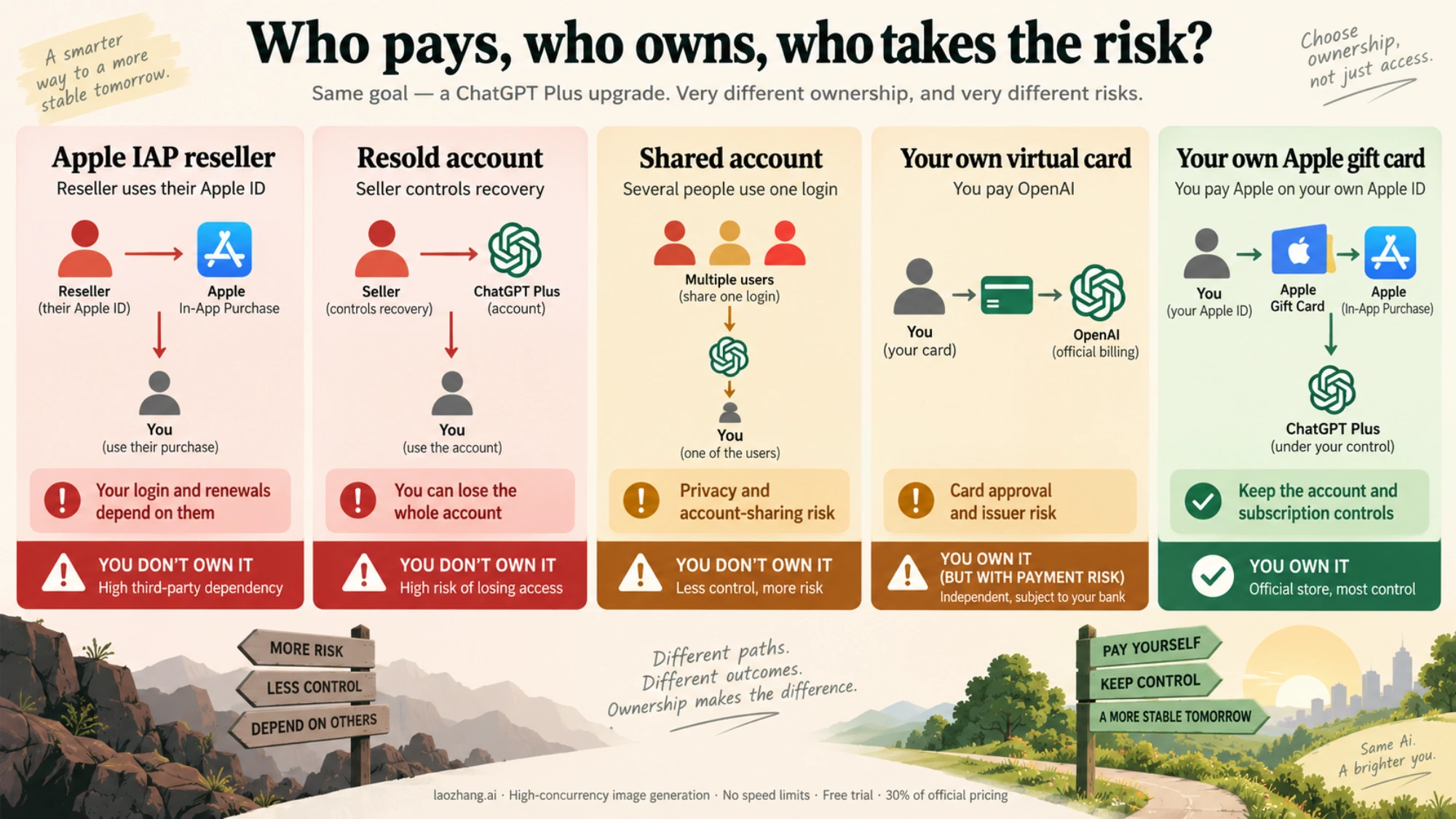
Once you know you need Plus, the options on the market boil down to five approaches. What really separates them is not price but who ends up paying OpenAI: with Methods 3 and 4 you pay yourself, while Methods 1, 2, and 5 all depend on someone else.
Method 1: Apple IAP Proxy Recharge (Risky, Not Recommended)
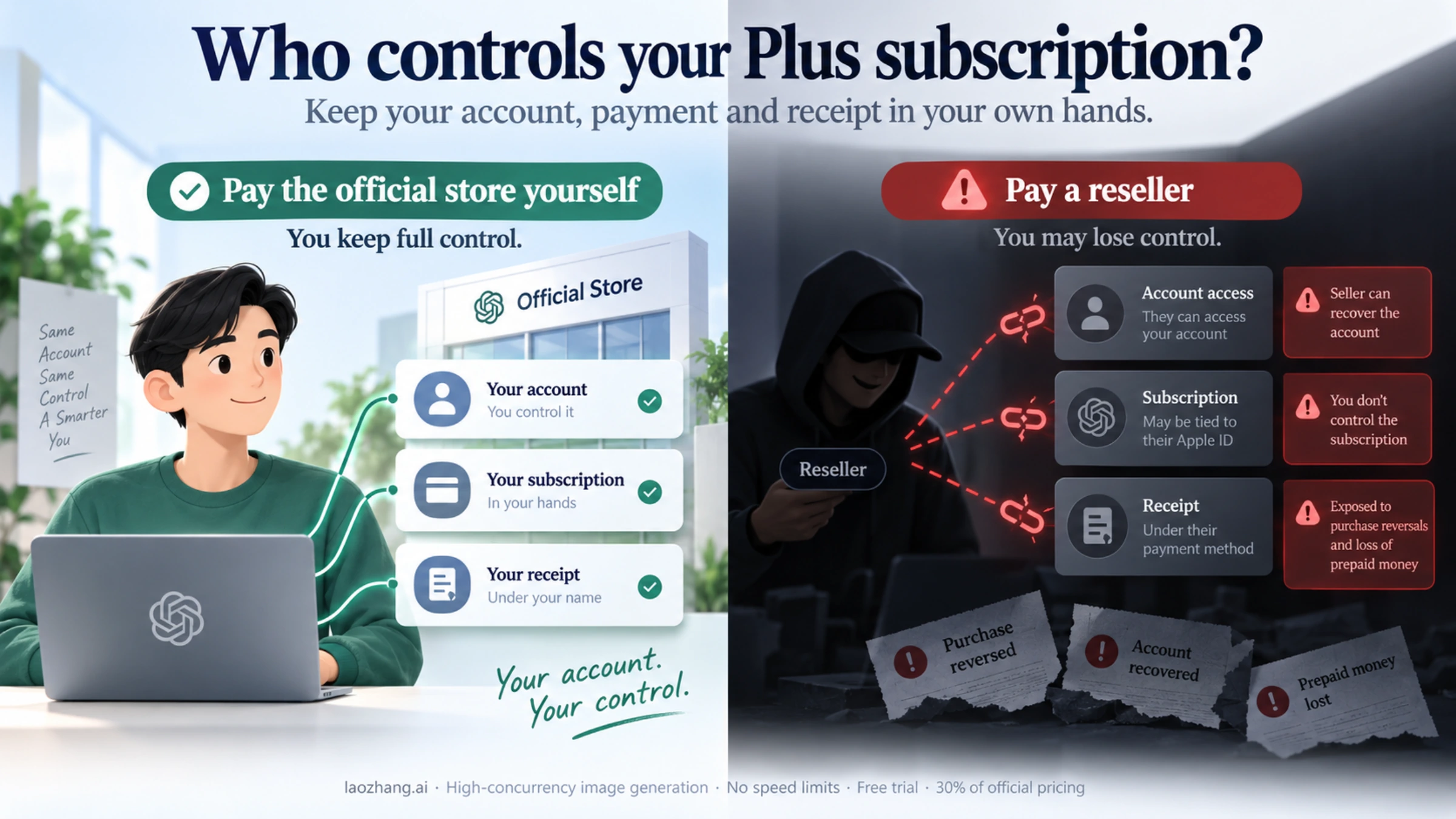
The reseller signs into your ChatGPT account on its own iOS device and buys Plus as an in-app purchase with its own Apple ID balance. OpenAI only receives Apple's standard subscription notice, which is why resellers advertise this as "almost no ban risk." The risk hasn't gone away, though. It has moved:
- The reseller has to sign into your ChatGPT account (with your password or an email login code), which gives them a live session and your full chat history.
- The subscription belongs to their Apple ID, so you can't manage or cancel it yourself, and every renewal means going back to them.
- You can't see where their Apple ID balance came from. If it was loaded with gift cards bought using stolen cards, Apple can reverse the purchase and Plus goes with it.
- Letting someone else sign in and use your account conflicts with OpenAI's Terms of Use, which say you may not share your account or make it available to anyone else.
Services such as Xingji Cinema sell this kind of recharge, and their prices and operating status change often (a GitHub anyofai roundup on February 11, 2026 listed quotes of 148-158 CNY, about $20-22, per month). A low quote says nothing about safety; a quote below the official price is a warning sign. At the very least, search the service's name together with "shut down" or "scam" for recent reports before paying.
Method 2: Independent Account Subscription Service (Resold Accounts, Not Recommended)
These services register a brand-new ChatGPT account, activate Plus, and hand the login to you. It looks effortless, but the sign-up email and recovery options usually stay with the seller, who can take the account back at any time. The payment channel is just as opaque: if the payment is reversed, the account may be banned and every conversation and file in it lost. Buying or transferring accounts also breaks OpenAI's Terms of Use. HowSub and similar platforms sell accounts like this. If you don't have a ChatGPT account yet, signing up with your own email is far safer than buying one.
Method 3: Virtual Credit Card Self-Recharge (You Pay OpenAI)
This was once the most popular method, but it has shrunk considerably since WildCard's shutdown. Platforms like PokePay still offer virtual cards; check the issuer's own page for card fees and funding options. You register for the card yourself, set up a matching payment environment (U.S. IP address), and complete the subscription on OpenAI's site. The money goes straight to OpenAI and the subscription is in your name. The downsides are the technical setup and unpredictable approval rates -- if you encounter a card declined error, troubleshooting can take a while. Since the WildCard shutdown, trust in virtual card issuers has dropped, and the issuer disappearing is the main concern, so don't keep a large balance on the card.
Method 4: Apple Gift Card Self-Recharge (You Pay Apple, Recommended)
Load gift-card balance onto an Apple ID that you own in a supported region such as the U.S., then subscribe from the ChatGPT app on an iOS device. It is the same App Store channel as Method 1, but the Apple ID and the subscription are yours, so you can manage and cancel them yourself. You need to register the Apple ID, buy gift cards (preferably from Apple or an established retailer; cheap cards of unknown origin can get an Apple ID locked), install ChatGPT on an iOS device, and subscribe. Your monthly cost is the local App Store price plus any markup you pay for the gift cards. The process can take 30-60 minutes the first time and requires an iOS device. Android users can do the equivalent through Google Play with a Google account in a supported region and a payment method of their own.
Method 5: Shared/Pooled Accounts (High Risk, Not Recommended)
This is the cheapest option, with mirrored shared accounts starting around $4/month (26-27 CNY) and native account sharing at $7-11/month (52-76 CNY) (GitHub anyofai data, queried 2026-02-11). Sharing means several people use one Plus account, so your conversation history is visible to co-users in principle, and account sharing breaks OpenAI's Terms of Use. The experience is also unstable: you may queue at peak hours, and another user's policy violation can get the account banned. Mirror sites skip the VPN, but your conversations pass through a third-party server and some features may be missing. Never type anything private into a shared account.
| Method | Who Gets Paid | What You Hand Over | Main Risks | Verdict |
|---|---|---|---|---|
| Apple IAP Proxy | The reseller (via its Apple ID) | Your account login | Purchase reversed, subscription not yours, ToS breach | Not recommended |
| Independent Account | The seller | Nothing, but the account isn't yours | Seller reclaims it, data lost on a ban | Not recommended |
| Virtual Card DIY | OpenAI (you pay) | Nothing | Card declined, issuer shuts down | Workable; keep the balance low |
| Apple Gift Card | Apple (you pay) | Nothing | Shady gift cards can lock your Apple ID | Recommended |
| Shared Pool | The pooling service | Your chat privacy | Chats exposed, bans, service shutdown | Not recommended |
Is Proxy Recharging Safe? How It Works and Where the Risk Lands
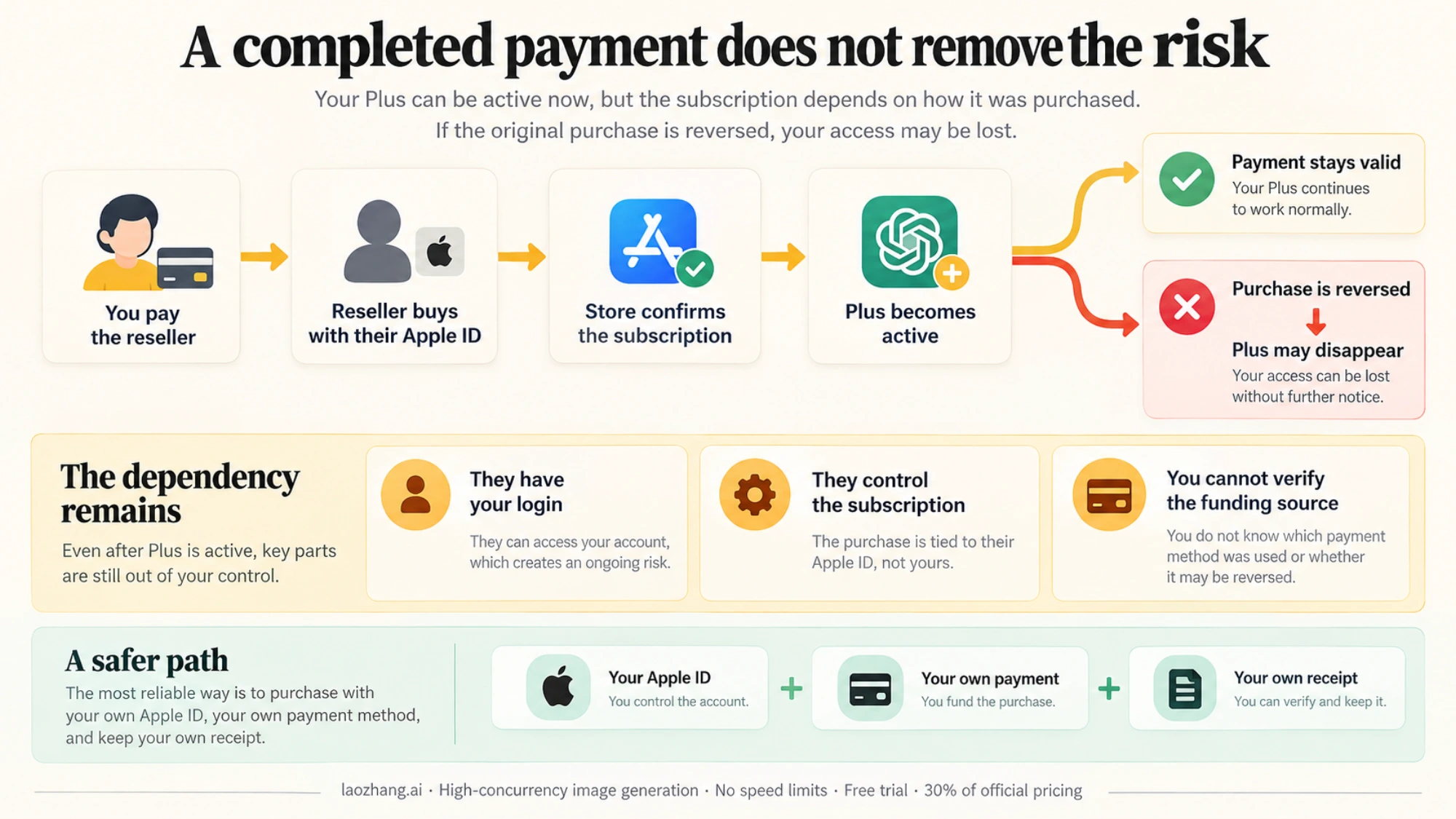
"Is proxy recharging safe?" is the first thing anyone considering a proxy upgrade asks. A flat "safe" or "unsafe" doesn't help much. Once you understand the mechanics, you can see for yourself where the risk ends up instead of relying on a seller's assurances.
How the Apple IAP channel works: when the reseller buys Plus for your ChatGPT account on an iOS device, it uses its own Apple account balance (topped up with gift cards or other means) to start the in-app purchase. The App Store processes the payment and sends OpenAI a subscription confirmation. OpenAI sees a standard IAP notice from Apple and never sees who funded it. That only means OpenAI can't see the source of the money, not that the source is clean. If the reseller's balance came from gift cards bought with stolen cards, Apple can reverse the purchase and disable that Apple ID, and the Plus subscription attached to it ends. Throughout, the reseller is also signed into your ChatGPT account.
The risk profile for direct credit card payment is entirely different. When using a virtual credit card or third-party credit card to subscribe directly on OpenAI's website, the Stripe payment system performs multiple verification checks: BIN verification (card issuing country/region), IP address matching (requiring payment IP to match the card's issuing location), AVS (Address Verification System), and 3D Secure additional authentication. If mismatches appear in any of these checks -- for example, using a U.S. virtual card but connecting from an Asian IP, or frequently binding different cards to the same account -- OpenAI's risk control system flags the behavior as suspicious. At best, the payment is rejected; at worst, the account gets banned. More seriously, if the underlying funding source of the virtual card is compromised (e.g., stolen card), OpenAI will retroactively ban the account without a refund.
OpenAI's account ban logic is primarily based on the following factors. First, payment anomalies: the same account frequently switching payment methods, using card BIN ranges flagged as high-risk, or significant mismatches between payment address and usage location. Second, behavioral anomalies: multiple different accounts logging in from the same IP (a hallmark of shared VPNs), or generating content that violates terms of service. Third, account characteristics: using email domains that have been heavily flagged (such as certain disposable email providers). It is worth noting that account bans purely for "being used in China" are actually extremely rare -- OpenAI focuses on payment compliance and usage behavior, not the user's physical location.
Risk ranking, lowest to highest: Apple gift card self-recharge (low; you pay Apple yourself) < virtual card self-recharge (medium; depends on the issuer) < Apple IAP proxy recharge (medium-high; someone else is in your account and the money is untraceable) < independent account subscription (high; the account isn't yours) < cheap proxies of unknown origin and shared accounts (high). The rule of thumb: the risk is lowest when you pay the official store yourself, and it rises with every intermediary and every "too good to be true" price.
Step-by-Step Guide: From Preparing Your Account to Confirming Plus
With the risks of each method in mind, here are the preparation and verification steps that apply whichever way you pay.
Preparation before you subscribe matters. First, make sure you have a working ChatGPT account -- accounts registered with Gmail tend to be the most stable, and Chinese email providers like QQ Mail or 163 are best avoided (these domains carry lower trust in OpenAI's risk systems). If you don't have an account yet, register one with your own email rather than buying one someone else created. Second, confirm the account is in good standing: sign in at chatgpt.com and check that you can chat normally, since a restricted account may still have problems after upgrading. Finally, note your sign-up email and current subscription status (Settings > Subscription) so you can verify the change afterward.
If you still consider a third-party proxy, hold it to three minimum rules. First, no passwords: walk away from anyone who asks for your ChatGPT password, an email login code, or Apple ID credentials. Second, proof of payment: they should be able to show an App Store or OpenAI receipt; if they can't, don't use them. Third, no rock-bottom prices: a legitimate proxy's costs (gift card markup, the App Store price, and labor) mean a quote well below the official price almost certainly isn't going through a legitimate channel. Track record and refund promises are weak signals at best -- WildCard ran for years before it shut down.
Verification after activation shouldn't be skipped. After logging into chatgpt.com, check whether the lower-left corner displays the "Plus" badge. Go to Settings > Subscription to confirm the subscription status and expiration date. Try sending a message using the GPT-5.2 Thinking model to verify that advanced features are unlocked. Check whether the Sora entry point is available (if this is a feature you need). If a proxy activated it, change your password and review signed-in devices as soon as you've confirmed it works.
Beyond the Recharge: Account Security and Renewal Strategy
Many users assume everything is settled once Plus is active, but account security and renewals deserve just as much attention. These practices help keep your account healthy long term.
Security settings to configure right after activation include several core steps. First, enable two-factor authentication (2FA): go to Settings > Security, and link an authenticator app (Google Authenticator or Authy is recommended) -- this is the single most effective measure against account theft. Second, review authorized devices: check Settings > Security > Active Sessions for any unrecognized login devices, and revoke access immediately if any are found. Third, add a backup email: go to Settings > Profile to add a secondary email address so you have a recovery path if your primary email is compromised. Finally, change your password: if you provided your account password to the proxy platform during the recharge process (not recommended), you must change your password immediately after recharging is complete.
Renewals need planning too. An App Store subscription on your own Apple ID renews automatically as long as the balance covers it. With a proxy, the subscription sits on the reseller's Apple ID, so before every renewal you have to go back to them and let them into your account again. Some resellers push quarterly or annual packages; don't prepay, because the longer the prepaid period, the more you lose if the reseller vanishes. For long-term use, move to an App Store subscription on your own Apple ID or a virtual card subscription on OpenAI's site, and renewals no longer depend on anyone else.
Contingency plans for abnormal situations are worth understanding in advance. If your Plus status suddenly disappears, first check whether it simply expired. If a proxy activated it, ask the reseller whether the payment was charged back. Then check OpenAI's emails for any ban notice. If the account has been banned, you can appeal through help.openai.com and attach your own payment receipt; accounts activated by a proxy have no receipt in your name, which makes an appeal much harder.
Developer Alternative: Pay-Per-Use API May Be More Cost-Effective
Beyond the payment question, there is a different approach altogether: for many use cases, you may not need a ChatGPT Plus subscription at all -- using the API on a pay-per-use basis may be both more flexible and more economical. This approach is particularly well-suited for developers and users with some technical background.
The cost comparison between subscription and pay-per-use API breaks down like this: ChatGPT Plus costs $20/month, which gets you roughly 80-160 GPT-5.2 Thinking messages per month (varying by message complexity limits) along with other features. Through API calls to GPT-5.2, you pay only for actual usage -- if you only need 50-100 deep reasoning conversations per month, the API cost may be far less than $20. More importantly, the API has no artificial limitations on conversation length or context window, offering clear advantages when processing long documents or batch tasks.
Developers outside supported regions can also use an API relay. laozhang.ai is a multi-model API aggregation platform with an OpenAI-compatible interface that supports GPT-5.2, Claude, Gemini, and other mainstream models, billed per use; current prices are on its pricing page. One API key works across models. Requests pass through a third-party server and the balance is prepaid, so start with a small top-up. For developers who need to build AI into applications or run batch jobs, this is more flexible than a Plus subscription.
Which scenarios favor API over subscription? If you need to call AI capabilities within your own applications or workflows (such as automated copywriting, code review, or data analysis pipelines), the API is the only option -- Plus's web interface cannot support these automation requirements. If your usage frequency varies wildly (sometimes needing 100 calls per day, sometimes going a week without use), the API's pay-per-use model is more economical than a fixed monthly fee. If you need to use multiple models simultaneously (GPT-5.2 for reasoning, Claude for long-form writing, Gemini for multimodal analysis), an API aggregation platform provides one-stop access that eliminates the hassle of managing multiple platform accounts.
Frequently Asked Questions
Will proxy recharging ChatGPT Plus get my account banned?
It can, and the risk sits where you have no control. With an Apple IAP proxy, OpenAI only sees Apple's subscription notice, so the payment method alone rarely triggers a ban. But if the reseller's Apple ID was funded with gift cards bought on stolen cards, Apple can reverse the purchase, Plus disappears, and your account may be caught up in it. Proxies that use unverified or stolen credit cards are riskier still; there have been mass bans tied to card fraud. Since you can't verify where a reseller's money comes from, paying OpenAI or Apple yourself is the safest option.
Can I change my password after proxy recharging? Will it affect my Plus status?
Yes, and you should change your password. Changing your account password after a proxy recharge does not affect your Plus subscription status, because the subscription is bound to your ChatGPT account rather than the payment method. Changing your password is a standard security practice after any proxy recharge.
Is the difference between ChatGPT Go and Plus significant? Is the extra $12/month worth upgrading to Plus?
The differences are concentrated in three features: GPT-5.2 Thinking (deep reasoning), Codex (coding agent), and Sora (video generation). If you do not need these three features, the $8/month Go tier is perfectly sufficient. If you are a developer or frequently need deep reasoning capabilities, the productivity gains from Plus's extra $12/month are absolutely worth it.
How long does proxy recharging typically take to activate? What information do I need to provide?
Timing depends on how quickly the reseller processes orders by hand, but you hand over more than the ads suggest. An Apple IAP proxy has to sign into your ChatGPT account on its own device, which takes your password or an email login code, and that gives them access to all your conversations. With a resold account, the seller controls the whole account. If a service asks for your ChatGPT password, it is asking for full control of your account; don't use it.
Is there a cheaper way to access GPT-5.2 than proxy recharging?
Yes. If you only need chat, image generation, and voice, the $8/month Go tier may be enough. If you only need GPT-5.2's conversational ability, pay-per-use API access can cost light users less than a Plus subscription each month, either through OpenAI's API directly or through relays like laozhang.ai (prices on its pricing page).
What happens if the proxy platform goes out of business? Will my existing Plus subscription still work?
Plus that is already active usually keeps working until the current period ends, but it depends on how it was bought. With an Apple IAP proxy, the subscription lives on the reseller's Apple ID, so once they're gone you can't renew, and if their Apple ID is disabled or the purchase is reversed, Plus can end early. Avoid large prepayments such as annual plans, and switch to an App Store subscription or virtual card in your own name so renewals no longer depend on a reseller.
The core principle for choosing how to upgrade to ChatGPT Plus comes down to one rule: pay the official store yourself. If you can subscribe with gift-card balance on your own Apple ID or with your own virtual card, don't hand your account to a reseller. And if your use case doesn't need Plus's exclusive features, the $8/month Go tier or pay-per-use API are both smarter choices.