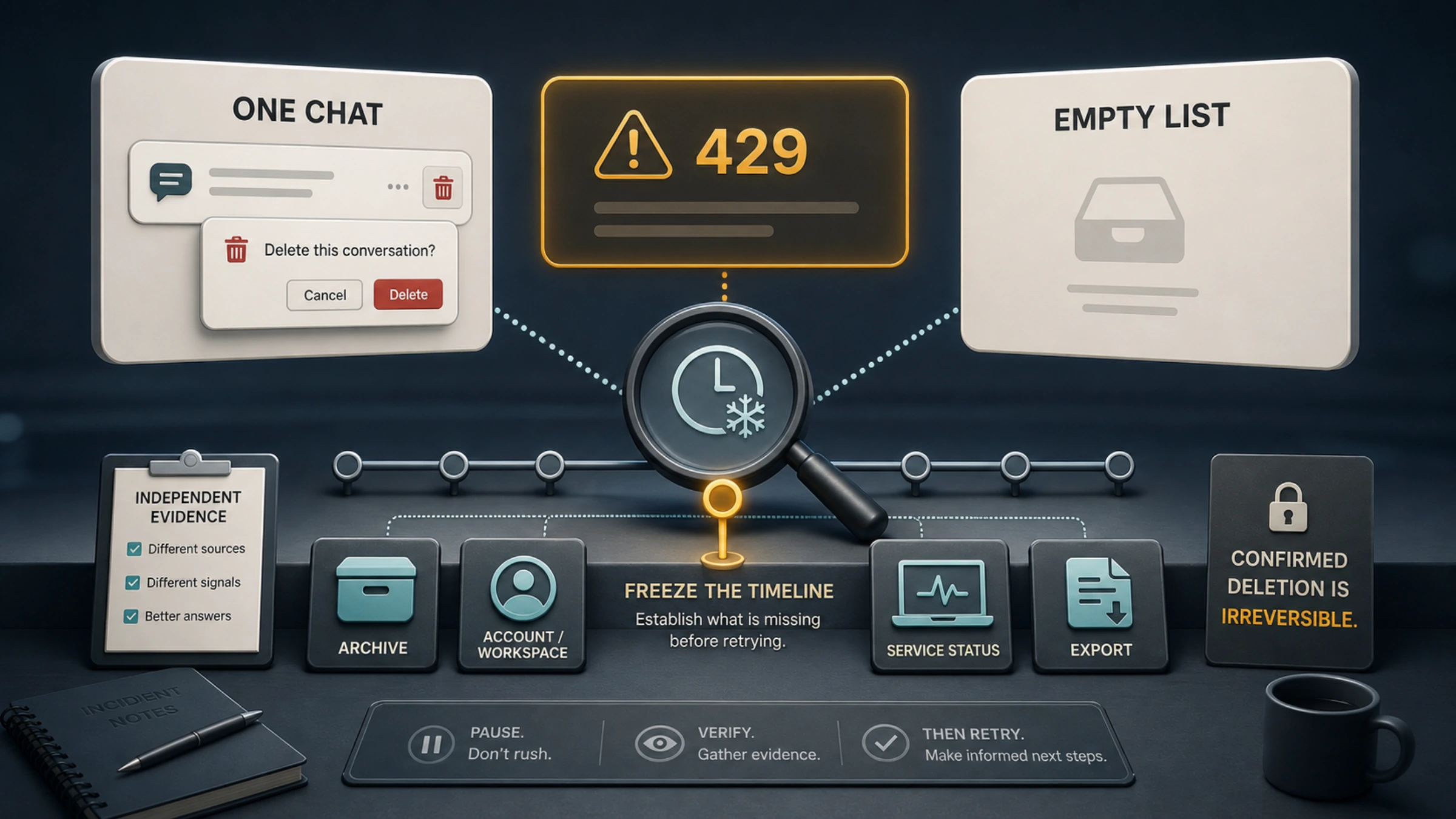
Do not click Delete again to “test” it. Do not hammer Refresh. The sequence is alarming—one chat was deleted, Too Many Requests appeared, and the history sidebar went blank—but sequence alone is not proof of cause.
HTTP 429 means the service received too many requests in a period of time. It does not tell you whether the preceding delete request committed, whether a later history request was rate-limited, or whether the sidebar failed for another reason. Your first job is therefore not recovery. It is establishing what is missing.
Use three questions:
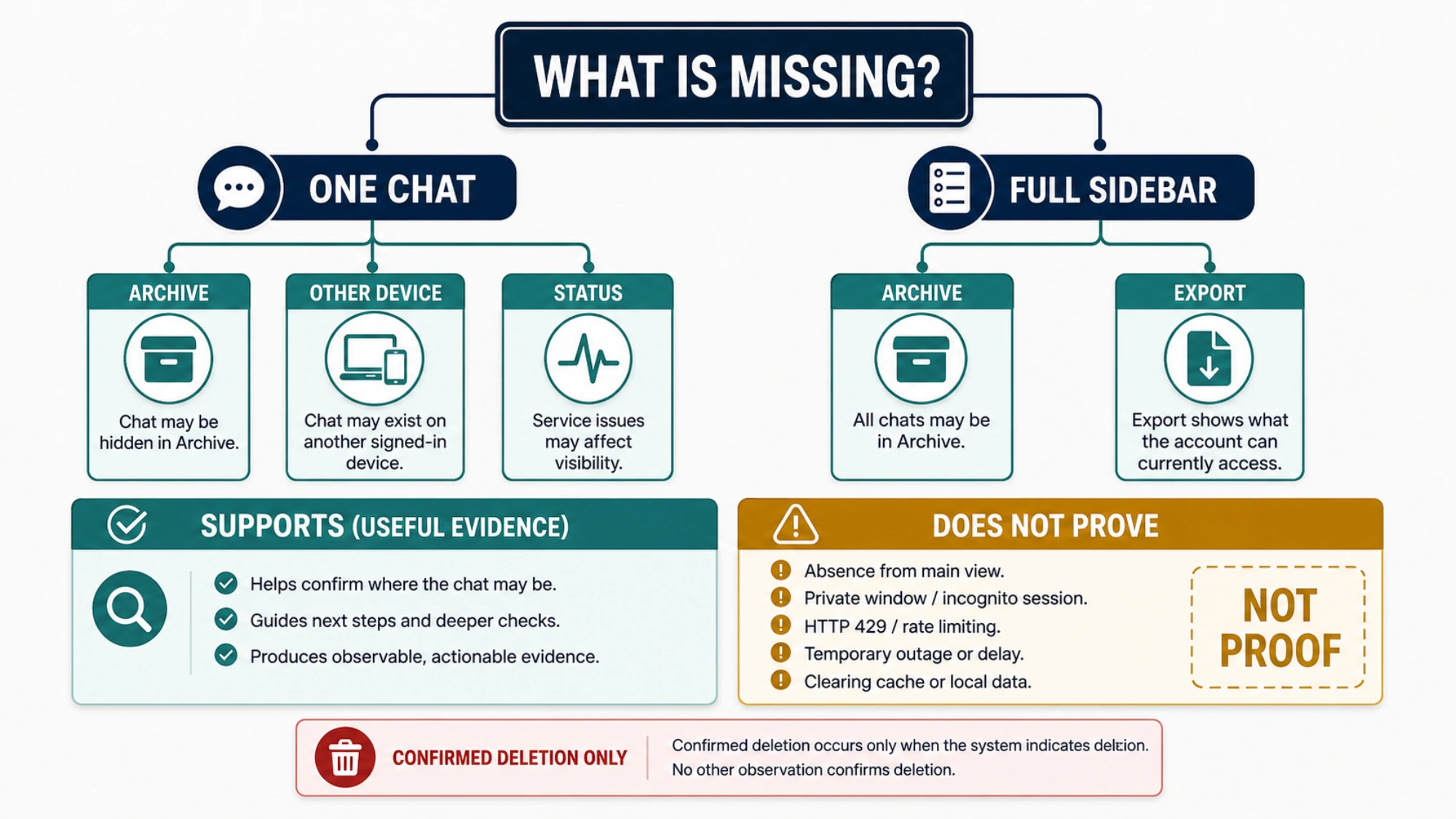
- Is only the conversation you selected gone, or is the entire history list empty?
- Can the same account and workspace see the history on another device or browser?
- Does account-side evidence—Archived Chats or a data export—still contain the conversation?
Freeze the timeline before changing anything else
Write down the approximate time and time zone, the exact error text, which device was in use, and whether you chose Delete on one conversation or used a bulk action. If you take a screenshot, redact your email address, workspace name, and real conversation titles.
Then pause. Repeated requests can produce more 429 responses and make the timeline harder to interpret. A controlled check changes one condition at a time; frantic retries change several.
If a phone or another browser still shows your conversations, leave that view alone for the moment. It is a useful control. Save any critical material that remains accessible, but do not publish screenshots containing personal or business content.
A blank sidebar is not the same symptom as one deleted chat
These observations lead to different conclusions:
| Observation | What it supports | What it does not prove |
|---|---|---|
| Only the chat you confirmed deleting is absent | The single deletion probably completed | That a 429 deleted anything else |
| All history is blank on one browser but visible elsewhere | A local session or rendering problem | That the server restored deleted data |
| All history is blank across devices | An account, workspace, or service-side issue | Permanent data loss |
| The chat appears under Archived Chats | It was archived, not deleted | That every missing chat is archived |
| Other chats are in an export but the target chat is not | The account still stores other conversations | The exact transaction sequence around Delete |
This distinction prevents the most costly mistake: applying the irreversible-deletion rule to a history list that simply failed to load.
Verify the identity boundary, not just the email you remember
Check the signed-in account, sign-in method, and selected workspace. Email/password, Google, Apple, and enterprise SSO can lead to different identities. Apple’s private relay address can make two logins look similar. Personal and Business, Enterprise, or Edu workspaces keep separate conversation collections.
Compare the web and mobile profile menus. Confirm that both are in the same personal or team space. If switching to the original workspace restores the list, nothing was recovered; you returned to the data boundary that owned those chats.
Avoid generating new chats or exports in the wrong workspace while investigating. Extra activity makes it harder to match timestamps and account records later.
Check Archived Chats before treating absence as deletion
Open Settings → Data controls → Archived Chats. OpenAI’s guide to deleting and archiving chats makes the boundary explicit: archiving hides a conversation from the active sidebar but keeps it in your account; you can unarchive it. Deleting removes it from the visible history immediately.
If the chat is archived, unarchive it and stop there. If it is not, that still does not prove deletion when your entire list is blank.
In Data controls, also review the current chat-history setting. Interface labels can change, so use the explanation shown in your account rather than following an old screenshot blindly.
Run one session test, not a cleanup spree
Refresh once. If the list remains blank, sign out and sign back in using the original method. This is part of OpenAI’s current missing-chat guidance and forces the client to request the account state again.
If necessary, compare a private window or another browser:
- History appears in the clean session: the original browser state, cookie, extension, or cached application state is implicated.
- History is blank in both: the test is inconclusive about deletion; move to service and account-side evidence.
- One managed network fails while a normal connection works: a filter, proxy, or authentication policy may be disrupting requests.
Clearing browser data is not a server-side recovery method. Nor is changing IP addresses. Those actions may alter a session or network path, but they cannot recreate a chat OpenAI recorded as deleted. Preserve the working control before performing broad browser cleanup.
Use Status for scope, not for a verdict on your account
Check OpenAI Status for an active incident affecting ChatGPT conversations, login, or web access. If one exists, record its title and time, avoid destructive actions, and check again after OpenAI marks it resolved.
Past OpenAI incidents have temporarily hidden conversation history without data loss. That history proves the failure mode is possible; it does not diagnose today’s case. A green status page is also aggregate evidence, not a guarantee that every region, plan, model, and account is unaffected.
Think of Status as answering “Is there a known broad problem?” It cannot answer “Did my selected chat get deleted?”
A data export can test what the account still holds
When the sidebar remains blank, request an export from Settings → Data controls → Export data or use OpenAI’s Privacy Portal. The current ChatGPT data export instructions say eligible accounts receive a ZIP containing chat history and other account data. Processing can take up to seven days, and the download link expires 24 hours after delivery.
The export is evidence, not a restore button. It does not rebuild the sidebar and cannot reverse a deletion. Business and Enterprise workspaces do not offer the same settings-based export, while eligible Edu access depends on workspace policy.
If the export contains older conversations while the web list is empty, the case points toward a visibility or indexing problem. If it contains neither the selected chat nor evidence that the delete failed, do not overstate what the absence proves. The confirmation you saw at deletion time still matters.
The hard boundary: a confirmed deleted chat cannot be recovered
OpenAI states that a deleted chat cannot be retrieved through the ChatGPT interface, APIs, or Support. It is removed from history immediately and scheduled for permanent deletion from OpenAI’s systems within 30 days, with stated de-identification and legal or security exceptions.
That 30-day period is not an undo window.
Stop searching for a recovery method when all three are true:
- You selected Delete on the target conversation and confirmed it.
- The conversation is not in Archived Chats.
- Other account history is present, or independent evidence isolates the loss to that conversation.
Desktop file-recovery software cannot restore a server-side ChatGPT conversation. At most, you may reconstruct useful content from a previous data export, a document where you copied the response, a screenshot, browser page text that is still open, or another deliberate backup. That creates a new record; it does not restore the original thread.
Escalate a persistent blank history with a useful incident packet
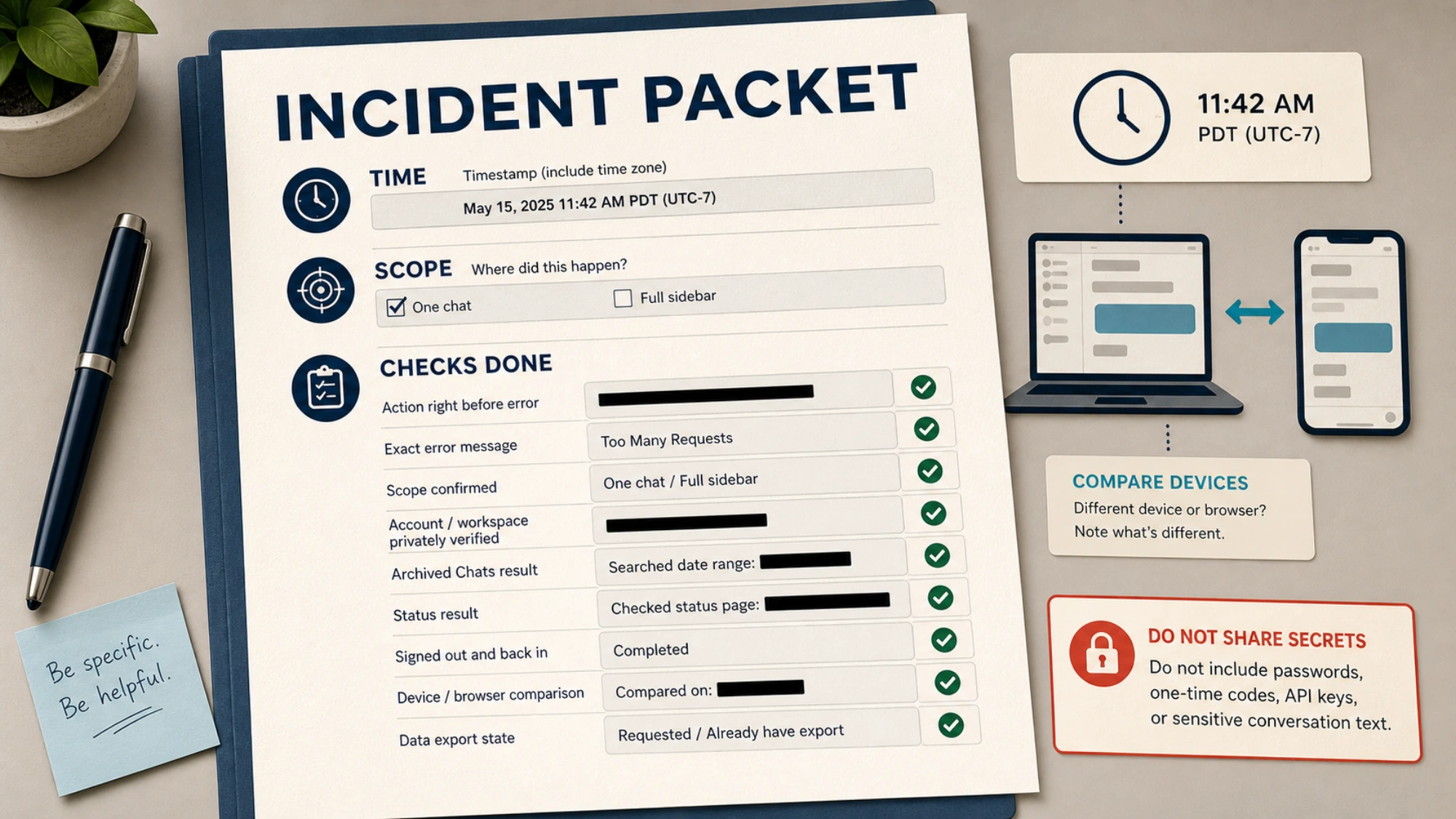
If the whole history remains missing after the controlled checks, contact OpenAI through the official Help Center. OpenAI asks for the account email and sign-in method, workspace or organization name when applicable, approximate time frames, and the checks already completed.
Prepare a compact record:
Time and time zone:
Action immediately before the error:
Exact message: Too Many Requests
Scope: one chat / full sidebar / one device only
Account and workspace: verified privately
Archived Chats result:
Status page checked at:
Sign-out and cross-device results:
Data export: requested / unavailable / result
Send account details only to the official support channel. Never include a password, one-time code, API key, or an unredacted sensitive conversation.
If your conversation is still visible but ChatGPT no longer follows earlier turns, you are dealing with context behavior rather than history visibility. The separate guide to long chats, context, and Memory covers that problem. Here, the safe rule is narrower: establish the data state first, then interpret the error.