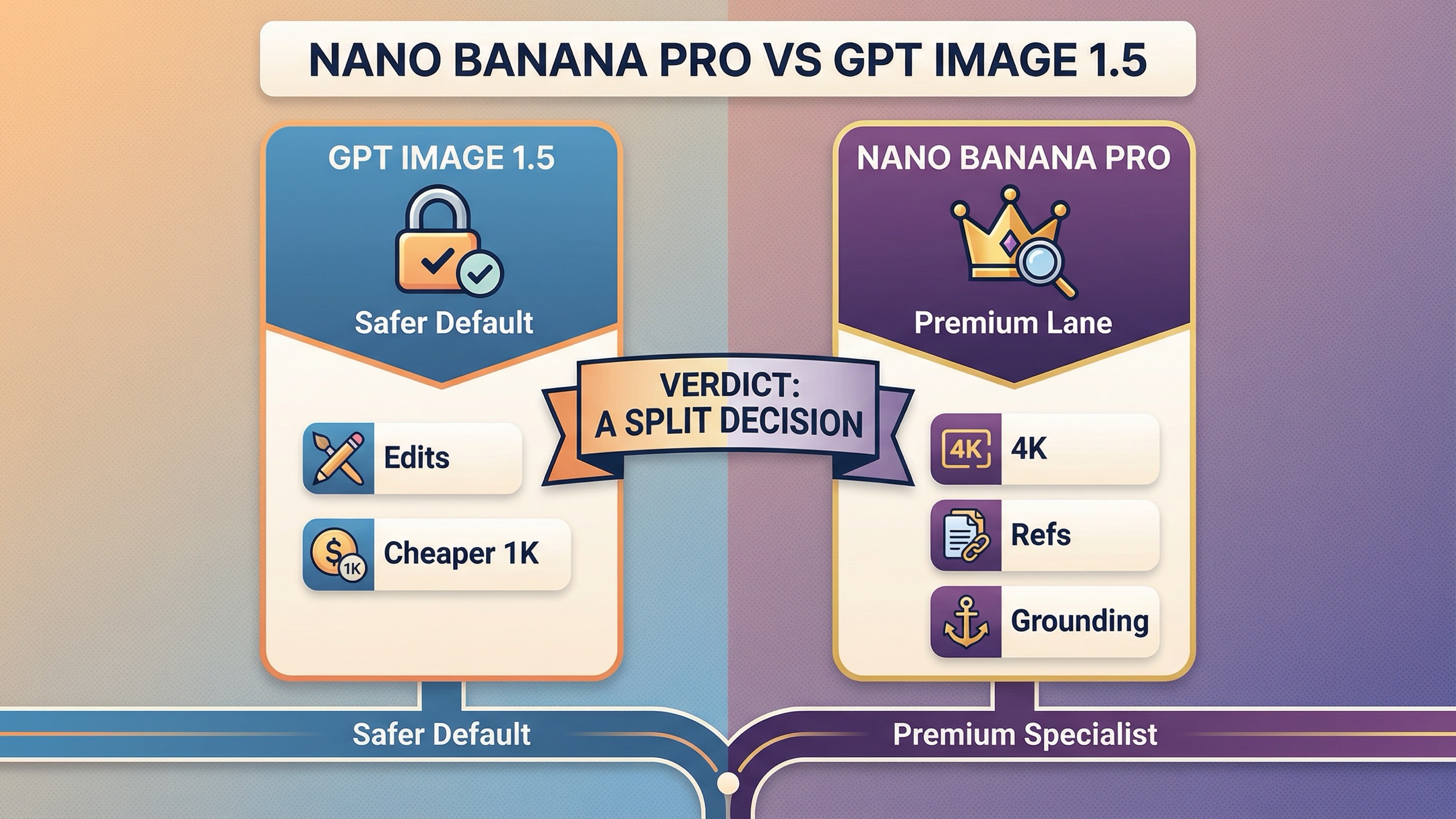
Pick GPT Image 1.5 if your workflow is mostly edits, transparent-background assets, or cheaper 1K production. Pick Nano Banana Pro if your workflow depends on 2K/4K output, Google Search grounding, or heavier reference-image control.
That is the practical answer most page-one results still hide. The real choice is not "which model wins overall?" It is which model creates fewer retries for the kind of work you actually ship. OpenAI's current stack is easier to buy and operationalize because GPT Image 1.5 publishes its per-image pricing, its tiered rate limits, and its edit-oriented workflow on one surface. Google's premium lane is stronger when the job itself is more demanding: Nano Banana Pro, officially gemini-3-pro-image-preview, sits inside a Gemini image stack that explicitly supports 2K and 4K output, Google Search grounding, and up to 14 reference images.
The most important caveat belongs up front: Nano Banana Pro is still a preview model. Google's current rate-limit page tells users to check active limits in AI Studio, and it explicitly warns that preview models can have more restrictive limits. That does not make Nano Banana Pro a bad choice. It just means the buying decision includes more operational uncertainty than the average comparison page admits.
TL;DR
| If your priority is... | Better pick | Why | Main caveat |
|---|---|---|---|
| Cheaper official 1K output | GPT Image 1.5 | OpenAI's current model page lists $0.009 low, $0.034 medium, and $0.133 high for square 1024x1024 output. | You are still capped at OpenAI's published size ladder, not true 4K output. |
| Transparent-background assets | GPT Image 1.5 | OpenAI documents transparent backgrounds directly in its image-generation guide. | Best results usually need medium or high quality, so the cheapest setting is not always the real production setting. |
| High-fidelity edits from existing assets | GPT Image 1.5 | OpenAI documents multi-turn editing and high input fidelity, and says the first 5 input images can be preserved with higher fidelity on GPT Image 1.5. | Complex edit flows can still drift on layout-sensitive work. |
| 2K or 4K output | Nano Banana Pro | Google's current image guide explicitly positions Gemini 3 image models for 1K, 2K, and 4K. | Nano Banana Pro is still preview, so operational certainty is lower. |
| Reference-heavy image generation | Nano Banana Pro | Google says Gemini 3 image models support up to 14 reference images. | The route is more complex than OpenAI's cleaner model page and image guide story. |
| Search-grounded visual generation | Nano Banana Pro | Google exposes grounding with Google Search in the current image workflow. | That feature matters only for specific workflows, not for every creative task. |
| Easier published rate-limit visibility | GPT Image 1.5 | OpenAI publishes current image rate limits from 5 IPM at Tier 1 to 250 IPM at Tier 5 on the model page. | Published limits are still tier-gated, not universally available. |
| Safest default for mixed creative teams | GPT Image 1.5 | Edits, transparent backgrounds, and clearer operational visibility matter more often than 4K. | Teams with larger-format or grounding needs should still add Nano Banana Pro as a second lane. |
The shortest honest rule is this: GPT Image 1.5 is the safer default, but Nano Banana Pro is the stronger specialist. If you need one model to handle edits, UI-ish assets, packaging, cutouts, and routine production work, start with OpenAI. If your image pipeline genuinely needs 2K or 4K, grounding, or larger reference sets, Google's premium image lane becomes easier to justify.
The fastest way to understand why this comparison is still confusing
The SERP keeps making this comparison sound cleaner than it really is. "GPT Image 1.5" is straightforward. OpenAI uses the same name on the model page, in the image-generation guide, and in the December 16, 2025 launch post.
"Nano Banana Pro" is where the market gets messy. Google's live docs call it Gemini 3 Pro Image Preview, and the models page marks it as Preview. Many ranking pages skip that translation entirely. They treat Nano Banana Pro as if it were a single stable public product name with one obvious pricing story and one obvious limit story. That is how buyers end up confused about which model they are actually calling and why their production experience may not match a comparison article written in December.
The timeline matters here too. Google released Gemini 3 Pro Image Preview on November 20, 2025. OpenAI released the new ChatGPT Images experience and exposed it in the API as GPT Image 1.5 on December 16, 2025. Google then launched Nano Banana 2, the newer Flash image lane, on February 26, 2026. That sequence means many older pages are now mixing three different stories:
- GPT Image 1.5 as the current OpenAI flagship
- Nano Banana Pro as Google's premium image lane
- Nano Banana 2 as Google's newer, faster Flash image lane
This article is intentionally narrower. It is about Nano Banana Pro vs GPT Image 1.5, not about Google's whole image family and not about ChatGPT app convenience versus Gemini app convenience. That narrower frame is why the decision becomes useful again.
Why GPT Image 1.5 is the safer default for edits, transparent backgrounds, and cheaper 1K work
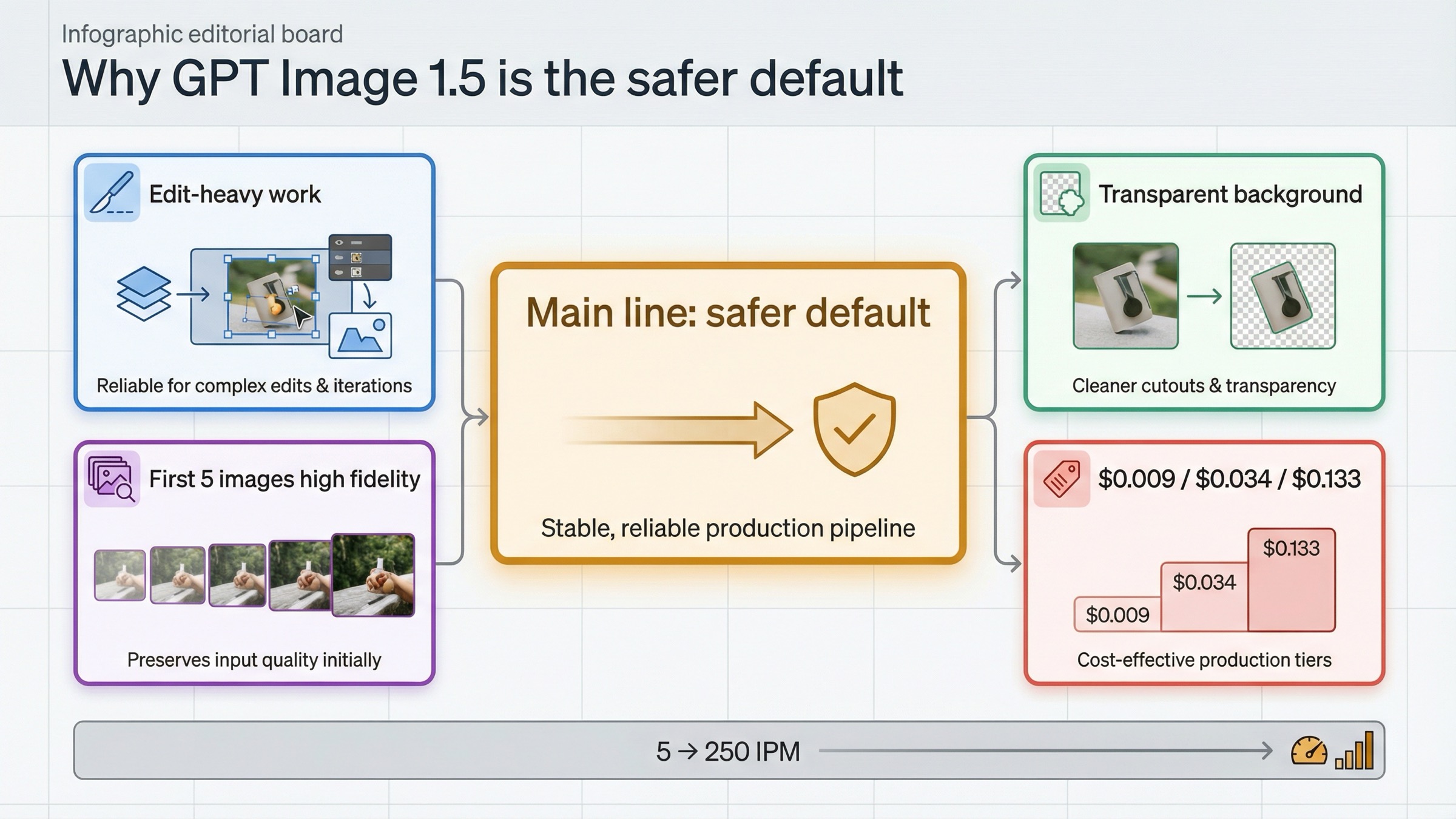
The strongest case for GPT Image 1.5 is not abstract image quality. It is workflow control.
OpenAI's current image-generation guide documents the exact things production teams keep caring about: transparent backgrounds, multi-turn editing in the Responses API, and high input fidelity for preserving source details. The same guide says GPT Image 1.5 can preserve the first 5 input images with higher fidelity when input_fidelity is set to high. That is a meaningful operational advantage when the job is not "make something nice" but "change this image without breaking the logo, label, face, or layout."
This is also where OpenAI's cleaner product story matters. GPT Image 1.5 is not hidden inside a larger naming maze. The model page lists the current snapshot, the image-generation prices, and the rate limits in one place. If you are a developer or product owner trying to standardize on one image lane quickly, that clarity has real value. It reduces the chance that you benchmark one surface, buy another, and discover later that the fine print lives elsewhere.
The cost story is another reason GPT Image 1.5 is the safer default. As rechecked on March 27, 2026, OpenAI's current square-output prices are $0.009 for low, $0.034 for medium, and $0.133 for high at 1024x1024. That matters because most real production work is still closer to 1K than to 4K. If your daily output is marketing tiles, product cutouts, UI visuals, packaging concepts, social creatives, or iterative design assets, cheaper official 1K pricing often matters more than having the option to go higher.
None of that means GPT Image 1.5 is perfect. OpenAI's own guide still warns that the model can struggle with precise text placement, consistency across repeated generations, and layout-sensitive compositions. The launch post also flags multilingual work as a remaining limitation. So the right way to read the OpenAI advantage is not "OpenAI always wins text." The better rule is: OpenAI wins when preserving and editing specific assets matters more than building a larger, more configurable generation system.
If your next question is not model choice but raw edit workflow, the natural companion read in this repo is OpenAI image editing API. That page goes deeper on preservation-heavy edits. This comparison stays focused on the routing decision.
Why Nano Banana Pro is stronger for 2K/4K, grounding, and reference-heavy generation
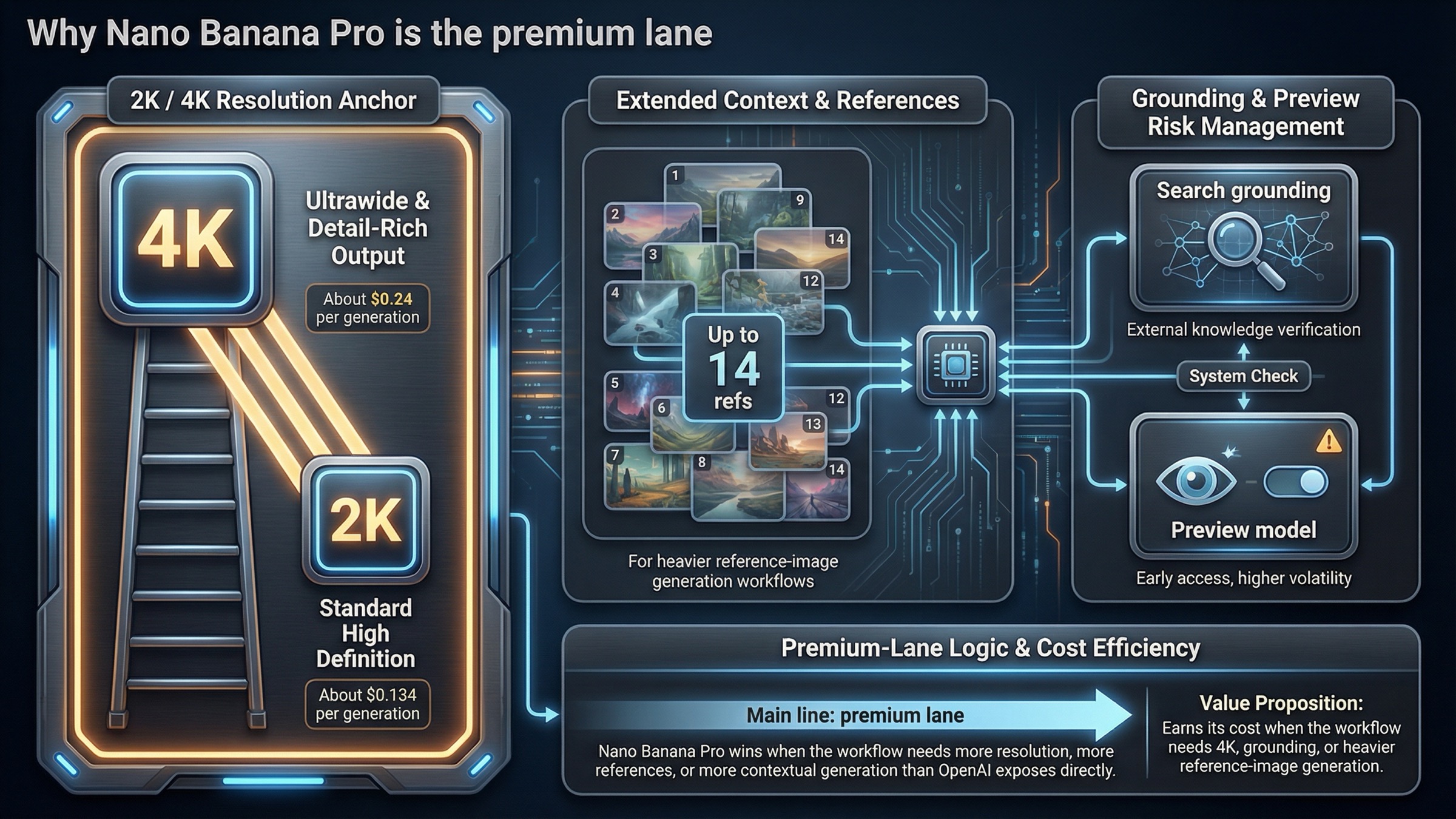
Nano Banana Pro earns its premium case by exposing a shape of workflow OpenAI does not mirror as directly right now.
Google's current Gemini image-generation guide explicitly positions Gemini 3 image models for 1K, 2K, and 4K output. That single difference reshapes the decision. If the job is not a standard 1024 draft but a larger-format ad, poster, explainer graphic, signage concept, or anything else where cropping room and output size are part of the deliverable, Nano Banana Pro stops looking like a luxury and starts looking like the right tool.
The second major advantage is reference-image scale. Google's guide says Gemini 3 image models support up to 14 reference images, with separate object and character-consistency limits. OpenAI's current guide does document multi-image, high-input-fidelity workflows, and GPT Image 1.5 can preserve the first 5 images with higher fidelity. That is strong. But it is still a different posture from Google's bigger reference budget. If the job looks like brand-guided scene composition, larger reference packs, or controlled concept generation from many inputs, Nano Banana Pro has the more generation-first toolset.
Then there is grounding. Google's guide says the model can use Google Search grounding for image workflows. Not every team needs that. But if your system generates information-rich visuals, grounded explainers, or search-informed assets where current facts matter, grounding is not just a bonus feature. It changes the workflow category.
Nano Banana Pro's official positioning reinforces this. Google's models page describes it as a professional design engine with a reasoning core for studio-quality 4K visuals, complex layouts, and precise text rendering. That language matters because it shows Google's premium case is not merely "better images." It is "harder image jobs."
The caveat is equally important. Nano Banana Pro is still preview. Google's public rate-limit page tells users to view active limits in AI Studio and warns that preview models may have more restrictive limits. That does not invalidate the model. But it does mean Nano Banana Pro is the stronger answer when the workflow truly needs its premium-generation features, not when a team just wants the simplest default.
If your next question is specifically about the Google side of the resolution ladder, the tighter follow-up in this repo is Gemini image generation 4K output. This page stays on the cross-vendor decision.
Pricing and throughput math that actually changes the decision
The biggest pricing mistake in this SERP is comparing one OpenAI row to one Google row as if they mean the same thing.
OpenAI's current image pricing is easy to reason about because it is published directly on the GPT Image 1.5 model page. Google's current pricing is harder because the relevant Gemini 3 Pro Image Preview block did not render cleanly in this environment, so the article has to treat the Google price as a fallback-verified fact rather than pretending it was directly opened line-by-line. The official public pricing surface still positions Nano Banana Pro at roughly $0.134 for 1K or 2K output and $0.24 for 4K output, with batch pricing lower than standard pricing as of March 27, 2026.
That means the correct cost comparison is not one number. It is this:
| Decision branch | GPT Image 1.5 | Nano Banana Pro | Better default |
|---|---|---|---|
| Cheapest official square output | $0.009 low or $0.034 medium at 1024x1024 | Premium lane, roughly $0.134 even before 4K matters | GPT Image 1.5 |
| Premium 1K-ish work where editing matters | $0.133 high at 1024x1024 | Roughly $0.134 for 1K or 2K output | Depends on workflow, not headline price |
| True 2K or 4K production | No current 2K/4K ladder on the GPT Image 1.5 page | Roughly $0.134 at 2K and $0.24 at 4K | Nano Banana Pro |
| Published rate-limit visibility | OpenAI publishes 5 IPM at Tier 1 up to 250 IPM at Tier 5 | Google pushes active limits into AI Studio and warns preview models can be more restrictive | GPT Image 1.5 |
That table is why a fake single winner does not work. If your output is mostly standard-resolution production art and you care about edits, OpenAI's official cost and operational story is cleaner. If your job definition changes to larger outputs or generation-first image systems, Google's price starts to look like the premium cost of a different class of tool rather than a bad deal.
This is also where many comparison pages quietly lose trust. They quote one number for Google, another for OpenAI, and never tell you whether those are official vendor prices, third-party relay prices, or app-subscription math. That is exactly the kind of shortcut a high-intent reader notices.
For deeper math on either side, the closest internal follow-ups are GPT Image 1.5 cost per image and Gemini image API vs OpenAI image API. Those pages go wider on cost context than this exact-model comparison should.
Preview risk, naming confusion, and workflow friction matter more than most comparison pages admit
This is the part most ranking pages treat as optional. It is not optional.
On the OpenAI side, the operational story is relatively clean. The model page shows the current snapshot, the prices, the rate limits, and the supported endpoints. That does not mean there are no gating issues. OpenAI still notes that organization verification may be required for GPT Image models in the image guide. But the public documentation is still clearer about what the current product is and how to budget for it.
On the Google side, Nano Banana Pro's capability story is exciting, but its operational story is less tidy. The model is still preview. Google's public rate-limit page says active limits live in AI Studio. And the production-friction layer is real enough that users have already reported issues like 2K output being ignored in some image-to-image workflows on the Google AI Developers Forum. That kind of friction does not mean the model is weak. It means the premium capability pitch needs to be read alongside preview-model reality.
The naming layer adds even more confusion. A buyer searching "Nano Banana Pro vs GPT Image 1.5" is often mixing at least three mental models:
- Google's official Gemini model IDs
- shorthand names like Nano Banana Pro
- third-party platform packaging or wrapper naming
That confusion is one of the best opportunities for this article. A page can be very competitive here simply by refusing to blur the names.
Which model I would choose for each real workflow
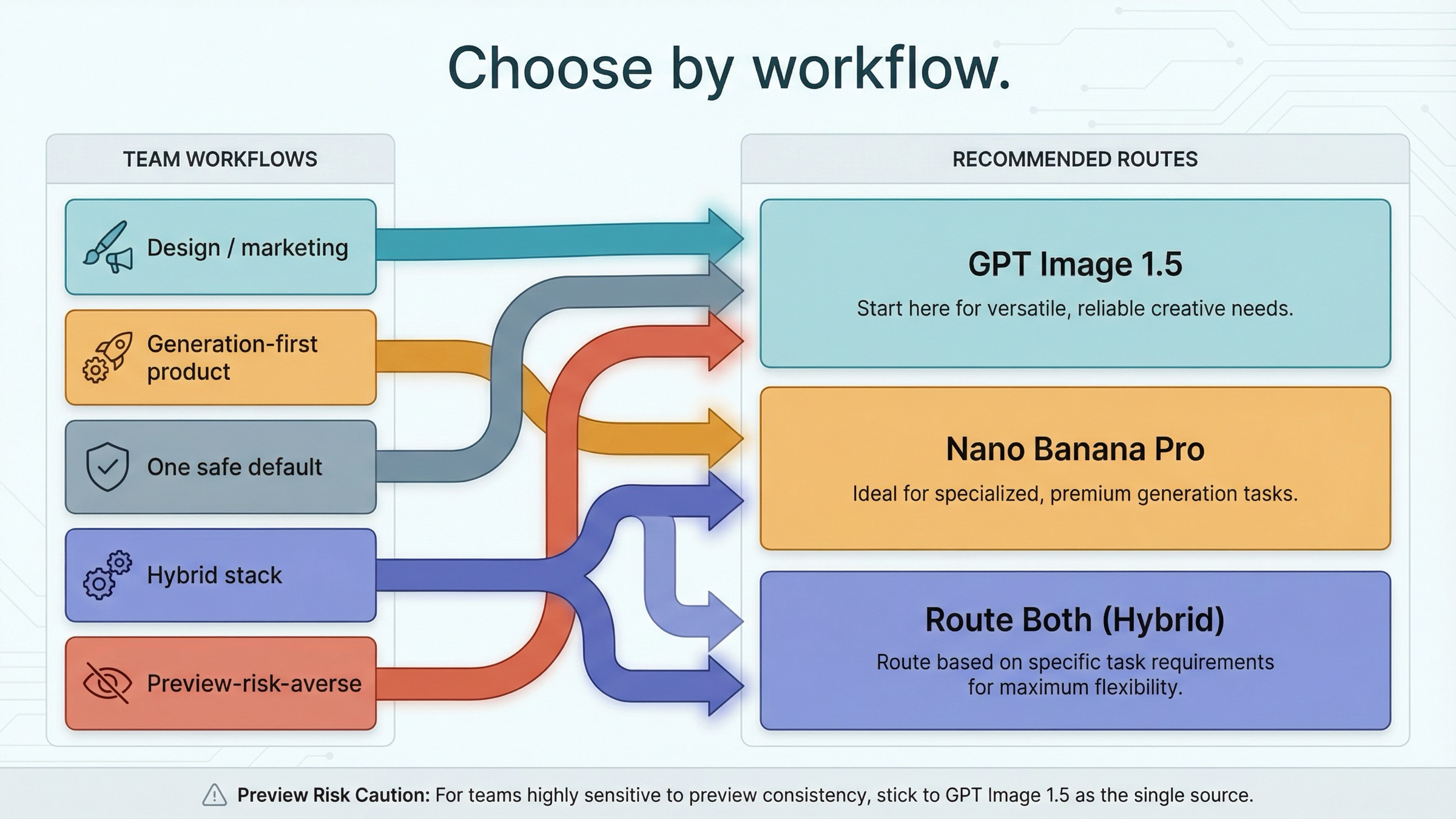
If I were choosing today, I would not standardize on one answer for every team.
For a design or marketing team making a lot of edited assets, I would start with GPT Image 1.5. Transparent backgrounds, high-input-fidelity edits, and clearer official price and rate-limit visibility matter more often than 4K.
For a product team building a generation-first visual system, I would test Nano Banana Pro first if 2K/4K output, grounding, or larger reference-image sets are central to the product. Those are not edge cases in that workflow. They are the point of the workflow.
For a small team that wants one safe default, I would still choose GPT Image 1.5 first. It is easier to reason about, easier to budget, and easier to explain internally.
For a hybrid stack, I would not force a single winner. I would route edit-heavy, asset-preservation-heavy, and transparent-background jobs to GPT Image 1.5, and route premium, larger-format, or heavily referenced generation jobs to Nano Banana Pro.
For a team allergic to preview risk, I would lean away from Nano Banana Pro unless the 2K/4K and grounding advantages are clearly worth the operational uncertainty.
That routing logic is stronger than a beauty-contest verdict because it survives contact with real production decisions.
FAQ
Is Nano Banana Pro an official Google model name or just a nickname?
Google's current docs map Nano Banana Pro to Gemini 3 Pro Image Preview. The nickname is common in search and community usage, but the official model ID and preview status still matter for implementation.
Does GPT Image 1.5 support real 4K output?
Not on the current public GPT Image 1.5 model page. OpenAI publishes a size ladder up to 1536x1024 or 1024x1536, while Google's current Gemini image guide explicitly describes 1K, 2K, and 4K options on the Gemini 3 image side.
Which one is better for text in images?
The safest answer is narrower than most comparison pages suggest. GPT Image 1.5 is the safer default when text is part of an edit-heavy or asset-preservation-heavy workflow. Nano Banana Pro still matters when the image also needs larger output sizes, more references, or Google's generation-first feature set.
Are Nano Banana Pro rate limits public in the same way OpenAI's are?
No. OpenAI publishes GPT Image 1.5 tiered image-per-minute limits directly on the model page. Google says active image limits should be checked in AI Studio and also notes that preview models can have more restrictive limits.
Bottom line
If you want the simplest recommendation, use GPT Image 1.5 as your default and add Nano Banana Pro only when the workflow truly needs higher-resolution generation, grounding, or bigger reference-image control.
If you want the strongest premium-generation lane and you are comfortable with preview-model caveats, choose Nano Banana Pro.
If you want the safer operational default for edits, transparent backgrounds, and cheaper standard-size outputs, choose GPT Image 1.5.
That is the real answer page one still keeps overcomplicating.


