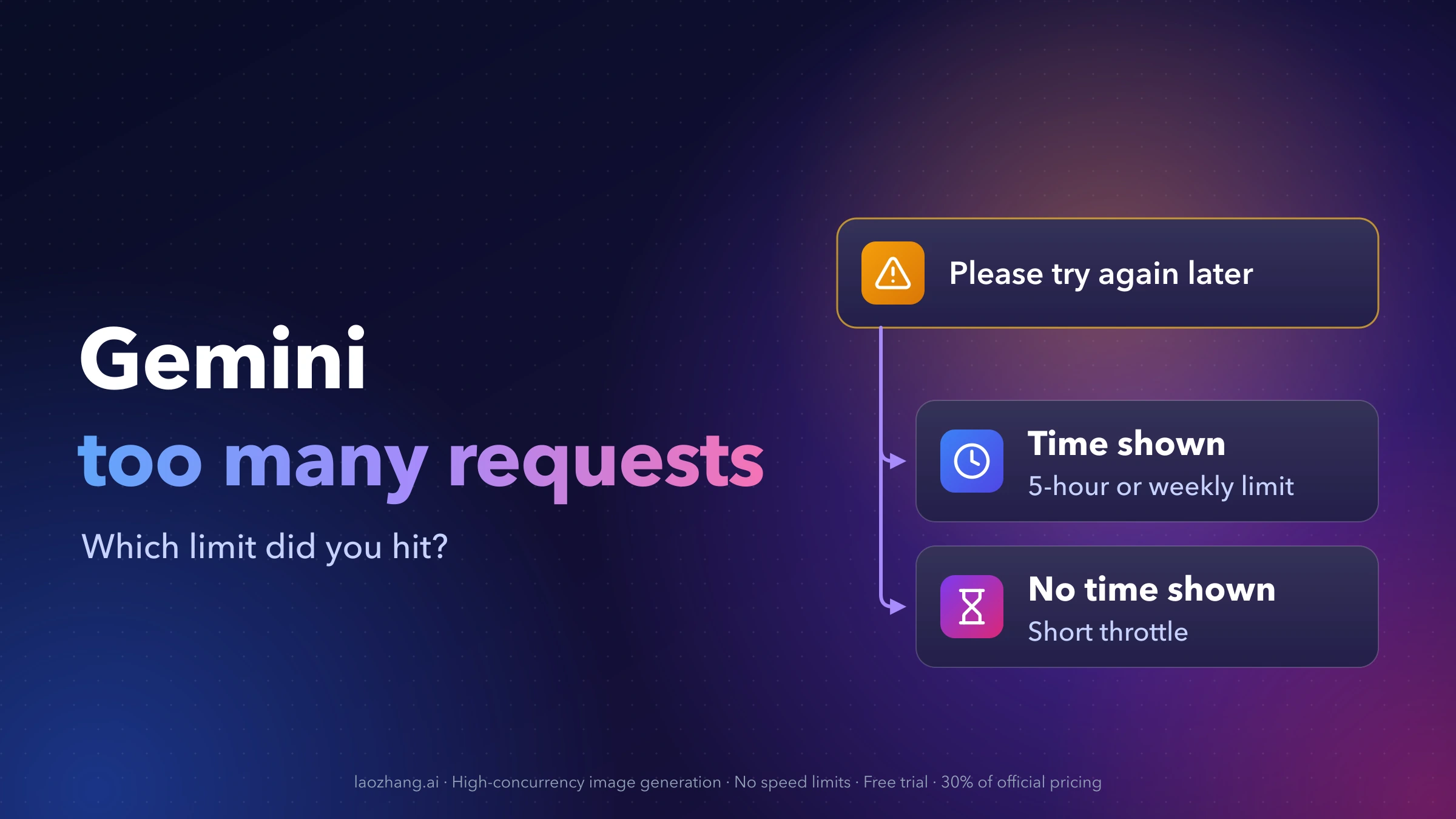
"Too many requests in a short time period. Please try again later" means Gemini refused your prompt for now. Google doesn't document this exact message or say how long it lasts, so the useful question is which limit you ran into. Two things tell you:
- Gemini shows a time when your limit refreshes, or Settings → Usage Limits shows your allowance used up. You've reached the compute-based usage limit for your plan. It refreshes every 5 hours until you reach your weekly limit. Wait until the time shown. If you subscribe, you can keep going with the lighter Flash-Lite model in the meantime.
- No refresh time appears, and you'd just sent, regenerated or switched models several times in a row. That behaves like a short-term throttle or a capacity problem on Google's side. Stop resending. Reported waits range from a few minutes to about an hour.
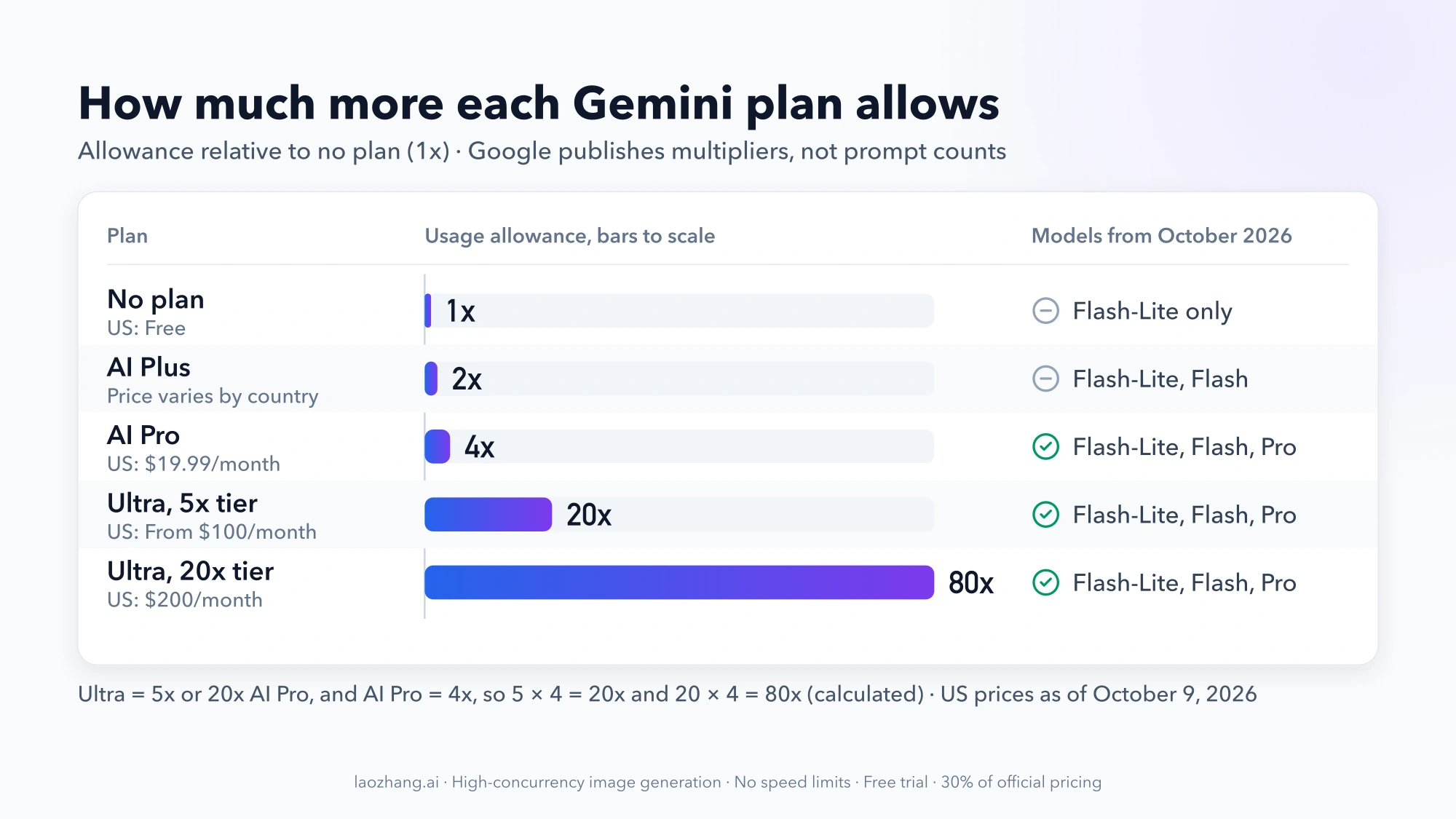
There's also no fixed "requests per day" number for any plan. Since May 2026, plans only multiply a standard allowance: AI Plus gets 2x, AI Pro 4x, and AI Ultra 5x or 20x the AI Pro level.
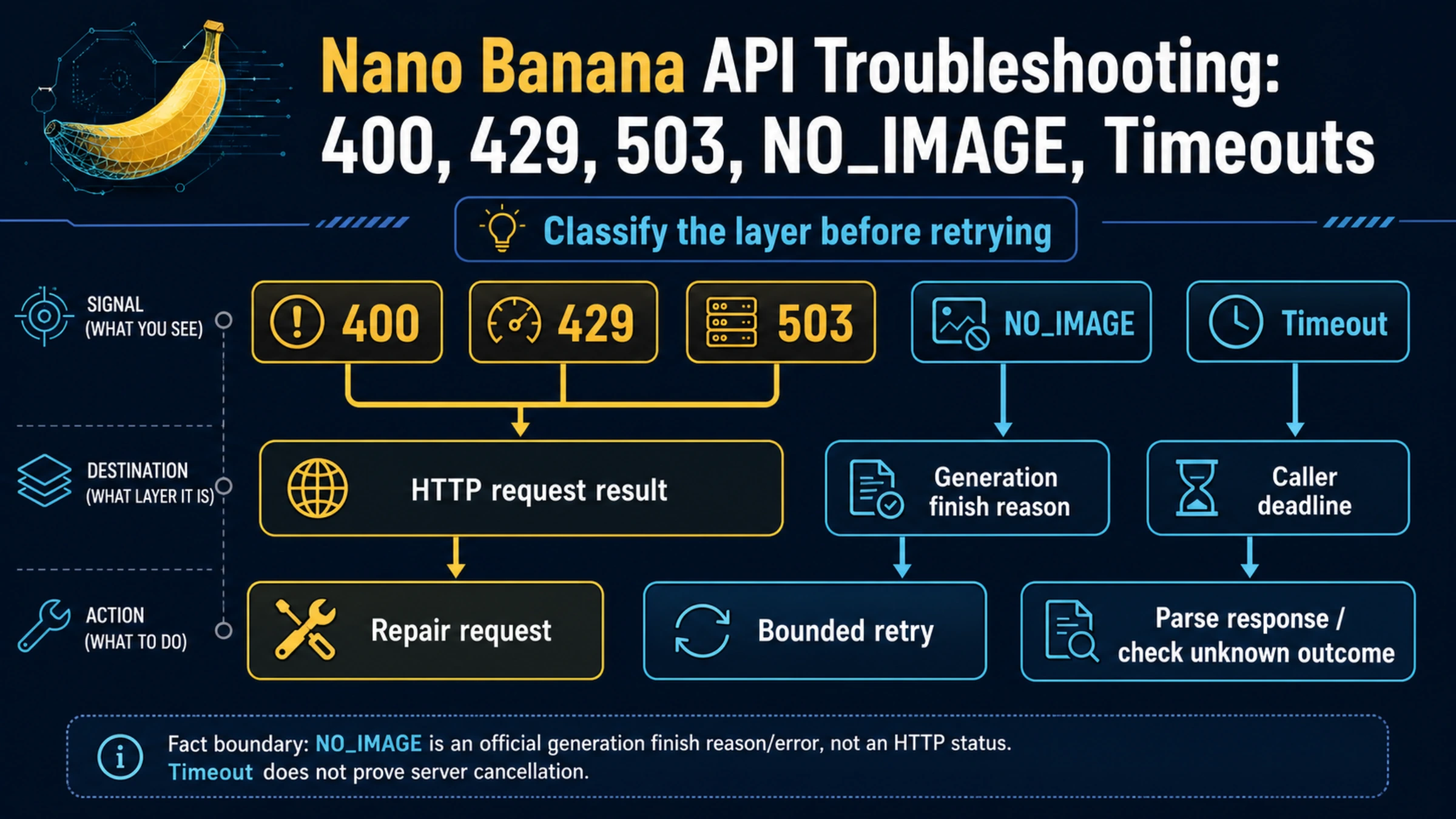
If you're calling Gemini from your own code and getting 429 RESOURCE_EXHAUSTED, that's the API's separate per-project rate limits. See Gemini API Rate Limits by Tier: RPM, RPD, Upgrades and 429 Fixes instead.
Why Gemini says "too many requests": match your symptom
This applies to the Gemini app and gemini.google.com on a personal Google Account. Work and school accounts follow a different help page. In the app, the message has also been reported as "Too many requests in a short time period. Try again later." with a Dismiss button, often after a reply has been "thinking" for a while.
| What you see | Most likely limit | What to do |
|---|---|---|
| The message plus a date or time when your limit refreshes | 5-hour or weekly usage limit (documented by Google) | Wait until that time, continue with Flash-Lite if you have a plan, or upgrade |
| Settings → Usage Limits shows your allowance used up | 5-hour or weekly usage limit | Same as above. A block that lasts a day or more is likely the weekly limit |
| No time shown, right after rapid resending, refreshing or model switching | Short-term throttle (not documented; inferred from user reports) | Stop sending, wait a few minutes, then send one prompt |
| No time shown, every prompt fails, and others report problems at the same time | Capacity limits or a service incident | Wait. Nothing on your account needs fixing |
| "I couldn't do that because I'm getting a lot of requests right now" | Capacity on Google's side | Wait and retry later |
| Blocked on every prompt for a day or more, with no time and normal usage numbers | Unclear | Check Usage Limits, then report the problem through Gemini's Help menu |
The first two rows are the only ones Google describes. Its help page says Gemini warns you when you're close to your limit and, when you reach it, "gives you another notification that tells you when your limit will refresh" (Gemini Apps limits & upgrades). If that refresh time is on your screen, you have your answer.
The other rows come from user reports in Google's Gemini community and third-party guides. They link the short-period message to sending the same prompt repeatedly, hitting regenerate or refresh in a loop, switching models quickly, and shared networks such as a corporate VPN, school network or public Wi-Fi. Treat them as patterns, not rules.
Capacity matters too. Google says limits "may change without notice, including due to capacity constraints," and that when demand spikes, "limits for users without a Google AI plan may be limited before users with a plan." So the message can appear even when you've barely used Gemini that day.
A problem on Google's side can trigger it too. On October 8, 2026, more than 4,000 people reported Gemini problems on Downdetector, Tom's Guide reported. Google never acknowledged the outage on its status page, and it resolved on its own after roughly an hour. Users reported getting this exact message during that window. If many people hit it at the same moment, waiting is the fix, not changing how you use Gemini.
How long to wait before Gemini works again
- A refresh time is shown: that time is the answer. The usage limit refreshes every 5 hours until you hit the weekly limit. Once the weekly limit is used up, the wait is longer, and Gemini shows when it ends.
- No time is shown: Google publishes no duration. Third-party guides and community posts report anything from a few minutes to about an hour. A few people reported being stuck for 24 hours to two days, which looks more like an exhausted weekly allowance or a bug than a short throttle.
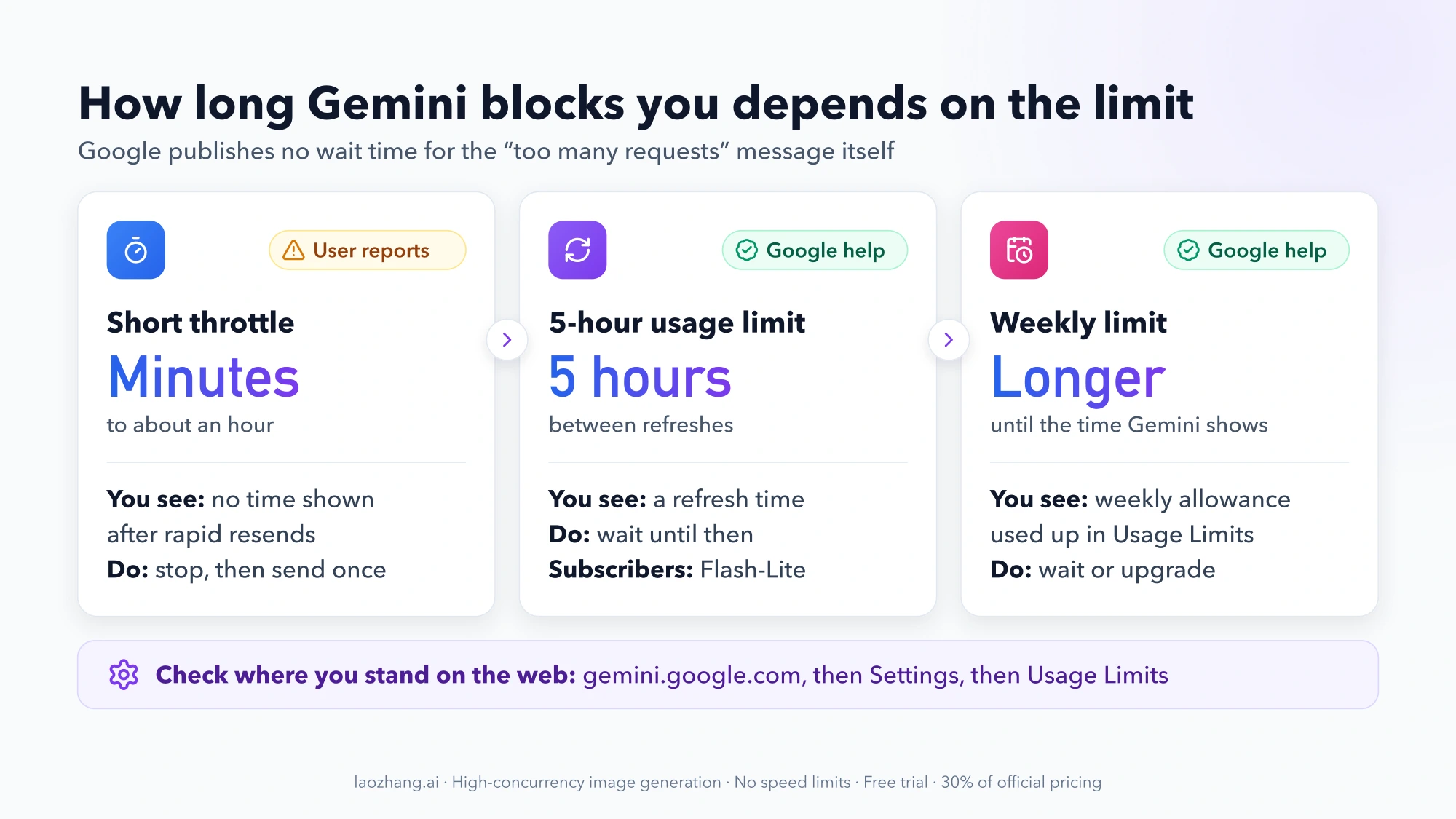
To see where you stand, open gemini.google.com, select Settings at the bottom left, then Usage Limits. Google documents this path for the web. It doesn't describe one for the iPhone or Android app, and menu labels can differ by language and app version, so the web is the reliable place to check.
While you wait, don't keep pressing send. Each attempt adds to the burst of requests that likely set off the message. Under the rules Google announced in May 2026, failed requests no longer count against your allowance (as reported by The Decoder), so retrying later costs you nothing.
How many requests does Gemini allow per day?
None of the plans has a fixed number. Since May 17, 2026 (July 24, 2026 for users under 18), the Gemini app uses compute-based limits instead of daily prompt counts (Changes to Gemini model access and limits). Each prompt draws a different amount depending on how complex it is, which model and features it uses, and how long the chat already is. Google publishes how plans compare, not how many prompts the standard allowance contains.
As of October 9, 2026:
| Plan | Allowance vs. no plan | Models after the October 2026 change | US price |
|---|---|---|---|
| No plan | Standard | Flash-Lite only (from October 9, 2026) | Free |
| Google AI Plus | 2x | Flash-Lite and Flash. Pro is removed on a date Google emails you | Varies by country |
| Google AI Pro | 4x | Flash-Lite, Flash and Pro | $19.99/month |
| Google AI Ultra, 5x tier | 5x AI Pro, about 20x standard | Flash-Lite, Flash and Pro | From $100/month |
| Google AI Ultra, 20x tier | 20x AI Pro, about 80x standard | Flash-Lite, Flash and Pro | $200/month |
Google states the multipliers on its help page and plans page. The "about 20x" and "about 80x standard" figures are simple arithmetic from them: AI Pro is 4x standard, so 5 × 4 = 20 and 20 × 4 = 80. They aren't Google's own numbers. Model access comes from Google's October 2026 change notice. Some older Google pages still list the previous model lineup. US prices are from 9to5Google's May 2026 and October 2026 reports. Prices differ by country, so check the plans page for yours.
"Gemini Advanced," the name in many older forum threads, is now Google AI Pro.
Why older answers quote daily numbers
Before May 2026, Google's help page listed daily caps. In September 2025, for example, it showed up to 5 Pro prompts per day without a plan, up to 100 on AI Pro and up to 500 on AI Ultra (summarized by GIGAZINE). Those numbers no longer apply. If an answer gives you a precise per-day count for Gemini today, it's describing the old system.
What uses up your Gemini allowance fastest
Google lists these as the heavy items (help page):
- Media generation: images, video and music
- Deep Research
- The Pro model
- Extended thinking and Deep Think
- Higher effort levels. Each model now offers low, medium and high effort, and higher effort "will also use more of your limit"
Chat length counts as well. A long conversation makes every new prompt in it more expensive, because the limit factors in "the length of your chat."
In May 2026, Google VP Josh Woodward announced several fixes, as reported by The Decoder. Consumption per prompt is now capped, failed requests aren't charged, Flash-Lite requests don't count against the quota, and a bug that let one or two Omni videos use up a whole allowance was fixed. The help pages don't repeat the Flash-Lite point, so treat it as Google's announcement, not a documented rule.
How to avoid "too many requests" in Gemini
- Send once and wait for the reply. Users link the short-period message to repeated send, regenerate and refresh clicks.
- Don't flip between models mid-task. Pick the model before you start a run of prompts.
- Start a new chat when the topic changes. It keeps each prompt cheaper than continuing a very long thread.
- Match model and effort to the job. Use Flash or Flash-Lite at low or medium effort for routine questions, rewrites and summaries. Save Pro, Extended thinking, Deep Think and Deep Research for work that needs them.
- Plan media sessions. Before a batch of images or a video, check Settings → Usage Limits so you don't run out halfway through.
- Act on the "close to your limit" notice. Switch to a lighter model then, not after you're blocked.
Can you bypass the Gemini time limit?
Not in the sense of resetting it early. The limit belongs to your account and plan, and there's no supported way to clear it before the refresh time. These are the legitimate ways to keep working:
- Wait for the refresh. Check Settings → Usage Limits for the time.
- Continue with Flash-Lite. Subscribers who reach their limit can keep the conversation going with Flash-Lite, according to Google's help page.
- Lower the cost of what you send. Use a lighter model, a lower effort level, or a fresh chat.
- Upgrade your plan. Each step up raises the allowance by the multipliers above.
- Buy AI credits, if your country offers them. Google's plans page says "you can extend your limits by purchasing AI credits." It doesn't say where they're sold, so check your account.
- Use the Gemini API for programmatic volume. It's billed and limited separately. See Gemini API Rate Limits by Tier: Read Active Limits and Diagnose 429s.
Clearing your cache, signing out, switching VPN servers or opening extra Google accounts aren't on that list. Nothing from Google suggests they reset a usage limit, and using extra accounts or rotating IP addresses to get around limits can breach Google's terms.
Will AI Plus, AI Pro or Ultra stop the "too many requests" message?
A plan helps if you keep hitting the 5-hour or weekly limit, meaning you see a refresh time. It does little for a short-term throttle caused by rapid resending, or for an outage. Paid users get some protection during busy periods, though, because Google says users without a plan may be limited first when capacity is tight.
- No plan: fine for occasional questions. From October 9, 2026 you get Flash-Lite only, so the Pro model isn't available at any usage level.
- AI Plus: double the standard allowance, but no Pro model once the October change reaches your account. Choose it for more Flash use, not for Pro.
- AI Pro: the first plan that keeps the Pro model, with 4x the standard allowance. It's the step to consider if you hit limits during normal work and need Pro.
- AI Ultra: for daily heavy use of video, Deep Research or Deep Think. The 5x tier gives five times the AI Pro allowance, and the 20x tier is for people who'd exhaust even that.
Before upgrading, check Usage Limits for a week. If you only hit the limit during media-heavy sessions, changing how you use those features may be enough.
Gemini "too many requests" FAQ
Is the Gemini "too many requests" message the same as a 429 error?
Not in the app. A 429 Too Many Requests or RESOURCE_EXHAUSTED error comes from the Gemini API, Gemini CLI or Google Cloud. Those use per-project limits such as requests per minute and requests per day. If you see a rate-limit message in Google AI Studio, “You've Reached Your Rate Limit” in AI Studio: What Fixes It covers that case.
Why does it happen on my iPhone or Android but not on the computer?
Limits are tied to your Google Account, not the device, so the app and the website share one allowance. The wording can differ, though. One AI Pro user in 2025 saw "Too many requests in a short time period" on Android while the desktop showed only "an error occurred." Check Usage Limits on gemini.google.com to see the actual state.
I pay for Google AI Pro. Why am I limited after a few prompts?
Media generation, Deep Research, the Pro model and high effort levels use far more of the allowance than ordinary chat, and long chats raise the cost of each prompt. If no refresh time is shown, the cause is more likely a short throttle or a busy period than your plan's allowance.
Is the Gemini limit daily, weekly or monthly?
Neither daily nor monthly. The allowance refreshes every 5 hours until you reach the weekly limit. Once the weekly limit is used up, you wait for the refresh time Gemini shows you.