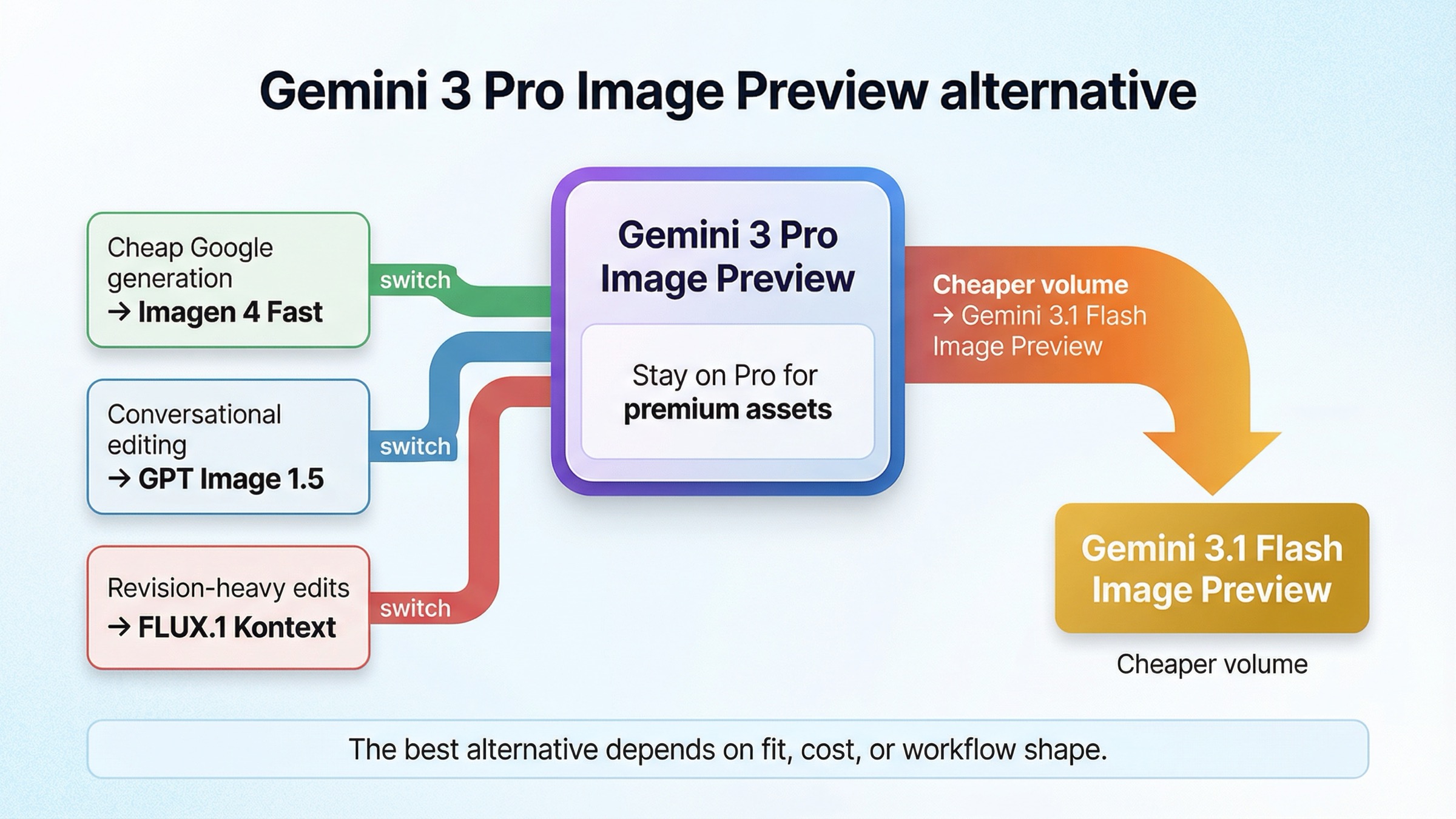
As checked on March 27, 2026, the best Gemini 3 Pro Image Preview alternative depends on why you want to leave. If the model is only too expensive or too slow for the workload, do not abandon Google's image stack yet: gemini-3.1-flash-image-preview is the first alternative to test. Stay on gemini-3-pro-image-preview for premium text-heavy or complex-instruction asset work. Switch out only when the job itself changes shape: use Imagen 4 Fast for cheap Google-hosted generation, GPT Image 1.5 when you want OpenAI's conversational editable-image workflow, and FLUX.1 Kontext when the real pain is revision-heavy editing and consistency.
That short answer matters because the current exact-query market still solves the wrong problem. The results are full of directories, broad alternatives pages, and narrow troubleshooting posts. They name tools, but they rarely tell you whether you should actually keep Gemini Pro Image, downgrade inside Google's own image family, or switch to a model built for a different workflow.
There is also one caveat worth stating early. Not every Gemini 3 Pro Image Preview alternative search is a pure model-quality problem. Google's current pricing language still warns that preview models can have more restrictive rate limits before they become stable. Some teams are reacting to cost, throughput, or preview-model roughness rather than to an actual failure of the image quality itself. If that is your situation, a same-family downgrade is usually smarter than a broad vendor jump.
TL;DR
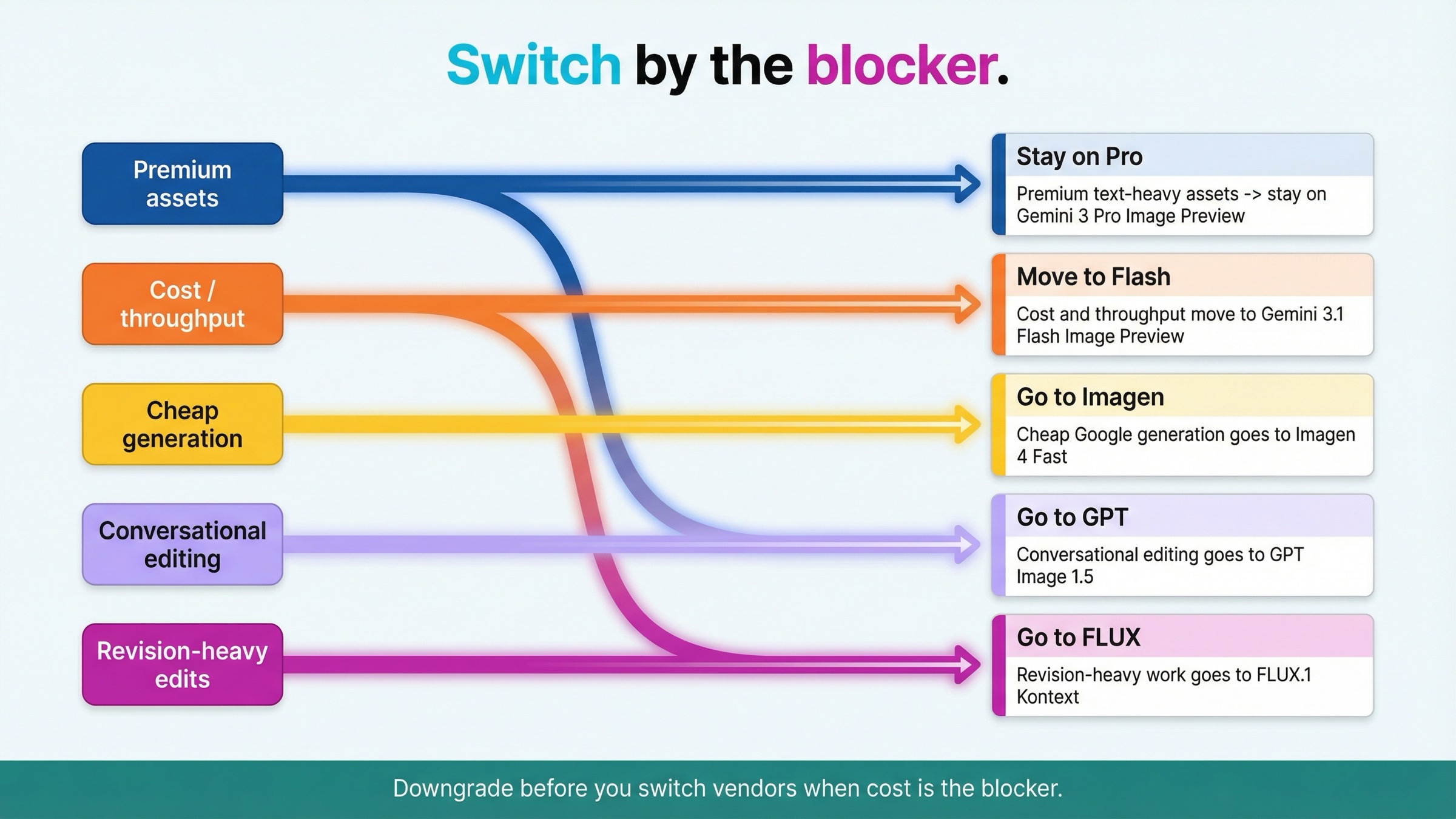
If you only need the routing answer, start here.
| If Gemini 3 Pro Image Preview is failing because... | Use this instead | Why it is better for that job | Main tradeoff |
|---|---|---|---|
| you still need premium text-heavy or complex-instruction asset work | Stay on gemini-3-pro-image-preview | Google still positions Pro for professional asset production with advanced reasoning and high-fidelity text | You keep premium preview-model pricing |
| you need lower cost or higher throughput inside the same family | gemini-3.1-flash-image-preview | Google frames Flash Image Preview as the high-efficiency counterpart to Pro, and the current price surface is much lower | You are trading away the premium lane, not getting a free upgrade |
| you only want cheap Google-hosted text-to-image generation | Imagen 4 Fast | Vertex AI lists it at $0.02 per image, far below Gemini Pro Image standard output pricing | This is a narrower generation lane, not the full Gemini image workflow |
| you want OpenAI's conversational editable-image route | GPT Image 1.5 | OpenAI says the Responses API is the better choice for conversational editable image experiences and recommends GPT Image 1.5 for the best experience | It is a cross-stack switch, not a cheaper Gemini replacement by default |
| your real pain is repeated edits, text replacement, or consistency across revisions | FLUX.1 Kontext | Black Forest Labs explicitly positions Kontext around image editing, character consistency, text editing, and style transformation | It is not the cheapest pure first-pass generation route |
The important thing about that table is not the tool count. It is the switch logic. The best alternative depends on whether your blocker is premium fit, cost, cheap hosted generation, interaction model, or revision fidelity. That is exactly the decision current ranking pages keep flattening.
The price comparisons above are current official output-image price surfaces or flat per-image price cards. Total request cost can still rise with input tokens or extra workflow steps, especially on Gemini and OpenAI.
When Gemini 3 Pro Image Preview should still stay the default
An alternatives page that never tells the reader to stay put is usually not trustworthy enough to help them.
Google's current image-generation guide still gives Gemini 3 Pro Image Preview the most premium description in this family. It says Pro is designed for professional asset production, uses advanced reasoning, and is meant to follow more complex instructions while rendering high-fidelity text. That is not the language of a model you leave casually just because the output bill feels heavier than expected.
So when should you keep Pro?
Keep it when the image itself is expensive to get wrong. That includes branded visuals with visible text, comparison graphics, structured diagrams, premium marketing assets, or any prompt where the instruction set is dense enough that you are paying for better reasoning, not just more pixels. In those cases, the real cost is not the API invoice. The real cost is rework after a weaker model misses the brief.
This is also where generic alternatives pages lose the plot. They assume every switch query is a market survey. Most are not. Many are actually asking: Do I still need the premium lane, or did I just put the wrong workload on it? If the workload is still premium, the answer may be to keep Pro and optimize around it rather than replace it.
If you are still unsure whether the premium pricing is justified, the best next read is Gemini 3 Pro Image Preview pricing. That page goes deeper on the cost surface. This article is narrower. It is about what to use instead when Pro stops being the right default.
Gemini 3.1 Flash Image Preview is the best same-vendor alternative for cost and throughput
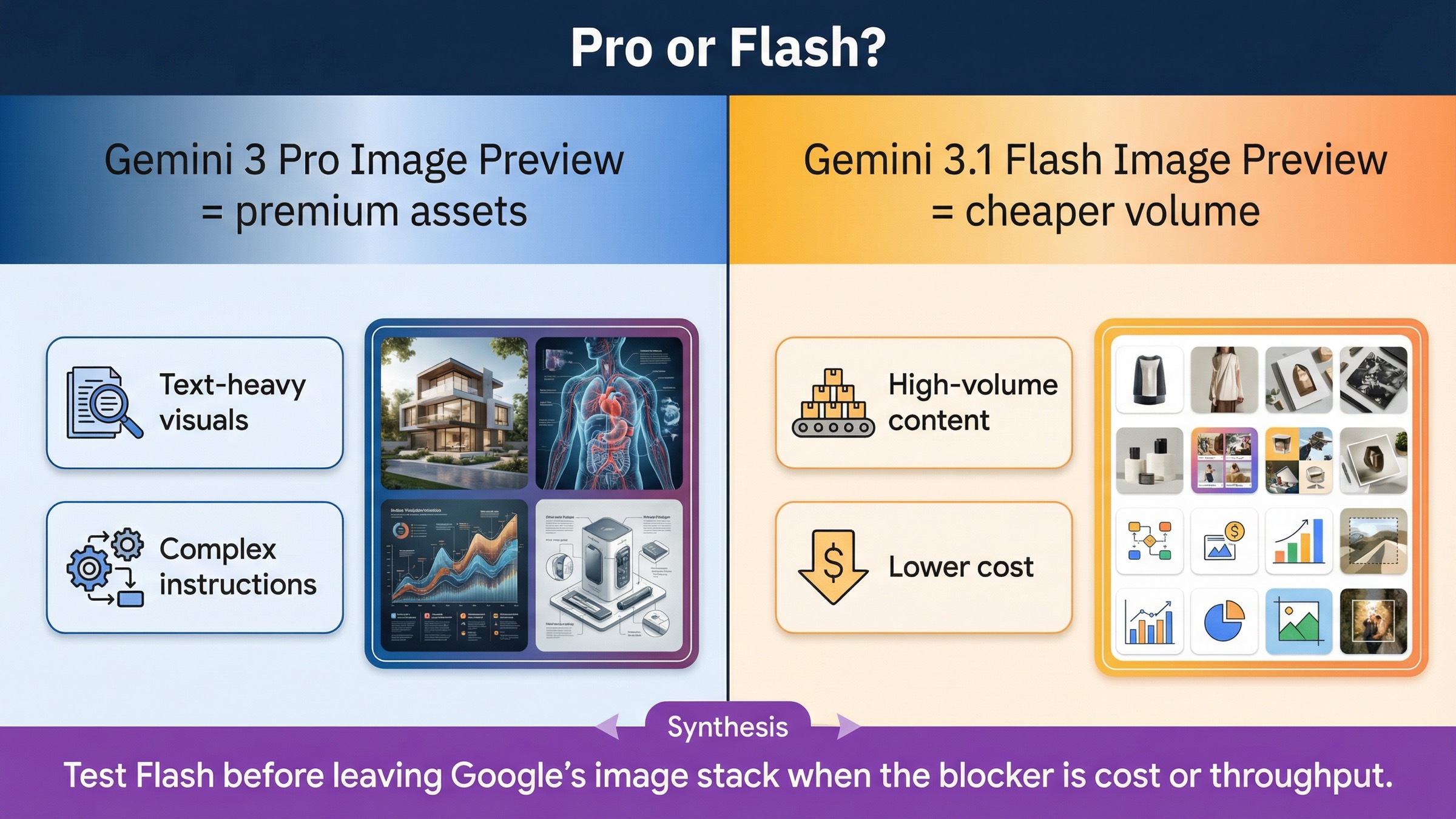
If your complaint is mostly cost, speed, or generation volume, Flash is the first thing to test before you leave Google's image stack.
That is not an editorial invention. Google's current image-generation guide maps Nano Banana 2 to gemini-3.1-flash-image-preview and explicitly calls it the high-efficiency counterpart to Gemini 3 Pro Image. The current pricing page makes the difference even clearer. Standard output pricing is $0.067 per 1K image for Flash versus $0.134 per 1K or 2K image for Pro. Batch pricing keeps the same pattern. In practice, that means Flash is the obvious downgrade path when the core problem is that Pro feels too expensive for high-volume work.
This is the section current alternatives results should have, but usually do not. A large share of alternative demand is not really cross-vendor demand. It is downgrade demand. The team wants to keep the same API family, avoid a bigger migration, and stop paying premium-model rates for work that does not need premium-model behavior.
That is exactly where Flash fits:
- high-volume social or content pipelines
- internal concept work
- routine product or marketing variants
- jobs where latency and retry cost matter more than the last layer of premium instruction following
There is another operational benefit too. Moving from Pro to Flash keeps the naming, provider, and general integration surface much closer than a full vendor switch. That reduces the migration tax. If Flash is already good enough, you save money without reopening authentication, provider abstraction, or cross-stack moderation behavior.
This is why the article's first rule is intentionally conservative. Do not switch vendors for price or throughput until you compare against Flash. If Flash fails the workload, then you have a stronger reason to leave the family.
If you want the longer same-family breakdown after making that choice, read Gemini 3 Flash Image vs Gemini 3 Pro Image. That page goes deeper on the exact Google-side split.
Imagen 4 Fast is the best cheap Google-hosted generation alternative
If you already know that you do not need the full Gemini Pro Image route and you mainly want the cheapest mainstream Google-hosted generation lane, then Imagen 4 Fast is the cleanest alternative.
The current Vertex AI pricing page lists Imagen 4 Fast at $0.02 per image. That is dramatically below Gemini 3 Pro Image Preview standard output pricing. So if your question is basically how do I stay on Google infrastructure but pay much less for prompt-to-image generation?, Imagen 4 Fast is the first route to test.
The key phrase there is prompt-to-image generation.
This is where many alternatives pages get sloppy. They compare Gemini Pro Image and Imagen as if they are just two prices for the same product. That is not the useful way to think about it. Gemini 3 Pro Image Preview is part of Google's broader Gemini image-generation-and-editing route. Imagen 4 Fast is the cheaper, narrower generation lane. If you only need a clean send prompt, get image workflow, that is fine. If you expect the richer Gemini-style image workflow to carry over, it is the wrong mental model.
So Imagen 4 Fast is the better answer when:
- you want to stay inside Google-hosted infrastructure
- you care more about cheap text-to-image generation than about the richer Gemini image workflow
- you do not need the article's premium text-heavy Pro behavior
- you do not need to justify Pro pricing for the job
It is not the best answer when the issue is premium text handling, complex instructions, or the broader Gemini interaction model. That is why this article keeps Imagen narrow. It is the cheap Google-hosted alternative, not the universal Gemini replacement.
If your question is mostly about the Google-internal route choice, Gemini 3 Pro Image Preview vs Imagen 4 covers that split in more detail.
GPT Image 1.5 is the better alternative when you want OpenAI's conversational editing workflow
Some Gemini Pro Image users are not really shopping for a cheaper pure generator. They are shopping for a different interaction model.
That is the strongest case for GPT Image 1.5.
OpenAI's current image-generation guide makes a distinction Google-centered alternatives lists almost never explain cleanly. OpenAI says that if you only need to generate or edit a single image from one prompt, the Image API is the best choice. But if you want conversational, editable image experiences, the Responses API is the better route. That matters because some teams do not want a different price row. They want a different product shape: multi-turn refinement, image generation inside a broader conversation, and a cleaner editable workflow inside OpenAI's own stack.
This is also why GPT Image 1.5 belongs in the article even though the keyword starts on Google's side. OpenAI explicitly recommends GPT Image 1.5 for the best experience, and its current pricing tables are still relevant enough to compare: $0.009 low, $0.034 medium, and $0.133 high at 1024x1024 output generation, before you add input-token costs. That does not automatically make it the cheapest alternative. It does make it a credible cross-stack option when the thing you want is OpenAI's image workflow, not Google's.
I would move to GPT Image 1.5 when:
- your product already lives inside the OpenAI stack
- you want multi-turn conversational image editing more than a cheaper Google generation lane
- you are deliberately choosing the OpenAI Responses route, not just chasing a different logo
I would not move there when the whole problem is simply that Gemini Pro Image is too expensive for high-volume work. In that case, Flash or Imagen is the more direct answer.
If your follow-up question becomes pure OpenAI cost math after that switch decision, GPT Image 1.5 pricing API is the better next read.
FLUX.1 Kontext is the better alternative for revision-heavy editing and consistency
Many teams are not frustrated with Gemini Pro Image because the first generation is bad. They are frustrated because the second, third, and fourth changes become inefficient.
That is the clearest case for FLUX.1 Kontext.
Black Forest Labs does not position Kontext as a generic image model with a few editing extras. The official Kontext overview says it combines text-to-image generation with advanced image editing and explicitly calls out character consistency, text editing, and style transformation. That is a different promise from a broad best image model page. It is a promise about revision control.
This matters in real workflows:
- keep the composition, change the text
- keep the character, change the background
- keep the product, update the style
- keep the visual language, revise the asset three times
If that sounds like your production life, the cheapest model per first image is not automatically the cheapest model per usable final asset. A model that preserves what already works can be cheaper in practice than a model that keeps forcing restart-style generation.
BFL's current pricing page makes Kontext easy to reason about too. FLUX.1 Kontext [pro] is listed at $0.04 per image. That is not the lowest headline number in this article. It is still a strong alternative because the workflow itself is different. You switch to Kontext when your cost center is editing friction, not when your cost center is only first-pass generation.
This is one more way the current SERP still underserves the reader. Generic alternatives lists merge cheap generation and revision-heavy editing into the same pile. They are not the same job. Kontext only belongs in the recommendation set because it solves one very specific failure mode well.
If your next question after that is implementation detail, FLUX image-to-image is the best local follow-up.
How I would benchmark the replacement in one afternoon
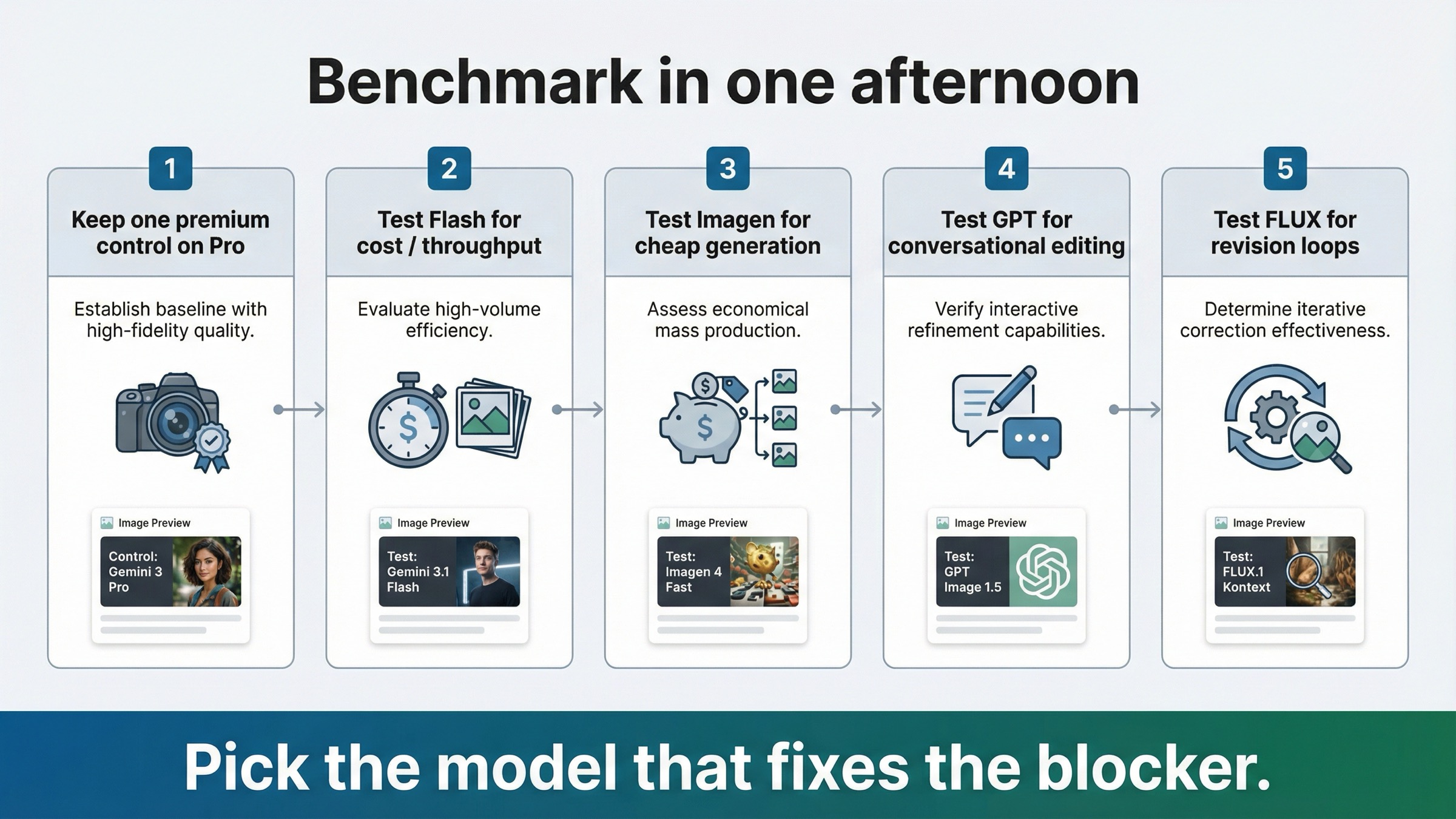
Do not turn this into a broad beauty contest. Run one short benchmark that mirrors the real blocker.
- Keep one premium text-heavy prompt on Gemini 3 Pro Image Preview. This is the control. If Pro still wins cleanly on the asset that matters most, you may not need an alternative at all.
- Run the same general-purpose prompt on Gemini 3.1 Flash Image Preview. If Flash is already good enough, stop there and save the migration effort.
- Run one cheap-generation prompt on Imagen 4 Fast. Use this only to test the narrow text-to-image lane, not to judge the whole Gemini workflow.
- Run one multi-turn edit through GPT Image 1.5 using the workflow you actually want. If the value comes from conversational refinement, compare the workflow, not just one image.
- Run one three-step revision loop through FLUX.1 Kontext. Judge how well it preserves what already works while changing only what you ask for.
That sequence matters because it exposes the real decision fast:
- stay on Pro
- downgrade to Flash
- move to Imagen for cheap generation
- move to GPT for OpenAI conversational editing
- move to Kontext for revision-heavy work
The biggest mistake is comparing all of these on one vague prompt and then calling the prettiest output the winner. That is how teams end up migrating for the wrong reason.
Bottom line
The best Gemini 3 Pro Image Preview alternative is not one model. It is the model shape that fixes the exact reason Pro stopped being the right default.
If the problem is cost or throughput, move first to Gemini 3.1 Flash Image Preview. If the problem is cheap Google-hosted generation, use Imagen 4 Fast. If the problem is OpenAI-style conversational editable image workflows, use GPT Image 1.5. If the problem is revision-heavy editing and consistency, use FLUX.1 Kontext. And if the job is still premium text-heavy or complex-instruction asset production, stay on Gemini 3 Pro Image Preview and stop shopping for an alternative you do not actually need.


