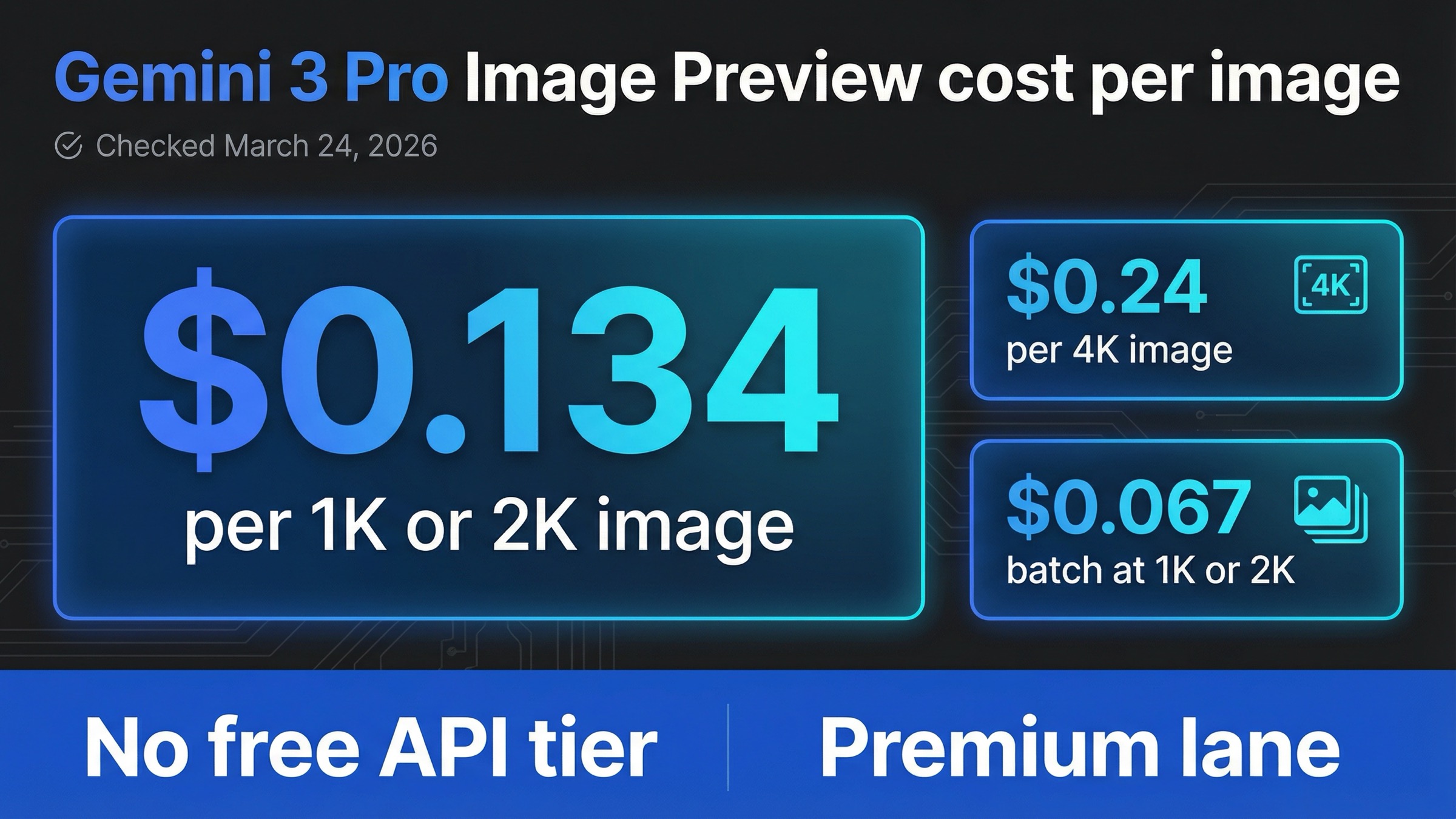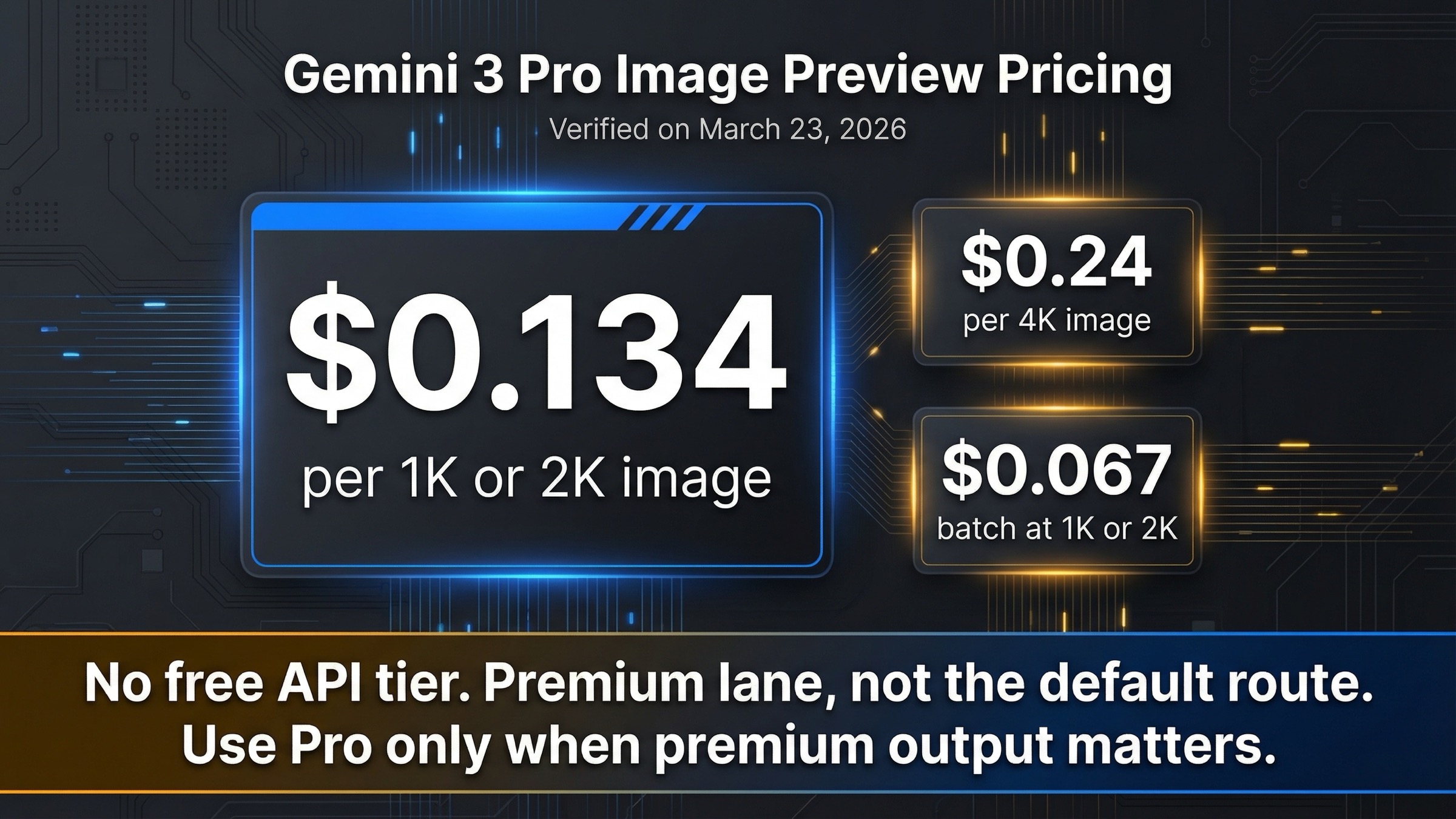
As checked on March 24, 2026, Google's official Gemini Developer API pricing page lists gemini-3-pro-image-preview at $0.134 per 1K or 2K output image and $0.24 at 4K. Batch output cuts that to $0.067 per 1K or 2K image and $0.12 at 4K. The other important part of the answer is just as simple: there is no Free Tier for this model on the official API pricing page.
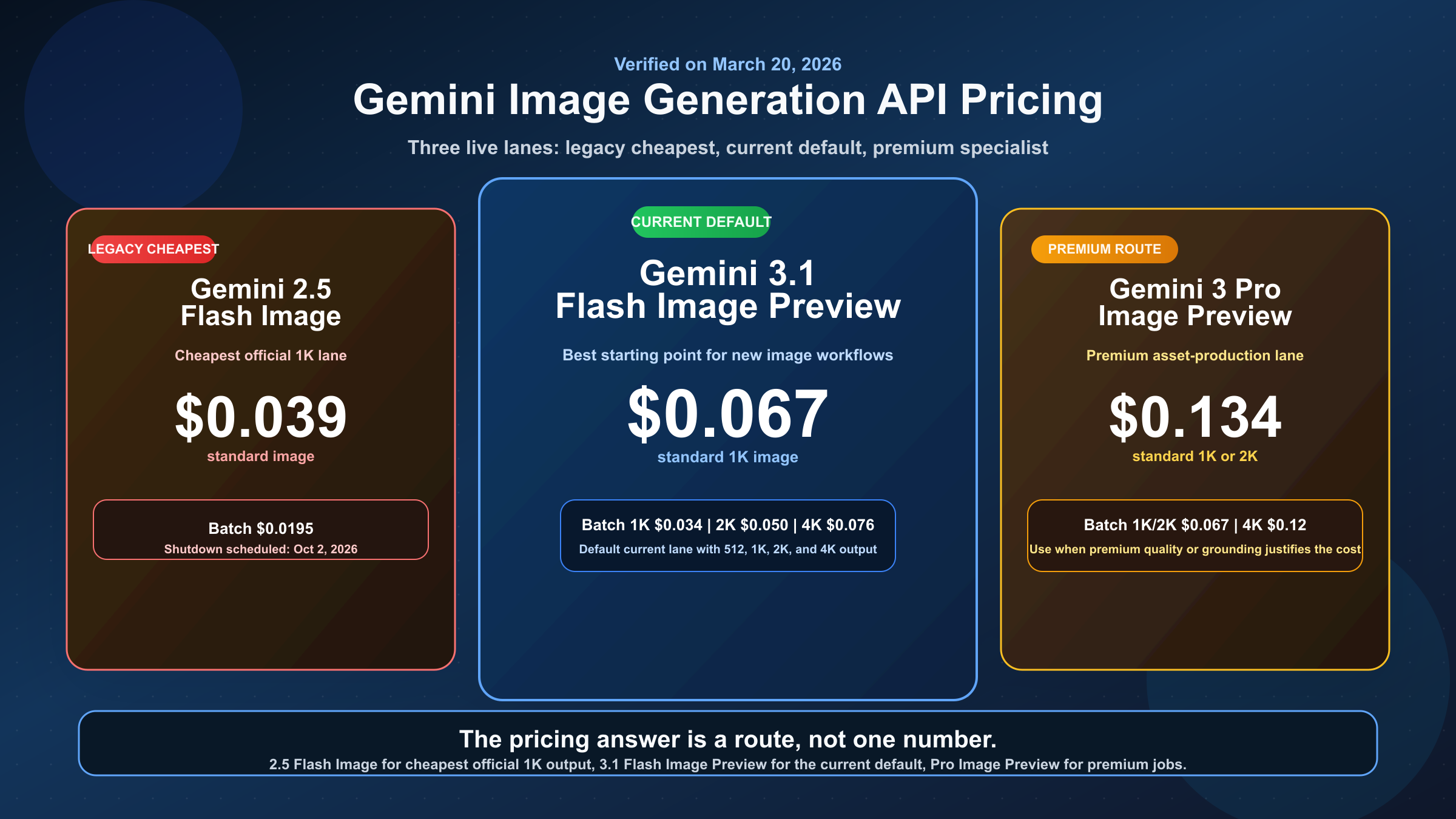
That is the right answer for the API, but it is not the whole search-intent problem. Many readers arriving on this keyword are mixing together three different surfaces: Gemini Developer API pricing, Vertex AI pricing, and Gemini app quotas around Nano Banana or Nano Banana Pro. If you are actually deciding what to build on, the default move is usually to start with gemini-3.1-flash-image-preview and move up to Pro only when the image job is expensive enough that the premium lane justifies the extra cost.
TL;DR
If you only need the shortest useful answer, use this table first.
| Cost line | Standard | Batch | What it means |
|---|---|---|---|
| 1K or 2K output image | $0.134 | $0.067 | Pro charges the same output rate at 1K and 2K |
| 4K output image | $0.24 | $0.12 | The real price jump happens at 4K |
| Image input | About $0.0011 per image input | Billed separately in batch too | Relevant for editing and reference-heavy workflows |
| Grounding with Google Web and Image Search | 5,000 prompts per month free, then $14 per 1,000 search queries | Same pricing logic | Only matters if you turn grounding on |
| Free Tier | Not available | Not available | This is a paid API lane |
The clean budget rule is this: treat Gemini 3 Pro Image Preview as a premium paid route, not as your automatic default. Use it when better asset quality, stronger instruction handling, grounded generation, or more complex reference workflows are worth paying for. If you just need the current official Gemini image default, read our broader Gemini image generation cost guide or the direct Flash vs Pro comparison.
Current Gemini 3 Pro Image Preview Pricing on the Official API Pages
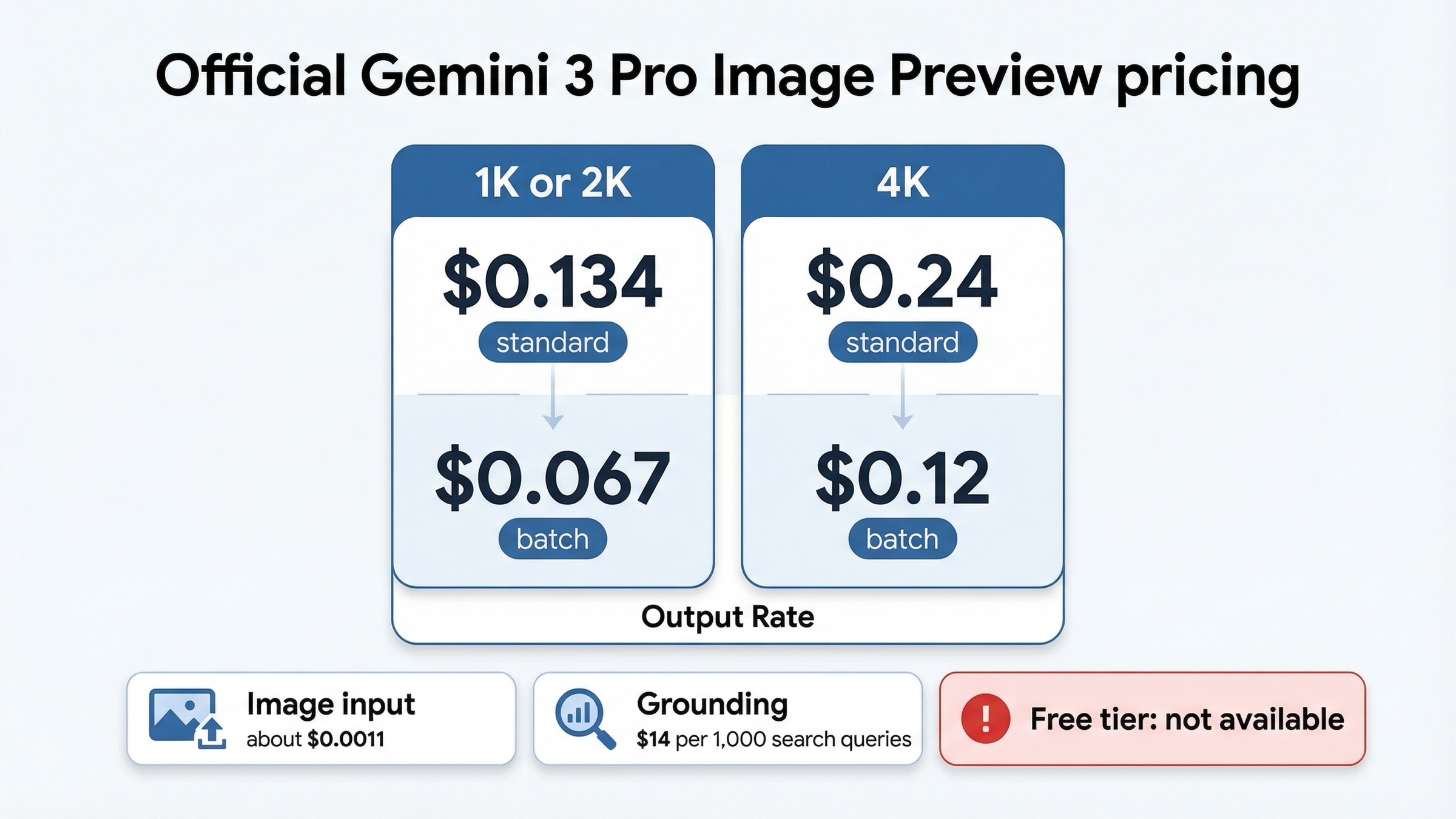
Google's official Gemini Developer API pricing page is the source of record here, and it already answers two of the biggest keyword mistakes. The first is that Pro Image Preview is not free on the API side. The second is that the model does not have a different output price at 1K and 2K. Both sizes are billed at the same $0.134 standard output rate, while 4K is where the premium jump lands.
That matters because the broader Gemini image family does not follow one universal rule. On gemini-3.1-flash-image-preview, output pricing scales across more size steps. On Pro, Google has simplified the output ladder into "1K or 2K" and "4K." If you are comparing screenshots or recycled third-party pricing cards, this is one of the first places where stale or rounded summaries go wrong.
| Official Gemini 3 Pro Image Preview pricing | Standard | Batch | Why it matters |
|---|---|---|---|
| Output image up to 1K or 2K | $0.134 per image | $0.067 per image | The main headline cost for most Pro workflows |
| Output image up to 4K | $0.24 per image | $0.12 per image | The premium high-resolution lane |
| Image input | $2 per 1M input tokens, about $0.0011 per image input | Separate batch input billing applies | Relevant for editing, references, and multi-image composition |
| Grounding with Google Web and Image Search | 5,000 prompts per month free, then $14 per 1,000 search queries | Same search-query pricing model | Matters only when grounding is enabled |
| Free Tier | Not available | Not available | The API route is paid-only |
Google's official image-generation guide also explains what you are paying for. Google positions gemini-3-pro-image-preview for professional asset production, supports 1K, 2K, and 4K output, supports 10 aspect ratios, and allows up to 14 reference images. That is why this price should not be read as "just another Gemini image row." It is Google's premium current image lane, which is exactly why the rate is materially higher than Flash Image Preview.
There is one more caveat worth stating early: the pricing page explicitly says preview models may change before becoming stable and may have more restrictive rate limits. So while the published per-image price is clear, the operational experience still deserves more caution than a stable long-lived SKU would.
What That Price Means in Real Budgeting
The easiest way to budget Pro is not to think in tokens first. Think in images first, then add the workflow extras only when they actually apply. For prompt-only generation, output image price dominates the bill. Image-input charges and grounding charges matter, but they are secondary unless your workflow leans heavily on editing, references, or search-grounded requests.
The top-line calculator is simple:
project cost = image count × output rate
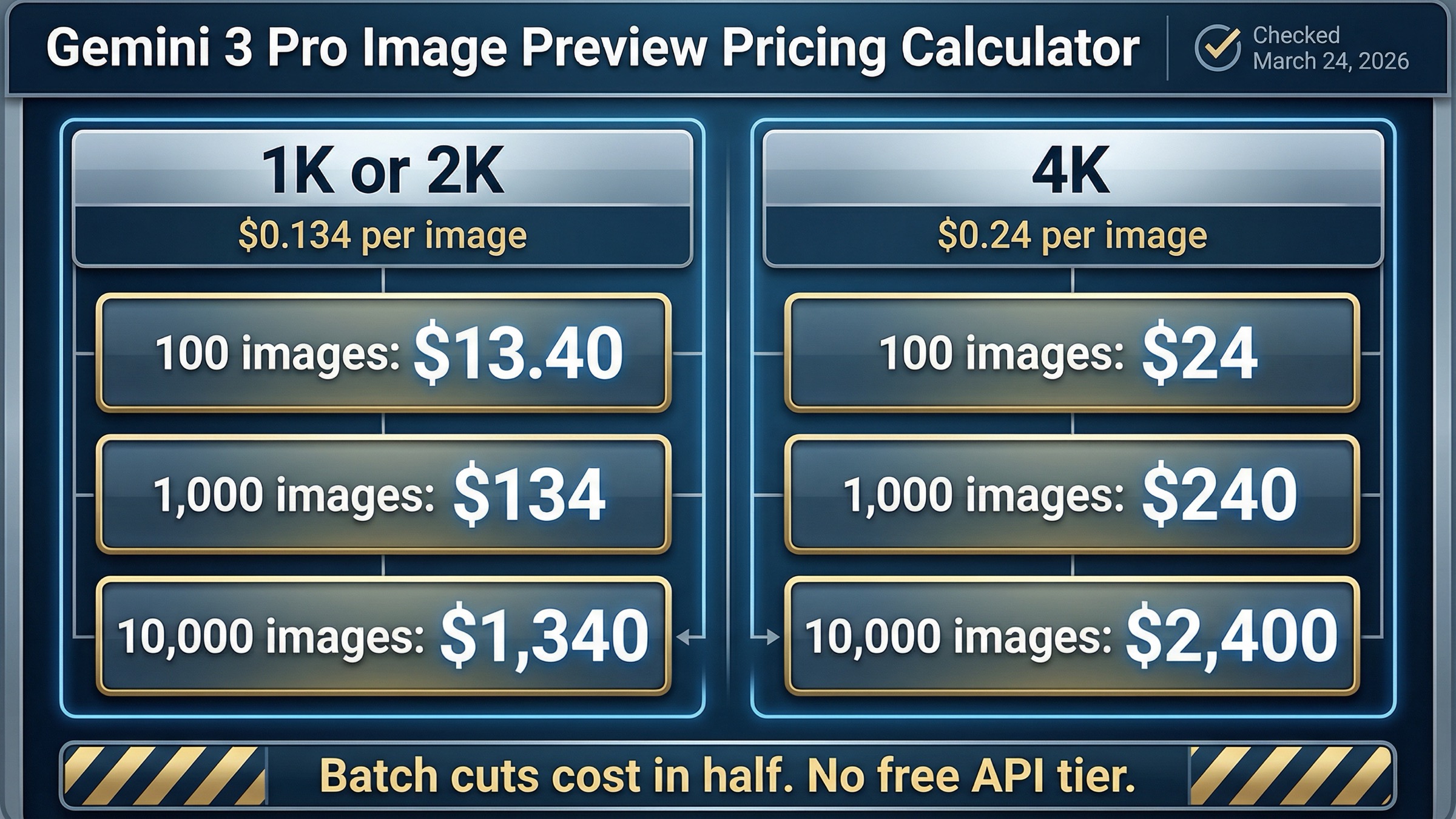
That produces the following shortcuts for common volumes:
| Route | 100 images | 1,000 images | 10,000 images | Best use |
|---|---|---|---|---|
| Pro 1K or 2K standard | $13.40 | $134 | $1,340 | Premium output with interactive latency |
| Pro 1K or 2K batch | $6.70 | $67 | $670 | Same quality lane when the workload can wait |
| Pro 4K standard | $24 | $240 | $2,400 | High-resolution premium assets |
| Pro 4K batch | $12 | $120 | $1,200 | Non-urgent 4K generation |
That table is the fastest way to stop overthinking the keyword. A team that needs 1,000 premium 1K or 2K outputs is budgeting roughly $134 on the standard route before extras. If the same team can tolerate asynchronous processing, that drops to about $67 in batch. For 4K work, the jump is more noticeable: $240 for 1,000 standard outputs or $120 in batch.
The secondary charges are still worth understanding because they explain why the real bill can drift above the headline number:
- If you send one image as an input reference, Google's current pricing math puts that at roughly $0.0011 per image input.
- If you use grounding with Google Web and Image Search and move beyond the free allowance, the published price is $14 per 1,000 search queries.
- If one request results in multiple search queries, you are billed for those individual queries, not just for the original prompt.
Those surcharges are real, but they are not usually the main reason Pro feels expensive. The main reason is still the output rate itself. So the right budgeting order is:
- decide whether the job really needs Pro
- choose 1K or 2K versus 4K deliberately
- use batch whenever the workflow is not latency-sensitive
- add image-input or grounding costs only for the workflows that truly use them
That last point matters because some pages in this keyword family accidentally make Pro sound more financially mysterious than it is. It is not mysterious. It is just premium-priced, and the premium only makes sense when the output is valuable enough to justify it.
API Pricing vs Gemini App Quotas
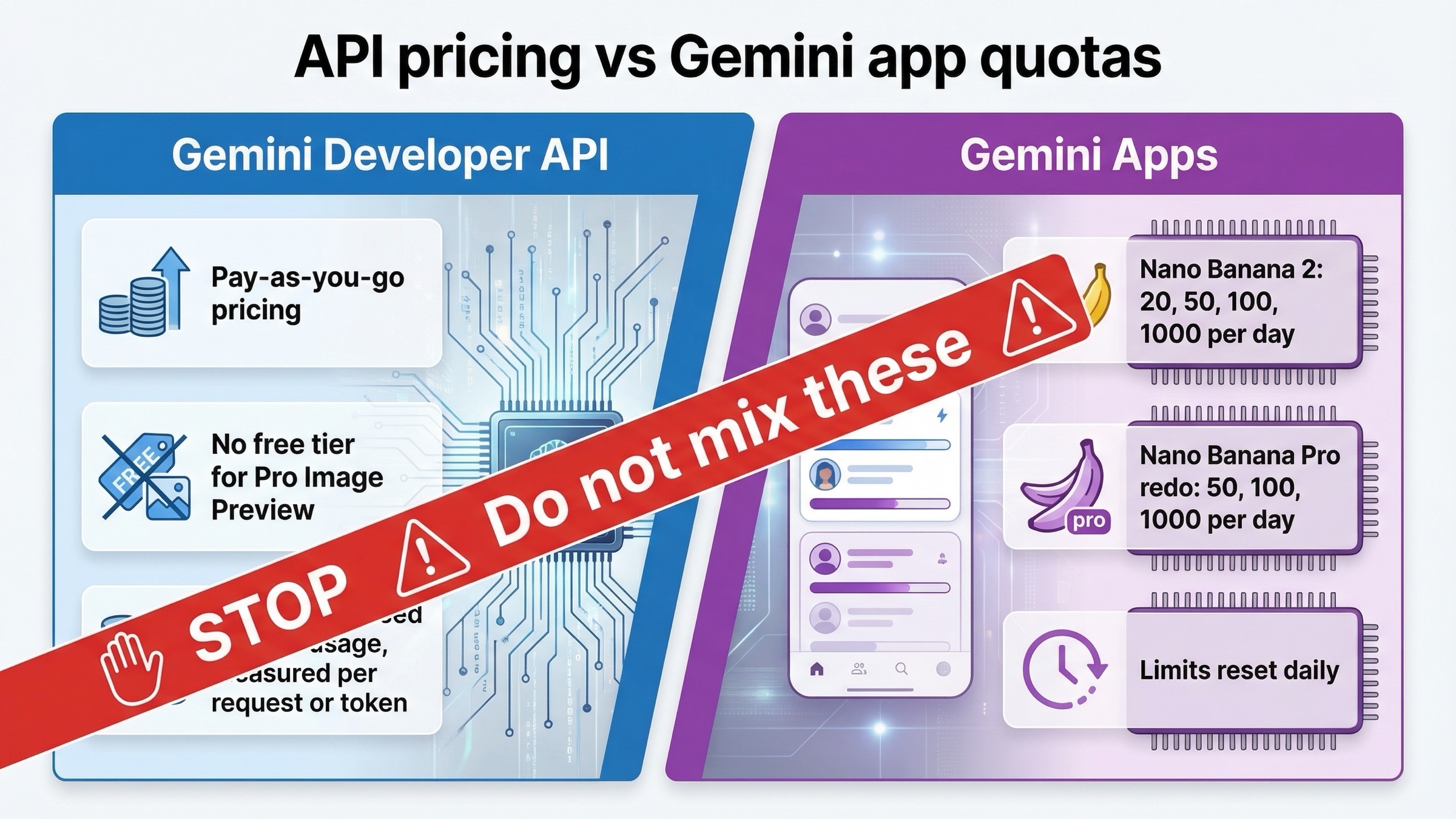
This is where a lot of searchers get trapped. The Gemini Developer API pricing page and the Gemini app help pages are not talking about the same product surface, even when both mention Nano Banana branding.
On the API side, the answer is pay-as-you-go pricing for gemini-3-pro-image-preview, and the official pricing page says there is no Free Tier for the model.
On the Gemini app side, Google publishes usage limits for subscribers under its Gemini Apps limits and upgrades help page. As checked on March 24, 2026, that page says:
- image generation and editing with Nano Banana 2 is capped at up to 20 / 50 / 100 / 1000 images per day depending on plan
- redo images with Nano Banana Pro is capped at up to 50 / 100 / 1000 images per day on paid plans
- those limits may change frequently and reset daily
That is useful information if your real question is "what do I get inside the Gemini app subscription?" It is not the same thing as Gemini Developer API pricing, and it should not be used to estimate production API costs.
This is also why brand-name-only pages are so often confusing. When a page says "Nano Banana Pro pricing" without telling you whether it means app usage, API usage, or a third-party provider route, the reader has to guess which billing model is even being discussed. That is avoidable. A strong page should name the surface first:
- Gemini app quotas
- Gemini Developer API pricing
- Vertex AI pricing
- third-party marketplace pricing
Once you do that, the keyword becomes much easier to navigate. If your use case is app access, use the help page. If your use case is product or workflow budgeting, use the API pricing page. If your use case is partner marketplaces, treat those as reseller or platform prices, not as Google's own source of record.
When Pro Is Worth It and When Flash Image Preview Is the Better Route
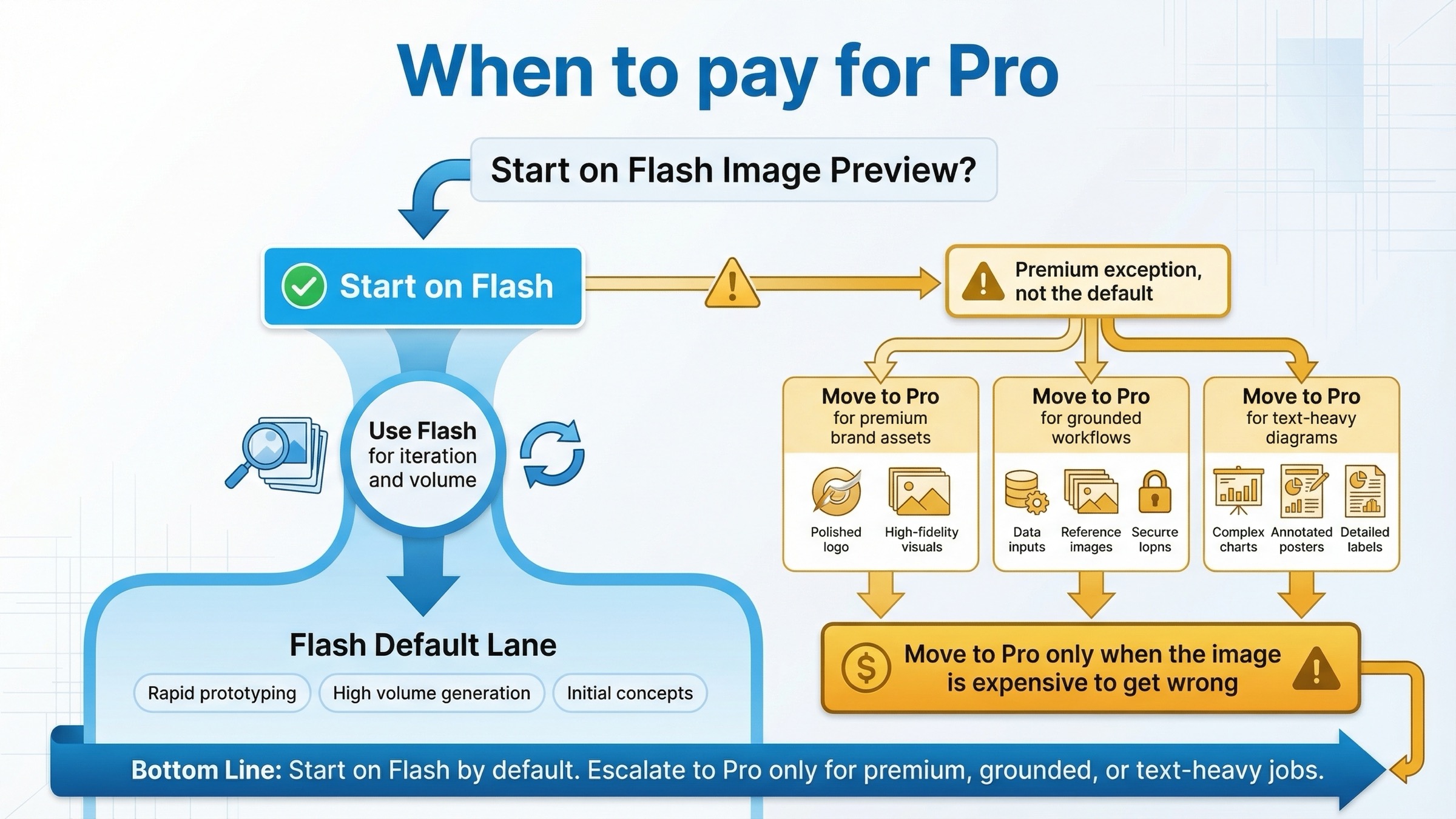
The cleanest operational rule is not "Pro is best." It is "Pro is worth it when the image is expensive to get wrong."
That includes cases like:
- text-heavy posters, diagrams, and editorial assets
- premium brand creative where cleanup time is already expensive
- grounded image workflows where search context matters
- multi-reference compositions where stronger contextual handling is part of the value
- client-facing or production-grade assets where retry cost is more painful than model cost
If that is not your situation, you should usually start with gemini-3.1-flash-image-preview. Google's own image-generation guide positions Flash Image Preview as the go-to image generation model, which is a stronger routing signal than most third-party pages acknowledge. Flash is the better default for iterative work, high-volume generation, and teams that care more about cost and workflow speed than the last layer of premium quality.
That is why this keyword should not end in a lazy "it depends." It does depend, but the default is still clear:
- start on Flash Image Preview for most new builds
- move to Pro when the premium workflow solves a problem that is already costing you time, quality, or retries
If you need the deeper model-choice breakdown, the best next step is our focused Gemini 3.1 Flash Image Preview vs Gemini 3 Pro Image Preview comparison. If you are already committed to Pro and want a workflow walkthrough instead of a pricing page, use the companion Gemini 3 Pro Image Preview tutorial for Vertex AI Studio and Google AI Studio.
Preview-Status Caveats, Vertex AI Parity, and Stale-Page Traps
One reason this keyword stays messy is that "Gemini 3 Pro" is not precise enough. Google's release notes still reference gemini-3-pro-image-preview as a currently supported image model, while separately noting that gemini-3-pro-preview shut down on March 9, 2026. That retired SKU was a different text model. If a page or spreadsheet drops the -image- part, it becomes much easier to publish the wrong status, the wrong price, or the wrong migration advice.
The launch-date context matters too. Google's release notes show gemini-3-pro-image-preview launching on November 20, 2025, which helps explain why older Gemini image pages still feel out of sync. Some are built around older preview names, some are built around the broader Nano Banana brand, and some are built around the newer Gemini 3.1 Flash Image default. If a page does not tell you when it checked the price, it is not finished.
There is also a useful current correction around Vertex AI. As checked on March 24, 2026, the current Vertex AI pricing page publishes the same headline Gemini 3 Pro Image Preview rates as the Gemini Developer API pricing page. That does not mean the operational experience is identical everywhere, but it does mean you should not assume Vertex is publishing a different public per-image sticker price for this model.
Rate-limit posture is where you need more caution. Google's rate-limits page says requests per day reset at midnight Pacific time and makes clear that active limits are surfaced in AI Studio. The pricing page also warns that preview models may have more restrictive limits. So if you need a precise current capacity number for your own account, do not cargo-cult one from an old blog screenshot. Check AI Studio directly.
Billing setup deserves one more current note. Google's Gemini API billing guide says Prepay and Postpay billing plans started taking effect on March 23, 2026. New paid-tier setups usually require at least $10 in prepaid credits, and if a Prepay billing account hits $0, all API keys attached to projects on that billing account stop working until credits are restored. That does not change the per-image price, but it does change how teams should think about activation and service continuity.
Community reports are also worth keeping in view, but only in the right role. For example, the Google AI Developers Forum has current threads about gemini-3-pro-image-preview behavior around requested 2K image size in SDK workflows. That does not override the official docs, but it does tell you something practical: preview-model capability claims can be directionally true while still being rough around the edges in real integrations.
If you need the throughput side of the story, the best companion piece is our Gemini API rate limit explainer. This page should stay focused on what Pro costs and when the premium lane is rational.
FAQ
Does Gemini 3 Pro Image Preview have a free API tier?
No. As checked on March 24, 2026, Google's official Gemini Developer API pricing page lists Free Tier as not available for gemini-3-pro-image-preview.
How much does 1,000 Gemini 3 Pro Image Preview images cost?
At the current official output rates, 1,000 Pro images cost about $134 at 1K or 2K on the standard route, $67 at 1K or 2K in batch, $240 at 4K standard, and $120 at 4K batch. Those numbers cover output cost only.
Is Vertex AI cheaper than the Gemini Developer API for Pro Image Preview?
Not on the current public pricing pages checked for this article. Vertex AI and the Gemini Developer API currently publish the same headline rates for this model.
Do Gemini app limits count as Gemini API pricing?
No. Gemini Apps subscriber limits are a separate consumer product surface. They are useful if you are using the Gemini app, but they are not the same thing as pay-as-you-go API billing.
When should I actually pay for Pro instead of Flash Image Preview?
Pay for Pro when the image itself is expensive to get wrong: premium brand creative, text-heavy diagrams or posters, grounded image workflows, or more complex reference-heavy jobs. Start with Flash for most cost-sensitive or high-volume work.
Bottom Line
The clean answer is not one number. It is one price plus one routing rule.
As checked on March 24, 2026, the official Gemini Developer API price for gemini-3-pro-image-preview is $0.134 per 1K or 2K output image and $0.24 at 4K, with batch pricing cutting those rates in half. There is no Free Tier for the model on the API pricing page. The March 23 billing-plan rollout changes how paid access is activated, but it does not change the published per-image rate. If that premium lane genuinely solves a higher-stakes asset problem, the price is straightforward to budget. If you are just looking for the default current Gemini image route, start with Flash Image Preview and escalate only when Pro's premium workflow is worth paying for.