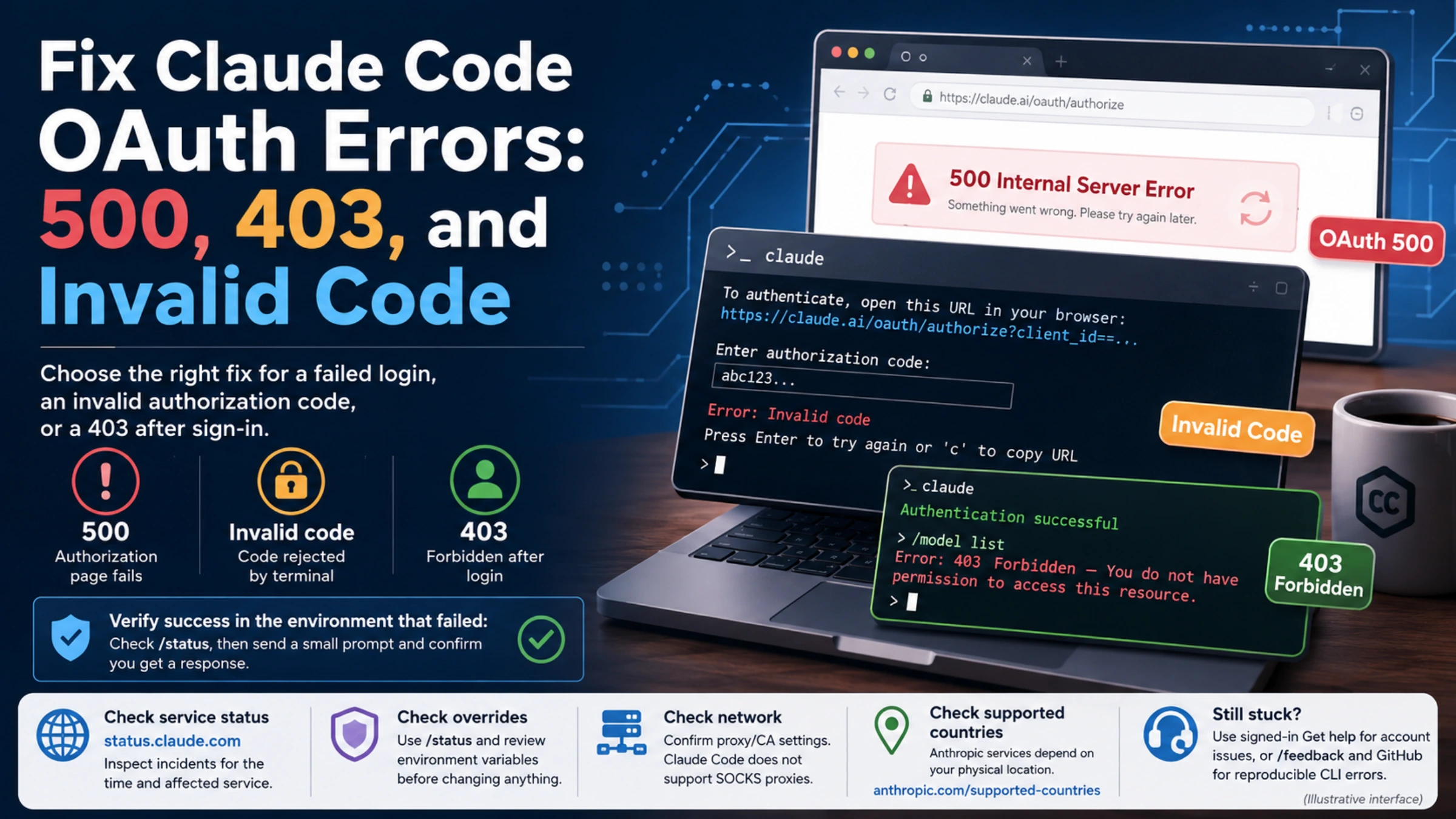
For a Claude Code OAuth error, start with the last step that worked. An invalid authorization code calls for a fresh login attempt; a 403 after login calls for an access and credential check; a 500 needs the failing request identified before you retry. Reinstalling the CLI or deleting its settings is rarely a useful first diagnostic step when the program already starts.
This guide covers signing in to an installed Claude Code CLI, including a terminal running through SSH, WSL2, or a container. Commands beginning with / run inside Claude Code. Commands beginning with claude run in your shell.
Find the failure before changing anything
Keep the exact error text and note whether it appeared in the browser or terminal. Use the point of failure to choose your next action:
| What happened | What to investigate next |
|---|---|
| The browser authorization page returns 500 before login finishes | The authorization request and service status |
| The terminal rejects the pasted code | A new authorization attempt and complete code entry |
| The browser finishes, but a remote terminal still waits | Returning the code to the terminal that started login |
| Login finishes, then the first request returns 403 | The active credential, account permissions, and network |
A previously working conversation returns API Error: 500 | The model provider or gateway handling that request |
| Every new CLI session asks you to sign in again | Saved credentials, injected environment variables, and the system clock |
Do not combine errors from different attempts into one diagnosis. For example, a 500 on an authorization page yesterday and a 403 after a successful login today describe different failures. Record the most recent reproducible one.
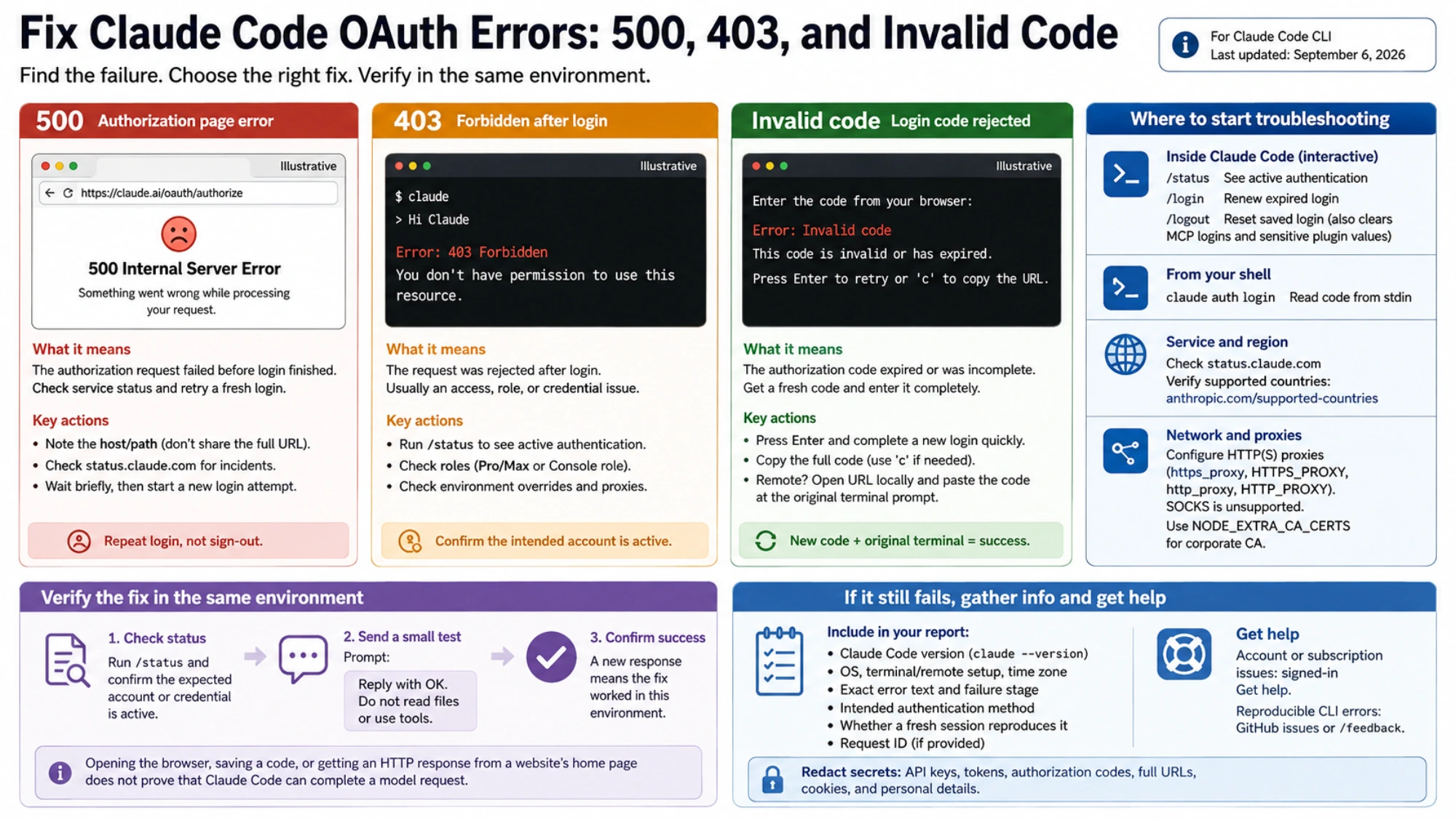
When Claude Code says “Invalid code”
Anthropic identifies an expired or incomplete authorization code as the cause of this login error. At the retry prompt, press Enter, finish the new browser login promptly, and submit the complete new code. If the URL does not open, use c to copy it. The official guidance does not specify a fixed code lifetime. Invalid-code troubleshooting.
Treat each fresh attempt as a pair: the terminal waiting for authorization and the browser page opened for that attempt. Close obsolete login tabs so you do not accidentally copy from one of them. If you cannot tell which tab belongs to the waiting terminal, start a fresh attempt instead of trying several old codes.
The code shown during browser authorization is not an API key or the credential you should paste into an environment variable. Enter it only where the CLI's login flow asks for it. A message about an expired saved OAuth token, after you have already been using Claude Code, belongs to the saved-login section below.
Browser on your laptop, CLI on another machine
On SSH, WSL2, or containers, the browser callback may not reach the CLI. Open the displayed login URL in your local browser, then paste the resulting code at the original terminal's prompt. If paste does nothing, try the terminal's alternate paste command or start login from the shell with:
claude auth loginThis command accepts pasted input through standard input. Remote-login instructions.
A remote terminal does not, by itself, require switching to an API key. Keep using the account and authentication method you intended. Browser completion alone is not the finish line: the original terminal must finish login, too.
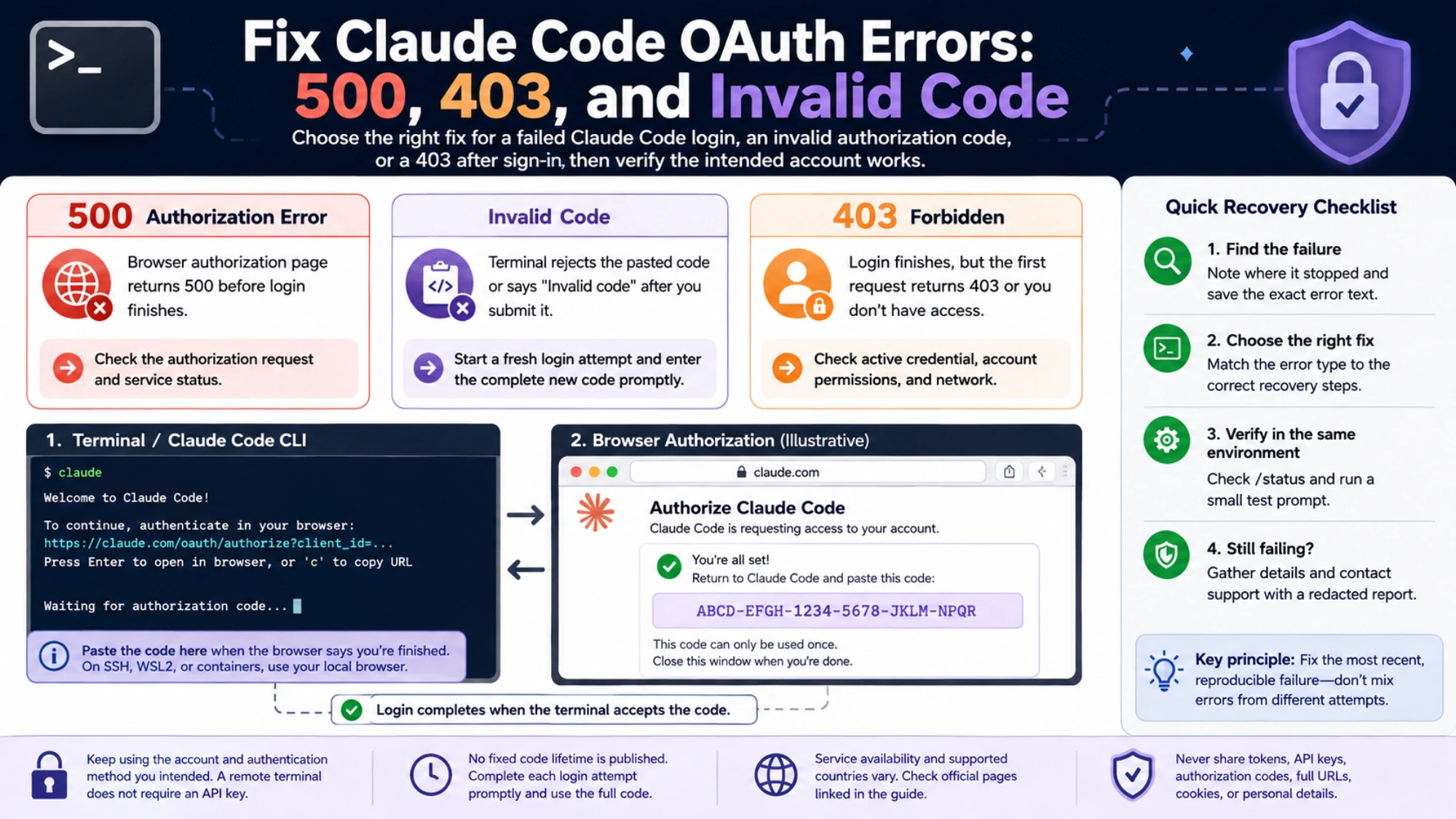
A 403 after login: check which account is making the request
Inside the failing Claude Code session, run:
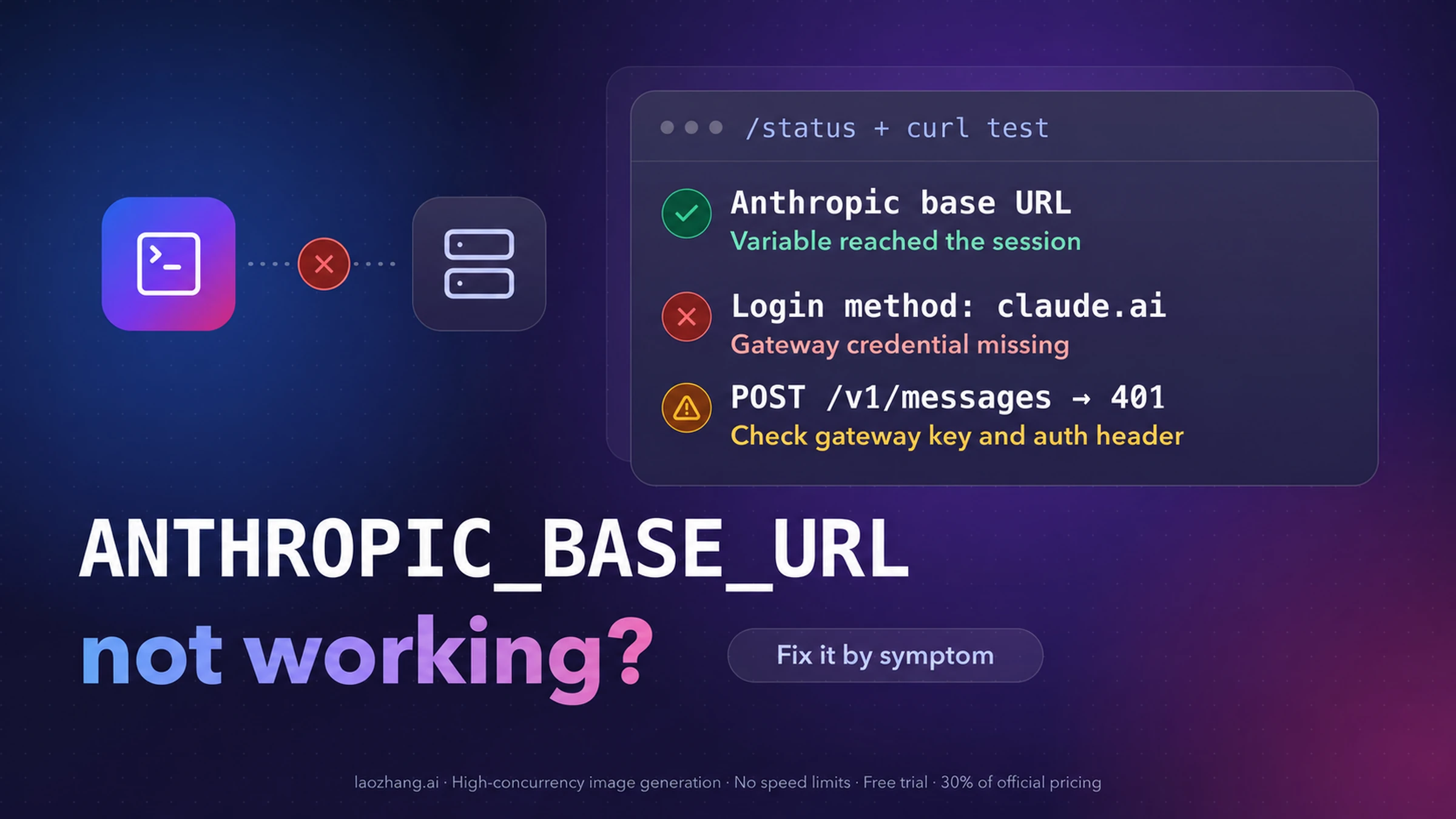
/statusInspect the authentication information before changing your account settings. An approved ANTHROPIC_API_KEY can override subscription OAuth in an interactive CLI session; with -p, a present API key is used without that interactive approval. Bearer tokens, provider selections, and other configured credentials can also affect the result. Authentication precedence.
This distinction matters when you have both a personal subscription and credentials from a work project. A successful browser login to your personal account does not establish that the next CLI request uses it. Likewise, buying or renewing a subscription will not repair a request sent through an unrelated API credential.
If you intended to use Pro or Max, verify the subscription is active on the account you selected. If you intended to use Console access, ask the organization administrator to check for the Claude Code or Developer role under Settings → Members. A corporate proxy is another documented cause to investigate. 403 after login.
Check for overrides without printing secrets
In the same shell that launches the failing CLI, this Bash/Zsh command reports only whether relevant environment variables exist:
for oauth_var in ANTHROPIC_API_KEY ANTHROPIC_AUTH_TOKEN \
  CLAUDE_CODE_OAUTH_TOKEN ANTHROPIC_BASE_URL \
  CLAUDE_CODE_USE_BEDROCK CLAUDE_CODE_USE_VERTEX CLAUDE_CODE_USE_FOUNDRY
do
  if printenv "$oauth_var" >/dev/null; then
    printf '%s is set\n' "$oauth_var"
  fi
done
This is an inventory, not a complete authentication resolver: a set variable can be empty or inactive, and configuration files, profiles, helpers, or a managed gateway can supply other settings. Use /status to interpret what the CLI actually selected.
If an old API key is the confirmed, unintended override, remove it from the current shell and relaunch. For Bash/Zsh:
unset ANTHROPIC_API_KEY
claude
For PowerShell:
Remove-Item Env:ANTHROPIC_API_KEY -ErrorAction SilentlyContinue
claude
Then check /status again. If the variable returns in a new terminal, remove the unwanted assignment from the shell profile or environment configuration that supplies it. Keep credentials your intended setup still needs.
Also check for CLAUDE_CODE_OAUTH_TOKEN if a new login works only until you restart: Claude Code reads that variable again in each new session. OAuth token behavior.
If the account is correct, inspect the network and restriction message
A browser and terminal can use different proxy settings. For a corporate connection, have IT check the CLI's HTTP(S) proxy and the host named in the failure. Claude Code does not support SOCKS proxies. When HTTPS inspection requires a corporate certificate, use the approved CA configuration, such as NODE_EXTRA_CA_CERTS; do not disable TLS certificate verification. Network configuration.
If the response explicitly names a country restriction, check the current supported-country list against your physical location. Being in a supported country does not establish subscription status or organization permission. A bare 403 is also insufficient to conclude that an account is banned: use the accompanying message and account notices to decide whether an access or account-support investigation is needed.
Separate an OAuth 500 from an API 500
A 500 while authorizing login happens before you have proved that the CLI can authenticate. Note the host and path that failed, without sharing the URL's query string. Check Claude service status for incidents covering the failure time and affected service, then retry a fresh login after a short wait.
There is a historical example of this distinction: Claude Code issue #44719 reported an authorization-endpoint 500 on April 7, 2026, using version 2.1.92 on macOS. That individual report is not proof of a current outage, a universal cause, or a version that fixes your failure. Matching the number 500 alone is not enough to match an incident.
An API Error: 500 when sending a message is a failure inside the API serving that request. Check the provider status page named in the error and retry after a short wait. If ANTHROPIC_BASE_URL points at a custom gateway, investigate that service as well; Anthropic's status page cannot establish that the gateway works. Persistent errors can be reported with /feedback. API 500 reference.
The practical difference is what you repeat. For a failed authorization request, repeat login. For a failed model request in an authenticated session, repeat a small model request. Repeatedly signing out adds another variable without testing whether the inference service has recovered.
If a saved login expires or will not stay saved
Run /login to renew an expired login. For repeated failures, check the system clock; on macOS, run claude doctor for Keychain diagnostics. Current Claude Code can save OAuth credentials in a plaintext file when Keychain writes fail. Saved-login troubleshooting.
If a full reset remains necessary, use /logout, close Claude Code, and relaunch. Logout also clears saved MCP logins and sensitive plugin values, so expect to reauthorize those. Login reset.
Avoid deleting the entire ~/.claude directory as a catch-all fix. First establish whether the failure follows the account, the current process environment, or the saved login. If /status shows a different authentication method after every restart, return to the override checks before treating it as a storage problem.
Verify recovery in the environment that failed
After the relevant fix, launch a new session from the same shell or remote environment. Check /status, then send a small prompt such as:
Reply with OK. Do not read files or use tools.For an interactive subscription problem, verify interactively first. Introducing -p while an API key remains in the environment can change which credential is used. If your original failure was a script, verify that script's authentication separately afterward.
Count the repair as successful only when the expected account or credential is active and a new request returns a response. Opening the browser, saving a code, or receiving an HTTP response from a website's home page does not test that result.
If it still fails, prepare a short report with the CLI version from claude --version, operating system, terminal or remote setup, exact error, timestamp and time zone, failure stage, intended authentication method, and whether a fresh session reproduces it. Include a request ID if one is supplied. Redact API keys, tokens, authorization codes, full authorization URLs, cookies, and personal details.
Use signed-in Get help for account or subscription recognition problems, and the documented GitHub or /feedback options for reproducible CLI errors. Where to report an unresolved problem.