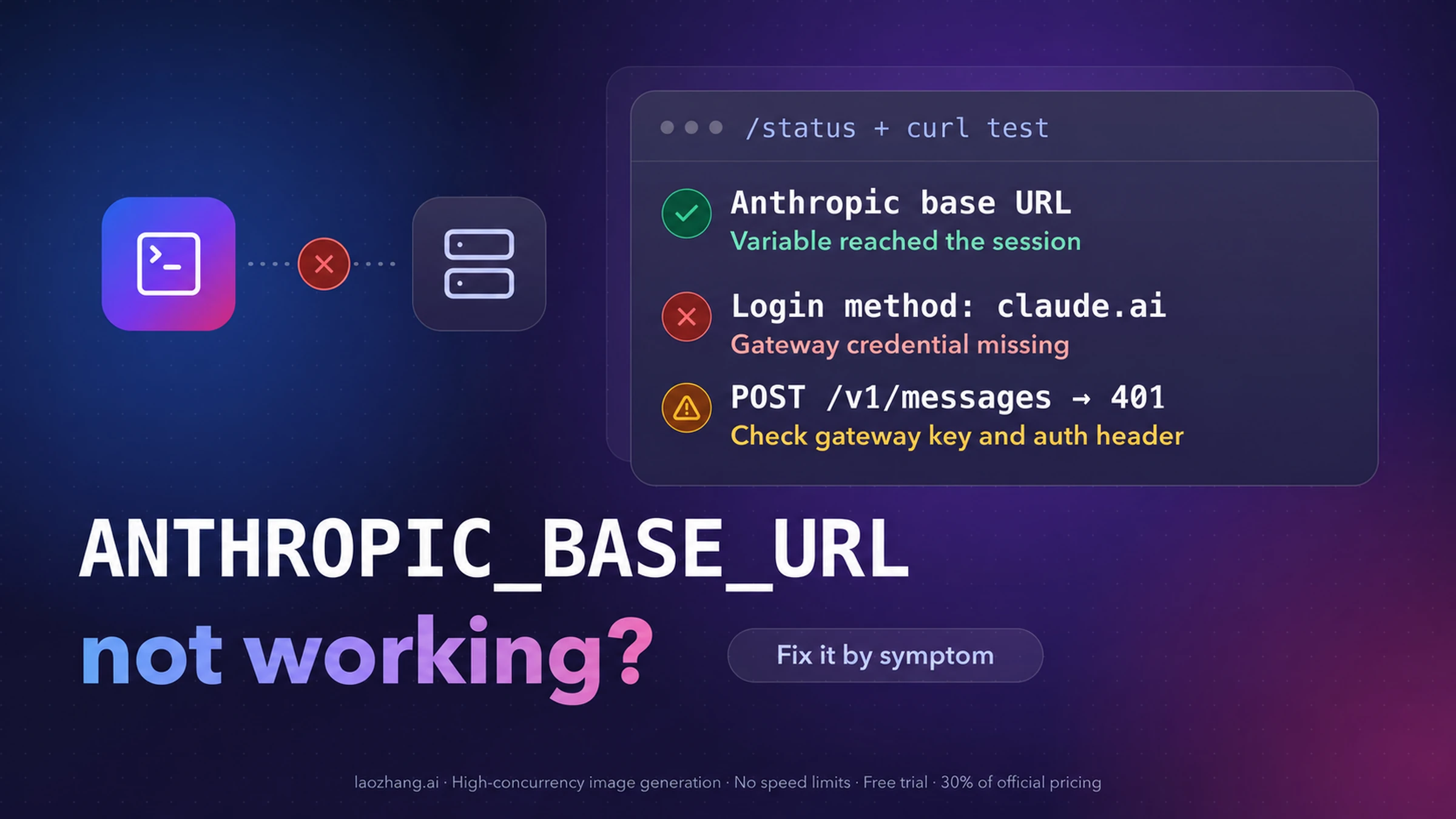
When Claude Code seems to ignore ANTHROPIC_BASE_URL, run /status before you change anything. No Anthropic base URL line means the variable never reached the session. A Login method line naming your claude.ai account means the base URL arrived but the gateway credential did not. If both lines look right and messages still fail, the gateway is answering with something Claude Code can't use, and a one-request curl test plus the exact error text tells you which fix applies.
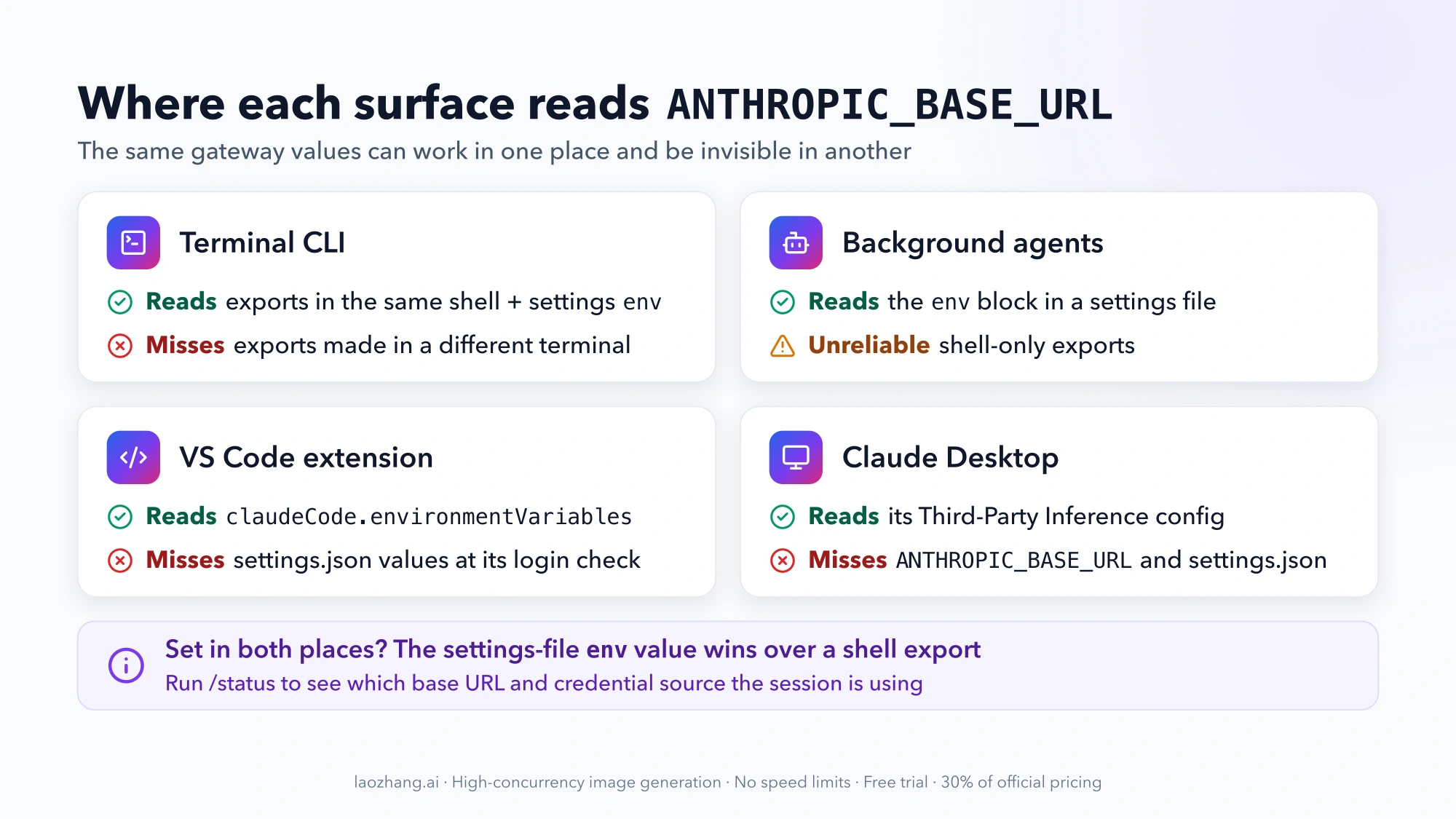
Three cases sit outside that path. The VS Code extension needs the variables in its own claudeCode.environmentVariables setting. Claude Desktop doesn't read ANTHROPIC_BASE_URL at all. And some failures are version bugs: Claude Code 2.1.299, published on October 14, 2026, fixed four gateway problems, including streams cut off after 180 seconds of silence. As of October 15, 2026, npm's stable channel still serves 2.1.292, so stable users don't have those fixes yet.
The steps below assume the CLI is installed and you already have a base URL and a credential from your gateway team or provider. Commands that start with / run inside Claude Code; everything else runs in your shell.
Read three lines in /status to find the failing layer
Start claude the same way you normally do (same terminal, same editor), then run /status. It opens on the Status tab, and Anthropic's gateway connection guide defines what its lines mean:
Anthropic base URLappears only when a gateway address is set.- An
Auth tokenorAPI keyline namingANTHROPIC_AUTH_TOKEN,ANTHROPIC_API_KEYor anapiKeyHelpermeans a gateway credential is active. - A
Login methodline naming a claude.ai account means the gateway credential didn't reach the session.
| What you see | What it means | Where the fix is |
|---|---|---|
| The login screen opens before any session starts | No credential reached Claude Code during first-run setup | Login screen or claude.ai login |
No Anthropic base URL line in /status | The variable isn't in this session's environment | No "Anthropic base URL" line |
Gateway URL shown, plus Login method with your claude.ai account | Requests go to the gateway carrying your subscription login, not a gateway credential | Login screen or claude.ai login |
Gateway URL and Auth token: ANTHROPIC_AUTH_TOKEN (or API key) shown, but messages fail | The session is configured; the gateway refuses or garbles the request | The curl test, then the error sections |
| A base URL you no longer want | A leftover value in your shell profile or a settings file | Going back to your subscription |
One case catches people out because nothing errors. If you set only ANTHROPIC_BASE_URL, Claude Code does send requests through the gateway, but your saved claude.ai login stays the active credential, so your plan's usage limits and billing still apply (gateway overview). The base URL tells Claude Code where to send requests. It is not a credential.
Test the gateway with one curl request to /v1/messages
Before editing Claude Code's configuration, prove that the URL and credential work on their own. This one-token request comes from Anthropic's verification step. It reads the shell variables, so export them in the same terminal even if you normally keep them in a settings file:
curl -sS -w '\n%{http_code}\n' -X POST "$ANTHROPIC_BASE_URL/v1/messages" \
  -H "Authorization: Bearer $ANTHROPIC_AUTH_TOKEN" \
  -H "anthropic-version: 2023-06-01" \
  -H "content-type: application/json" \
  -d '{"model": "claude-sonnet-4-6", "max_tokens": 1, "messages": [{"role": "user", "content": "."}]}'
In PowerShell:
Invoke-RestMethod -Method Post -Uri "$env:ANTHROPIC_BASE_URL/v1/messages" `
  -Headers @{ "Authorization" = "Bearer $env:ANTHROPIC_AUTH_TOKEN"; "anthropic-version" = "2023-06-01" } `
  -ContentType "application/json" `
  -Body '{"model": "claude-sonnet-4-6", "max_tokens": 1, "messages": [{"role": "user", "content": "."}]}'
If your gateway reads keys from x-api-key, replace the Authorization header with x-api-key: $ANTHROPIC_API_KEY. Read the result like this:
| curl result | Meaning | Next step |
|---|---|---|
JSON starting with {"id":"msg_ | The URL and credential work | The problem is how Claude Code receives the values: check /status and the surface you use |
| An error naming an unknown model | The URL and credential still work; the gateway authenticated you before rejecting the model name | Same as above. Pick a model your gateway serves later |
401 | The gateway rejected the credential | Switch credential variables or regenerate the key (see the 401 section below) |
| Fails at once with "connection refused" or "could not resolve host" | Nothing answers at that address | Check the URL, VPN and firewall path |
| An HTML page instead of JSON | Something other than the gateway's Messages route answered | Check the URL path and any proxy in front of the gateway |
A passing curl test narrows the problem but doesn't end it. A web application firewall can let a one-token request through and block a real session, and Claude Code may not trust the same certificates curl trusts. Both cases are covered in the connection section below.
No "Anthropic base URL" line: the variable never reached Claude Code
When /status has no Anthropic base URL line, Claude Code started without the variable. Check what the shell and each settings file actually contain:
echo "$ANTHROPIC_BASE_URL"
grep -n "ANTHROPIC_" ~/.claude/settings.json .claude/settings.json .claude/settings.local.json 2>/dev/null
These are the usual ways the value gets lost:
- The export lives in another terminal. A shell export applies only to that terminal and programs started from it. An editor launched from the dock or the Start menu won't see it (shell variables). Start
claudefrom the shell where you exported, or move the values to a settings file. - Background agents ignore your shell. Shell-only exports don't reliably reach background agents. Use the
envblock of a settings file for anything that must always route through the gateway. - The value sits in a project
.envfile. Claude Code's native installer doesn't read standard.envfiles, as OpenRouter's Claude Code guide points out. - A settings file overrides your export. When a shell export and a settings-file
envblock set the same variable, the settings-file value applies (settings rule). If~/.claude/settings.jsonstill holds an old base URL, exporting a new one in your shell changes nothing. - Your organization pins the gateway. An
envblock follows the settings levels, and managed settings sit at the top. WithallowedProvidersset to["customEndpoint"](v2.1.285 or later), Claude Code accepts only theANTHROPIC_BASE_URLvalue from the managed file and refuses sessions pointed anywhere else (gateway rollout).
For a setup that survives new terminals and background agents, put both values in ~/.claude/settings.json (%USERPROFILE%\.claude\settings.json on Windows):
{
  "env": {
    "ANTHROPIC_BASE_URL": "https://llm-gateway.example.com",
    "ANTHROPIC_AUTH_TOKEN": "sk-gateway-key"
  }
}
A per-project .claude/settings.local.json works too, but add it to your gitignore before writing a credential into it. Never put the credential in a project's .claude/settings.json, which is committed and shared with everyone who clones the repository.
Login screen or claude.ai login: the gateway credential didn't arrive
These symptoms share a cause: Claude Code knows where to send requests but has no gateway credential it accepts. Each has a different trigger.
Claude Code asks you to log in even though curl works
The CLI has no credential of its own. A reachable base URL isn't one, and in an interactive session an env block in a project's .claude/settings.json or .claude/settings.local.json applies only after the first-run wizard and the folder trust prompt. Until then Claude Code shows the login screen. Set ANTHROPIC_AUTH_TOKEN somewhere Claude Code reads before first-run setup: a shell export, the env block in ~/.claude/settings.json, or managed settings (troubleshooting table).
/status still shows Login method with your claude.ai account
Either no credential variable is set, or it is set but not in effect. Check these in order:
- Only the base URL is set. Add
ANTHROPIC_AUTH_TOKEN. A gateway credential variable takes precedence over a saved login, andANTHROPIC_AUTH_TOKENtakes over immediately. - The token expands to an empty string. A profile line like
ANTHROPIC_AUTH_TOKEN="$OPENROUTER_API_KEY"is expanded when the profile loads. If the key is defined later in the file, in another file, or by a secrets manager after the profile runs, the token is empty and every request fails auth. Define the key first. - A saved login conflicts with the variable. A startup warning naming two credential sources and ending in
auth may not work as expected(older versions:Auth conflict: Both a token (SOURCE) and an API key (SOURCE) are set) means both are active. Run/logoutto keep only the gateway credential. OpenRouter notes that this conflict can surface as model-not-found errors for OpenRouter-only model names. - A real Anthropic key is still in your profile.
/logoutclears only the cached login, not shell variables. For OpenRouter and Ollama, their docs setANTHROPIC_API_KEY=""explicitly so Claude Code doesn't fall back to authenticating against Anthropic.
401 naming an invalid or unrecognized token
The gateway rejected the credential: it isn't one the gateway issued, it was revoked, or it arrived in a header the gateway doesn't read. Each variable sends the credential in a different header (header mapping):
| Credential set in | Sent as | Use when the gateway expects |
|---|---|---|
ANTHROPIC_AUTH_TOKEN | Authorization: Bearer <token> | A bearer token, or you weren't told |
ANTHROPIC_API_KEY | x-api-key: <key> | An "API key" in x-api-key |
apiKeyHelper | Both headers | A rotating credential from a vault or SSO command |
If you guessed, switch to the other variable and rerun the curl test. Behind a gateway, the text after 401 is the gateway's own message rather than Anthropic's, so /login doesn't change it (error reference). Fix the credential your gateway expects, or regenerate it at the gateway.
ANTHROPIC_API_KEY is set but ignored, with no prompt
In interactive mode, ANTHROPIC_API_KEY needs a one-time approval before it takes over from a saved login. If you declined it once, Claude Code ignores the key without asking again. Turn it on under /config with the Use custom API key option.
If startup says This machine's managed settings require a first-party login, your organization's managed settings set forceLoginMethod or forceLoginOrgUUID. Those can't coexist with a gateway credential, and only an administrator can change them.
Connection refused, ENOTFOUND or an HTML page: check the URL path
Claude Code appends /v1/messages to ANTHROPIC_BASE_URL, so the variable takes the gateway's root URL, not an endpoint. Provider docs set the root without /v1:
| Route | ANTHROPIC_BASE_URL value | Credential |
|---|---|---|
| Company LLM gateway | The root URL your gateway team gives you, such as https://llm-gateway.example.com | ANTHROPIC_AUTH_TOKEN, unless told x-api-key |
| OpenRouter | https://openrouter.ai/api (not /api/v1) | OpenRouter key in ANTHROPIC_AUTH_TOKEN, ANTHROPIC_API_KEY="" |
| Ollama on your machine | http://localhost:11434 | ANTHROPIC_AUTH_TOKEN=ollama, ANTHROPIC_API_KEY="" |
| Ollama cloud | https://ollama.com | Your OLLAMA_API_KEY in ANTHROPIC_AUTH_TOKEN |
Sources: OpenRouter's Claude Code guide and Ollama's Claude Code page. By inference from that appending rule, a base URL that already ends in /v1 produces requests to /v1/v1/messages. What comes back depends on the gateway: often a not-found response or an HTML page.
When the URL is right but requests still fail, match the error text against the official troubleshooting rows:
| Error in Claude Code | Cause | Fix |
|---|---|---|
Connection refused — a firewall or proxy may be blocking it (ConnectionRefused) | Nothing answers at the address, or a VPN or firewall blocks the path | Run the curl test, which fails immediately with the same cause, and confirm the URL with your gateway team |
Can't reach the API server — check your internet or DNS (ENOTFOUND) | The hostname doesn't resolve | Check the hostname and your DNS, then confirm the URL with your gateway team |
API returned an empty or malformed response (HTTP 200) | The gateway or a proxy returned a non-API response, often an HTML error or login page | Fix the route that answers with something other than a Claude API response |
403 with an HTML body such as 403 Forbidden, while the gateway's logs show nothing | A web application firewall blocked the request body before the gateway saw it; prompts with XML-style tags and source code match cross-site-scripting rules | Exempt the gateway's /v1/messages path from body inspection (AWS WAF: the CrossSiteScripting_Body rule) |
SSL certificate verification failed or Self-signed certificate detected, while curl works | Claude Code's runtime doesn't trust the CA that curl uses, common behind TLS-inspection proxies | Set NODE_EXTRA_CA_CERTS to the CA bundle path |
Connection refused has one more cause worth checking when you are not trying to use a gateway. A leftover ANTHROPIC_BASE_URL pointing at a proxy or gateway that is no longer running produces that error even though curl reaches Anthropic's API (error reference). Remove it from your shell profile and every settings env block, then start Claude Code from a new terminal.
If your gateway also needs a routing or tenant header, set ANTHROPIC_CUSTOM_HEADERS with one Name: Value pair per line (use \n between pairs inside a JSON settings file).
400 errors that name request fields: the gateway rejects what Claude Code sends
Claude Code sends Anthropic-format requests with pre-release fields and beta headers. A gateway, or the upstream behind it, that validates strictly can reject the whole request with 400. The error names the field, and the field tells you the switch:
400 error mentions | Fix |
|---|---|
context_management, Extra inputs are not permitted, or Unexpected value(s) for anthropic-beta | Set CLAUDE_CODE_DISABLE_EXPERIMENTAL_BETAS=1. It also turns off MCP tool search. Some betas aren't gated by it; for those, set the matching CLAUDE_CODE_USE_* provider variable so Claude Code sends only what that provider accepts |
thinking or adaptive, such as Input tag 'adaptive' found | The upstream model build doesn't accept adaptive reasoning. Upgrade the gateway's upstream; on Opus 4.6 and Sonnet 4.6, CLAUDE_CODE_DISABLE_ADAPTIVE_THINKING=1 also works |
| Structured outputs, with session titles, memory recall or prompt hooks failing | Set CLAUDE_CODE_DISABLE_STRUCTURED_OUTPUTS=1 (v2.1.288 or later); other pre-release features stay on |
A tool's input schema or its pattern, on every request, on v2.1.265–2.1.267 | Update to v2.1.268 or later, or turn artifacts off |
An unrecognized tool type such as Input tag 'advisor_20260301', on v2.1.275 | Update to v2.1.276 or later, or set CLAUDE_CODE_DISABLE_ADVISOR_TOOL=1 |
Sources: the gateway troubleshooting table, the environment variable reference and the changelog for 2.1.288. Version 2.1.290 also fixed requests failing behind gateways that reject a beta header with a status other than 400.
The switches go in the same env block as the gateway values:
{
  "env": {
    "ANTHROPIC_BASE_URL": "https://llm-gateway.example.com",
    "ANTHROPIC_AUTH_TOKEN": "sk-gateway-key",
    "CLAUDE_CODE_DISABLE_EXPERIMENTAL_BETAS": "1"
  }
}
One open report doesn't have an official fix yet. In GitHub issue #95087, a user on 2.1.273 and 2.1.274 running a custom base URL with ENABLE_TOOL_SEARCH=true found that the first request of each session carried tool_addition blocks that a strict endpoint rejected with 400, after which Claude Code silently retried without them. An October 13, 2026 comment on 2.1.296 reports a different gateway where the retry never happened and the conversation became unusable. Anthropic hasn't confirmed the issue. Tool search is off by default behind a non-Anthropic host and is meant to be turned on only when the proxy forwards tool_reference blocks, so if you set ENABLE_TOOL_SEARCH=true and your gateway is strict, unsetting it is the first thing to try.
"Prompt is too long" and context-limit 400s behind a gateway
Context errors behind a gateway have three distinct sources, and only one of them is fixed by updating.
Prompt is too long · automatic compaction failed near 200K tokens on a gateway-specific model name, meaning a model ID Claude Code doesn't recognize, was a bug. Version 2.1.299 fixed it so the request is sent instead (changelog). Update.
A context or token limit in the gateway's own words, such as ContextWindowExceededError or prompt token count of N exceeds the limit of M, means the gateway enforces a smaller window than the model's and rewrites the upstream error. Claude Code doesn't recognize that as a too-long error, so it doesn't compact and retry. Run /compact to recover the session. To prevent a repeat, set CLAUDE_CODE_AUTO_COMPACT_WINDOW to the gateway's limit as a plain integer, such as 180000. The variable accepts 100,000 to 1,000,000; a value written as 500k reads as 500 and clamps to the 100K minimum. A gateway limit below 100,000 can't be matched, so /compact stays your recovery there. Also set CLAUDE_CODE_MAX_OUTPUT_TOKENS below the gateway model's output limit.
A gateway that stops at 200K while Claude Code expects 1M. Since 2.1.285, sessions behind a custom base URL use the 1M context window of models that have one (Opus 4.7 and later, Sonnet 5 and later, Fable). If your gateway caps at 200K, run /autocompact 200k. OpenRouter works the other way: Claude Code assumes 200K there unless the model name ends in [1m].
A second open report, GitHub issue #101897 from October 13, 2026, describes a self-hosted model behind vLLM. After updating from 2.1.269 to 2.1.296, sessions failed with an OpenAI-style maximum context length 400 that compaction neither prevented nor recovered from, even with autoCompactWindow set to 220,000. The reporter avoided it by downgrading to 2.1.269. A downgrade gives up every later fix, including the four in 2.1.299, so try /compact and CLAUDE_CODE_AUTO_COMPACT_WINDOW first.
Streams aborted after 180 seconds: 2.1.299 raised the wait to 300
Before 2.1.299, a stream through a custom ANTHROPIC_BASE_URL was aborted after 180 seconds with no data arriving. Slow gateways and local models that go quiet for minutes hit that limit, and a stalled stream can surface as The response stopped arriving. Since 2.1.299, Claude Code waits 300 seconds, whether or not feature flags are loaded.
Five minutes is still a ceiling. If your gateway or local model pauses longer than that between chunks:
API_FORCE_IDLE_TIMEOUToverrides the 5-minute body idle timeout;0turns it off. It is active by default on providers other than the direct Anthropic API.- The stream watchdogs run independently and still abort a long silent pause even with
API_FORCE_IDLE_TIMEOUT=0. API_TIMEOUT_MScaps each request, with a default of 600,000 ms (10 minutes). Raise it for slow gateways.
All three are documented in the environment variable reference. For local models, Ollama also recommends setting a context window of 64K or more for larger repositories.
ANTHROPIC_BASE_URL works in the terminal but not in VS Code or Claude Desktop
Each Claude Code surface reads gateway settings from a different place (surface guide).
VS Code shows the login screen
The VS Code extension checks credentials before it launches, from its own claudeCode.environmentVariables setting. Values in ~/.claude/settings.json reach the process the extension spawns, but not that login check, which is why the extension can show a login screen while the terminal works. Open Preferences: Open User Settings (JSON) and add:
{
  "claudeCode.environmentVariables": [
    { "name": "ANTHROPIC_BASE_URL", "value": "https://llm-gateway.example.com" },
    { "name": "ANTHROPIC_AUTH_TOKEN", "value": "sk-gateway-key" }
  ]
}
Claude Desktop ignores the variable
Claude Desktop doesn't read ANTHROPIC_BASE_URL or settings.json. It routes through its third-party inference configuration, which an administrator can distribute. On an unmanaged machine, open Help → Troubleshooting → Enable Developer Mode, then Developer → Configure Third-Party Inference, and enter the gateway base URL. Gateway was unreachable means the app couldn't reach that URL at startup; the curl test checks the same path.
GitHub Actions and the Agent SDK
The GitHub Action reads ANTHROPIC_BASE_URL from the workflow env and sends its anthropic_api_key input as x-api-key. For a bearer-token gateway, also put the same secret in ANTHROPIC_AUTH_TOKEN under env. In the TypeScript Agent SDK, setting options.env replaces the whole environment, so spread process.env into it or the gateway variables disappear. The Python SDK merges instead.
Slack and cloud sessions on the web don't use gateway variables at all.
Does updating to 2.1.299 fix it? Four gateway bugs, and stable is on 2.1.292
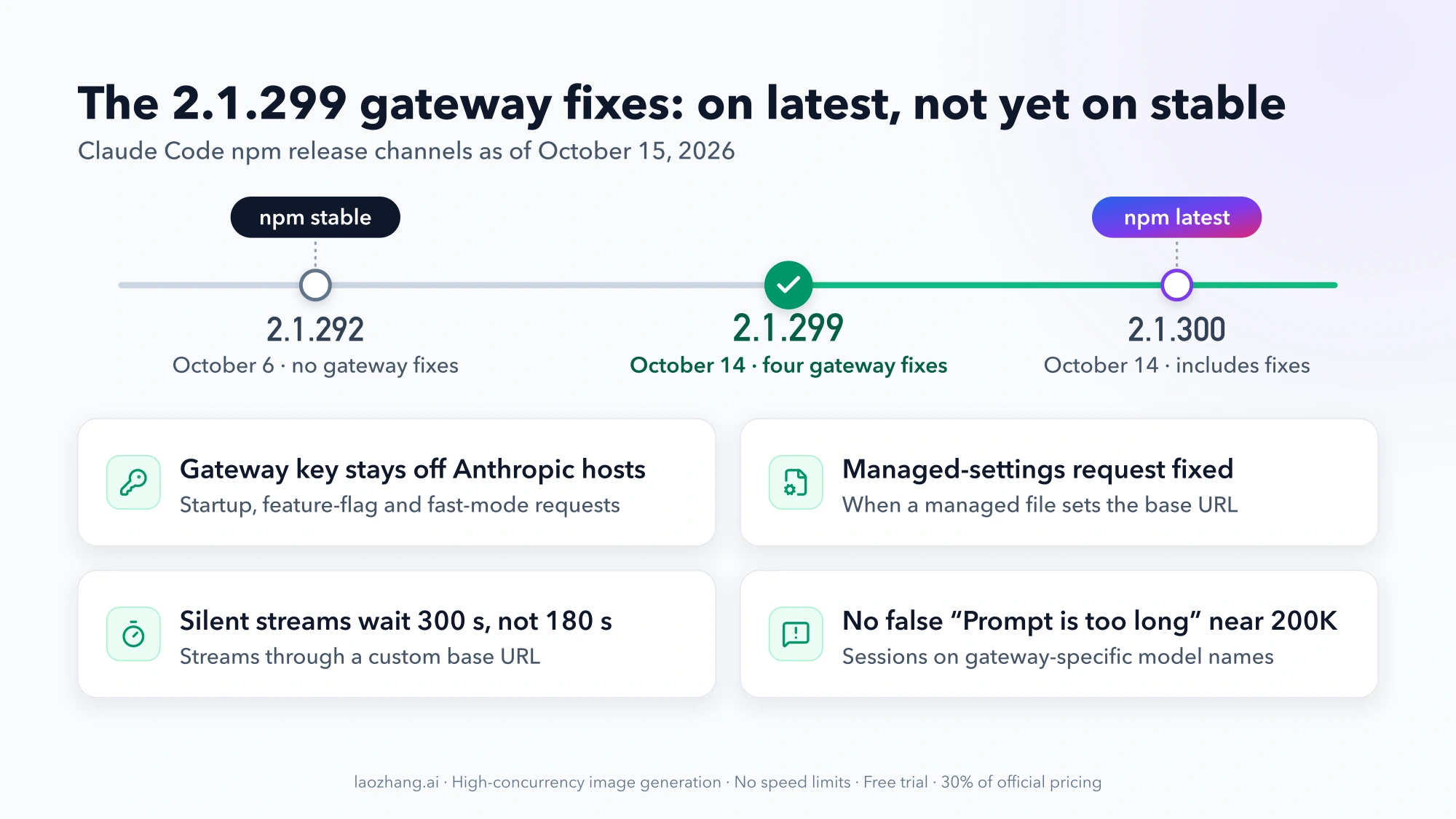
For gateway users, 2.1.299 fixes four specific problems. These are the gateway entries in the 2.1.299 changelog:
| Before 2.1.299 | After |
|---|---|
| Feature-flag, startup, fast-mode, profile and feedback requests to Anthropic carried the API key configured for your gateway | Those requests no longer carry the gateway's key; Anthropic API keys are still sent |
With ANTHROPIC_BASE_URL set in a managed settings file, the server-managed settings request to Anthropic carried the gateway's key | Fixed |
| Streams through a custom base URL aborted after 180 seconds with no data | They wait 300 seconds |
Sessions on a gateway-specific model name ended with Prompt is too long · automatic compaction failed near 200K tokens | The request is sent |
The changelog doesn't say what error, if any, the key leak caused on screen, so don't expect a particular message to disappear. The reason to update is that your gateway credential stops going to Anthropic hosts.
Check your version with claude --version. As of October 15, 2026, the npm registry shows:
| Channel | Version | Published |
|---|---|---|
latest (the default) | 2.1.300 | October 14, 2026 |
stable | 2.1.292 | October 6, 2026 |
The stable channel serves a version that is typically about one week old and skips releases with major regressions (setup docs). It follows that stable users won't have the 2.1.299 fixes until stable moves to 2.1.299 or later. Anthropic doesn't publish a date for that.
To get the fixes now:
- Native install on the latest channel: run
claude update. - Native install on the stable channel: set
autoUpdatesChannelto"latest", or install a specific version withcurl -fsSL https://claude.ai/install.sh | bash -s 2.1.299. - Homebrew: the
claude-codecask tracks stable andclaude-code@latesttracks latest. Homebrew doesn't auto-update, so runbrew upgradeon the cask you use. - WinGet, apt, dnf, apk: no auto-update through Claude Code; upgrade through the package manager.
Egress-restricted setups have a further catch. CLAUDE_CODE_DISABLE_NONESSENTIAL_TRAFFIC=1 keeps background traffic off non-gateway hosts, but it also disables auto-updates, so a machine with that flag stays on whatever version it has until you update it by hand.
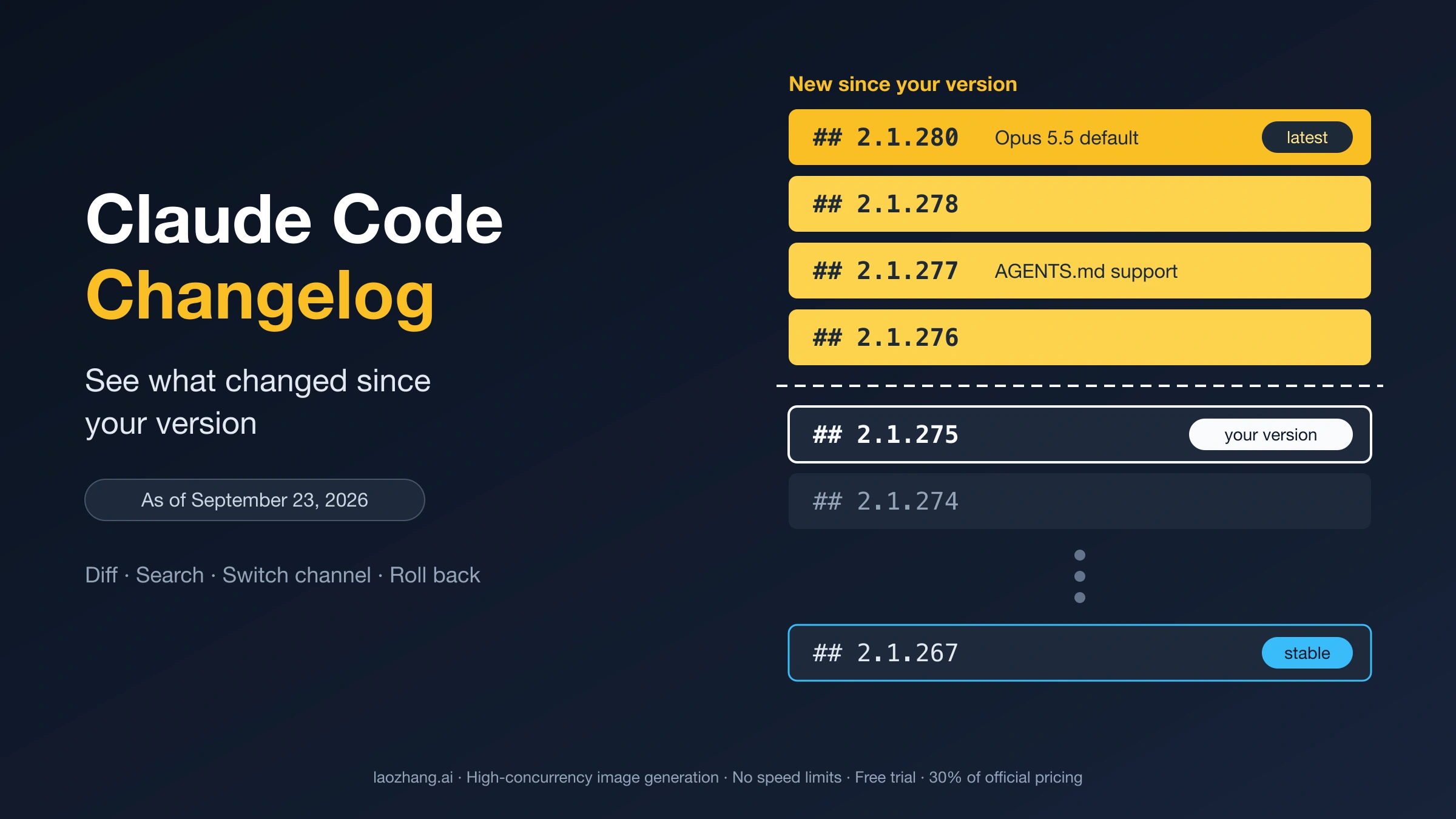
Earlier releases changed gateway behavior too: 2.1.285 switched custom-base-URL sessions to 1M context where the model supports it, 2.1.288 added CLAUDE_CODE_DISABLE_STRUCTURED_OUTPUTS, and 2.1.290 fixed beta-header rejections that came back with a status other than 400. To read every change since your version, or roll back, see Claude Code Changelog: See What Changed Since Your Version.
When to stop: non-Claude models and features that switch off behind a gateway
Some failures aren't configuration errors. They are limits of the route itself.
Non-Claude models are unsupported. Anthropic doesn't support routing Claude Code to non-Claude models through any gateway (gateway overview). OpenRouter says Claude Code is only guaranteed to work with the Anthropic first-party provider. Ollama says hosted WebSearch and advanced tool controls aren't fully supported, and you need a model that supports tools. If the curl test passes with a Claude model and the failures appear only with a DeepSeek, GLM, Qwen, Kimi or local model, no environment variable will close the gap. Use a Claude model on the gateway, or accept the missing features.
Some features turn off by design while a custom base URL or gateway credential is active:
- MCP tool search is off by default on a non-Anthropic host;
ENABLE_TOOL_SEARCH=trueturns it back on only if the proxy forwardstool_referenceblocks. - Remote Control is disabled when the base URL points at a host other than
api.anthropic.com(v2.1.196 and later). Remote Control and voice dictation are both unavailable while a gateway credential is active. /fastmay reportFast mode unavailable due to network connectivity issues, because the availability check goes straight toapi.anthropic.com. With onlyANTHROPIC_AUTH_TOKENit may reportFast mode has been disabled by your organization;CLAUDE_CODE_SKIP_FAST_MODE_ORG_CHECK=1handles that case.- Gateway model names missing from
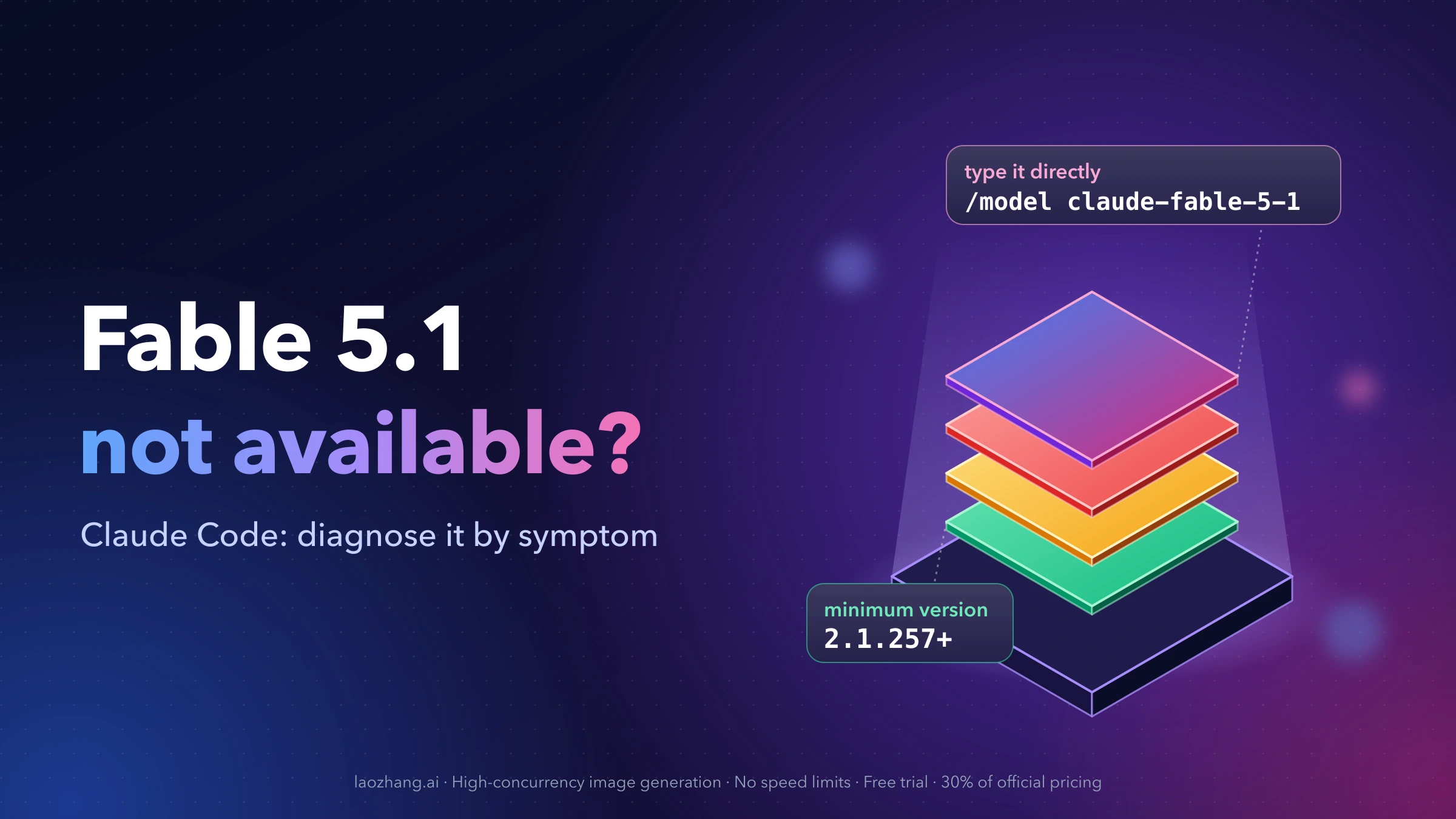
/modelneedCLAUDE_CODE_ENABLE_GATEWAY_MODEL_DISCOVERY=1. For a Claude model missing from the picker, see Fable 5.1 Not Available in Claude Code? Diagnose It by Symptom.
When the error text is in the gateway's own words and none of the switches above change it, the fix belongs on the gateway side. Send its operator the error, your Claude Code version and the time of the request.
ANTHROPIC_BASE_URL questions with short answers
Should ANTHROPIC_BASE_URL end in /v1?
No. Claude Code adds /v1/messages itself, so set the root URL: https://openrouter.ai/api for OpenRouter, http://localhost:11434 for local Ollama, or the root your gateway team gives you.
Does a shell export override ANTHROPIC_BASE_URL in settings.json?
No. When both set the same variable, the settings-file env value applies. Remove or update the value in ~/.claude/settings.json (and any project settings file) before relying on an export.
How do I switch Claude Code back to my Claude subscription?
Remove ANTHROPIC_BASE_URL and the gateway credential from your shell profile and from every settings env block, open a new terminal, and start claude. /status should show a Login method line with your claude.ai account and no Anthropic base URL line. A leftover base URL shows up as Connection refused. If Claude Code keeps asking you to log in after the gateway values are gone, the cause is usually stored credentials rather than the gateway; Fix Claude Code OAuth Errors: 500, 403, and Invalid Code covers that sign-in path.
Is a 529 or 5xx error coming from Anthropic or from my gateway?
With a custom base URL, Claude Code's error message names the gateway host as the place to check service health, not Anthropic's status page. Start with the gateway's status and logs. Claude 529 Overloaded Error: What It Means and How to Fix It (2026) explains how to tell the two sources apart.