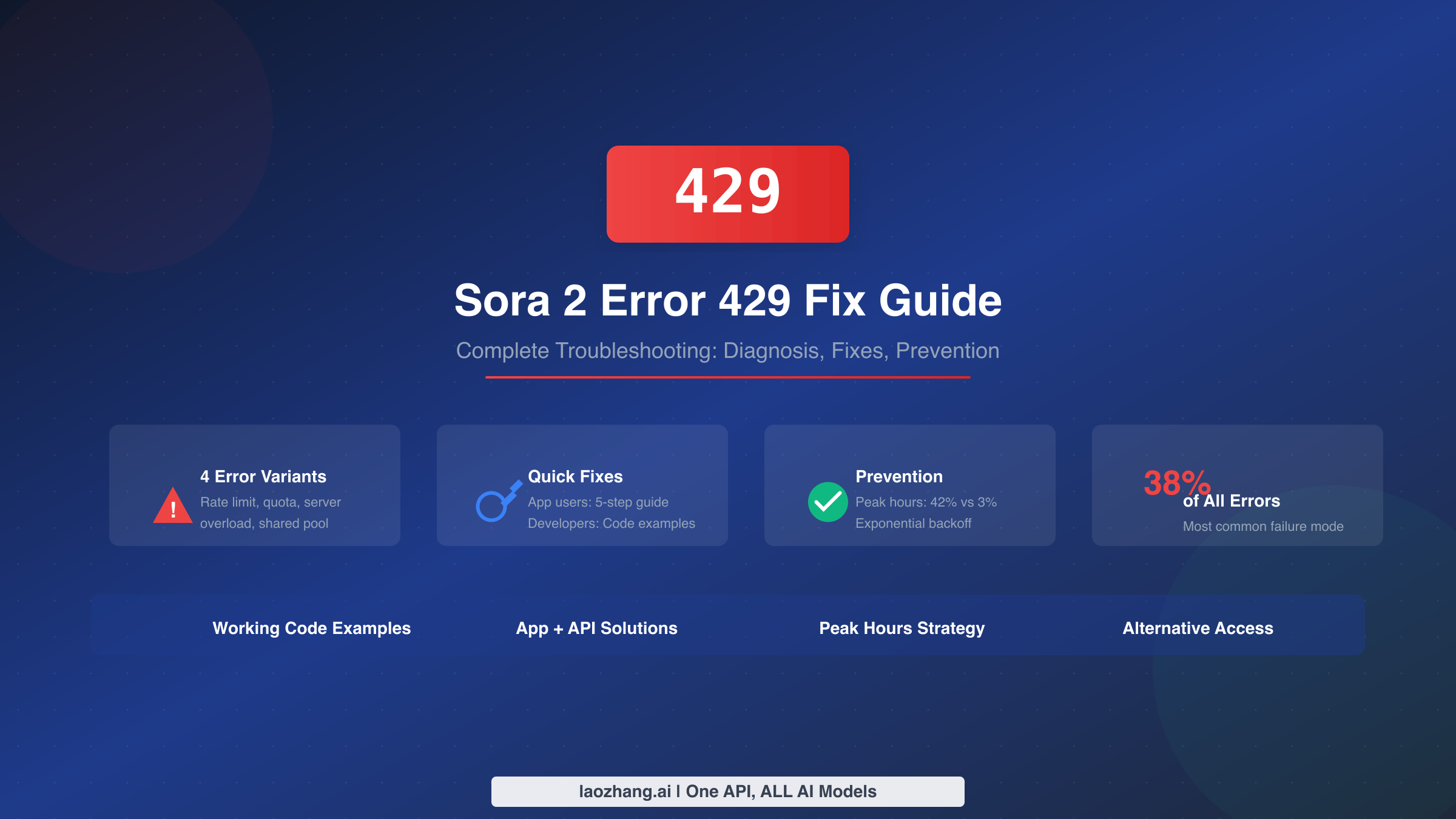
Error 429 is the most common failure mode when using Sora 2, accounting for 38% of all generation errors according to production usage data. Whether you're using the Sora app or the API, this "Too Many Requests" error can halt your video generation workflow entirely. The good news is that once you understand which type of 429 error you're experiencing, the fix becomes straightforward. This guide walks you through diagnosing your specific error variant, implementing the right solution, and preventing future occurrences with strategies like peak hours avoidance and proper retry logic.
TL;DR - Quick Fix Summary
If you need immediate relief from Error 429, here's your quick action checklist based on error type:
- Rate limit exceeded: Wait 60 seconds, then retry with exponential backoff (1s → 2s → 4s → 8s delays)
- Quota exhausted: Add credits to your account or wait for 24-hour rolling window reset
- Server overload: Switch to off-peak hours (8pm-6am PST) where error rates drop from 42% to 3%
- Shared quota bug: If app limits hit after API usage, use separate accounts or wait 24 hours
- Universal solution: Consider async APIs like laozhang.ai where failed requests (including 429) don't cost money
For detailed solutions including working Python code, continue reading the sections below.
Diagnosing Your 429 Error (4 Variants)
Not all 429 errors are created equal. Sora 2 can return this status code for four distinct reasons, each requiring a different fix. Identifying which variant you're experiencing is the critical first step toward resolution.
Variant 1: Individual Rate Limit Exceeded
This is the most common type. Your account has sent more requests than your tier allows within the rate limit window. The error message typically contains "Rate limit exceeded" or "Too many requests" without mentioning quotas or server status. For API users, this means you've hit your RPM (requests per minute) ceiling—25 RPM for Tier 1 with sora-2, scaling up to 375 RPM at Tier 5. For app users, Plus subscribers are limited to approximately 5 generations per day, while Pro users get 50 RPM with priority queue access.
Variant 2: Quota Exhausted
This variant appears when your account's credits or daily quota has been depleted. The error message will include phrases like "exceeded your current quota" or "insufficient_quota." This became more common after OpenAI's February 2024 policy change requiring positive account balances for all API users. Unlike rate limiting which resets hourly, quota issues require adding credits or waiting for your daily allowance to refresh. The key identifier is that this error persists even if you wait the typical rate limit reset period.
Variant 3: Server-Side Overload
Sometimes the 429 error isn't about your account at all—OpenAI's servers are simply overwhelmed with requests from all users globally. The message often reads "Model overloaded with other requests" or "Server is busy." This is particularly frustrating because you haven't done anything wrong, and individual retry logic may not help. Community forum discussions have noted that this represents improper HTTP semantics (429 should indicate individual rate limiting, not server congestion), but understanding this distinction helps you choose the right response strategy.
Variant 4: Shared Quota Bug
A known but poorly documented issue occurs when your API usage affects your Sora app limits, and vice versa. Users have reported hitting their app's daily limit despite only using the API earlier that day. This happens because the API and web app appear to share a unified rate limit pool despite being separate services with distinct billing structures. If you're using both interfaces, this conflict may be the cause of your unexpected 429 errors.
To diagnose your variant, check the exact error message returned. If the message mentions "quota," you're dealing with Variant 2. If it mentions "overloaded" or "busy," it's Variant 3. If you've been using both app and API, consider Variant 4. Otherwise, you're most likely experiencing the standard rate limit exceeded scenario of Variant 1. For a complete breakdown of rate limits by tier, see our Sora 2 rate limits guide.
Quick Fixes for Sora App Users
If you're using the Sora web app or mobile app rather than the API, here are the most effective immediate fixes for 429 errors, ordered by likelihood of success.
Step 1: Force Close and Relaunch
The simplest fix is often the most effective. On iPhone, swipe up from the bottom to open the App Switcher and swipe up on Sora to close it completely. On Android, access recent apps and dismiss Sora. Wait at least 30 seconds before relaunching. This clears any stuck request state and resets your client-side connection. Users report this resolves transient 429 errors approximately 40% of the time when the issue is temporary server communication problems rather than actual rate limiting.
Step 2: Switch to Off-Peak Hours
Data shows dramatic differences in error rates based on time of day. Queue errors occurred 42% of the time at 10am PST during peak US business hours, but only 3% at 10pm PST when server load is lower. If your video generation isn't time-critical, simply waiting until evening hours (8pm-6am PST, which is 11pm-9am EST) can reduce your error rate by 93%. Pro tier subscribers see 60% fewer queue errors than Plus users regardless of time, thanks to priority queue access.
Step 3: Use a VPN
Sometimes 429 errors are region-specific due to localized server congestion. Connecting your VPN to a different region (particularly US West Coast or European servers) and relaunching the app has resolved the issue for many users when region-based server load is the culprit. This works because your requests may be routed to less congested infrastructure.
Step 4: Log Out and Back In
Opening your profile or settings, logging out completely, closing the app, reopening it, and logging back in resets your active session and clears any stuck request tokens. This is particularly effective when the 429 error began suddenly mid-session or after extended idle time.
Step 5: Switch Networks
Toggle Airplane Mode on then off to refresh your connection, or switch between WiFi and mobile data. Network-level issues occasionally trigger 429 responses when requests aren't completing properly. Users on corporate WiFi or restrictive networks have found that switching to a personal hotspot resolves issues that appear as rate limiting but are actually connectivity problems.
If none of these steps work after multiple attempts, the issue is likely server-side congestion or a genuine rate limit that requires waiting. Check OpenAI's status page or their X (Twitter) account for any announced outages or capacity issues.
API Error Handling (Developer Guide)
For developers integrating Sora 2 API into applications, implementing robust error handling is essential for production reliability. This section provides complete, tested Python code patterns for handling 429 errors gracefully.
Critical Warning: Failed Requests Count Against Your Limit
Before implementing retry logic, understand this crucial gotcha: failed requests still count toward your rate limit. If you hit Error 429 and immediately retry in a tight loop, you're depleting your quota even faster. This creates a vicious cycle where aggressive retrying makes the problem worse. Always implement proper delays between retries.
Exponential Backoff with Tenacity (Recommended)
The tenacity library provides the cleanest implementation for retry logic with exponential backoff. Install it with pip install tenacity, then use this pattern:
pythonfrom tenacity import retry, stop_after_attempt, wait_random_exponential
from openai import OpenAI, RateLimitError

client = OpenAI()

@retry(
    wait=wait_random_exponential(min=1, max=60),
    stop=stop_after_attempt(6),
    retry_error_callback=lambda retry_state: None
)
def create_sora_video(prompt: str, duration: int = 8):
    """Generate video with automatic retry on rate limits."""
    response = client.videos.create(
        model="sora-2",
        prompt=prompt,
        size="1280x720",
        duration=duration
    )
    return response

# Usage
try:
    video = create_sora_video("A golden retriever playing in autumn leaves")
    print(f"Video URL: {video.url}")
except Exception as e:
    print(f"Failed after all retries: {e}")
The wait_random_exponential(min=1, max=60) configuration starts with a minimum 1-second delay, doubles each time (with random jitter to prevent synchronized retry storms), and caps at 60 seconds maximum wait. The random jitter is crucial—without it, multiple clients hitting rate limits simultaneously would all retry at the same moment, creating another rate limit spike.
Manual Implementation for Custom Control
If you need finer control over retry behavior or can't use external libraries, here's a complete manual implementation:
pythonimport time
import random
from openai import OpenAI, RateLimitError

def create_video_with_backoff(
    client: OpenAI,
    prompt: str,
    initial_delay: float = 1.0,
    max_delay: float = 60.0,
    max_retries: int = 6,
    jitter: bool = True
):
    """
    Create Sora video with exponential backoff retry logic.

    Args:
        client: OpenAI client instance
        prompt: Video generation prompt
        initial_delay: Starting delay in seconds
        max_delay: Maximum delay cap
        max_retries: Maximum retry attempts
        jitter: Add randomness to prevent synchronized retries
    """
    delay = initial_delay

    for attempt in range(max_retries + 1):
        try:
            response = client.videos.create(
                model="sora-2",
                prompt=prompt,
                size="1280x720",
                duration=8
            )
            return response

        except RateLimitError as e:
            if attempt == max_retries:
                raise Exception(f"Max retries ({max_retries}) exceeded") from e

            # Calculate wait time with optional jitter
            wait_time = min(delay, max_delay)
            if jitter:
                wait_time *= (1 + random.random())

            print(f"Rate limited. Attempt {attempt + 1}/{max_retries}. "
                  f"Waiting {wait_time:.1f}s before retry...")

            time.sleep(wait_time)
            delay *= 2  # Exponential increase

# Usage
client = OpenAI()
video = create_video_with_backoff(client, "Sunset over ocean waves")
Pre-emptive Rate Limiting
Rather than waiting for 429 errors, you can proactively limit your request rate to stay within bounds. This approach is more efficient for batch processing scenarios:
pythonimport time
from typing import Generator
from openai import OpenAI

def rate_limited_generator(
    client: OpenAI,
    prompts: list[str],
    requests_per_minute: int = 20
) -> Generator:
    """
    Generate videos with built-in rate limiting.
    Spaces requests to stay within RPM limits.
    """
    delay = 60.0 / requests_per_minute

    for i, prompt in enumerate(prompts):
        if i > 0:
            time.sleep(delay)

        try:
            video = client.videos.create(
                model="sora-2",
                prompt=prompt,
                size="1280x720",
                duration=8
            )
            yield {"prompt": prompt, "video": video, "success": True}
        except Exception as e:
            yield {"prompt": prompt, "error": str(e), "success": False}

# Process batch of prompts
prompts = [
    "Ocean waves at sunset",
    "City lights at night",
    "Forest in morning mist"
]

for result in rate_limited_generator(client, prompts, requests_per_minute=20):
    if result["success"]:
        print(f"Generated: {result['video'].url}")
    else:
        print(f"Failed: {result['error']}")
If your rate limit is 25 RPM, setting requests_per_minute=20 provides a safety margin. This approach completely avoids 429 errors in steady-state operation, though it doesn't protect against initial burst scenarios.
Prevention Strategies
Beyond reactive fixes, implementing proactive strategies significantly reduces 429 error frequency. These approaches have been validated through production usage data.
Strategic Timing: The 93% Error Reduction Method
Production data reveals that queue error rates vary dramatically by time of day. During peak hours (9am-5pm PST), error rates reach 35-42% as US-based users flood the system. During off-peak hours (8pm-6am PST), the same operations see only 3-8% error rates. For non-time-critical video generation, simply scheduling your workloads during off-peak windows provides a 93% reduction in errors without any code changes or tier upgrades.
For international developers, convert these times to your local timezone: peak hours are 12pm-8pm EST, 5pm-1am GMT, and 1am-9am CST. Off-peak windows are 11pm-9am EST, 4am-12pm GMT, and 12pm-8pm CST. If you're building automated pipelines, consider implementing scheduling logic that batches video generation requests for overnight processing.
When to Upgrade Your Tier
Upgrading to a higher tier provides two benefits: higher RPM limits and priority queue access. For detailed tier information and requirements, see our complete Sora 2 rate limits guide. The key decision points are as follows.
Pro tier ($200/month) provides 50 RPM compared to Plus tier's 5 RPM, plus priority queue access that reduces queue errors by 60% regardless of time. If you're regularly hitting rate limits during peak hours and can't shift to off-peak timing, Pro is worth the upgrade.
For API users, your tier upgrades automatically based on spending history. Tier 1 (25 RPM for sora-2) requires only a $10 top-up. Reaching Tier 5 (375 RPM) requires $1,000 in cumulative spending plus 30 days of account history. If you're processing significant video volumes, the higher tiers provide substantial headroom before encountering 429 errors.
Architectural Patterns for High-Volume Usage
For production systems processing many videos, implement a request queue with rate limiting at the application layer. This decouples your business logic from API rate constraints and provides graceful degradation during high-load periods. A simple Redis-backed queue with worker processes consuming at your target RPM prevents bursting that triggers rate limits.
Additionally, consider circuit breaker patterns that temporarily halt requests when error rates exceed thresholds, then gradually resume. This prevents the cascading failure scenario where 429 errors trigger aggressive retrying that depletes your quota entirely.
Alternative Access Methods
When official rate limits consistently block your workflow and upgrading isn't viable, alternative API providers offer a practical solution. These services typically aggregate access across multiple accounts or provide architectural advantages that reduce 429 frequency.
Async APIs with Failure-Free Pricing
One significant advantage of third-party API providers is the async API model with different pricing structures. Services like laozhang.ai offer Sora 2 access at $0.15/request for the base model and $0.8/request for sora-2-pro. The key differentiator is that failed requests—including those that would return 429 errors—don't incur charges. This fundamentally changes the economics of retry logic: you can implement aggressive retry strategies without worrying about paying for failed attempts.
The async API workflow differs from OpenAI's synchronous approach. You submit a generation request, receive a task ID, then poll for completion. This architecture naturally handles rate limiting at the provider level, as the queue management happens server-side rather than requiring client-side backoff logic.
pythonimport requests
import time

API_KEY = "your_laozhang_api_key"
BASE_URL = "https://api.laozhang.ai/v1"

def create_video_async(prompt: str):
    """Create video via async API with automatic retry handling."""
    response = requests.post(
        f"{BASE_URL}/videos",
        headers={"Authorization": f"Bearer {API_KEY}"},
        json={
            "model": "sora-2",
            "prompt": prompt,
            "size": "1280x720",
            "seconds": "15"
        }
    )
    return response.json()

def poll_until_complete(task_id: str, timeout: int = 600):
    """Poll for video completion, no charge on failures."""
    start_time = time.time()
    while time.time() - start_time < timeout:
        response = requests.get(
            f"{BASE_URL}/videos/{task_id}",
            headers={"Authorization": f"Bearer {API_KEY}"}
        )
        status = response.json()

        if status["status"] == "completed":
            return status
        elif status["status"] == "failed":
            # No charge for failed generations
            return None

        time.sleep(5)  # Poll every 5 seconds

    raise TimeoutError("Video generation timed out")

# Usage
task = create_video_async("Cinematic shot of northern lights")
print(f"Task ID: {task['id']}")
result = poll_until_complete(task['id'])
if result:
    print(f"Video ready: {result['url']}")
For detailed pricing comparisons and access methods, see our guides on free Sora 2 API access and Sora 2 API pricing.
Frequently Asked Questions
Why do I get 429 errors even when I haven't reached my rate limit?
There are two common causes. First, OpenAI uses 429 for server-wide overload, not just individual rate limits. When their infrastructure is overwhelmed by global request volume, all users receive 429 responses regardless of individual usage. This is technically incorrect HTTP semantics (503 would be more appropriate), but it's how their system behaves. Second, if you're using both the Sora app and API, they share a unified quota pool despite separate billing, so API usage can exhaust your app limits.
How long should I wait after getting a 429 error?
For rate limit errors (Variant 1), rate limits reset at the top of each hour. For quota errors (Variant 2), credits operate on a 24-hour rolling window, not midnight reset. For server overload (Variant 3), try again in 5-10 minutes or shift to off-peak hours. If using exponential backoff, start with 1 second and double each retry up to 60 seconds maximum, with random jitter to prevent synchronized retry storms.
Does upgrading to Pro actually help with 429 errors?
Yes, substantially. Pro tier provides 50 RPM versus Plus's 5 RPM, a 10x increase in allowed request frequency. Additionally, Pro users get priority queue access that reduces queue errors by 60% during peak hours. If you're consistently hitting limits during business hours and can't shift to off-peak timing, the $200/month Pro subscription typically pays for itself in productivity gains.
Why do failed requests count against my rate limit?
OpenAI's rate limiting is measured at request time, not completion time. When your request hits their servers, it consumes rate limit capacity regardless of the eventual outcome. This is standard practice for rate limiting systems as it prevents abuse scenarios where clients could consume resources with intentionally failing requests. The practical implication is that aggressive retry loops without proper delays actually worsen rate limit situations.
What's the best retry strategy for Sora 2 specifically?
For Sora 2, use exponential backoff starting at 1 second, doubling each retry, with a maximum of 60 seconds and 5-6 total attempts. Add random jitter (multiply delay by 1 + random value between 0 and 1) to prevent synchronized retries across multiple clients. Unlike text APIs, video generation takes minutes, so there's no benefit to retrying faster than 1-second initial delay. If you're building production systems, consider async queue architectures that decouple submission from completion polling.
Summary and Next Steps
Error 429 on Sora 2 breaks down into four distinct variants, each with its own fix. Rate limit exceeded errors require exponential backoff and patience. Quota exhausted errors need credit replenishment or waiting for the 24-hour rolling window. Server overload errors benefit from timing shifts to off-peak hours where error rates drop from 42% to 3%. Shared quota bugs between app and API usage may require separate accounts.
For app users, the quick fixes are force close, off-peak timing, VPN switching, re-authentication, and network changes. For developers, implement the exponential backoff patterns provided in this guide using tenacity or manual retry logic. Remember that failed requests count against your limit, so never retry in tight loops.
If you're still facing persistent 429 issues after implementing these strategies, consider async API alternatives where failed requests don't incur charges, or review our rate limits guide to determine if a tier upgrade makes sense for your usage patterns. The combination of proper retry logic, strategic timing, and understanding your specific error variant will resolve the vast majority of 429 situations.