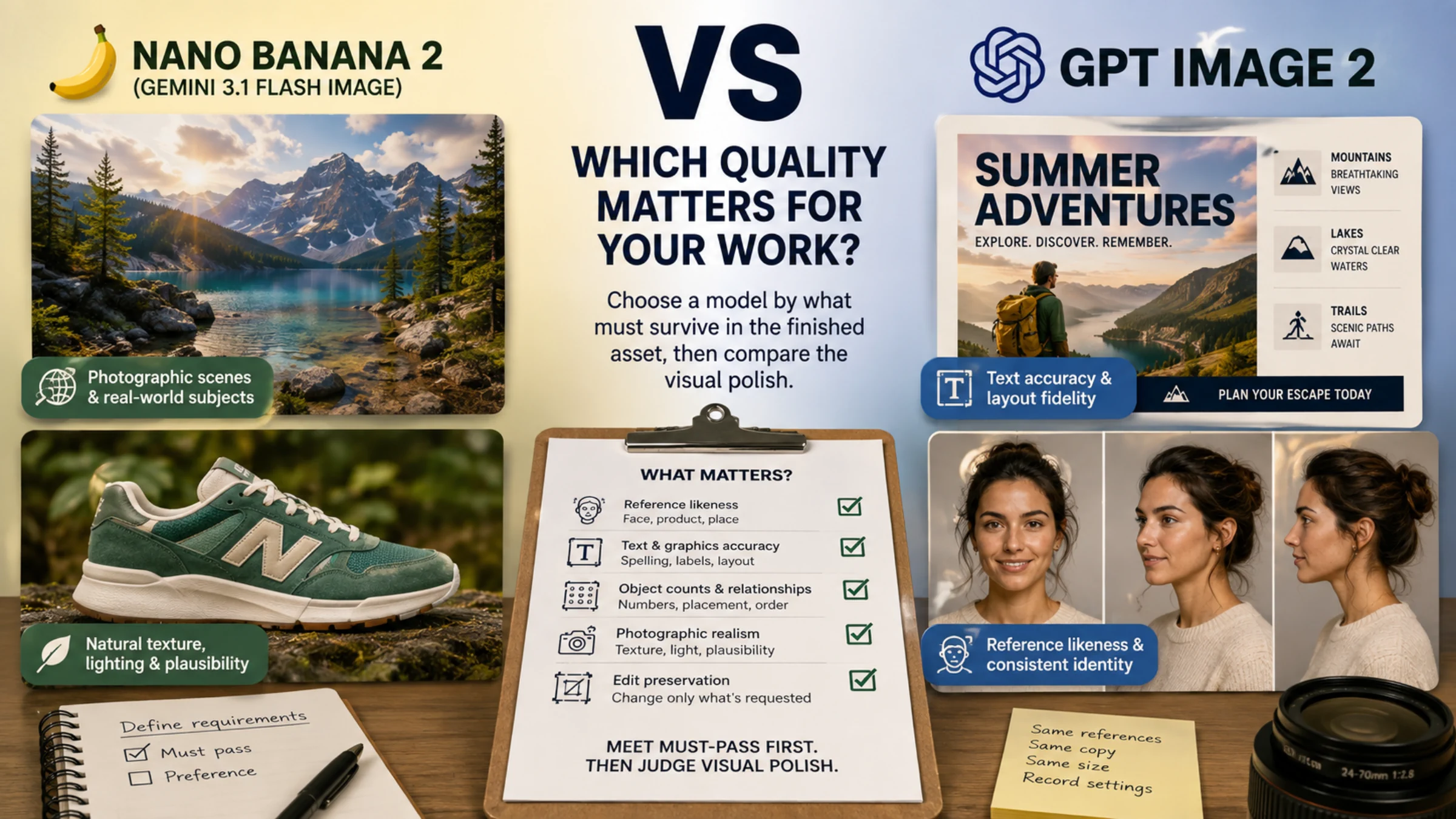
Neither model is better at everything, so pick by the requirement your job can't give up. Start with Nano Banana Pro when the image has to draw on Google Search, combine several object, character and style references, or ship as the largest native file (up to 5504 × 3072 at 4K). Start with OpenAI's GPT Image line when you need an alpha-mask edit, a transparent PNG or WebP, an exact custom size, or a large number of low-cost drafts.
If both models can do the job, cost at your output size decides the next step. Pro charges a flat $0.134 per 1K or 2K image. OpenAI's price depends on the quality level you choose, so it can land far below Pro or above it.
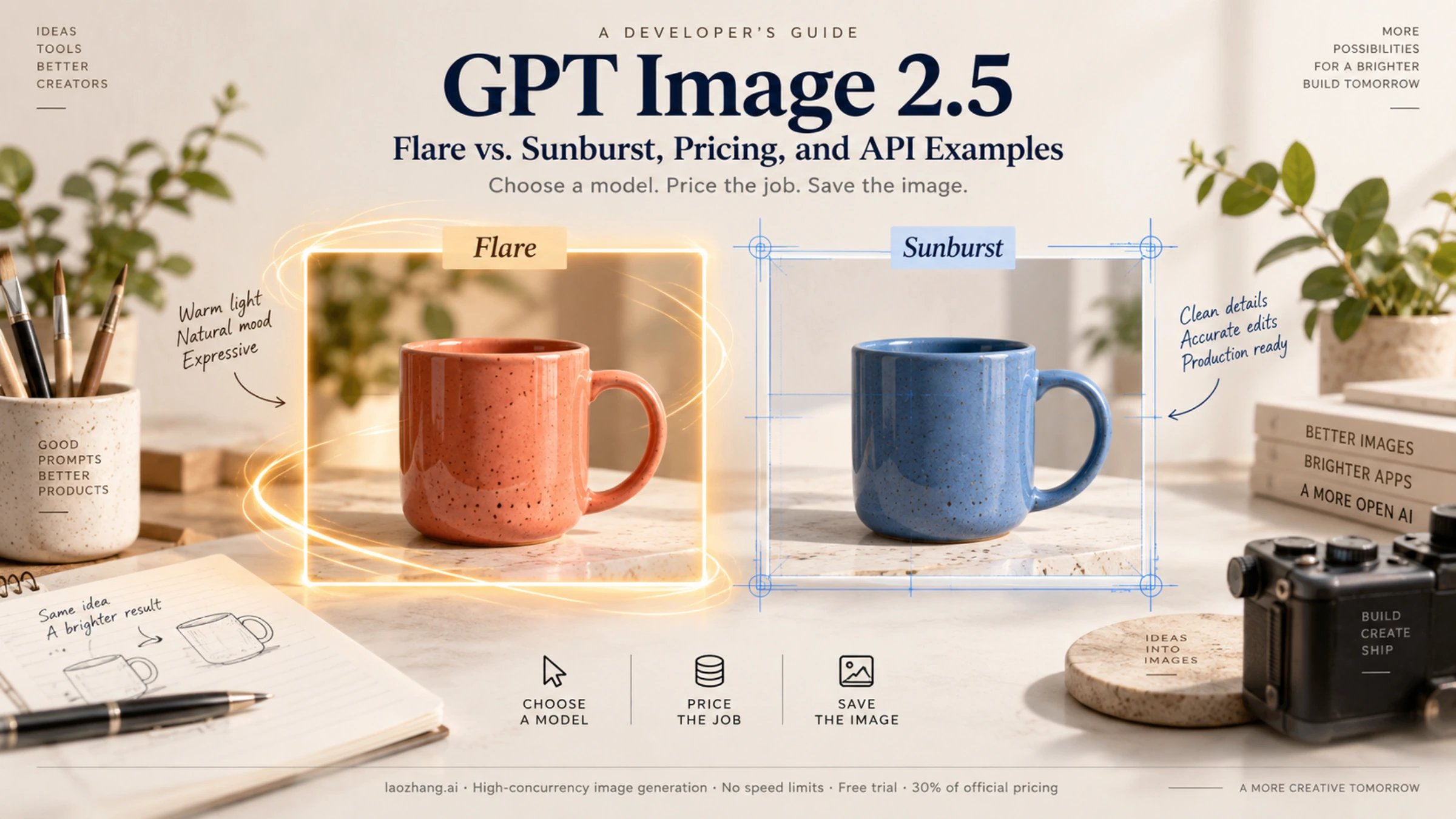
One version change affects the OpenAI side. As of September 25, 2026, OpenAI files GPT Image 2 under "Earlier GPT Image models" and tells new integrations to use a GPT Image 2.5 model, Flare or Sunburst. GPT Image 2 still works and has no published shutdown date, so a pipeline that runs well on it can stay put while you test the upgrade (OpenAI image generation guide).
Which model to try first
Find the row that describes your hardest requirement. The "Still check" column is what the documentation can't promise for you.
| If your job needs | Try first | Why | Still check |
|---|---|---|---|
| Current facts in the image (weather, prices, recent events) | Nano Banana Pro | Pro supports Grounding with Google Search | Every depicted fact and label; search requests past the free monthly allowance are billed |
| Several references at once: products, people and a style | Nano Banana Pro | Up to 14 references: up to 6 high-fidelity object images, 5 character images and 3 style images | Whether identities actually survive; the counts are allowed inputs, not guarantees |
| The most pixels at "4K" | Nano Banana Pro | 4096 × 4096 square, 5504 × 3072 at 16:9 | Whether your delivery spec needs those pixels at $0.24 per image |
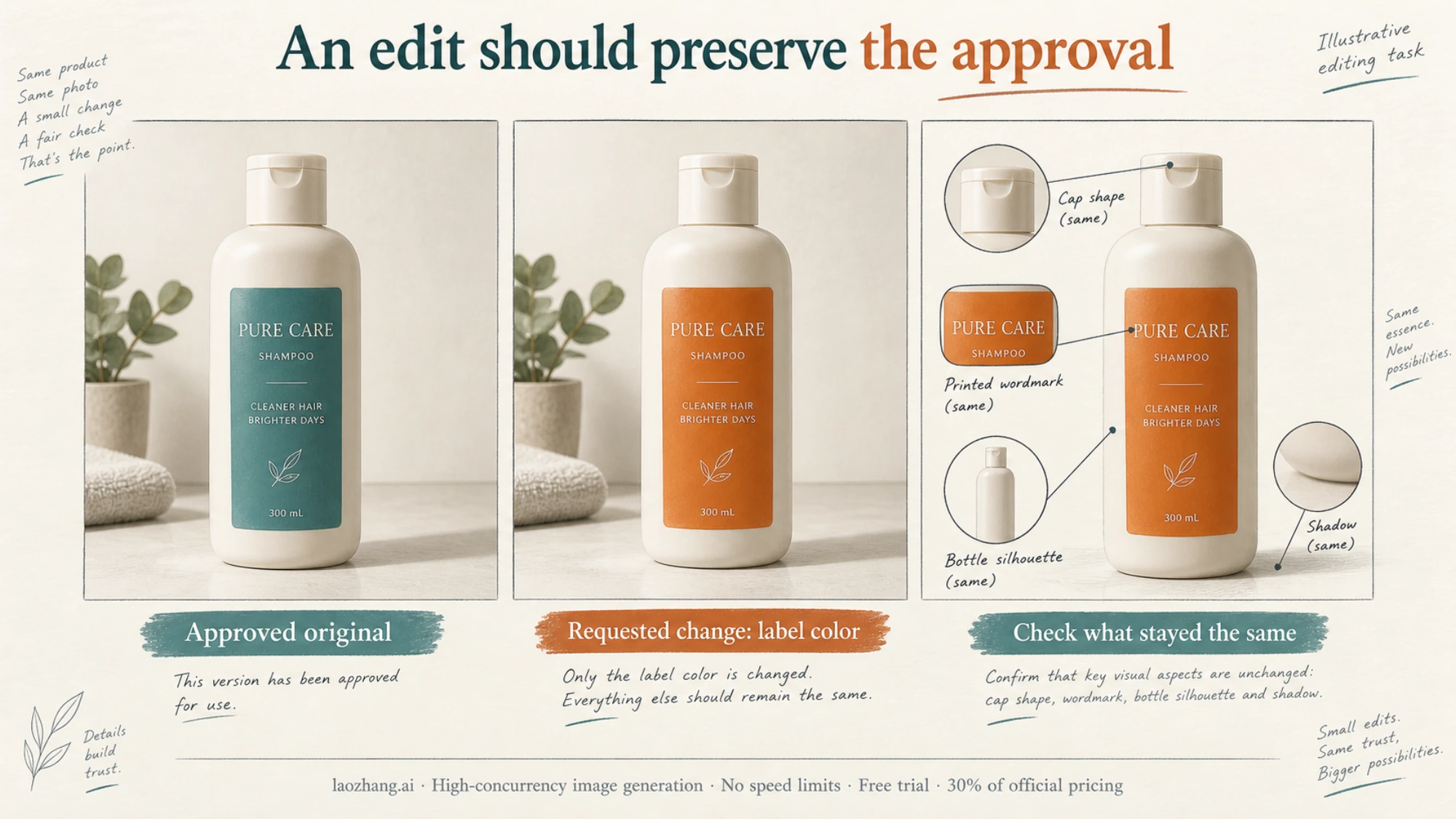
| A change confined to an area you mark | GPT Image 2.5 Sunburst | Alpha-channel mask support; OpenAI positions Sunburst for editing precision | Whether untouched areas stay untouched |
| A transparent background | GPT Image 2.5 | Supported on both 2.5 models, only in preview on GPT Image 2; Google doesn't document transparent output | Edges and the alpha channel in the delivered file |
| An exact size such as a 1920 × 1088 banner | GPT Image 2.5 or 2 | Custom width × height within limits; Pro offers ten fixed aspect ratios at 1K, 2K and 4K | Sizes above 2560 × 1440 are experimental on OpenAI |
| Many drafts where "good enough" is fine | GPT Image 2.5 Flare at low or medium | $0.00588–$0.01317 output cost at 1024 × 1024, against $0.134 for Pro | How many drafts you actually keep |
| An integration already running well on GPT Image 2 | Keep GPT Image 2 as the baseline | Still available, no shutdown date | Test 2.5 on the same jobs before switching |
Sources: Gemini image generation guide, OpenAI image generation guide, OpenAI Images edit reference.
If none of those rows applies, for example a plain prompt delivered at 1K, the choice comes down to image quality and cost. Published hands-on tests disagree on quality (see what the tests found), so a short trial on your own prompts is the only reliable tiebreaker.
Make sure you're comparing the right models
The names are easy to mix up, and a result for one Nano Banana model says nothing about another.
| Name you'll see | API model ID | Status as of September 25, 2026 |
|---|---|---|
| Nano Banana Pro, Gemini 3 Pro Image | gemini-3-pro-image | Generally available since May 28, 2026; the old gemini-3-pro-image-preview ID shut down on June 25, 2026 |
| Nano Banana 2 | gemini-3.1-flash-image | Google's Flash image model, with different prices and limits |
| GPT Image 2, "GPT Image 2.0" | gpt-image-2 (snapshot gpt-image-2-2026-04-21) | Listed as an earlier model; no shutdown date |
| GPT Image 2.5 Flare | gpt-image-2.5-flare | OpenAI's model for fast, everyday generation |
| GPT Image 2.5 Sunburst | gpt-image-2.5-sunburst | OpenAI's model for editing where precision matters most |
Both 2.5 models also have snapshots ending in -2026-09-08. Sources: Gemini 3 Pro Image model card, Gemini API changelog, GPT Image 2 model page, Flare and Sunburst model pages.
A few mix-ups to avoid:
- "Nano Banana" alone covers four models. Besides Pro and Nano Banana 2, Google offers Nano Banana 2 Lite and the original Nano Banana (
gemini-2.5-flash-image). A test or price quoted for Nano Banana 2 doesn't describe Pro. If that's the pairing you meant, read Nano Banana 2 vs GPT Image 2 instead. - There is no
gpt-image-2-promodel. OpenAI's GPT Image IDs are the three in the table above. - "Nano Banana 2.5" is not a released Google model. The name circulates on third-party pages and arena videos, but Google's model list and changelog show nothing by that name as of September 25, 2026.
- ChatGPT Images 2.5 is the ChatGPT app feature. In the API, you choose Flare or Sunburst. App and Gemini subscriptions don't change API prices or quotas.
- Code using
gemini-3-pro-image-previewis out of date. Switch it togemini-3-pro-image.
GPT Image 2 or GPT Image 2.5?
For a new integration, start with 2.5. Pick Flare for everyday generation and Sunburst when edits must leave the rest of an approved image alone. OpenAI says Flare reduces latency by 50% compared with GPT Image 2 and that Sunburst is slower in exchange for precision. Those are OpenAI's claims about its own models, not a comparison with Google (OpenAI's Images 2.5 announcement).
The version also changes the price comparison with Pro. All three OpenAI models cost the same $30 per million image output tokens, but they don't use the same number of tokens. At 1024 × 1024 and high quality, GPT Image 2 comes to $0.211 per image, while GPT Image 2.5 uses 1,756 tokens, or $0.05268. So at 1K, "GPT Image costs more than Pro at high quality" is true of GPT Image 2 and false of 2.5. The 2.5 models also add xhigh and max quality levels above high.
For an existing GPT Image 2 pipeline, there is no deadline pushing you to switch. Two details affect when to move:
- OpenAI's pricing page lists Batch prices for GPT Image 2 at half the standard rate, but no Batch rows for the 2.5 models as of September 25, 2026. If your costs depend on Batch, confirm availability first.
- Transparent backgrounds are fully supported on 2.5 and only in preview on GPT Image 2, which is a reason to move if you produce cutout assets.
Choosing between Flare and Sunburst is its own decision, covered in GPT Image 2.5: Flare vs. Sunburst, pricing, and API examples.
What one image costs at the same size
These are Standard list prices in USD for image output only, as of September 25, 2026. Google charges Pro by resolution tier: an image at 1K or 2K uses 1,120 output tokens, and a 4K image uses 2,000, at $120 per million. OpenAI charges $30 per million output tokens for all three models, and the token count depends on size and quality.
| Output size | Nano Banana Pro | GPT Image 2 | GPT Image 2.5 (Flare or Sunburst) |
|---|---|---|---|
| 1024 × 1024 | $0.134 | low $0.006 · medium $0.053 · high $0.211 | low $0.00588 · medium $0.01317 · high $0.05268 · xhigh $0.09366 · max $0.21072 |
| 2048 × 2048 | $0.134 | not in OpenAI's published table | medium $0.02676 · high $0.10704 |
| "4K" | $0.24 (4096 × 4096 square, 5504 × 3072 at 16:9) | not in OpenAI's published table | at 3840 × 2160: medium $0.02595 · high $0.10008 · max $0.40026 |
Sources: Gemini API pricing, OpenAI image generation guide, cost and latency, OpenAI API pricing. The GPT Image 2.5 figures come from OpenAI's cost calculator on that guide page.
To recompute any cell: Pro is 1,120 × $120 ÷ 1,000,000 = $0.1344, which Google rounds to $0.134, or 2,000 × $120 ÷ 1,000,000 = $0.24 at 4K. OpenAI is output tokens × $30 ÷ 1,000,000, so 1,756 tokens come to $0.05268.
What the table says:
- Against GPT Image 2, the answer flips with quality. At 1024 × 1024, Pro costs about 2.5 times GPT Image 2 medium ($0.134 vs $0.053) but only about 64% of GPT Image 2 high ($0.134 vs $0.211).
- Against GPT Image 2.5, Pro usually costs more. At 1K, Pro is dearer than every 2.5 level up to
xhigh; onlymax($0.21072) costs more than Pro. At 2K square, 2.5 high is $0.10704 against Pro's $0.134. - At "4K" you're not buying the same file. GPT Image 2.5 high at 3840 × 2160 costs $0.10008, less than half of Pro's $0.24, but Pro's 16:9 image has about twice the pixels. The next section explains why.
- Quality names don't translate across vendors. OpenAI's "high" has no counterpart on Pro, whose price depends only on the resolution tier. The table tells you what you would pay, not which image is better.
What the list price leaves out
On the Google side:
- Each input image costs about $0.0011 (560 tokens at $2 per million).
- Thinking is always on for Pro and can't be disabled. Thinking tokens are billed as text output at $12 per million.
- Grounding with Google Search includes 5,000 free search requests per month, shared across Gemini 3.x models, then costs $14 per 1,000. One request can trigger several searches, and each is charged.
- Pro has no free API tier. Batch halves the image price to $0.067 per 1K or 2K image and $0.12 per 4K image.
On the OpenAI side:
- Image inputs cost $8 per million tokens and text inputs $5 per million. GPT Image 2 processes every input image at high fidelity, so edits with references can use more input tokens.
- Calls through the Responses API also bill the tokens of the main model that invokes the image tool.
- Each streamed partial image adds 100 output tokens.
On both sides, retries multiply everything. For full budgets, see Nano Banana Pro API pricing: 1K, 2K & 4K costs and GPT Image 2 API pricing: cost per image and project budget.
"4K" doesn't mean the same file on both sides
OpenAI lets you request any width × height that meets four rules: the longest edge is at most 3,840 pixels, both edges are multiples of 16, the long side is no more than three times the short side, and the total is between 655,360 and 8,294,400 pixels. Sizes above 2560 × 1440 are marked experimental (OpenAI size and quality options).
That pixel cap sets the ceiling. The largest square OpenAI can return is 2880 × 2880 (2,880² = 8,294,400). Pro's 4K tier returns fixed sizes from Google's table (Gemini aspect ratios and image size):
| Shape | Nano Banana Pro at 4K | Largest OpenAI output | Pixel ratio |
|---|---|---|---|
| Square | 4096 × 4096 (16,777,216 px) | 2880 × 2880 (8,294,400 px) | about 2.02× |
| 16:9 | 5504 × 3072 (16,908,288 px) | 3840 × 2160 (8,294,400 px) | about 2.04× |
Pro's 4K tier also covers 21:9 at 6336 × 2688, wider than OpenAI's 3,840-pixel edge limit allows.
One third-party check matches the arithmetic. In a September 15, 2026 test on its own platform, JXP selected "4K" at 1:1 and received a 4096 × 4096 file from Pro and a 2880 × 2880 file from GPT Image 2.5 Flare at medium quality (JXP's comparison).
Extra pixels matter for print, large hero banners and crops that need headroom. For images shown at web sizes, the OpenAI ceiling may already be enough, and at 3840 × 2160 medium it costs a fraction of Pro's 4K price.
Edits, references and transparency
These capabilities decide eligibility more often than image quality does.
Mask-guided edits. OpenAI's /v1/images/edits endpoint accepts up to 16 input images and an optional mask: a PNG with an alpha channel, the same size and format as the image, applied to the first input. OpenAI notes that masking is "entirely prompt-based": the model treats the mask as guidance and may not follow its exact shape. Google documents no mask upload for Nano Banana models. Its editing guide uses conversational "semantic masking", where you describe the part to change and ask the model to keep everything else the same. For OpenAI's workflow in detail, see the OpenAI Image Editing API guide.
Whichever model you pick, judge an edit by what stayed the same, not only by whether the requested change looks good.
Reference images. Pro accepts up to 14 references in one request, split into up to 6 high-fidelity object images, 5 character images and 3 style images. OpenAI's edit endpoint takes up to 16 input images but doesn't publish a split by role. On either side, these are limits on what you can send, not promises about how faithfully a face or product will come back.
Transparent backgrounds. Both GPT Image 2.5 models support background: "transparent" with PNG or WebP output. For GPT Image 2 the same option is in preview. Google's image generation guide doesn't document a transparent output option for any Nano Banana model, so Pro assets that need cutouts require a separate background-removal step. To produce and check alpha output on OpenAI, see GPT Image 2: generate and validate transparent PNG or WebP.
Things each vendor says can still fail. OpenAI lists precise text placement, consistency for recurring characters or brand elements, and layout-sensitive composition as known weak spots, and notes that complex prompts can take up to 2 minutes. Google notes that Pro may not return the exact number of images requested and works best when text is generated first. All Pro outputs carry a SynthID watermark.
What published hands-on tests found
Two published comparisons point in different directions. Both were run by platforms that sell access to these models, on small samples, through each platform's own settings rather than the direct APIs.
- ChatCut (April 23, 2026, GPT Image 2 vs Pro). Prompts ran three times per model inside ChatCut's editor and were scored 1–5. GPT Image 2 scored higher on photorealism (4.5 vs 4) and in-image text (4.5 vs 4). Pro scored higher on spatial and compositional control (4 vs 3), and ChatCut recommended it for storyboards and UI mockups (ChatCut's comparison).
- JXP (September 15, 2026, GPT Image 2.5 Flare at medium vs Pro). Four prompts, one generation each. Text rendering and a localized color edit came out tied. Pro's product photo looked more ad-ready, and Pro returned more pixels at "4K". Flare was faster (roughly 20–40 seconds at 1K against under a minute to over two minutes for Pro) and cheaper in JXP's credits (JXP's comparison).
Neither test tried Search grounding, mixed references or transparency, which are the capabilities most likely to decide your choice. Treat the results as hints about what to test, not as a verdict.
Test both on your own job before committing
A small, fair trial answers the question the published tests can't: which model gives you more usable images for your work.
- Write the pass criteria first. For an edit: what changes and what must stay. For a marketing image: the exact wording, minimum readable size, layout and final pixel dimensions.
- Use real work. Pick 5–10 jobs you have already delivered, including a few that needed corrections.
- Match what can be matched. Same brief, same reference files, same delivery size where both sides support it, and the same retry budget. Record the model ID or snapshot, quality level, reference order and date.
- Then let each model use its strengths. Search grounding on Pro, a mask or transparency on OpenAI. Label those runs as optimized, separate from the matched runs.
- Log every attempt. Keep billed charges, elapsed time, failed requests and images that generated fine but failed the brief.
- Compare cost per usable image. Divide total API charges for the job by the number of images that pass your criteria. If nothing passes, the model failed the job regardless of price.
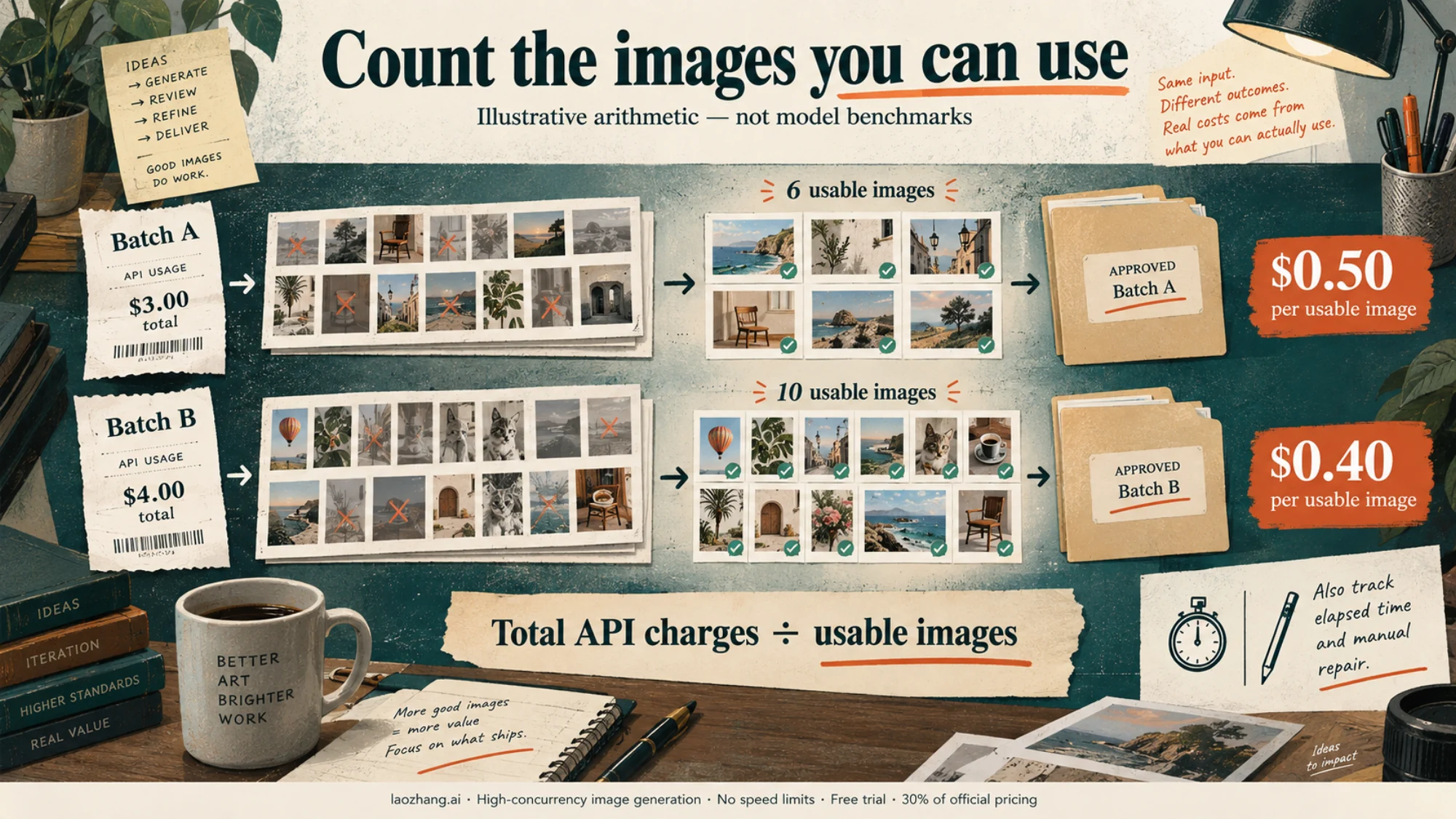
In that example, the batch with the bigger bill delivers the cheaper usable images. A low per-image list price can lose to a higher one if more of its outputs get thrown away. Record manual repair time alongside the API bill so that an inexpensive image doesn't hide an expensive workflow.
To wire up the OpenAI side for the trial, GPT Image 2 API and Codex: which route should you use? explains the Images API and Responses routes.
FAQ
Is GPT Image 2 better than Nano Banana Pro?
Not across the board. In ChatCut's April 2026 test, GPT Image 2 scored higher on photorealism and dense in-image text, and Pro scored higher on compositional control. By documented capabilities, Pro is the one with Search grounding, a larger reference mix and bigger 4K files, while GPT Image has mask uploads, custom sizes and, on 2.5, transparency. For a new OpenAI integration, the fairer comparison is GPT Image 2.5 against Pro.
Is Nano Banana Pro still Google's best image model?
Yes, for complex work. Google describes Pro as its premium choice for the most complex visual tasks, and no newer Pro model appears in Google's model list as of September 25, 2026. Nano Banana 2 is the Flash model, which Google optimizes for speed and high-volume use. To decide between them, see Nano Banana 2 vs Pro: which should be your default? or the full Gemini image models lineup.
Is GPT Image 2 being replaced?
OpenAI now recommends GPT Image 2.5 for new integrations and lists GPT Image 2 as an earlier model, but it has published no deprecation or shutdown date. Existing code keeps working.
Which is cheaper, Nano Banana Pro or GPT Image?
It depends on the OpenAI model and quality. At 1024 × 1024, Pro's $0.134 is cheaper than GPT Image 2 high ($0.211) but dearer than GPT Image 2 medium ($0.053) and every GPT Image 2.5 level up to xhigh. At 4K, Pro's $0.24 buys about twice the pixels of OpenAI's largest output.
Can I try Nano Banana Pro for free through the API?
No. Google's pricing page lists no free tier for Pro in the Gemini API. The Gemini app is a separate product with its own plans.