Update (October 8, 2026): Google released Nano Banana 2.1 (
gemini-nano-banana-2.1) on October 6, 2026, and markedgemini-3.1-flash-image(Nano Banana 2) as deprecated in the Gemini API, recommending a move to 2.1. No shutdown date is announced (an October 29 date announced that day was withdrawn on October 7). Nano Banana 2 model IDs, prices and code below still work for now; new projects should start on 2.1. For what changes and how to migrate, see Nano Banana 2.1 Is Out: Access, API Pricing and Moving Off Nano Banana 2.
Nano Banana errors typically fall into five categories: rate limits (429), server issues (502/503), authentication problems (403), invalid requests (400), and image generation failures. The most common error, HTTP 429 RESOURCE_EXHAUSTED, accounts for approximately 70% of all API errors and usually resolves within 1-5 minutes by waiting. As of January 2026, free tier users have a 2-image daily limit, while Pro subscribers ($19.99/month) get approximately 100 images per day. This guide provides step-by-step solutions for each error type with expected resolution times.
Understanding Nano Banana and Common Error Types
Nano Banana, officially known as Gemini 2.5 Flash Image within Google's AI ecosystem, represents Google's production-ready AI image generation and editing model. The model leverages Google's advanced Gemini architecture to deliver sharp, context-aware images with exceptional text rendering accuracy reaching 94% compared to competitors' 60-70%. Whether you're using Nano Banana through the Gemini web interface, Google AI Studio, or programmatic API access, understanding the error landscape is essential for maintaining productive workflows.
What Makes Nano Banana Unique
The technology behind Nano Banana enables both text-to-image generation and sophisticated image editing through natural language prompts. Users can describe changes in conversational terms, and the model maintains exceptional consistency across edits, preserving faces and objects even through multiple iterations. This stability distinguishes Nano Banana from many competing tools where results often shift or distort unexpectedly.
The Error Landscape
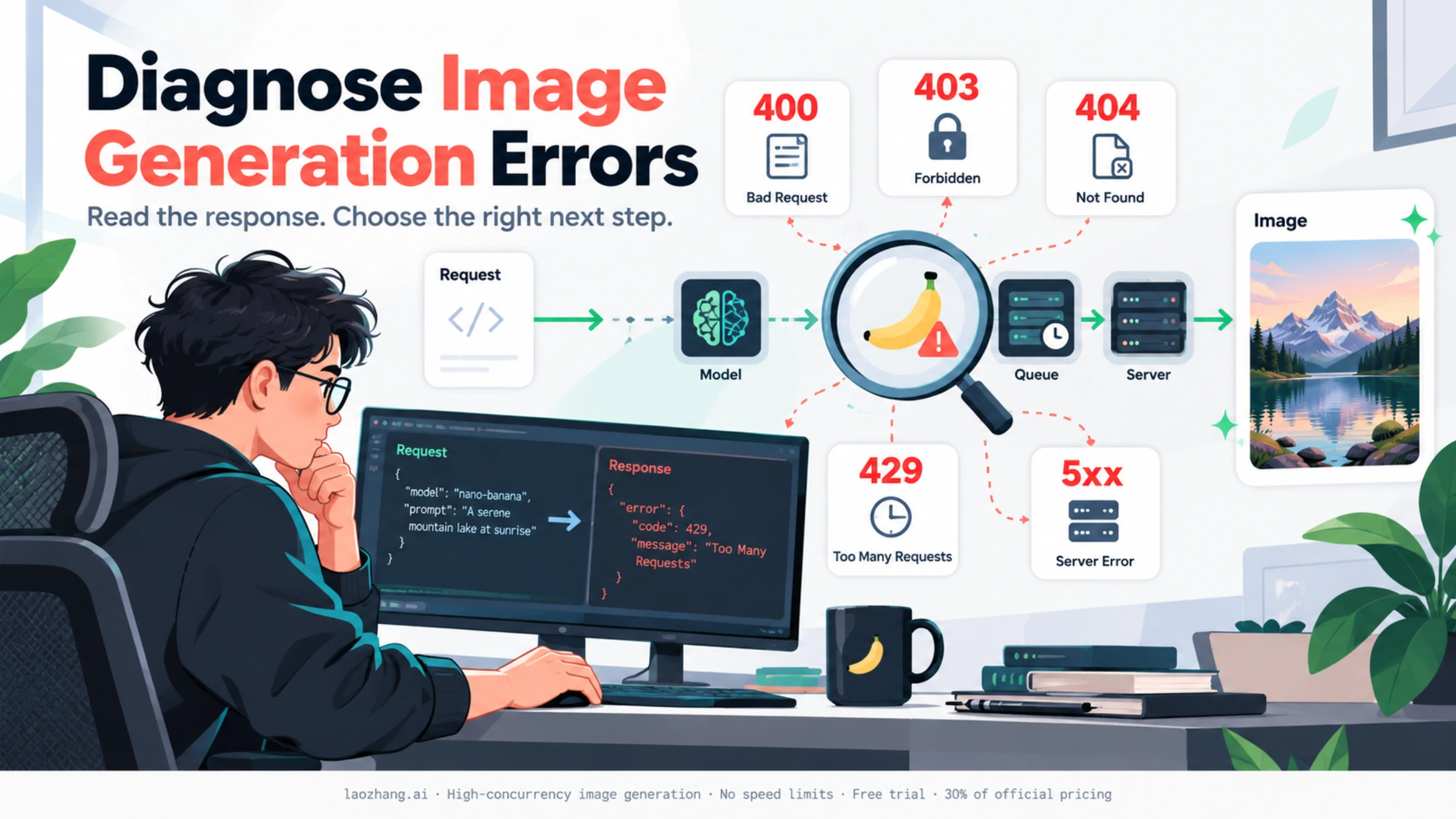
When Nano Banana encounters problems, it communicates through HTTP status codes following industry-standard conventions. These codes fall into distinct categories that inform your troubleshooting approach. Client-side errors (4xx codes) indicate problems with your request that you can fix, while server-side errors (5xx codes) point to issues on Google's infrastructure that require patience rather than action. Understanding this distinction immediately narrows your troubleshooting path.
Based on community data and developer reports through January 2026, the error distribution follows a clear pattern. Rate limit errors (429) dominate at approximately 70% of all reported issues, followed by server errors (502/503) at around 15%, authentication issues (403) at roughly 8%, and other miscellaneous errors comprising the remaining 7%. This distribution guides prioritization—most users experiencing problems are hitting rate limits rather than encountering fundamental access issues.
Why Errors Occur
The root causes vary significantly by error type. Rate limiting exists because Google allocates finite computational resources across millions of users, with free tier accounts receiving lowest priority during high-demand periods. Server errors typically emerge during peak usage hours or when Google deploys infrastructure updates. Authentication failures usually trace back to API key management issues or missing service enablement steps in Google Cloud Console. By understanding these underlying causes, you can implement preventive measures rather than purely reactive fixes.
Quick Diagnosis: Identify Your Error in 30 Seconds
Before diving into specific solutions, quickly identify which error category you're experiencing. Match your symptoms to the descriptions below, then jump directly to the relevant section.
Symptom Checklist
Are you seeing "Too many requests" or quota messages?
If your error message contains phrases like "RESOURCE_EXHAUSTED," "rate limit exceeded," "daily limit reached," or "quota exceeded," you're experiencing a 429 error. This is the most common issue affecting 70% of users. Jump to the Rate Limit Errors section for immediate solutions.
Are you seeing "Something went wrong" or blank responses?
Messages like "Bad Gateway," "upstream server error," or completely blank responses with no generated image indicate a 502/503 server error. These are Google's problems, not yours. Check the Server-Side Errors section for what you can and cannot do.
Are you seeing "Permission denied" or "Invalid API key"?
Error messages containing "403 Forbidden," "permission denied," "invalid API key," or "authentication failed" point to authentication issues. These are fixable on your end. See the Client-Side Errors section for step-by-step resolution.
Are you seeing "Model not found" or "Invalid request"?
Messages about invalid parameters, malformed requests, or model names not being found indicate 400/404 errors. These require adjustments to your request structure. Visit the Client-Side Errors section for detailed fixes.
Is your prompt being blocked or are you getting safety warnings?
If Nano Banana refuses to generate your image citing content policies, safety filters, or inappropriate content detection, you're facing content filtering issues. Check the Image Generation Specific Issues section for rewording strategies.
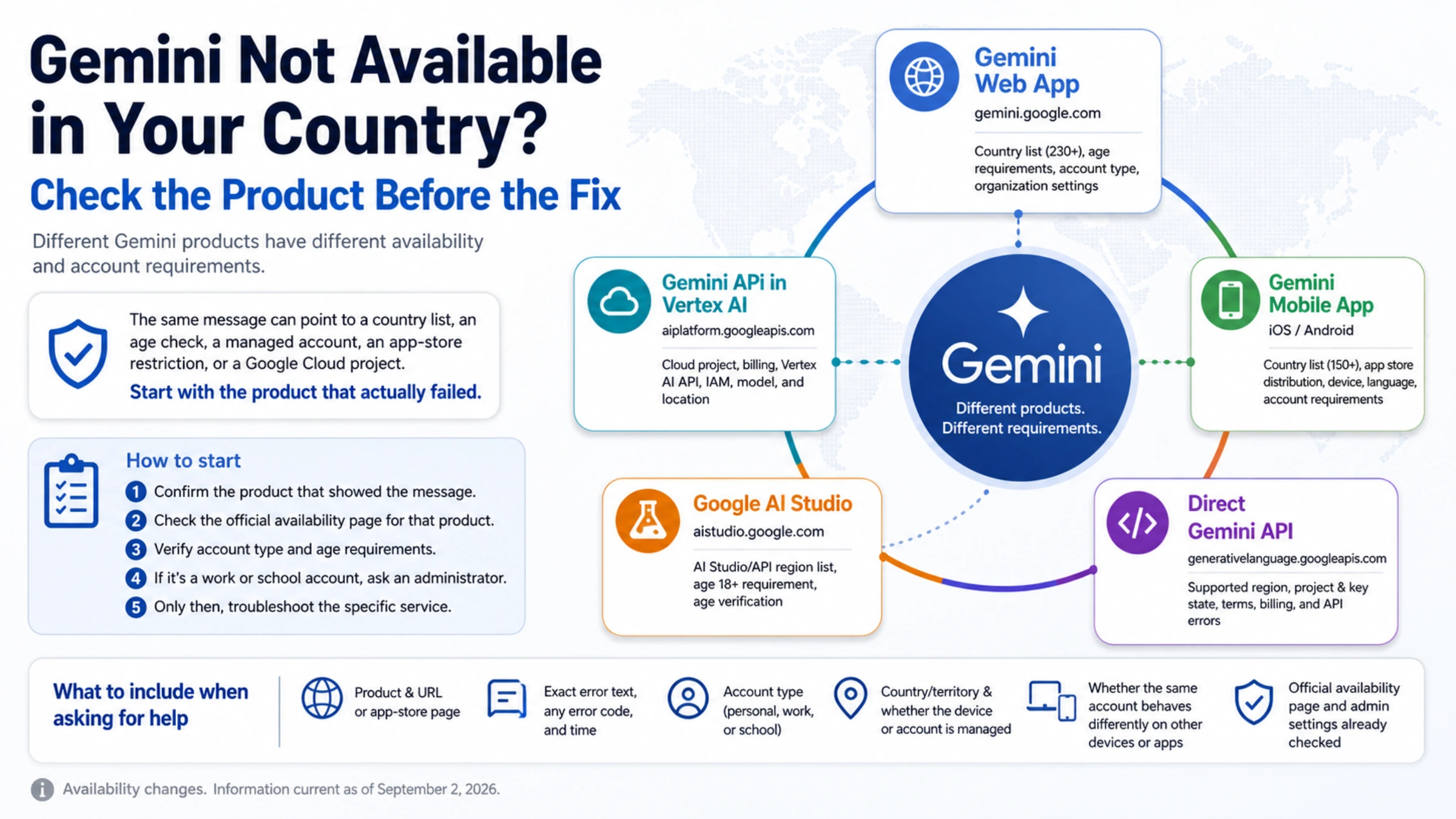
Is Nano Banana Pro not appearing in your Gemini interface?
If you can't find the Nano Banana option at all, this relates to feature availability, not an error per se. Regional restrictions or account type limitations may apply. The Image Generation Specific Issues section addresses this scenario.
Quick Decision Tree
For the fastest resolution, follow this path:
-
Can you reach the Gemini interface at all? If not, check your internet connection and try a different browser.
-
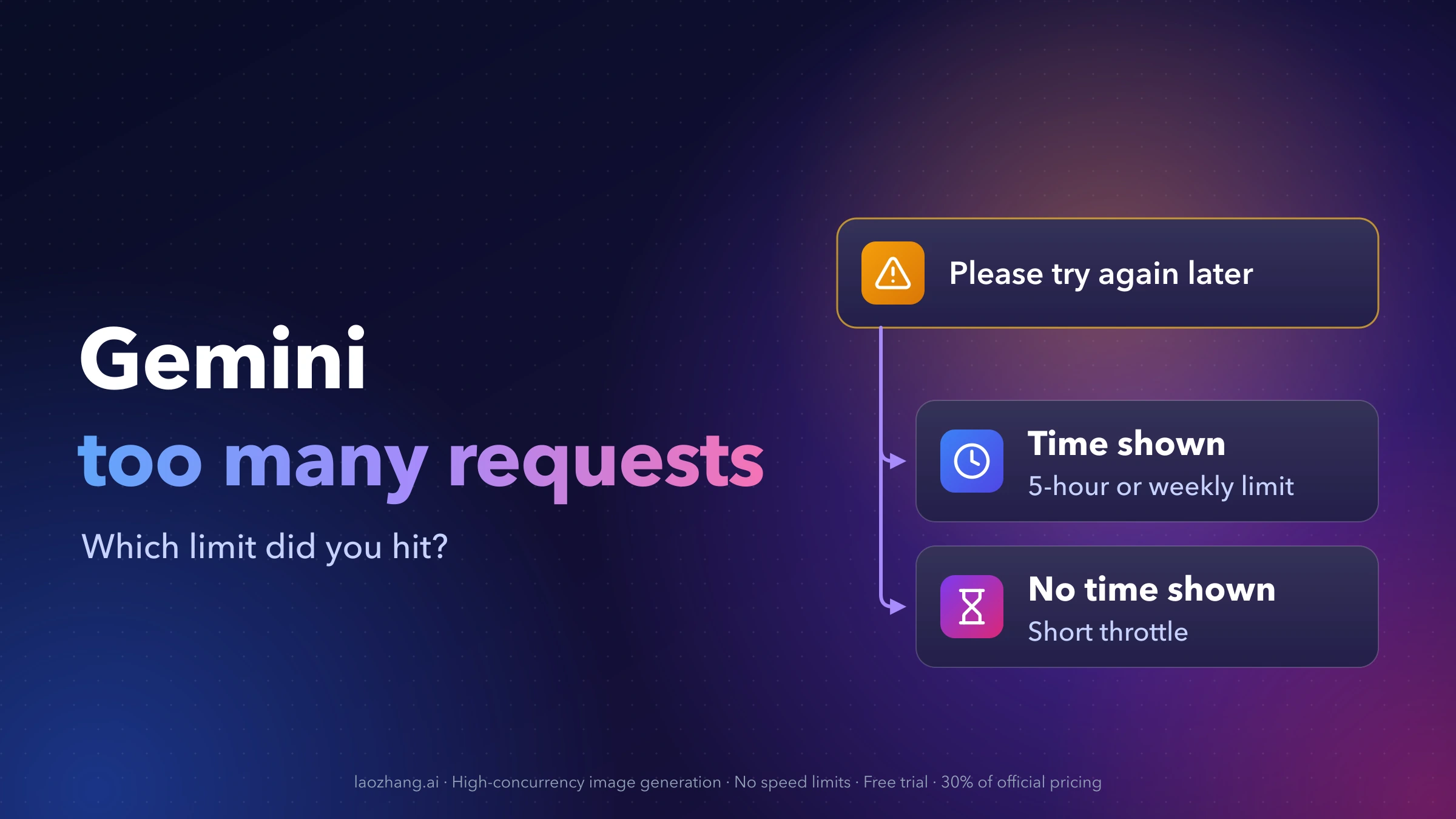
Is the error message about limits or quotas? Wait 1-5 minutes for RPM limits, or until midnight UTC for daily limits.
-
Is the error message about permissions or keys? Regenerate your API key and verify API enablement.
-
Is there no error but also no output? Clear browser cache, refresh the session, or try a simpler prompt.
-
Is your content being blocked? Rephrase your prompt using neutral, descriptive language.
Complete Error Code Reference Table
This comprehensive table provides quick lookup for all Nano Banana error codes. Use it as your primary reference when encountering any HTTP error.
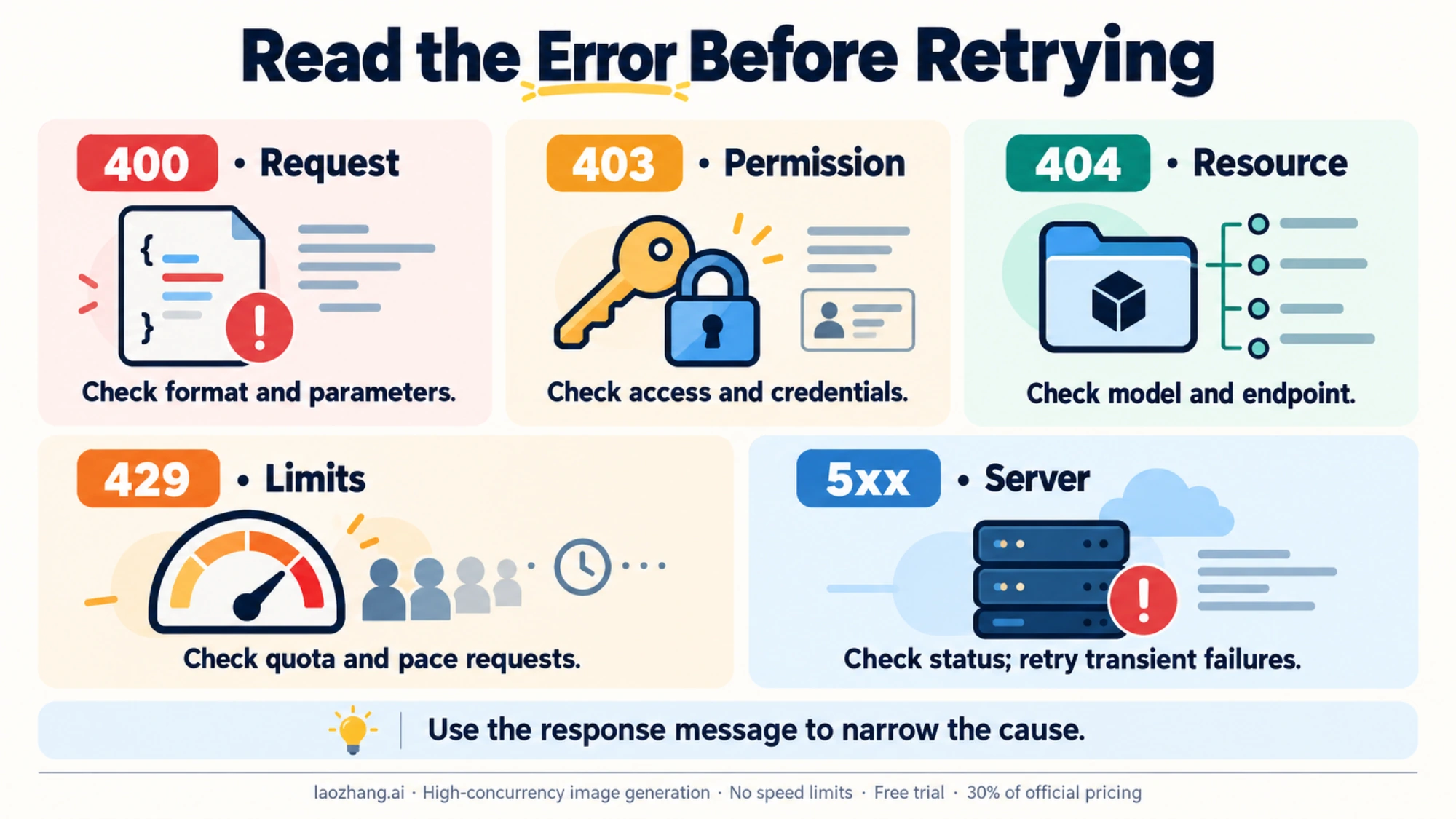
| Code | Status | Primary Cause | Solution | Resolution Time | Frequency |
|---|---|---|---|---|---|
| 400 | Bad Request | Invalid request format, missing parameters, malformed JSON | Validate request structure against API documentation, check parameter types | Immediate | ~5% |
| 403 | Forbidden | Invalid API key, API not enabled, insufficient permissions | Regenerate API key, enable Generative AI API in Google Cloud | Immediate | ~8% |
| 404 | Not Found | Wrong model name, deprecated API version, invalid endpoint | Use ListModels API to verify model names, update to latest API | Immediate | ~2% |
| 429 | Rate Limited | Too many requests, daily quota exceeded, RPM limit hit | Wait 1-5 min, upgrade tier, or use alternative API | 1-5 minutes | ~70% |
| 500 | Internal Error | Server processing failure, Google-side issues | Retry after 2-5 min, simplify prompt, check status page | 5-15 minutes | ~5% |
| 502 | Bad Gateway | Upstream server failure, peak hours overload | Wait 5-15 min, check status page, use alternatives | 5-15 minutes | ~8% |
| 503 | Unavailable | Service temporarily unavailable, maintenance | Wait for service restoration, check status updates | 15min - 2hr | ~2% |
| 504 | Timeout | Request timed out, complex prompt processing | Simplify prompt, reduce image size, increase timeout to 60s+ | Immediate | ~1% |
Understanding the Error Categories
Client Errors (4xx) indicate problems with your request that you have the power to fix. The server understood your request but refuses to fulfill it for specific reasons you can address. These errors should resolve immediately once you correct the underlying issue.
Server Errors (5xx) indicate problems on Google's infrastructure. No amount of request modification will resolve these—you must wait for Google's systems to recover. The key insight is recognizing server errors quickly so you don't waste time troubleshooting your own setup.
Frequency Distribution Insight
The 70% figure for 429 errors deserves special attention. This overwhelming majority means that if you're experiencing issues with Nano Banana, the most probable cause is rate limiting rather than any fundamental problem with your account, API key, or request format. Start your troubleshooting with rate limit assumptions unless your error message clearly indicates otherwise.
Client-Side Errors (400, 403, 404): Authentication and Permission
Client-side errors indicate issues with your request that you can resolve directly. These errors provide specific feedback about what needs correction.
Error 400: Bad Request
A 400 error occurs when your request doesn't conform to the API's expected format. The server cannot process your request because something in its structure is invalid.
Common Causes:
- Malformed JSON in API requests
- Missing required parameters
- Invalid parameter types (sending string instead of integer)
- Exceeding maximum allowed values for parameters
- Incorrect content-type headers
Step-by-Step Resolution:
-
Review the error response body. Nano Banana API typically includes a detailed message explaining exactly which parameter or format issue triggered the error. Read this message carefully before attempting fixes.
-
Validate your JSON structure. Use an online JSON validator to ensure your request body contains no syntax errors. Common mistakes include trailing commas, unquoted keys, or incorrect bracket matching.
-
Cross-reference with current API documentation. Google's Gemini API documentation at developers.generativeai.google specifies exact parameter requirements. Model names and endpoints change frequently, so verify you're using current specifications.
-
Test with a minimal request. Strip your request to the absolute minimum required parameters. If this works, gradually add parameters back to identify which one causes the failure.
Error 403: Permission Denied
A 403 error means the server understood your request but refuses to authorize it. This typically traces to API key or permission issues.
Common Causes:
- Invalid or expired API key
- API key exposed publicly and automatically revoked
- Generative Language API not enabled in your Google Cloud project
- Insufficient IAM permissions for your service account
- Regional restrictions blocking access
Step-by-Step Resolution:
-
Verify your API key in Google AI Studio. Navigate to aistudio.google.com, access API keys, and confirm your key is active. If uncertain, generate a fresh key.
-
Check for key exposure. Google proactively scans for API keys published in public repositories, websites, or forums. If your key appeared publicly, it may have been automatically revoked. Generate a new key and treat it as a secret.
-
Enable the required API. In Google Cloud Console, navigate to APIs & Services > Library. Search for "Generative Language API" and ensure it's enabled for your project. This step is mandatory even with a valid API key.
-
Verify IAM permissions. If using service accounts, confirm the account has "AI Platform User" role or equivalent permissions. Project owners should have full access by default.
For comprehensive Gemini API authentication guidance, see our Gemini API key setup guide.
Error 404: Not Found
A 404 error indicates you're requesting a resource that doesn't exist at the specified location. With Nano Banana, this usually means incorrect model names or deprecated endpoints.
Common Causes:
- Using old model names that have been deprecated
- Incorrect API version in endpoint URL
- Typos in model identifiers
- Attempting to access preview features that have been removed
Step-by-Step Resolution:
-
Query available models. Use the ListModels API endpoint to retrieve current model names. The official model identifier for Nano Banana Pro is
gemini-3-pro-imageand for Nano Banana 2 it isgemini-3.1-flash-image(October 2026); the older-previewIDs have been shut down. -
Update your endpoint URLs. Ensure you're using the current API version. The endpoint pattern follows
https://generativelanguage.googleapis.com/v1beta/models/{model_name}:generateContent. -
Check announcement channels. Google announces model deprecations and new releases through their AI blog and developer forums. Subscribe to stay informed of changes.
Rate Limit Errors (429): The Most Common Issue
Error 429 RESOURCE_EXHAUSTED dominates the Nano Banana error landscape, accounting for approximately 70% of all issues users encounter. Understanding the nuances of rate limiting enables both immediate resolution and long-term prevention.
Why Rate Limits Exist
Google allocates computational resources across millions of Gemini users worldwide. Rate limits ensure fair access by preventing any single user from monopolizing capacity. The limits operate on multiple dimensions simultaneously: requests per minute (RPM), tokens per minute (TPM), and requests per day (RPD). Exceeding any dimension triggers a 429 response.
Understanding the Limit Tiers
Nano Banana limits depend on whether you use the Gemini app or the Gemini API. As of October 2026, Google documents them like this:
| Where you generate | What limits you | Notes |
|---|---|---|
| Gemini app, no Google AI plan | Standard usage limits | Nano Banana 2 image generation included |
| Google AI Plus / Pro | 2x / 4x standard limits | Media generation uses more of your limit than chat |
| Google AI Ultra | 5x or 20x AI Pro limits, depending on subscription | Highest app limits |
| Gemini API (paid) | Per-project RPM and RPD by usage tier | No free tier for image models; Nano Banana 2 costs $0.045–$0.151 per image, Nano Banana Pro $0.134 (1K/2K) or $0.24 (4K) |
Sources: Gemini Apps limits and Gemini API pricing. API rate limits rise as your project's cumulative spend moves it into higher usage tiers.
Immediate Resolution Steps
For RPM (requests per minute) limits:
-
Wait 60 seconds. RPM limits reset every minute. Simply pausing for one minute often resolves the issue.
-
Reduce request frequency. If you're making rapid sequential requests, add delays between them. Even 5-10 seconds between requests significantly reduces 429 occurrences.
-
Implement exponential backoff. For programmatic access, start with a 1-second delay after the first 429, then double the wait time for each subsequent failure (2s, 4s, 8s) up to a maximum of 32 seconds.
For daily quota limits:
-
Check when quotas reset. Gemini API daily (RPD) quotas reset at midnight Pacific Time (PST/PDT). Plan your usage accordingly.
-
Upgrade your tier. If you consistently hit Gemini app limits, Google AI Pro gives 4x the standard limits and AI Ultra more; on the API, higher usage tiers unlock higher RPM and RPD.
-
Consider API alternatives. For production workloads, aggregators such as laozhang.ai resell Nano Banana Pro under their own limits; compare their current per-image price with Google's $0.134.
Session-Related 429 Errors
Corrupted session data occasionally triggers false 429 errors even when you haven't exhausted actual quotas. If you're seeing 429s unexpectedly:
-
Clear browser cache and cookies. Navigate to your browser's privacy settings and clear cached data for Google domains.
-
Re-authenticate. Sign out of your Google account completely, then sign back in.
-
Try a different browser or incognito mode. This eliminates cached session issues entirely.
For developers implementing retry logic, our comprehensive Gemini API 429 error guide provides production-ready code patterns.
Server-Side Errors (500, 502, 503, 504)
Server-side errors indicate problems within Google's infrastructure. Unlike client errors, you cannot directly resolve these—but understanding them helps set appropriate expectations and identify when alternative strategies become necessary.
Error 500: Internal Server Error
A 500 error means something unexpected failed during request processing. The server encountered a condition it wasn't prepared to handle.
What You Can Do:
- Wait 2-5 minutes and retry with the same request
- If persistent, simplify your prompt to reduce processing complexity
- Check Google's status page at status.cloud.google.com for known issues
What You Cannot Do:
- Fix the underlying server problem
- Force immediate resolution through repeated requests (this may worsen the situation)
Error 502: Bad Gateway
The 502 error indicates that a server acting as a gateway received an invalid response from an upstream server. In practice, this usually means Google's load balancers couldn't reach the actual image generation servers.
Common Causes:
- Peak hour server overload (particularly during US business hours)
- Infrastructure deployments or updates
- Capacity shortages during high-demand periods
Resolution Timeline:
Based on January 2026 data, most 502 errors resolve within 5-15 minutes. If you're experiencing persistent 502s beyond 30 minutes:
- Verify the outage isn't affecting all users by checking community forums or Twitter/X for reports
- Consider using alternative API providers temporarily
- Queue your requests for later automatic retry rather than blocking user workflows
Error 503: Service Unavailable
A 503 explicitly states the service cannot handle requests temporarily. This often accompanies planned maintenance or unexpected capacity issues.
What to Expect:
- Resolution times range from 15 minutes to 2 hours depending on cause
- Google's status page usually provides updates for extended outages
- Unlike 502s, 503s often indicate intentional temporary suspension
Error 504: Gateway Timeout
A 504 occurs when the gateway server didn't receive a timely response from the upstream server. For image generation, this often means your request required more processing time than the system allows.
Immediate Fixes:
- Simplify your prompt to reduce generation complexity
- If editing images, use smaller resolution inputs
- For API access, increase your client-side timeout to at least 60 seconds
When Server Errors Persist
If server errors continue for extended periods, consider temporary alternatives:
- Alternative API providers like laozhang.ai maintain independent infrastructure, so Google outages don't affect their service
- Model switching to different Gemini variants may access different capacity pools
- Scheduling non-urgent generation for off-peak hours (typically 6-10 PM Pacific)
Image Generation Specific Issues
Beyond HTTP error codes, Nano Banana can fail to generate images for reasons specific to the image generation process itself.
Blocked Prompts and Safety Filters
Gemini implements comprehensive content safety filters that block prompts triggering policy violations. If your prompt is blocked:
Understanding What Triggers Filters:
- Explicit content requests (even implied)
- Violence or harmful content descriptions
- Requests to generate images of real public figures
- Content that could facilitate harm or illegal activities
Rewording Strategies:
Instead of fighting filters, rephrase prompts to achieve similar results within guidelines:
- Replace specific names with generic descriptions ("a business leader" instead of real names)
- Use artistic style references rather than explicit scene descriptions
- Focus on abstract concepts that convey emotion without depicting concerning scenarios
- Add qualifier phrases like "in a professional context" or "artistic illustration style"
Blank Output / No Response
Sometimes Nano Banana processes without error but returns no actual image. This silent failure frustrates users because there's no clear error message to troubleshoot.
Common Causes:
- Session timeout during extended processing
- Overly complex prompts requiring processing beyond timeout limits
- Server-side generation failure not properly communicated as an error
Resolution Steps:
-
Refresh your session. For web interface users, click your profile and sign out, then sign back in.
-
Simplify your prompt. Start with a basic description and gradually add complexity to identify where failures begin.
-
Clear browser cache. Corrupted cached resources can interfere with proper API communication.
-
Try during off-peak hours. Complex prompts are more likely to succeed when server load is lower.
Model Not Appearing
If Nano Banana Pro doesn't appear in your Gemini interface at all:
Account Type Issues:
- Workspace (business) accounts may have Nano Banana disabled by administrators
- Educational accounts often have restricted feature access
- Some Google Workspace configurations block AI image generation entirely
Regional Availability:
- Nano Banana Pro isn't available in all regions
- VPN usage may interfere with proper feature detection
- Try accessing with a personal Google account to test feature availability
Rollout Status:
- Google rolls out features gradually; your account may not have access yet
- Check Google's AI blog for announcement timelines
- New features typically reach all users within 2-4 weeks of announcement
Rate Limits and Quota Management
Effective quota management prevents errors before they occur. Understanding your limits and optimizing within them enables sustainable workflows.
Understanding Your Current Usage
For API users, Google Cloud Console provides detailed quota monitoring:
- Navigate to Google Cloud Console > APIs & Services > Quotas
- Filter by "Generative Language API"
- View current usage against limits for RPM, TPM, and RPD
Set up alerts at 70% utilization to receive advance warning before hitting hard limits.
Optimizing Within Limits
Batch Wisely: If you need to generate multiple images, space requests evenly rather than bursting. Ten requests over ten minutes is better than ten requests in one minute.
Cache Results: Store generated images rather than regenerating. If you need slight variations, use image editing on cached base images rather than full regeneration.
Off-Peak Scheduling: Google's systems experience lower load during specific windows. Early morning Pacific Time (4-8 AM) typically offers best performance and lowest error rates.
Upgrade Decisions
Consider upgrading when:
- You consistently hit daily limits before completing work
- Your workflow requires predictable, uninterrupted access
- The cost of delays exceeds subscription pricing
The math for a Google AI Pro subscription (check the current price in your region): if 429 errors cost you more than ~$5/week in lost productivity, upgrading pays for itself.
For detailed limit information by tier, see our Gemini API rate limits guide.
Cost-Effective Alternative Solutions
When official limits don't meet your needs, alternative access methods provide options without requiring expensive tier upgrades.
Third-Party API Aggregators
Platforms like laozhang.ai provide Nano Banana Pro API access through aggregated infrastructure. The key advantages include:
- Separate limits: Pay-per-use under the provider's own rate limits rather than your Google project's
- Price: Set by the provider and often lower than Google's $0.134 per Pro image; check the current price page
- Separate account: Usage does not count against your own Google account
At scale, compare the total monthly cost: 1,000 Nano Banana Pro images cost $134 through Google's official API at 1K/2K, or $67 with Nano Banana 2 at 1K.
When to Consider Alternatives
Alternatives make sense when:
- You've exhausted free tier quotas but aren't ready for subscription commitment
- Your usage patterns are unpredictable (heavy some weeks, none others)
- You're developing applications that need production-level stability
- Regional restrictions block official access
Trade-offs to Consider
Third-party access involves considerations:
- Support: Issues route through the provider rather than Google directly
- Latency: Additional routing may add 50-100ms per request
- Terms: Review provider terms regarding data handling and usage policies
For documentation and setup instructions, visit docs.laozhang.ai.
Summary and Frequently Asked Questions
Key Takeaways
-
Most errors are rate limits (70%). When troubleshooting, start with the assumption you've hit a quota before investigating other causes.
-
Resolution times are predictable. 429 errors clear in 1-5 minutes, 502/503 errors in 5-15 minutes, and client errors immediately upon correction.
-
Server errors aren't your fault. For 5xx errors, wait for Google to resolve the issue rather than troubleshooting your own setup.
-
Alternatives exist. When official limits are insufficient, platforms like laozhang.ai provide cost-effective API access.
-
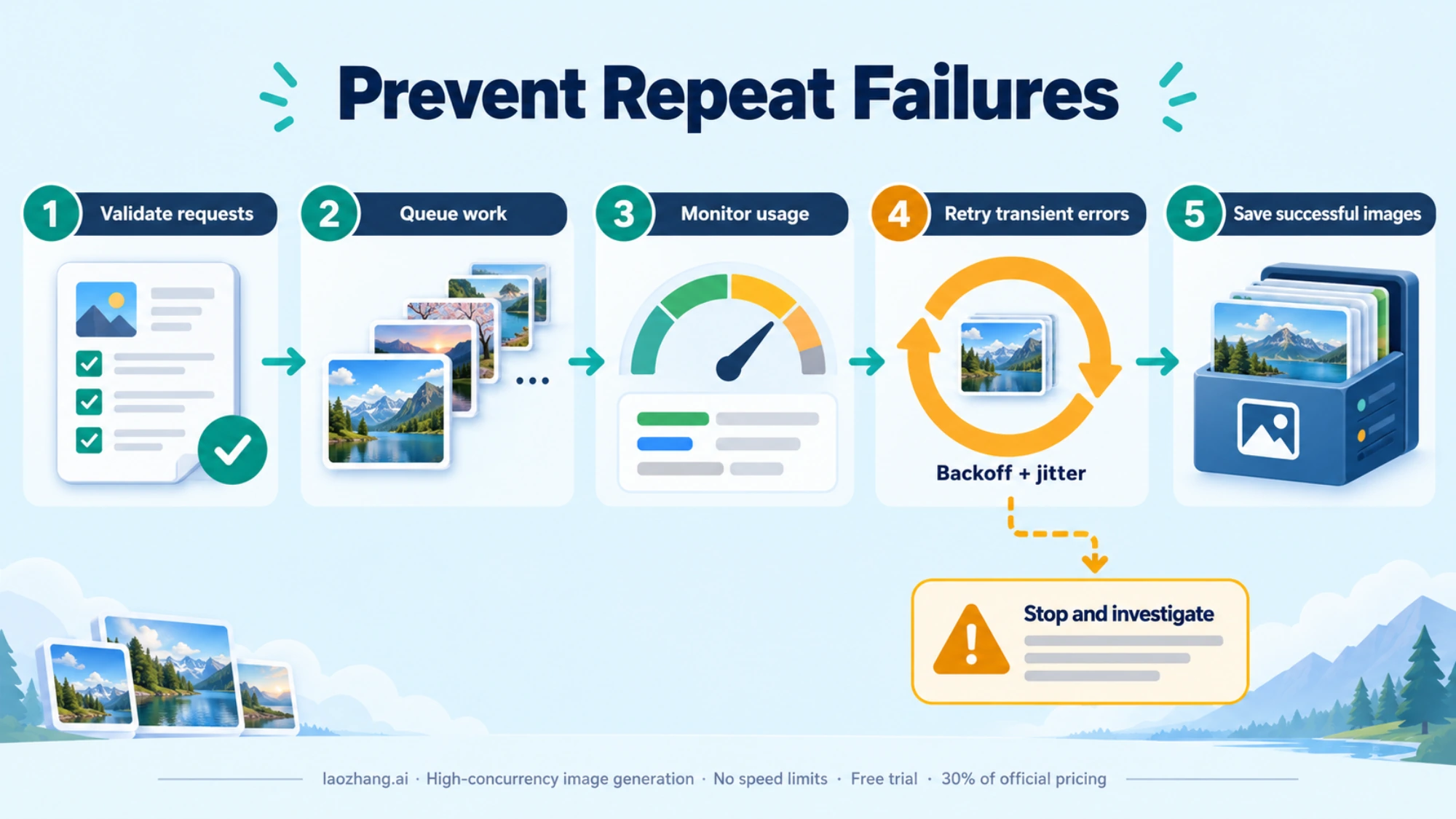
Prevention beats resolution. Implementing exponential backoff, monitoring quotas proactively, and scheduling wisely prevents most errors.
Frequently Asked Questions
Q: How long do I need to wait after a 429 error?
A: For RPM limits, wait 60 seconds. For daily limits, wait until midnight Pacific Time (PST/PDT). For most 429 errors, 1-5 minutes of waiting resolves the issue.
Q: Why is Nano Banana not appearing in my Gemini interface?
A: Check whether you're using a Workspace account (may have admin restrictions), whether your region supports the feature, and whether you're using the correct account type. Try with a personal Google account to test availability.
Q: Can I increase my rate limits?
A: Yes, by upgrading. In the Gemini app, Google AI Pro gives 4x the standard limits and AI Ultra 5x or 20x Pro. On the paid Gemini API there is no daily image cap beyond your project's RPD, which rises with your usage tier.
Q: What should I do if server errors persist for hours?
A: Check Google's status page for known outages. If widespread, wait for resolution. For critical workloads, consider temporary migration to alternative providers until Google's service stabilizes.
Q: How do I prevent 429 errors in production applications?
A: Implement exponential backoff retry logic, monitor quota usage proactively, add delays between requests (minimum 5-10 seconds), and consider alternative API providers for production-critical applications.
Q: Is using third-party API providers safe?
A: Reputable providers like laozhang.ai operate independently of your Google account. Your primary account isn't affected by third-party usage. Review provider terms and data handling policies before integration.
This guide was last updated January 2026. Error codes, quotas, and pricing may change. Verify current information through official documentation at developers.generativeai.google.