
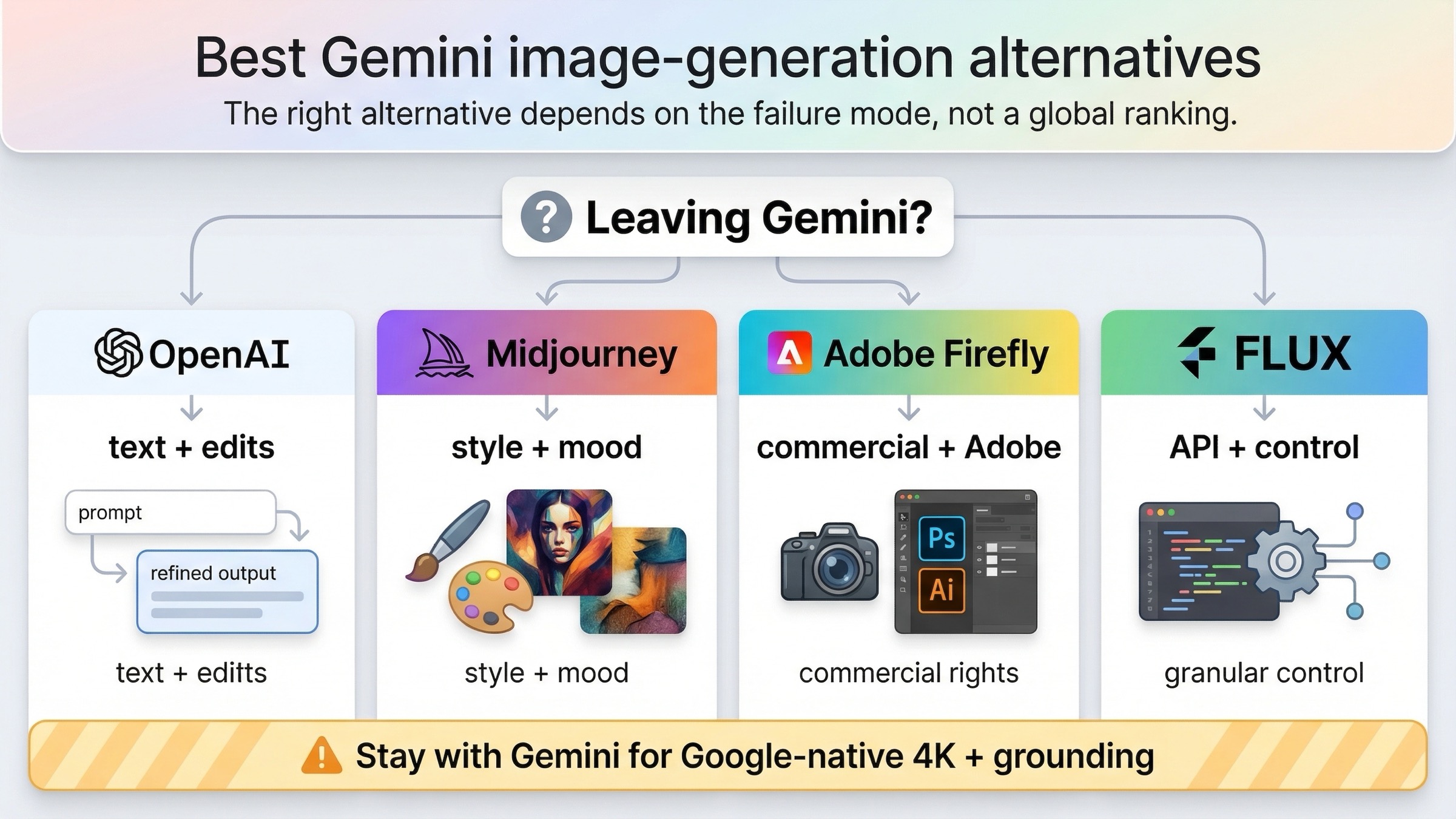
If you want the short answer, OpenAI GPT Image 1.5 is the best overall Gemini image generation alternative for most people leaving because of text rendering, edits, transparent backgrounds, or general workflow friction. But that is not the whole story. If your real complaint is that Gemini feels too plain or not artistic enough, Midjourney is the stronger replacement. If you need a commercially safer Adobe-native workflow, Adobe Firefly is the better move. If you care most about API-first flexibility and a workflow that is not tied to Gemini app limits, FLUX is the best alternative.
The useful way to answer this keyword is not to rank every popular image model in one pile. It is to ask what Gemini is failing at for you right now. Google's own Gemini Apps help page says image generation is subject to changing limits, and users in community threads keep describing the same pain: the app can feel clunky, the limits are not ideal for serious iteration, and Gemini is not always the best default for text-heavy graphics or edit-heavy workflows. Once you separate those problems, the right replacement becomes much easier to pick.
TL;DR
If you only need the switch rule, use this table.
| If Gemini is failing you because... | Use this instead | Why it is better for that job | Main tradeoff |
|---|---|---|---|
| text inside images keeps breaking, or edits are too unreliable | OpenAI GPT Image 1.5 | Better prompt adherence, stronger edit workflow, clearer per-image pricing | Not the best choice when Gemini's Google-native 4K or grounding features are the reason you stayed |
| the images feel flat, safe, or not artistic enough | Midjourney | Still the strongest creator-first replacement for mood, style, and visual punch | Subscription workflow, less straightforward for API-first production budgeting |
| you need commercially safer output and live inside Photoshop, Express, or Adobe tools | Adobe Firefly | Adobe positions Firefly as commercially safe, and the workflow is better than bouncing between separate tools | Monthly-plan thinking instead of simple pay-per-image math |
| you want API-first flexibility, transparent pricing, and less dependence on a consumer app surface | FLUX | Black Forest Labs gives you a clean API-first route with strong editing and character-consistency positioning | Less consumer-friendly than Firefly or Gemini if you just want a casual image app |
| your real need is Google-native 4K output, search grounding, or Gemini-family integration | Stay with Gemini | Google's current image stack is still strong for those jobs | You still inherit Gemini's workflow and limit tradeoffs |
Why people are looking for a Gemini image-generation alternative now
Most readers do not search this keyword because they suddenly discovered that Gemini exists. They search it because Gemini is already in their workflow and something about that workflow is not working.
The first problem is limits and consistency. Google's current help page says Gemini Apps limits may change and that image generation is one of the features subject to usage caps. That language matters because it tells you Gemini is not always the best tool to build a steady, high-volume routine around if what you need is predictable daily output rather than occasional idea generation.
The second problem is tool fit. Gemini is better than many casual users realize when you care about Google's current image stack, especially the newer image-model lanes described in the official Gemini image-generation docs and Firebase AI Logic guide. But that does not mean it is the best default for every image job. If your work depends on clean text in banners, precise edits, or transparent-background assets, Gemini is not the easiest current answer.
The third problem is surface confusion. Google now spreads image generation across the Gemini app, Gemini Developer API, Firebase, and a broader model family that includes Nano Banana 2, Nano Banana Pro, and the older Nano Banana lane. If your workflow is already too complicated, a tool that is technically capable can still feel wrong.
That is why broad "best AI image generator" roundups are not enough here. The right question is not which tool is best in the abstract. It is which tool removes the bottleneck Gemini is creating for you.
Best Gemini image-generation alternatives at a glance
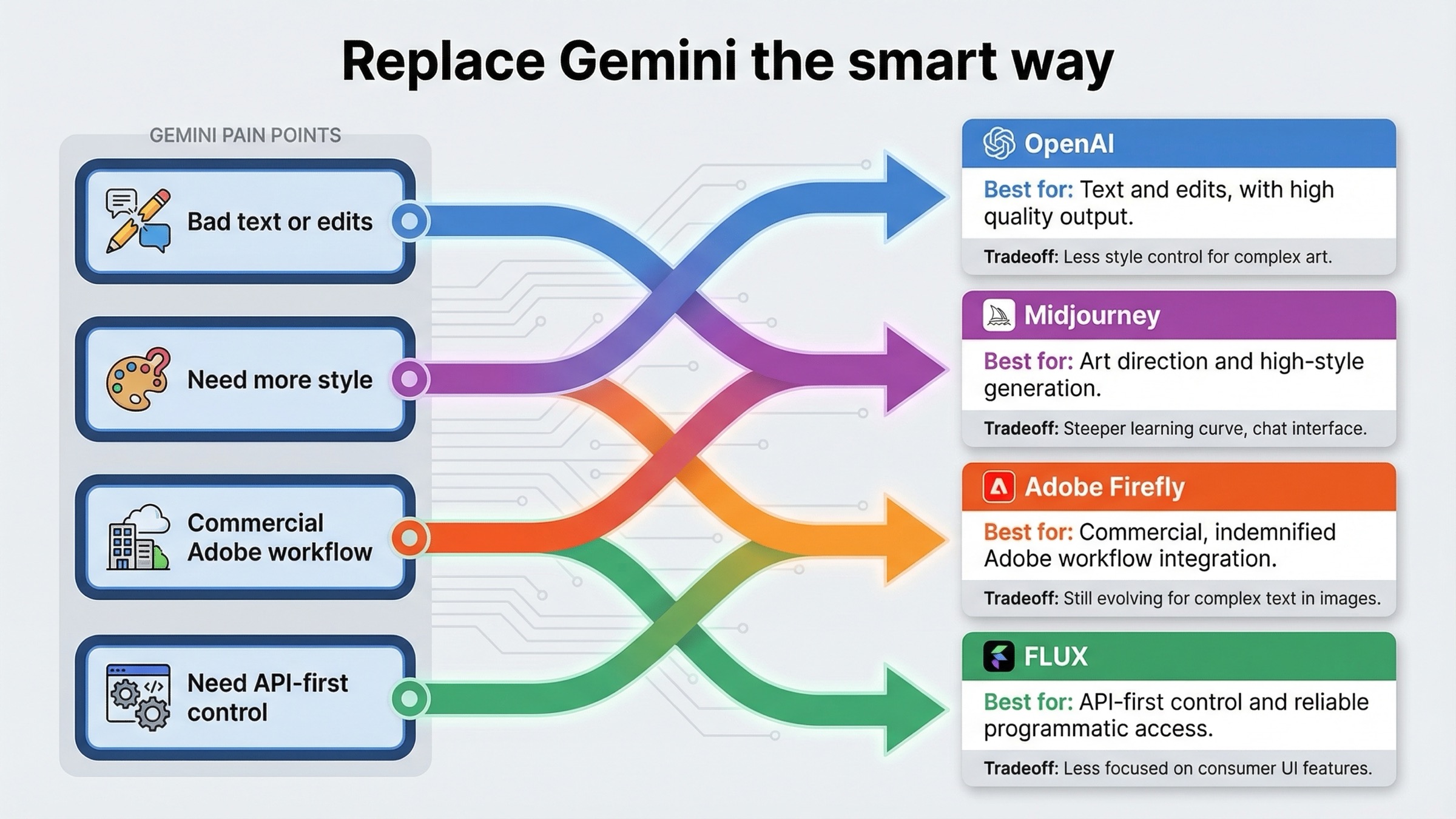
The alternatives break into four clear lanes.
OpenAI GPT Image 1.5 is the best overall replacement when your complaint is practical rather than aesthetic. OpenAI's current GPT Image 1.5 model page presents it as the latest image model with better instruction following, explicit per-image pricing, and a clean API surface for generation and edits. If Gemini is costing you time because it misses text, fumbles iterative revisions, or makes it harder to reason about output pricing, OpenAI is the cleanest move.
Midjourney is the best alternative when Gemini feels too functional and not expressive enough. This is the route for creators who care more about atmosphere, mood, and stylistic payoff than about edit APIs or grounded production work. Midjourney's official plans page makes the tradeoff clear: you are buying into a subscription workflow, not a simple pay-per-image meter.
Adobe Firefly is the best alternative when the workflow matters as much as the model. Adobe says Firefly was designed to be commercially safe, says outputs from non-beta Firefly features can be used commercially, and now positions Firefly as a workspace that includes partner models such as Google, OpenAI, and Flux. If your real goal is to move faster inside Adobe tools without legal or workflow anxiety, Firefly is often a better Gemini replacement than another standalone model.
FLUX is the best alternative when you want more control and less app baggage. Black Forest Labs positions FLUX.1 Kontext as a generation-and-editing model with character consistency, text editing, and style transformation. If you are a developer or technical creator who wants an API-first route and transparent pricing, FLUX is usually the strongest non-Google alternative that still feels production-oriented.
OpenAI GPT Image 1.5 is the best replacement for text-heavy edits and general workflow friction
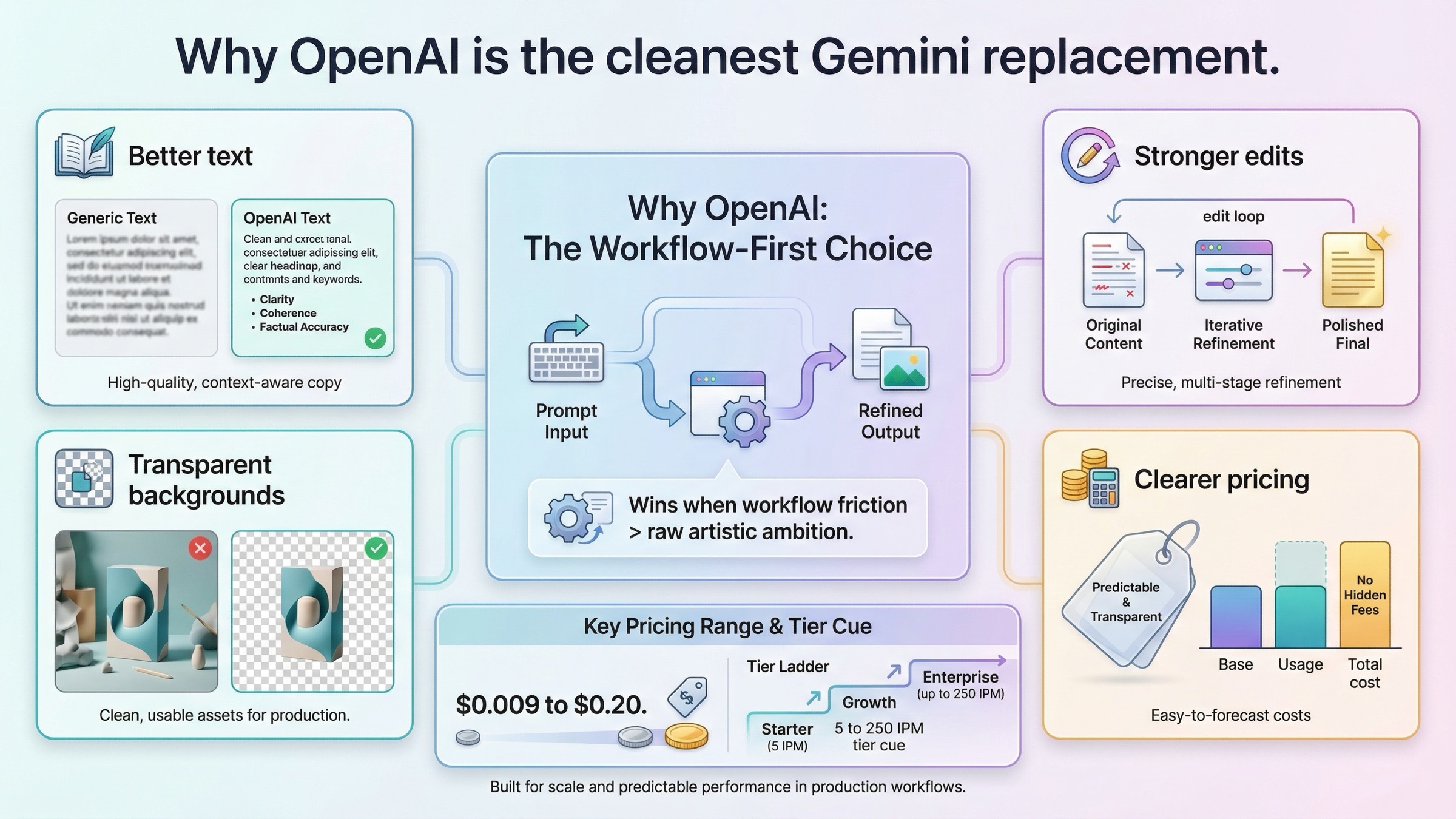
For most readers using this keyword, OpenAI is the best place to start.
The reason is not hype. It is fit. OpenAI's current image stack is easier to understand than Google's, and that matters when you are switching because Gemini already feels too messy. The official model page gives exact price points by size and quality, rather than forcing you to infer the budget from several different surfaces. As checked on March 22, 2026, the page lists prices starting at $0.009 for low 1024x1024 output and going up to $0.20 for larger high-quality output, with tier-based image rate limits from 5 IPM at Tier 1 to 250 IPM at Tier 5.
That pricing clarity is only part of the case. The bigger reason OpenAI wins this keyword family is that it is the better answer when the job involves editing and revision, not only generation. If you are making ad creatives, thumbnails, promo banners, product mockups, labels, menus, or any image where the words inside the image have to survive more than one pass, OpenAI is the safer current default.
This is also where the internal comparison matters. Our deeper guide to Gemini vs OpenAI image generation reaches the same practical split: Gemini is stronger for some higher-resolution and grounded Google-native workflows, but OpenAI is stronger for text-heavy edits, transparent backgrounds, and a clearer image-API buying path.
The main caveat is that OpenAI is not the automatic winner when your workflow is already built around Google's current image stack. If your product genuinely needs Gemini's Google-native features, OpenAI may solve one problem while creating another. But if the reason you are leaving Gemini is that it keeps getting in your way, OpenAI is the strongest default replacement.
Midjourney is the best replacement if Gemini feels too plain or not artistic enough
Midjourney is the right answer when your frustration with Gemini is mostly aesthetic.
Some users do not care that much about API pricing or edit controls. They care that Gemini often feels utilitarian. It can get the job done, but it does not always give the image enough visual tension, personality, or cinematic style on the first pass. If that is your real complaint, switching from Gemini to another utility-focused workflow will not fix the problem. You need a tool that is still built around style-first image creation.
That is where Midjourney remains strong. The official Midjourney plans page shows a model built around subscriptions, Relax Mode, and creator-style usage rather than pay-per-image accounting. The Standard plan is the first tier with unlimited image generations in Relax Mode, and Stealth Mode starts only on Pro and Mega. Those details matter because they tell you what kind of product Midjourney is: not the easiest API budgeting tool, but a strong fit for people who generate a lot, iterate visually, and care about the look more than the operational spreadsheet.
That also explains the tradeoff. Midjourney is not the cleanest replacement if you are switching away from Gemini because you want better text in images, tighter brand edits, or a more production-like API workflow. It is the better replacement if you want the image to feel stronger, more stylized, and less "serviceable."
So if your real sentence is "Gemini works, but the results feel dead," Midjourney is usually the better move. If your real sentence is "Gemini is wasting time in revision loops," OpenAI or Firefly is more likely to solve the problem.
Adobe Firefly is the best replacement for commercial and Adobe-native workflows
Firefly is the strongest alternative when your workflow matters as much as the model output.
Adobe's current Firefly overview page says Firefly was designed to be commercially safe, says the first Firefly model was trained on licensed Adobe Stock and public-domain content, and says outputs from generative AI features without the beta label can be used commercially. Those are not just marketing footnotes. For teams producing brand work, internal marketing assets, client comps, or editable production files, that workflow posture is a real reason to switch.
The second reason Firefly matters is that Adobe is no longer selling it as only one image model. The current Firefly plans page says Firefly plans include partner models such as Google, OpenAI, and Flux. That changes the decision. Firefly can be the best Gemini alternative even if you do not hate Gemini output, because the value is in the workspace, editing flow, and Adobe integration rather than in replacing one model with one other model.
The pricing also signals the target user. As checked on March 22, 2026, Firefly Standard is $9.99/month and Firefly Pro is $19.99/month. That is not a pure API comparison. It is a workflow comparison. If you live in Photoshop, Express, or Adobe's broader creative environment, Firefly is often a better replacement than trying to patch Gemini together with separate editing tools.
The tradeoff is that Firefly is not the most obvious choice if you want the cheapest transparent pay-per-image route or a standalone model you can reason about in isolation. It is strongest when you care about the whole creative system, not only raw generation.
FLUX is the best replacement for API-first and open-workflow control
If you are leaving Gemini because you want more control and less dependence on a consumer app surface, FLUX deserves serious attention.
Black Forest Labs positions FLUX.1 Kontext as a model that combines text-to-image generation with advanced image editing, character consistency, text editing, and style transformation. That is already a better fit for some technical users than Gemini's app-centric workflow. It is easier to think about as infrastructure.
The pricing story is also cleaner than many casual alternatives. On the official pricing page, FLUX.1 Kontext [pro] is $0.04 per image and Kontext [max] is $0.08 per image, under a simple credit system where 1 credit equals $0.01. That is not automatically cheaper than every Gemini path, but it is much easier to explain and budget than a workflow that mixes app limits, preview model names, and several Google surfaces.
FLUX is therefore the best Gemini alternative when the sentence is something like: "I do not need another consumer AI app. I need a model I can actually build around." It is especially appealing if you care about repeatable character work, text edits, and API-centric integration more than consumer convenience.
The tradeoff is that FLUX is not the softest landing for casual users. Firefly and Gemini are easier if you want a friendlier creative app experience. FLUX is better when you want capability, control, and cleaner infrastructure logic.
If you want the deeper background, our FLUX.1 API guide is the right follow-up.
When Gemini is still the better choice
A good alternatives article needs one section that tells you when not to switch.
Gemini is still the better choice when your workflow depends on Google's current image stack rather than the Gemini app experience that frustrated you. The official Gemini image-generation docs and Firebase AI Logic page show why: the current Gemini image family still matters if you want Google Search grounding, Google-native integration, and 4K output on the newer image lanes.
This is why some readers should not leave Gemini at all. If the only thing bothering you is the consumer app wrapper, but the underlying Google image capabilities are still the best fit for your API or product requirements, switching to OpenAI, Midjourney, Firefly, or FLUX could solve the wrong problem.
It is also why the adjacent internal pages matter. If your real question is still about the current Google image stack itself, read Gemini image generator: Nano Banana 2, Pro, or Imagen? or Gemini image generation API pricing before you leave the ecosystem completely.
So the honest rule is simple: switch away from Gemini when the workflow is the problem. Stay when Google's image capabilities are still the reason the workflow exists.
What I would choose in four common situations
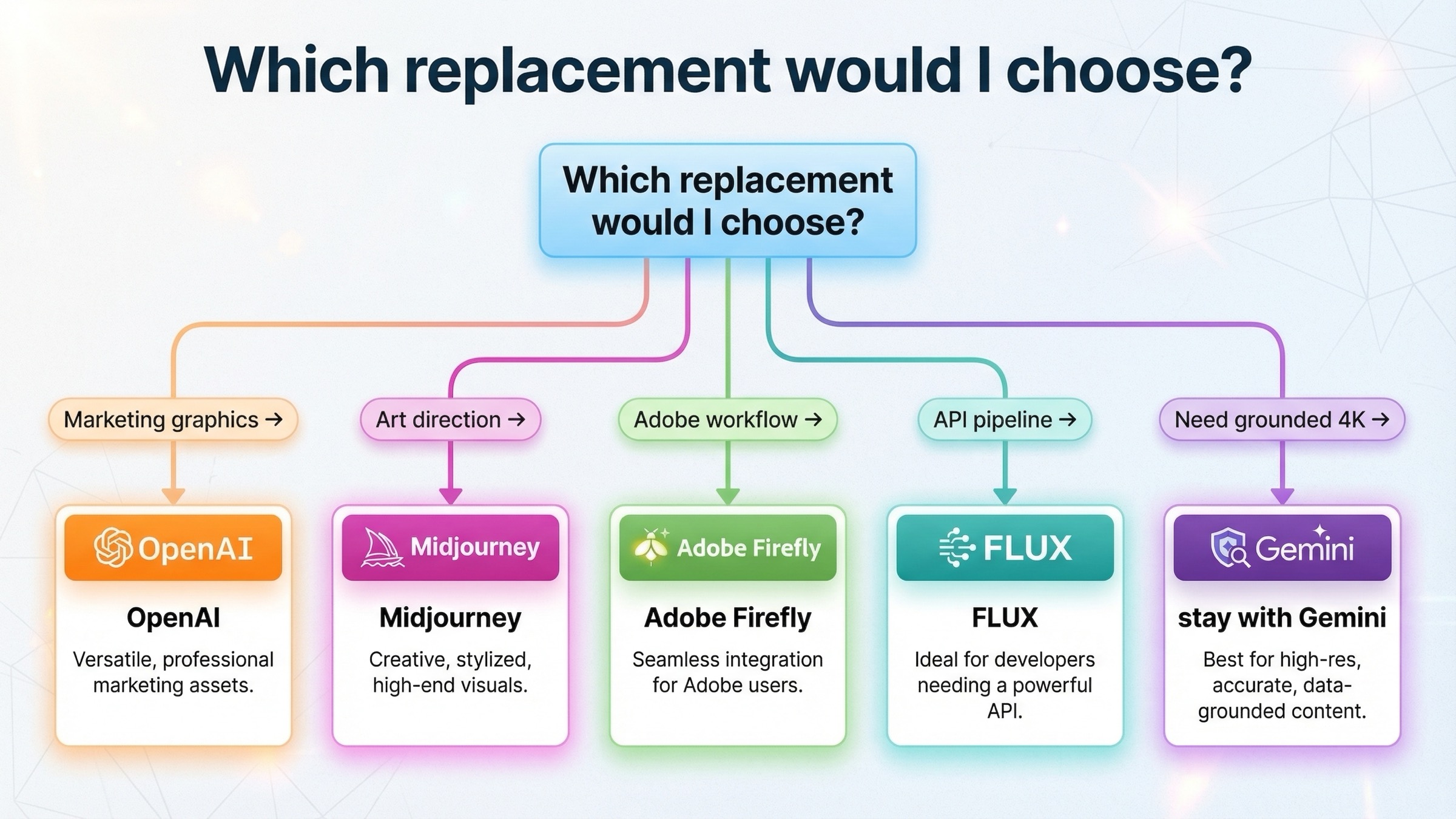
If I were making this decision today, I would use these rules.
1. I create ads, thumbnails, or product graphics and Gemini keeps wasting time
Choose OpenAI GPT Image 1.5.
This is the cleanest replacement when readable text, revision control, and predictable output matter more than artistic novelty.
2. I make concept art, mood boards, posters, or stylized social content and Gemini feels too safe
Choose Midjourney.
This is the better artistic replacement when the core complaint is not infrastructure but visual personality.
3. I work in Adobe tools and care about commercial workflow more than model fandom
Choose Adobe Firefly.
You are solving the bigger problem, which is workflow cohesion, not only model substitution.
4. I am building or automating an image pipeline and I do not want my workflow tied to Gemini app limits
Choose FLUX.
This is the strongest route when API control, character consistency, and transparent per-image logic matter most.
FAQ
Is OpenAI always the best Gemini image-generation alternative?
No. It is the best overall replacement for most readers leaving because of text, edits, and workflow friction. It is not the best answer when your real problem is artistic style, commercial Adobe workflow, or API-first infrastructure control.
What is the best free Gemini image-generation alternative?
If "free" is the main requirement, the market gets less clean. Adobe says Firefly is free to use, but the better long-term alternatives in this article are really about workflow fit, not about staying entirely free. If you need reliable production work, the strongest current options are all pushing you toward paid plans or paid API usage.
Should I switch away from Gemini if I only hate the app limits?
Not necessarily. If Google's underlying image stack is still the right fit for your workflow, the smarter move may be to change surface or usage pattern rather than abandon the ecosystem. But if the app friction is what keeps blocking real work, OpenAI, Firefly, or FLUX is usually the cleaner next step.
Bottom line
The best Gemini image generation alternative depends on the failure mode, not on whichever model is loudest on social media.
Choose OpenAI GPT Image 1.5 if Gemini is failing you on text rendering, edits, and general workflow friction. Choose Midjourney if you need more style and stronger artistic payoff. Choose Adobe Firefly if commercial and Adobe-native workflow matters most. Choose FLUX if you want API-first control and cleaner infrastructure logic. And if your workflow still genuinely depends on Google's current 4K, grounded, or Gemini-native image capabilities, the best move may be to stay with Gemini rather than switch for the wrong reason.


