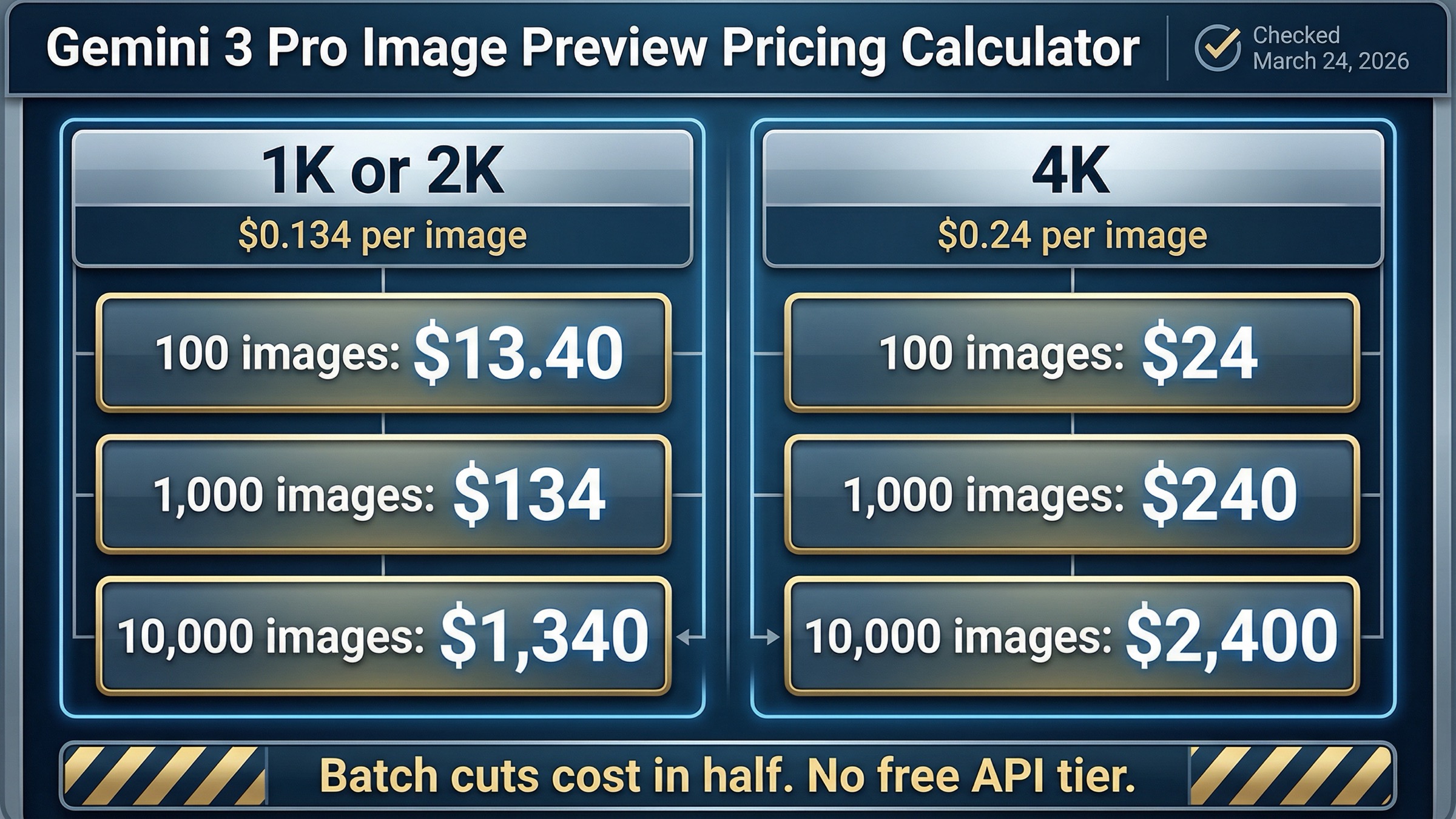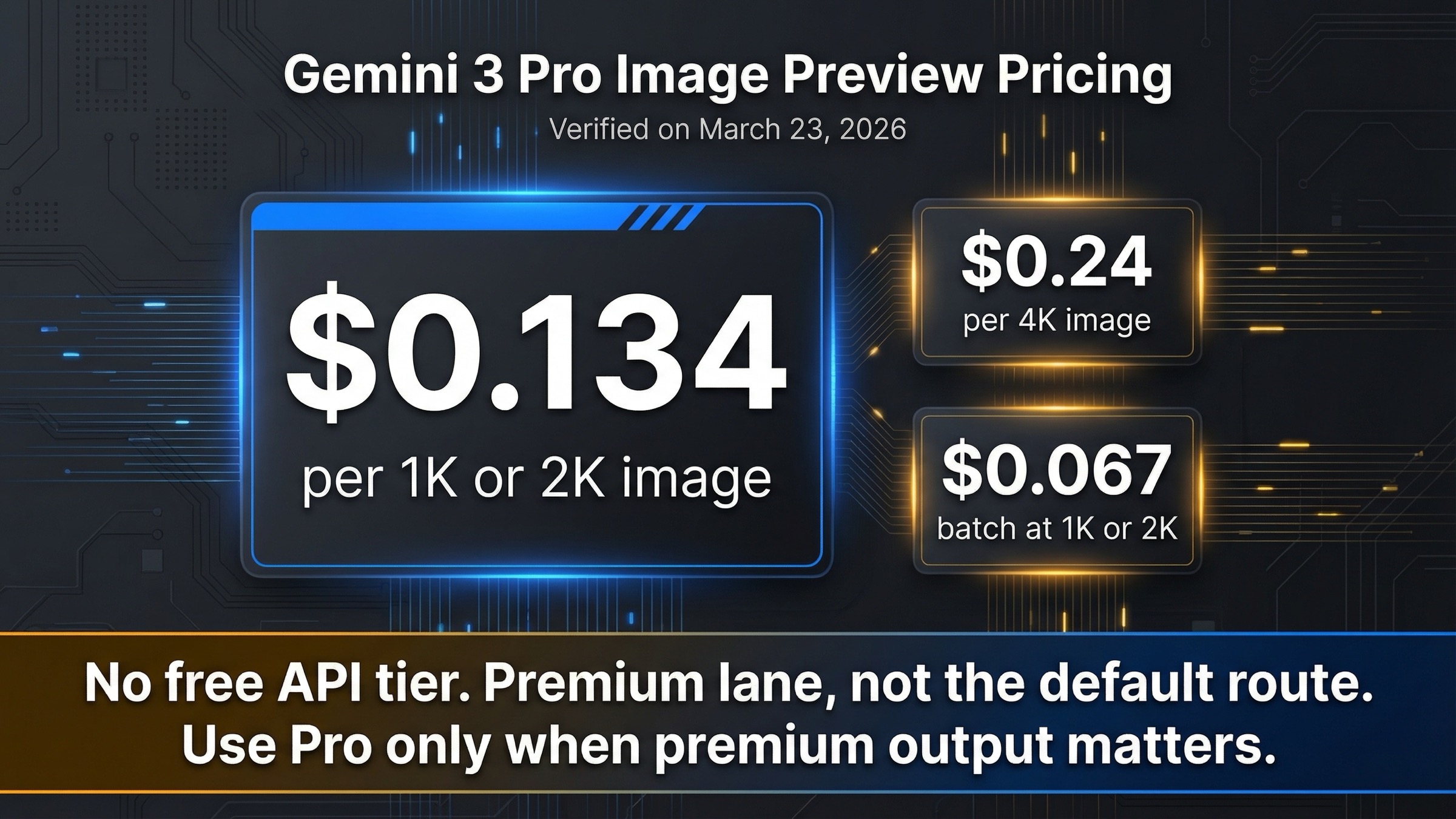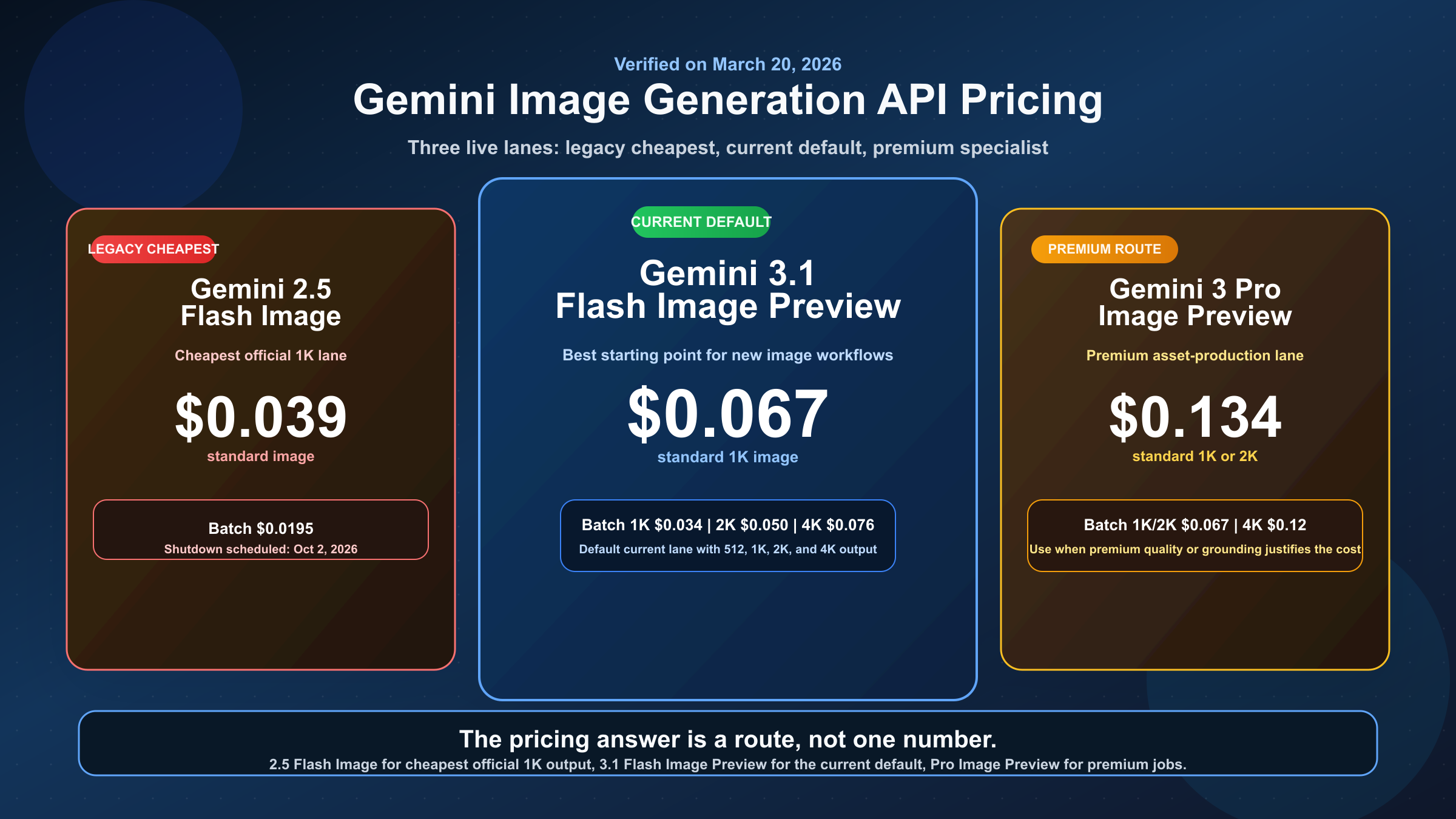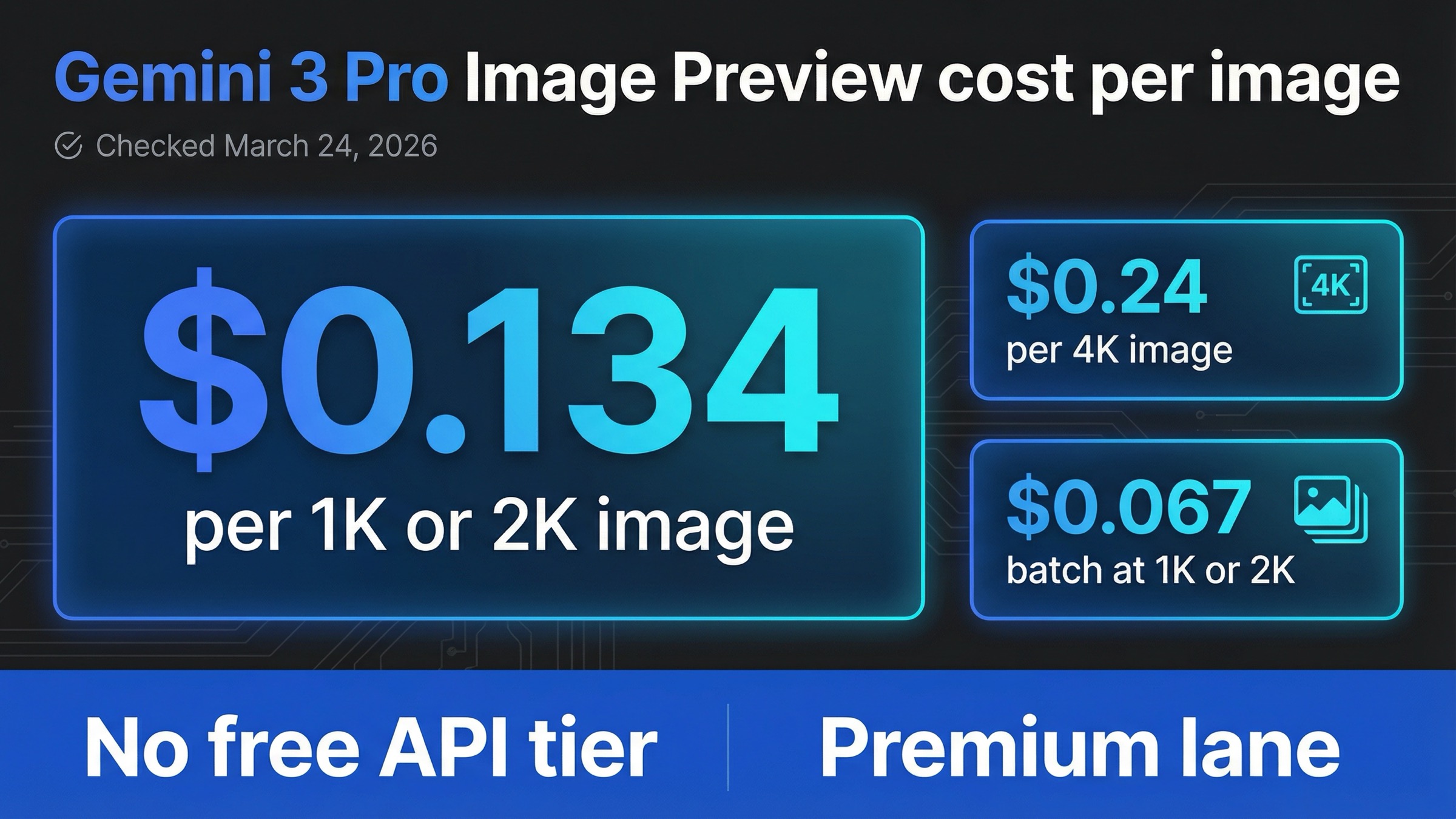
As checked on March 24, 2026, Google's official Gemini Developer API pricing page lists gemini-3-pro-image-preview at $0.134 per 1K or 2K output image and $0.24 per 4K image. Batch pricing cuts that to $0.067 per 1K or 2K image and $0.12 per 4K image. The other part of the answer matters just as much: there is no Free Tier for this model on the official API pricing page.
If you only need the fastest useful rule, use this one: a plain prompt-to-image Pro request costs $0.134 when you stay at 1K or 2K, $0.24 when you move to 4K, and roughly half of that if the job can run through batch. The page gets confusing only when people start mixing in Gemini app limits, the retired gemini-3-pro-preview text model, or third-party marketplace prices as if they were the same billing surface.
That is why this page stays narrow on purpose. It answers the cost per image question first, shows what one image really costs in a few common Pro workflows, and then tells you when Pro is actually worth paying for. If your next question is bulk budgeting for 100, 1,000, or 10,000 images, use the companion Gemini 3 Pro Image Preview pricing calculator. If your real decision is which Gemini image model to start with, go to Gemini 3.1 Flash Image Preview vs Gemini 3 Pro Image Preview.
TL;DR
- The current official API price is $0.134 per 1K or 2K image and $0.24 per 4K image.
- Batch mode cuts those prices to $0.067 and $0.12.
- Pro is worth paying for when the image is expensive to get wrong. Otherwise, Flash Image is usually the better default.
Current Gemini 3 Pro Image Preview cost per image on the official API
Google's official Gemini Developer API pricing page gives the cleanest source-of-record answer:
| Cost line | Current official price | What it means in practice |
|---|---|---|
| Standard output at 1K or 2K | $0.134 per image | Pro charges the same output price at 1K and 2K |
| Standard output at 4K | $0.24 per image | The real premium jump happens at 4K |
| Batch output at 1K or 2K | $0.067 per image | Same model, half the cost, slower turnaround |
| Batch output at 4K | $0.12 per image | Cheapest official 4K route on Pro |
| Image input | About $0.0011 per input image | Relevant for edits, references, and multi-image composition |
| Grounding with Google Web and Image Search | 5,000 prompts per month free, then $14 per 1,000 search queries | Only matters when grounding is enabled |
| Free Tier | Not available | This is a paid API lane |
Two details on that table are easy to miss if you skim old screenshots or generic Gemini calculators.
The first is that 1K and 2K cost the same on Pro. On some other Gemini image lanes, the output price changes more gradually as the size changes. On gemini-3-pro-image-preview, Google's current public pricing row groups 1K and 2K together and only increases the price at 4K. That means the most important resolution decision is not "1K or 2K?" It is "do I really need 4K?"
The second is that output price is still the main cost driver for most prompt-only jobs. Image-input charges and grounding charges are real, but they are usually small compared with the difference between a $0.134 standard image and a $0.24 4K image. If you are generating one image from text and nothing else, the headline price row is usually the number that matters most.
Google's current Nano Banana image generation guide also makes clear why the Pro lane costs more. Google positions Nano Banana Pro, which maps to gemini-3-pro-image-preview, as the professional asset production route rather than the default high-volume lane. The same guide documents Pro's support for 1K, 2K, and 4K output and keeps the model in the premium part of the current Gemini image family.
What one image really costs in common Pro workflows
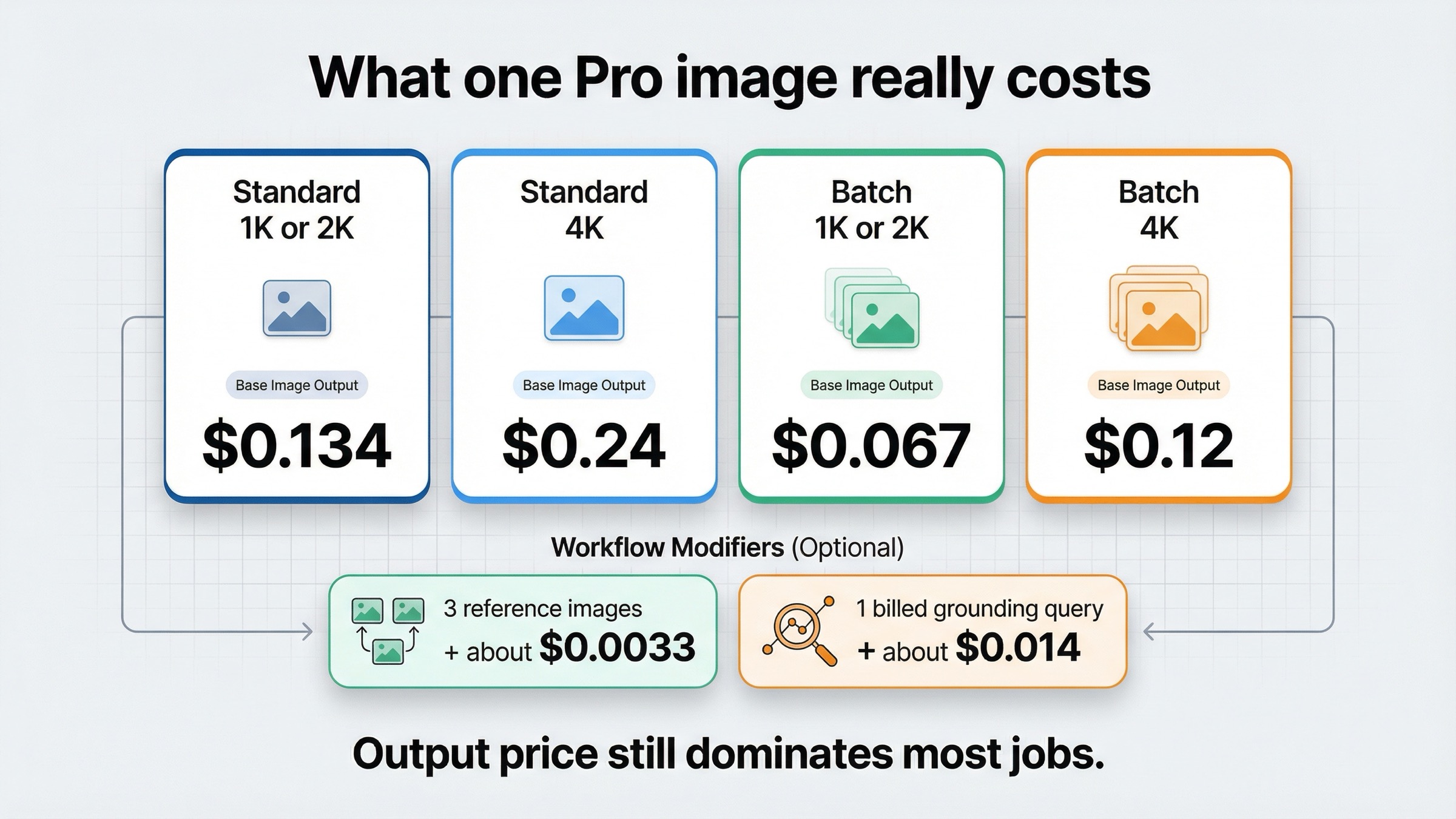
The easiest way to budget this model is to stop thinking in bulk for a moment and ask a simpler question: what does one finished image cost in the workflow I actually plan to run?
For a plain prompt-only request, the answer is direct. One standard 1K or 2K image costs $0.134. One standard 4K image costs $0.24. One batch 1K or 2K image costs $0.067. One batch 4K image costs $0.12.
The more interesting answer starts when the workflow becomes less plain:
| Workflow | Approximate cost per final image | Why |
|---|---|---|
| One prompt-only 1K or 2K image, standard | $0.134 | Base Pro output rate |
| One prompt-only 4K image, standard | $0.24 | 4K premium output rate |
| One prompt-only 1K or 2K image, batch | $0.067 | Same model at half price when the workload can wait |
| One prompt-only 4K image, batch | $0.12 | Cheapest official Pro 4K route |
| One 2K image with 3 reference images | About $0.137 | $0.134 output plus about $0.0033 for three image inputs |
| One 2K grounded image after the free monthly allowance, assuming one billed search query | About $0.148 | $0.134 output plus about $0.014 for one query |
That fifth row is where many readers finally see the right mental model. A few reference images do increase cost, but not by much. If you add three image inputs, the bill only moves from about $0.134 to about $0.137. The output image still dominates the price.
The sixth row is the one that deserves more caution. Google's pricing page says grounding is free for the first 5,000 prompts per month, then $14 per 1,000 search queries. That works out to about $0.014 per query once you are past the free allowance. But one request can trigger more than one billed query, so grounded requests do not have a single universal surcharge. The safest reader rule is this: grounding is cheap enough to ignore for casual usage, but meaningful enough to monitor if grounded generation becomes a repeat production workflow.
If you want the one-sentence budgeting shortcut, it is this:
- Pick standard or batch.
- Decide whether the image really needs 4K.
- Add image-input costs only if the workflow uses references.
- Add grounding only if the workflow actually depends on search.
That sequence matters because many pages in this keyword family make the math sound more complex than it really is. For most teams, the real budget decision is still "Are we paying $0.134, $0.24, $0.067, or $0.12 per image?" Everything else is a secondary modifier.
Gemini API pricing is not the same as Gemini app limits
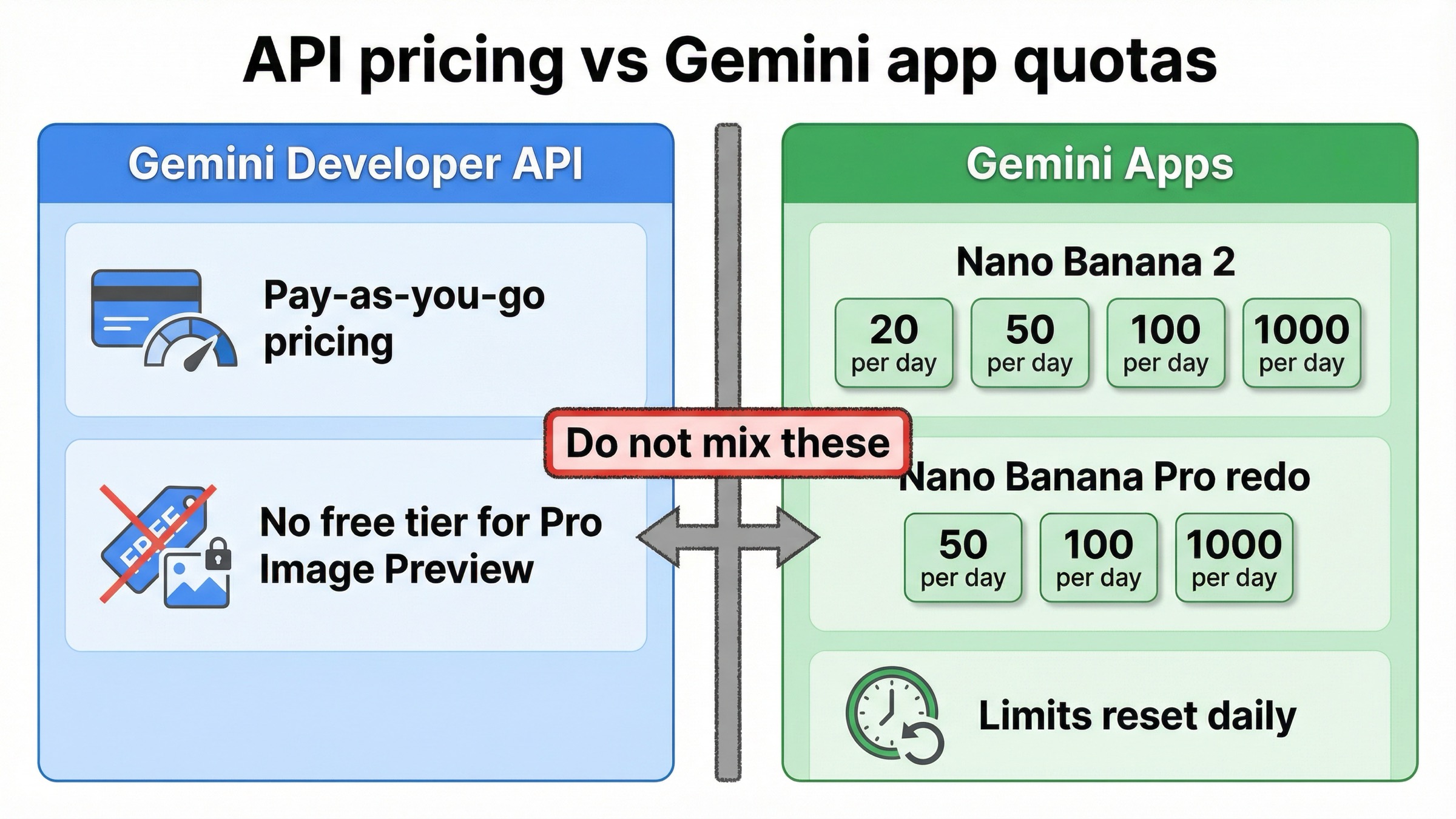
This is the biggest source of search-intent confusion around the keyword family.
On the Gemini Developer API side, gemini-3-pro-image-preview is a pay-as-you-go model. The official pricing page says there is no Free Tier, and the per-image rates above are the current public answer.
On the Gemini app side, Google publishes daily usage limits in its Gemini Apps limits and upgrades help page. As checked on March 24, 2026, that page lists daily limits for image generation and editing with Nano Banana 2 and separate daily limits for redo images with Nano Banana Pro, while also warning that those limits may change frequently and reset daily.
Those app quotas are useful if your question is "what do I get in the Gemini app on my current plan?" They are not the same thing as API cost per image. One surface is a daily consumer-product allowance. The other is production billing for API usage. When a page says "Nano Banana Pro pricing" without telling you which surface it means, the reader is left doing unnecessary detective work.
That is also why this keyword is still worth a focused article even though Google already publishes the price row. The row alone is not enough if half the field is still mixing these surfaces together. A strong page should clarify the billing surface before it asks the reader to care about the number.
If your actual question is whether any Gemini image route is still free in 2026, the better follow-up is Gemini image free tier 2026. This page is narrower: it is about what one API image costs on Pro.
When Pro is worth paying for and when Flash Image is the better default
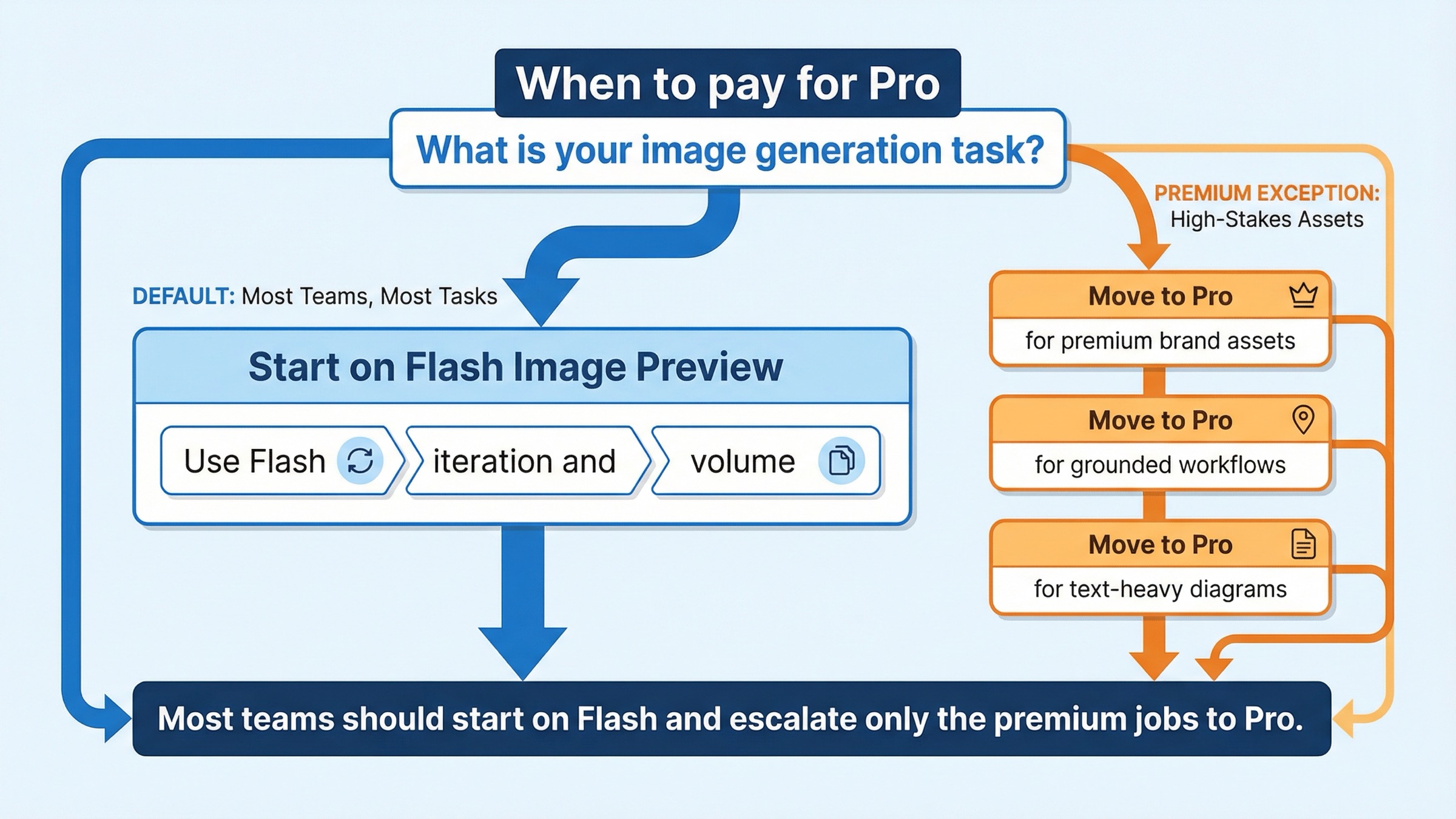
The cleanest operational rule is not "Pro is best." It is "Pro is worth paying for when the image is expensive to get wrong."
That usually means:
- text-heavy posters, diagrams, menus, or editorial layouts
- premium brand assets where cleanup time already costs more than the model premium
- grounded image requests where search context genuinely improves the result
- multi-reference compositions where stronger contextual handling is part of the value
- client-facing or production-grade assets where retry cost is already meaningful
If that is not your situation, you should usually start with gemini-3.1-flash-image-preview. Google's current image-generation guide positions Flash Image as the efficient image lane for fast, high-volume use cases. That is a stronger routing signal than most generic price pages admit.
| Situation | Better default | Why |
|---|---|---|
| You need the cheapest official Pro path | Pro batch | Same model, lower price, slower delivery |
| You need premium output and interactive turnaround | Pro standard | Premium lane when latency matters |
| You are cost-sensitive and generating at volume | Flash Image | Better default for most new production builds |
| You are unsure whether 4K is necessary | Stay on 1K or 2K first | 4K is where the real price jump happens |
That is the real reason the cost-per-image question matters. It is not only about memorizing a row. It is about deciding whether Pro should be the default in your workflow at all. For many teams, the best answer is to use Flash Image for the broad generation layer and reserve Pro for the smaller set of images where quality, fidelity, or text rendering are already expensive problems.
If your next question is "how much would this cost at 500 or 5,000 images?" then the right next read is the dedicated Gemini 3 Pro Image Preview pricing calculator. That page is built for bulk-budget math. This page is here to make the per-image decision obvious.
Freshness, billing, and preview-status caveats
The price row is current, but the keyword family stays messy because the surrounding surfaces are still moving.
First, gemini-3-pro-image-preview is still a preview model. Google's current deprecations page lists it with a release date of November 20, 2025 and no shutdown date announced. The same page separately says gemini-3-pro-preview shut down on March 9, 2026. That older model was a different text model. If a page drops the -image- part, you should stop trusting it until it proves it is talking about the same SKU.
Second, rate limits do not stand still. Google's current rate-limits page says requests per day reset at midnight Pacific time, active limits are best checked in AI Studio, and preview models can have more restrictive limits. That means price does not automatically tell you usable throughput. The public row tells you cost. Your live AI Studio account tells you the capacity you can actually push today.
Third, billing changed recently enough that it is worth naming the date. Google's billing guide says Prepay and Postpay billing plans started taking effect on March 23, 2026. The same page says paid-tier setup usually requires at least $10 in prepaid credits, and if a Prepay balance hits $0, every API key tied to that billing account stops working. That does not change the published per-image price, but it absolutely changes how teams should think about activation and continuity.
There is also a smaller implementation caution that belongs in the article because the model is still preview. On Google's own developer forum, users have reported cases where requested 2K image size behaved inconsistently in some SDK workflows. That does not override the official pricing or image-generation docs, but it is one more reason to keep the article's promise tight: the official per-image price is clear; the live preview experience can still have rough edges.
If your real problem is no longer price but capacity or 429 errors, move to Gemini API rate limit explained. This page should stay focused on the pricing decision.
FAQ
Does Gemini 3 Pro Image Preview have a free API tier?
No. As checked on March 24, 2026, the official Gemini Developer API pricing page lists Free Tier as not available for gemini-3-pro-image-preview.
Does 2K cost more than 1K on Gemini 3 Pro Image Preview?
No. On the current official pricing page, 1K and 2K are grouped together at the same $0.134 standard rate and the same $0.067 batch rate.
What does one 4K Pro image cost?
The current public price is $0.24 for one standard 4K image and $0.12 for one batch 4K image.
Do reference images make Pro much more expensive?
Usually not. Google's current input-equivalent math puts one image input at about $0.0011, so a few references increase the bill only slightly compared with the output image itself.
Where should I go if I need 100-, 1,000-, or 10,000-image totals?
Use the dedicated Gemini 3 Pro Image Preview pricing calculator. This article is intentionally narrower and focused on the cost of one image.
Bottom line
The exact answer is straightforward even if the surrounding ecosystem is noisy.
As checked on March 24, 2026, gemini-3-pro-image-preview costs $0.134 per 1K or 2K output image and $0.24 per 4K image on Google's official Gemini Developer API pricing page, with batch pricing cutting those rates in half and no Free Tier on the API row. If you are using prompt-only generation, that is usually the number that matters. If you add reference images or grounding, the output price still dominates unless those features become a core part of the workflow.
The more useful decision rule is just as important as the raw number: use Pro when the image is expensive to get wrong, use batch whenever the workload can wait, and start with Flash Image when you need the default current Gemini image route rather than the premium one.