
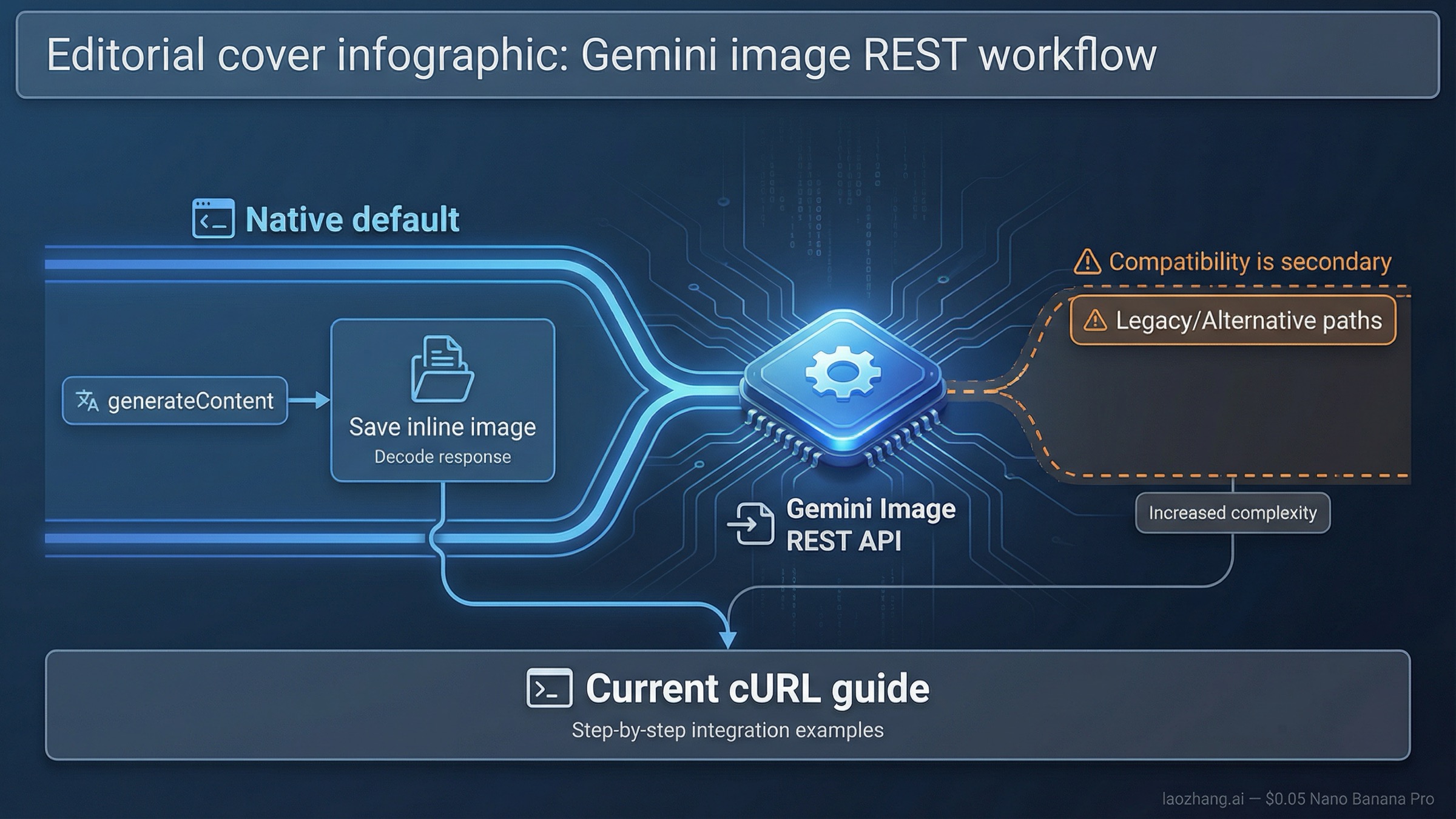
As of March 27, 2026, the safest default for Gemini image generation over raw REST is POST https://generativelanguage.googleapis.com/v1beta/models/gemini-3.1-flash-image-preview:generateContent. Start there, use responseModalities plus imageConfig, and save the returned inline image data before you worry about wrappers, batch jobs, or OpenAI compatibility.
That is the right default because Google’s current docs still split the answer across multiple pages. The official Gemini image-generation guide teaches the native route. The API reference documents generateContent and imageConfig. The OpenAI compatibility docs show a different image path under /v1beta/openai/images/generations. If you read all three quickly, it is easy to treat them as equal first choices. They are not. For new raw-HTTP work, the native Gemini path is clearer, more current, and less likely to hide image-specific controls you actually need.
The other caveat belongs near the top. The current Gemini 3 image lanes are still preview-labeled, and Google’s models page has changed fast enough that older snippets are a real source of confusion. The official OpenAI-compatible image example still uses gemini-2.5-flash-image, while Google’s current native image docs center on gemini-3.1-flash-image-preview and gemini-3-pro-image-preview. If you mix those worlds without deciding which contract you are actually following, you can spend an hour debugging the wrong layer.
TL;DR
| Your situation | Use this path first | Start with this model | Why this is the right default | Main caveat |
|---|---|---|---|---|
| New raw REST integration | POST /v1beta/models/gemini-3.1-flash-image-preview:generateContent | gemini-3.1-flash-image-preview | It matches Google’s current native image docs and exposes imageConfig directly | Current Gemini 3 image models are still preview-labeled |
| Premium text-heavy or infographic work | Same native generateContent route | gemini-3-pro-image-preview | Better premium branch when text rendering and high-stakes output quality matter | Higher cost and still preview |
| Existing OpenAI-shaped client you must preserve | POST /v1beta/openai/images/generations | Whatever the compatibility docs currently support | Lowest-friction migration for an already OpenAI-style stack | The compatibility image surface is a separate contract and still lags the native Gemini examples |
| Request works in AI Studio but fails in cURL | Usually not an endpoint problem | Check the same model in your project | Project billing, tier, or quota state may be the blocker | Google does not publish one static public rate-limit table for every account |
If your main confusion is the hostname rather than the full workflow, Gemini Image Generation API Base URL is the tighter companion page. If you want SDK examples instead of raw HTTP, use Gemini Image Generation Code Examples.
Use the native Gemini REST path first
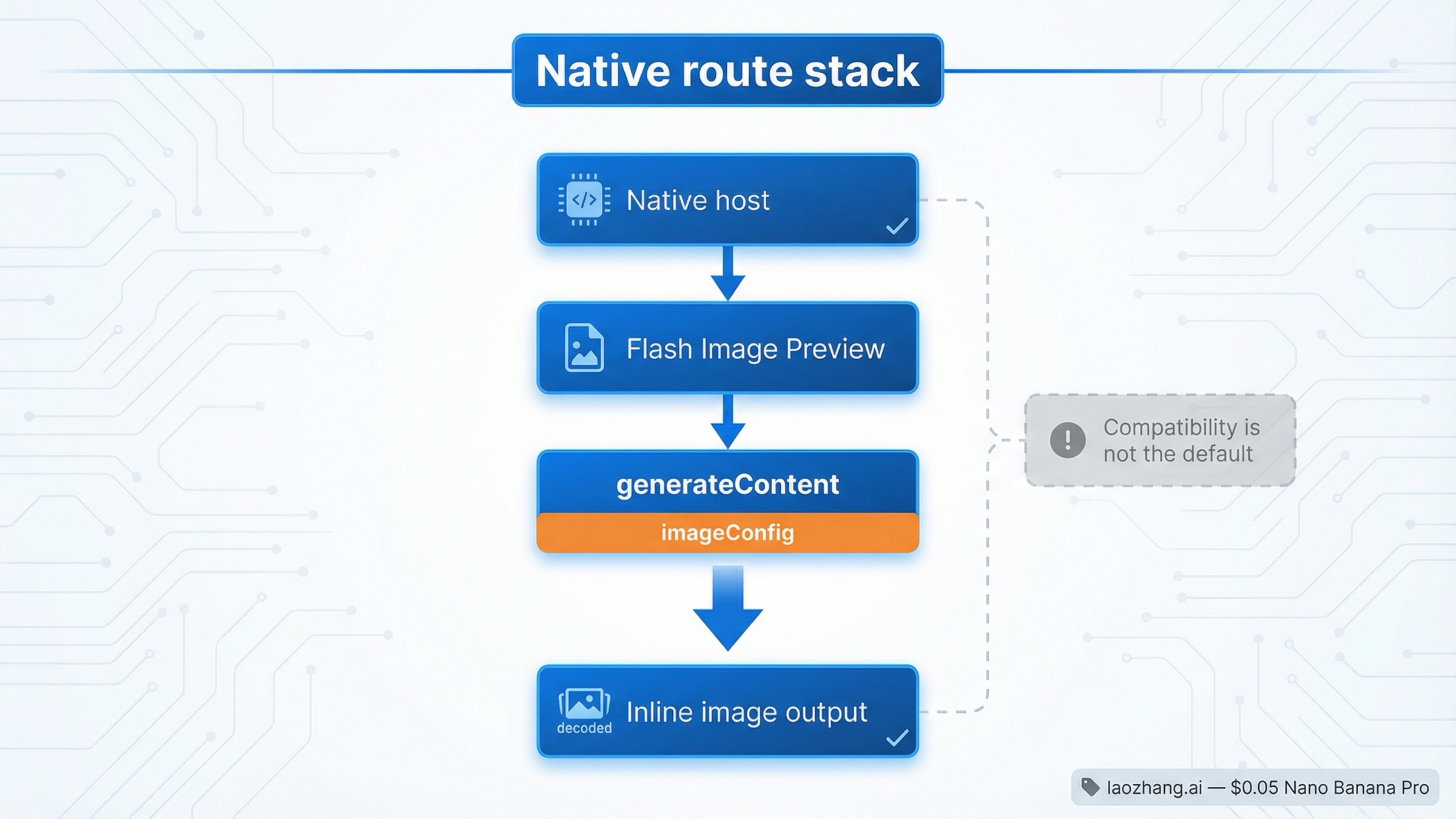
For new REST work, the right mental model is simple: Gemini image generation is a native Gemini API request that happens to return image data, not a special standalone image host you need to discover. Google’s current API reference still defines the native request contract under generateContent, and the image-generation guide still teaches image output through that same method family.
That matters because raw-REST users usually want three things from the first successful request:
- the exact current endpoint path
- the image-specific settings that change the output
- a response shape they can inspect without SDK abstractions
The native route gives you all three. The endpoint is explicit, the current docs are freshest there, and imageConfig lives in the same request rather than being translated through a compatibility layer. That makes it the better default when you are using cURL, building a custom wrapper, or integrating from a language where you want to own the raw JSON.
The practical default model is gemini-3.1-flash-image-preview. Google’s current models page still lists it as the active high-efficiency image lane, and the image guide still centers it as the default current image model. gemini-3-pro-image-preview is the premium branch when output quality, contextual understanding, or text-heavy graphics matter enough to justify the heavier route. The legacy gemini-2.5-flash-image lane still exists, but Google’s deprecations page says it is scheduled to shut down on October 2, 2026, with gemini-3.1-flash-image-preview as the recommended replacement.
That last point is why a REST-first article cannot just say "use whatever image model appears in a nearby example." The model ID is part of the API path. If you copy an older compatibility example because it looks shorter, you may get a working request for a legacy lane when what you actually wanted was the current native contract.
Copy one working cURL request
The safest first request is intentionally boring. One prompt. One current model. One image output. One explicit aspect ratio and size. The goal is not to design your final pipeline. The goal is to prove the correct native contract and get one image back.
bashcurl -s -X POST \
  "https://generativelanguage.googleapis.com/v1beta/models/gemini-3.1-flash-image-preview:generateContent" \
  -H "x-goog-api-key: $GEMINI_API_KEY" \
  -H "Content-Type: application/json" \
  -d '{
    "contents": [{
      "parts": [
        {
          "text": "Create a clean 16:9 product image of a matte black travel mug on a light concrete surface with soft studio lighting and premium ecommerce styling."
        }
      ]
    }],
    "generationConfig": {
      "responseModalities": ["IMAGE"],
      "imageConfig": {
        "aspectRatio": "16:9",
        "imageSize": "2K"
      }
    }
  }'
This request does a few important things beyond "hello world."
First, it proves the current native path. You are calling the Gemini Developer API directly, not an OpenAI-compatible image route and not a Vertex AI endpoint. If this fails, you know you are debugging the real native contract rather than a translated surface.
Second, it proves the image-specific settings that matter most in raw REST. Google’s current API reference says imageConfig supports aspectRatio and imageSize, and the current supported image sizes are 512, 1K, 2K, and 4K. That is a real reason to stay on the native route when you care about output control.
Third, it keeps the first test small. Do not start with multi-image editing, reference images, batch mode, or a giant prompt if the first goal is simply to confirm the path. A simple first request tells you whether your key, project, model choice, and response parsing are correct. That saves more time than another hundred words of background explanation.
If your use case is text-heavy graphics, posters, or infographics where the first draft is expensive to get wrong, swap the model path to gemini-3-pro-image-preview. Keep the rest of the request shape the same. If your next question becomes cost instead of syntax, the better follow-up is Gemini Image Generation API Pricing.
Save the image from the REST response
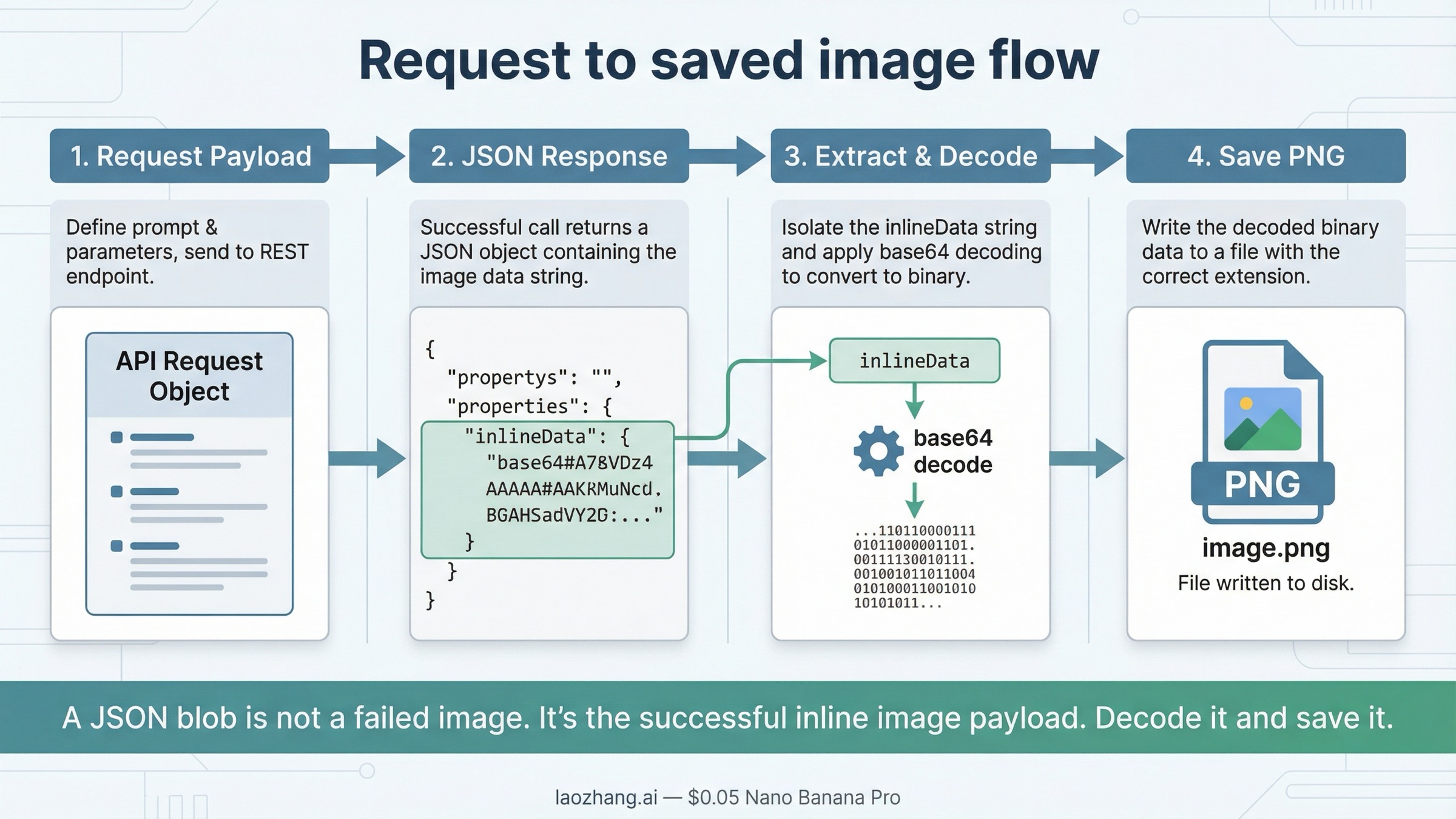
The part many "REST API" pages skip is the step after the request succeeds. Gemini’s native response does not hand you a ready-made file path. It returns JSON that contains image data inside the response content parts. In practice, the part you care about is the inlineData object, which includes a MIME type and base64-encoded image bytes.
That is why many first-time REST users think the request "did not work." They see a big JSON response instead of a PNG on disk and assume the output is wrong. Usually it is not. They just have not decoded the image yet.
On the native route, the save step is usually:
- read
candidates[0].content.parts - find the part that contains
inlineData - extract
.inlineData.data - base64-decode it into a file
One shell-friendly way to do that is:
bashcurl -s -X POST \
  "https://generativelanguage.googleapis.com/v1beta/models/gemini-3.1-flash-image-preview:generateContent" \
  -H "x-goog-api-key: $GEMINI_API_KEY" \
  -H "Content-Type: application/json" \
  -d '{
    "contents": [{
      "parts": [
        {
          "text": "Create a square studio photo of a red ceramic teacup on a white background."
        }
      ]
    }],
    "generationConfig": {
      "responseModalities": ["IMAGE"],
      "imageConfig": {
        "aspectRatio": "1:1",
        "imageSize": "1K"
      }
    }
  }' \
| jq -r '.candidates[0].content.parts[] | select(.inlineData) | .inlineData.data' \
| base64 --decode > gemini-image.png
If your system uses the macOS base64 implementation, you may need base64 -D instead of base64 --decode. The important point is not the exact shell flag. The important point is that the native Gemini response contains the image bytes inside inlineData, so you need one explicit decode step before the image becomes a file.
That response shape is also why raw REST is useful even if you plan to move to a wrapper later. It shows you the real contract. Once you can see the returned inlineData, future debugging gets easier because you know whether the problem is request syntax, model access, or your application’s save logic.
When the OpenAI-compatible image path is the right answer instead
The OpenAI-compatible route is real, and it has a valid use case. Google’s current compatibility docs still document:
texthttps://generativelanguage.googleapis.com/v1beta/openai/
with the image endpoint:
text/v1beta/openai/images/generations
If your project already depends on an OpenAI-shaped client and the main business goal is "ship a Gemini test with minimal client rewrite," that route can be the right short-term answer. It keeps the request surface familiar, and it may be the fastest way to validate whether Gemini fits your product at all.
But it is the wrong default for this keyword. The reader searching for "gemini image generation rest api" usually wants the current native Gemini contract, not the least-disruptive migration path for an OpenAI client. Those are different jobs.
That difference shows up in the docs and in the community friction. As of March 27, 2026, Google’s official compatibility image example still uses gemini-2.5-flash-image, while the current native Gemini image docs center on the Gemini 3 image models. Forum threads also show developers getting 404 or invalid-payload errors when they try to push native Gemini image-generation expectations through the OpenAI-compatible route.
So the practical split is:
- use the native Gemini route when you are starting fresh, using cURL, or learning the current image API
- use the compatibility route when preserving an OpenAI-style client is the main requirement
- do not mix the two contracts in the same first debugging pass
If you only need the hostname and endpoint-family split, the shorter answer lives in Gemini Image Generation API Base URL. This page stays focused on the full raw-REST workflow.
Current model, pricing, and status caveats that change implementation choices
The REST syntax is only part of the answer. A technically correct request can still be the wrong implementation choice if you pick the wrong model lane or assume outdated billing rules.
| Model lane | Current role | Why you would pick it | Current caveat |
|---|---|---|---|
gemini-3.1-flash-image-preview | Best default for new raw-REST work | Fast current native image lane with direct imageConfig support | Still preview-labeled |
gemini-3-pro-image-preview | Premium branch | Better fit for text-heavy graphics, more contextual outputs, and higher-stakes design work | Higher cost and still preview-labeled |
gemini-2.5-flash-image | Legacy but still documented in compatibility examples | Useful mainly when you are dealing with older examples or a specific existing compatibility flow | Google’s deprecations page lists an October 2, 2026 shutdown date |
Billing and limits also matter more than most endpoint pages admit. Google’s billing page still says new accounts begin on the Free Tier and only certain models are available within their free limits. The rate-limits page says limits depend on usage tier and can be viewed in AI Studio, which means you should not assume your project has the same live quota as another tutorial author’s project.
That is why this article does not promise one universal "free Gemini image REST API" story. The current surface is more conditional than that. If your request is correct but your model is unavailable, your project is on the wrong tier, or your preview quota is tighter than expected, the failure will still feel like a REST bug until you check the project state.
Troubleshooting: fix the REST errors that usually waste the most time
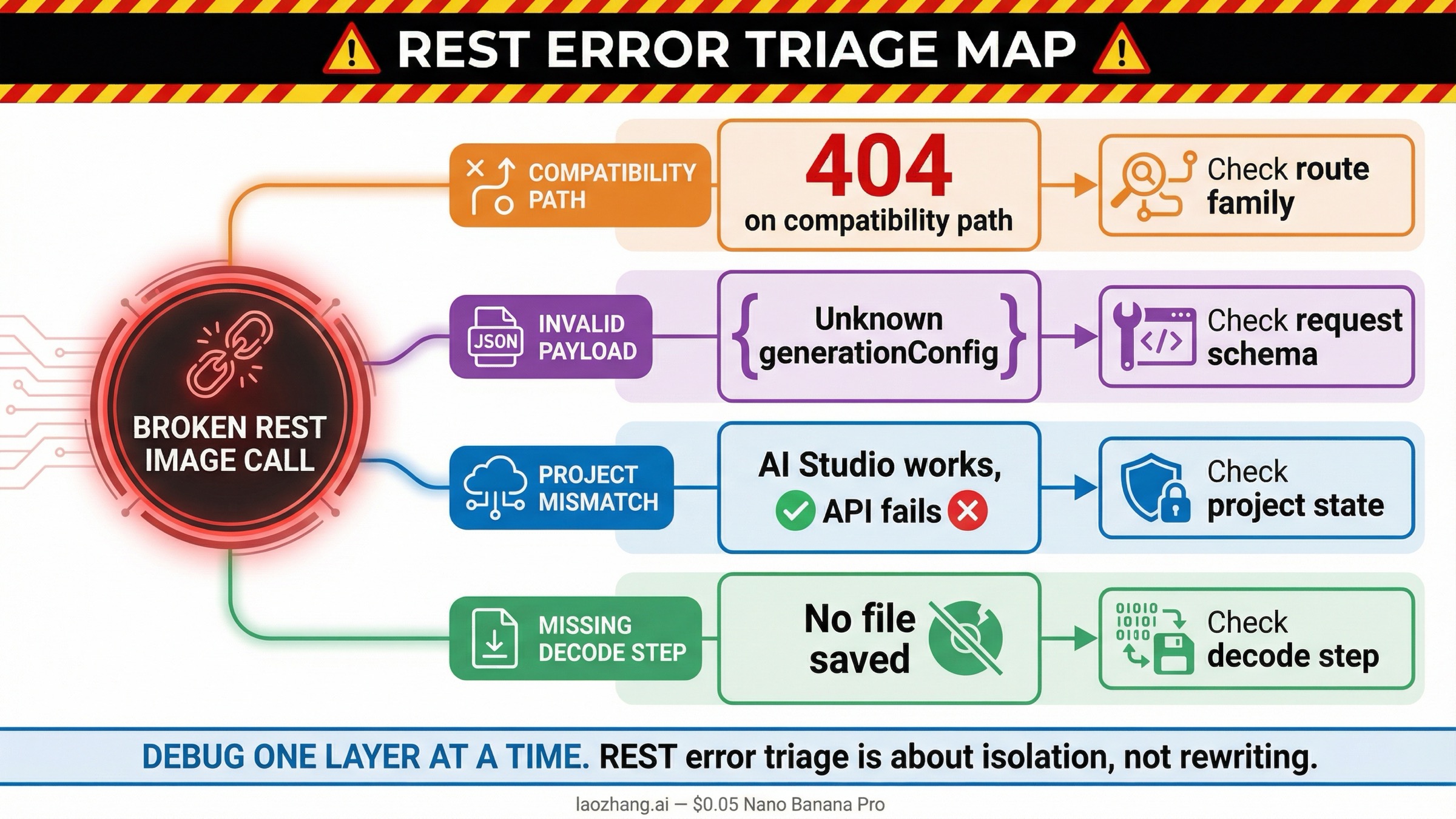
The current query family is partly a troubleshooting keyword in disguise. Many readers do not search for REST guidance until something already failed. The good news is that the usual failures are repetitive enough that you can debug them in the right order.
| What you see | What it usually means | What to do next |
|---|---|---|
404 on /v1beta/openai/images/generations | You are on the compatibility route and the model or request shape does not match what that endpoint currently supports | Retry the same job on the native Gemini generateContent route first |
Unknown name "generationConfig" or generation_config on the compatibility route | You are sending native Gemini request fields through the OpenAI-compatible contract | Move the request to native Gemini or convert it fully to the compatibility schema |
model not found with an older image model ID | You copied a stale model from an older example or a retired forum snippet | Recheck the current models page and deprecations page before changing anything else |
| AI Studio works but cURL fails | Your API key, project billing, or active model access is different from the browser-side test context | Confirm the same project, key, and model in AI Studio and the billing docs |
| The response is JSON but no image file appears | The request worked, but you did not decode the returned inlineData | Extract .inlineData.data and base64-decode it into a file |
The biggest time saver is to debug one layer at a time. Do not change the endpoint family, model ID, prompt, and save logic all at once. First prove the native request. Then prove the decode step. Then change the model. Then worry about quota, retries, or wrappers.
If your failure mode has moved from endpoint choice into repeated 429, 400, or 500 errors, the better next page is Gemini API Error Fix 2026: 429, 400, 500.
Bottom line
For current raw HTTP image generation, start with the native Gemini Developer API:
textPOST https://generativelanguage.googleapis.com/v1beta/models/gemini-3.1-flash-image-preview:generateContent
Use responseModalities plus imageConfig, save the returned inlineData, and only switch to /v1beta/openai/images/generations when you are deliberately preserving an OpenAI-compatible client shape.
That is the safest current default because it matches Google’s current image docs, uses the current Gemini image model family, and gives you the clearest contract for raw REST debugging.


