
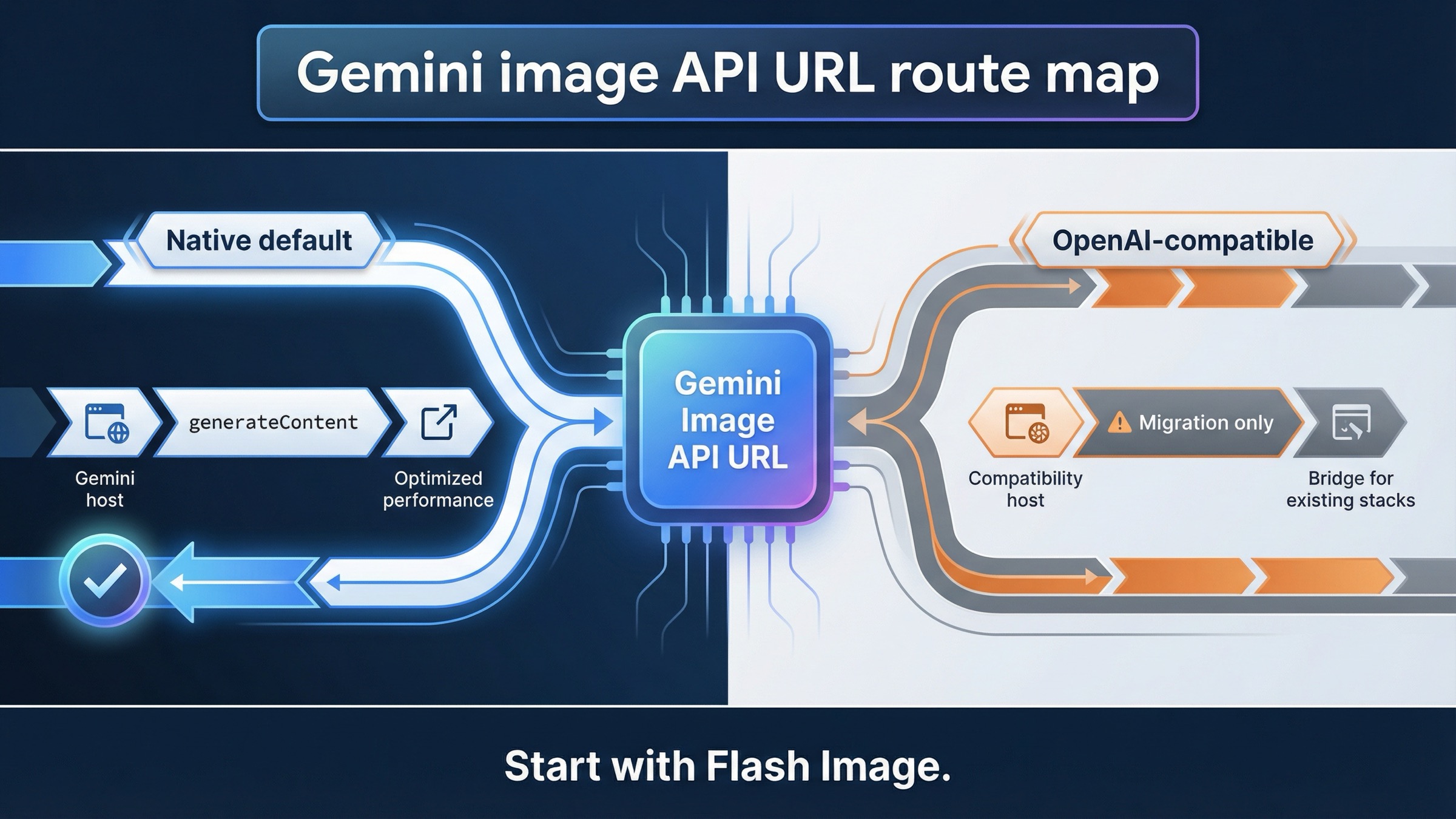
As of March 24, 2026, the correct Gemini-native base URL for image generation is https://generativelanguage.googleapis.com/v1beta, and the first endpoint most developers should call is POST /models/gemini-3.1-flash-image-preview:generateContent. Use https://generativelanguage.googleapis.com/v1beta/openai/ only when you are deliberately staying on the OpenAI compatibility layer.
That split is the whole point of this keyword. Google’s current image-generation docs, API reference, and OpenAI compatibility docs all surface part of the answer, but they do not answer the support question in one place. The result is predictable: developers paste the compatibility host into a native Gemini image workflow, or they keep hunting for a special image-only host that does not exist on the Gemini-native side.
The fastest safe path is simple. Start with one native generateContent request, confirm that it returns an image, and only then decide whether you actually need the OpenAI-compatible route, a different model, or quota troubleshooting. If you want a broader walkthrough after the endpoint is clear, the better next pages are Gemini Image Generation Tutorial: App, AI Studio, and API and Gemini Image Generation Code Examples: JavaScript, Python, and cURL.
Quick answer:
- New Gemini image work should start on
https://generativelanguage.googleapis.com/v1beta. - The first full endpoint most developers should test is
/models/gemini-3.1-flash-image-preview:generateContent. - Only use
https://generativelanguage.googleapis.com/v1beta/openai/when your stack is intentionally tied to the OpenAI compatibility layer.
TL;DR
| Your situation | Base URL | First path to think about | Use this when | Main caveat |
|---|---|---|---|---|
| New Gemini-native image generation work | https://generativelanguage.googleapis.com/v1beta | /models/gemini-3.1-flash-image-preview:generateContent | You want the cleanest current Gemini image route, native image controls, and the most direct official contract | Image generation still lives under generateContent, so the path looks less obvious than a dedicated /images API |
| Existing OpenAI SDK or OpenAI-style toolchain | https://generativelanguage.googleapis.com/v1beta/openai/ | OpenAI-compatible client methods such as images.generate() | You are migrating an OpenAI-based stack and want to keep the client surface familiar | The compatibility docs document a narrower image surface, and unsupported params can be silently ignored |
| Gemini app or AI Studio works but your API call fails | This is usually not a base-URL question | Check project, key, model, and quota context first | You are copying behavior from a UI into code | App, AI Studio, and API behavior are related but not interchangeable |
| You are actually on Vertex AI | Do not assume the Gemini Developer API host applies | Use the Vertex AI endpoint family instead | Your project is built on Google Cloud Vertex AI rather than the Gemini Developer API | Wrong-host debugging wastes time even when the model itself is fine |
If you only need one rule, keep this one: new Gemini image work should start on the native Gemini Developer API host, not on the OpenAI-compatible host.
Use this base URL for Gemini-native image generation
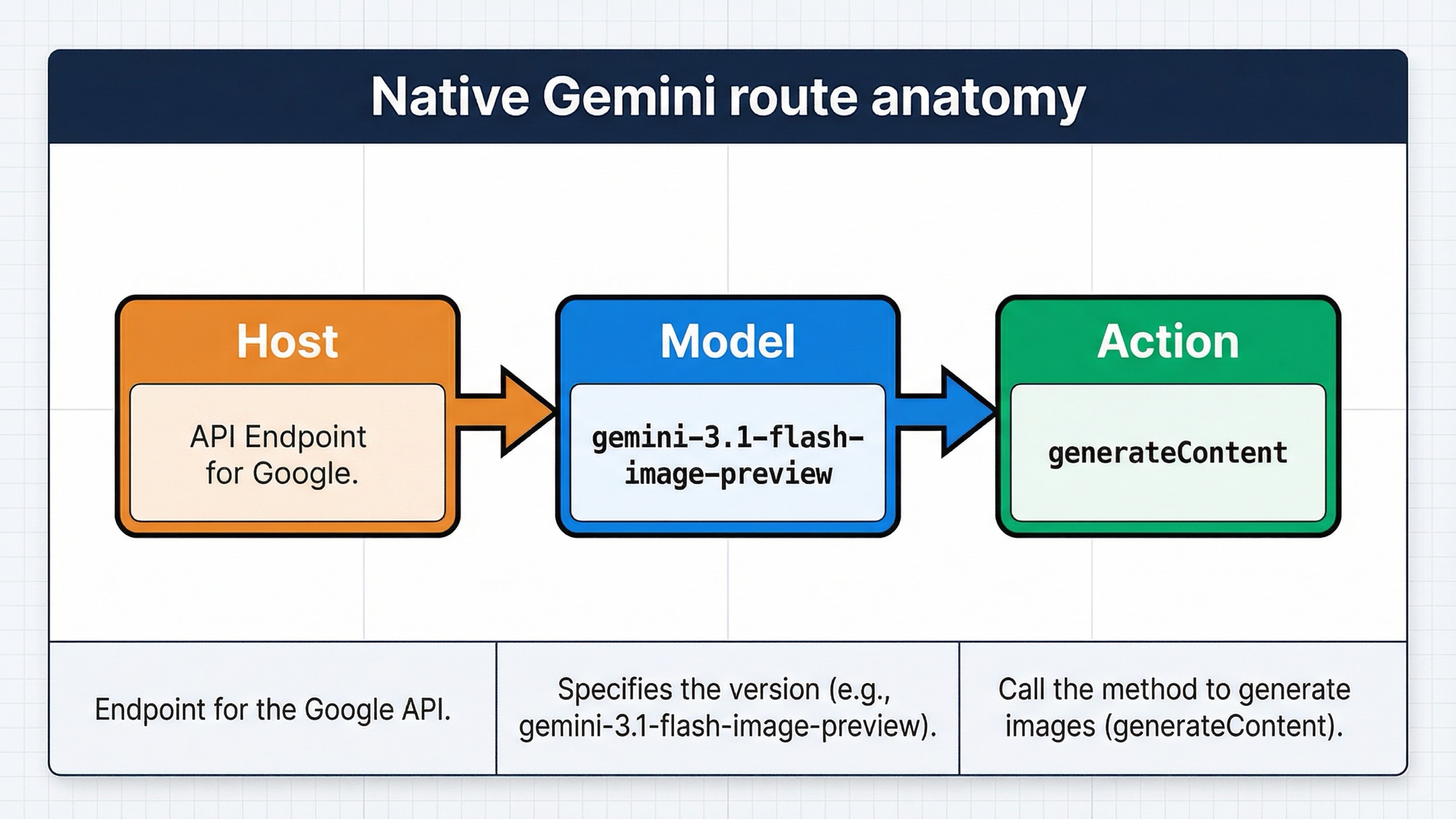
The official Gemini API reference still defines image generation under the same core method family as multimodal text work: generateContent. That is why the native answer looks slightly strange if you are expecting a dedicated /images/generations endpoint. On Gemini-native, the host is still the regular Gemini Developer API host, and the model-specific path carries the image-generation intent.
That means the base URL is:
texthttps://generativelanguage.googleapis.com/v1beta
And the first full image-generation endpoint most readers should test is:
texthttps://generativelanguage.googleapis.com/v1beta/models/gemini-3.1-flash-image-preview:generateContent
Google’s current image-generation docs still center on gemini-3.1-flash-image-preview as the fast default lane, with gemini-3-pro-image-preview as the premium branch. That is why this article does not lead with older 2.5-era image examples, even though you can still find them in nearby docs and forum threads. For a fresh integration, the safest question is not “what is the oldest thing that still works?” It is “what is the current native path Google is actively teaching?”
The other important reason to prefer the native route is feature behavior. The native docs are where image-specific controls actually make sense: aspect ratio, image size, image editing, and multi-turn workflows. If you care about image behavior as Gemini understands it today, the native host is the clearest contract.
It also keeps authentication and debugging cleaner. The official reference shows the URL template directly, and in practice you can send the key either with ?key= in the request URL or the x-goog-api-key header. That flexibility is useful, but it does not change the real contract. The hard requirement is still the same combination of host plus model-specific generateContent path.
The path structure also explains a lot of confusion. Many developers search for “base URL” because they assume the hardest part is the hostname. It usually is not. The real mistake is mixing the correct host with the wrong endpoint family. On Gemini-native image generation, the path is not a generic /images route. It is a model-specific generateContent call.
So the safe mental model is:
- Pick the Gemini-native host.
- Pick the current image model.
- Call
generateContent. - Only then worry about image size, aspect ratio, or edits.
That order avoids most wasted debugging.
When /v1beta/openai/ is the right answer instead
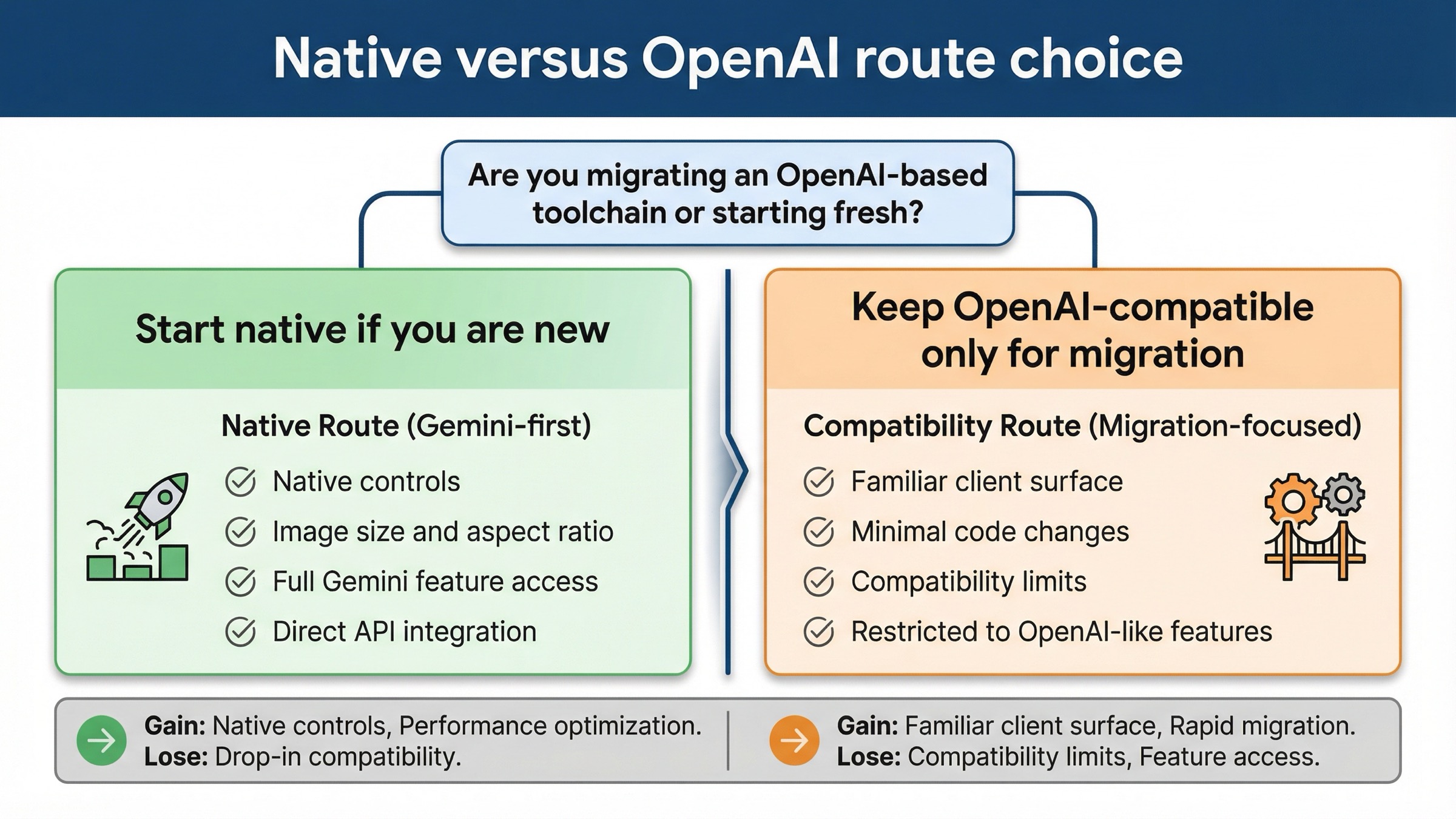
The OpenAI-compatible base URL is real. It is not a bug, and it is not old documentation. Google’s current compatibility docs still tell OpenAI library users to point their client at:
texthttps://generativelanguage.googleapis.com/v1beta/openai/
That path exists for a specific reason: you already have OpenAI-style client code, SDK wrappers, or internal tools, and you want the shortest migration path. In that situation, using the compatibility host is reasonable.
What is not reasonable is treating that host as the default answer for every Gemini image integration question. Google’s own compatibility docs say that if you are not already using the OpenAI libraries, you should call the Gemini API directly. That matters here because image generation is one of the places where the difference is not cosmetic. The compatibility docs currently document image generation with gemini-2.5-flash-image or gemini-3-pro-image-preview, and they warn that unsupported parameters outside the documented set can be silently ignored.
That last part is the trap. If you start on the compatibility layer and then assume all Gemini-native image behavior will come along for free, you can misdiagnose the entire problem. The host is valid, but the feature surface is narrower. So if you need native image controls, or if you want to follow the most current official image-generation examples, the native endpoint is the safer default.
This is also why two developers can both be "using the Gemini image API" and still be debugging different systems. One may be on a native Gemini request with image controls that the compatibility layer does not expose in the same way. The other may be migrating an OpenAI stack and care more about client continuity than about the full native image surface. The right base URL depends on that decision, not on the keyword alone.
This is the practical split:
- Use the native Gemini host when you are starting fresh, debugging raw REST, or following current Gemini image docs.
- Use the OpenAI-compatible host when your stack is already committed to OpenAI client semantics and you want the least disruptive migration.
- Do not bounce between the two in the same debugging session unless you know exactly what behavior you are comparing.
The fastest way to decide is to ask one boring question: “Am I preserving an OpenAI-based client on purpose?” If the answer is no, the compatibility host is usually unnecessary.
Copy one working REST request first
Before you optimize anything, prove the native route with one small request. Keep the prompt simple, request image output, and avoid turning the first call into a full production pipeline.
bashcurl -s -X POST \
  "https://generativelanguage.googleapis.com/v1beta/models/gemini-3.1-flash-image-preview:generateContent" \
  -H "x-goog-api-key: $GEMINI_API_KEY" \
  -H "Content-Type: application/json" \
  -d '{
    "contents": [{
      "parts": [
        {
          "text": "Create a clean 16:9 product hero image of a matte black travel mug on a light concrete surface with soft studio lighting."
        }
      ]
    }],
    "generationConfig": {
      "responseModalities": ["IMAGE"],
      "imageConfig": {
        "aspectRatio": "16:9",
        "imageSize": "2K"
      }
    }
  }'
That request does three useful things. First, it proves the host and path. Second, it proves the model ID. Third, it tests the native image controls that often get lost in compatibility-layer discussions.
If you need the premium branch, change the model path to:
text/models/gemini-3-pro-image-preview:generateContent
Use that branch when the image is expensive enough that text rendering, more contextual composition, or higher-stakes output quality justify the cost and slower iteration loop. If your real next question is cost rather than syntax, the better follow-up is Gemini image generation API pricing.
This is also the point where many readers overcomplicate too early. Do not start with AI Studio assumptions, a large wrapper, retries, proxy layers, or a mixed compatibility experiment. Get one native image back first. If that fails, you have isolated the problem to the correct layer.
Troubleshooting: fix the errors that usually get blamed on the base URL
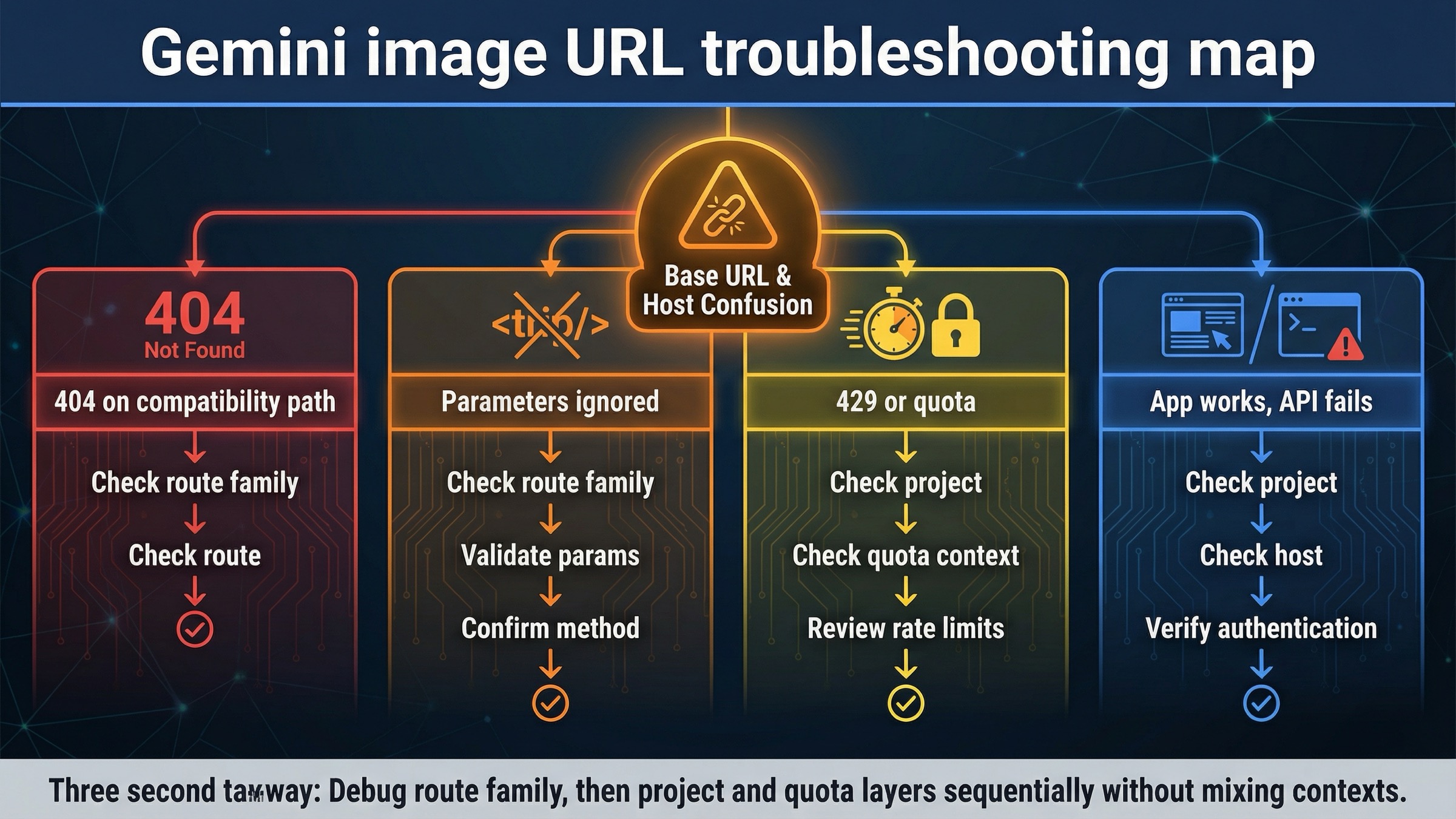
Base URL mistakes are real, but they are not the only reason image requests fail. The current forum threads around Gemini image generation make that obvious. Developers hit 404s, model-not-found errors, and ignored parameters, then assume the whole API host is wrong. Often the real issue is smaller and more specific.
| What you see | What it usually means | What to do next |
|---|---|---|
| 404 or model-not-found on an OpenAI-compatible image path | You are using the compatibility endpoint family for a model or behavior that works more cleanly on the native generateContent path | Retry the same task on the native Gemini host first |
| Image size or aspect-ratio options seem ignored | You are on the compatibility layer, and the extra image parameters you expect are outside the documented supported set | Move the request to the native Gemini API if those controls matter |
| The request works in AI Studio or the Gemini app but fails in code | UI behavior, app behavior, and API-project behavior are not identical | Confirm the API key, active project, and model availability instead of assuming the host is broken |
| 429 or quota surprises after the URL is fixed | The host is correct, but rate limits are project-level and preview models are stricter | Check the current project tier and live limits in AI Studio |
| Everything looks right, but the request still feels inconsistent | You may be mixing old 2.5-era examples, native Gemini docs, and OpenAI-compatible assumptions in one debugging pass | Pick one route, one model, and one request shape until the first successful image returns |
The most important operational caveat here is quotas. Google’s current rate-limits docs say requests are evaluated per project, not per API key, and requests per day reset at midnight Pacific time. The same page also warns that preview models have more restrictive rate limits. That means a correct URL can still fail for reasons that look unrelated until you check the project context.
The second caveat is compatibility behavior. Google’s forum has multiple image-generation threads where developers hit a 404 on an OpenAI-compatible image request, then confirm that the native generateContent URL works for the same model family. That does not mean the compatibility docs are fake. It means the safer debugging habit is to prove the native route first and treat compatibility as a deliberate migration layer rather than the universal default.
If your problem has moved beyond endpoint confusion into 429, 400, or 500 errors, the tighter follow-up is Gemini API error fix 2026: 429, 400, 500.
Do not confuse Gemini Developer API, AI Studio, and app behavior
This keyword gets messy because Google surfaces related but different products on page one.
The Gemini Developer API is where the generativelanguage.googleapis.com host belongs. That is the product contract this page is answering.
AI Studio is a UI and project surface that sits near that API, but it does not reduce the whole problem to “copy whatever the browser seems to do.” Billing state, project context, and model availability still matter there. Google’s current billing FAQ says AI Studio remains free unless users link a paid API key for paid features, which is useful context, but it does not change the correct API host for Gemini-native image requests.
The Gemini app is even further from the base-URL question. It is useful for image creation and editing, but app behavior is not the same thing as the request contract your code will use. That is why the current support page on Gemini Apps can help explain product boundaries without answering the endpoint question itself.
If you are really on Vertex AI, stop and confirm that first. Vertex AI has its own endpoint family, and copying the Gemini Developer API host into a Vertex-based project is the wrong kind of debugging. This article stays focused on the Gemini Developer API because that is what the keyword usually wants, but the distinction matters.
Bottom line
For current Gemini image generation on the Gemini Developer API, use:
texthttps://generativelanguage.googleapis.com/v1beta
Then start with:
text/models/gemini-3.1-flash-image-preview:generateContent
Only switch to:
texthttps://generativelanguage.googleapis.com/v1beta/openai/
when your project is intentionally staying on the OpenAI compatibility layer.
That is the safest current default because it matches the official Gemini-native image docs, keeps the image feature contract clearer, and avoids the most common support mistake behind this keyword: treating the compatibility host as the universal answer for all Gemini image requests.


