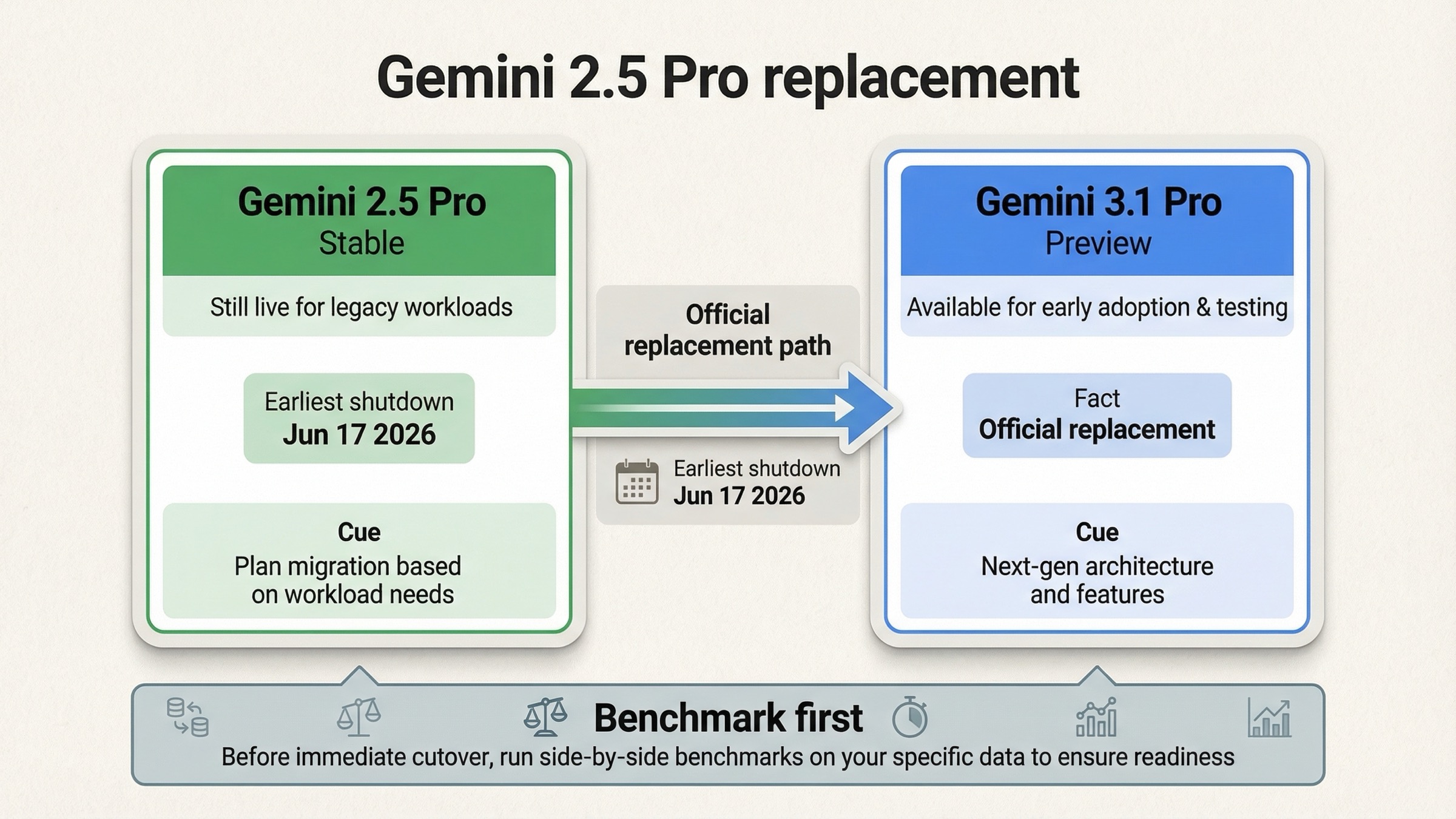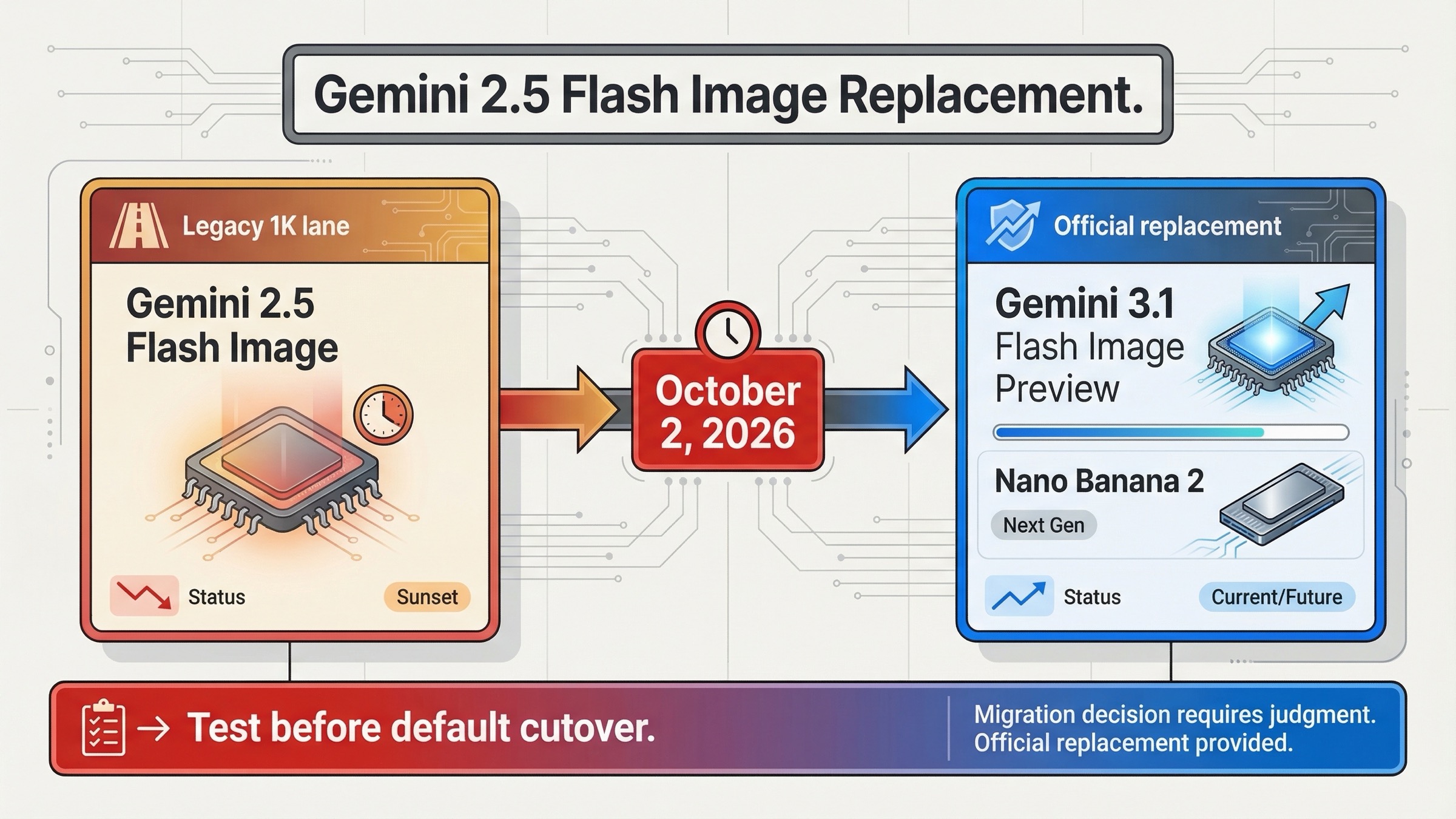
As of March 21, 2026, Google's official Gemini API replacement for gemini-2.5-flash-image is gemini-3.1-flash-image-preview, also known as Nano Banana 2. The next decision is whether to migrate now or closer to the shutdown window.
This is not a pure rename. The replacement moves you into a preview lane with different pricing, more output-size options, and a different long-term path, so the right move depends on how much you value immediate stability versus getting ahead of the migration curve.
TL;DR
If you want the replacement answer fast, use this table and then jump to the migration guidance below.
| Question | Current answer on March 20, 2026 | Why it matters |
|---|---|---|
What replaces gemini-2.5-flash-image in the Gemini API? | gemini-3.1-flash-image-preview | This is the official replacement in Google's deprecations table |
| When does the old model shut down? | October 2, 2026 | You still have time to test instead of rushing a same-day migration |
| Is the replacement a like-for-like swap? | No | It adds 0.5K, 1K, 2K, and 4K output sizes, stronger text rendering, and different pricing |
| Is the replacement stable? | No, it is still Preview | Google says preview models can change and may have more restrictive rate limits |
| Does the old model still have a reason to exist today? | Yes | It remains the simpler, cheaper 1024px path for some cost-sensitive workloads |
| Should most teams move immediately? | Only if they need the new capabilities now | Otherwise, staged testing is safer than a blind switch |
The practical default is simple. Move early if your team already wants better text rendering, better image editing, or output above 1024px. Test first and delay the default cutover if your current workload is high-volume, cost-sensitive, and still perfectly happy with 1K output.
The Official Replacement And The Timeline You Should Actually Care About
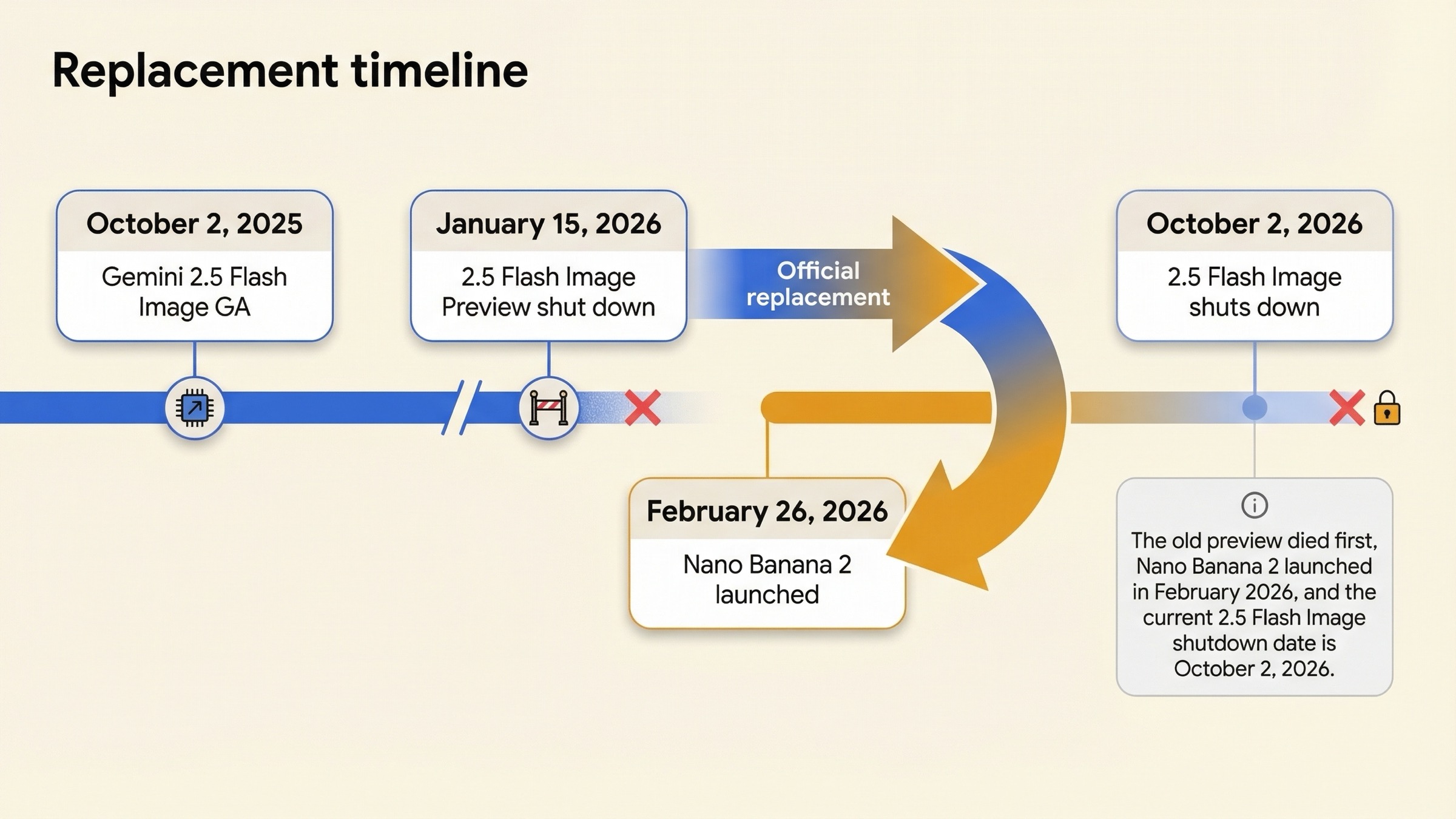
Google's current Gemini deprecations table is the cleanest answer source for this keyword. It lists gemini-2.5-flash-image with a shutdown date of October 2, 2026 and names gemini-3.1-flash-image-preview as the official replacement. That means the migration decision is real, but it is not yet an emergency.
The timeline matters because Google's image model naming has already changed once in this family. The older gemini-2.5-flash-image-preview line was shut down on January 15, 2026, and Google's release notes say Nano Banana 2, which maps to gemini-3.1-flash-image-preview, launched on February 26, 2026. So the current replacement story is not just an alias cleanup. It is the next generation of Google's Flash image line arriving months before the legacy model's shutdown date.
| Date | What Google says changed | Why it matters for migration |
|---|---|---|
| October 2, 2025 | Gemini 2.5 Flash Image launched as GA in the release notes | This is the legacy baseline many teams still use |
| January 15, 2026 | gemini-2.5-flash-image-preview shut down | Google already completed one earlier migration in the same family |
| February 26, 2026 | gemini-3.1-flash-image-preview launched as Nano Banana 2 | The replacement model became available well before the current shutdown deadline |
| March 20, 2026 | Deprecations table lists gemini-3.1-flash-image-preview as the replacement for gemini-2.5-flash-image | This is the current official migration mapping |
| October 2, 2026 | gemini-2.5-flash-image scheduled shutdown | This is the date that should drive your rollout planning |
The key operational takeaway is that you still have runway. If you are reading this months before October 2, 2026, you do not need a panic migration. You need a measured one. Google's own docs are clear enough on the replacement answer, but they do not tell you whether the replacement is already the right default for your workload. That is the gap this page should close.
Why This Replacement Is Not Just A Rename
Google's image generation guide now says Gemini 3.1 Flash Image Preview should be your go-to image generation model for the best all-around balance of performance, intelligence, cost, and latency. That is stronger language than a normal deprecation notice. It tells you Google wants Nano Banana 2 to be the default choice for many current image-generation jobs, not just the future fallback after October 2.
But the replacement is not neutral. Gemini 2.5 Flash Image was the fast, simple, inexpensive Flash image lane centered on 1024px output. Gemini 3.1 Flash Image Preview expands that idea into a broader product: more advanced editing, better prompt adherence, stronger in-image text, and output from 512px to 4096px. Google's Nano Banana 2 launch post and the Google DeepMind product page both push that message hard. They frame Nano Banana 2 as Flash speed with more Pro-like capability.
That is why the query keeps showing up in slightly confused forms. Some people are really asking for the new model ID. Others are asking whether Nano Banana 2 has already replaced Nano Banana everywhere. Others are asking whether they should stay on the older model because their app only needs cheap 1K images. Those are not the same question, and pages that flatten them into a single "use Nano Banana 2 now" sentence are only half-useful.
The better framing is this:
gemini-2.5-flash-imageis the legacy low-cost 1K baseline.gemini-3.1-flash-image-previewis the official replacement and Google's current recommended default for many image jobs.gemini-3-pro-image-previewis the premium branch when you need the highest-end visual fidelity or more professional 4K work.
If you only need a single sentence, the replacement is official. If you need a migration decision, the replacement is a capability upgrade with lifecycle tradeoffs attached.
Pricing, Resolution, And Preview Risk Changed The Moment This Became A Replacement Story
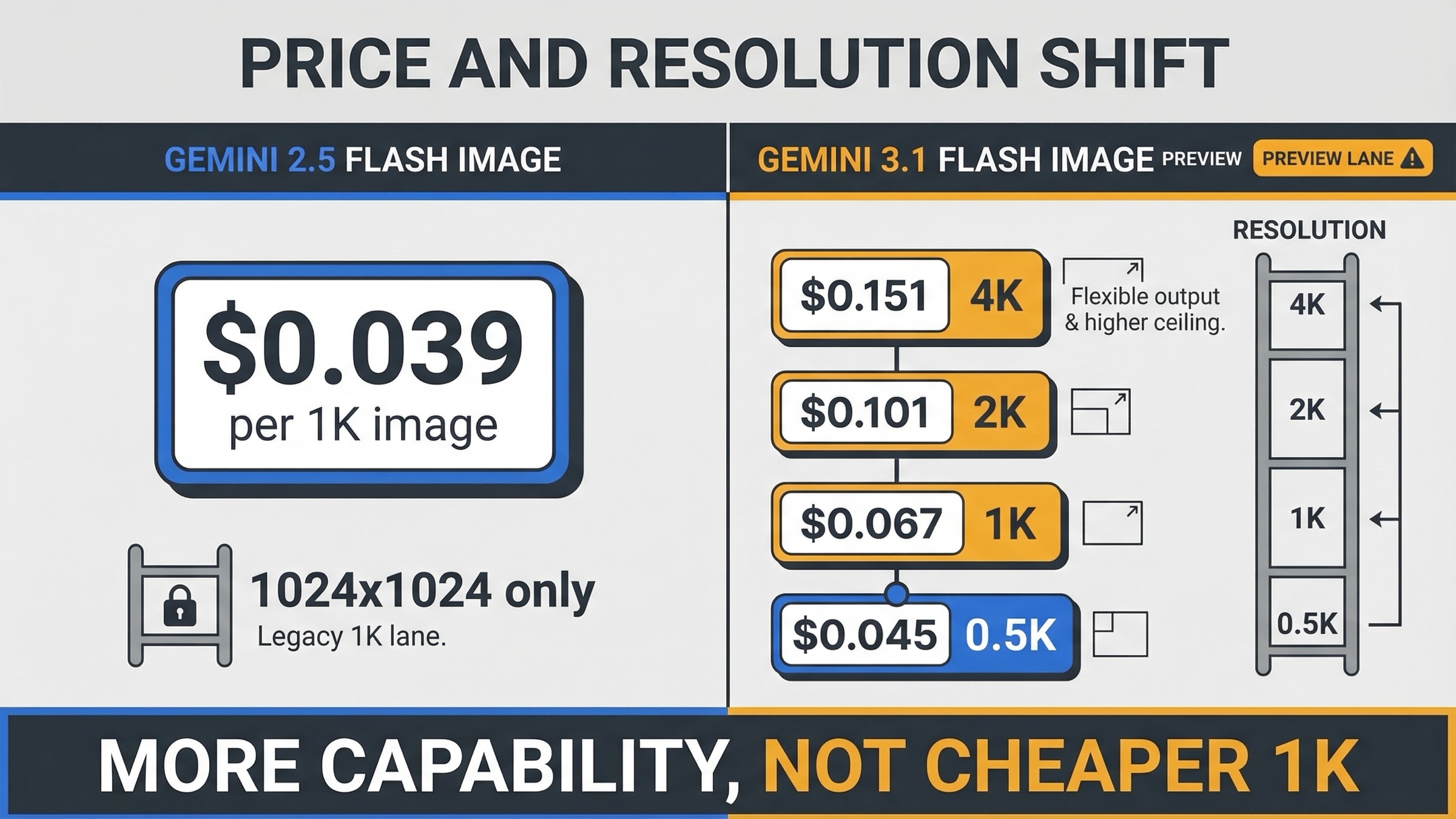
Pricing is where shallow replacement answers usually fail. Google's pricing page says gemini-2.5-flash-image currently costs $0.039 per image for output up to 1024x1024. The same page prices gemini-3.1-flash-image-preview at about $0.045 per 0.5K image, $0.067 per 1K image, $0.101 per 2K image, and $0.151 per 4K image on standard paid usage.
That means the replacement is not automatically cheaper in the way most teams care about. At 1K output, the replacement is materially more expensive than the old model. What you are paying for is flexibility and capability, not lower cost at the same 1024px baseline.
| Model | Current lifecycle wording | Standard paid output pricing | Resolution ceiling | Best fit today |
|---|---|---|---|---|
gemini-2.5-flash-image | Scheduled to shut down October 2, 2026 | $0.039 per image | 1024x1024 | Cheap, high-volume 1K image generation when today's output quality is already enough |
gemini-3.1-flash-image-preview | Preview | $0.045 per 0.5K, $0.067 per 1K, $0.101 per 2K, $0.151 per 4K | 4096x4096 | Teams that need better editing, better text, or flexible output sizes |
gemini-3-pro-image-preview | Preview | $0.134 per 1K or 2K, $0.24 per 4K | 4096x4096 | Premium creative work where higher-end quality matters more than cost |
The billing model matters here too. Google's current public pricing and rate-limit pages point image builders toward paid usage, and the rate-limit docs say moving from the free tier to a paid tier requires billing setup in AI Studio. In practice, that means many "replacement" searches are really budget-planning searches. Teams are discovering that the replacement model is better, but it also nudges them toward a more deliberate paid-image workflow instead of treating image generation as an inexpensive side feature.
The preview risk matters too. Google's current pricing pages keep the notice that preview models may change before becoming stable and may have more restrictive rate limits. Google's rate-limits page also says specified limits are not guaranteed and actual capacity may vary. So if your current image pipeline is already stable and you do not need anything above 1K output, there is a rational reason to keep the older model during your test window instead of turning replacement into same-day default routing.
There is one more subtle point worth keeping visible. Google's official pages are not perfectly aligned on lifecycle language for Gemini 2.5 Flash Image. The release notes say it launched as GA on October 2, 2025, but the current pricing page still shows the generic preview-model warning text in that section. I would not over-interpret that inconsistency, but I also would not hide it. It is one more reason to avoid promising more lifecycle certainty than Google's docs actually show.
The Real Confusion: API Replacement Is Not The Same Thing As Gemini App Replacement
A lot of searchers are mixing two product stories together. In the Gemini API, the replacement question is narrow: what should you call instead of gemini-2.5-flash-image, and when do you need to finish that migration? In the Gemini app and broader Google product stack, the question is wider: which image engine is now the default user-facing experience?
Google's Nano Banana 2 launch post says Nano Banana 2 replaces Nano Banana Pro across the Fast, Thinking, and Pro models in the Gemini app, while still leaving Nano Banana Pro accessible for some subscribers through manual regeneration. That is an app-routing decision. It tells you what Google is surfacing by default to app users. It does not mean the API lifecycle question has disappeared or that the old API model stopped existing the same day.
This matters because it changes how you should interpret "replacement" in search results. A news article can say "Google replaced its old image generator with Nano Banana 2" and still be directionally true for app surfaces while being too imprecise for API teams planning a migration. Developers usually need three separate answers:
- What is the exact API replacement model ID?
- When does the old API model shut down?
- Does the replacement change cost, quota behavior, or risk enough that a staged rollout is smarter than a direct cutover?
Once you separate those questions, the whole SERP becomes easier to read. Official launch posts are useful for understanding what improved. The deprecations page is useful for dates and mappings. The pricing and rate-limit pages are useful for operational consequences. None of those pages alone gives you the full decision.
Should You Move Now, Dual-Route First, Or Wait?
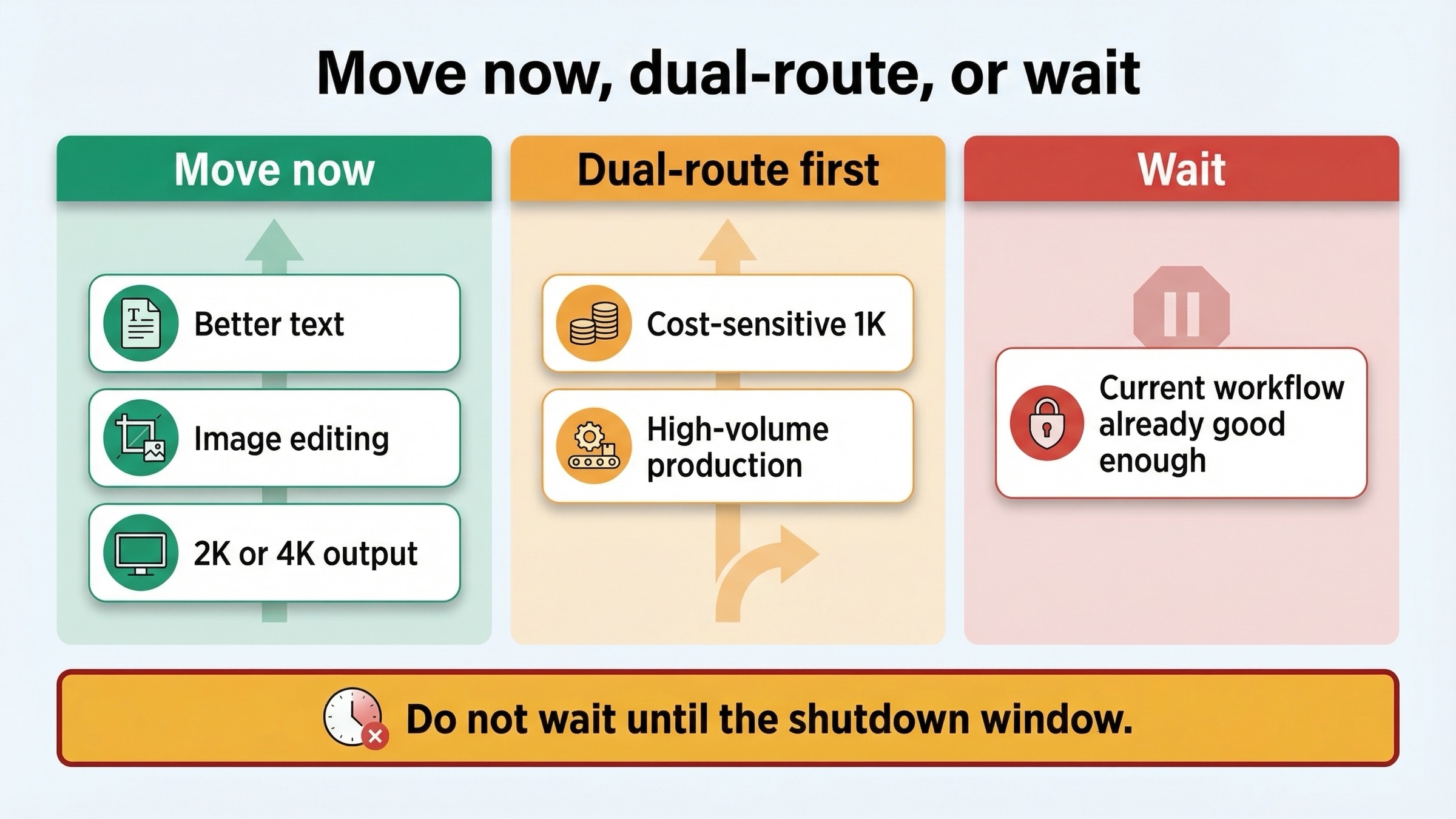
This is the section most official pages do not write for you. The right choice depends less on the replacement label and more on your current workload shape.
| Your situation | Best move now | Why |
|---|---|---|
| You need 2K or 4K output, better editing, or stronger text rendering | Move to gemini-3.1-flash-image-preview now | The old model cannot meet the same output ceiling, so delaying only postpones useful evals |
| You generate high-volume 1024px images and care mainly about cost | Dual-route first | The replacement is more capable, but it is not cheaper at the same 1K baseline |
| You are in active prototyping and can accept preview behavior | Move early | The replacement is where Google is investing, and it gives you more room to grow |
| Your current production workflow is stable and already meeting quality targets | Wait, but set a migration deadline | There is no immediate technical need to switch if the old model still does the job |
| You are already seeing quota or reliability friction on the old line | Test the replacement sooner | Replacement questions are often reliability questions in disguise |
My default recommendation is dual-routing for most production teams. Keep the old model where 1K economics still matter, and start running the replacement on the workflows most likely to benefit from it: text-heavy image generation, image editing, visual layouts that need more exact prompt following, and any path that now wants 2K or 4K output. That gives you real data before you promote the preview replacement to the default.
If you want a simple mental model, think in terms of user-visible gain. Marketing teams creating social graphics, product teams generating UI mockups, and workflows that put legible text inside images are the cleanest early candidates for Nano Banana 2. Background texture generation, cheap ideation boards, or disposable 1K draft imagery are the cleanest reasons to keep the older model a bit longer. The replacement becomes easy when the new capability is obvious to the person using the output; it becomes harder when only your infrastructure bill changes.
The main reason not to wait too long is organizational, not just technical. If you postpone all testing until August or September 2026, the migration becomes a deadline event instead of a controlled rollout. Google's current shutdown date gives you enough time to do this correctly; wasting that time is the avoidable mistake.
Migration Checklist For Existing gemini-2.5-flash-image Workloads
If you already have the old model in code, treat the migration as a small platform change rather than a string replacement. The safer order is:
- Replace the old model ID with
gemini-3.1-flash-image-previewin a staging or eval path first. - Re-run image-quality evaluations on prompts where text rendering, editing fidelity, or composition quality matter most.
- Re-check per-image cost assumptions by output size, not just by model family name.
- Revisit any queueing or rate-limit assumptions, because preview lanes and active capacity can behave differently.
- Keep provenance expectations the same. Nano Banana 2 still uses SynthID-style watermarking and provenance features, so replacement does not mean watermark-free output.
The pricing and rate-limit checkpoints are the two most commonly skipped steps. Teams see "official replacement" and mentally translate that to "equivalent service under a new name." That assumption is wrong here. The replacement is broader and better, but it is not operationally identical. If you need help understanding how the new model fits against the higher-end branch, our Gemini 3.1 Flash Image Preview vs Gemini 3 Pro Image Preview guide is the better next read. If your blocker is free or paid access planning, the current Gemini 3.1 Flash Image Preview API guide covers the access paths in more detail.
One last operational note: if your team has internal docs, screenshots, or prompt libraries that still talk about "Nano Banana" without the model ID, update those at the same time as the code. Search confusion is not only a SERP problem. It becomes an internal maintenance problem if different people keep using the same nickname for different generations of the model.
FAQ
What is the replacement for gemini-2.5-flash-image?
As of March 20, 2026, Google's official replacement is gemini-3.1-flash-image-preview. The deprecations table lists that model as the successor and sets October 2, 2026 as the current shutdown date for gemini-2.5-flash-image.
Is Nano Banana 2 the same thing as gemini-3.1-flash-image-preview?
Yes. Nano Banana 2 is Google's broader product name for gemini-3.1-flash-image-preview. The app, launch-post, and API naming layers are different, but they refer to the same replacement model line.
Does the replacement cost more?
Usually yes at the common 1K baseline. gemini-2.5-flash-image is priced at $0.039 per image up to 1024x1024, while gemini-3.1-flash-image-preview is priced around $0.067 for 1K output. The replacement earns that higher price by adding more flexible resolutions, stronger editing, and better output quality.
Should production teams switch now or wait?
Switch now if you already need the replacement's added capability. Otherwise, start testing now and promote later. The risky move is not waiting a little longer; it is waiting until the shutdown date is close and then trying to migrate without evaluation data.
Does moving to Nano Banana 2 remove SynthID watermarking?
No. Google's current Nano Banana 2 material still says images created with the model include SynthID-related provenance features. If watermarking and provenance are part of your workflow concerns, read our separate guide on whether SynthID watermarking is removable.