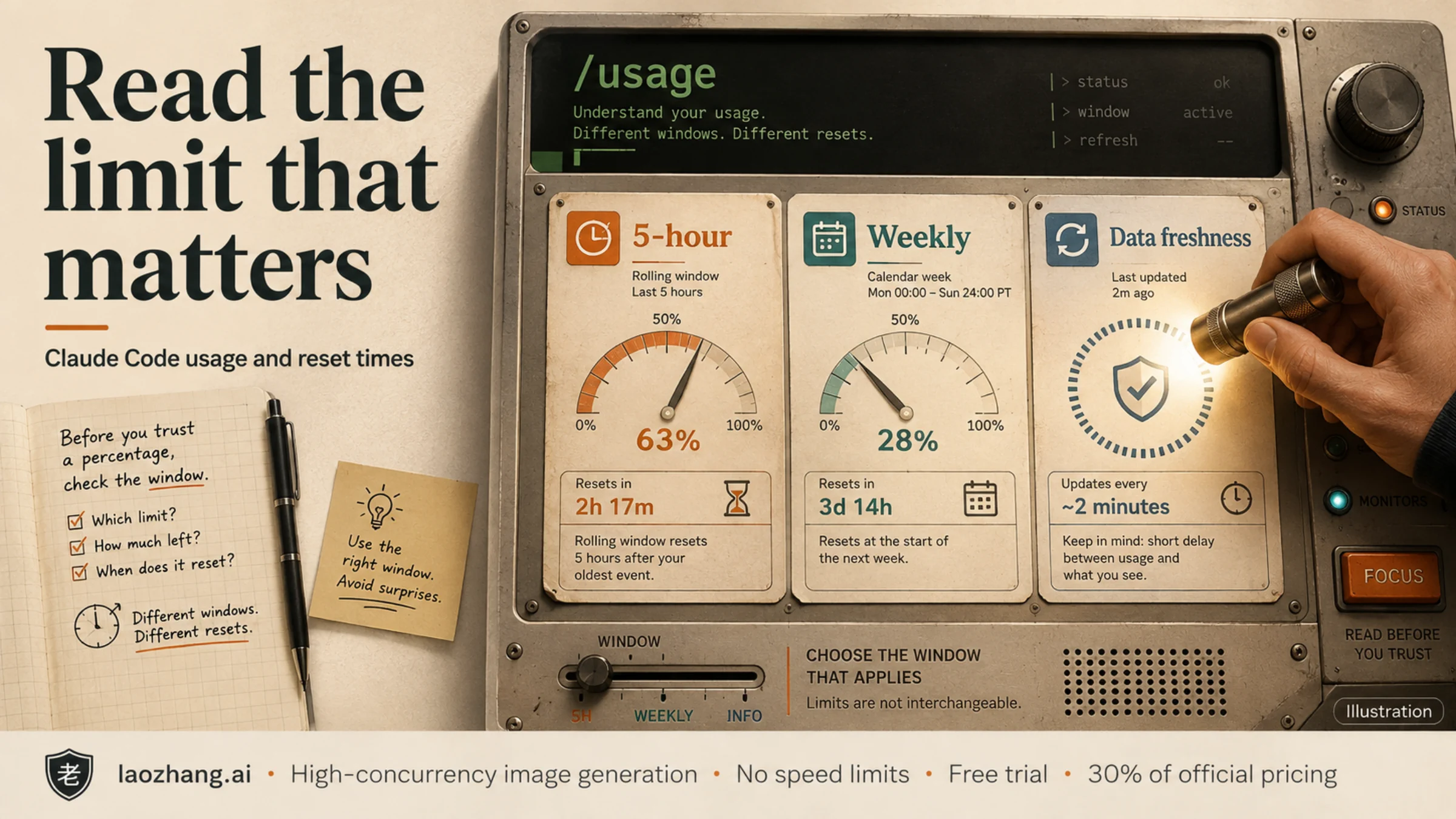
Open /usage inside Claude Code, then read the bar's label, its reset time, and whether the data is fresh. A five-hour reset does not clear a weekly limit. A dollar total, context percentage, or third-party estimate cannot tell you how much subscription allowance remains on its own.
The practical goal is to connect the message that stopped your work to the matching meter. This guide follows the documentation available on September 8, 2026; command behavior can differ on older clients.
Start with the built-in usage view
In an interactive Claude Code conversation, enter:
/usageType it at the beginning of a message inside Claude Code, rather than at your shell prompt. The current view brings together session costs, plan limits and activity statistics. /cost is currently an alias for /usage; /stats is also an alias, opening the Stats tab. Advice that presents these as entirely separate commands may describe an older version. Command availability depends on your platform, plan and environment. Claude Code command reference
Before interpreting a percentage, identify what it measures:
| What you are looking at | How to read it | What to check next |
|---|---|---|
| Five-hour/current-session plan bar | Allowance used in that subscription window | Its own reset timestamp |
| Weekly plan bar | Allowance used in the weekly window | Whether it still blocks work after the shorter window resets |
| A named model-family limit | A constraint applying to that family | The family label and the shared session/weekly bars |
| Session dollar total | A local estimate of token cost | Whether you meant to inspect allowance instead |
| Context percentage | How full the conversation context is | Context management, rather than a subscription reset |
| Usage-credits spend | Monthly spending against an applicable spend limit | The credit/spend settings for this account |
For subscription allowance, compare against Settings → Usage on claude.ai under the same account. Anthropic's support guide describes five-hour and weekly progress with reset times for applicable subscription plans; usage-based Enterprise billing works differently. Read the bars your account actually has. Usage-limit help
Read the other numbers separately from subscription usage. A session cost estimate is not an additional Pro/Max invoice. In v2.1.211 and later, /clear starts that session total over; it does not refill your plan. The local d/w breakdown covers the last 24 hours or seven days on this machine, excluding other devices and claude.ai. These are reporting ranges, not allowance-reset schedules. When usage credits are enabled, a Pro/Max spend row can say Unlimited because no monthly spend cap is set; that does not mean unlimited included usage. Cost and usage documentation
Why a reset can leave you out of usage
Session and weekly limits both apply to a request. Reaching either can stop work. Model-family limits add another condition: switching models can help with a family-specific block only when the other applicable limits still allow the request. It does not bypass a shared weekly limit. Claude Code limit errors
This hypothetical example shows how the two limits interact:
| Meter | Before the five-hour reset | After it |
|---|---|---|
| Five-hour allowance used | 100% | 0% |
| Weekly allowance used | 100% | 100% |
| Can the shared weekly limit still block work? | Yes | Yes |
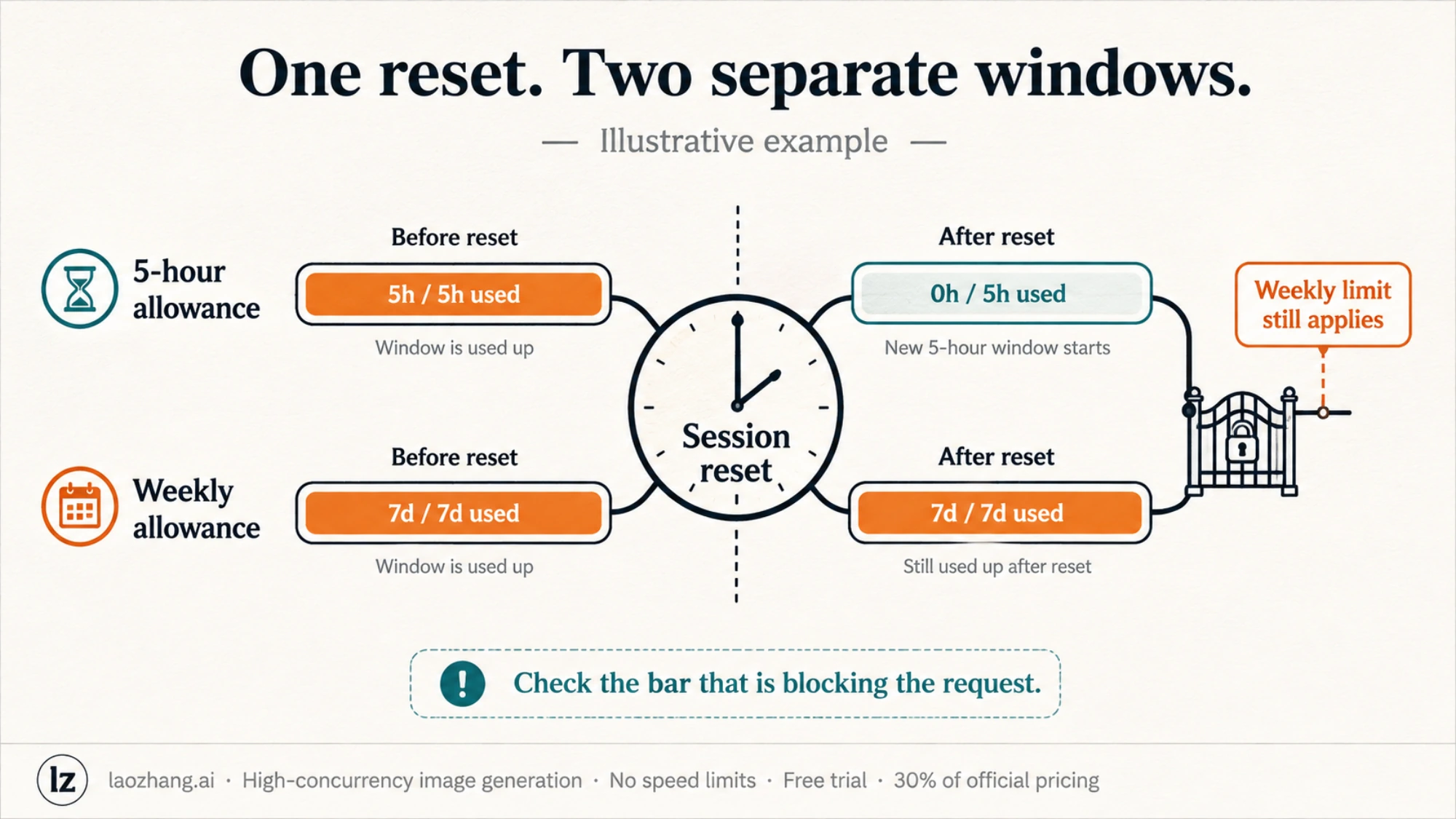
The first bar changed exactly as expected. The second explains why work is still blocked. Adding the two percentages would produce a meaningless result: each has its own denominator and time window.
When a screenshot says “resets at 3 PM,” keep the label attached to that time. Record the date and displayed timezone too, especially when comparing a browser, terminal and menu-bar app. A bare countdown does not tell you which restriction ends when it reaches zero.
What about /limit-reset?
A community report about /limit-reset describes a successful session reset while explicitly retaining the weekly limit. Other participants report that the command was unavailable or did not help them.
As of the date above, the official command reference does not document a universal /limit-reset feature. The report does not establish eligible plans, minimum versions, rollout conditions or a guaranteed weekly entitlement. Treat it as a reported, conditional capability.
If your client provides it and reports success, compare the session and weekly bars afterward. The useful question is what changed on your account. If the command is unavailable, repeated attempts cannot establish eligibility; use the normal usage view and the reset time of the blocking limit.
Read a usage monitor's source before its percentage
“Claude Code usage monitor” can mean a custom status line, a menu-bar app, or the open-source Claude Code Usage Monitor. A displayed percentage is only useful if you know where it came from.
For a status line built from Claude Code's documented JSON, these fields have distinct meanings:
| Field | Meaning |
|---|---|
rate_limits.five_hour.used_percentage | Used allowance in the reported five-hour window |
rate_limits.seven_day.used_percentage | Used allowance in the reported weekly window |
resets_at within either window | That window's reset timestamp, in Unix seconds |
context_window.used_percentage | Conversation context usage, not subscription allowance |
The rate-limit fields depend on the account and environment, normally need a response before appearing, and can be absent independently. Expired windows are dropped. A missing value means unknown, not zero usage. Official status-line fields
The open-source monitor's current README distinguishes official, local_estimate, experimental and unknown readings. Fresh official status-line captures take priority; stale or expired captures can fall back to labeled estimates. If you already have a compatible version installed, its documented one-shot inspection command is:
claude-monitor --once --output jsonInspect source/confidence information alongside the number. The project's --statusline mode is intended to capture the official fields when configured as a Claude Code status-line hook. Its local --reset-hour setting changes the monitor's reset configuration; it does not reset your Anthropic subscription. Older approximate token tables in the README should not replace your account's actual bars. Monitor documentation
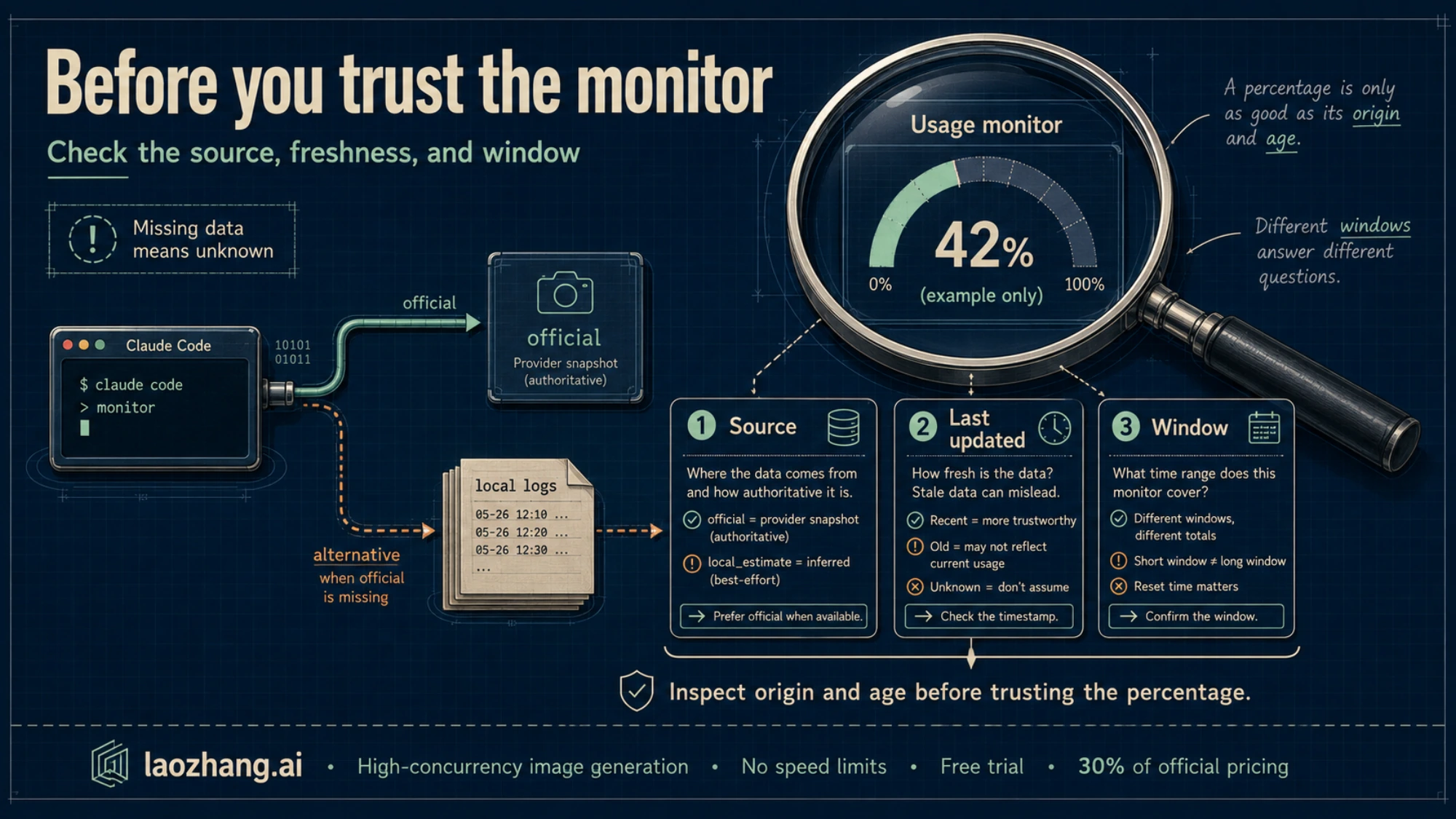
The notes on this monitor come from its README, not from a hands-on install. You do not need it to perform the built-in checks above.
When the numbers disagree, take this next step
First capture the exact error text. “Out of usage” is a useful description of the experience, but insufficient to distinguish these cases:
| What you observe | Next check |
|---|---|
| The five-hour timer elapsed, but requests remain blocked | Inspect the weekly and model-family bars; match the error to its named limit |
The usage panel says Showing last-known usage | Press r to retry and inspect the refreshed timestamp |
| A monitor says there is room, but Claude rejects the request | Check its source label and freshness, then compare the built-in view |
| The monitor has no weekly value | Check Settings → Usage; do not turn an absent field into 0% |
| Browser allowance looks healthy, while this terminal fails | Verify that both use the same account and billing method |
| The error mentions API throttling, credits or a spending limit | Follow that error's account/billing check instead of assuming a five-hour reset will fix it |
The stale-data case is documented: when a plan-limit fetch fails, Claude Code can display bars fetched within the previous 60 minutes with an age notice. A successful r retry replaces them; without recent cached data, it shows the endpoint error. Cached bars are not proof that a reset failed. Usage-request failures
For an account mismatch, check your active authentication without printing or sharing secrets. An ANTHROPIC_API_KEY can make Claude Code use separately billed API access instead of your Pro/Max subscription. That terminal is then not measuring the subscription allowance shown in your browser. Pro/Max authentication guidance
API rate limits, server throttling and spend/credit errors are distinct from subscription window exhaustion. Keep the original error when consulting the error reference; changing a monitor's display cannot resolve those account or service conditions.
Once you have identified the blocking window, use its reset time to plan the next attempt. Supported interactive subscription sessions can offer automatic continuation after a reset, managed through /rate-limit-options; this waits for allowance to become available rather than resetting it. Wait-and-continue behavior
If fresh official readings still contradict the error, keep a compact record for support: client version, account/billing type, model, exact error, observation time and timezone, each relevant bar, and each reset time. Redact credentials and private project details. That record makes a specific discrepancy visible without guessing whether the timer, the monitor or the account is responsible.