
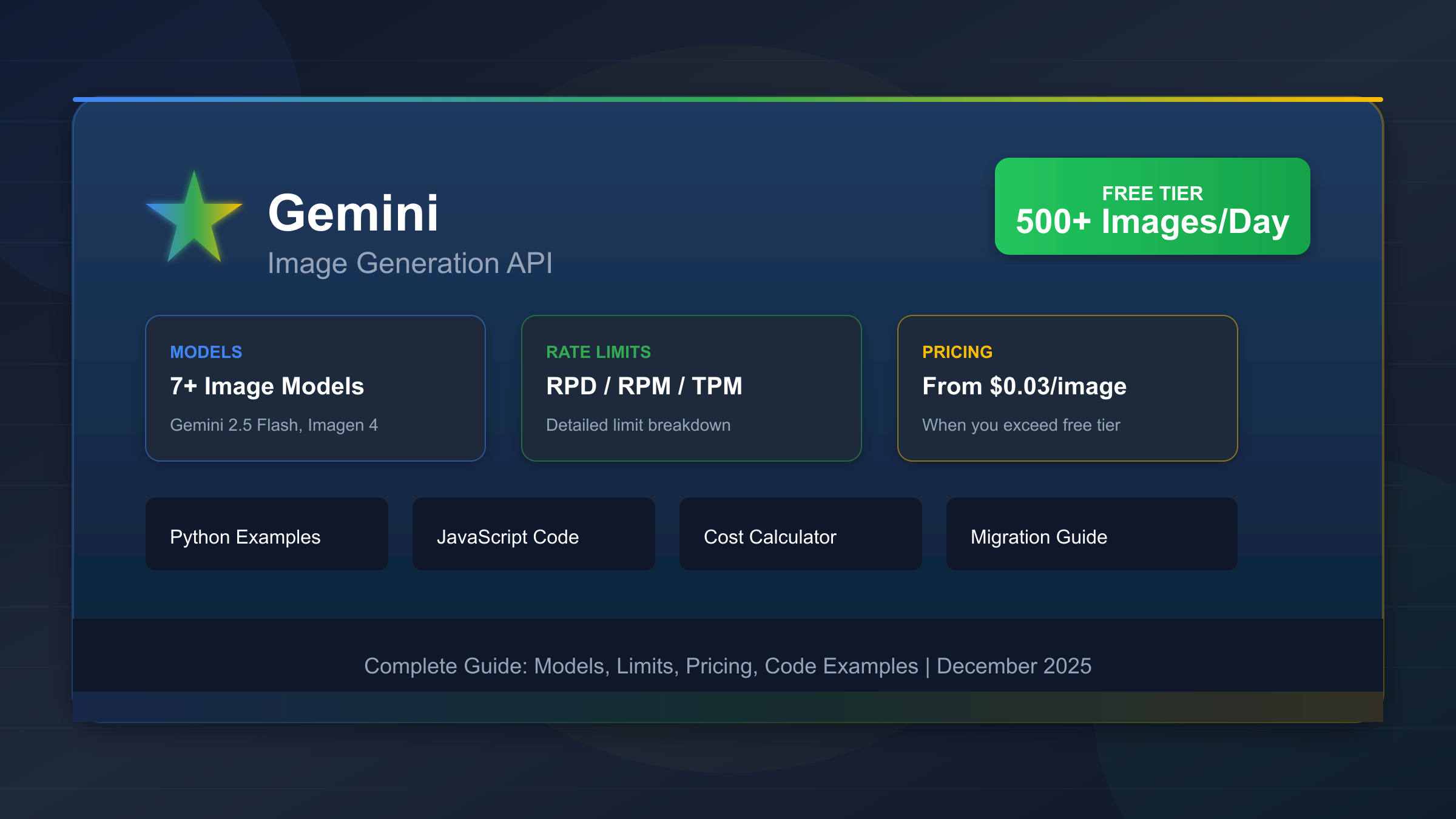
As of March 21, 2026, the current Gemini image API models do not have a public free tier. Use AI Studio if your goal is zero-cost testing, use gemini-2.5-flash-image if you want the cheapest native Gemini image API lane, and start new projects on gemini-3.1-flash-image-preview if you want the cleaner forward route.
Search results stay messy because they mix three different questions: free AI Studio usage, the cheapest paid native Gemini image lane, and the best current default for a real project. Separate those first and the decision becomes straightforward.
TL;DR
If you only need the fast answer, use this table.
| Question | Best current answer | Why |
|---|---|---|
| Is there a free current Gemini image API model? | No public free tier on the live pricing tables | gemini-3.1-flash-image-preview, gemini-3-pro-image-preview, and gemini-2.5-flash-image all show Not available under Free Tier on Google's current pricing page |
| Can I still test Gemini image generation for free? | Yes, through Google AI Studio | Google's billing docs still say new accounts begin on the free tier and AI Studio usage remains free unless you link a paid API key |
| What is the cheapest official native Gemini image API? | gemini-2.5-flash-image | About $0.039/image standard or $0.0195/image in batch |
| What is the better current default if I am starting fresh? | gemini-3.1-flash-image-preview | It is the current high-efficiency Gemini image lane and the official replacement for gemini-2.5-flash-image |
| What is the cheapest Google image endpoint overall? | Imagen 4 Fast | $0.02/image, but it is not a Gemini model |
Three caveats matter more than the headline rows.
First, free AI Studio testing is not the same thing as a public free tier for the current Gemini image models. The billing page still supports the free tier story in general, but the live image-model pricing tables are paid-only.
Second, the cheapest official native Gemini image lane is also a legacy lane. Google's deprecations page says gemini-2.5-flash-image is scheduled to shut down on October 2, 2026, with gemini-3.1-flash-image-preview as the replacement.
Third, Google's current rate-limit page now tells users to view active limits in AI Studio and says actual capacity may vary. That means older static quota tables are no longer a safe shorthand for the current image API story.
What Is Actually Free Right Now
The word free still belongs in this topic, but it belongs in a narrower way than many ranking pages admit.
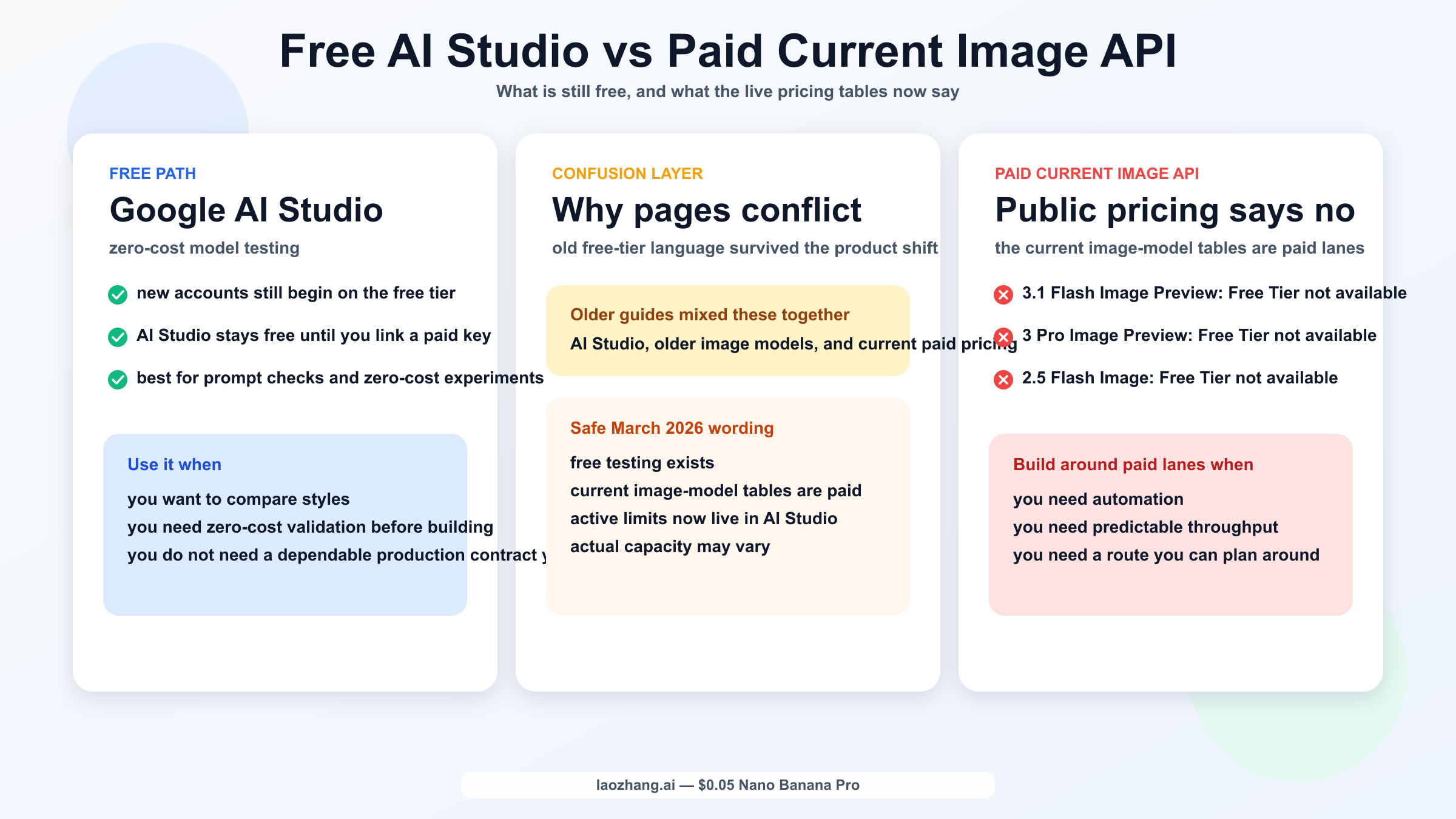
On Google's current billing page, new accounts still begin on the Free tier and can access certain models in the Gemini API and AI Studio up to the models' rate limits. The same billing FAQ also says AI Studio usage remains free of charge unless users link a paid API key for paid features. That is the official reason so many people still say "Gemini is free" in 2026.
But that billing truth is only half the answer. The other half lives on Google's current Gemini Developer API pricing page. In the live sections for:
gemini-3.1-flash-image-previewgemini-3-pro-image-previewgemini-2.5-flash-image
the Free Tier column currently shows Not available.
That is the key distinction this keyword needs. If you want to explore prompts, compare output style, or experiment with the Gemini image family without paying, AI Studio is still the free path. If you want to treat the current Gemini image models as an official free production API lane, the live pricing page does not support that reading.
This is also why older "free Gemini image API" guides feel half-right. They often preserve a real memory of earlier free experimentation surfaces, but they stop one step too early. In March 2026, the safe wording is:
- free testing exists
- current Gemini image pricing tables are paid
- active limits depend on the surface and the specific model
If your real need is a hobby experiment or prompt evaluation, AI Studio may be enough. If your real need is a programmatic image workflow you can design around, you should think in terms of paid API lanes from the start.
The Cheapest Official Gemini Image API Paths Today
The word cheap is where this keyword gets slippery. Cheap can mean:
- cheapest native Gemini image model
- cheapest current Gemini image model worth starting new work on
- cheapest Google image endpoint overall
Those are not the same answer.
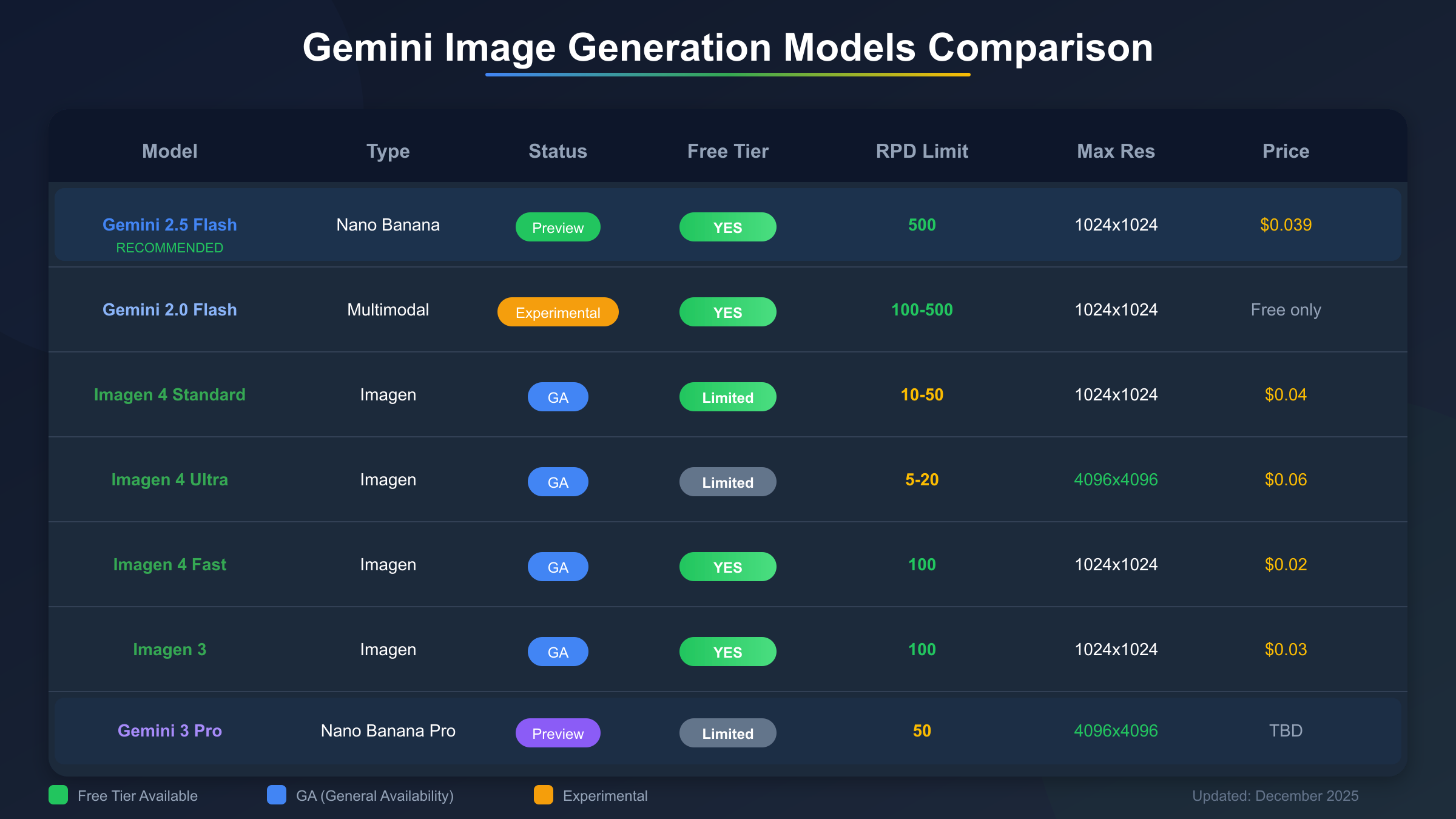
Here is the cleanest current official comparison based on Google's pricing and deprecation docs:
| Model | Free Tier on pricing page | Standard price | Batch price | Why you would choose it |
|---|---|---|---|---|
gemini-2.5-flash-image | Not available | about $0.039/image | about $0.0195/image | Cheapest official native Gemini lane, 1K-only, legacy |
gemini-3.1-flash-image-preview | Not available | about $0.045 / 0.067 / 0.101 / 0.151 for 0.5K / 1K / 2K / 4K | about $0.022 / 0.034 / 0.050 / 0.076 | Better current default Gemini route, higher-efficiency current line |
gemini-3-pro-image-preview | Not available | about $0.134 for 1K or 2K, $0.24 for 4K | about $0.067 for 1K or 2K, $0.12 for 4K | Premium Gemini lane for harder image jobs |
imagen-4.0-fast-generate-001 | Not available | $0.02/image | n/a on the Gemini pricing table | Cheapest Google image endpoint, but not Gemini |
Two practical conclusions fall out of that table.
First, if you mean official native Gemini image API, then gemini-2.5-flash-image is still the cheapest. That is the narrow cost answer.
Second, if you mean best current Gemini route for a new build, then gemini-3.1-flash-image-preview is the better answer. It costs more, but it is also the current replacement path and the model Google now frames as the high-efficiency Gemini image lane.
That is why the keyword should not be answered with one row alone. The cheapest line and the best current default are different.
If you only care about Google's cheapest image pricing and do not care whether the model is a Gemini lane, Imagen 4 Fast is cheaper than the Gemini image family. But most searchers typing Gemini image API are not really asking for a generic Google image endpoint. They are usually asking for the current Nano Banana family or a conversational Gemini-native image workflow.
Gemini 2.5 Flash Image vs Gemini 3.1 Flash Image Preview
This is the real decision most developers need help with.
gemini-2.5-flash-image is the cheaper official native Gemini lane. It is simple, fast, and cheap enough that it still looks attractive for low-cost automation. If you run it in batch, the price drops to about $0.0195 per image, which is hard to ignore when all you need is inexpensive 1K output.
But Google's own lifecycle guidance changes how far you should trust that price advantage. On the current deprecations page, Google lists October 2, 2026 as the shutdown date for gemini-2.5-flash-image, with gemini-3.1-flash-image-preview as the recommended replacement. That makes gemini-2.5-flash-image a cheap lane, not a safe long-term default.
gemini-3.1-flash-image-preview is more expensive, but it is the model Google now positions as the high-efficiency current Gemini image route. On the current Nano Banana image-generation guide, Google maps Nano Banana 2 to gemini-3.1-flash-image-preview and treats it as the high-volume, high-efficiency counterpart to Gemini 3 Pro Image. That makes it the better place to start if you are building something new in 2026.
The practical way to choose is:
- Choose
gemini-2.5-flash-imagewhen you care most about today's cost floor and can live with a legacy lane. - Choose
gemini-3.1-flash-image-previewwhen you are building a new workflow and do not want your cheapest choice to become your first migration problem.
That second rule is stronger than it looks. Cheap infrastructure is only cheap if it does not force a hurried migration six months later.
If you want more detail on the current Nano Banana 2 cost math, our dedicated guide to the cheapest Gemini 3.1 Flash Image Preview API goes deeper into the per-resolution numbers.
When Gemini 3 Pro Image or Imagen 4 Fast Changes the Answer
The cheap answer is not always the right answer. There are two cases where the decision changes quickly.
The first is when you are not really choosing between cheap and current, but between good enough and premium. On the current Google docs, gemini-3-pro-image-preview is the premium Gemini lane. Google frames it for professional asset production, while the image-generation guide maps it to Nano Banana Pro. If your workflow depends on harder instructions, premium client-facing assets, or a higher-confidence 4K lane, then the price jump can be rational.
The second is when you are not really asking for Gemini, but for the cheapest Google image endpoint. In that case, Imagen 4 Fast at $0.02/image is cheaper than all the Gemini image models on the public pricing page. That does not make it the right answer for every Gemini-flavored workflow. It just means the commercial word cheap sometimes points outside the Gemini family.
That is why a useful recommendation has to be scenario-based:
- Need the cheapest native Gemini lane:
gemini-2.5-flash-image - Need the best current Gemini default:
gemini-3.1-flash-image-preview - Need the premium Gemini lane:
gemini-3-pro-image-preview - Need the cheapest Google image endpoint overall:
imagen-4.0-fast-generate-001
This is also where broad vendor comparisons become more helpful than isolated Gemini-only posts. If you are comparing Google against other image stacks rather than only choosing inside Google, our current Gemini vs OpenAI image generation guide is the better next read.
Why Older Guides Still Talk About a Free Gemini Image API
The short answer is that the product moved faster than many ranking pages did.
Some of the older confusion comes from the gemini-2.0-flash era, when developers had stronger memories of free experimentation around image-capable Gemini surfaces. Some of it comes from older pages that mixed AI Studio, Gemini app usage, and Gemini API pricing into one blended answer. And some of it comes from model churn: Google's deprecations page shows that gemini-2.5-flash-image-preview shut down on January 15, 2026.
The community threads reflect that confusion clearly. Developers on Reddit and the Google AI Developers Forum spent late 2025 and early 2026 asking whether image generation had been removed from the free tier, whether AI Studio had been paywalled, and whether older examples were still valid. That community confusion is not the proof for the pricing answer, but it is proof that the keyword still exists because the product story changed under people.
The official docs themselves also shifted the way quotas are communicated. Google's current rate-limits page now says active limits can be viewed in Google AI Studio and that actual capacity may vary. That is a more cautious public posture than the old blog-friendly world of one clean quota matrix copied everywhere.
So when an older page says "Gemini image API is free," the right reaction in 2026 is not immediate dismissal. It is to ask:
- Which product surface is this page actually describing?
- Which model generation is it talking about?
- Was it written before the current image-model pricing tables and deprecation schedule changed?
If it does not answer those questions, it is probably answering an older version of the product.
What I Would Choose in Three Common Scenarios
If you only need a recommendation and do not want to parse the rest of the article, this is the clearest version of my answer.
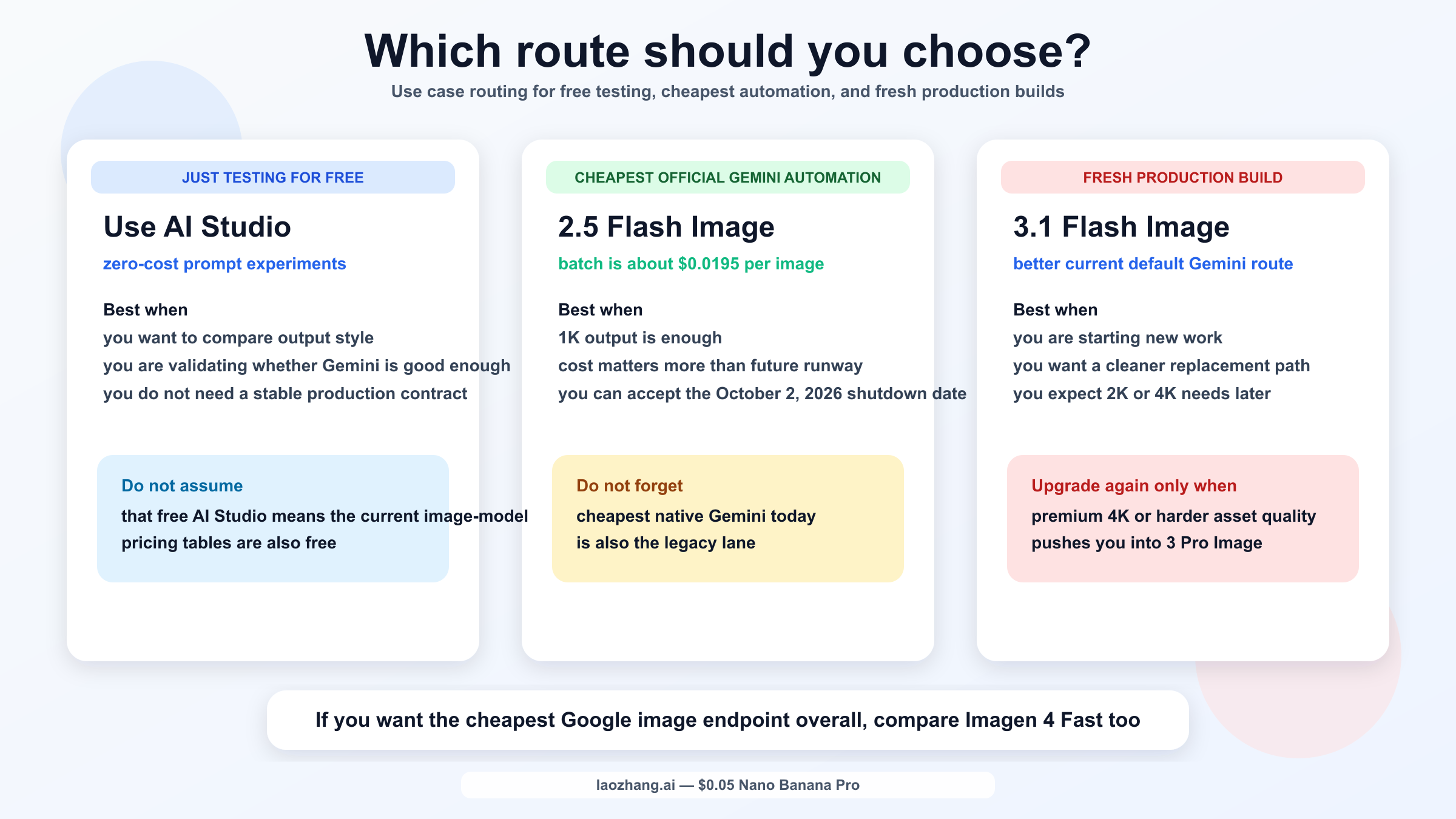
1. I just want to test Gemini image prompts for free
Use Google AI Studio first.
That is the cleanest zero-cost path left in the official Google story. Google's billing docs still support free-tier access to certain models and say AI Studio remains free unless you link a paid key. If you are only validating prompt quality or learning the model family, do not overcomplicate the answer by treating this like a production pricing question on day one.
2. I want the cheapest official native Gemini image API for automation
Use gemini-2.5-flash-image in batch if 1K output is enough and you accept the fact that it is a legacy lane.
This is the narrow cheap answer. Just do not confuse a cheap lane with a good long-term foundation. If you are building something you expect to keep past late 2026, the shutdown date matters.
3. I am starting a fresh project and want the better current Gemini default
Use gemini-3.1-flash-image-preview.
It costs more than the legacy 2.5 lane, but it is the current replacement path, it scales from 0.5K to 4K on Google's pricing page, and it gives you a cleaner starting point for a project you do not want to migrate again too soon.
If your job is premium client-facing asset work rather than cost-sensitive throughput, step up to gemini-3-pro-image-preview. If your real question turns out to be "what is the cheapest Google image endpoint at all," then compare against Imagen 4 Fast before you assume the Gemini label is the whole answer.
FAQ
Do I need a credit card to test Gemini image generation?
Not if AI Studio is enough for your testing. Google's billing docs still say new accounts begin on the Free tier, and AI Studio usage remains free unless you link a paid API key for paid features.
Is there a free current Gemini image API model?
Not on the public pricing page. The live Gemini image-model tables for gemini-3.1-flash-image-preview, gemini-3-pro-image-preview, and gemini-2.5-flash-image all show Not available under Free Tier.
What is the cheapest official native Gemini image API today?
gemini-2.5-flash-image. Google currently lists it at about $0.039/image standard and $0.0195/image in batch.
What is the best current Gemini default if I am starting from scratch?
gemini-3.1-flash-image-preview. It is the current high-efficiency Gemini image lane and the official replacement for the cheaper but older gemini-2.5-flash-image.
Does the Google Cloud $300 welcome credit help with Gemini image API usage?
No. Google's billing FAQ says the welcome credit cannot be used toward the Gemini API or AI Studio.
Where do I check my real limits now?
In Google AI Studio. Google's current rate-limits page explicitly points users there and says actual capacity may vary.
Bottom Line
As of March 21, 2026, the best answer to "cheap free Gemini image API" is not one marketing line. Free testing still exists, but the current Gemini image API model tables are paid-only. The cheapest official native Gemini lane is still gemini-2.5-flash-image, but it is also a legacy lane with a published shutdown date. If you are building a new Gemini image workflow, gemini-3.1-flash-image-preview is the better current default even though it costs more.
That distinction is exactly what most page-one results still fail to make. They either lean too hard on the word free, or they answer cheap without telling you whether the cheapest lane is still the right place to start.


