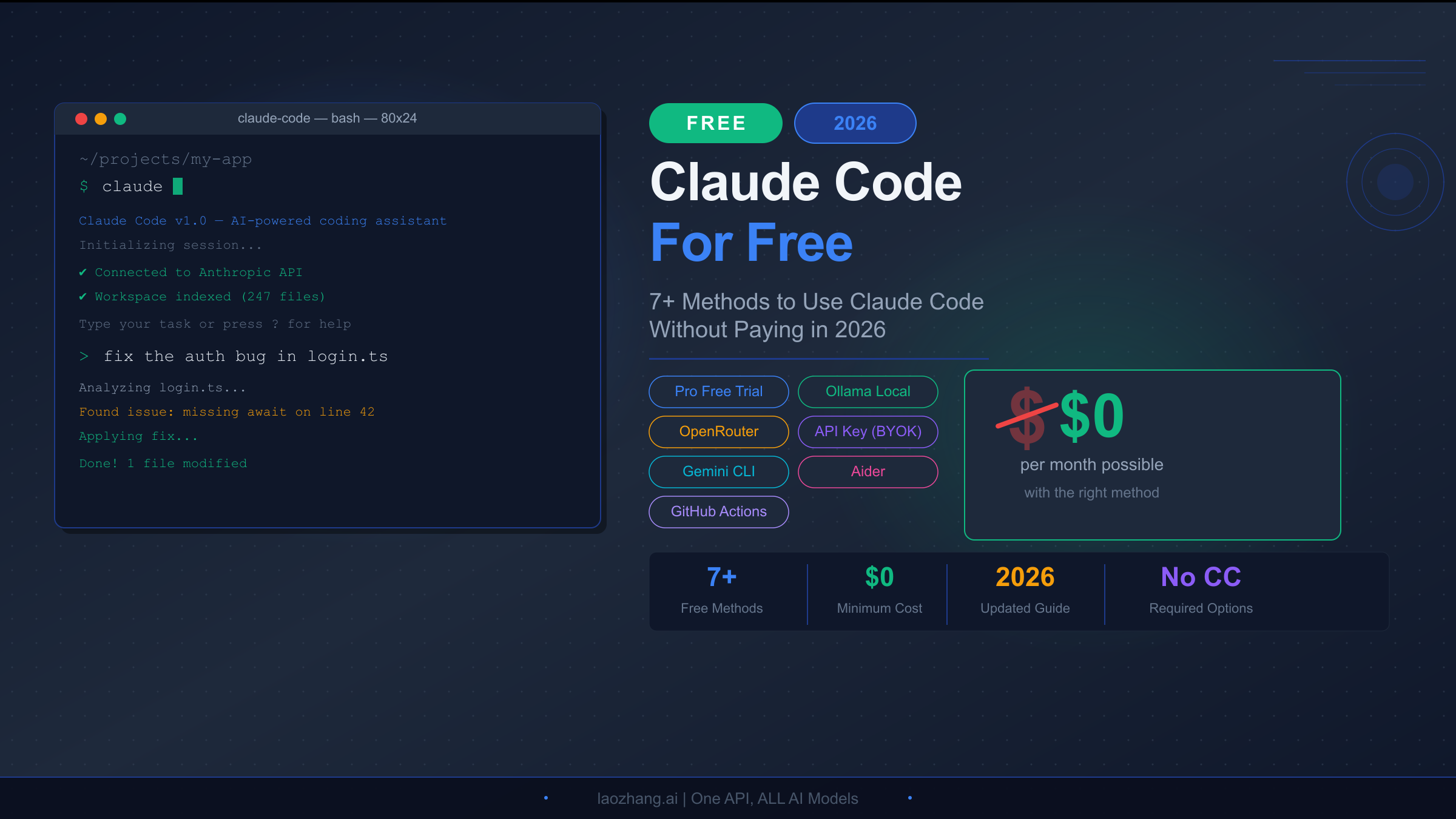
Claude Code has quickly become one of the most powerful AI coding assistants available, but many developers are surprised to discover it requires a paid Claude Pro subscription at minimum. With the Pro plan costing $20 per month and the Max plan reaching $200 per month, the question on every developer's mind is straightforward: can you actually use Claude Code without paying? The answer is more nuanced than a simple yes or no, and this guide covers every legitimate method to access Claude Code for free or at dramatically reduced cost in 2026.
TL;DR
Claude Code's CLI tool is free to install, but it needs an API connection to function. The free Claude plan does not include Claude Code access. However, you can use Claude Code completely free through the 30-day Pro trial, alternative AI providers like OpenRouter, local models via Ollama, or by switching to free alternatives like Gemini CLI. For developers who need Anthropic's models specifically, a BYOK API key approach can cost as little as $3-5 per month for light usage — far less than any subscription plan.
What's Actually Free in Claude Code? (Clearing Up the Confusion)

There is a persistent misconception floating around developer communities about Claude Code's pricing, and it stems from a fundamental misunderstanding of how the tool actually works. When people say "Claude Code is free," they are technically correct about one narrow aspect — the CLI tool itself is open source and costs nothing to install. However, this statement is deeply misleading because the CLI is essentially a shell that requires an AI model connection to do anything useful.
The confusion becomes clear when you understand Claude Code's two-layer architecture. The first layer is the command-line interface, which you can install with a simple npm install -g @anthropic-ai/claude-code command at no cost. This gives you the terminal interface, the file system integration, and the ability to run commands. The second layer is the AI model that powers all the intelligence — the code understanding, generation, debugging, and refactoring capabilities that make Claude Code valuable. This second layer is what costs money, and it is where the free plan falls short.
According to Anthropic's official pricing page (verified March 2026), the free Claude plan includes web chat, mobile access, desktop apps, web search, memory, file creation, desktop extensions, and even Slack and Google Workspace integration. What it explicitly does not include is Claude Code and Cowork. These features are reserved for the Pro plan ($20/month or $17/month with annual billing) and higher tiers. The Pro plan provides approximately 45 messages per 5-hour window with Claude Code, while the Max plans offer 5x ($100/month) or 20x ($200/month) that usage.
This means that if you want to use Claude Code with Anthropic's own models through the official channel, you need to pay at minimum $20 per month. But here's what most articles miss: Claude Code's architecture supports custom model providers, which opens up several genuinely free pathways that we will explore in detail. If you want a deeper understanding of what the free tier actually includes, that dedicated guide covers every limitation and workaround.
Method 1: Claude Pro Free Trial (30 Days of Full Access)
The most straightforward way to experience Claude Code at its full potential without spending a dollar is through Anthropic's official free trial. As of March 2026, Anthropic offers every new user a 30-day free trial of the Claude Pro plan, which includes complete access to Claude Code with all its features — Opus 4.6 model access, extended thinking, projects, priority access during peak hours, and the full complement of roughly 45 Claude Code messages per 5-hour window.
The trial requires registering a new account at claude.ai and providing a payment method, but Anthropic explicitly states that your card will not be charged during the trial period. You can cancel at any time before the 30 days expire without incurring any cost. This makes it the ideal option for developers who want to evaluate whether Claude Code justifies a subscription before committing financially.
Setting up the free trial takes about three minutes. Visit claude.ai and create an account, then navigate to the subscription page and select the Pro plan. Enter your payment details, and you will see confirmation that the trial begins immediately with no charge for 30 days. Once activated, install Claude Code via npm and authenticate with your Claude account. You will have full Pro-tier access from the terminal immediately.
The limitation is obvious — 30 days is a fixed window. Once it expires, you need to either subscribe or find one of the alternative methods described below. However, for anyone who has not yet tried Claude Code, this is unquestionably the best starting point because you experience the product at its best before deciding on a long-term strategy. For a detailed walkthrough of maximizing your trial period, check out our Claude Code free trial guide.
Method 2: Active Promotions and Discount Codes (March 2026)
Anthropic has become increasingly aggressive with promotional offers, and March 2026 is a particularly good time to be looking for deals. There are currently several active promotions that can dramatically reduce or eliminate your Claude Code costs.
The March 2026 Usage Promotion is the most significant current offer. Running from March 13 through March 28, 2026, Anthropic is doubling usage limits for all eligible plan users during off-peak hours. Specifically, if you use Claude Code outside the peak window of 8 AM to 2 PM Eastern Time on weekdays, your 5-hour usage limit is doubled. This applies to Free, Pro, Max, and Team plans — though remember that the Free plan does not include Claude Code access, so this promotion benefits those who have at least a Pro subscription. The critical detail that most people miss is that the bonus usage from this promotion does not count toward your weekly usage limits, making it effectively free additional capacity on top of your existing plan (source: support.claude.com, verified 2026-03-17).
The Guest Pass Program offers another avenue for free access. If you know someone with a Claude Max subscription, they can send you a Guest Pass that provides 7 days of full Pro-level access — including Claude Code — with no payment information required whatsoever. This is genuinely free with zero strings attached, though it requires knowing a Max subscriber willing to share an invite.
Reddit promotional codes surface periodically in the r/ClaudeAI community. In early March 2026, Anthropic offered 50% off Claude Code Pro Plan for 3 months to new users, along with free Claude Code Max access ($200/month value) for 6 months through select promotional channels. These offers change frequently, so checking the subreddit's pinned posts and the official Anthropic blog before subscribing is worth the few minutes of research. The post from two weeks ago garnered over 130 comments, indicating significant community interest in these deals.
Method 3: Alternative AI Providers (OpenRouter, Gemini, DeepSeek)
This is where the real magic happens for developers who want to use Claude Code indefinitely without paying Anthropic a subscription fee. Claude Code supports custom model providers through its configuration system, which means you can route requests through alternative AI services — some of which offer free tiers or significantly cheaper pricing than Anthropic's direct offering.
OpenRouter is the most popular alternative provider for Claude Code users, and for good reason. OpenRouter aggregates dozens of AI models from multiple providers and offers rotating free models with daily limits. The setup process involves getting a free API key from openrouter.ai, then configuring Claude Code to use it. You create or edit the ~/.claude/settings.json file and add an apiProvider configuration pointing to OpenRouter's API endpoint. The free models available through OpenRouter change periodically, but typically include competitive options from providers like Google, Meta, and Mistral that handle coding tasks reasonably well.
The practical reality of using OpenRouter's free tier is that you get genuine AI coding assistance at zero cost, but with limitations that are important to understand before committing to this approach. The free models rotate periodically, which means the model you used yesterday might not be available today — though OpenRouter typically maintains at least several free options at any given time. Quality varies between models, and daily usage caps apply, typically in the range of 50-200 requests per day depending on the specific model.
For casual development work — fixing bugs, generating boilerplate, writing unit tests, refactoring small functions — the OpenRouter free tier is perfectly adequate and provides a genuine productivity boost. Many developers in the r/ClaudeAI community report using this setup as their primary coding assistant for side projects and personal development work. Where it falls short is on complex multi-file refactoring, large codebase analysis requiring deep context understanding, and architectural decision-making where Opus 4.6's reasoning capabilities are genuinely superior. The YouTube tutorial "Claude Code for FREE Forever — OpenRouter Setup (2026)" by Thetips4you provides an excellent visual walkthrough of the complete configuration process if you prefer video instructions.
Google's Gemini models offer another free pathway. By configuring Claude Code to use the Gemini API through Google AI Studio, you can access models like Gemini 2.5 Pro with up to 1,000 free requests per day. The setup requires a Google AI Studio API key (free) and adjusting Claude Code's provider configuration. Gemini models are particularly strong at code understanding and generation, making this one of the highest-quality free options available.
DeepSeek provides a third option with competitive coding performance at very low cost. While not entirely free, DeepSeek's API pricing is dramatically lower than Anthropic's — often 10-20x cheaper for comparable quality on coding tasks. For developers who need a reliable, always-available option and are willing to spend a few dollars per month rather than $20+, DeepSeek through Claude Code's custom provider configuration is an excellent middle ground. The setup mirrors the OpenRouter process: obtain a DeepSeek API key, configure the provider endpoint in Claude Code's settings, and you are ready to code with one of the most cost-effective models available.
One practical consideration when using alternative providers is managing multiple API keys and keeping track of which models are available on each service. For developers exploring API-level access through aggregation platforms, services like laozhang.ai offer consolidated access to multiple AI providers including Claude, Gemini, and DeepSeek through a single API endpoint, which simplifies the setup process considerably. This approach is particularly useful if you want to switch between models depending on the complexity of your coding task — using a cheaper model for routine work and a more capable one for challenging problems.
The key trade-off with all alternative providers is that you lose access to Claude Code's native features that are deeply integrated with Anthropic's infrastructure, such as extended thinking mode, the full 1-million-token context window specific to Opus 4.6, and the seamless authentication flow. For most coding tasks, these differences are minor, but for complex architectural planning or large codebase analysis, the native Anthropic experience remains superior. If you are interested in learning more about accessing Claude's API with free credits, that guide covers the initial credit options available to new API users.
Method 4: Run Local Models with Ollama (Free Forever)
For developers who want absolute zero cost with no API dependencies, no rate limits, and complete privacy, running local models through Ollama represents the ultimate free Claude Code experience. Thanks to Claude Code's compatibility with Ollama's API, you can run capable coding models entirely on your own hardware.
The setup process is straightforward for anyone comfortable with a terminal. First, install Ollama from ollama.com — it is available for macOS, Linux, and Windows. Once installed, pull a coding-optimized model. The community consensus as of early 2026 points to models like Qwen 2.5 Coder (32B parameters) and DeepSeek Coder V2 as strong performers for code generation tasks. For machines with 16GB+ of RAM, the 14B parameter models run smoothly; with 32GB+, you can run the larger 32B variants that approach cloud model quality on many coding benchmarks.
After Ollama is running with your chosen model, configure Claude Code to connect to it by setting the API endpoint to http://localhost:11434 in your Claude Code configuration. The experience feels almost identical to using cloud-based Claude Code — you type natural language instructions in your terminal, and the local model analyzes your codebase, suggests changes, generates code, and helps debug issues.
The trade-offs are honest and worth understanding. Local models cannot match Opus 4.6's reasoning depth on complex architectural decisions, multi-file refactoring across large codebases, or nuanced understanding of uncommon frameworks. Response times depend entirely on your hardware — a modern MacBook Pro with M3/M4 chips handles most queries in 5-15 seconds, while older machines may take 30+ seconds for complex prompts. You also lose access to Claude Code's cloud features like extended thinking and the 1-million-token context window.
That said, for the majority of daily coding tasks — writing functions, fixing bugs, generating tests, explaining code, refactoring individual files — a well-chosen local model running through Ollama provides 70-80% of the Claude Code experience at literally zero cost. If you are primarily a solo developer working on personal projects or learning to code, this method deserves serious consideration as your primary setup.
There is an additional benefit to local models that often goes unmentioned: complete privacy. Unlike cloud-based solutions where your code is sent to external servers for processing, everything stays on your machine with Ollama. This makes it the ideal choice for developers working on proprietary codebases, handling sensitive data, or operating under strict compliance requirements that prohibit sending source code to third-party services. Several enterprise developers on Hacker News have reported using this exact setup to get AI coding assistance on classified projects where cloud-based tools were prohibited by company policy.
The hardware investment perspective also deserves consideration. A developer who would spend $20/month on Claude Code Pro spends $240/year. Over two or three years, that amount approaches the cost of a RAM upgrade or even a used M-series Mac Mini that would run local models capably. For developers who plan to use AI coding tools long-term, investing in hardware and running models locally can actually be more cost-effective than any subscription, with the added benefits of unlimited usage, zero latency on local networks, and complete independence from service outages or API rate limits. For a complete walkthrough of installing Claude Code and configuring it with various providers including Ollama, our installation guide covers every step in detail.
Method 5: BYOK API Key (Pay Only What You Use)

The bring-your-own-key approach occupies a sweet spot between free options and full subscription plans. Instead of paying $20/month for Pro regardless of how much you use Claude Code, you create an Anthropic API key and pay per token — which can be dramatically cheaper for moderate users.
Here is the math that makes BYOK compelling. Anthropic's current API pricing for Sonnet 4.6 is $3 per million input tokens and $15 per million output tokens (anthropic.com/pricing, verified 2026-03-17). A typical Claude Code session — asking it to analyze a file, understand a bug, and suggest a fix — might consume around 10,000-30,000 input tokens and 2,000-5,000 output tokens. That translates to roughly $0.03-0.12 per interaction. Even if you run 50-100 such interactions in a month, your total cost lands between $1.50 and $12.00 — well below the $20 Pro subscription.
For even cheaper API access, Haiku 4.5 at $1/$5 per million tokens handles many routine coding tasks competently and costs roughly 3x less than Sonnet. The trade-off is reduced reasoning quality on complex problems, but for code completion, simple bug fixes, and documentation generation, Haiku performs admirably at rock-bottom prices.
Setting up BYOK takes about five minutes. Create an account at console.anthropic.com, generate an API key, and add billing information. Then configure Claude Code with your API key — either through the ANTHROPIC_API_KEY environment variable or in the settings file. You can set spending limits on your API account to prevent unexpected charges, which gives you precise control over your monthly budget. If you are interested in understanding the full Claude API pricing structure, our detailed guide breaks down costs across all models and use cases.
The BYOK approach is particularly attractive for developers who use Claude Code intensively during some weeks and barely at all during others. With a subscription, you pay $20 whether you use it twice or two hundred times. With BYOK, you pay proportionally to actual usage, which often results in significant savings for users outside the "heavy daily usage" category.
To put real numbers on this, Anthropic's own data suggests that the average Claude Code developer uses about $6 per day in API-equivalent spend, with 90% of users falling under $12 per day. However, this average includes heavy professional users who run Claude Code continuously throughout their workday. Casual and moderate users — those who interact with Claude Code for 30-60 minutes daily — typically consume far less, often in the $1-3 per day range. Over a month, that translates to $20-60 for moderate users versus $120-240 for heavy users. The critical insight is that moderate users are overpaying with a $20 Pro subscription relative to their actual usage, while heavy users are getting extraordinary value from subscription plans that would cost $180+ at API rates. Understanding where you fall on this spectrum is essential for choosing the most cost-effective approach. For a comprehensive breakdown of API pricing across all Claude models, our pricing guide covers the complete token economics.
Complete Comparison: Which Free Method Should You Choose?

With five distinct approaches to using Claude Code for free or cheap, choosing the right one depends on your specific situation. The following comparison framework considers the dimensions that matter most: cost, quality, setup complexity, and long-term sustainability.
| Method | Monthly Cost | Model Quality | Setup Difficulty | Best For |
|---|---|---|---|---|
| Pro Free Trial | $0 (30 days) | Excellent (Opus/Sonnet) | Very Easy | Evaluating Claude Code |
| Promotions/Deals | $0-10 | Excellent | Easy | Opportunistic savings |
| OpenRouter Free | $0 | Good (varies) | Moderate | Casual/learning use |
| Ollama Local | $0 | Good (hardware-dependent) | Moderate | Privacy-focused devs |
| BYOK API Key | $3-12 | Excellent (Sonnet/Opus) | Easy | Moderate users |
| Gemini CLI (alternative) | $0 | Very Good | Easy | Budget-conscious devs |
If you are new to AI coding assistants, start with the Pro free trial. There is no reason not to experience the best version first and then decide whether to downgrade to a free method or continue paying.
If you are a student or hobbyist developer who wants free access indefinitely, the Ollama local setup or OpenRouter free tier provides genuine value without any ongoing cost. The quality difference compared to Claude's cloud models is noticeable on complex tasks but negligible for everyday coding work like writing functions, debugging, and generating tests.
If you are a professional developer who uses Claude Code regularly but finds the $20/month hard to justify, the BYOK API key approach likely offers the best value proposition. You get access to the exact same Sonnet and Opus models at a fraction of the subscription cost, with the flexibility to scale up during intense development periods and scale down during quieter weeks.
If you want the absolute best free alternative, Gemini CLI deserves strong consideration. With 1,000 free requests per day using Gemini 2.5 Pro and a 1-million-token context window, it offers arguably the most generous free tier of any terminal AI coding tool available in 2026. Combined with Aider or OpenCode as an open-source frontend, you can build a completely free AI coding workflow that covers 80-90% of what a $20/month Claude Code subscription provides.
It is also worth noting that these methods are not mutually exclusive. Many experienced developers combine multiple approaches — using the Pro free trial to evaluate Claude Code's capabilities, then transitioning to a BYOK API key for tasks that truly require Anthropic's models, while handling routine coding with Gemini CLI or a local Ollama setup. This hybrid strategy maximizes quality while minimizing costs across all your development work.
Best Free Alternatives to Claude Code in 2026
For developers who decide they want a fully free terminal AI coding experience without the workarounds of configuring alternative providers, several standalone tools have emerged that compete directly with Claude Code.
Gemini CLI is Google's answer to Claude Code and offers the most generous free tier in the market. You get 1,000 free requests per day with Gemini 2.5 Pro, a 1-million-token context window (matching Claude's largest offering), and Google Search grounding for up-to-date information. The tool integrates with your local file system similarly to Claude Code and supports multi-step coding workflows. Installation is straightforward through npm, and authentication uses your Google account — if you already have a Google account, you can be up and running in under two minutes with zero cost.
What makes Gemini CLI particularly compelling is the sheer volume of its free tier. One thousand requests per day means even intensive development sessions are unlikely to hit the limit. For context, a typical Claude Code Pro user gets roughly 45 messages per 5-hour window, which translates to about 200 interactions in a full workday. Gemini CLI gives you 5x that amount for free. The quality of Gemini 2.5 Pro for code generation has improved dramatically throughout 2025 and into 2026, and many developers report that it handles standard web development, Python scripting, and data analysis tasks at a level comparable to Claude Sonnet.
Aider is the veteran open-source option that has been refined over more than two years of development. It is completely free to use with your own API keys from any provider (BYOK model), supports dozens of LLMs including Claude, GPT, Gemini, and local models, and integrates deeply with Git for automatic commit generation. Aider's unique "architect mode" lets you use a powerful model for planning and a cheaper model for implementation, which can dramatically reduce costs while maintaining quality on complex projects.
Cline takes a different approach as a VS Code extension rather than a terminal tool, but it provides Claude Code-level capabilities within your editor. With over 5 million installs, Cline supports step-by-step approval workflows, subagents for parallel tasks, and CI/CD integration. Like Aider, it operates on a BYOK model, making it free if you use free model providers. If you prefer working within an IDE rather than a terminal, Cline is the strongest option available.
OpenCode is specifically designed as an open-source Claude Code alternative and represents the closest functional equivalent available for free. It supports 75+ model providers including local models at zero API cost, features LSP integration for better code understanding, and provides subagent capabilities similar to Claude Code's agent teams. The developer experience closely mirrors Claude Code's terminal-based workflow, making it the easiest transition for users who want a free alternative without relearning a new tool.
What sets OpenCode apart from other alternatives is its explicit goal of replicating Claude Code's most powerful features in an open-source package. The subagent system, for instance, allows OpenCode to break complex tasks into parallel subtasks — much like Claude Code's recently introduced agent teams feature. Combined with its broad model support, OpenCode gives developers the flexibility to start with free models and upgrade to paid providers only when specific tasks demand higher quality, all without changing their workflow or tooling.
Amazon Q Developer rounds out the free options for developers working within the AWS ecosystem. It offers a free tier that includes AI-powered code suggestions, security scanning, and infrastructure-aware coding assistance. While not a direct Claude Code competitor in terms of general-purpose coding, Amazon Q excels at AWS-specific development tasks — writing CloudFormation templates, configuring Lambda functions, and debugging deployment issues. If your development work involves significant AWS infrastructure, Amazon Q's free tier provides specialized value that neither Claude Code nor its other alternatives can match.
The broader landscape of free AI coding tools has expanded dramatically since Claude Code's launch, and this competition benefits developers enormously. Whether you choose Gemini CLI for its generous free tier, Aider for its Git integration and model flexibility, Cline for its VS Code integration, or OpenCode for its Claude Code-like experience, there is a genuinely capable free option for every workflow preference. The gap between free and paid AI coding assistance has narrowed significantly, and for many developers, the free options now provide more than enough capability for productive daily use.
Frequently Asked Questions
Can I use Claude Code completely free?
Yes, but with caveats. The Claude Code CLI itself is free to install, but it requires a model provider to function. You can use it completely free through OpenRouter's free models, Ollama local models, or during the 30-day Pro trial. The official Claude Free plan does not include Claude Code access — you need at minimum a Pro plan ($20/month) for native Anthropic model support. The distinction between "CLI is free" and "the AI behind it costs money" is the source of most confusion in developer communities. Think of it like downloading a photo editing app for free but needing to pay for the cloud processing that makes the advanced features work — the shell is free, the intelligence is not.
Is the Claude Pro free trial really free?
Yes. Anthropic offers a genuine 30-day free trial with no charge. You need to provide payment information, but you can cancel at any time during the trial without being charged. The trial includes full Pro features including Claude Code access with Opus 4.6 and Sonnet 4.6 models. Multiple users on Reddit and Hacker News have confirmed that cancellation works smoothly with no hidden fees or aggressive retention tactics. Setting a calendar reminder for day 28 is a simple insurance policy if you decide not to continue.
What's the cheapest way to use Claude Code with Anthropic's models?
The BYOK API key approach is typically cheapest for moderate users. At Sonnet 4.6's rate of $3/$15 per million tokens (anthropic.com/pricing, verified March 2026), most developers spend $3-12 per month — far less than the $20 Pro subscription. You can also watch for promotional codes on Reddit's r/ClaudeAI, which sometimes offer 50% off for 3 months. For the absolute cheapest option with Anthropic models, use Haiku 4.5 at $1/$5 per million tokens for routine tasks and only switch to Sonnet for complex problems — this hybrid approach can bring monthly costs below $3 for light users.
How does Claude Code compare to Gemini CLI?
Both are terminal-based AI coding assistants with similar capabilities but fundamentally different pricing models. Claude Code requires a Pro plan ($20/month) or API key, while Gemini CLI offers an extraordinarily generous 1,000 free requests per day with Gemini 2.5 Pro. Gemini CLI matches Claude Code's 1-million-token context window and includes Google Search grounding for up-to-date information. Claude Code generally excels at complex reasoning and multi-file refactoring with its Opus model, while Gemini CLI is highly competitive on straightforward coding tasks and offers significantly more generous free usage. For developers primarily doing web development and standard application coding, Gemini CLI's free tier may actually be sufficient as a permanent solution.
Can I use Claude Code with local models?
Yes, and this is one of the most exciting developments in AI coding tools. Through Ollama integration, Claude Code can connect to locally-running models like Qwen 2.5 Coder or DeepSeek Coder V2. This provides a completely free, private coding assistant with no API costs, no rate limits, and no data leaving your machine. Quality depends on your hardware — machines with 16GB+ RAM and modern GPUs or Apple Silicon chips (M3/M4) provide the best experience, typically generating responses in 5-15 seconds. Older machines with 8GB RAM can still run smaller 7B parameter models, though response quality drops noticeably compared to cloud options.
Are there any current Claude Code promotions?
As of March 2026, Anthropic is running a significant usage promotion (March 13-28, 2026) that doubles usage limits during off-peak hours for all plan tiers including Free, Pro, Max, and Team. The off-peak window is defined as any time outside 8 AM to 2 PM Eastern Time on weekdays. Crucially, this bonus usage does not count toward weekly limits, making it effectively free additional capacity. Additionally, promotional codes offering 50% off Pro for 3 months and free Max access ($200/month value) for 6 months have been reported on Reddit's r/ClaudeAI community (source: r/ClaudeAI, March 2026). These promotions change frequently, so checking the subreddit before subscribing is always worthwhile.